





5151
Of your peers have already watched this video.
14:00 Minutes
The most insightful time you'll spend today!
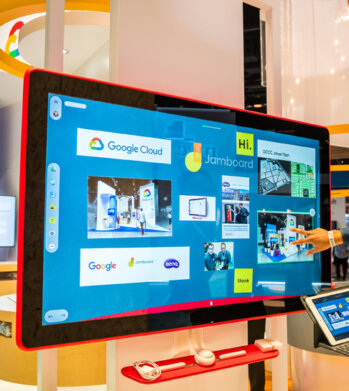
How Google Workspace Helps Manage, Govern and Protect Sensitive Data
The shift towards a hybrid work style and trends accelerated by the pandemic has resulted in data deluge. With companies and individuals sharing increasingly large volumes of information and collaborating with internal and external stakeholders, the need for innovations for higher security also escalates. View this video to learn how Google Workspace approaches security across content lifecycle from client-side encryption updates, data loss prevention, Google Vault, data regions, labels, and more!
6643
Of your peers have already downloaded this article
4:30 Minutes
The most insightful time you'll spend today!
Today’s modern workers are redefining organizations as we know it. They are no longer tied to a work desk or bound by geographies.
And that’s how they ensure that your business is always-on, all the time, everywhere. This, in turn, points to the fact that today’s organizations need to ensure they create conducive environments to help employees collaborate and work no matter where they are.
A Forrester Research study has found that today’s employees see their responsibilities changing and demand flexible, collaborative, data-rich work environments in return.
Four in five employees (80%) agree that they need instant access to information to succeed in their jobs. Two-thirds (66%) also say that their employers expect them to get work done wherever they are. However, modern workers see this as an opportunity rather than a burden; 77% prefer technologies that provide flexibility in where they can do their jobs and 69% say that being able to access company resources gives them a better work-life balance.
The ability to collaborate with colleagues in-person or remotely is still key, and 71% of workers agree that technologies that help them do this are critical to success.
Download the report to find out what impact this has on your business and why you need to listen to your new-age cloud workers.
3842
Of your peers have already watched this video.
14:49 Minutes
The most insightful time you'll spend today!
Helpful and human: G Suite’s vision for your future workspace
With an accelerated shift to remote working brought on by COVID-19, it’s clearer than ever that an organization’s success relies on its people and how they work. No matter where they’re working from, who they’re working with, or what projects they’re working on, organizations need to enable their employees to have impact.
That’s why, schools are figuring out remote learning models. Doctors are using Google Meet to consult with patients via video call. I believe COVID-19 is the catalyst that will accelerate the transition to more flexible and distributed teams. We’re seeing this trend clearly from both employers and employees. 80% of the workforce would really like the flexibility to work from home at least some of the time, and 74% of CFOs intend to shift some employees to work from home permanently after COVID-19.
From the beginning, G Suite was designed with human impact in mind: to help people work together from anywhere to achieve bigger things in work and in life.
G Suite’s Vice President and General Manager, Javier Soltero, talks about what the future of G Suite means for your organization. Get a window into the newest, most exciting innovations and hear how G Suite is helping organizations navigate what’s next.
How MobileOne Expanded its Stores by 340% in Just Three Years

4820
Of your peers have already read this article.
7:30 Minutes
The most insightful time you'll spend today!
The mobile industry is extremely fast-paced. New smartphones arrive at rapid speed. Smartphone OS updates regularly add new features and capabilities. And by the end of 2018, 5G wireless, the game-changing successor to 4G, will begin to be available in some markets.
With more than 125 T-Mobile premium retail stores across the United States, MobileOne is at the forefront of the mobile industry’s constant, rapid-fire changes. The company is growing quickly, too, expanding its number of stores by 340% in just 3 years.
In this high-growth, non-stop environment, MobileOne’s mission is to keep frontline employees trained, informed, and updated at all times so that they, in turn, can serve as trusted experts to customers. Ultimately, the end game is to stay competitive by delivering the kind of positive experience that encourages customers to return, and to recommend MobileOne to friends.
But fulfilling this mission had become a major operational challenge for MobileOne. Information was typically created in the company’s productivity software suite and shared in emailed file attachments through the company’s on-premises email system. The method was slow and inefficient, and it could introduce errors if an outdated file was emailed.
In addition, there were no central, shared, easily accessible repositories of company knowledge. Thus, to find information shared a few months ago, team members might have to search their email archives for the appropriate file, and the search capabilities of MobileOne’s legacy email system were far from robust. Worse, a file that one employee suddenly needed may exist only on the hard drive of another employee who might be away on vacation.
“Without G Suite, I can’t imagine how we could keep up with everything.”
– Revel Stark, Director of Recruiting and Marketing, MobileOne LLC
MobileOne leaders recognized that a digital workforce transformation was needed to help the company stay focused on delivering excellent customer service. In response, the company began moving all employees to G Suite with the help of Suitebriar, a Google Cloud – G Suite Premier partner.
Sharing docs in seconds
G Suite applications help MobileOne team members collaborate, share information, and receive the latest training. G Suite also helps MobileOne move at an accelerated pace. For example, on a recent Sunday, Revel Stark, Director of Recruiting and Marketing at MobileOne, was on his way to the beach with his family when someone in the company needed a document from him right away.
“It took just seconds to launch the Google Drive smartphone app, do a quick search, and share the requested document,” says Revel. “Before G Suite, I’d have to start up my laptop, assuming I even had it with me, and search for the file. If the file wasn’t on my laptop’s drive, it might be Monday before I could have found and shared it. That just doesn’t work for us. Without G Suite, I can’t imagine how we could keep up with everything.”
Creating central repositories
“Now, with Drive and Sheets, everyone has access to the most recent, business-critical information at the same time. Having live spreadsheets helps us ensure that no important information gets lost, despite the rapid pace in which we work.”
– Revel Stark, Director of Recruiting and Marketing, MobileOne LLC
Drive, coupled with G Suite apps such as Docs and Sheets, streamlines document sharing at MobileOne by enabling the company to create central repositories of information that are easily accessible and, with Google search technology, easily searchable.
For example, the company used to track operations, growth metrics, and performance in its legacy productivity suite’s spreadsheet application. The spreadsheet files were shared via email. But given MobileOne’s rapid growth, the information in those spreadsheet files could become outdated quickly. And there was confusion at times about which file was the most recent version.
“Now, with Drive and Sheets, everyone has access to the most recent, business-critical information at the same time,” Revel says. “Having live spreadsheets helps us ensure that no important information gets lost, despite the rapid pace in which we work.”
MobileOne has set up a Team Drive for each of the company’s departments, too. “With Team Drives, department heads can make sure their department’s documents are well organized, up to date, and easy to find,” Revel says. “And they can give access only to the people who need it.”
Streamlining interview schedules
The thousands of apps in the G Suite Marketplace enable businesses to add even more functionality to the G Suite apps that their employees use every day. MobileOne uses a third-party scheduling app that integrates with Calendar to streamline the scheduling of job applicant interviews. “Job applicants can look at our calendar and pick an open slot to schedule their interview,” says Revel. “It speeds up the process by not having to go back and forth in email, trying to find a time that’s mutually agreeable.”
Simplifying admin duties
“Before G Suite, it was time-consuming to add a new user to our email system,” Revel says. “I’d have to ask our service provider, then wait for them to do it. But with the easy-to-use G Suite admin panel, we can add someone to Gmail ourselves in a minute or two.”
Receiving personalized service
To support the rollout, MobileOne worked with Suitebriar, a Google Cloud – G Suite Premier Partner. Suitebriar efficiently set up MobileOne on G Suite and now provides webinars and on-going support to help MobileOne users get more out of G Suite. “Suitebriar is incredibly responsive,” says Revel. “They know our business, they give us personalized service, and they get back to me quickly when I have questions, sometimes in as soon as 30 seconds.”
Driving new business with Forms
MobileOne uses Forms to help it organize public events and, in combination with Sheets, to measure the success of those events.
Last year MobileOne held 200 events across the company’s 125 stores and is planning to hold up to 400 events this year. The events are designed to connect MobileOne associates with local residents and bring people into its stores who might not otherwise visit.
“We developed a pre-event form that stores use to communicate with our corporate office about what’s needed to set up their event,” Revel explains. “And we have a post-event form that stores can fill out to capture what worked and what didn’t work at the event. The information in that form gets dropped into a Sheets spreadsheet, so we can track the success of events across all stores. It helps us focus on the events that drive the most traffic into stores, where we can connect with locals and show them how we can help them.”
Using Hangouts to train — and applaud
“When a team member in the field does something fantastic, we can gather a bunch of people in a conference room, get that team member into Hangouts, and give him or her a round of applause. It’s a great way to give someone a pat on the back.”
– Revel Stark, Director of Recruiting and Marketing, MobileOne LLC
At MobileOne, Hangouts is among the most used G Suite app. The company uses Hangouts to bring executives together in different locations for a weekly briefing. “Hangouts breaks down the barriers that geographical distances create, so that everyone gets quality time together,” Revel says.
Training is another key Hangouts use case. “Because keeping our people well informed is so important, we use Hangouts frequently to train team members,” says Revel. “We’re currently using Hangouts with a Hangouts Meet hardware in our corporate office for training, and we’re considering expanding that by adding 20 to 30 Hangouts Meet hardware in training rooms across all seven states where we operate.”
MobileOne uses Slides for training presentations, which are often scheduled using Calendar and presented in Hangouts. “Calendar makes it easy to set up training events and to see the availability of people you want to invite,” Revel says. When people find a time that works, they simply add a Hangouts link to the calendar event. Then during the Hangouts session, a presenter can launch a Slides presentation, and attendees can ask questions with Hangouts chat. All of this is easy to set up and the training happens in real-time, which gives it more of an impact.
The company is also leveraging Hangouts in a less conventional way. “When a team member in the field does something fantastic, we can gather a bunch of people in a conference room, get that team member into Hangouts, and give him or her a round of applause,” says Revel. “It’s a great way to give someone a pat on the back.
You Won’t Believe the Number of Benefits These 3 Companies Achieved Just By Moving to G Suite

4344
Of your peers have already read this article.
3:15 Minutes
The most insightful time you'll spend today!
Businesses of all sizes use G Suite to breakdown information barriers and increase employee collaboration. It’s been especially helpful for start-ups and for those who run their own businesses, where juggling multiple jobs—from operations to administration to accounting—is second nature.
For many of these businesses, G Suite helps them collaborate securely and free up time so that they can focus on what really matters: their customers. Below are how three businesses use G Suite to both scale and mobilize while keeping their customers top of mind.
MobileOne Keeps its Employees Mobile
Workers spend up to 8 hours per week searching for, or consolidating, information. When you sift through emails to find files or dig through folders to attach documents, that time adds up.
MobileOne experienced this firsthand.
The company, which operates more than 125 T-Mobile premium retail stores in the US, found that its employees were sinking unnecessary time in email going back-and-forth searching for files.
Its previous productivity tools made it difficult to collaborate, especially for remote employees, and tough to share the latest information, like growth and performance metrics, at an accelerated pace. With this in mind, MobileOne moved to G Suite.
Revel Stark, MobileOne’s Director of Recruiting and Marketing, was heading to the beach with his family one Sunday when his colleague sent an urgent request for a document from him. It took just seconds to access the requested document in the Google Drive mobile app and share it, rather than having to search through files on a laptop, or wait until Monday when he was back in the office.
In addition, real-time editing in Docs and Sheets allows MobileOne employees to streamline how they share and edit documents since it eliminates version control. The company now creates central repositories of information in Docs and Sheets, ensuring everyone is working with the most up-to-date information, saved securely in the cloud.
JBGoodwin Realtors Streamlines Business Processes to Create New Home Owners
As a real-estate company with multiple offices in Texas and clients across the country, JBGoodwin Realtors needed a secure productivity solution that powered real-time employee collaboration.
But it also looked to a solution to help reduce costly maintenance, archive information securely in the cloud, and open up opportunities to streamline business processes. The company turned to G Suite to help.
By moving to G Suite, JBGoodwin Realtors adopted a cloud-first strategy that improved its data security by catching phishing attempts before they reached employees, and as a result, helped reduce time spent on platform maintenance by 30 percent.
Because Gmail allows users to easily archive emails in the cloud, the company no longer needs to invest in hard drive space to save messages. Its employees can easily access emails securely on any device both online or offline. Plus, the company can rest assured that their information stays secure with the help of built-in phishing protections.
Finally, via resources in the G Suite Marketplace, JBGoodwin Realtors automated its manual processes by connecting G Suite data with its CRM and marketing tools, so that its realtors can focus on making valuable connections with potential clients instead of inputting data in multiple systems.
TrueCar Drove a Smooth Transition to G Suite
More than 1.5 billion people use Gmail everyday. Since employees are often already comfortable with using Gmail in their personal lives, transitioning to using it at work is a smooth process.
This was crucial for TrueCar, an automotive resale marketplace that connects sellers with potential buyers (and arms them with pricing information). Minimal onboarding support and training was needed when implementing G Suite.
The team took advantage of G Suite’s User Interface customizations, which can be tailored to a user’s preference in Settings. For example, at TrueCar, admins customized their Calendar interface to be a side-by-side calendar view so they could easily see multiple schedules on a single screen.
With G Suite, there are many ways to customize your apps to help you stay productive.
How Google Meet Keeps Your Video Conferences Secure

6796
Of your peers have already read this article.
4:30 Minutes
The most insightful time you'll spend today!
All over the world, businesses, schools and users depend on G Suite to help them stay connected and get work done. Google designs, builds, and operates our products on a secure foundation, aimed at thwarting attacks and providing the protections needed to keep you safe. G Suite and Google Meet are no exception.
Google Meet’s security controls are turned on by default, so that in most cases, organizations and users won’t have to do a thing to ensure the right protections are in place. Here, we’ll summarize the key capabilities of Google Meet that help protect you.
Proactive protections to combat abuse and block hijacking attempts
Google Meet employs an array of counter-abuse protections to keep your meetings safe. These include anti-hijacking measures for both web meetings and dial-ins.
Google Meet makes it difficult to programatically brute force meeting IDs (this is when a malicious individual attempts to guess the ID of a meeting and make an unauthorized attempt to join it) by using codes that are 10 characters long, with 25 characters in the set. We limit the ability of external participants to join a meeting more than 15 minutes in advance, reducing the window in which a brute force attack can even be attempted. External participants cannot join meetings unless they’re on the calendar invite or have been invited by in-domain participants. Otherwise, they must request to join the meeting, and their request must be accepted by a member of the host organization.
In addition, we’re rolling out several features to help schools keep meetings safe and improve the remote learning experiences for teachers and students, including:
- Only meeting creators and calendar owners can mute or remove other participants. This ensures that instructors can’t be removed or muted by student participants.
- Only meeting creators and calendar owners can approve requests to join made by external participants. This means that students can’t allow external participants to join via video, and that external participants can’t join before the instructor.
- Meeting participants can’t rejoin nicknamed meetings once the final participant has left. This means if the instructor is the last person to leave a nicknamed meeting, students can’t join later without the instructor present.

Secure deployment and access controls for admins and end-users
To limit the attack surface and eliminate the need to push out frequent security patches, Google Meet works entirely in your browser. This means we do not require or ask for any plugins or software to be installed if you use Chrome, Firefox, Safari, or Microsoft Edge. On mobile, we recommend that you install the Google Meet app.
To help ensure that only authorized users administer and access Meet services, we support multiple 2-Step Verification options for accounts that are secure and convenient. These include hardware and phone-based security keys and Google prompt. Additionally, Google Meet users can enroll their account in our Advanced Protection Program (APP), which provides our strongest protections available against phishing and account hijacking and is specifically designed for the highest-risk accounts.
For G Suite Enterprise and G Suite for Education customers, we offer Access Transparency, which logs any Google access to Google Meet recordings stored in Drive, along with the reason for the access (support team actions that you might have requested, for example). Customers can also use data regions functionality to store select/covered data of Google Meet recordings in specific regions (i.e. US or Europe).
Secure, compliant, and reliable meeting infrastructure
In Google Meet, all data is encrypted in transit by default between the client and Google for video meetings on a web browser, on the Android and iOS apps, and in meeting rooms with Google meeting room hardware. Meet adheres to IETF security standards for Datagram Transport Layer Security (DTLS) and Secure Real-time Transport Protocol (SRTP). For every person and for every meeting, Meet generates a unique encryption key, which only lives as long as the meeting, is never stored to disk, and is transmitted in an encrypted and secured RPC (remote procedure call) during the meeting setup.
Security is an integral part of all our operations at Google. Our team of full-time security and privacy professionals supports our software engineering and operations to ensure that security is always a part of how we build and run our services. All of our Google Cloud and G Suite customers benefit from these capabilities, including:
- Secure-by-design infrastructure: Google Meet benefits from Google Cloud’s defense-in-depth approach to security, which utilizes the built-in protections and global-private network that Google uses to secure your information and safeguard your privacy.
- Compliance certifications: Our Google Cloud products, including Google Meet, regularly undergo independent verification of their security, privacy, and compliance controls, including validation against standards such as SOC, ISO/IEC 27001/17/18, HITRUST, and FedRAMP. We support your compliance requirements around regulations such as GDPR and HIPAA, as well as COPPA and FERPA for education.
- Incident management: We have a rigorous process for managing data and security incidents that specifies actions, escalations, mitigation, resolution, and notification of any potential incidents impacting customer data.
- Reliability: Google’s network is engineered to accommodate peak demand and handle future growth. Our network is resilient and engineered to accommodate the increased activity we’ve seen on Google Meet.
- Transparency: At Google Cloud, we’re clear about our commitments regarding customer data: we process customer data according to your instructions; we never use customer data for advertising purposes; and we publish the locations of our Google data centers, which are highly available, resilient, and secure.
During COVID-19 and beyond, we will continue to protect Google Meet users and their data, and keep innovating with new features to make our tools helpful, secure, and safe.
More Relevant Stories for Your Company
Google Workspace Bolsters Data Security by Adding Client-Side Encryption to Gmail and Calendar
Editor's note: This post originally appeared on the Google Workspace blog. We consistently hear from our customers that the privacy of their data is top of mind, which is why we’ve built state-of-the-art security and privacy-preserving technologies into our products — to keep customer data private and secure. We’ve put

Maximize your downtime with these 12 cost-effective Google Cloud learning opportunities
The holiday season is upon us! If you are making your list and checking it twice, we’ve got a few learning gifts you can tick off the list and share with others too. For the season of giving, we’ve wrapped up some of our most popular training and certification opportunities

An Expert’s Guide to Productivity and Well-being while Embracing WFH and Hybrid Style
Driving impact over output in a new era of work As Google’s productivity advisor, I spend a lot of time coaching executives on ways they can make the most of their work day. Over the years, people have come to me with very different ideas about what productivity is, why

If You Run Your Country’s Largest Retail Franchise, How Do You Pull Together, in Sync?
In 1984, Mario Maio set up a small business manufacturing electrical transformers in his Johannesburg garage. Over the next two decades, the ACDC Dynamics company he created came to dominate manufacturing, import, and distribution in South Africa’s electrical goods sector. Then, in 2007, Mario’s son, Ricardo Maio, founded a retail arm to
