





Maximize your downtime with these 12 cost-effective Google Cloud learning opportunities

2991
Of your peers have already read this article.
3:30 Minutes
The most insightful time you'll spend today!
The holiday season is upon us! If you are making your list and checking it twice, we’ve got a few learning gifts you can tick off the list and share with others too. For the season of giving, we’ve wrapped up some of our most popular training and certification opportunities and made them available at no-cost.
This December we’re aiming to offer something for everyone, whether you’re just getting started with cloud, or knee deep in preparing for a professional certification exam. Start with the fundamentals to gain a deeper understanding of cloud whether you’re in a business or technical role. Perhaps you’re looking to flex your data analytics and ML muscle with BigQuery and SQL, earn a Google Cloud skill badge, or enhance your technical cloud skills. Or jump into a hot topic like sustainability and learn about Google’s commitment to a clean cloud, and how to use sustainability tools. Read on to find something on your learning wishlist.
We also have a variety of learning formats to fit your needs. Complete hands-on labs, view courses and webinars, or jump into competitions like the Google Cloud Fly Cup Challenge or our most popular #GoogleClout Challenge of 2022 – and let the fun begin!
Are you ready to learn? Take a look at the training we’ve recommended below to work towards your goals as we head into the new year, with new skills, to make the most of new opportunities.
We’re giving plenty of learning gifts to choose from this month, so take your pick from the topics below:
ML, AI and data analytics
Who it’s for: ML, AI and data engineers
What you’ll take away: A deeper understanding of working in BigQuery and SQL.
Level: Foundational
Start learning now:
- Introduction to SQL for BigQuery and Cloud SQL – Get started with this one hour and 15 minute hands-on lab to learn fundamental SQL querying keywords, which you will run in the BigQuery console on a public dataset, and how to export subsets of a dataset into CSV files, then upload to Cloud SQL. You’ll also learn how to use Cloud SQL to create and manage databases and tables, with hands-on practice on additional SQL keywords that manipulate and edit data.
- Weather Data with BigQuery – In this 45 minute lab, you’ll use BigQuery to analyze historical weather observations, and run analytics on multiple datasets.
- Insights from Data with BigQuery – Earn a shareable skill badge when you complete this five hour quest. It includes interactive labs covering the basics of BigQuery, from writing SQL queries, creating and managing database tables in Cloud SQL, and querying public tables to loading sample data into BigQuery.
- The Google Cloud Fly Cup Challenge – This is a three-stage competition in the sport of drone racing in the Drone Racing League (DRL). You will use DRL’s race data to predict outcomes and give performance improvement tips to pilots (these are the best drone pilots in the world!). There’s a chance to win exclusive swag, prizes, and an expenses paid trip to the DRL World Championship. Registration closes on December 31, 2022.
CI/CD
Who it’s for: Software Developers
What you’ll take away: Take part in our most popular #GoogleClout challenge of 2022! Build a simple containerized application.
Level: Fundamental
Start learning now:
- GoogleClout – CI/CD in a Google Cloud World – Flex your #GoogleClout in this cloud puzzle that challenges you in a lab format to create a Cloud Build Trigger to rebuild a containerized application hosted on a remote repository. Register it in the Artifact Registry and deploy. You’ll be scored on your results and earn a badge to share.
Preparing for Google Cloud certification
Who it’s for: Cloud engineers and architects, network and security engineers and Google Workspace administrators
What you’ll take away: Explore the breadth and scope of the domains covered in the cloud certification exams, assess your exam readiness and create a study plan.
Level: Foundational to advanced
Start learning now:
- Preparing for Google Cloud certification – These courses are for Associate Cloud Engineers, Professional Cloud Architects, Professional Cloud Network Engineers, Professional Cloud Security Engineers, and Google Workspace Administrators preparing for Google Cloud certification exams. You’ll also earn a completion badge when you finish the course.
- Preparing for the Cloud Architect certification exam – Join this 30 minute on-demand webinar to learn about resources to maximize your study plan, and get tips from a #GoogleCloudCertified Professional Cloud Architect.
Intro to Google Cloud for technical professionals
Who it’s for: Software Developers
What you’ll take away: Boost your Google Cloud operational and efficiency skills to drive innovation by navigating the fundamentals of compute, containers, cloud storage, virtual machines, and data and machine learning services.
Level: Foundational
Start learning now:
- Getting Started with Google Cloud Fundamentals – This on-demand webinar takes a little less than three hours to complete. Navigate Compute Engine, container strategies, and cloud storage options through sessions and demos. You’ll also learn how to create VM instances, and discover Google Cloud’s big data and machine learning options.
Intro to Google Cloud for business professionals
Who it’s for: Business roles in the cloud space like HR, marketing, operations and sales
What you’ll take away: A deeper understanding of cloud computing and how Google Cloud products help achieve organizational goals.
Level: Foundational
Start learning now:
- Cloud Digital Leader learning path -There are four courses in this learning path covering digital transformation, innovating with data, infrastructure and application modernization, and Google Cloud security and operations.
- Preparing for the Cloud Digital Leader certification exam – In this 30 minute webinar continue your learning journey by preparing for the Google Cloud Digital Leader certification exam. The webinar covers all the resources we’ve made available to help you prepare.
Sustainability
Who it’s for: Software Developers
What you’ll take away: Learn how the cleanest cloud in the industry can help you save your cloud bill, and save the planet.
Level: Foundational
Start learning now
- A Tour of Google Cloud Sustainability -Work through this one hour, hands-on lab, to explore your carbon footprint data, use the Cloud Region Picker, and reduce your cloud carbon footprint with Active Assist recommendations.
Keep connected and learning with us in 2023
Accelerate your growth on Google Cloud by joining the Innovators Program. No-cost for users of Google Cloud (including Workspace), it’s for anyone who wants to advance their personal and professional development around digital transformation, drive innovation, and solve difficult business challenges.
Continue your learning with Google Cloud in 2023 by starting an annual subscription1 with Innovators Plus benefits. Gain access to $500 in Google Cloud credits, live learning events, our entire on-demand training catalog, a certification voucher, access to special events, and other benefits.
Build your skills, reach your goals and advance your career with 12 no-cost ways to learn Google Cloud!
- Start an annual subscription on Google Cloud Skills Boost with Innovators Plus for $299/year, subject to eligibility limitations.

The Secret Behind How ATB Reduced Strategic Planning Time by 50 Percent
DOWNLOAD CASE STUDY4777
Of your peers have already downloaded this article
8:30 Minutes
The most insightful time you'll spend today!
ATB Financial (ATB) operates in a highly competitive financial services space, with competitors ranging from big banks to financial technology startups, ready to grab a slice of the provincial market share. To retain its competitive advantage in an industry primed for disruption, ATB took an active role in its evolution by intentionally transforming the way banking products and services could be delivered. Through this bold transformation, paired with customer-obsession, ATB is primed to make good on its commitment to deliver happiness to its customers by being more than a bank.
To address its goals, ATB launched a new initiative called “Work Reimagined” powered by G Suite, with the aim of helping employees save time, make decisions faster, and spend more time with customers to drive happiness. However, to succeed, ATB needed to equip its distributed, mobile workforce with modern productivity tools that would simplify employee communication and collaboration.
Remote employees often experienced connectivity and performance challenges with the corporate VPN, limiting their productivity. At the same time, legacy office tools did not foster innovation and often slowed business processes, delaying the company’s ability to deliver new services and respond to customer needs.
“We wanted productivity tools that would allow us to make time richer for team members in support of our customers and achieve 10x improvements rather than small gains. We chose G Suite because it enables employees to think and work differently,” says Lorne Rubis, Chief Evangelist, ATB Financial.
5376
Of your peers have already watched this video.
4:00 Minutes
The most insightful time you'll spend today!
AppSheet is Useful for Schools & Universities to Custom-build Apps
AppSheet, Google Cloud’s no-code platform that eases application development and automation process without writing even a line of code. In the education space, AppSheet can come in handy easily as a unified platform to build custom applications that also integrates seamlessly with Workspace, allowing schools and universities to save on time and resources on updating IT infrastructure.
From updating sheets, sharing documents and study material over drive to scheduling events on Calendar, organizing lectures and team meets over Meets, AppSheet allows easy collaboration and access. Watch the video to build apps that are best for your University or school using Google Cloud’s AppSheet!
Reactive Programming on Google Maps Platform: Watch Video to Learn

5307
Of your peers have already read this article.
1:30 Minutes
The most insightful time you'll spend today!
The Google Maps Platform Android SDK supports extensions for reactive programming, which helps you write code to handle asynchronous operations.
Write reactive and responsive mapping applications with Google Maps Platform
In mobile apps, asynchronous events can happen at any point in time: user touch events, waiting for network calls to complete, or receiving push notifications, to name a few. As an app developer, accounting for these events and composing them with other asynchronous events can be challenging. Reactive programming is an alternative to passing callbacks for different events and helps simplify the process of working with asynchronous events. In reactive programming, events are modeled as a stream, emitting items over time.
https://youtube.com/watch?v=1TmJvOZfBVQ%3Fenablejsapi%3D1%26
There are two libraries you can use to write reactive code: Kotlin Flows and RxJava. The next two videos show you how to use each one.
Writing reactive and responsive mapping applications using Kotlin
If you’re a Kotlin developer looking to use Coroutines and Flows, the KTX library allows you to use Kotlin Flows to receive events. The Maps KTX library includes extension functions that return Kotlin Flow objects, so you can listen to events in a reactive manner. Unlike suspending functions, which return a single value, Kotlin Flows can return several values over time. For example, you can use a Flow to receive camera event changes over time. To get started using Kotlin Flows in your app, include the Maps KTX library in the dependencies section in your build.gradle file.
https://youtube.com/watch?v=Cotx1ZmEYg8%3Fenablejsapi%3D1%26
Creating reactive maps on Android with RxJava
Integrate Google Maps Platform SDKs with popular Android library RxJava. RxJava is the Java implementation of Reactive Extensions, which is a library for composing asynchronous and event-based programs using observable sequences. One thing RxJava does is allows you to convert callback-based asynchronous code into a chain of transformations. Learn how this works and the other ways you can use RxJava in the third video in this series.
https://youtube.com/watch?v=AgGE7fAMrdA%3Fenablejsapi%3D1%26
We hope you learn more about reactive programming concepts to help you build responsive and reactive mobile apps in this three-part YouTube series. Have ideas for helpful videos you’d like to see on our channel? Leave a comment on any of our videos. And don’t forget to subscribe to our YouTube channel for the latest updates, tutorials, customer stories, and more.
For more information on Google Maps Platform, visit our website.
Bigbasket: Delivering Groceries Across 25 Cities in India

7313
Of your peers have already read this article.
1:30 Minutes
The most insightful time you'll spend today!
When Bigbasket was founded in December 2011, it guaranteed to deliver goods within a one-hour delivery slot of its customers’ choosing or it would refund them 10 percent of their orders. The company also introduced an express service, delivering groceries within 90 minutes of an order being placed.
Bigbasket needed a mapping platform that could help it meet its delivery times, and offer a familiar interface to customers. MediaAgility, a digital consulting company, recommended Google Maps Platform to Bigbasket.
When customers use the Bigbasket mobile app to place orders, they select their locations on a Google Map. The prices and availability of groceries varies according to location, so a customer’s location determines the cost of the order and what can be ordered.
Google Maps Platform Results
- Bigbasket handles more than one million orders per month, and delivers in more than two dozen cities in India
- Bigbasket now has more than four million customers
- Orders are delivered on time, increasing customer loyalty
It is also used to determine driver routes. Bigbasket used the Maps Javascript API to build a web-based app for the company’s backend that tracks all orders and delivery progress. Dispatchers use the Directions API to match drivers with orders and customers, and the Distance Matrix API to get estimate the time of arrival for deliveries. As dispatchers track the progress of deliveries on the map, they can tweak routes as necessary.
“We’ve built Bigbasket from the ground up using Google Maps Platform. It makes sure we have the right customer locations and deliver to them on time. We couldn’t have started Bigbasket without Google Maps. It helps us to be fast and efficient, and make sure our customers get what they’ve ordered quickly,” said Pramod Jajoo, Chief Technology Officer, Bigbasket
BHI: Embracing Google Workspace and AppSheet to transform the workplace

4256
Of your peers have already read this article.
4:30 Minutes
The most insightful time you'll spend today!
In the last two decades, BHI, once a small construction company in Vernal, Utah, has expanded its operations to dozens of industries in over 25 states. But while the company grew, its technology trailed behind. File sharing and emails both ran off a single server. Editing a document was a grueling undertaking that required an employee to VPN in, patiently download the file, edit it, then upload it again—all from a job site with a limited internet connection. Acknowledging the need for better technology, BHI adopted Google Workspace and AppSheet and transformed its business to be more innovative, productive, and profitable.
Rebuilding collaboration and productivity
BHI first looked to replace its archaic email and file-sharing systems. They found that Google Workspace—as a proven and popular collaboration solution for remote teams and a familiar, preferred platform that most employees use in their personal lives—was the clear choice. BHI migrated its 500 employees to Google Workspace in less than a week. Productivity immediately soared, since employees could collaborate more easily with Google Workspace’s products and access them from any device, from anywhere—even at the construction sites.
For instance, the contract writing process drastically improved with Google Workspace. Version control had always been a struggle—as employees circulated a draft contract from one computer to the next, versions became unruly and randomized, untracked changes popped up, and files went missing. With Google Workspace, the pre-construction, legal, and finance teams can all edit and track changes of a contract from wherever they work. Version control has become a thing of the past, as everyone is always working on the latest version.
By adopting Google Workspace, BHI decentralized its operations and began collaborating in real time across over 150 job sites. Management and IT gained new insights into challenges that they may never have uncovered nor confronted without a cloud-based productivity tool. The IT team also saw an opportunity to overhaul the methods of their deskless workforce, which accounts for 90% of the company. This deskless majority needed to connect directly to the data that influenced, impacted, and comprised their work. They also required more streamlined processes. AppSheet provided the answer to the workforce’s needs, enabling IT to create applications that simplified key tasks so mobile workers could get their jobs done faster and better.
For example, one BHI client required extensive inspections multiple times a day. Before using AppSheet, a BHI inspector would perform the inspection, return to a computer, record the results from paper to a spreadsheet, copy and paste them into a formatted report in a Google Docs, convert the Doc to a PDF, and email the final inspection report to the customer. This manual process took two hours to complete. Now, using AppSheet, the inspector inputs the results on their mobile device while performing the inspection. As soon as the device connects to the internet, it automatically updates the database with the inspector’s inputs, adds the inspection results to a preformatted report built-in Google Docs, and emails the final report as a PDF to the customer. With AppSheet, BHI shortened this inspection process from two hours to six minutes, saving over $50,000 a month in labor. “With Google Workspace and AppSheet, BHI has turned into a digital company with real-time data allowing for real-time decisions, collaboration, and transparency in a decentralized environment,” says
Johnny Hacking, Director of IT.
An easier software choice for faster results
BHI also found that building apps with AppSheet is much easier than using other solutions, such as developing with low- or full-code tools or purchasing third-party products. Because AppSheet is a true no-code platform, anyone can learn to build and maintain apps. Since adopting AppSheet, the BHI IT team has become so proficient with the platform that they have eliminated the company’s previous backlog of software needs. Now, when a new site opens up, IT proactively works with the site managers to understand its unique requirements in order to build a custom app. Start to finish, scoping, and building this site-specific app typically takes less than a week—compared to months with traditional development platforms.
IT team members aren’t the only BHI employees building apps. As Hacking explains, “We have people that aren’t in IT, and when they have an idea we say hey, log into AppSheet, build it out, and then we’ll help out with some final touches on it.”
Empowering employees outside of IT to build AppSheet apps has benefited teams across the company. For example, one team on a solar farm construction project needed to perform inspections of an array of specialized technical equipment with which IT was not familiar. In this case, the solar team, being the subject matter experts, simply built the app according to their specifications. All IT had to do was jump in at the end to help finalize the app—the final product was completely customized to the solar team’s very specific needs. This highlights the benefits of no-code development: on-the-ground experts build and prototype job-specific apps and IT puts the finishing touches on the functionality, all while keeping guardrails in place.
Using Google Workspace and AppSheet also simplifies BHI’s reliance on third-party software. “Our company divisions are so diverse that they each require different software,” says Hacking. “Plus, if we buy a third-party software, we still have to customize it by getting other software, because they don’t play well together. By replacing this software with AppSheet apps, we save a lot of money. And it’s easy to integrate those apps because on the back end, they’re all connected to Google Sheets.”
For the few third-party software products that BHI hasn’t been able to replace, they’ve used Apps Scripts to import the software’s data into Google Sheets, so that their data all lives on one platform. Overall, BHI has been able to free up 10% of its total IT spend by replacing third-party software with Google Workspace and AppSheet apps.
Company culture transformed by technology
“Because we’ve used Google Workspace and AppSheet and it’s been so successful, people are very willing to use them,” Hacking says. “And for a construction company to gain so much trust in these platforms in such a short period of time—that’s huge. Now we’re at the point where employees are asking, ‘What else can we do?’”
Adopting Google Workspace and AppSheet has not only made BHI more productive, but also transformed the company culture. Employees feel empowered to be more innovative and are constantly seeking ways to improve. Simplifying employees’ work has led to a direct boost in morale.
The role of IT has also transformed. As Hacking explains, “In just three years of using these technologies, IT has gone from being support overhead to being proactively brought to the table to take part in the business strategy.” Increased IT visibility and culpability has helped solve business problems and led to increased profitability.
BHI continues to find new ways to leverage Google Workspace and AppSheet to improve business. In response to COVID, they created a timesheet app that allows employees to clock in without touching a device. Most meetings are now held virtually using Google Meet. Fleet maintenance and repairs are all managed with apps. And, of course, the company has better data and insights than ever. As Hacking puts it, “We’re continuing to stay on the cusp of innovation because of Google Workspace and AppSheet.”
More Relevant Stories for Your Company

Accelerate Developer Productivity with Google Workspace
The software development process requires complex, cross-functional collaboration while continuously improving products and services. Our customers who build software say that they value Google Workspace for its ability to drive innovation and collaboration throughout the entire software development life cycle. Developers can hold standups and scrums in Google Chat, Meet,


Enabling a Remote Workforce with Chrome Enterprise
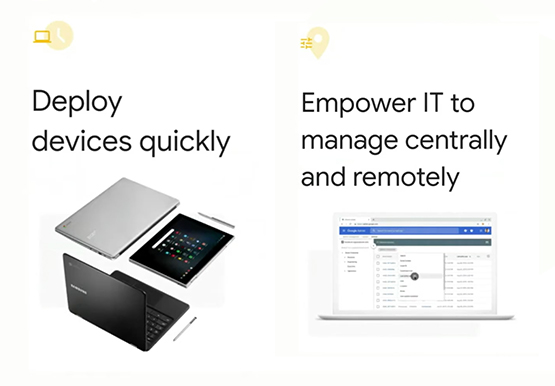
The recent COVID-19 pandemic has mandated that organizations take unprecedented efforts to enable their employees to work remotely. This recent Gartner survey indicated that 88% of organizations have encouraged or required employees to work from home. Even before this year's events, remote working has been a growing consideration for employees

The New Google Workspace Essentials: Bring Modern Collaboration to Work!
More than 3 billion users stay in touch, share ideas, and get more done together in Google Workspace, across apps like Meet, Chat, Drive, Docs, Sheets, Slides, and more. And starting today, we’re rolling out a new version designed to help people bring the apps they know and love to

Partner Delivery Excellence: Empowering Partners Deliver Customer value with Google Cloud
With growing demand for Google Cloud, customers are increasingly expecting more reliable advisory and implementation skills from Google Cloud Systems Integrator (SI) Partners. Our model for professional services remains differentiated, with a heavy co-dependence on our SI Partner ecosystem to drive success for our customers. Therefore, enabling and nurturing strong
