





From operations to planning, G Suite customers scale data insights with Connected Sheets

4071
Of your peers have already read this article.
4:30 Minutes
The most insightful time you'll spend today!
We recently announced the general availability of Connected Sheets, which brings you the power and scale of a BigQuery data warehouse in the familiar context of Google Sheets. With Connected Sheets, you can analyze billions of rows and petabytes of data in Sheets without specialized knowledge of computer languages like SQL. This makes it easy for anyone, not just data analysts, to apply pivot tables, charts, and formulas to massive datasets and unlock insights.
Our customers use Connected Sheets to enable data-driven decision-making across their organizations. We’ve heard many stories about how Connected Sheets has enabled them to achieve operational efficiencies and new ways of unlocking the power of their data; we’d like to share a few here.
Operate with agility
Now more than ever, it’s critical for organizations to react with flexibility and agility to new realities. Connected Sheets helps organizations harness and collaborate on massive amounts of data, making it easier to understand and quickly respond to today’s dynamic landscape.
The United Nations Office for Project Services (UNOPS) helps the UN and its partners deliver peace and security, humanitarian, and development solutions. As COVID-19 emerged, UNOPS used Connected Sheets to help coordinate a swift global response. Says Tushar Dighe, Chief Information Officer at UNOPS, “When the COVID-19 pandemic started, we needed to quickly assess the status of our operational capacity in order to assist governments with the response. We used a Connected Sheet with data from our BigQuery data warehouse combined with manual status inputs on the same Sheet, where colleagues in more than 80 countries were able to collaboratively provide inputs. The results in the form of pivots and charts were instantly available live. It took less than three hours to design and implement the solution, and we had status information from more than 80 countries within the first 24 hours.”
Improve business and financial reporting
Reports and dashboards displaying business metrics, like revenue figures or operational KPIs, play a critical role in organizations. These reports help sales teams track performance, enable finance teams to make projections, and provide business leaders with a picture of their organization’s health. Especially now, as businesses adapt their planning to reflect the new normal and employees remain dispersed, it’s doubly important that teams can quickly access and collaborate on business and financial dashboards, from wherever they are. But building and maintaining these reports can be time consuming and error-prone, and requests for changes or new views result in manual work for data analysts. All of this just extends the time to insight and action.
Connected Sheets helps automate report creation, while maintaining a single source of truth for data in BigQuery. The live connection between BigQuery and Sheets also means that data stays fresh, minimizing the risk that people make decisions based on outdated information and avoiding the data integrity risks of manual data pulls.
Says Alexander Danilowicz, a Software Engineer at data connectivity company LiveRamp, “Our Finance team uses Connected Sheets to automate reports that are shared with other stakeholders to run the business. This enables our business partners to analyze and create pivot tables on massive datasets, which is not possible in a traditional spreadsheet.”
“Now that it’s all integrated, there’s no human error involved. Changes can be made at the click of a button, resulting in 10 hours saved per month,” he adds.
Track product adoption
It’s important for teams across the business to understand customer adoption of products and services, whether it’s the product team tracking usage of a newly released feature or the support team trying to anticipate incoming service requests. Similarly, IT teams need to analyze adoption of an organization’s internal applications and systems, so they know what tools employees are using and how they are being used. But product adoption datasets are often too large for traditional spreadsheets to handle, and new data is continuously being added.
Connected Sheets can provide teams access to large, powerful, and up-to-date usage datasets, in the familiar Sheets interface. PwC, a global professional services organization, uses Connected Sheets as part of its efforts to make technology and data more accessible across its workforce. One way PwC uses Connected Sheets is to monitor and analyze internal adoption of tools like G Suite.
Says Peter Van Nieuwerburgh, Global Change Manager at PwC, “If you look at our own adoption dashboarding, it’s more than three terabytes of data—good luck putting that in any spreadsheet. With Connected Sheets, we’re not really pulling the data into the spreadsheet, rather it lives in the database where it belongs. The ability to go and so easily analyze and visualize the data is really powerful.”
We hope Connected Sheets helps to scale data-driven decision making at your organization, by making powerful data easily accessible across your sales, finance, product, and IT teams.
Precarious to Precision: How Dainik Bhaskar Corp Transitioned Its Business in a Time of Great Change

5101
Of your peers have already read this article.
4:00 Minutes
The most insightful time you'll spend today!
About DB Corp
DB Corp is India’s largest newspaper publisher delivering 62 editions in four languages and selling about 6 million copies per day. The business also has an extensive online and mobile presence.

Headquartered in Bhopal, India, and listed on the Bombay Stock Exchange, DB Corp is India’s largest newspaper group. DB Corp publishes 62 editions in four languages and sells about 6 million newspaper copies per day. Beyond newspapers, DB Corp operates 29 radio stations, 13 portals and two mobile apps.
Like the media industry in general, DB Corp is having to adapt to readers’ increasing preference for accessing news content online – particularly on mobile devices.
However, online advertising is yet to fill the gap left by the leakage of advertising revenues from print. Further disruption occurred when the Indian Government’s implemented a demonetization program in November 2016 that prompted a sharp surge in e-commerce transactions and online banking.
Facing a tsunami of change, DB Corp is developing and executing new strategies to engage consumers and build revenues.
These plans include evolving from an IT-supported business to an IT-enabled company, and finally to an IT-led business that complements its newspapers with online news and updates throughout the day.
DB Corp is building e-commerce properties that leverage its print brands and is moving to increase advertising across its mobile services.
Furthermore, the business is looking to capture information about readers and customers to tailor its publications and services more closely to their needs.
Expertise in Managing Large Data Volumes Behind GCP Selection
However, DB Corp’s on-premises infrastructure and traditional applications could not deliver the flexibility and agility needed to support the transition to real-time news delivery.
In late 2015, DB Corp started evaluating public and private cloud services, including cloud-based application suites and platform-as-a-service offerings. This process led the business to deploy G-Suite and start working with Google Cloud Platform (GCP).
“We selected GCP due to Google’s experience in delivering cloud services, and because nobody else manages data volumes of the magnitude that they do,” says R D Bhatnagar, Chief Technology Officer, DB Corp.
“We were also impressed by the fact GCP had a local team with the skills and expertise to educate us about how best to use its products.”
DB Corp is migrating its websites and key applications to GCP. The business is also upgrading its network to remove bandwidth restrictions that could impede the value provided by GCP services.
The scale and scope of DB Corp’s G Suite and GCP projects has required the business to engage four partners and access technical expertise and support from Google itself. Technical and business experts from the platform as a service provider are providing monthly updates and training sessions with various groups within the organisation, including user communities and the board of directors.
The Google projects at DB Corp are driving a sharp increase in the speed, agility and performance of the business.
“As a senior leader within the organisation, I see the key benefits of GCP and other technologies being lower cost; greater efficiency; and improved business continuity,” says Bhatnagar.
“For example, the current data center team can be redeployed to other initiatives as the technical experts at GCP will be undertaking most of the management and maintenance tasks.”
DB Corp is already making business and financial performance data available in real time from a single source, enabling business teams to make sound, consistent decisions about digital strategies and other key activities. These teams may also address issues or problems before they compromise the quality of content and services provided to consumers.
Deploying Chrome for Meetings across various offices has enabled teams to communicate and collaborate effectively in real time, breaking down geographic barriers, ensuring each member is on the same page and ensuring the business transformation proceeds smoothly.
Sales teams are using Google Forms and Google Sheets to centralize and control tasks such as sales forecasting, reducing the time required to complete reports and updates from up to a week to two hours.
Furthermore, various teams are using calendars to improve organization and productivity. For example, editorial teams are using calendars to track Indian holidays and festivals and deliver relevant content to readers.
Reporters are also using Google Cloud Speech API and Google Cloud Translation API services to capture and document interviews and source material for articles at accuracy rates of 95 percent for Hindi alone.
Ease Your Migration and Modernization Journey with Microsoft and Windows on Google Cloud Demo Center

8300
Of your peers have already read this article.
2:00 Minutes
The most insightful time you'll spend today!
If you’re looking to migrate and modernize your Microsoft and Windows workloads, Google Cloud is your premiere destination. No matter what migration strategy you’ve selected or what value you’re looking to achieve, with Google Cloud you’re able to:
- simplify your migration and modernization journey
- reduce your on-prem footprint and increase agility
- optimize license usage to reduce costs
- modernize to reduce single-vendor dependencies
- rely on enterprise-class support backed by Microsoft
Whether you’re looking to migrate applications running on Windows virtual machines, adopt Windows containers in Google Kubernetes Engine (GKE), convert SQL databases to Cloud SQL, or something else, Google Cloud offers you the first-class experience you need.
But we don’t want you to take our word for it. Try it out yourself with our new online Microsoft and Windows on Google Cloud Demo Center without any commitment or friction.

The demo center uses hands-on guided simulations to walk you through several scenarios for solving business critical challenges with Google Cloud’s Microsoft and Windows solutions. Because these are all simulated, you’ll see how it works without any deployment, configuration, or commitment. It’s a seamless way for you to see exactly how Google Cloud can help you.
Run dedicated hardware and optimize with sole tenant
Sometimes you might want to run your workloads on dedicated hardware (with oversubscription options) for compliance, licensing, and management. Google Cloud provides sole-tenant nodes that allow you to easily deploy your virtual machines onto dedicated machines to avoid “noisy neighbor” issues, address regulatory or licensing constraints, and optimize inter-VM communications.
Plus, the CPU Overcommit option allows oversubscribing sole-tenant node resources by up to 2x, therefore helping save on per-physical core licensing for many licensed workloads like SQL Server.
Learn how to set up a sole tenant group and node.
Optimize license costs with premium images & custom VMs
One of the easiest ways to optimize your cloud experience with virtual machines (VM) is to pick the right VM image. Google Cloud provides premium license-included VM images that are thoroughly tested and optimized, including SQL Server options with pay-as-you-go licensing. These are great for workloads that don’t need to run all the time or when you do not have spare licenses for bring your own license (BYOL).
Explore some Windows & SQL images and learn how CPU/Memory options can help optimize deployment and save on licensing.
Modernize your databases with Managed SQL Server
Sometimes you need to manage your SQL Server instance to achieve certain business or operational goals. But more often, managing SQL Server deployments can be undifferentiated: backups, high-availability, updates, and patching are just some of the many things you have to take care of when going the do-it-yourself route. One way to modernize your database tier is to migrate to a managed service like Cloud SQL, which is a fully managed Relational Database service for SQL.
Explore the process of creating an instance in just a few clicks!
Extract apps from VMs and move to containers in GKE with Migrate for Anthos
Many Windows workloads running on virtual machines such as Internet Information Services (IIS) are ideal candidates for migrating to containers without major changes like rewriting or rearchitecting. However, doing this migration manually can be tedious, which is why Migrate for Anthos can help easily re-platform a .NET app running on IIS into a container-based app.
Simulate intelligently extracting, migrating, and modernizing applications to run natively on containers in GKE and Anthos clusters.
Move .NET applications to GKE on Windows without code changes
When you’re looking to go fully cloud native, you can leverage Windows containers in GKE without rewriting your .NET applications. Simply create clusters with Windows nodes and deploy containerized Windows workloads in a few clicks, even alongside Linux containers. These deployments reduce operational overhead with features such as auto-upgrade, auto-repair, and release channels.
Learn how easy it is to build a GKE cluster with a Windows node and deploy an app.
Now that you’ve gotten a feel for what’s available, go check out the Demo Center. You can also visit us at Windows and Microsoft on Google Cloud to learn more.
BHI: Embracing Google Workspace and AppSheet to transform the workplace

4267
Of your peers have already read this article.
4:30 Minutes
The most insightful time you'll spend today!
In the last two decades, BHI, once a small construction company in Vernal, Utah, has expanded its operations to dozens of industries in over 25 states. But while the company grew, its technology trailed behind. File sharing and emails both ran off a single server. Editing a document was a grueling undertaking that required an employee to VPN in, patiently download the file, edit it, then upload it again—all from a job site with a limited internet connection. Acknowledging the need for better technology, BHI adopted Google Workspace and AppSheet and transformed its business to be more innovative, productive, and profitable.
Rebuilding collaboration and productivity
BHI first looked to replace its archaic email and file-sharing systems. They found that Google Workspace—as a proven and popular collaboration solution for remote teams and a familiar, preferred platform that most employees use in their personal lives—was the clear choice. BHI migrated its 500 employees to Google Workspace in less than a week. Productivity immediately soared, since employees could collaborate more easily with Google Workspace’s products and access them from any device, from anywhere—even at the construction sites.
For instance, the contract writing process drastically improved with Google Workspace. Version control had always been a struggle—as employees circulated a draft contract from one computer to the next, versions became unruly and randomized, untracked changes popped up, and files went missing. With Google Workspace, the pre-construction, legal, and finance teams can all edit and track changes of a contract from wherever they work. Version control has become a thing of the past, as everyone is always working on the latest version.
By adopting Google Workspace, BHI decentralized its operations and began collaborating in real time across over 150 job sites. Management and IT gained new insights into challenges that they may never have uncovered nor confronted without a cloud-based productivity tool. The IT team also saw an opportunity to overhaul the methods of their deskless workforce, which accounts for 90% of the company. This deskless majority needed to connect directly to the data that influenced, impacted, and comprised their work. They also required more streamlined processes. AppSheet provided the answer to the workforce’s needs, enabling IT to create applications that simplified key tasks so mobile workers could get their jobs done faster and better.
For example, one BHI client required extensive inspections multiple times a day. Before using AppSheet, a BHI inspector would perform the inspection, return to a computer, record the results from paper to a spreadsheet, copy and paste them into a formatted report in a Google Docs, convert the Doc to a PDF, and email the final inspection report to the customer. This manual process took two hours to complete. Now, using AppSheet, the inspector inputs the results on their mobile device while performing the inspection. As soon as the device connects to the internet, it automatically updates the database with the inspector’s inputs, adds the inspection results to a preformatted report built-in Google Docs, and emails the final report as a PDF to the customer. With AppSheet, BHI shortened this inspection process from two hours to six minutes, saving over $50,000 a month in labor. “With Google Workspace and AppSheet, BHI has turned into a digital company with real-time data allowing for real-time decisions, collaboration, and transparency in a decentralized environment,” says
Johnny Hacking, Director of IT.
An easier software choice for faster results
BHI also found that building apps with AppSheet is much easier than using other solutions, such as developing with low- or full-code tools or purchasing third-party products. Because AppSheet is a true no-code platform, anyone can learn to build and maintain apps. Since adopting AppSheet, the BHI IT team has become so proficient with the platform that they have eliminated the company’s previous backlog of software needs. Now, when a new site opens up, IT proactively works with the site managers to understand its unique requirements in order to build a custom app. Start to finish, scoping, and building this site-specific app typically takes less than a week—compared to months with traditional development platforms.
IT team members aren’t the only BHI employees building apps. As Hacking explains, “We have people that aren’t in IT, and when they have an idea we say hey, log into AppSheet, build it out, and then we’ll help out with some final touches on it.”
Empowering employees outside of IT to build AppSheet apps has benefited teams across the company. For example, one team on a solar farm construction project needed to perform inspections of an array of specialized technical equipment with which IT was not familiar. In this case, the solar team, being the subject matter experts, simply built the app according to their specifications. All IT had to do was jump in at the end to help finalize the app—the final product was completely customized to the solar team’s very specific needs. This highlights the benefits of no-code development: on-the-ground experts build and prototype job-specific apps and IT puts the finishing touches on the functionality, all while keeping guardrails in place.
Using Google Workspace and AppSheet also simplifies BHI’s reliance on third-party software. “Our company divisions are so diverse that they each require different software,” says Hacking. “Plus, if we buy a third-party software, we still have to customize it by getting other software, because they don’t play well together. By replacing this software with AppSheet apps, we save a lot of money. And it’s easy to integrate those apps because on the back end, they’re all connected to Google Sheets.”
For the few third-party software products that BHI hasn’t been able to replace, they’ve used Apps Scripts to import the software’s data into Google Sheets, so that their data all lives on one platform. Overall, BHI has been able to free up 10% of its total IT spend by replacing third-party software with Google Workspace and AppSheet apps.
Company culture transformed by technology
“Because we’ve used Google Workspace and AppSheet and it’s been so successful, people are very willing to use them,” Hacking says. “And for a construction company to gain so much trust in these platforms in such a short period of time—that’s huge. Now we’re at the point where employees are asking, ‘What else can we do?’”
Adopting Google Workspace and AppSheet has not only made BHI more productive, but also transformed the company culture. Employees feel empowered to be more innovative and are constantly seeking ways to improve. Simplifying employees’ work has led to a direct boost in morale.
The role of IT has also transformed. As Hacking explains, “In just three years of using these technologies, IT has gone from being support overhead to being proactively brought to the table to take part in the business strategy.” Increased IT visibility and culpability has helped solve business problems and led to increased profitability.
BHI continues to find new ways to leverage Google Workspace and AppSheet to improve business. In response to COVID, they created a timesheet app that allows employees to clock in without touching a device. Most meetings are now held virtually using Google Meet. Fleet maintenance and repairs are all managed with apps. And, of course, the company has better data and insights than ever. As Hacking puts it, “We’re continuing to stay on the cusp of innovation because of Google Workspace and AppSheet.”
How Google is Showing the Way to the Differently-abled: A Blind Program Manager’s Account

4252
Of your peers have already read this article.
3:30 Minutes
The most insightful time you'll spend today!
What does “accessibility” mean to businesses? It’s not just about making sure that your office or retail space is accessible to workers and customers who have mobility challenges, it’s also about making sure that your apps, digital tools and content are also more accessible to everyone.
Our product teams work every day to ensure that tools like G Suite have built-in accessibility features. As a Program Manager, I help create those features and use many of them myself, as I’m blind. I would like to give an overview of product accessibility features that have been available for some time, as well as some new ones.
Listen to content with help from screen readers.
A screen reader is a helpful tool for people who are blind or have low vision. It provides methods to interact and control applications and also converts content on screen into spoken text. With a screen reader and keyboard shortcuts, you can read, edit, and comment on files. Getting started is easy: In Google Docs, Slides, or Sheets, go to the Tools menu, and in “Accessibility settings,” check the “Turn on screen reader support” box. Learn how to turn on screen reader support in Docs.
G Suite supports several screen readers, including ChromeVox, Google’s own screen reader. ChromeVox is automatically built into Chrome devices, like Chromebooks. You just have to enable it. There are many other screen readers you can use with G Suite too; this support guide explains which screen readers work best with which web browsers.
Another way to listen to content is with Select-to-speak, a feature that reads content aloud to you using text-to speech (TTS) to verbalize highlighted content. To try it out, highlight text and activate the select-to-speak button. An example of a select-to-speak tool is the one built into ChromeOS.
See a summary of changes to your documents.
To make it easier for people to keep track of collaborators’ contributions in Google Docs (without having to actively watch every single change), we recently added a feature called Live Edits. Helpful if you use a screen reader or magnification, Live Edits periodically summarizes changes made to a document by collaborators within the sidebar. Learn how to comment and collaborate in Docs using a screen reader.
And for people who are sensitive to visual crowding, we also introduced eight different Lexend font families that have varied widths and spacing to accommodate different reading speeds. Read more details about these font options.
Use voice typing to “write” by speaking.
Voice typing is a powerful productivity tool for everyone, including those who do not use a keyboard. It’s especially useful for people with low vision or with motor disabilities that may prevent them from using keyboards, mice or trackpads. When you speak into the computer’s microphone, voice typing uses artificial intelligence (AI) to convert your voice into text. In Docs, you can even use voice commands to select and edit text—for example, bolding words or cutting and pasting text.
4419
Of your peers have already watched this video.
30:00 Minutes
The most insightful time you'll spend today!
How to Cut the Sales Cycle Short and Close a Deal Quickly
Did you know sales reps only spend about one-third of their time actually selling? Believe it.
The remaining two-thirds are spent on two things: Creating presentations, pushing boxes around on a slide deck, and doing administrative work like setting up meetings with clients. That’s all the time you could have spent prospecting new clients.
Avoiding time-drains is what makes a huge difference to your job-role and your business. There are six stages in a sales cycle: Prospecting clients, initial contact, identifying needs, presenting offer, negotiation, and closing deal.
Each stage demands attention but there’s a way to save time and move quickly to the next stage. For example, you shouldn’t have to switch between your CRM and e-mail if they were integrated. You shouldn’t have to start a presentation deck from scratch if you had pre-built templates to follow.
With G Suite, your organization can make a custom workflow that can incorporate data from several sources both in G Suite and outside. You can create pitch presentations overnight, and shorten the sales cycle. You can include data from spreadsheets onto Slides, which gets automatically updated in Slides, if the data is corrected or changed in the spreadsheet.
Find out how sales heads are leveraging G Suite to close more deals quickly in this video.
More Relevant Stories for Your Company
Guide to Google’s Underwater Infrastructure
From data centers and cloud regions to subsea cables, Google is committed to connecting the world. Our investments in infrastructure aim to further improve our network—one of the world’s largest—which helps improve global connectivity, supporting users and Google Cloud customers. Our subsea cables play a starring role in this work,

How Buffalo Tours CEO Found a Way to Increase Bookings by Over 1 Percent
Buffalo Tours serves tons of passengers each month, helping them with various aspects of their travel. These involve tour booking requests from passengers, request processing and information checking. Prior to the Google implementation, Buffalo Tour’s email exchange was supported by another email server. Employees lamented the frequent loss of emails
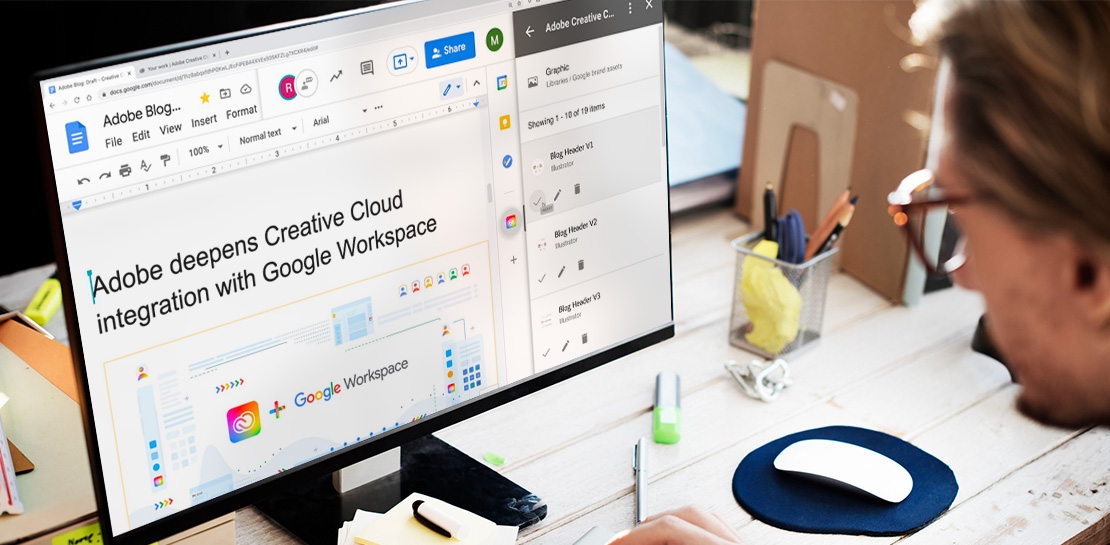
Google Workspace Now has Adobe Add-on!
Every day, individual people and creative teams combine Google Workspace with Adobe Creative Cloud to bring their best ideas to life and delight their customers or friends, across photography, design, video, 3D design, and more. In fact, Adobe’s add-on for Google Workspace has had over a million installs and counting. By partnering

An Insider’s Guide on the Future of Collaboration and Productivity
As Google’s productivity adviser, I’ve been closely following the evolving discussion around the future of work. Long before the pandemic, employees, business leaders, and analysts were already thinking about how work needed to evolve, but the crisis brought the future cascading into the present. Virtually overnight, millions of companies and
