





Custom AI Solutions, Global Delivery Centers and More Resources Dedicated for Customer Success

4900
Of your peers have already read this article.
2:00 Minutes
The most insightful time you'll spend today!
At Google Cloud, our customers are at the forefront of digital transformation—launching entirely new businesses and products built in the cloud, redefining entire industries with data and artificial intelligence, delivering innovative new consumer experiences, or committing to sustainable new ways of doing business.
We’re committed to our customers’ success, and over the past two years we’ve invested significantly in providing ongoing and integrated support through our customer care portfolio, including launching new Premium and Mission Critical Support offerings that allow us to monitor, prevent, and mitigate impacts quickly, while delivering the fastest response times in the industry.
Today, I’m proud to unveil several new resources and offerings for our customers, including a new Custom AI Solutions practice, new Global Delivery Centers, expanded Executive Briefing Centers, and new leaders to help continue to drive our organization forward.
Helping businesses innovate with a new Custom AI Solutions practice
We are investing in services and offerings to help our customers innovate and drive innovative change to business processes, culture, and customer experiences with Google Cloud products and services. Artificial intelligence (AI) and machine learning (ML) technologies are foundational for many such digital transformations, and to help customers create real business value with these technologies, we’re excited to launch a Custom AI offering to address our customers’ most critical innovation needs.
AI and ML technologies are foundational to digital transformations, yet they are not “one size fits all.” Each customers’ problems and opportunities are unique; a rideshare company will use AI differently than a brick and mortar retailer, or a healthcare company, or an insurance firm. To help organizations deploy AI and ML more effectively, we’re launching a new Custom AI Solutions practice, offering customers custom-built AI and ML solutions built into Vertex AI; access to Google’s engineering expertise; and predictable, subscription-based pricing.
Our teams are already partnering closely with early customers to build and deploy custom AI solutions. For instance, USAA, the large North American insurer, is using Google Cloud ML to process near-real-time damage estimates based on digital images to create a streamlined operations experience.
Learn more about our Custom AI Solutions practice offering here, and how we work together with our customers here. To get in touch, please contact our sales team.
Launching new Global Delivery Centers
Our drive to digitally transform our customers’ businesses is often manifested through our Global Delivery Centers, which expand our professional consulting and emerging practices capabilities available to customers and partners around the world.
The teams at our Global Delivery Centers help customers get up-and-running on Google Cloud quickly and cost effectively, and consult with customers to rapidly build capacity in areas like data analytics, hybrid and multi-cloud, artificial intelligence, and machine learning. More importantly, they help customers successfully execute projects in support of their most mission-critical business objectives. Critically, these centers also help our global partner ecosystem quickly ramp their Google Cloud practices, and get fast, expert consultation for their customers too.
In 2022, we aim to triple the size of our Global Delivery Center teams in Argentina, Poland, and India. In addition, we’ll invest in building deep Google Cloud talent in Mexico and Portugal, furthering our commitment to the industry’s best expert consultation for customers and partners around the world.
Expanding our Executive Briefing Centers footprint
In addition to our Global Delivery Centers, we’re also pleased to expand our resources and facilities that enable digital and face-to-face meetings and working sessions with our customers. This year, we will launch four new Executive Briefing Centers, located on Google Cloud campuses in London, Paris, Singapore, and Munich.
These centers provide an opportunity to listen to our customers, share the best of Google Cloud’s solutions, and inspire digital transformation, in conversations facilitated by Google Cloud leadership, engineers, and industry experts. By bringing this experience to our customers in-region we can foster deeper partnerships and develop cloud solutions that meet their requirements for security, privacy, and digital sovereignty without compromising on functionality or innovation.
Adding new leadership to enable customer success
Finally, I’m excited to welcome two new leaders to Google Cloud on the Customer Experience team, who will help scale our Delivery Centers and deliver exceptional experiences for our customers.
Heading our Global Delivery Center experience is Sunil Rao. Sunil comes to Google Cloud from Accenture, where he spent 18-plus years working with large technology customers across many industry verticals and managed large global teams in Accenture Advanced Technology Center. Sunil will also lead our Technical Onboarding Center, which helps businesses around the world get up to speed with technologies that are critical to understanding customer and business process contexts, and delivering great experiences.
Additionally, Lee Moore is joining Google Cloud to lead Customer Experience in North America. Lee spent nearly 30 years at Accenture in various leadership positions, including services integration for complex problem-solving, product development across a number of industry verticals, and building long-term customer relationships.
You’ll be hearing much more from us in the coming months, as we build out even more powerful and effective cloud-based services and offerings, work with customers to deliver new analytics- and AI-based tools and services, and work with our growing list of partners to help ensure customer success, across the globe.
5129
Of your peers have already watched this video.
1:47 Minutes
The most insightful time you'll spend today!
How adidas’s Marketing Team Benefits from Google Cloud Marketing Platform
We live in a world where the consumer journey is no longer linear, making it difficult to know when to deliver a brand message or a product message.
“We talk a lot about the consumer journey no longer being linear. It’s very difficult to know when the consumer is going to come in contact with your message. And because of that it makes it much harder to deliver the right message at the right time,” says Chris Murphy, Head of Digital Experience, adidas.
To solve the problem, adidas turned to the Google Cloud Marketing Platform to use audience insights to inform the art of storytelling and help teams, from brand marketing to retail to e-commerce, deliver relevant messages across channels.
“In a singular environment like Google Cloud Marketing Platform, when you’re able to see audience insights and information…we know when someone should be receiving a brand message versus a product message — when they’re thinking about buying or when they’re actually ready to purchase,” says Murphy.
It wasn’t easy at the start. “Being in brand marketing for so long, there was this initial pushback on data and the science behind it, because it was an art. But what we’re seeing now is the ability for data and insights to really inform the art of storytelling. It allows us to understand the impact that we’re having in real time,” says Kelly Olmstead, VP, Brand Activation for North America, adidas.
Today adidas’ marketing team depends more heavily on data and analysis to guide its strategy. “Starting every meeting with data and insights, that’s something that we want to take outside of just the marketing organization, and really infuse it across our culture here at adidas,” says Olmstead.
Watch how adidas benefits from using the Google Cloud Marketing Platform.
5148
Of your peers have already watched this video.
44:51 Minutes
The most insightful time you'll spend today!
The Strange Phenomenon AI Revealed at Ride-Hailing Company Go-Jek
Go-Jek, Indonesia’s first billion-dollar startup, has seen an incredible amount of growth in both users and data over the past two years. Many of the ride-hailing company’s services are backed by machine learning models hosted on Google Cloud Platform. Models range from driver allocation, to dynamic surge pricing, to food recommendation, and process millions of bookings every day, leading to substantial increases in revenue and customer retention.
By embracing Google Cloud, Go-Jek has overcome many of the technical challenges brought on by its rapid growth. BigQuery has become the cornerstone of their data foundation, scaling seamlessly to meet their immense data storage and processing needs.
Using Pub/Sub as an event stream and Dataflow for unified batch and stream processing has prevented inconsistencies in production data, while simultaneously reducing costs through intelligent resource allocation.
Together, these technologies allow Go-Jek to react immediately to real world events, whether by retraining models with ML Engine, or refreshing data in a low latency data store like BigTable.
Find out how Go-Jek leverages Google Cloud and other lessons they have learned scaling machine learning.
Recommendations for Modelling SAP Data inside BigQuery

8429
Of your peers have already read this article.
4:00 Minutes
The most insightful time you'll spend today!
Over the past few years, many organizations have experienced the benefits of migrating their SAP solutions to Google Cloud. But this migration can do more than reduce IT maintenance costs and make data more secure. By leveraging BigQuery, SAP customers can complement their SAP investments and gain fresh insights by consolidating enterprise data and easily extending it with powerful datasets and machine learning from Google.
BigQuery is a leading cloud data warehouse, fully managed and serverless, and allows for massive scale, supporting petabyte-scale queries at super-fast speeds. It can easily combine SAP data with additional data sources, such as Google Analytics or Salesforce, and its built-in machine learning lets users operationalize machine learning models using standard SQL — all at a comparatively low cost.
If your SAP-powered organization is looking to supercharge its analytics with the strength of BigQuery, read on for considerations and recommendations for modeling with SAP data. These guidelines are based on our real-world implementation experience with customers and can serve as a roadmap to the analytics capabilities your business needs.
Considerations for data replication
Like most technology journeys, this one should start with a business objective. Keeping your intended business value and goals in mind is critical to making the right decisions in the early steps of the design process.
When it comes to replicating the data from an SAP system into BigQuery, there are multiple ways to do it successfully. Decide which method will work best for your organization by answering these questions:
- Does your business need real-time data? Will you need to time travel into past data?
- Which external datasets will you need to join with the replicated data?
- Are the source structures or business logic likely to change? Will you be migrating the SAP source systems any time soon? For instance, will you be moving from SAP ECC to SAP S/4HANA?
You’ll also need to determine whether replication should be done on a table-by-table basis or whether your team can source from pre-built logic. This decision, along with other considerations such as licensing, will influence which replication tool you should use.
Replicating on a table-by-table basis
Replicating tables, especially standard tables in their raw form, allows sources to be reused and ensures more stability of the source structure and functional output. For example, the SAP table for sales order headers (VBAK) is very unlikely to change its structure across different versions of SAP, and the logic that writes to it is also unlikely to change in a way that affects a replicated table.
Something else to consider: Reconciliation between the source system and the landing table in BigQuery is linear when comparing raw tables, which helps avoid issues in consolidation exercises during critical business processes, such as period-end closing. Since replicated tables aren’t aggregated or subject to process-specific data transformation, the same replicated columns can be reused in different BigQuery views. You can, for instance, replicate the MARA table (the material master) once and use it in as many models as needed.
Replicating pre-built logic
If you replicate pre-built models, such as those from SAP extractors or CDS views, you don’t need to build the logic in BigQuery, since you’re using existing logic. Some of these extraction objects have embedded delta mechanisms, which may complement a replication tool that can’t handle deltas. This will save initial development time, but it can also lead to challenges if you create new columns, or if customizations or upgrades change the logic behind the extraction.
It’s also important to note that different extraction processes may transform and load the same source columns multiple times, which creates redundancy in BigQuery and can lead to higher maintenance needs and costs. However, replicating pre-built models may still be a good choice, since doing so can be especially useful for logic that tends to be immutable, such as flattening a hierarchy, or logic that is highly complex.
How you approach replication will also depend on your long-term plans and other key factors — for example, the availability (and curiosity) of your developers, and the time or effort they can put into applying their SQL knowledge to a new data warehouse.
With either replication approach, bear in mind when designing your replication process that BigQuery is meant to be an append-always database — so post-processing of data and changes will be required in both cases.
Processing data changes
The replication tool you choose will also determine how data changes are captured (known as CDC – change data capture). If the replication tool allows for it (for example as SAP SLT does) the same patterns described in the CDC with BigQuery documentation also apply to SAP data.
Because some data, like transactions, are known to be less static than others (e.g., master data), you need to decide what should be scanned in real time, what will require immediate consistency, and what can be processed in batches to manage costs. This decision will be based on the reporting needs from the business.
Consider the SAP table BUT000, containing our example master data for business partners, where we have replicated changes from an SAP ERP system:

In an append-always replication in BigQuery, all updates are received as new records. For example, deleting a record in the source will be represented as a new record in BigQuery with a deletion flag. This applies to whether the records are coming from raw tables like BUT000 itself or pre-aggregated data, as from a BW extractor or a CDS view.
Let’s take a closer look at data coming particularly from the partners “LUCIA” and “RIZ”. The operation flag tells us whether the new record in BigQuery is an insert (I), update (U) or deletion (D), while the timestamps help us identify the latest version of our business partner.

If we want to find the latest updated record for the partners LUCIA and RIZ, this is what the query would look like:
SELECT partner,ARRAY_AGG(i1 ORDER BY i1.recordstamp DESC LIMIT 1) AS rowFROM SAP_ECC.but000 i1WHERE partner in ('LUCIA','RIZ')GROUP BY partner
With the following result:

After identifying stale records for “LUCIA” and “RIZ” business partners, we can proceed to deleting all stale records for “LUCIA” if we do not want to retain the history. In this example, we are using a different table to which the same replication has been done, for the purpose of comparison and to check that all stale records have been deleted for the selection made and that we only kept last updated records. For example:
DELETE SAP_HANA.but000 i1WHEREi1.recordstamp < TIMESTAMP_SUB(CURRENT_TIMESTAMP(), INTERVAL 3 HOUR) ANDi1.recordstamp < (SELECT MAX(recordstamp) FROM SAP_HANA.but000 i2WHEREi1.partner = i2.partnerand partner="LUCIA")
You can also use the following query to retrieve stale records for “LUCIA” partner before moving forward with deletion
SELECT partner, operation_flag, recordstamp FROM SAP_HANA.but000 i1WHEREi1.recordstamp < TIMESTAMP_SUB(CURRENT_TIMESTAMP(), INTERVAL 3 HOUR)ANDi1.recordstamp < (SELECT MAX(recordstamp) FROM SAP_HANA.but000 i2WHEREi1.partner = i2.partnerand partner="LUCIA")
Which produces all of the records, except the latest update:

Partitioning and clustering
To limit the number of records scanned in a query, save on cost and achieve the best performance possible, you’ll need to take two important steps: determine partitions and create clusters.
Partitioning
A partitioned table is one that’s divided into segments, called partitions, which make it easier to manage and query your data. Dividing a large table into smaller partitions improves query performance and controls costs because it reduces the number of bytes read by a query.
You can partition BigQuery tables by:
- Time-unit column: Tables are partitioned based on a “timestamp,” “date,” or “datetime” column in the table.
- Ingestion time: Tables are partitioned based on the timestamp recorded when BigQuery ingested the data.
- Integer range: Tables are partitioned based on an integer column.
Partitions are enabled when the table is created, as in the example below. A great tip is to always include the partition filter as shown on the left-hand side of the query.

Clustering
Clustering can be created on top of partitioned tables by applying the fields that are likely to be used for filtering. When you create a clustered table in BigQuery, the table data is automatically organized based on the contents of one or more of the columns in the table’s schema. The columns you specify are then used to colocate related data.
Clustering can improve the performance of certain query types — for example, queries that use filter clauses or that aggregate data. It makes a lot of sense to use them for large tables such as ACDOCA, the table for accounting documents in SAP S/4HANA. In this case, the timestamp could be used for partitioning, and common filtering fields such as the ledger, company code, and fiscal year could be used to define the clusters.

A great feature is that BigQuery will also periodically recluster the data automatically.
Materialized views
In BigQuery, materialized views are precomputed views that periodically cache the results of a query for better performance and efficiency. BigQuery uses precomputed results from materialized views and, whenever possible, reads only the delta changes from the base table to compute up-to-date results quickly. Materialized views can be queried directly or can be used by the BigQuery optimizer to process queries to the base table.
Queries that use materialized views are generally completed faster and consume fewer resources than queries that retrieve the same data only from the base table. If workload performance is an issue, materialized views can significantly improve the performance of workloads that have common and repeated queries. While materialized views currently only support single tables, they are very useful common and frequent aggregations like stock levels or order fulfillment.
Further tips on performance optimization while creating select statements can be found in the documentation for optimizing query computation.
Deployment pipeline and security
For most of the work you’ll do in BigQuery, you’ll normally have at least two delivery pipelines running — one for the actual objects in BigQuery and the other to keep the data staging, transforming, and updated as intended within the change-data-capture flows. Note that you can use most existing tools for your Continuous Integration / Continuous Deployment (CI/CD) pipeline — one of the benefits of using an open system like BigQuery. But, if your organization is new to CI/CD pipelines, this is a great opportunity to gradually gain experience. A good place to start is to read our guide for setting up a CI/CD pipeline for your data-processing workflow.
When it comes to access and security, most end-users will only have access to the final version of the BigQuery views. While row and column-level security can be applied, as in the SAP source system, separation of concerns can be taken to the next level by splitting your data across different Google Cloud projects and BigQuery datasets. While it’s easy to replicate data and structures across your datasets, it’s a good idea to define the requirements and naming conventions early in the design process so you set it up properly from the start.
Start driving faster and more insightful analytics
The best piece of advice we can give you is this: Try it yourself. Anyone with SQL knowledge can get started using the free BigQuery tier. New customers get $300 in free credits to spend on Google Cloud during the first 90 days. All customers get 10 GB storage and up to 1 TB queries/month, completely free of charge. In addition to discovering the massive processing capabilities, embedded machine learning, multiple integration tools, and cost benefits, you’ll soon discover how BigQuery can simplify your analytics tasks.
If you need additional assistance, our Google Cloud Professional Services Organization (PSO) and Customer Engineers will be happy to help show you the best path forward for your organization. For anything else, contact us at cloud.google.com/contact.
Google Cloud’s Recommendation AI Helps Bazaarvoice with 60 Percent increase in CTR
4500
Of your peers have already read this article.
2:00 Minutes
The most insightful time you'll spend today!
Not long ago, building AI into recommendation engines was a daunting, expensive task that could take years to get off the ground. But as Bazaarvoice has shown, with the help of cloud services, the time from AI investment to business outcomes is shorter than ever.
Bazaarvoice is the leading provider of product reviews and user-generated content (UGC) solutions that help brands and retailers understand and better serve customers. Its 2019 acquisition of Influenster.com, a community of consumer reviewers 6.5 million strong, expanded the Bazaarvoice portfolio with a platform where consumers can share their candid opinions — and share they have, over 54 million times.
After the acquisition, Bazaarvoice expanded the site’s product diversity by 53%, to more than 5.4 million unique products. To keep user engagement high, Influenster must be seen as both a source of trusted, transparent reviews and a place for customers to discover useful, relevant products for the first time. By introducing shoppers to new products Influenster not only provides value to customers but also helps brands collect consumer insights.
Influenster started out as a place where people gathered to share their honest thoughts on beauty products but quickly expanded to nearly every category, from Art to Wearables. Because of the much smaller scope, the site started and flourished under a rules-based recommendation engine. However, as Influenster expanded its scope under Bazaarvoice, a more robust recommendation system became necessary. In its earliest days, Influenster was successful because of the human perspective it offered: For every product there was a litany of reviews and images that made users feel as if they were getting an endorsement on a product from a friend.
The Bazaarvoice engineering team asked themselves how they could keep that same feeling of personalization with an ever-growing catalog of items and categories. They needed recommendations that could scale with the site, rather than requiring more rules be constructed each time a new product category was introduced. They also needed to ensure the Influenster experience would remain performant even towards unknown members.
Bazaarvoice tested out several recommendation engines, benchmarking each against their current rules-based system. In the end they decided on Google Cloud’s Recommendations AI because of its transparent billing, ease of integration and setup, and naturally, its proven results.
Transparent Billing
“Part of what the engineers loved was they knew exactly what it was going to cost as it scaled” says Nick Shiftan, SVP, Content Acquisition Services Product Unit for Influenster. The goal was to build once and innovate rather than leave a wake of technical debt only to be tackled when costs grew unexpectedly out of control. Google Cloud’s straightforward and pay-as-you-go billing allowed them to anticipate how costs would grow as user interactions did and plan accordingly.
Ease of integration

“I’m positively surprised how Google packed such a complex system in a very easy-to-use API” remarks Eralp Bayraktar, the Software Engineering team lead overseeing the project. Because the original team was made of just one full-time engineer the ease of integration became an even more critical feature. Not only does Recommendations AI pull from years of suggestion expertise in Google Search and YouTube, but in combination with Ad’s Merchant Center, it also creates a streamlined process for importing product metadata. From there, creating a model becomes a matter of picking the preferred recommendation type and then the business objective to optimize for. Once the model is created and the API integrated into the website, the code is already deployed at the global scale: There are no further architectural considerations to ensure recommendations are available to users worldwide. For Bazaarvoice, this meant going from ideation to production in one month.
Proven Results
“We have used it for product recommendations and off-loaded our DB-tiring business logic to Recommendations AI, which resulted in overall faster response times and much better recommendations as proven by our A/B tests,” Eralp continues.
Bazaarvoice began by A/B testing Recommendations AI against their rules-based system. Early on in the experimental phase they noticed a clear and consistent 60% increase in the click-through rate over their original recommendation system.
Even more impressive was the performance on Unknown Members. For every person that signs up for an account on Influenster.com there are many other visitors that come to the website and leave without fully registering. This is typically referred to as the “cold start” problem in the industry — how do you figure out what to recommend to those people without their history, behavior, or preferences? Recommendations AI gives you the option to input and train on unknown users, and by providing metadata on products, it can provide high-quality suggestions to registered members and first-time users alike.
With a mind to the future, Eralp concludes his thoughts on Bazaarvoice’s experience: “It enables discovery by adding an adjustable percentage of cross-category products [for] healthier [traffic distribution] across all our catalog. We are investing in data science and having the Recommendations AI as the baseline is a good challenge for us to thrive.”
To learn more about Recommendations AI and how it can help your organization thrive, check out our recently published 4 part guide which kicks off with an overview on “How to get better retail recommendations with Recommendations AI.” This series also covers data ingestion, modeling, as well as serving predictions & evaluating Recommendations AI. You can also easily get started with our Quickstart Guide.
A Road to Possibilities: Google Maps Platform Website

7264
Of your peers have already read this article.
2:00 Minutes
The most insightful time you'll spend today!
For more than 15 years, developers have used Google Maps Platform to deliver location-based experiences to their end users and used location intelligence to optimize their businesses. Along this journey, we’ve made a variety of changes to better support our community as needs have changed and new industries and technologies have emerged. We started rolling out a new website experience, at https://mapsplatform.google.com, to help you better understand the products and solutions best suited to address your objectives. Plus, now you can directly connect to the developer documentation for each product to get started quickly, and you can visualize usage and associated costs to have a better idea of what to expect before getting started.
Getting to your solution faster
Maps, Routes, Places are building blocks that let you develop implementations for any use case. Building for specific use cases, however, typically requires using a combination of APIs and SDKs. To help you quickly understand what’s possible and what you need to build for your use case, you can now visit the solutions tab to select from a list of popular use cases or industries. Once you’ve selected a use case or industry, you’re taken to a page where you can explore relevant products, read helpful blog posts, see how other customers have deployed for similar use cases, and more.

Direct access to developer documentation
Did you know there are more than a thousand pages of developer documentation created to help you get started, unblock you when you’re stuck, and share best practices? Now when you explore a product or solution from the Google Maps Platform website, you can easily navigate back and forth between our website and documentation. Just tap on JS, iOS, Android or API under the product name to get to the documentation you need.

Budgeting for your project
To help you calculate pricing for your project, we’ve introduced a new pricing calculator. Once you find the product and API or SDK you plan to use, pull the slider to reflect your estimated number of monthly requests. This will automatically update the “monthly cost” column for each product and API or SDK you plan to use. If your estimated monthly requests exceed the slider limit, contact our sales team to learn about volume discounts that start at 20% off.

We hope our new website makes it easier to discover our products and solutions, estimate your budget, and start building with our documentation so you can deliver helpful experiences to your users and optimize your business.
For more information on Google Maps Platform, visit https://mapsplatform.google.com.
More Relevant Stories for Your Company

AI Booster: how Vodafone is supercharging AI & ML at scale
One of the largest telecommunications companies in the world, Vodafone is at the forefront of building next-generation connectivity and a sustainable digital future. Creating this digital future requires going beyond what’s possible today and unlocking significant investment in new technology and change. For Vodafone, a key driver is the use

Datashare for Financial Services: Securing the Publishers and Consumers’ Access to Market Data
Access to the cloud has advanced the distribution and consumption of financial information on a global scale. In parallel, the global financial data landscape has been transformed by an influx of alternative data sources, including social media, meteorological data, satellite imagery, and other data. Exchanges and market data providers now




Indian Retailer Figures Optimizes Hyperlocal Delivery to Increase Customer Experience
Anyone who follows the Indian e-commerce scene knows that one of the largest challenges these companies face is hyperlocal delivery. That was a problem facing Wellness Forever, a retail chain of pharmacies with 150-plus stores across India. “Exactly a year ago, we started our journey of hyperlocal deliveries. This optimization

Driving Business Transformation in Manufacturing, Industrial, and Transportation Using Google Cloud and AI/ML
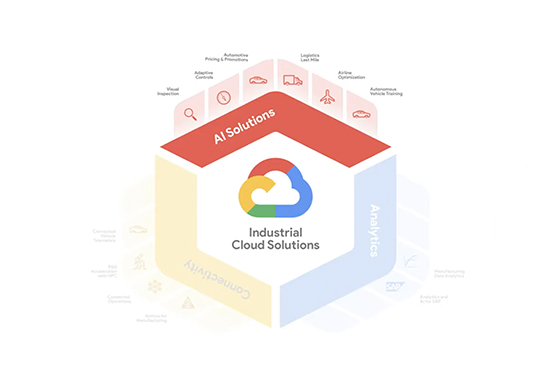
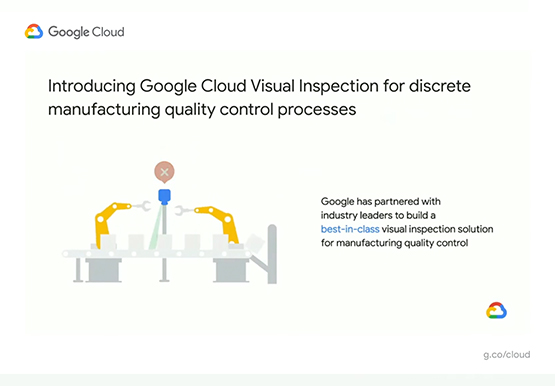
Google Cloud partners closely with manufacturing, industrial, and transportation organizations to drive business transformation. In this video, Mandeep Waraich, Head of Product - Industrial AI, Google Cloud, shares customer stories as well as Google Cloud’s differentiated AI products and solutions. Waraich covers the current state of automation and industrial efficiency
