





An Insider’s Guide on the Future of Collaboration and Productivity

4329
Of your peers have already read this article.
1:00 Minutes
The most insightful time you'll spend today!
As Google’s productivity adviser, I’ve been closely following the evolving discussion around the future of work. Long before the pandemic, employees, business leaders, and analysts were already thinking about how work needed to evolve, but the crisis brought the future cascading into the present. Virtually overnight, millions of companies and workers went remote and stayed that way for over a year, pushing their collaboration and productivity tools to the test across living rooms and time zones. While some organizations were able to launch new solutions or adapt existing ones to keep their people connected and productive, many struggled.
The organizations that struggled quickly discovered their tools weren’t complete, scalable, secure, or built for the cloud era. Meanwhile, across all industries and business types, employees reported spikes in burnout, feelings of disconnection, and frustration with finding the latest information or using unfamiliar tools.
With many businesses headed into a hybrid model, the world of work has been transformed, possibly forever. There’s a fresh and fast-moving conversation about how organizations can succeed within the evolving future of work.
But at the center of that discussion are two familiar topics: collaboration and productivity. How will they evolve in an era of distributed teams and surging employee demand for flexibility? And how will businesses meet expectations to innovate quickly and deliver on rising customer expectations while navigating the new future of work?
Although 2020 was a major inflection point, a closer look reveals that many of the technologies, trends, and cultural norms shaping the future of work have been around for some time. For years, forward-thinking organizations have been wrestling with how to maximize collaboration, productivity, and wellbeing among their employees, and they’ve been developing the tools to make it happen at scale. By that measure, the future of work has been here for some time; it just hasn’t been evenly distributed or easily visible.
With this context in mind, we’re sharing our new guide Create what’s next: The future of collaboration and productivity, which highlights three areas of focus for organizations wanting to catch up with those leading the charge to empower the future of work.
- Making work-from-anywhere a reality with flexible solutions
- Giving people helpful tools to maximize their impact
- Enabling knowledge sharing and human connection
Armed with these three strategies, businesses can improve productivity and encourage innovation while better meeting the needs of their customers and their employees—now and in the years ahead.
We share some highlights from the guide in the infographic below (click to enlarge). You can also download the full guide now.

6370
Of your peers have already watched this video.
1:30 Minutes
The most insightful time you'll spend today!
How Bloomberg uses Google Translate to Share Breaking News with the World
Bloomberg uses Google Translate to instantly share news with customers in more than 170 countries. Financial markets can move within seconds of a story breaking, so speed matters. With Google’s automated translation Bloomberg can quickly disseminate breaking financial news to customers around the world in 40 different languages.
How Swiggy’s UK Competitor Expanded to 14 Countries in Just Three Years

4553
Of your peers have already read this article.
1:30 Minutes
The most insightful time you'll spend today!
Deliveroo is the fastest-growing technology company in the United Kingdom, and the first-ever to win Deloitte’s UK Technology Fast 50 two years in a row. Founded in 2013, the food courier service achieved a three-year growth rate of over 15,000% to 2018, expanding beyond its London base to operate in 14 countries in Europe and the Asia-Pacific region, from Spain to Singapore, Hong Kong, and Taiwan.
“G Suite products work really well, with no steep learning curve. As a fast-growing company, our strategy is to go to G Suite tools first to find immediate, effective answers within one integrated solution.”
– Asif Akmal, Director of IT, Deliveroo
The company runs multiple offices in each of its 14 markets, manned by more than 2,500 full-time staff. “Around 2016, we made a clear decision,” says Asif Akmal, Director of IT at Deliveroo. “As the company was scaling, we needed a strategy for all our offices to scale with us, and we needed the right infrastructure to do that. We can’t afford to have downtime, or to have tools that confuse staff, rather than help them.”
Together with Google Cloud Premier Partner Netpremacy, Deliveroo created a strategy around G Suite that emphasizes the speed and efficiency the company needs to set up offices and train new staff.
“G Suite products work really well, with no steep learning curve,” says Asif. “As a fast-growing company, our strategy is to go to G Suite tools first to find immediate, effective answers within one integrated solution.”
Putting videoconferencing at the core of the business
Videoconferencing is central to the Deliveroo business model. “Many of our international offices rely on operational staff from headquarters, whether for daily one-to-ones or group meetings,” says Asif. “Some of our engineers are constantly present in remote offices on a permanent live video stream, with a screen at the desk where there would be a chair. That makes it mission critical for us to have the correct infrastructure in place in order to do videoconferencing.”
Because internet connectivity can be inconsistent at new offices, Deliveroo teams occasionally need to be able to dial into videoconferencing over the phone, as well as connect through the internet. Previously, Deliveroo used a separate videoconferencing solution in order to have this feature. Now, as G Suite Enterprise users, Deliveroo employees can use Hangouts Meet for the same dial-in functionality, higher quality reception, and up to 100 participants on each call.
“Videoconferencing is crucial. And with Hangouts Meet we can have just one AV person in the whole business setting up and overseeing the infrastructure in 14 countries.”
– Asif Akmal, Director of IT, Deliveroo
“It was a simple decision to switch to Hangouts Meet,” says Asif. “It came with the enterprise package that we were already on, so we made a substantial cost savings by stopping the other solution, which cost almost £15 a month per user. Financially, that made it a no-brainer, but Hangouts also works better from a technical and integration perspective.”
“One of the first things that we address as a company moving into a new office is: Where do we get the videoconferencing system in place so we can start doing calls straight away?” says Elliott Shafii, Google Technology Engineer at Deliveroo. That’s why Deliveroo has a blueprint for video conferencing rooms, specifying the equipment required and the size and acoustics of the rooms where they’ll be installed. Once the necessary Hangouts Meet hardware has been delivered, the Deliveroo AV Manager flies out to the location, installs the equipment in two days, signs off on it, and flies back.
“Videoconferencing is crucial,” says Asif. “And with Hangouts Meet we can have just one AV person in the whole business setting up and overseeing the infrastructure in 14 countries.”
Issuing new devices in one-tenth of the time
Deliveroo facilitates its exceptional growth rate by minimizing the time teams need to spend getting to grips with new tools. “With G Suite, users don’t have much that they need to learn,” says Asif. “That means we can deploy the solution in any country and be comfortable that people can walk into a room and connect to a meeting without problems.”
Asif and his team worked closely with Netpremacy to make training in G Suite tools efficient and accessible, for new starters and anyone who wants to learn. “Collaborating on Docs and Sheets, and using Drive to share files instead of sending attachments allows us to move more rapidly than any other business,” says Asif. “That’s why we have permanent staff in the IT team who concentrate exclusively on the onboarding process, so anyone can learn to use one of the G Suite products in just one hour.”
Introducing Pixelbooks is the latest step in Deliveroo’s pursuit of speed and efficiency. “Previously, it took an average of 50 minutes to set someone up on a laptop,” says Asif. “With Chrome devices, that induction period is down to five minutes. We just open the box, enroll the device, and hand it over.”
Creating a cloud-based company
“Our strong relationships with Netpremacy and Google Cloud product managers mean we can align our internal strategies with them. Working together, we can create the ideal environment for our culture of collaboration.”
– Asif Akmal, Director of IT, Deliveroo
Using G Suite, Deliveroo is building its ideal workplace to support a more mobile, agile approach to work. “By the end of next year, we should have the vast majority of new starters using Pixelbooks,” says Asif. “We expect that to increase the use of Docs and Sheets and other G Suite tools, in place of other applications. We want to see ourselves as a cloud-based company, and G Suite is ideal for reaching that goal.”
As part of the further deployment of G Suite tools, Deliveroo plans to roll out more Jamboards, in addition to the 14 already in use across the business. “Previously, we would take photographs of whiteboards and share those,” says Elliott. “I remember seeing someone wheeling a whiteboard back to his desk from a meeting, and thinking ‘That poor guy is going to have to sit at his desk and copy everything down.'”
“At that point, before Jamboards, we actually made a significant financial investment in another interactive whiteboard solution,” adds Asif. “Now that solution is collecting dust, because we’ve got Jamboards, which are much more cost-effective and work brilliantly within the G Suite system.”
“Our strong relationships with Netpremacy and Google Cloud product managers mean we can align our internal strategies with them,” says Asif. “Working together, we can create the ideal environment for our culture of collaboration.”
Embracing the cloud helps Deliveroo both to enable rapid collaboration and to minimize the maintenance and management of infrastructure: an ideal combination for a fast-growing technology company.
YoungCapital Scales Up with Ease With Chrome Enterprise and G Suite

4284
Of your peers have already read this article.
2:45 Minutes
The most insightful time you'll spend today!
When your business is rapidly adding new employees, expanding to new countries, and always focused on staying ahead of the competition, you have to take a hard look at the tools that are slowing you down—and swap them out for better ones that can keep pace with the company.
We’re expanding YoungCapital in Germany, which means more offices, more people, and more technology to make the business run smoothly.
As we scale, Google Cloud tools like Chromebooks and G Suite help us grow our business efficiently. They free us up from sluggish, time-intensive technology that’s hard to maintain and repair, and give us the freedom to work together in faster, smarter ways.
Free from hours of device setup. Some months, there are as many as 40 new employees starting at YoungCapital—and as we continue to expand that number will continue to rise, especially now that we’ve opened three new offices in Germany.
With our old Windows desktops, setting up new computers could take up to an hour per employee (which can add up to about 40 hours a month for IT). Today, using Chrome Enterprise tools, it takes about five minutes to get an Acer Spin or Pixelbook ready to hand off to a new hire—saving us more than three months per year of device setup time.
Free from VPNs. Our previous Windows machines required a complicated virtual private network (VPN) for accessing corporate files outside of the office.
Using a VPN was complicated for our employees because the software wasn’t intuitive; if an employee had trouble signing into the VPN while at home or traveling, they could not log in and work as quickly as they needed to. With Chromebooks, all you need is an online connection to sign into G Suite to access files and work from anywhere.
From our perspective, Chromebooks are resistant to threats like ransomware and phishing attacks, giving us confidence that our data can stay secure.
With Chrome Enterprise Upgrade, our IT admins can strengthen security even further: for example, by enabling advanced security features that help block vulnerabilities, locking down lost or stolen devices right away, and setting device security policies in the cloud so devices everywhere are safer.
Free from infrastructure. We used to have to invest in servers, and then add more time and money to keep them running. Now we don’t have to run the business on infrastructure or hire people to maintain it—we can just use Google’s cloud.
NextNovate is helping us make the most of Google Cloud Platform, like integrating some of our proprietary applications with G Suite and building our own add-ons. For example, we created a button for Gmail that connects to our job candidate database; when candidates email us, we can click on the button and see their profiles and work experience.
Free from multiple passwords and logins. Chrome Browser and G Suite with single sign-provider SAML are the portal to all the productivity apps our employees need. Once people log in to G Suite, they don’t have to remember a bunch of other user names and passwords. The IT team loves it too, because we don’t have to spend hours zeroing out passwords and creating new ones.
Free to manage cross-country devices easily in the cloud. Our four-person IT support team, which keeps our systems humming, hasn’t grown, even though we’ve doubled the number of employees.
When we were on Windows devices, we fielded roughly 1,800 IT support requests every month. Now we get about 1,300 requests a month, from a much bigger employee base. This translates to nearly 30% fewer requests for our lean support team, which reduces their workload significantly even though we have roughly 20% more employees—all made possible with Chrome Enterprise.
Being free of slow, high-maintenance technology doesn’t just make the IT department happy—people are actually changing how they work. They no longer send files to each other by email or struggle to keep track of versions; they store everything in Google Drive and work together in Google Docs on a single document at the same time.
And instead of traveling to other offices, connecting with each other in video conferences on Hangouts Meet has become a completely natural way to do business.
With Chromebooks and G Suite, we’re ready for anything: more new markets, more employees, and more-flexible ways to work together and shake up the staffing industry.
Center for Internet Security’s Latest Benchmark for Securing Chrome
5403
Of your peers have already read this article.
1:30 Minutes
The most insightful time you'll spend today!
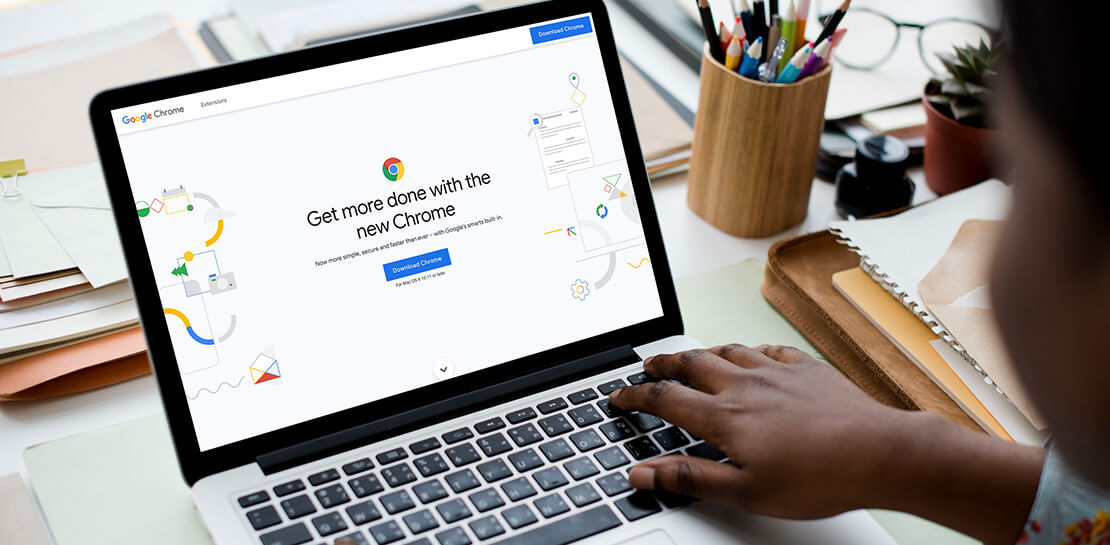
As the way people work continues to evolve, keeping security policies in place that protect organizations but give workers the ability to get things done is more important than ever. IT and security teams must aim to stay a step ahead of web-based security threats that come their organization’s way. To help, the Center for Internet Security (CIS) team has released the latest CIS Benchmark 2.1 for Google Chrome. This Benchmark offers independent recommendations on which Chrome policies to configure to help support organizations’ security and compliance needs. Thanks to Chrome being built with security at its core, in many cases, Chrome default settings are aligned with CIS recommendations.
Chrome is secure by default, but we also pride ourselves on providing customizations for enterprises to allow Chrome to better fit the needs of their business. And with hundreds of policies available through Chrome Browser Cloud Management and Group Policy Objects (Note: The CIS Benchmark is also available as a GPO), organizations can do just that.
Throughout the CIS guide you’ll notice that there are different designations for configuration profiles. Any labeled Level 1, are considered to be a good baseline for an organization. Level 2 profiles are recommended for deployments that require the highest level of security, but note that these settings could have a trade off on user productivity. We recommend looking at each setting and determining if it’s a good fit for your business.
The benchmark is made up of five sections:
- Enforced Defaults — Notes policies that are configured by default when you install Chrome. Enforcing these settings at an enterprise level can prevent these settings from being changed by business users to less secure options.
- Attack Surface Reduction — Details how to disable web features that may not be necessary in your enterprise environment and could reduce your overall attack surface.
- Privacy — Surfaces settings that improve user privacy.
- Data Loss Prevention — Contains settings that can help prevent data loss and protect your organization’s data. (Note: These recommendations cover additional capabilities that can be added to Chrome through BeyondCorp Enterprise).
- Forensics (Post Incident) — Shares recommendations on policies that give insights into post incident forensics and analysis.
Organizations can use these benchmarks to optimize the best way to secure Chrome in their environment. Download the CIS Benchmark here and check out our team’s configuration guide for additional recommendations on how to configure Chrome.
Note: This benchmark was created using a consensus review process composed of subject matter experts. Consensus participants provide perspective from a diverse set of backgrounds such as consulting, software development, audit and compliance, security research, operations, government, and legal. While these recommendations come from a trusted source, it’s important for each organization to weigh which policies make the most sense for their business.
3919
Of your peers have already watched this video.
26:56 Minutes
The most insightful time you'll spend today!
Teamwork from anywhere: G Suite’s vision for content collaboration
So the world has changed. We all know that the COVID-19 pandemic has fundamentally shifted where we work, when we work, and how we work.
And during this time period, there has been a dramatic increase in the number of people working from home. It went from just 13% before to 47% in April 2020. And these numbers are likely to be greater today with upcoming fluctuations as companies figure out how to return to work. We are all now operating in this new normal together.
Overnight, we lost the ability to build face-to-face connections with our teams, to work hand-in-hand on a project in the same room with the real-time back and forth exchange of ideas, and to just be able to stop by someone’s desk to ask them for feedback on a document.
Now, our need to collaborate and operate effectively as a team hasn’t changed through all this. But being remote has made that so much harder. And in this new environment, virtual collaboration is no longer just a strategic priority. But needs to be a necessity for all organizations. Now across the entire world, we saw organizations had to react quickly to the disruptions that were caused by COVID-19 in order to keep going.
In this video, find out how teams across the world are collaborating to enable faster decision-making, increasing productivity, and enhancing customer experience.
More Relevant Stories for Your Company




Ramco Cements: Enhancing Intelligence with Data Visualization
Ramco Cements chose Google Maps to integrate with its Ramco ERP system. By layering its data onto Google Maps, the result was a rich data visualization tool that facilitated idea generation and improved productivity. Over 1,000 employees across India access reports and transactions on a daily basis from the Ramco

Democratizing App Development and Innovation Further with PMI Citizen Developer Partner Program
Today, we are pleased to announce that Google Workspace has joined the Project Management Institute (PMI) Citizen Developer™ Partner Program. By doing so, we are joining organizations from across the globe who are supporting not only the future of work, but the empowerment of the workers who are leading this

Bringing Multiple Security Elements Together: Chrome
Security and the way we’ve been able to advance user protections over the years is hands down one of my favorite topics when it comes to Chrome. I’ve been on the Chrome team for over 14 years and have seen the browser evolve to become a critical tool that helps

Reference Guide to Get You Started with Development on GKE
Getting started with Kubernetes is often harder than it needs to be. While working with a cluster “from scratch” can be a great learning exercise or a good solution for some highly specialized workloads, often the details of cluster management can be made easier by utilizing a managed service offering. Google Kubernetes Engine (GKE)
