





3861
Of your peers have already watched this video.
1:06 Minutes
The most insightful time you'll spend today!
PwC uses Connected Sheets to scale data insights
It’s important for teams across the business to understand customer adoption of products and services, whether it’s the product team tracking usage of a newly released feature or the support team trying to anticipate incoming service requests. Similarly, IT teams need to analyze the adoption of an organization’s internal applications and systems, so they know what tools employees are using and how they are being used. But product adoption datasets are often too large for traditional spreadsheets to handle, and new data is continuously being added.
Connected Sheets can provide teams access to large, powerful, and up-to-date usage datasets, in the familiar Sheets interface. PwC, a global professional services organization, uses Connected Sheets as part of its efforts to make technology and data more accessible across its workforce. One way PwC uses Connected Sheets is to monitor and analyze the internal adoption of tools like G Suite.
Says Peter Van Nieuwerburgh, Global Change Manager at PwC, “If you look at our own adoption dashboarding, it’s more than three terabytes of data—good luck putting that in any spreadsheet. With Connected Sheets, we’re not really pulling the data into the spreadsheet, rather it lives in the database where it belongs. The ability to so easily analyze and visualize the data is really powerful.”
Connected Sheets helps to scale data-driven decision-making at your organization, by making powerful data easily accessible across your sales, finance, product, and IT teams.
Quick Recap on Google Cloud: Latest News, Launches, Updates, Events and More

12933
Of your peers have already read this article.
2:00 Minutes
The most insightful time you'll spend today!
Want to know the latest from Google Cloud? Find it here in one handy location. Check back regularly for our newest updates, announcements, resources, events, learning opportunities, and more.
Tip: Not sure where to find what you’re looking for on the Google Cloud blog? Start here: Google Cloud blog 101: Full list of topics, links, and resources.
Week of May 24-May 28 2021
- Google Cloud for financial services: driving your transformation cloud journey–As we welcome the industry to our Financial Services Summit, we’re sharing more on how Google Cloud accelerates a financial organization’s digital transformation through app and infrastructure modernization, data democratization, people connections, and trusted transactions. Read more or watch the summit on demand.
- Introducing Datashare solution for financial services–We announced the general availability of Datashare for financial services, a new Google Cloud solution that brings together the entire capital markets ecosystem—data publishers and data consumers—to exchange market data securely and easily. Read more.
- Announcing Datastream in Preview–Datastream, a serverless change data capture (CDC) and replication service, allows enterprises to synchronize data across heterogeneous databases, storage systems, and applications reliably and with minimal latency to support real-time analytics, database replication, and event-driven architectures. Read more.
- Introducing Dataplex: An intelligent data fabric for analytics at scale–Dataplex provides a way to centrally manage, monitor, and govern your data across data lakes, data warehouses and data marts, and make this data securely accessible to a variety of analytics and data science tools. Read more.
- Announcing Dataflow Prime–Available in Preview in Q3 2021, Dataflow Prime is a new platform based on a serverless, no-ops, auto-tuning architecture built to bring unparalleled resource utilization and radical operational simplicity to big data processing. Dataflow Prime builds on Dataflow and brings new user benefits with innovations in resource utilization and distributed diagnostics. The new capabilities in Dataflow significantly reduce the time spent on infrastructure sizing and tuning tasks, as well as time spent diagnosing data freshness problems. Read more.
- Secure and scalable sharing for data and analytics with Analytics Hub–With Analytics Hub, available in Preview in Q3, organizations get a rich data ecosystem by publishing and subscribing to analytics-ready datasets; control and monitoring over how their data is being used; a self-service way to access valuable and trusted data assets; and an easy way to monetize their data assets without the overhead of building and managing the infrastructure. Read more.
- Cloud Spanner trims entry cost by 90%–Coming soon to Preview, granular instance sizing in Spanner lets organizations run workloads at as low as 1/10th the cost of regular instances, equating to approximately $65/month. Read more.
- Cloud Bigtable lifts SLA and adds new security features for regulated industries–Bigtable instances with a multi-cluster routing policy across 3 or more regions are now covered by a 99.999% monthly uptime percentage under the new SLA. In addition, new Data Access audit logs can help determine whether sensitive customer information has been accessed in the event of a security incident, and if so, when, and by whom. Read more.
- Build a no-code journaling app–In honor of Mental Health Awareness Month, Google Cloud’s no-code application development platform, AppSheet, demonstrates how you can build a journaling app complete with titles, time stamps, mood entries, and more. Learn how with this blog and video here.
- New features in Security Command Center—On May 24th, Security Command Center Premium launched the general availability of granular access controls at project- and folder-level and Center for Internet Security (CIS) 1.1 benchmarks for Google Cloud Platform Foundation. These new capabilities enable organizations to improve their security posture and efficiently manage risk for their Google Cloud environment. Learn more.
- Simplified API operations with AI–Google Cloud’s API management platform Apigee applies Google’s industry leading ML and AI to your API metadata. Understand how it works with anomaly detection here.
- This week: Data Cloud and Financial Services Summits–Our Google Cloud Summit series begins this week with the Data Cloud Summit on Wednesday May 26 (Global). At this half-day event, you’ll learn how leading companies like PayPal, Workday, Equifax, and many others are driving competitive differentiation using Google Cloud technologies to build their data clouds and transform data into value that drives innovation. The following day, Thursday May 27 (Global & EMEA) at the Financial Services Summit, discover how Google Cloud is helping financial institutions such as PayPal, Global Payments, HSBC, Credit Suisse, AXA Switzerland and more unlock new possibilities and accelerate business through innovation. Read more and explore the entire summit series.
- Announcing the Google for Games Developer Summit 2021 on July 12th-13th–With a surge of new gamers and an increase in time spent playing games in the last year, it’s more important than ever for game developers to delight and engage players. To help developers with this opportunity, the games teams at Google are back to announce the return of the Google for Games Developer Summit 2021 on July 12th-13th. Hear from experts across Google about new game solutions they’re building to make it easier for you to continue creating great games, connecting with players and scaling your business. Registration is free and open to all game developers. Register for the free online event at g.co/gamedevsummit to get more details in the coming weeks. We can’t wait to share our latest innovations with the developer community. Learn more.
In sync for better efficiency: Effective collaboration strategies for distributed workforces

3196
Of your peers have already read this article.
2:30 Minutes
The most insightful time you'll spend today!
Workplace collaboration continues to evolve as hybrid work expands its footprint. While both “same-time” and “staggered-time” (or asynchronous) collaboration modes each have their place in the hybrid work environment, organizations and teams sometimes overuse one mode over another. That’s probably because in-person meetings or collaborating in real time have been the default for many organizations, leading to a “same-time” bias, even as new tools make working across time zones and locations seamless. Ultimately, the key for making collaboration scalable and to support employee wellbeing is choosing the right method and tool for the task at hand. With that in mind, here are some ways to get the most out of same-time and staggered-time collaboration in your organization.
Making same-time collaboration more valuable
Historically, many organizations have valued same-time interactions for the fast, direct exchange of information and feedback. They also bring teams together and build human connections. While all these outcomes are powerful and important, same-time collaboration also has some drawbacks — especially in a hybrid environment.
First, same-time interactions can be difficult to arrange. Coordinating schedules requires advanced planning, especially when employees are distributed across time zones or working outside of traditional business hours. Second, back-to-back scheduling can contribute to meeting fatigue. In our recently commissioned global hybrid work survey with Economist Impact, 72% of respondents acknowledged that virtual meetings improve inclusion and participation. At the same time, 68% said there are too many virtual meetings in general, suggesting that even though employees value same-time collaboration, they want it in moderation.

To address these challenges, organizations should consider the collaboration scenarios in which same-time interactions can make the greatest impact. It’s particularly useful when consensus or immediate action is needed, as in briefings, decision-making, and crisis management.
For effective same-time collaboration in a hybrid environment, your employees need tools that help them coordinate real-time interactions and minimize time spent switching apps and context. With Google Workspace, teams can create and access a shared agenda or Google Doc inside a Google Calendar invite, helping align expectations and goals before, during, and after scheduled same-time work sessions. And, the more integrated your collaboration tools are, the easier it is for employees to get right to work when inspiration strikes or a quick decision is needed. For example, team members can initiate spontaneous work sessions by starting a Google Meet directly from Docs, Sheets, or Slides.
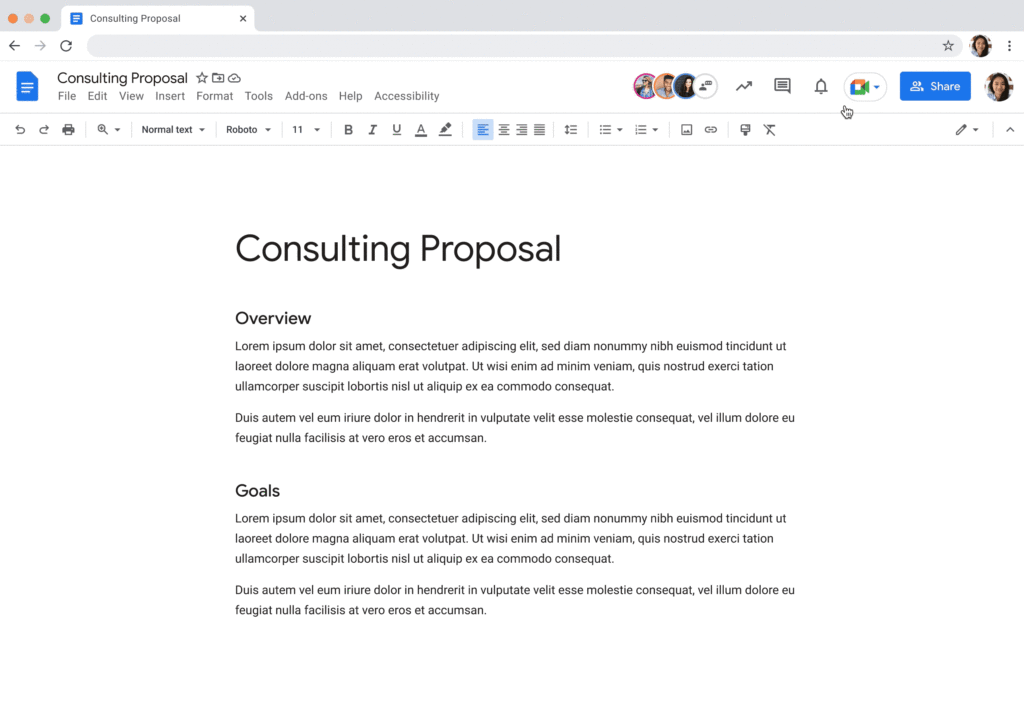
Additionally, consider how you can bring real-world collaboration activities into virtual environments to enhance same-time collaboration for distributed teams. For instance, digital whiteboard tools, like Jamboard and Miro in Google Meet, allow people to brainstorm, ideate, and problem-solve in real time from anywhere. Interactive solutions like these empower employees to work together in new ways.
Expanding what’s possible with staggered-time collaboration
Widespread adoption of hybrid work has prompted organizations to turn more frequently to staggered-time collaboration — where team members are free to share and respond to information in their own time. A key benefit of staggered collaboration is improving the experience and wellbeing of employees — specifically, by promoting participation across the team and support for flexible work habits. Allowing team members to engage when they’re most productive, or when it doesn’t interfere with their scheduled focus time, supports their wellbeing. It can also help employees feel heard, valued, and empowered. Staggered-time collaboration can also give team members who may feel uncomfortable or vulnerable speaking up in real time, or who just need time to think about their feedback, a more inviting way to share their perspectives.
Staggered-time collaboration can enhance a range of collaboration scenarios, including assigning tasks and action items, knowledge- and resource-sharing, brainstorming, and giving feedback. To make these interactions successful, employees need secure, intuitive tools that give them the information they need to do their jobs from anywhere, at any time. For example, in Spaces, team members can initiate and take part in group chat threads devoted to project- and topic-based discussions, as well as access files and tasks, to stay in the loop whenever they’re able to participate. For people working on a task or project at varied times, creating a dynamic, single source of truth makes all the difference.
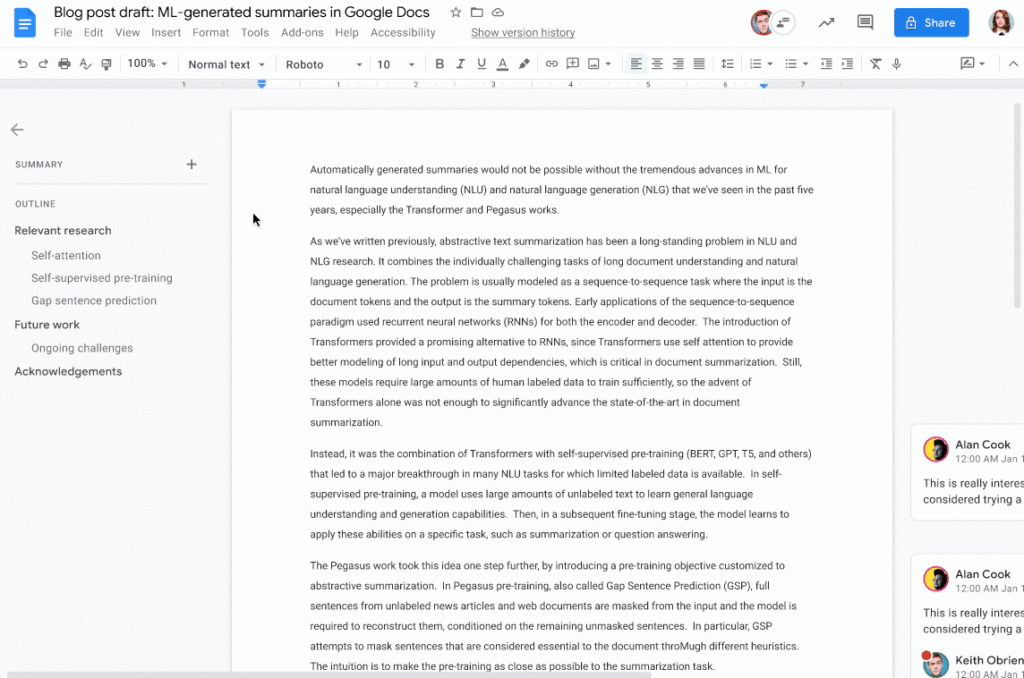
When collaborating on shared documents, a feature like smart canvas enables teammates to assign tasks, build checklists, and share files using @-mentions for easy information access. Meanwhile, automated, built-in summaries in Docs help the team get up to speed without losing focus. Features like these help everyone stay on the same page (literally), even if they’re contributing to a project at different times.
Flexibility and collaboration are not mutually exclusive
Helping people know which tasks call for real-time collaboration and which tasks are better done on their own time is critical for sustaining productivity and wellbeing in a hybrid work world. Employees who are empowered to work in ways that complement their needs, preferences, and schedules typically reward their organization for that flexibility. As Holger Reisinger, Paul Sephton, and Dane Fetterer wrote for the Harvard Business Review, “When leaders give employees the freedom to choose where and when they work, it signals they trust them to do the job they were hired to do. The data shows that that trust is then paid back…at a very high rate, building a tight-knit culture of inclusivity and belonging.”
When you create team norms around same-time and staggered-time collaboration, you can help your employees stay productive and connected — to each other and the broader organization. And by giving them tools that support seamless, secure collaboration experiences from anywhere, the impact on productivity, employee wellbeing, and morale can be transformational.
An Insider’s Guide on the Future of Collaboration and Productivity

4334
Of your peers have already read this article.
1:00 Minutes
The most insightful time you'll spend today!
As Google’s productivity adviser, I’ve been closely following the evolving discussion around the future of work. Long before the pandemic, employees, business leaders, and analysts were already thinking about how work needed to evolve, but the crisis brought the future cascading into the present. Virtually overnight, millions of companies and workers went remote and stayed that way for over a year, pushing their collaboration and productivity tools to the test across living rooms and time zones. While some organizations were able to launch new solutions or adapt existing ones to keep their people connected and productive, many struggled.
The organizations that struggled quickly discovered their tools weren’t complete, scalable, secure, or built for the cloud era. Meanwhile, across all industries and business types, employees reported spikes in burnout, feelings of disconnection, and frustration with finding the latest information or using unfamiliar tools.
With many businesses headed into a hybrid model, the world of work has been transformed, possibly forever. There’s a fresh and fast-moving conversation about how organizations can succeed within the evolving future of work.
But at the center of that discussion are two familiar topics: collaboration and productivity. How will they evolve in an era of distributed teams and surging employee demand for flexibility? And how will businesses meet expectations to innovate quickly and deliver on rising customer expectations while navigating the new future of work?
Although 2020 was a major inflection point, a closer look reveals that many of the technologies, trends, and cultural norms shaping the future of work have been around for some time. For years, forward-thinking organizations have been wrestling with how to maximize collaboration, productivity, and wellbeing among their employees, and they’ve been developing the tools to make it happen at scale. By that measure, the future of work has been here for some time; it just hasn’t been evenly distributed or easily visible.
With this context in mind, we’re sharing our new guide Create what’s next: The future of collaboration and productivity, which highlights three areas of focus for organizations wanting to catch up with those leading the charge to empower the future of work.
- Making work-from-anywhere a reality with flexible solutions
- Giving people helpful tools to maximize their impact
- Enabling knowledge sharing and human connection
Armed with these three strategies, businesses can improve productivity and encourage innovation while better meeting the needs of their customers and their employees—now and in the years ahead.
We share some highlights from the guide in the infographic below (click to enlarge). You can also download the full guide now.

3932
Of your peers have already watched this video.
1:30 Minutes
The most insightful time you'll spend today!
Workspace: Embedding Inclusion and Equity throughout Product Design and Development
Google’s products are built for everyone! Watch the video to hear what the experts at Google say about embedding inclusion throughout the design to product development process, and how Google Workspace is built on product equity principles that takes into consideration the challenges and requirements of users across demographics.
Building the future of work with Google Workspace

4409
Of your peers have already read this article.
7:30 Minutes
The most insightful time you'll spend today!
Since we launched Google Workspace last October, we’ve heard from many of our customers—from global enterprises to small businesses—about the new ways they’re connecting, creating, and collaborating, often across living rooms, time zones, and continents. This response propels us on our mission to build for the future with a solution that’s flexible, helpful, and inspires innovation. We’re proud to support the millions of customers and billions of end-users who trust Google Workspace to bring their own future visions to life.
Today, we’re excited to announce new innovations in Google Workspace that will further empower all the ways work happens—and deepen its impact—in an ever-changing world. These updates include a frontline worker solution, a set of features to help people find more time and focus, and powerful tools for strengthening collaboration.
Learning from our own transformation
At Google, like many of the organizations we support, we’ve been in a state of change, experimentation, and transformation this past year, as we reimagine what work will look like in the post-pandemic future. According to a Gartner survey, 90% of respondents plan to allow employees to work remotely at least part of the time even after the COVID-19 vaccine is widely adopted. This hybrid blend of at-home and in-office work will become the norm for many businesses.
As a company, we’ve been focused on how we can make this new hybrid work model support collaboration and innovation, and enhance inclusion and wellbeing for Google employees. We’re especially interested in what we call collaboration equity, or the ability to contribute equally, regardless of location, role, experience level, language, and device preference. We’ve been experimenting with ways to bridge the gap between the in-person and the “somewhere else” by pushing our technology and the physical spaces of our campuses to be more inclusive. We’re looking for ways to maximize participation everywhere we can—from personal desk space to conference rooms to group collaboration areas.
Google Workspace is at the nexus of Google’s own transformation. After all, Google Workspace was built in the cloud to power flexible, real-time, anywhere creation and equitable collaboration. Whether it’s with our Google Meet Series One hardware kits that enable safe, touch-free meetings and use Google AI to create immersive and inclusive experiences for all. Or the ways we help people focus their time and attention with intelligent, proactive suggestions that thoughtfully connect distributed content, people, and conversations. Or the features that promote inclusion, like live captions in multiple languages, so that everyone can participate effectively in video meetings.
It’s all part of Google Workspace’s mission to enable a hybrid work experience that enhances collaboration, strengthens human connection, and increases wellbeing for people—wherever they are and however they work.
And we’re inspired to hear how Google Workspace has been at the center of our customers’ evolving work plans, helping to forge human connection during a time of change for businesses like Sony Pictures Imageworks and Airbus.
“As we look to the next chapter in the future of work, Google Workspace will continue to keep us connected, wherever we are. Google Meet helps us build trust and relationships, not only within the studio, but with a worldwide network of talent. And Chat is our go-to for sharing ideas and feedback during production meetings in real-time. Google Workspace is how we work together to create together!”
– Mike Ford, VP, Software Development and Systems Engineering at Sony Pictures Imageworks
“Airbus has spent the past year thinking about what it actually means to return to work and we’re looking to support greater flexibility with Google Workspace in a leading role. In 2020, we held 5.6M Google Meet sessions and we now have more than 70,000 shared Drives where people collaborate. Google Workspace has changed the way people work at Airbus and that will continue as the solution empowers the hybrid work reality.”
– Andrew Plunkett, Airbus Vice President Digital Workplace
New ways to help businesses make an impact in changing times
Today, we’re announcing new tools and features to help people make the most of their time, collaborate equally, and deliver more impact. We’re also announcing new security tools with Assured Controls and expanded Data Regions coverage. Assured Controls will allow customers to make decisions about how to control provider access, while expanded Data Regions coverage helps customers choose where their data is geographically located at rest.
Enabling collaboration equity on the frontlines
From nurses to grocery store associates to warehouse employees, essential frontline workers have played a crucial and often heroic role during the pandemic. Despite their importance, those on the frontlines seldom have access to the same collaboration and communication tools that keep knowledge workers informed and connected. As a result, frontline workers often resort to their own personal devices and apps to get the information they need, when they need it.
In the coming weeks, we’ll be launching Google Workspace Frontline with these challenges in mind. This will open up communication and collaboration channels between frontline workers and corporate teams in a way that’s safe and secure. Workspace Frontline is a custom solution that includes communication and collaboration apps like Gmail, Chat, Docs, Drive, and more, as well as business-grade support and security features like advanced endpoint management that help keep a company’s data secure.
We’ve also made it easier for business teams to build custom AppSheet apps directly from Google Sheets and Drive, so that frontline workers can digitize and streamline their work, whether it’s collecting data in the field, reporting safety risks, or managing customer requests. By closing the gap between the frontline and the corporate team, we’re giving frontline workers secure access, on any device, to the information they need to be at their best.
Managing time and attention
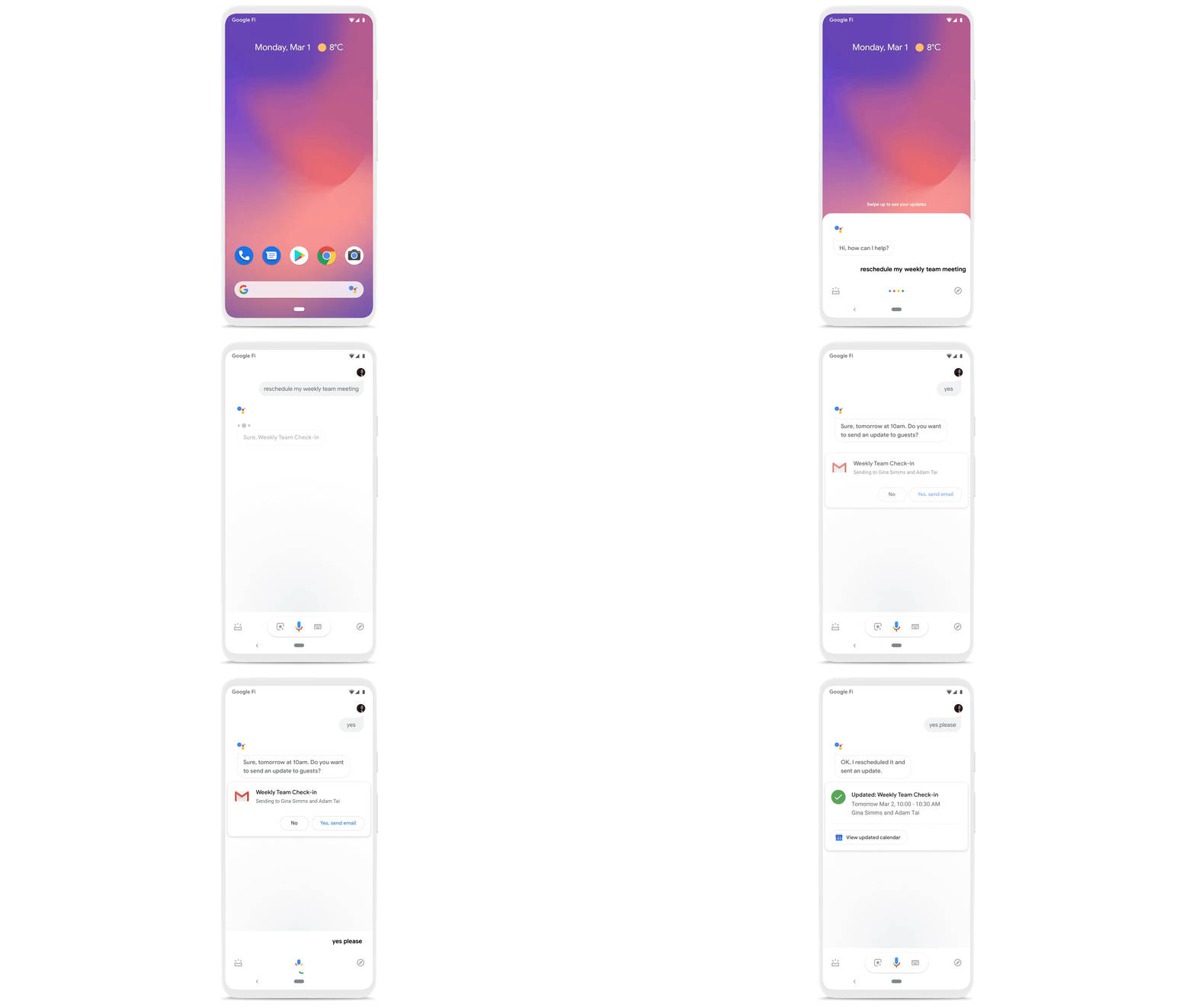
To help people save valuable time, we’re excited to share that using Google Workspace with Google Assistant is now generally available. You can ask Google what’s next on your work calendar, to quickly join meetings, or to send a message. Google Assistant is currently available for Google Workspace on supported mobile devices and is in beta for smart speakers and Smart Displays, like Nest Hub Max. Google Workspace customers can learn how to enable this feature for their users here.
Elsewhere on the time management front, a key trend we’re seeing in today’s workforce is the juggling of professional and personal responsibilities, with many employees now working in “sprints,” like two- to four-hour blocks of time instead of the traditional workday. As more businesses embrace a flexible, hybrid model, we expect this trend to continue, and we’ll all need tools to help us achieve better work-life balance and make the best use of our time.
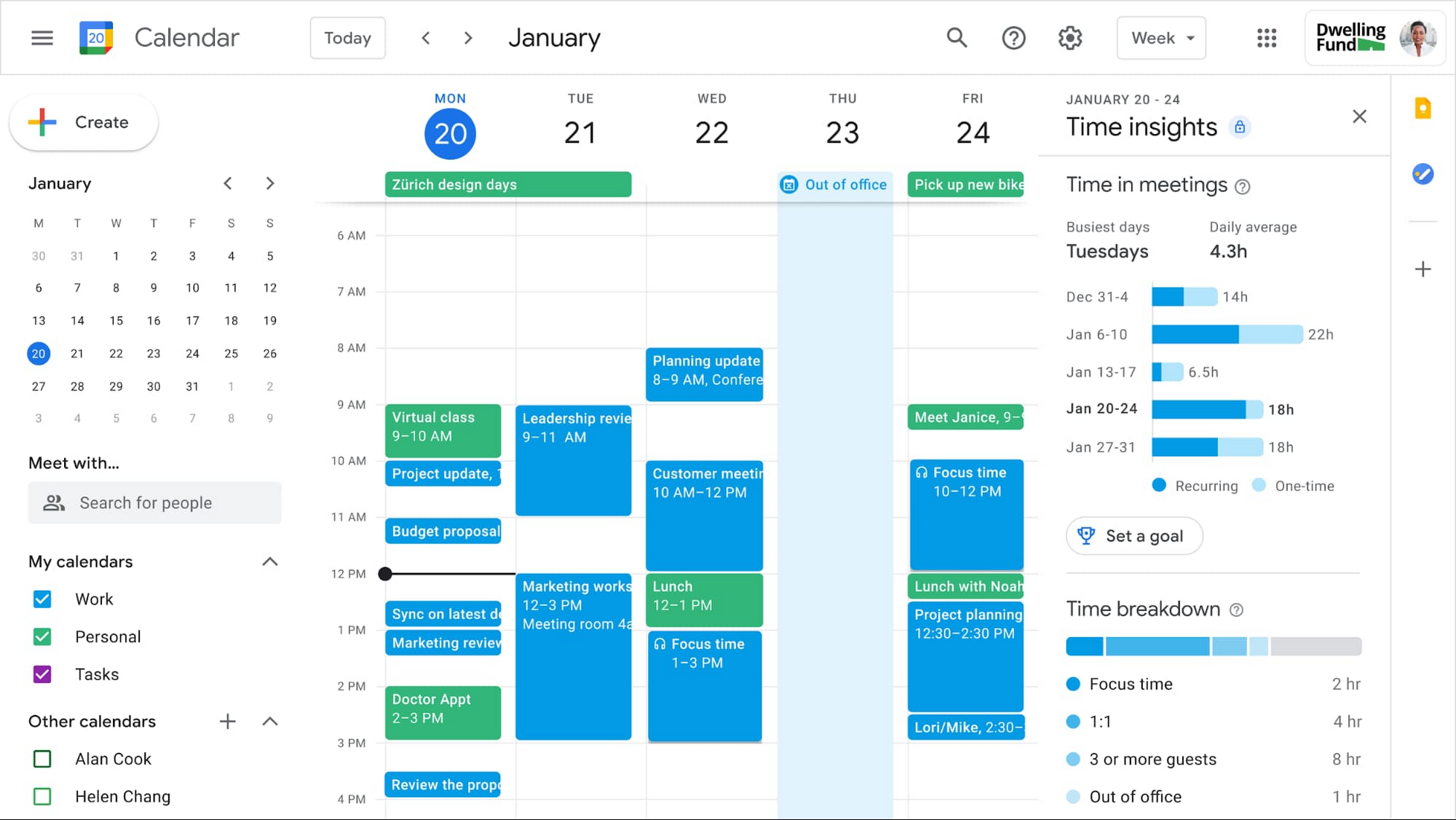
In the coming weeks, we’re releasing an integrated set of features in Google Workspace that help people easily share their work hours and location, while also finding more time to focus on what matters most. Features like segmentable working hours, recurring out-of-office entries, and location indicators let employees share their availability and location with their colleagues. Meanwhile, a new event type—Focus Time—lets people minimize distractions by limiting notifications during these event windows. All these availability and location indicators will show up seamlessly across Google Workspace, as teams engage with Calendar, Meet, Chat, and Gmail. We’ll also be delivering Time Insights to Google Workspace users (visible to the employee only, not their manager), so that employees can assess how they’re spending their time against their own priorities.
Strengthening collaboration equity for all
Ever since we pioneered real-time document editing fifteen years ago, collaboration has been a cornerstone for Google Workspace. In the coming months, we’ll make collaboration more equitable and accessible in a number of ways. First, we’re creating second-screen experiences in Google Meet for those using a mix of devices to host their meetings, like Google Meet hardware for those in conference rooms and Nest Hub Max for those at home. With new second-screen capabilities, people can present and fully participate in the Google Meet experience, including with chat, polls, and Q&As, from any device, no matter where they are.
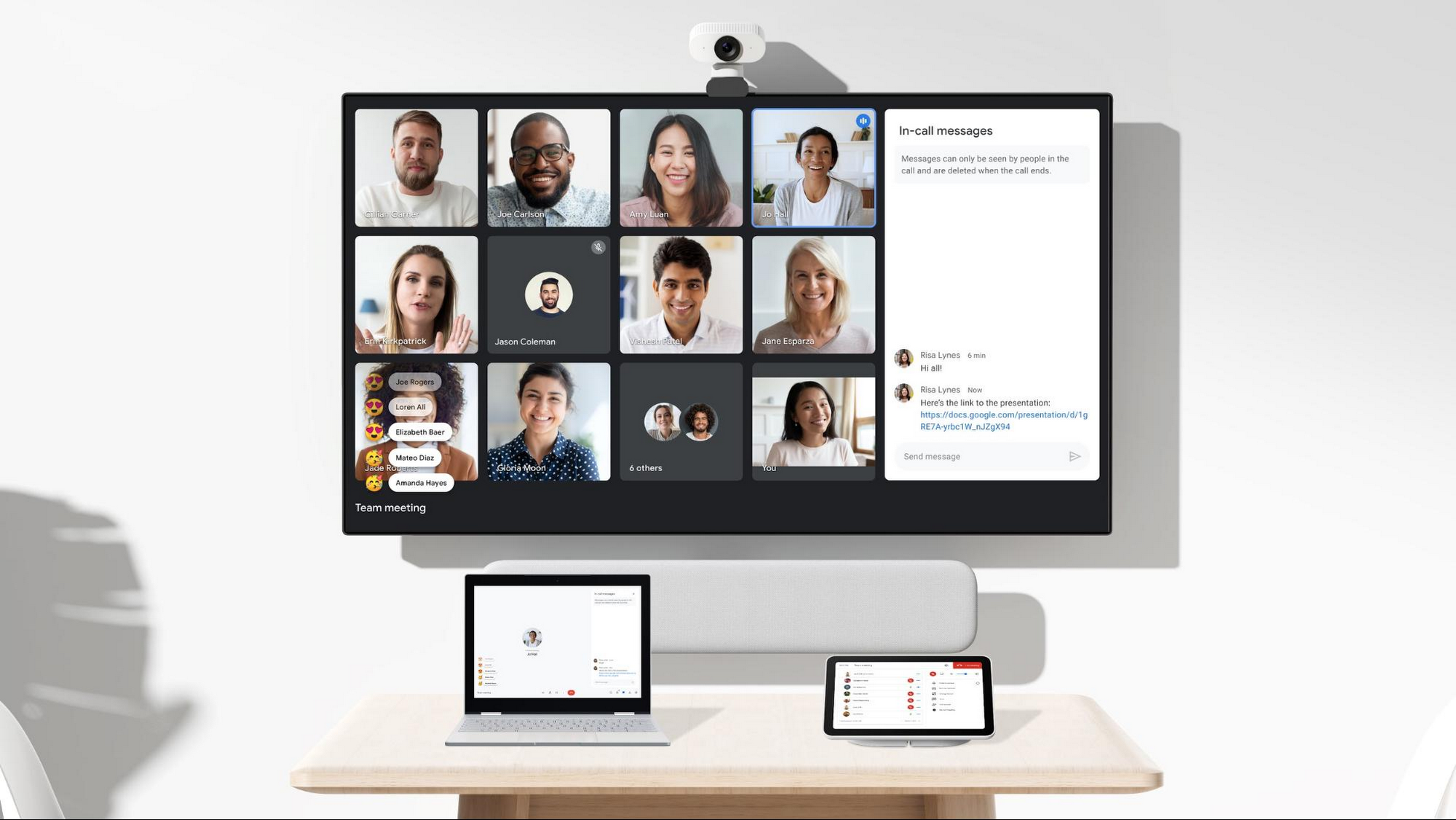
And specifically for those joining meetings from their mobile devices, we’re making it easier to have a bigger impact on a smaller screen. We’re rolling out mobile tile view so you can see more people at once, while split-screen and picture-in-picture support on Meet mobile will help you seamlessly chat or browse your Gmail without missing the visual thread of a meeting. Mobile support for background replace, Q&A, and polls will also help you stay productive and connected on the go.
Live streams will also become more powerful and inclusive in Google Workspace with the addition of Q&A, polls, and live captions (in English, Spanish, German, Portuguese, and French). And because we recognize how organizations are connecting across different groups of people, we’re also enabling live streaming across multiple Google Workspace domains within the same organization.
Finally, to give teams even more ways to connect and collaborate, we’re adding Chat, Jamboard, and Calendar to Google Workspace Essentials.
Building the future of work—together
If there’s a mantra that captures the last year of work, it might be “flexibility in the face of change.” It’s how our customers and our own employees have bridged the physical distances to continue making an impact in a rapidly changing world. As work continues to evolve for all of us, Google Workspace is committed to providing a solution that’s flexible, helpful, and that fuels innovation. We’re also committed to enabling collaboration equity wherever and however we can. At its core, this has been our mission for more than a decade and we’re excited to partner with our customers and users to continue bringing it to life.
More Relevant Stories for Your Company

Scope for Tech Adoption and Advancements in Healthcare are Still High: Google Cloud Research
Since the start of the COVID-19 pandemic, there’s been a rapid acceleration of digital transformation across the entire healthcare industry. Telehealth has become a more mainstream and safe way for patients and caregivers to connect. Machine learning modeling has helped speed up innovation and drug discovery. And new levels of

The Secret Behind How ATB Reduced Strategic Planning Time by 50 Percent
ATB Financial (ATB) operates in a highly competitive financial services space, with competitors ranging from big banks to financial technology startups, ready to grab a slice of the provincial market share. To retain its competitive advantage in an industry primed for disruption, ATB took an active role in its evolution by

How Do You Cut Costs and Improve Staff Productivity, and Business Visibility? Ascend Money Has an Answer
Hundreds of millions of residents of South East Asia have only limited access to banking and finance services. However, help is at hand. One of South East Asia's largest fintech businesses, Ascend Money is using digital technologies to realize its mission of enabling as many people as possible to access

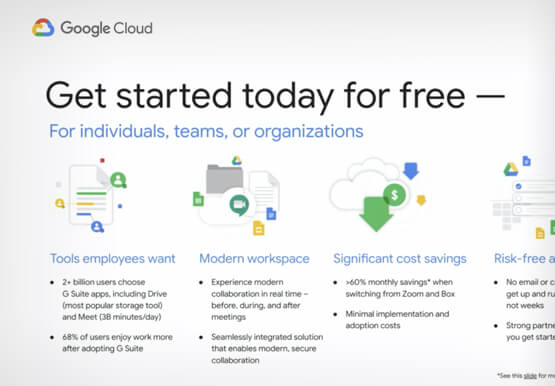
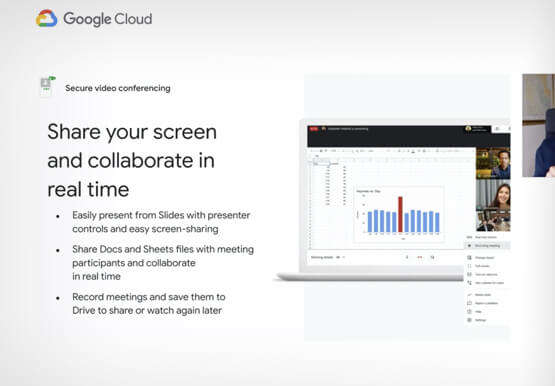

Introducing G Suite Essentials: The simplest way for teams to securely work together from anywhere
With millions of employees forced to work from home, it has become clear that the existing tools many have in place were not cutting it. The Google Cloud team stepped in and accelerated production timelines to launch a new offering. G Suite Essentials is Google's integrated set of tools designed
