





Iroquois Healthcare Association Leverages Chrome OS to Keep Staff, Patients and Families Remotely Connected

3967
Of your peers have already read this article.
3:00 Minutes
The most insightful time you'll spend today!
Editor’s note: Today’s post is by Eileen Murphy, Senior Director of Special Projects, and Andrew Nault, Director of Business Development, both from Iroquois Healthcare Association Workforce Investment Organization (IHA WIO). The health association represents 44 hospitals in 32 counties in New York State, providing advocacy, cost-saving initiatives, and business solutions. IHA WIO has provided its participating long-term care organizations with more than 5,000 Chromebooks to support 80 organizations in several ways, including training staff, connecting nursing home residents to their families, and helping administrative staff work safely from home.
Since early 2020, clinicians and staff at IHA WIO participant organizations have had to adapt to constant change—everything from implementing pandemic safety protocols to helping nursing-home residents stay in touch with families. We’re proud of the wonderful work they’ve done and continue to do.
During the pandemic, our use of Chrome OS and Chrome devices was expanded and changed to meet the needs of organizations dealing with an unprecedented event. Chrome devices were used to not only train staff but to enable remote work, as well as to connect residents to their friends and families during long periods of isolation. In the morning, a Chromebook could be in a managed guest session mode, helping a grandmother virtually attend her grandkids’ birthday party; at lunch, a nursing assistant could log in to her latest continuing education classes on that same Chromebook.
That evening, the Chrome OS devices could be found at check-in desks, helping visitors fill out a COVID-19 survey. All it took to change a device’s purpose were a few clicks in the Google Admin console, all of which could be done remotely.
Chrome OS for training
Most of our 5,000 Chrome OS devices came from a New York State grant to provide continued education training for long-term care organizations and its employees. We wanted to offer online classes, which meant we’d have to give people the technology to access that training. Our partner, CDW, recommended Chrome OS for us because it’s an operating system built for the cloud. In addition, devices running Chrome OS are easy to use, easily shared, and cost-effective.
Best of all, Chromebook Enterprise came with all the enterprise capabilities of Chrome OS unlocked. This allowed us to use the Google Admin console to manage our entire Chromebook Enterprise fleet remotely. We were able to set up one high-level organizational unit across IHA, with almost 80 organizational units for facilities and groups.
To support training, Lenovo helped us create a five-minute video that we added to our HealthStream learning platform so staff could learn the basics of using Chromebooks. This video was created because we didn’t realize there were people who have never touched a laptop before. The video and Chrome OS ease of use made it possible to get the folks who needed the most help up to speed quickly.
Chrome OS for connecting residents to loved ones
Once the pandemic began and people could no longer visit nursing home residents, the staff for one of our facilities asked about using a training Chromebook for video calls between residents and families. We loved this idea as it was still in line with our mission: to enable the workforce to provide higher-quality care.
With the Admin console, the process was easy. We changed the managed guest session to auto load, and changed what is populated on startup. With help from healthcare staff, residents were able to choose from several video apps including Google Meet, Zoom, and Facebook.
Chrome OS for remote workers
When office and administrative staff had to work remotely, Chromebooks again came to the rescue. Since staff could access all their work applications via Citrix—like Outlook, office phone systems, and other public documents—we placed the remote-work laptops in managed guest session mode and loaded the Citrix app at startup. All the employees had to do was connect to Wi-Fi and log into Citrix, and they were ready to work.
With our training program still running and virtual remote ability on the rise, we realized we would need more Chromebooks. CDW informed us that Chrome OS device supply was running low, but they located 1,000 Chromebooks for us and sent them to our home office in Clifton Park, New York.
Normally, the job of configuring and shipping 1,000 laptops would strike fear into the hearts of the IT team. Not this time: With zero-touch enrollment, all of the Chromebooks were enrolled in our high-level organizational unit before the boxes arrived at our Clifton Park office. We created a list of Chromebook serial numbers for each IHA location getting a shipment, then packed up the boxes. We never had to open a Chromebook box, or even turn the devices on before preparing them for use by employees.
Chrome OS for telehealth and clinic kiosks
There were more Chromebook transformations to come. In the interest of keeping residents and medical professionals safe, we enabled Chromebooks for non-urgent telehealth sessions. Doctors and nurses could see and talk to nursing home residents, using the same video conferencing apps that residents used to talk to loved ones. In these cases, we had PointClickCare, our electronic medical records app, loaded at startup on doctors’ Chromebooks.
We even turned a few Chromebooks into guest kiosks at IHA member hospitals that have walk-in clinics. If the clinics required visitors to fill out a COVID-19 screening form, the Chromebook, in kiosk mode, was stationed at the front desk. Once visitors submitted the form, a new blank form appeared, ready for the next visitor without any data stored on the device.
Chrome OS for whatever’s needed next
What’s amazing is that we could help people in all these different ways in just a few minutes—without visiting a nursing home, getting someone to ship laptops back to us, or loading software. Chromebooks are so versatile that sometimes they’re used in various modes several times a day. One user can log in, while another user can use managed guest sessions to login as a guest user. No matter what changes come to our healthcare association in the future, we’ll be ready.
Ease Your Migration and Modernization Journey with Microsoft and Windows on Google Cloud Demo Center

8282
Of your peers have already read this article.
2:00 Minutes
The most insightful time you'll spend today!
If you’re looking to migrate and modernize your Microsoft and Windows workloads, Google Cloud is your premiere destination. No matter what migration strategy you’ve selected or what value you’re looking to achieve, with Google Cloud you’re able to:
- simplify your migration and modernization journey
- reduce your on-prem footprint and increase agility
- optimize license usage to reduce costs
- modernize to reduce single-vendor dependencies
- rely on enterprise-class support backed by Microsoft
Whether you’re looking to migrate applications running on Windows virtual machines, adopt Windows containers in Google Kubernetes Engine (GKE), convert SQL databases to Cloud SQL, or something else, Google Cloud offers you the first-class experience you need.
But we don’t want you to take our word for it. Try it out yourself with our new online Microsoft and Windows on Google Cloud Demo Center without any commitment or friction.

The demo center uses hands-on guided simulations to walk you through several scenarios for solving business critical challenges with Google Cloud’s Microsoft and Windows solutions. Because these are all simulated, you’ll see how it works without any deployment, configuration, or commitment. It’s a seamless way for you to see exactly how Google Cloud can help you.
Run dedicated hardware and optimize with sole tenant
Sometimes you might want to run your workloads on dedicated hardware (with oversubscription options) for compliance, licensing, and management. Google Cloud provides sole-tenant nodes that allow you to easily deploy your virtual machines onto dedicated machines to avoid “noisy neighbor” issues, address regulatory or licensing constraints, and optimize inter-VM communications.
Plus, the CPU Overcommit option allows oversubscribing sole-tenant node resources by up to 2x, therefore helping save on per-physical core licensing for many licensed workloads like SQL Server.
Learn how to set up a sole tenant group and node.
Optimize license costs with premium images & custom VMs
One of the easiest ways to optimize your cloud experience with virtual machines (VM) is to pick the right VM image. Google Cloud provides premium license-included VM images that are thoroughly tested and optimized, including SQL Server options with pay-as-you-go licensing. These are great for workloads that don’t need to run all the time or when you do not have spare licenses for bring your own license (BYOL).
Explore some Windows & SQL images and learn how CPU/Memory options can help optimize deployment and save on licensing.
Modernize your databases with Managed SQL Server
Sometimes you need to manage your SQL Server instance to achieve certain business or operational goals. But more often, managing SQL Server deployments can be undifferentiated: backups, high-availability, updates, and patching are just some of the many things you have to take care of when going the do-it-yourself route. One way to modernize your database tier is to migrate to a managed service like Cloud SQL, which is a fully managed Relational Database service for SQL.
Explore the process of creating an instance in just a few clicks!
Extract apps from VMs and move to containers in GKE with Migrate for Anthos
Many Windows workloads running on virtual machines such as Internet Information Services (IIS) are ideal candidates for migrating to containers without major changes like rewriting or rearchitecting. However, doing this migration manually can be tedious, which is why Migrate for Anthos can help easily re-platform a .NET app running on IIS into a container-based app.
Simulate intelligently extracting, migrating, and modernizing applications to run natively on containers in GKE and Anthos clusters.
Move .NET applications to GKE on Windows without code changes
When you’re looking to go fully cloud native, you can leverage Windows containers in GKE without rewriting your .NET applications. Simply create clusters with Windows nodes and deploy containerized Windows workloads in a few clicks, even alongside Linux containers. These deployments reduce operational overhead with features such as auto-upgrade, auto-repair, and release channels.
Learn how easy it is to build a GKE cluster with a Windows node and deploy an app.
Now that you’ve gotten a feel for what’s available, go check out the Demo Center. You can also visit us at Windows and Microsoft on Google Cloud to learn more.
Snap and Google Cloud Team Up to Upskill Teams Worldwide

1656
Of your peers have already read this article.
2:30 Minutes
The most insightful time you'll spend today!
Snap inc., the developer of the Snapchat platform, has become a global leader in the social media industry. Snap runs its business on Google Cloud, and relies on Premium Support to optimize its cloud business imperatives. Snap sought new ways to extract business value from their cloud data, so turned to their assigned Google Technical Account Management team to develop a means to strengthen and expand cloud skills to meet their goal. The Technical Account Managers (TAMs) serve as an extension of the Snap Engineering Program Management team to deliver deep expertise of Google Cloud and guide Snap in their cloud journey including mapping the essential cloud skills for Snap to achieve broader business strategy. Since Snap employees had varying levels of cloud expertise, it meant that their TAM team needed to design a tailored learning program to optimally meet Snap’s needs.
The TAM team engaged with Google Cloud Customer Experience (CCE) team which included cloud support, learning, consulting, customer success and customer insight and advocacy services. The Google team leveraged a Skill Training Survey for the Snap team to identify, extract and map existing skills to the level of targeted cloud skills that would enable them to design a learning curriculum to boost employee productivity, enable efficient scaling and strengthen the mitigation of technical issues while optimizing their environment for issue prevention. In addition, Google Cloud offered instructor-led virtual training focused on Looker, Kubernetes and others topics of interest and a tailored Snap Global Training Program was launched in the last quarter of 2022.
By including training for Looker, it expanded Snap employees’ ability to reach data-driven decisions. Snap also took advantage of the Google Cloud Skills Boost licenses delivering access to a learning platform with over 700 courses and learning labs, included with Premium Support.
Next, the TAMs and CCE teams were tasked to raise internal awareness of the global Snap training program, so they developed a comprehensive marketing and communications plan to drive promotion over a twelve week period to prospective trainees through newsletters, email groups, Slack channels, Engineering meetings, and an internal site dedicated to Snap training resources.
“Partnering with Google to provide Snap engineers with learning opportunities aligns with Snap’s values of Kind, Smart and Creative. Investing in growing our team member’s skills helps them personally advance and helps our business achieve our goals.”—Michele Vaughan, Snap Engineering Program Manager
The Google-led Snap Global Training Program includes hands-on, instructor-led training, in-person gamified Cloud Hero Learning Events, and access to on-demand Google Cloud Skills Boost labs. Over 100 trainees at Snap initially participated in the instructor-led training, and more than 500 employees completed the on-demand labs. This training program has enabled Snap employees to develop and strengthen skills in the targeted cloud areas including data visualization, AI and ML, and Kubernetes. In addition, the program ignited a Looker Advisory Professional Services initiative to advise Snap with best practices and improvements for the usage of Looker. These skills enable Snap to extract increased value for their cloud data and guide the future of their business for sustaining a competitive advantage in a dynamic marketplace.
To learn more about how Google Cloud Customer Experience can support your organization’s business transformation journey with cloud support, learning, consulting, customer success, and customer insight and advocacy services, visit:
- Premium Support to empower business innovation with expert-led technical guidance and cloud support
- Google Cloud Training & Certification to expand and diversify your team’s cloud education
You Won’t Believe the Number of Benefits These 3 Companies Achieved Just By Moving to G Suite

4348
Of your peers have already read this article.
3:15 Minutes
The most insightful time you'll spend today!
Businesses of all sizes use G Suite to breakdown information barriers and increase employee collaboration. It’s been especially helpful for start-ups and for those who run their own businesses, where juggling multiple jobs—from operations to administration to accounting—is second nature.
For many of these businesses, G Suite helps them collaborate securely and free up time so that they can focus on what really matters: their customers. Below are how three businesses use G Suite to both scale and mobilize while keeping their customers top of mind.
MobileOne Keeps its Employees Mobile
Workers spend up to 8 hours per week searching for, or consolidating, information. When you sift through emails to find files or dig through folders to attach documents, that time adds up.
MobileOne experienced this firsthand.
The company, which operates more than 125 T-Mobile premium retail stores in the US, found that its employees were sinking unnecessary time in email going back-and-forth searching for files.
Its previous productivity tools made it difficult to collaborate, especially for remote employees, and tough to share the latest information, like growth and performance metrics, at an accelerated pace. With this in mind, MobileOne moved to G Suite.
Revel Stark, MobileOne’s Director of Recruiting and Marketing, was heading to the beach with his family one Sunday when his colleague sent an urgent request for a document from him. It took just seconds to access the requested document in the Google Drive mobile app and share it, rather than having to search through files on a laptop, or wait until Monday when he was back in the office.
In addition, real-time editing in Docs and Sheets allows MobileOne employees to streamline how they share and edit documents since it eliminates version control. The company now creates central repositories of information in Docs and Sheets, ensuring everyone is working with the most up-to-date information, saved securely in the cloud.
JBGoodwin Realtors Streamlines Business Processes to Create New Home Owners
As a real-estate company with multiple offices in Texas and clients across the country, JBGoodwin Realtors needed a secure productivity solution that powered real-time employee collaboration.
But it also looked to a solution to help reduce costly maintenance, archive information securely in the cloud, and open up opportunities to streamline business processes. The company turned to G Suite to help.
By moving to G Suite, JBGoodwin Realtors adopted a cloud-first strategy that improved its data security by catching phishing attempts before they reached employees, and as a result, helped reduce time spent on platform maintenance by 30 percent.
Because Gmail allows users to easily archive emails in the cloud, the company no longer needs to invest in hard drive space to save messages. Its employees can easily access emails securely on any device both online or offline. Plus, the company can rest assured that their information stays secure with the help of built-in phishing protections.
Finally, via resources in the G Suite Marketplace, JBGoodwin Realtors automated its manual processes by connecting G Suite data with its CRM and marketing tools, so that its realtors can focus on making valuable connections with potential clients instead of inputting data in multiple systems.
TrueCar Drove a Smooth Transition to G Suite
More than 1.5 billion people use Gmail everyday. Since employees are often already comfortable with using Gmail in their personal lives, transitioning to using it at work is a smooth process.
This was crucial for TrueCar, an automotive resale marketplace that connects sellers with potential buyers (and arms them with pricing information). Minimal onboarding support and training was needed when implementing G Suite.
The team took advantage of G Suite’s User Interface customizations, which can be tailored to a user’s preference in Settings. For example, at TrueCar, admins customized their Calendar interface to be a side-by-side calendar view so they could easily see multiple schedules on a single screen.
With G Suite, there are many ways to customize your apps to help you stay productive.
Business Messages drives 85% CSAT scores for Levi Strauss

4278
Of your peers have already read this article.
3:30 Minutes
The most insightful time you'll spend today!
Founded in 1853, clothing company Levi Strauss & Co. gained fame for their Levi’s® denim jeans. Over 150 years later, Levi’s is a globally-recognized brand that sells jeans and other apparel in more than 3,100 retail stores across 110 countries.
The summary
During the COVID-19 pandemic, Levi’s saw that their shoppers were investing more time in pre-purchase research. They realized that being able to provide customers with information around the clock in an easily accessible way could greatly improve interest, engagement, and eventually purchase behavior. In June 2020, Levi’s partnered with customer experience automation provider Linc Global to integrate Google’s Business Messages into Levi’s customer experience (CX) strategy and cross-channel chat experiences. Business Messages soon brought in customer satisfaction (CSAT) scores of over 85 percent, and drove 30x more store-related questions than Levi’s onsite web chat. In addition, most Business Messages conversations occurred outside store hours, allowing Levi’s to respond to inquiries more quickly.
The challenge
Levi’s knows customers want to drive these interactions on their own terms and timelines— and on their own preferred communications channel. With store hours often impacted by the pandemic, the company needed 24/7 service to answer the 30% increase in off-hours shoppers. Google’s Business Messages allowed customers to connect with Levi’s without visiting the website, going to a store or making a phone call. Anisa Kumar, VP Global DTC says, “Rolling out CX automation on web chat provided a new way for customers to find answers to their pre purchase and other questions that regularly resulted in a call to customer service. Launching with Google’s Business Messages was the logical next step in providing our customers with a best-in-class customer experience.”
The approach
Levi’s worked with Linc Global, a CX automation platform, to set up Google’s Business Messages on Google Maps for five, then 50, stores, before expanding to more than 200 stores. “Customers can message us through Google Maps even after stores are closed. They can search for products and see product information and availability at their local store, plus get details about hours and COVID-19 related updates to make shopping easier,” said Kumar. The company then added Business Messages on Google Search for a rich messaging experience that synchronized with their regular webchat channel. “Consumers can have their entire messaging experience be on Google—and then visit our website or a physical store to complete a purchase recommended to them in Business Messages,” says Rico Arrastia, VP Product & Experience at Levi Strauss & Co.
The results
Two months after launching Google’s Business Messages, Levi’s CSAT scores for the channel surpassed 85%. And four months after launch, Levi’s found that this new channel drove 30x more store-related questions than web chat.
Additionally, Levi’s noted that 31% of Business Messages conversations were product-related, indicating that shoppers preferred targeted engagement to unstructured browsing. For Levi’s, Business Messages helps cross-sell or suggest products to customers based on an individual’s past purchases, personal information, and behaviors.
Levi’s is now a big proponent of Business Messages as a way to meaningfully engage with customers and stand out from other brands. Arrastia shares, “Business Messages not only creates a stronger customer experience but also enables us to do a much better job at ‘hearing’ shoppers.”
5375
Of your peers have already watched this video.
4:00 Minutes
The most insightful time you'll spend today!
AppSheet is Useful for Schools & Universities to Custom-build Apps
AppSheet, Google Cloud’s no-code platform that eases application development and automation process without writing even a line of code. In the education space, AppSheet can come in handy easily as a unified platform to build custom applications that also integrates seamlessly with Workspace, allowing schools and universities to save on time and resources on updating IT infrastructure.
From updating sheets, sharing documents and study material over drive to scheduling events on Calendar, organizing lectures and team meets over Meets, AppSheet allows easy collaboration and access. Watch the video to build apps that are best for your University or school using Google Cloud’s AppSheet!
More Relevant Stories for Your Company

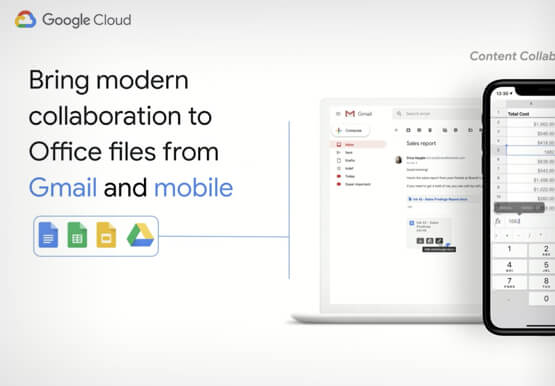
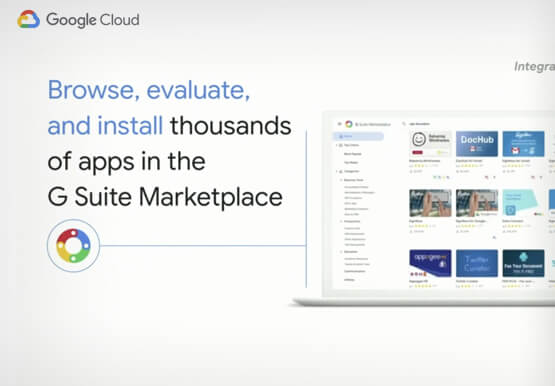

Work beyond borders: How to use G Suite with Microsoft and your favorite third-party applications
The average enterprise uses 129 different applications on a day to day basis. These applications enable critical workflows that drive businesses forward. But when these apps don't work well together that leads to lost time, frustration, and missed opportunities. Professionals have access to dozens of applications in their organization. Apps

Google’s Latest ‘Carbon Footprint’ can Flag Users about Carbon Emission Levels from their Cloud Usage
Google Cloud is proud to support our customers with the cleanest cloud in the industry. For the past four years, we’ve matched 100% of our electricity use with renewable energy purchases, and we were the first company of our size to commit going even further by running on carbon-free energy 24/7
How to Cut the Sales Cycle Short and Close a Deal Quickly
Did you know sales reps only spend about one-third of their time actually selling? Believe it. The remaining two-thirds are spent on two things: Creating presentations, pushing boxes around on a slide deck, and doing administrative work like setting up meetings with clients. That’s all the time you could have



Video: How Whirlpool’s 90,000 Employees Collaborate to Bring 100 New Products to Market Every Year
As one of the world’s largest manufacturing companies, Whirlpool needs no introduction. The 104-year-old company manufactures home appliances from over 70 manufacturing and technology research centers around the world. Innovation has been the company’s focus since its inception and that’s evident from the fact that it introduced close to 100
