





4421
Of your peers have already watched this video.
30:00 Minutes
The most insightful time you'll spend today!
How to Cut the Sales Cycle Short and Close a Deal Quickly
Did you know sales reps only spend about one-third of their time actually selling? Believe it.
The remaining two-thirds are spent on two things: Creating presentations, pushing boxes around on a slide deck, and doing administrative work like setting up meetings with clients. That’s all the time you could have spent prospecting new clients.
Avoiding time-drains is what makes a huge difference to your job-role and your business. There are six stages in a sales cycle: Prospecting clients, initial contact, identifying needs, presenting offer, negotiation, and closing deal.
Each stage demands attention but there’s a way to save time and move quickly to the next stage. For example, you shouldn’t have to switch between your CRM and e-mail if they were integrated. You shouldn’t have to start a presentation deck from scratch if you had pre-built templates to follow.
With G Suite, your organization can make a custom workflow that can incorporate data from several sources both in G Suite and outside. You can create pitch presentations overnight, and shorten the sales cycle. You can include data from spreadsheets onto Slides, which gets automatically updated in Slides, if the data is corrected or changed in the spreadsheet.
Find out how sales heads are leveraging G Suite to close more deals quickly in this video.
Celebrating Google Cloud and State of Wyoming’s Decade of Partnership!

4052
Of your peers have already read this article.
2:00 Minutes
The most insightful time you'll spend today!
When Wyoming became the first state to transition all its employees to Google Workspace ten years ago, everyone expected a million dollars in cost savings. What started as a move to save money and ease communication has turned into much more. While the cost savings continues to be significant, state efficiency skyrocketed, allowing employees to spend more time working directly with the community.
This year, we’re celebrating 10 of the most important lessons learned over ten years in our Wyoming-Google partnership.
1. Collaborative tools breed a collaborative culture. Wyoming was prepared when the COVID-19 pandemic hit, forcing our workers to transition to at-home environments. Employees across the state were already using Google Workspace collaboration and productivity tools, which made the switch easy. We also had already set a precedent by hosting a key budget meeting over Google Meet from outside the country. Using Google Meet in such a high visibility meeting showed state employees that every level of government could benefit from digital collaboration. This culture was made possible by Google Workspace tools.
2. Digital tools can connect the community with essential services. That same collaborative spirit helped our government employees better connect with our community throughout the pandemic, delivering key information for food assistance, as an example. One in five children in Wyoming suffer from food insecurity. Google Workspace allows programs like the Wyoming Hunger Initiative to run smoothly, as everything from scheduling and planning events, to tracking and research, is handled with Google Workspace. The data gathered and stored in Google Cloud is protected and helps to bring meals to the kids who need them most.
3. Easy-to-use apps make transitions simpler. Google Workspace apps have been a breeze to learn from day one. They are designed to be intuitive and state employees are able to get the hang of the software simply by trying it themselves. We also developed a training series for new users to further ease the transition. Training is offered every six weeks so users can take the training when they are onboarded or at any time they need a refresher.As I started my career with the State of Wyoming, Wyoming began its journey as the first state to go Google – forever changing how and where we work. This was especially evident as we worked through our emergency telework at the height of the pandemic. Whether meeting with stakeholders around the capitol complex, across the state or teleworking from home, Google ensures our teams are always connected and collaborating.
-Tim Sheehan
Interim CIO & Information Services Administrator, Dept. of Enterprise Technology Services
4. Invest in students, invest in the future. How do you enable students to retain access to their work and emails as they transition from elementary to middle and high school? Wyoming developed “Wyo for Life ,” which established a state email domain across all our school districts. Students get an email address with unlimited data that they can keep forever. This makes the transition for students seamless, and their digital portfolio is theirs for life.
5. Switching to Google Cloud saved millions on technology costs. The cost savings from moving to Google have taken many forms over the years. Google Cloud’s migration tools made it easy to move various systems to a single centralized platform, consolidating IT resources—and saving money—across the state. In the past 10 years, the cost of Google Workspace within the Department of Transportation has increased by only 7%, a third of the inflation rate over the same period. Our state also switched from a $1.5 million legacy video conferencing system to Google Chromeboxes in 2015—at a fraction of the cost. When combined with the savings over each year, the switch has saved taxpayers a compelling amount of money. This allows our state to keep innovating and adapting without putting pressure on taxpayers.
6. Security is both simpler and stronger. In the last decade, Wyoming has become the state with one of the best security records in the country. We have consistently ranked in the top five most secure states, year after year, with the help of Google Cloud. Other states have found it difficult to keep constituent data secure, and major breaches have left communities across the country floundering. By partnering with Google, we have ensured constituent data is constantly secure.
7. Flexibility is crucial for governments that want to grow. Focusing on flexibility, the State of Wyoming has been able to look at the needs of our employees and community and change the way we apply technology to our constituent services with Google Workspace. As those needs have changed, we have been able to shift our focus and better serve constituents without having to spend time rebuilding internal systems.
8. Working together has led to stronger, more cost-effective solutions over time. Our state has access to Google Cloud experts, and that relationship has allowed real flexibility. For example, Google Meet and its predecessor Google Hangouts, weren’t available at the beginning of our partnership. When it became clear that those tools could serve the Department of Corrections, we worked with Google Cloud to ensure the tool was added to our Google Workspace portfolio.
9. Workspace apps are always improving. Google Cloud is constantly evolving, upgrading, and improving their products to serve their users better. The hundreds of product updates they’ve put out over the years have benefited us as a long-term customer, and Google Workspace for Government ensures the complex problem of running an efficient public office has real solutions.
10. Community is key, even outside of Wyoming. The State of Wyoming is part of a larger community of public sector workers using Google called Public Sector Connect. All public sector employees can connect with others, join discussions, and get inspired by how Google tools are changing government and education. All community members hold positions in government or education, and new ideas are being shared every day. This community is at the forefront of public sector innovation. We meet with Google engineers and suggest solutions, feature set requests, and learn from others about problem-solving, innovation and implementation. This is the space that has been lacking in the public sector for years and if you are in the public sector, please join!
Using Google has allowed the State of Wyoming government to focus on our future roadmap. Over the last 10 years, instead of retrofitting our ideas into legacy technology or developing applications as we go, Google Workspace and Google Cloud contained all of the tools to achieve our milestones seamlessly. Google Workspace contains all of the applications our end users need for working remotely, in-person, or hybrid. The harmony between Google Workspace and Google Cloud opens new opportunities for our government, to include data analytics, big queries, and the use of artificial intelligence. Our enterprise processes have modernized thanks to the innovative solutions and support by Google.
Now 10 years later, we are proud of the partnership we have built with Google Cloud and are looking forward to the next 10 years using Google to support our community.
Ease Your Migration and Modernization Journey with Microsoft and Windows on Google Cloud Demo Center

8308
Of your peers have already read this article.
2:00 Minutes
The most insightful time you'll spend today!
If you’re looking to migrate and modernize your Microsoft and Windows workloads, Google Cloud is your premiere destination. No matter what migration strategy you’ve selected or what value you’re looking to achieve, with Google Cloud you’re able to:
- simplify your migration and modernization journey
- reduce your on-prem footprint and increase agility
- optimize license usage to reduce costs
- modernize to reduce single-vendor dependencies
- rely on enterprise-class support backed by Microsoft
Whether you’re looking to migrate applications running on Windows virtual machines, adopt Windows containers in Google Kubernetes Engine (GKE), convert SQL databases to Cloud SQL, or something else, Google Cloud offers you the first-class experience you need.
But we don’t want you to take our word for it. Try it out yourself with our new online Microsoft and Windows on Google Cloud Demo Center without any commitment or friction.

The demo center uses hands-on guided simulations to walk you through several scenarios for solving business critical challenges with Google Cloud’s Microsoft and Windows solutions. Because these are all simulated, you’ll see how it works without any deployment, configuration, or commitment. It’s a seamless way for you to see exactly how Google Cloud can help you.
Run dedicated hardware and optimize with sole tenant
Sometimes you might want to run your workloads on dedicated hardware (with oversubscription options) for compliance, licensing, and management. Google Cloud provides sole-tenant nodes that allow you to easily deploy your virtual machines onto dedicated machines to avoid “noisy neighbor” issues, address regulatory or licensing constraints, and optimize inter-VM communications.
Plus, the CPU Overcommit option allows oversubscribing sole-tenant node resources by up to 2x, therefore helping save on per-physical core licensing for many licensed workloads like SQL Server.
Learn how to set up a sole tenant group and node.
Optimize license costs with premium images & custom VMs
One of the easiest ways to optimize your cloud experience with virtual machines (VM) is to pick the right VM image. Google Cloud provides premium license-included VM images that are thoroughly tested and optimized, including SQL Server options with pay-as-you-go licensing. These are great for workloads that don’t need to run all the time or when you do not have spare licenses for bring your own license (BYOL).
Explore some Windows & SQL images and learn how CPU/Memory options can help optimize deployment and save on licensing.
Modernize your databases with Managed SQL Server
Sometimes you need to manage your SQL Server instance to achieve certain business or operational goals. But more often, managing SQL Server deployments can be undifferentiated: backups, high-availability, updates, and patching are just some of the many things you have to take care of when going the do-it-yourself route. One way to modernize your database tier is to migrate to a managed service like Cloud SQL, which is a fully managed Relational Database service for SQL.
Explore the process of creating an instance in just a few clicks!
Extract apps from VMs and move to containers in GKE with Migrate for Anthos
Many Windows workloads running on virtual machines such as Internet Information Services (IIS) are ideal candidates for migrating to containers without major changes like rewriting or rearchitecting. However, doing this migration manually can be tedious, which is why Migrate for Anthos can help easily re-platform a .NET app running on IIS into a container-based app.
Simulate intelligently extracting, migrating, and modernizing applications to run natively on containers in GKE and Anthos clusters.
Move .NET applications to GKE on Windows without code changes
When you’re looking to go fully cloud native, you can leverage Windows containers in GKE without rewriting your .NET applications. Simply create clusters with Windows nodes and deploy containerized Windows workloads in a few clicks, even alongside Linux containers. These deployments reduce operational overhead with features such as auto-upgrade, auto-repair, and release channels.
Learn how easy it is to build a GKE cluster with a Windows node and deploy an app.
Now that you’ve gotten a feel for what’s available, go check out the Demo Center. You can also visit us at Windows and Microsoft on Google Cloud to learn more.
Gmail’s BIMI Increases Confidence about Security and Delivers Immersive Email Experiences

5474
Of your peers have already read this article.
3:00 Minutes
The most insightful time you'll spend today!
Creating a secure-by-default experience based on robust defenses has always been a core design principle for Gmail. That’s why we’ve established a strong baseline of security in Gmail, with built-in protections to help automatically filter out potentially malicious messages. While these defenses help keep Gmail users safe, email functions as part of a large, complex, interconnected ecosystem that we continually invest in and work to protect. After first announcing Gmail’s Brand Indicators for Message Identification (BIMI) pilot last year, today we’re announcing that over the coming weeks we’re rolling out Gmail’s general support of BIMI, an industry standard that aims to drive adoption of strong sender authentication for the entire email ecosystem. BIMI provides email recipients and email security systems increased confidence in the source of emails, and enables senders to provide their audience with a more immersive experience.


“Bank of America has a wide range of security measures in place to support our customers, and we constantly evolve our program to deliver best in class protection. Part of this effort is our partnership with Google on BIMI, which provides an easy way to validate if correspondence is from us.” — Bank of America
BIMI enables organizations that authenticate their emails using Domain-based Message Authentication, Reporting, and Conformance (DMARC)—a standard for providing strong sender authentication that allows security systems to perform better filtering, separating legitimate messages from potentially spoofed ones—to validate ownership of their logos and securely transmit them to Google. BIMI is designed to be easy: for organizations with DMARC in place, validated logos display on authenticated emails from their domains and subdomains.
Here’s how it works: Organizations who authenticate their emails using Sender Policy Framework (SPF) or Domain Keys Identified Mail (DKIM) and deploy DMARC can provide their validated trademarked logos to Google via a Verified Mark Certificate (VMC). BIMI leverages Mark Verifying Authorities, like Certification Authorities, to verify logo ownership and provide proof of verification in a VMC. Once these authenticated emails pass our other anti-abuse checks, Gmail will start displaying the logo in the existing avatar slot.
“Gmail’s support of BIMI is a win for email authentication, brand trust, and consumers alike. BIMI gives organizations the opportunity to provide their customers with a more immersive email experience, strengthening email sender authentication across the entire email ecosystem.” — Seth Blank, Chair of the AuthIndicators Working Group
This is just the start for BIMI. The standard expects to expand support across logo types and validators. For logo validation, BIMI is starting by supporting the validation of trademarked logos, since they are a common target of impersonation. Today, Entrust and DigiCert support BIMI as Certification Authorities, and in the future the BIMI working group expects this list of supporting validation authorities to expand further. To learn more about BIMI and see the latest news, visit the working group’s website.
To take advantage of BIMI, ensure that your organization has adopted DMARC, and that you have validated your logo with a VMC. For Gmail users, no action is required. We’re proud to be one of the leading members in both establishing and supporting the BIMI standard and will continue to support efforts that contribute to security for the entire email ecosystem.
4652
Of your peers have already watched this video.
3:00 Minutes
The most insightful time you'll spend today!
The Simple Salesforce Extension on Gmail That Can Make Sales and Marketing More Productive
What’s one of the big problems of sales and marketing? The inability to get a more holistic picture of a customer when reaching out to them.
There’s a fix for that if you’re using Gmail.
It’s a Salesforce Lightning Chrome extension. As you read and respond to emails in your inbox Salesforce Lightning for Gmail will surface relevant customer information from your CRM directly to you within the Gmail interface.
This will not only save you time by reducing how often you’re toggling between tools, but it’ll also ensure that you have the most current customer information at hand at all times.
With Salesforce Lightning for Gmail you’ll be able to see opportunities, cases, leads and other Salesforce records the contact has with your organisation enabling you to better craft your email response to match your customer’s specific situation.
Find out how else Salesforce Lightning for Gmail can make you smarter, faster and more accurate. Watch this short video now.
6900
Of your peers have already watched this video.
14:21 Minutes
The most insightful time you'll spend today!
How Anthos Helps Organizations Implement Multi and Hybrid Cloud Strategy
Organizations have become increasingly focused on using modernization solutions to build competitive advantage, for faster time to market, serve customers better and seamlessly operate in hybrid and multi-cloud environments. Anthos by Google Cloud, a managed application platform plays an important role in application modernization and also in empowering customers to deploy a hybrid or multi-cloud strategy with opensource technologies and platforms like Kubernetes.
Watch the video to refer to the real use-cases of Anthos for application modernization and hybrid/multi cloud deployment across retail, digital natives, banking and manufacturing space.
Also, explore the latest tool, Migrate for Anthos if you are a traditional enterprise looking to skip rewriting of applications and lift-and-shift process!
More Relevant Stories for Your Company




How Haydenshapes Expanded its Business to 70 Countries With Real-Time Collaboration
Hayden Cox was only 15 years old when he broke his surfboard. And he was only 15 years old when he decided to make one. That’s how Haydenshapes, Cox’s surfboard manufacturing company, took form. That was five years ago. Today, the company has manufacturing units in Los Angeles, Sydney, and


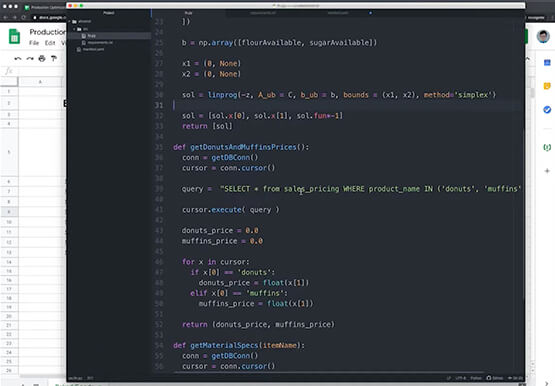
Enhancing Collaboration with Sheets, Python, and Google Cloud
See how you can enhance collaboration within your organization using Google Sheets. Watch to learn about a new set of tools to create custom functions that tap into the power of Python and to expose functions in a standardized fashion throughout your organization.
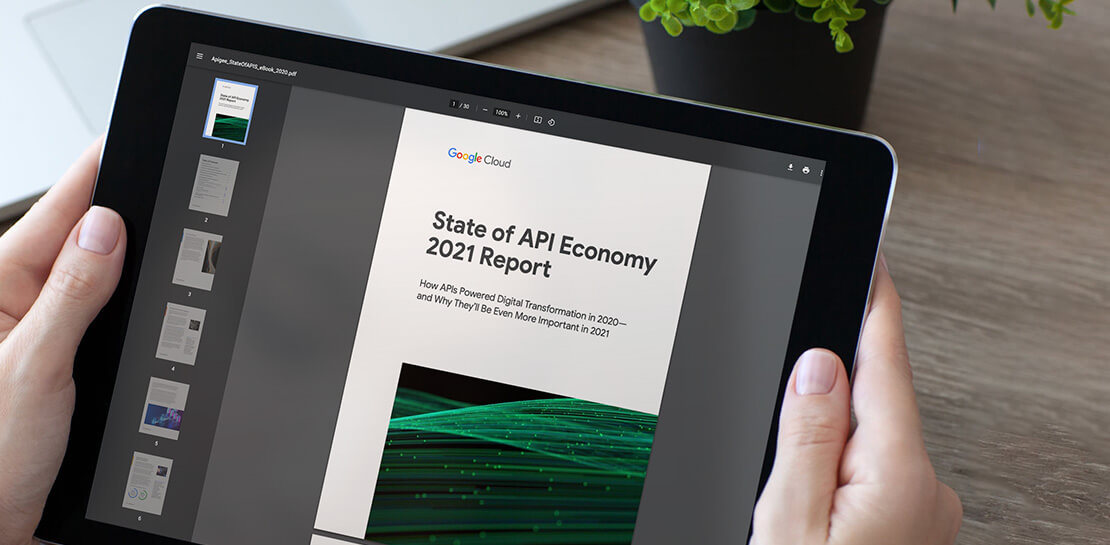
Report on API-led Digital Transformations in 2020 and the Future
In 2020, many businesses across industries turned their focus and investments towards digital strategies. APIs being an integral part of every organization's digital disruption, will grow in relevance throughout 2021. Read the report to gain more insights on driving API-led digital transformations and in-depth analysis of Google Cloud's Apigee API



How a Furniture Retailer Found a Cool Way to Innovate Every Day and Beat Competition
MADE.COM is a London-based company that designs and retails homewares and furniture online, and across a network of experiential showrooms in Europe. Founded by serial entrepreneur Ning Li and Brent Hoberman, with Julien Callède and Chloe Macintosh in 2010, the company works with independent designers to create world-class furniture for
