





How Google Meet Keeps Your Video Conferences Secure

6799
Of your peers have already read this article.
4:30 Minutes
The most insightful time you'll spend today!
All over the world, businesses, schools and users depend on G Suite to help them stay connected and get work done. Google designs, builds, and operates our products on a secure foundation, aimed at thwarting attacks and providing the protections needed to keep you safe. G Suite and Google Meet are no exception.
Google Meet’s security controls are turned on by default, so that in most cases, organizations and users won’t have to do a thing to ensure the right protections are in place. Here, we’ll summarize the key capabilities of Google Meet that help protect you.
Proactive protections to combat abuse and block hijacking attempts
Google Meet employs an array of counter-abuse protections to keep your meetings safe. These include anti-hijacking measures for both web meetings and dial-ins.
Google Meet makes it difficult to programatically brute force meeting IDs (this is when a malicious individual attempts to guess the ID of a meeting and make an unauthorized attempt to join it) by using codes that are 10 characters long, with 25 characters in the set. We limit the ability of external participants to join a meeting more than 15 minutes in advance, reducing the window in which a brute force attack can even be attempted. External participants cannot join meetings unless they’re on the calendar invite or have been invited by in-domain participants. Otherwise, they must request to join the meeting, and their request must be accepted by a member of the host organization.
In addition, we’re rolling out several features to help schools keep meetings safe and improve the remote learning experiences for teachers and students, including:
- Only meeting creators and calendar owners can mute or remove other participants. This ensures that instructors can’t be removed or muted by student participants.
- Only meeting creators and calendar owners can approve requests to join made by external participants. This means that students can’t allow external participants to join via video, and that external participants can’t join before the instructor.
- Meeting participants can’t rejoin nicknamed meetings once the final participant has left. This means if the instructor is the last person to leave a nicknamed meeting, students can’t join later without the instructor present.

Secure deployment and access controls for admins and end-users
To limit the attack surface and eliminate the need to push out frequent security patches, Google Meet works entirely in your browser. This means we do not require or ask for any plugins or software to be installed if you use Chrome, Firefox, Safari, or Microsoft Edge. On mobile, we recommend that you install the Google Meet app.
To help ensure that only authorized users administer and access Meet services, we support multiple 2-Step Verification options for accounts that are secure and convenient. These include hardware and phone-based security keys and Google prompt. Additionally, Google Meet users can enroll their account in our Advanced Protection Program (APP), which provides our strongest protections available against phishing and account hijacking and is specifically designed for the highest-risk accounts.
For G Suite Enterprise and G Suite for Education customers, we offer Access Transparency, which logs any Google access to Google Meet recordings stored in Drive, along with the reason for the access (support team actions that you might have requested, for example). Customers can also use data regions functionality to store select/covered data of Google Meet recordings in specific regions (i.e. US or Europe).
Secure, compliant, and reliable meeting infrastructure
In Google Meet, all data is encrypted in transit by default between the client and Google for video meetings on a web browser, on the Android and iOS apps, and in meeting rooms with Google meeting room hardware. Meet adheres to IETF security standards for Datagram Transport Layer Security (DTLS) and Secure Real-time Transport Protocol (SRTP). For every person and for every meeting, Meet generates a unique encryption key, which only lives as long as the meeting, is never stored to disk, and is transmitted in an encrypted and secured RPC (remote procedure call) during the meeting setup.
Security is an integral part of all our operations at Google. Our team of full-time security and privacy professionals supports our software engineering and operations to ensure that security is always a part of how we build and run our services. All of our Google Cloud and G Suite customers benefit from these capabilities, including:
- Secure-by-design infrastructure: Google Meet benefits from Google Cloud’s defense-in-depth approach to security, which utilizes the built-in protections and global-private network that Google uses to secure your information and safeguard your privacy.
- Compliance certifications: Our Google Cloud products, including Google Meet, regularly undergo independent verification of their security, privacy, and compliance controls, including validation against standards such as SOC, ISO/IEC 27001/17/18, HITRUST, and FedRAMP. We support your compliance requirements around regulations such as GDPR and HIPAA, as well as COPPA and FERPA for education.
- Incident management: We have a rigorous process for managing data and security incidents that specifies actions, escalations, mitigation, resolution, and notification of any potential incidents impacting customer data.
- Reliability: Google’s network is engineered to accommodate peak demand and handle future growth. Our network is resilient and engineered to accommodate the increased activity we’ve seen on Google Meet.
- Transparency: At Google Cloud, we’re clear about our commitments regarding customer data: we process customer data according to your instructions; we never use customer data for advertising purposes; and we publish the locations of our Google data centers, which are highly available, resilient, and secure.
During COVID-19 and beyond, we will continue to protect Google Meet users and their data, and keep innovating with new features to make our tools helpful, secure, and safe.

Collaboration Helps Nielsen Gain Better Consumer Insights and Save Costs by 20%
DOWNLOAD CASE STUDY4841
Of your peers have already downloaded this article
5:00 Minutes
The most insightful time you'll spend today!
The Nielsen Company is one of the world’s most well-known and respected marketing research firms, with operations in over 100 countries. Its 56,000 employees work to provide insights and data that give customers a better understanding of what people watch, listen to, and buy.
Those insights are essential to companies in a variety of industries, including media and entertainment, consumer products, and retail, that must stay in touch with customers in a fast-changing marketplace.
In order to help customers get the information they need to increase ad sales and boost market share, Nielsen must empower its employees to collaborate across markets and global offices.
But Nielsen’s employees were working out of individual e-mail inboxes that delayed decision-making and made it difficult for the company to take immediate action on time-sensitive information.
The company saw an opportunity to improve collaboration by moving productivity apps to the cloud—Google Cloud’s G Suite—allowing employees to work anytime, anywhere, and on any device and collaborating in real-time.
“In keeping with our cloud-first strategy and digital transformation, we wanted to give our employees state-of-the-art collaboration tools,” says Kimberly Anstett, CIO at Nielsen. “We knew that a global, cloud-based toolset would help change the way everyone in the company works and maximize the value we deliver to our customers.”
AirAsia Flies High With Data Analytics and AI

6652
Of your peers have already read this article.
11:30 Minutes
The most insightful time you'll spend today!
AirAsia’s vision is simple: allow everyone to fly. Founded in 2001, the airline and sister company AirAsia X have grown to service 150+ destinations in 25 markets, using 274 aircraft to operate 11,000+ weekly flights from 23 hubs across the region. While the airline is known as a provider of low-cost airfares to locations across Asia, this is only one part of its value proposition. AirAsia also aims to deliver innovative, personalized products and services that meet the needs of each of its passengers.
Technology is key to AirAsia’s success and, with strong support from Group Chief Executive Officer Tony Fernandes, in 2016 the airline began a five-year program to become a data-first business and a digital airline.
“We wanted to better ensure we were using data correctly to become more agile, efficient, and customer oriented,” says Lye Kong Wei, Chief of Data Science, Group Head at AirAsia.
AirAsia needed technologies and services that could capture, process, analyze, and report on data, while delivering value for money and meeting its speed and availability requirements. The airline also wanted to minimize infrastructure management and system administration demands on its technology team.
“We knew data was a big part of making decisions in the future. So we needed a platform that could scale to meet our growing appetite for it. Google Cloud—in particular BigQuery—was ideal for this task.”
—Lye Kong Wei, Chief of Data Science, Group Head, AirAsia
Google Cloud the best fit
AirAsia realized only a cloud service could meet its needs and began evaluating the market. The airline then conducted a proof of concept and found Google Cloud was the best fit for its business. It was already familiar with Google Cloud, having deployed G Suite collaboration and productivity applications to its workforce in all countries except China. According to Kong Wei, products such as Forms, Docs, Sheets, and Gmail delivered a considerable improvement in collaboration between various departments, as well as streamlining and automating a range of processes.
The business was particularly excited by the potential of the BigQuery analytics data warehouse to power its digital transformation. “We knew data was a big part of making decisions in the future,” says Kong Wei. “So we needed a platform that could scale to meet our growing appetite for it. Google Cloud—in particular BigQuery—was ideal for this task.”
“With BigQuery, we could process queries and requests much faster than previously and tackle more complex problems.”
—Lye Kong Wei, Chief of Data Science, Group Head, AirAsia
The AirAsia technology team was impressed by the ease and flexibility with which it could extract, transform, and load customer data from its systems, websites, and mobile applications into BigQuery for analysis. Data, reports, and dashboards were delivered and visualized through Google Data Studio.
BigQuery also scaled seamlessly to support data growth and, as a managed service, required minimal administration from the airline’s technology team. “In addition, with BigQuery, we could process queries and requests much faster than previously and tackle more complex problems,” says Kong Wei. “As a result, we could be more innovative about realizing opportunities,” he adds, citing the benefits of being able to view and understand historical measures of booking curves—a measure of how long it took customers to book before a flight. This improves the airline’s ability to manage revenues.
A broad ecosystem
BigQuery and Data Studio are just two components of a broad ecosystem—powered largely by Google Cloud services—deployed by AirAsia. Pub/Sub provides a scalable message queue that enables AirAsia developers to integrate systems hosted on Google Cloud or externally. Apache Airflow enables the business to create, schedule, and monitor workflows, while Cloud Composer manages the dependencies of PHP and related libraries. App Engine allows AirAsia personnel to develop and host web applications. “Thanks to App Engine, we’ve easily been able to create new applications, services, and APIs powered by the data we have been collecting,” says Kong Wei.
AirAsia is also running the middleware for its APIs in a managed Google Kubernetes Engine environment for increased scalability, resource optimization, and reliability, while Cloud Storage provides storage for data from a range of systems and sources. Dataflow enables the business to transform and process data in stream and batch modes from its website search page as customers look for flights.
“With a minimal number of people involved, we can very quickly transform an idea or thought process into a deliverable. Prior to Google Cloud, bringing those ideas to fruition would have been impossible.”
—Lye Kong Wei, Chief of Data Science, Group Head, AirAsia
Faster deployment and testing
The stability of Google Cloud service means AirAsia has a reliable base from which to launch new products and features. “If we have consistent reliability from our core systems—and Google Cloud incorporates monitoring tools such Cloud Monitoring that enable us to identify issues quickly—developers and product engineers can focus on turning ideas into reality,” says Kong Wei. “With a minimal number of people involved, we can very quickly transform an idea or thought process into a deliverable. Prior to Google Cloud, bringing those ideas to fruition would have been impossible.”
Robust security
AirAsia is also relying on Security Health Analytics, a product that integrates with Security Command Center, to identify misconfigurations and compliance violations in its Google Cloud resources and take action. Security Health Analytics ensures the airline’s budgets go to keeping customers’ travel costs low rather than recovering from security breaches.
The product enables AirAsia to check that resources are configured properly and are compliant with CIS benchmarks as its critical workloads run in Google Kubernetes Engine and App Engine.
“Being able to go to the new Security Health Analytics dashboard eliminates the guesswork of what we have running and if it is secure,” says Muhammad Faeez Bin Azmi, Information Security and Automation Solution Architect. “Now anyone on our team, even non-security professionals, can go to this dashboard and see a list of the misconfigured assets and compliance violations across all of our Google Cloud resources. We can also see the severity of misconfigurations, which helps us prioritize our response.”
“Security Health Analytics has really helped us reduce the amount of time we spend trying to figure out what’s wrong with our resources. It’s allowed us to use our time more effectively to identify and resolve more security issues than we could before.”
A new identity solution
AirAsia had also used a legacy on-premises directory for many years. However, as the company grew and expanded to new markets and regions, it had to manage multiple servers across a number of on-premises data centers and the public cloud, which proved costly and time-consuming.
Its Allstars—the airline’s name for its employees—needed to easily access a number of legacy on-premises apps in addition to a growing number of SaaS apps. As a business, it also needed a more seamless integration between its HR system of record and its identity solution for user provisioning and life cycle management. Solving these challenges with its existing on-premises directory was simply not feasible.
AirAsia brought up its identity concerns with the Google Cloud team, and after a number of conversations, decided to deploy Cloud Identity, Google’s cloud-based Identity and Access Management solution, to help address the identity challenges it was facing.
The airline chose Cloud Identity for a number of reasons—first, it was eager to move to the cloud as quickly as possible. Moving identity management to the cloud was a key enabler of this and the airline’s broader digital transformation. Managing identities from the cloud also enabled the airline to have a single identity and set of credentials for each employee, which they could use to access all the applications they need to be productive, both in the cloud and on-premises.
In addition, deploying Cloud Identity was a key step towards enabling the zero trust security model, which the airline felt was the best approach to strengthen its security posture and fight modern threats. Cloud Identity also integrated seamlessly with its existing technologies, which include not only Google Cloud products like G Suite and Chrome OS but also third-party tools like Citrix, Papercut, and others.
And finally, Cloud Identity offered significant cost and resource savings. With Cloud Identity in place, AirAsia’s IT department could spend less time worrying about managing multiple on-premises directory servers and and could instead focus on delivering value to Allstar employees.
Machine learning employed to increase ancillary revenue
In March 2018, AirAsia established the groundwork to use machine learning to optimize pricing for a range of services and began by using AI Platform to sort and predict demand for ancillary services such as baggage, seats, and meals. “By using AI Platform, we can sort based on data about history to predict the future,” says Kong Wei.
Dialogflow in wide use
With Google Cloud well established within the business, AirAsia is using Dialogflow, a voice and conversational interface development suite (and one of the core components of Contact Center AI) that enables businesses to create engaging AI powered voice- and text-based interfaces such as chatbots and voice apps—to streamline operations and reduce costs
“Tony Fernandes, our Group Chief Executive Officer, motivated us to create a range of metrics that would enable us to respond more quickly and efficiently to customers,” says Yuashini Vellasamy, Product Manager at AirAsia.
This resulted in the initial deployment of Dialogflow in AirAsia’s operational areas, from crew scheduling to internal business tasks.
With Dialogflow, AirAsia is able to provide pilots, crew, catering, and other teams with flight times, capacity and any other relevant information about their assignments. Another bot accepts medical certificates and updates from pilots and crew members unable to make rostered assignments and switches those assignments to other pilots and crews. “This improves our on-time performance and operational efficiency, as we are able to optimize the creation of crew schedules,” says Vellasamy.
AirAsia also uses Dialogflow to power a “safety bot” for airport ground staff. “We tried a lot of tools to encourage staff to advise us when they saw a safety issue—but employee usage was low,” says Vellasamy. “However, when we set up the safety bot, which asks users just four questions about an issue they have observed, we saw an increase in employee interaction, which helps ensure proper safety measures.
Beyond crew optimization and overall safety, AirAsia’s HR department in Asia uses a Dialogflow-powered bot to run a post-orientation engagement program for new employees. The bot follows up with employees about issues from parking to AirAsia’s onboarding buddy program, saving HR employees time from scheduling one-on-one meetings. Dialogflow also powered an employee satisfaction survey of 3,000 team members, resulting in a 30% increase in response rate compared to the previous year.
One of Dialogflow’s benefits is its language coverage, which the airline’s marketing team uses to target customers and prospects across a region with diverse languages and cultures. “For weekly campaigns and promotions, our sales and marketing teams simply update the campaign materials and the changes are reflected automatically in Dialogflow and consequently to users,” says Vellasamy. “This enables us to quickly scale and reach our customers globally.”
An upward trajectory
AirAsia is poised to reap further benefits from Google Cloud as its deployment matures. “On the data side, we’re more advanced, while on the application and programming side we have a long way to go,” says Kong Wei. “We’re on a trajectory upwards—we’re looking at a lot of new ideas and how to embrace and deploy them so we can further our data-first and digital airline agendas.”
4416
Of your peers have already watched this video.
1:32 Minutes
The most insightful time you'll spend today!
How the UK’s Football Association Turns to Tech to Ensure its 29 Teams Deliver World-Class Performance
The FA is an iconic British institution responsible for overseeing all aspects of football in the UK, from the grassroots club level across the country to the national teams who play at Wembley.
However, even icons like The FA must evolve to stay at the top of their game and they realized their old methods of pen and paper needed to change.
So The FA partnered with Google Cloud to transform itself into a digital leader. The first step was to implement G Suite to get all 29 professional national teams on the same page.
For all 350+ staff at St. George’s Park training facility and coaches throughout the country and on the road, G Suite provides an intuitive and easy way for all these entities to work together.
Coaches could communicate through Hangout; analysts could
compile and share data in Sheets; AI training plans could be distributed
and executed using Slides; and Drive helped support players on the
move, giving immediate access to important information, like dietary
requirements, training data, travel docs and more.
Watch the video to find out more.
3887
Of your peers have already watched this video.
26:56 Minutes
The most insightful time you'll spend today!
What’s new and next in Android Enterprise
Many of you know Android as a consumer platform that has provided mobile data access on smartphones and tablets to over 2 and 1/2 billion people across the world. But we see Android as an enterprise operating system that spans a variety of form factors and use cases. We work with manufacturers across the globe, who create Android devices compliant with services, like Google Play.
And that means, whether you’re trying to enable employees with smartphones, frontline workers with rugged devices, create digital kiosks for customers to interact with, or build point solutions, like point of sale systems or signage, there’s an Android device that fits your need.
And as an organization, when you know how to build Android apps on one form factor, you can tailor these applications to be redeployed onto another because Android represents a common platform, irrespective of the hardware that you choose.
Learn how Android is tackling the biggest issues facing mobility strategies today, from balancing security and privacy to providing user experience and productivity innovation at scale.
4641
Of your peers have already watched this video.
40:00 Minutes
The most insightful time you'll spend today!
On-Demand Webinar: How Technology is Creating a Smaller World to Help Businesses Grow Big
Consider this: In a pre-cloud world, it took the telephone 75 years, automobiles 62 years, and TVs 14 years to reach 50 million customers. But today’s innovations have narrowed that gap.
In comparison, it took Netflix only 7 years to reach 50 million customers, while Twitter got there in just 9 months! What’s changed? The advent of the Internet and, with it, cloud computing.
That means organizations need to embrace change quickly and think differently. That’s why companies like Colgate-Palmolive, that pre-date the telephone even, are today looking to be cloud-first. That’s a big reason why the company moved its 28,000 employees on to a cloud collaboration platform in just six months.
As a result, organizations like Colgate-Palmolive are now able to increase reach, ideate faster, and be more productive. Google Hangouts from Google Cloud is helping these organizations get there.
With the ability to get on immersive video conferencing meetings, ideate in real-time through Google Cloud’s Jamboard—a digital, smart, whiteboard—your teams have an incredible opportunity to drive your business ahead.
In this webinar, Sandy Jones, Field Sales Representative, Google Cloud, shares how cloud-based collaboration tools are redefining traditional businesses and why they are in the race to become cloud-first.
More Relevant Stories for Your Company

Partner Delivery Excellence: Empowering Partners Deliver Customer value with Google Cloud
With growing demand for Google Cloud, customers are increasingly expecting more reliable advisory and implementation skills from Google Cloud Systems Integrator (SI) Partners. Our model for professional services remains differentiated, with a heavy co-dependence on our SI Partner ecosystem to drive success for our customers. Therefore, enabling and nurturing strong
Now on Mobile: Manage Your Google Cloud Support Cases Anywhere, Anytime
We’re excited to announce that Google Cloud Support is now available as Public Preview* in the Google Cloud mobile app. View and manage Google Cloud Support cases We understand how important it is to be able to access and collaborate on Cloud Support cases. As such, we’ve made it easy for you to

A Quick Guide to Cloud Monitoring
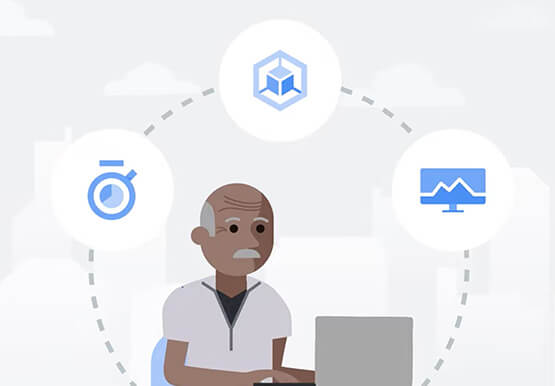
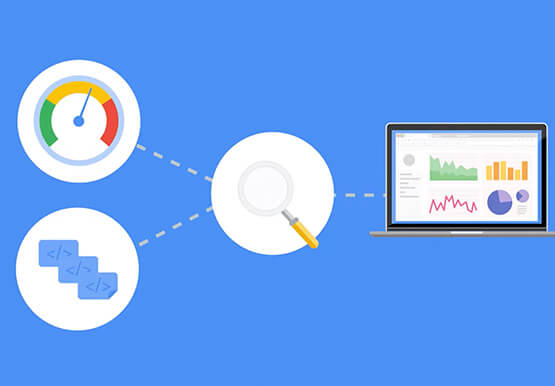
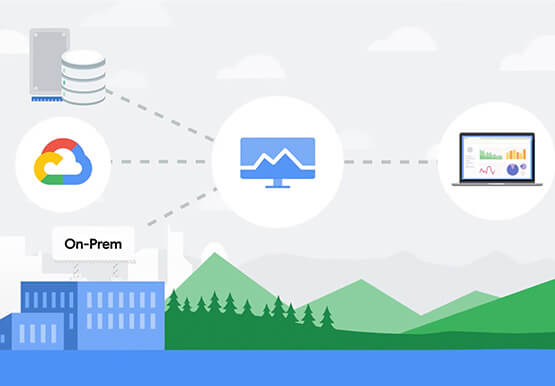
Cloud Monitoring is a tool that allows you to gain visibility into the performance, availability, and health of your applications and infrastructure. In this video, we show you what Cloud Monitoring is and how you can use it to custom define service-level objectives (SLOs), monitor application metrics, and the overall

Learn to Easily Administer Multi-cluster Kubernetes Environs: Part 4 KRM Series
This is part 4 in a multi-part series about the Kubernetes Resource Model. See parts 1, 2, and 3 to learn more. Kubernetes clusters can scale. Open-source Kubernetes supports up to 5,000 Nodes, and GKE supports up to 15,000 Nodes. But scaling out a single cluster can only get you so far: if your cluster’s control plane
