





Building the future of work with Google Workspace

4402
Of your peers have already read this article.
7:30 Minutes
The most insightful time you'll spend today!
Since we launched Google Workspace last October, we’ve heard from many of our customers—from global enterprises to small businesses—about the new ways they’re connecting, creating, and collaborating, often across living rooms, time zones, and continents. This response propels us on our mission to build for the future with a solution that’s flexible, helpful, and inspires innovation. We’re proud to support the millions of customers and billions of end-users who trust Google Workspace to bring their own future visions to life.
Today, we’re excited to announce new innovations in Google Workspace that will further empower all the ways work happens—and deepen its impact—in an ever-changing world. These updates include a frontline worker solution, a set of features to help people find more time and focus, and powerful tools for strengthening collaboration.
Learning from our own transformation
At Google, like many of the organizations we support, we’ve been in a state of change, experimentation, and transformation this past year, as we reimagine what work will look like in the post-pandemic future. According to a Gartner survey, 90% of respondents plan to allow employees to work remotely at least part of the time even after the COVID-19 vaccine is widely adopted. This hybrid blend of at-home and in-office work will become the norm for many businesses.
As a company, we’ve been focused on how we can make this new hybrid work model support collaboration and innovation, and enhance inclusion and wellbeing for Google employees. We’re especially interested in what we call collaboration equity, or the ability to contribute equally, regardless of location, role, experience level, language, and device preference. We’ve been experimenting with ways to bridge the gap between the in-person and the “somewhere else” by pushing our technology and the physical spaces of our campuses to be more inclusive. We’re looking for ways to maximize participation everywhere we can—from personal desk space to conference rooms to group collaboration areas.
Google Workspace is at the nexus of Google’s own transformation. After all, Google Workspace was built in the cloud to power flexible, real-time, anywhere creation and equitable collaboration. Whether it’s with our Google Meet Series One hardware kits that enable safe, touch-free meetings and use Google AI to create immersive and inclusive experiences for all. Or the ways we help people focus their time and attention with intelligent, proactive suggestions that thoughtfully connect distributed content, people, and conversations. Or the features that promote inclusion, like live captions in multiple languages, so that everyone can participate effectively in video meetings.
It’s all part of Google Workspace’s mission to enable a hybrid work experience that enhances collaboration, strengthens human connection, and increases wellbeing for people—wherever they are and however they work.
And we’re inspired to hear how Google Workspace has been at the center of our customers’ evolving work plans, helping to forge human connection during a time of change for businesses like Sony Pictures Imageworks and Airbus.
“As we look to the next chapter in the future of work, Google Workspace will continue to keep us connected, wherever we are. Google Meet helps us build trust and relationships, not only within the studio, but with a worldwide network of talent. And Chat is our go-to for sharing ideas and feedback during production meetings in real-time. Google Workspace is how we work together to create together!”
– Mike Ford, VP, Software Development and Systems Engineering at Sony Pictures Imageworks
“Airbus has spent the past year thinking about what it actually means to return to work and we’re looking to support greater flexibility with Google Workspace in a leading role. In 2020, we held 5.6M Google Meet sessions and we now have more than 70,000 shared Drives where people collaborate. Google Workspace has changed the way people work at Airbus and that will continue as the solution empowers the hybrid work reality.”
– Andrew Plunkett, Airbus Vice President Digital Workplace
New ways to help businesses make an impact in changing times
Today, we’re announcing new tools and features to help people make the most of their time, collaborate equally, and deliver more impact. We’re also announcing new security tools with Assured Controls and expanded Data Regions coverage. Assured Controls will allow customers to make decisions about how to control provider access, while expanded Data Regions coverage helps customers choose where their data is geographically located at rest.
Enabling collaboration equity on the frontlines
From nurses to grocery store associates to warehouse employees, essential frontline workers have played a crucial and often heroic role during the pandemic. Despite their importance, those on the frontlines seldom have access to the same collaboration and communication tools that keep knowledge workers informed and connected. As a result, frontline workers often resort to their own personal devices and apps to get the information they need, when they need it.
In the coming weeks, we’ll be launching Google Workspace Frontline with these challenges in mind. This will open up communication and collaboration channels between frontline workers and corporate teams in a way that’s safe and secure. Workspace Frontline is a custom solution that includes communication and collaboration apps like Gmail, Chat, Docs, Drive, and more, as well as business-grade support and security features like advanced endpoint management that help keep a company’s data secure.
We’ve also made it easier for business teams to build custom AppSheet apps directly from Google Sheets and Drive, so that frontline workers can digitize and streamline their work, whether it’s collecting data in the field, reporting safety risks, or managing customer requests. By closing the gap between the frontline and the corporate team, we’re giving frontline workers secure access, on any device, to the information they need to be at their best.
Managing time and attention
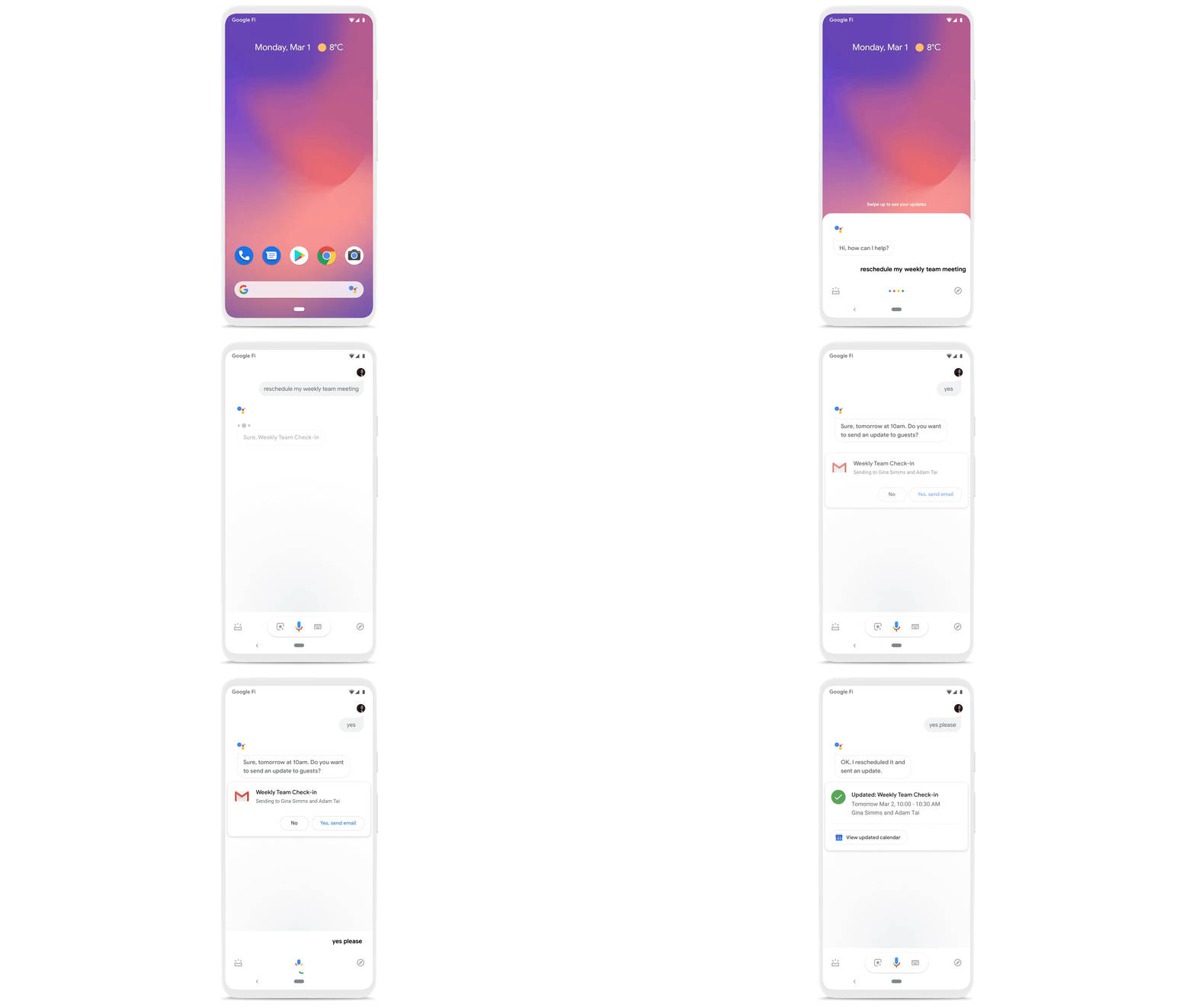
To help people save valuable time, we’re excited to share that using Google Workspace with Google Assistant is now generally available. You can ask Google what’s next on your work calendar, to quickly join meetings, or to send a message. Google Assistant is currently available for Google Workspace on supported mobile devices and is in beta for smart speakers and Smart Displays, like Nest Hub Max. Google Workspace customers can learn how to enable this feature for their users here.
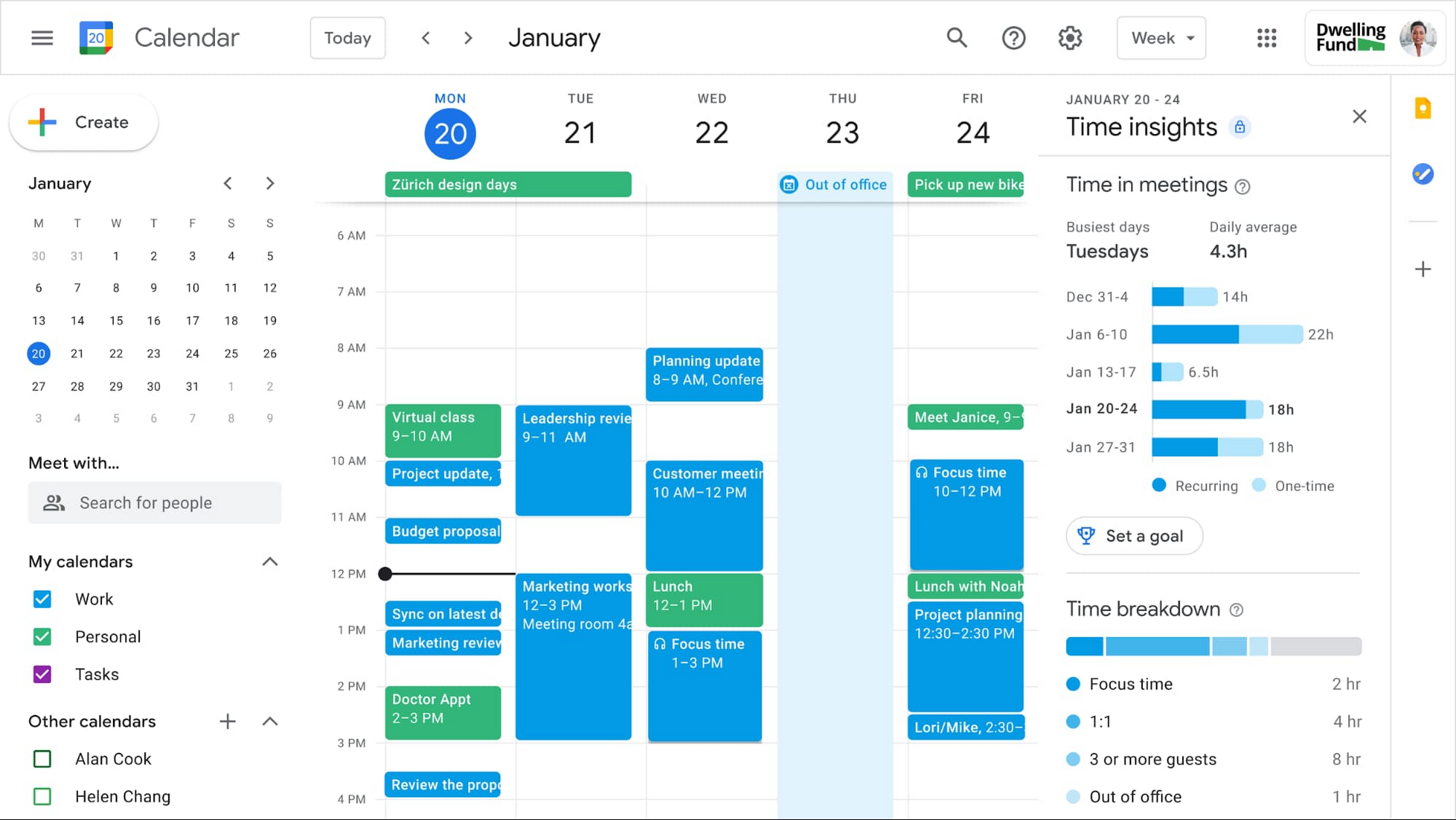
Elsewhere on the time management front, a key trend we’re seeing in today’s workforce is the juggling of professional and personal responsibilities, with many employees now working in “sprints,” like two- to four-hour blocks of time instead of the traditional workday. As more businesses embrace a flexible, hybrid model, we expect this trend to continue, and we’ll all need tools to help us achieve better work-life balance and make the best use of our time.
In the coming weeks, we’re releasing an integrated set of features in Google Workspace that help people easily share their work hours and location, while also finding more time to focus on what matters most. Features like segmentable working hours, recurring out-of-office entries, and location indicators let employees share their availability and location with their colleagues. Meanwhile, a new event type—Focus Time—lets people minimize distractions by limiting notifications during these event windows. All these availability and location indicators will show up seamlessly across Google Workspace, as teams engage with Calendar, Meet, Chat, and Gmail. We’ll also be delivering Time Insights to Google Workspace users (visible to the employee only, not their manager), so that employees can assess how they’re spending their time against their own priorities.
Strengthening collaboration equity for all
Ever since we pioneered real-time document editing fifteen years ago, collaboration has been a cornerstone for Google Workspace. In the coming months, we’ll make collaboration more equitable and accessible in a number of ways. First, we’re creating second-screen experiences in Google Meet for those using a mix of devices to host their meetings, like Google Meet hardware for those in conference rooms and Nest Hub Max for those at home. With new second-screen capabilities, people can present and fully participate in the Google Meet experience, including with chat, polls, and Q&As, from any device, no matter where they are.
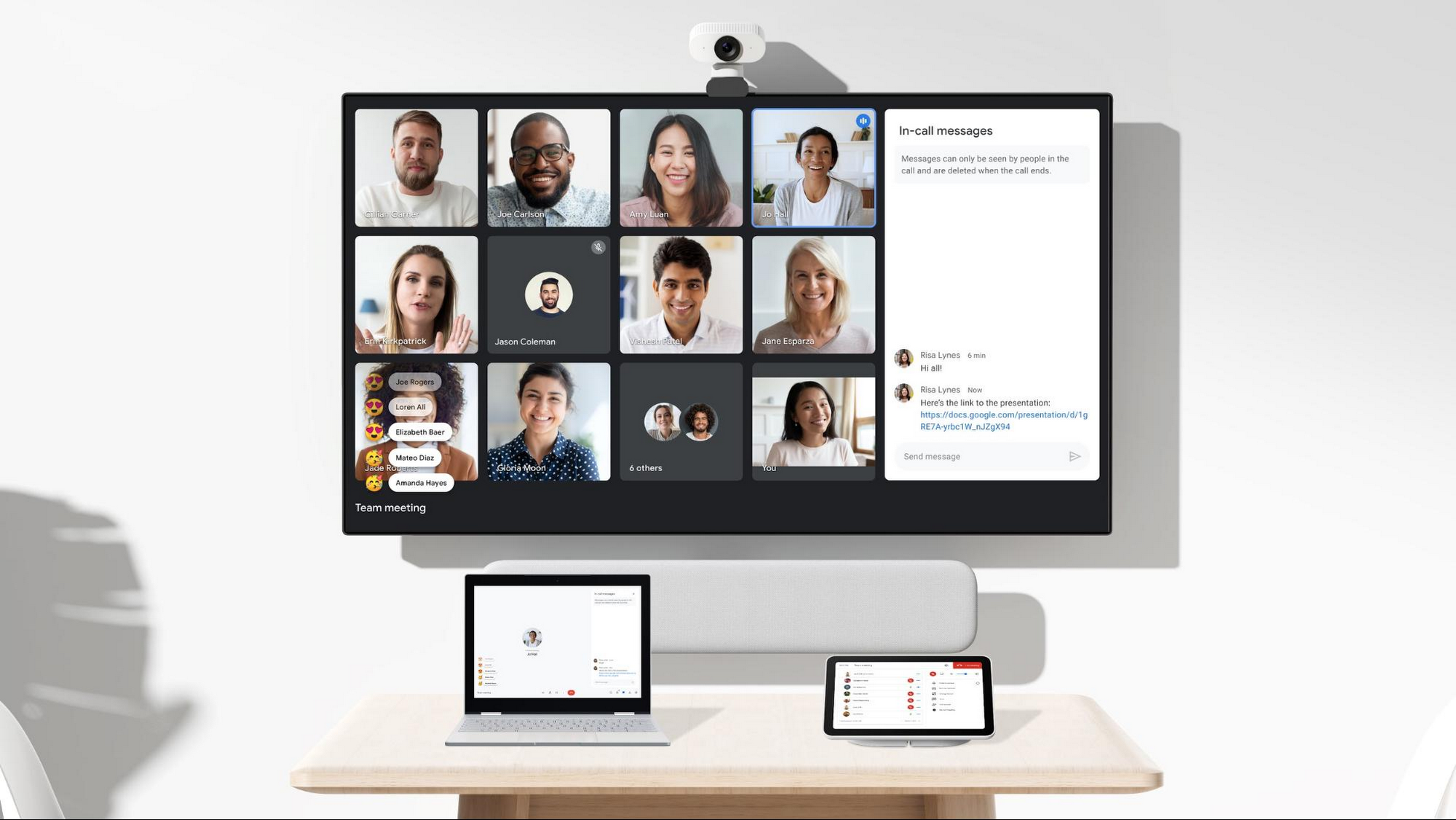
And specifically for those joining meetings from their mobile devices, we’re making it easier to have a bigger impact on a smaller screen. We’re rolling out mobile tile view so you can see more people at once, while split-screen and picture-in-picture support on Meet mobile will help you seamlessly chat or browse your Gmail without missing the visual thread of a meeting. Mobile support for background replace, Q&A, and polls will also help you stay productive and connected on the go.
Live streams will also become more powerful and inclusive in Google Workspace with the addition of Q&A, polls, and live captions (in English, Spanish, German, Portuguese, and French). And because we recognize how organizations are connecting across different groups of people, we’re also enabling live streaming across multiple Google Workspace domains within the same organization.
Finally, to give teams even more ways to connect and collaborate, we’re adding Chat, Jamboard, and Calendar to Google Workspace Essentials.
Building the future of work—together
If there’s a mantra that captures the last year of work, it might be “flexibility in the face of change.” It’s how our customers and our own employees have bridged the physical distances to continue making an impact in a rapidly changing world. As work continues to evolve for all of us, Google Workspace is committed to providing a solution that’s flexible, helpful, and that fuels innovation. We’re also committed to enabling collaboration equity wherever and however we can. At its core, this has been our mission for more than a decade and we’re excited to partner with our customers and users to continue bringing it to life.
Enterprises can Push the Limits of Edge Even Further!

7007
Of your peers have already read this article.
2:30 Minutes
The most insightful time you'll spend today!
Whether with the cloud or within their own data centers, enterprises have undergone a period of remarkable consolidation and centralization of their compute resources. But with the rise of ever more powerful mobile devices, and increasingly capable cellular networks, application architects are starting to think beyond the confines of the data center, and looking out to the edge.
What exactly do we mean by edge? Think of the edge as distributed compute happening on a wide variety of non-traditional devices — mobile phones of course, but also equipment sensors in factories, industrial equipment, or even temperature and reaction monitoring in a remote lab. Edge devices are also connected devices, and can communicate back to the mothership over wireless or cellular networks.
Equipped with increasingly powerful processors, these edge devices are being called upon to perform tasks that have thus far been outside the scope of traditional IT. For enterprises, this could mean pre-processing incoming telemetry in a vehicle, collecting video in kiosks at a mall, gathering quality control data with cameras in a warehouse, or delivering interactive media to retail stores. Enterprises are also relying on edge to ingest data from outposts or devices that have even more intermittent connectivity, e.g., oil rigs or farm equipment, filtering that data to improve quality, reducing it to right-size information load, and processing it in the cloud. New data and models are then pushed back to the edge; in addition, we can also push configuration, software, and media updates and decentralize processing workload.
Edge isn’t all about enabling new use cases – it’s also about right-sizing environments and improving resource utilization. For example, adopting an edge model can also relieve load on existing data centers.
But while edge computing is full of promise for enterprises, there are many pieces that are still works in progress. Further, developing edge workloads is very different from developing traditional applications, which enjoy the benefits of persistent data connections and run on well-resourced hardware platforms. As such, cloud architects are still in the early days of figuring out how to use and implement edge for their organizations.
Fortunately, there are tools you can use to help ease the transition to edge computing — and that likely fit into your organization’s existing computing systems. Kubernetes, of course, but also higher level management tools like Anthos, which provides a consistent control plane across cloud, private data center and edge locations. Other parts of the Anthos family – Anthos Config Management and Anthos Service Mesh — go one step further and provide consistent, centralized management to your edge and cloud deployments. And there’s more to come.
For the remainder of this blog post, we’ll dive deeper into the past and current state of edge computing, and the benefits that architects and developers can expect to see from edge computing. In a next post, we’ll take a deeper look at some of the challenges that designing for edge introduces, and some of the advantages the average enterprise has in adopting the edge model. Finally, we’ll look at the Google Cloud tools that are available today to help you build out your edge environment, and look at some early customer examples that highlight what’s possible today — and that will spark your imagination for what to do tomorrow.
The evolution of edge computing
The edge is not a new concept. In fact, it’s been around for the last two decades, spanning many use cases that are prevalent today. One of the first applications for edge was to use content delivery networks (CDN) to cache and serve daily static website pages near clients, for example, web servers in California data centers serving financial data to European customers.
As connectivity has improved and software evolved, the edge has evolved too, and the focus has shifted towards using edge to distribute services. First, simple services expanded from static HTML to javascript libraries or image repositories. Common functions like image transformation, credit and address validation support services followed. Soon, organizations were deploying more complex cloudlet and clustered microservices installations, as well as distributed and replicated datasets. The term “endpoint” became ubiquitous, and APIs profilerated.
In parallel, there’s been an explosion of creativity in hardware, microcontrollers and dedicated edge devices. Fit-for-purpose products were deployed globally. Services like Google Cloud IoT Core extended our ability to manage and securely connect these dispersed devices, allowing platform managers to register tools and leverage managed services like Pub/Sub and Dataflow for data ingestion. And with Kubernetes, large remote clusters — mini private clouds in and of themselves — operate as self-healing, autoscaling services across the broader internet, opening the door to new models for applications and architectural patterns. In short, both distributed asynchronous systems and economies have blossomed.
What does this mean for enterprises? For the purposes of this series, edge means you can now go beyond the corporate network, beyond cloud VPCs, and beyond hybrid. The modern edge is not sitting at a major remote data center, nor is it a CDN, cloud provider, or in a corporate data center rack — it’s just as likely to look like 100 of these attached to a thousand sensors.
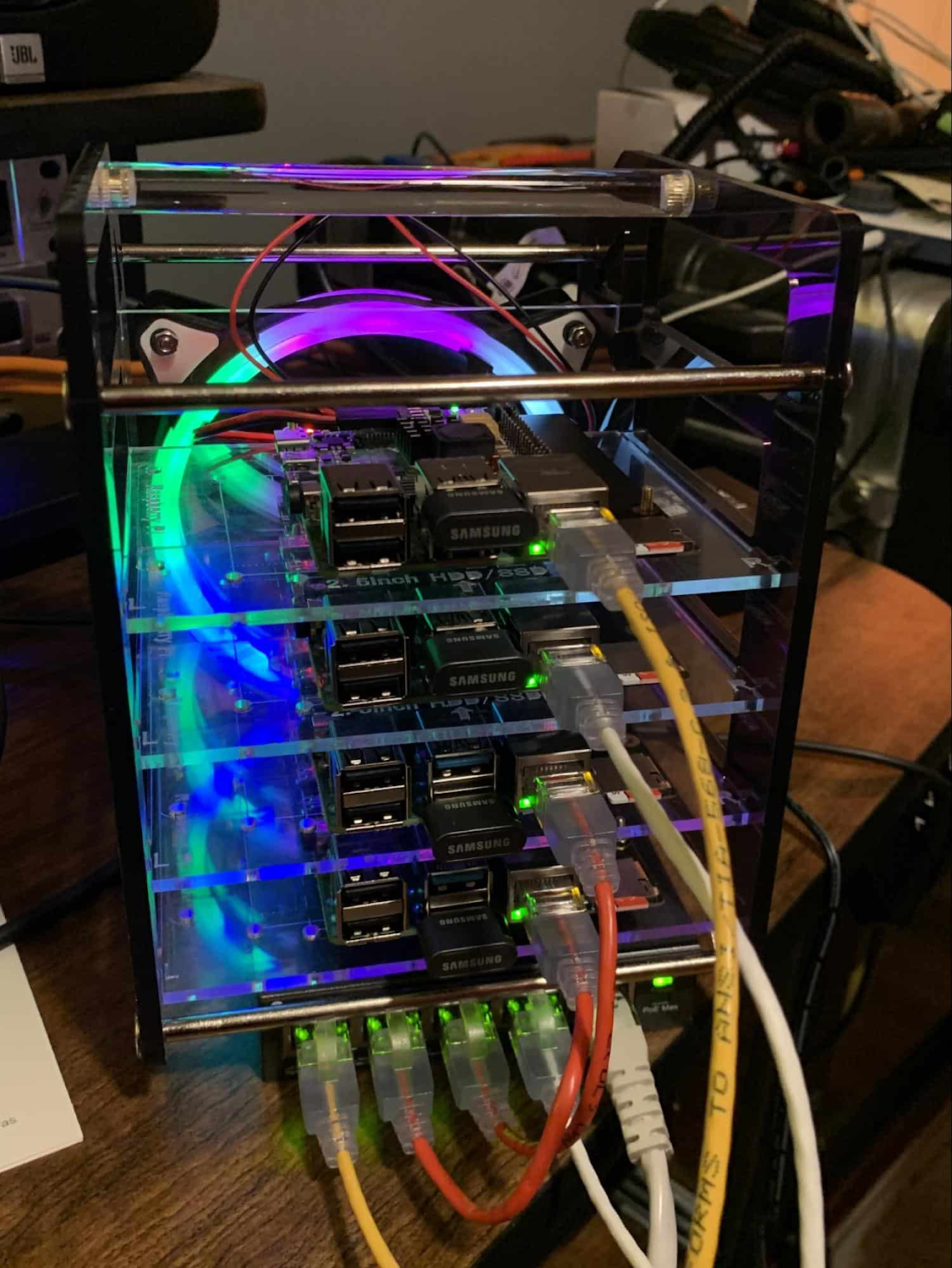
Edge, in short, is about having hardware and devices installed at remote locations that can process and communicate back the information they collect and generate. The edge management challenge, meanwhile, is being able to push configuration and software/model/media updates to these remote locations when they are connected.
Enable new use cases
Today, we have reached a new threshold for edge computing — one where micro-data-processing centers are deployed as the edge of a fractal arm, as it were. Together, they form a broad, geographically distributed, always-on framework for streaming, collecting, processing and serving asynchronous data. This big, loosely coupled application system lives, breathes and grows. Always changing, always learning from the data it collects — and always pushing out updated models when the tendrils are connected.
Right now, the rise of 5G is pushing the limits of edge even further. Devices enabled with 5G can transmit using a mobile network — no ISP required — enabling connectivity anywhere within reach of a cell tower. Granted, these networks have lower bandwidth, but they are often more than adequate for certain types of data, for example fire sensors in forests bordering remote towns that emit temperature or carbon monoxide data periodically. Recently, Google Cloud partnered with AT&T to enhance business use of 5G edge technology but there is so much more that can be done.
Reduce data center investments
In addition to enabling the digitization of a broad range of new use cases, adopting edge can also benefit your existing data center.
Let’s face it: data centers are expensive to maintain. Moving some data center load to edge locations can reduce your data center infrastructure investment, as well as compute time spent there. Edge services tend to have much lower service level objectives (SLOs) than data center services, driving lower levels of hardware investment. Edge installations also tend to tolerate disconnectedness, and thus function perfectly well with lower SLOs — and lower costs.
Let’s look at an example of where edge can really reduce costs: big data. Back in the day, we used to build monolithic serial processors — state machines — that had to keep track of where they were in processing in case of failure. But time and again, we’ve seen that smaller, more distributed processing can break down big, expensive problems into smaller, more cost-effective chunks.
Starting with the explosion of MapReduce almost 20 years ago, big-data workloads were parallelized across clusters on a network, and state management was simplified with intermediate output to share, wait for, or restart processing from checkpoints. Those monolithic systems were replaced by cheaper, smarter, networked clusters and data repositories where parallel work could be executed and rendered into workable datasets.
Flash forward to today, and we are seeing those same concepts applied and distributed to edge data-collection points. In this evolution of big data processing, we are scaling up and out to the point where observation data is so massive that it must first be prefiltered, and then preprocessed down to a manageable size and still be actionable. Only then should it be written back to the main data repositories for more resource-intensive processing and model building.
In short, data collection, cleanup, and potentially initial aggregation happens at the edge location, which reduces the amount of junk data sitting in costly data stores. This increases performance of the core data warehouse, and reduces the size and cost of network transfers and storage!
The edge is a huge opportunity for today’s enterprises. But designing environments that can make effective use of the edge isn’t without its challenges. Stick around for part two of this series, where we look at some of the architectural challenges typically encountered while designing for the edge and how we begin to address them.
Best Kept Security Secrets: How to Resolve Cloud Trust Paradox with Cloud EKM

4630
Of your peers have already read this article.
2:30 Minutes
The most insightful time you'll spend today!
Whether driven by government policy, industry regulation, or geo-political considerations, the evolution of cloud computing has led organizations to want even more control over their data and more transparency from their cloud services. At Google Cloud, one of the best tools for achieving that level of control and transparency is a bit of technological magic we call Cloud External Key Manager (EKM).
Cloud EKM can help you protect your cloud data at rest with encryption keys which are stored and managed in a third-party key management system that’s outside Google Cloud’s infrastructure, and ultimately outside Google’s control. This can help you achieve full separation between your encryption keys and your data stored in the cloud. Cloud EKM works with symmetric and asymmetric encryption keys, and offers organization policies that allow for fine-grained control over what types of keys are used. Via Key Access Justification (KAJ) it also offers a way for clients to control each key use.
At their core, many cloud security and cloud computing discussions are about the kinds of trust that Cloud EKM specifically and encryption more broadly can help create. While the concept of digital trust is much bigger than cybersecurity and its tripartite components of security, privacy, and compliance, one of the most crucial themes of cloud computing is the cloud trust paradox. In order to trust the cloud more, you must be able to trust it less, and external control of keys and their use can help reduce concerns over unauthorized access to sensitive data.

How it works
From our Cloud EKM documentation, you can use keys that you manage within a supported external key management partner to protect data within Google Cloud. You can protect data at rest in services that support CMEK, or by calling the Cloud Key Management Service API directly.
Cloud EKM provides several benefits:
- Key provenance: You control the location and distribution of your externally-managed keys. Externally-managed keys are never cached or stored within Google Cloud. Google cannot see them. Instead, Cloud EKM communicates directly with the external key management device for each request.
- Access control: You manage access to your externally-managed keys. Before you can use an externally-managed key to encrypt or decrypt data in Google Cloud, you must grant the Google Cloud project access to use the key. You can revoke this access at any time.
- Centralized key management: You can manage your keys and access policies from a single location and user interface, whether the data they protect resides in the cloud or on your premises. The system that managed the keys is entirely outside Google control.
In all cases, the key resides on the external system, and is never sent to Google.
Here’s how it works:
- Create or use an existing key in a supported external key management partner system. This key has a unique URI.
- Grant your Google Cloud project access to use the key, in the external key management partner system.
- Create a Cloud EKM key in your Google Cloud project, using the URI for the externally-managed key.
The Cloud EKM key and the external key management partner key work together to protect your data. The external key is never exposed to Google and cannot be accessed by Google employees. Furthermore, Cloud EKM can be combined with Key Access Justifications (KAJ) to establish cryptographic control over data access.
KAJ with Cloud EKM can give customers the ability to deny Google Cloud administrators access to their data at rest for any reason, even in situations typically exempted from customer control, such as outages or responses to third-party data requests. KAJ does this by providing customers a clear reason why data is being decrypted, which they can use to programmatically decide whether to permit decryption and thus allow access to their data.
Previously, we’ve discussed three patterns where keeping the keys off the cloud may in fact be truly necessary or outweighs the benefits of cloud-based key management. Here’s a brief summary of those three scenarios where Cloud EKM can help solve these Hold Your Own Key dilemmas.
Scenario 1: The last data to go to the cloud
As organizations complete their digital transformations by migrating data processing workloads to the cloud, there is often a pool of data that can not be moved to the cloud. Perhaps it’s the most sensitive data, the most regulated data, or the data with the toughest internal security control requirements.
Finance, healthcare, manufacturing and other heavily-regulated organizations face myriad risk, compliance, and policy reasons that may make it challenging to send some of their data to a public cloud provider. However, the organization may be willing to migrate this data set to the cloud as long as it is encrypted and they have sole possession of the encryption keys.
Scenario 2: Regional regulations and concerns
Regional requirements are playing a larger role in how organizations migrate to and operate workloads in the public cloud.
Some organizations are already facing situations where they are based in one country and want to use a cloud provider based in a different country, but they aren’t comfortable with or legally allowed to give the provider access to encryption keys for their stored data. Here the situations are more varied, and can include an organization’s desire to stay ahead of evolving regulatory demands or industry-specific mandates.
Ultimately, this scenario allows organizations to utilize Google Cloud while keeping their encryption keys in the location of their choice, and under their physical and administrative control.
Scenario 3: Centralized encryption key control
The focus here is on operational efficiency. Keeping all the keys within one system to cover multiple cloud and on-premise environments can help reduce overhead and attack surface, thus helping to improve security. As Gartner researchers concluded in their report, “Develop an Enterprisewide Encryption Key Management Strategy or Lose the Data1,” organizations are motivated to reduce the number of key management tools.
“By minimizing the number of third-party encryption solutions being deployed within an environment, organizations can focus on establishing a cryptographic center of excellence,” Gartner researchers said
Given that few organizations are 100% cloud-based today for workloads that require encryption, keeping keys on-prem can streamline key management. Centralizing key management can give the cloud user a central location to enforce policies around access to keys and access to data-at-rest, while a single set of keys can help reduce management complexity. A properly implemented system with adequate security and redundancy outweighs the need to have multiple systems.
Do I need Cloud EKM?
Whether protecting highly sensitive data, retaining key control to address geopolitical and regional concerns, or supporting hybrid and multi-cloud architectures, Cloud EKM is best suited for those Google Cloud customers who must keep their encryption keys off of the cloud and always under their full control.
To learn more about Cloud EKM, please review these resources:
- Our research explaining why Google Cloud users can benefit from Cloud EKM
- The most recent updates to Cloud EKM
- Take a deeper dive into the cloud trust paradox
- Gartner, Develop an Enterprisewide Encryption Key Management Strategy or Lose the Data, David Mahdi, Brian Lowans, March 2022.
How Google is Showing the Way to the Differently-abled: A Blind Program Manager’s Account

4250
Of your peers have already read this article.
3:30 Minutes
The most insightful time you'll spend today!
What does “accessibility” mean to businesses? It’s not just about making sure that your office or retail space is accessible to workers and customers who have mobility challenges, it’s also about making sure that your apps, digital tools and content are also more accessible to everyone.
Our product teams work every day to ensure that tools like G Suite have built-in accessibility features. As a Program Manager, I help create those features and use many of them myself, as I’m blind. I would like to give an overview of product accessibility features that have been available for some time, as well as some new ones.
Listen to content with help from screen readers.
A screen reader is a helpful tool for people who are blind or have low vision. It provides methods to interact and control applications and also converts content on screen into spoken text. With a screen reader and keyboard shortcuts, you can read, edit, and comment on files. Getting started is easy: In Google Docs, Slides, or Sheets, go to the Tools menu, and in “Accessibility settings,” check the “Turn on screen reader support” box. Learn how to turn on screen reader support in Docs.
G Suite supports several screen readers, including ChromeVox, Google’s own screen reader. ChromeVox is automatically built into Chrome devices, like Chromebooks. You just have to enable it. There are many other screen readers you can use with G Suite too; this support guide explains which screen readers work best with which web browsers.
Another way to listen to content is with Select-to-speak, a feature that reads content aloud to you using text-to speech (TTS) to verbalize highlighted content. To try it out, highlight text and activate the select-to-speak button. An example of a select-to-speak tool is the one built into ChromeOS.
See a summary of changes to your documents.
To make it easier for people to keep track of collaborators’ contributions in Google Docs (without having to actively watch every single change), we recently added a feature called Live Edits. Helpful if you use a screen reader or magnification, Live Edits periodically summarizes changes made to a document by collaborators within the sidebar. Learn how to comment and collaborate in Docs using a screen reader.
And for people who are sensitive to visual crowding, we also introduced eight different Lexend font families that have varied widths and spacing to accommodate different reading speeds. Read more details about these font options.
Use voice typing to “write” by speaking.
Voice typing is a powerful productivity tool for everyone, including those who do not use a keyboard. It’s especially useful for people with low vision or with motor disabilities that may prevent them from using keyboards, mice or trackpads. When you speak into the computer’s microphone, voice typing uses artificial intelligence (AI) to convert your voice into text. In Docs, you can even use voice commands to select and edit text—for example, bolding words or cutting and pasting text.
Accelerate Developer Productivity with Google Workspace

5774
Of your peers have already read this article.
3:30 Minutes
The most insightful time you'll spend today!
The software development process requires complex, cross-functional collaboration while continuously improving products and services. Our customers who build software say that they value Google Workspace for its ability to drive innovation and collaboration throughout the entire software development life cycle. Developers can hold standups and scrums in Google Chat, Meet, and Spaces, create and collaborate on requirements documentation in Google Docs and Sheets, build team presentations in Google Slides, and manage their focus time and availability with Google Calendar.
Development teams also use many other tools to get work done, like tracking issues and tasks in Atlassian’s Jira, managing workloads with Asana, and incident management in PagerDuty. One of the benefits of Google Workspace is that it’s an open platform tailored to improve the performance of your tools by seamlessly integrating them together. We’re constantly expanding our ecosystem and improving Google Workspace, giving you the power to push your software development even further.
Make software development more agile
Google Workspace gives you real-time visibility into project progress and decisions to help you ship quality code fast and stay connected with your stakeholders, all without switching tools and tabs. By leveraging applications from our partners, you can pull valuable information out of silos, making collaborating on requirements, code reviews, bug triage, deployment updates, and monitoring operations easy for the whole team. This allows your teams to stay focused on their priorities while keeping everyone aligned, ensuring collaborators are always in the loop.
Plan and execute together
When combined with integrations, Google Workspace makes the software development planning process more collaborative and efficient. For example, many organizations use Asana—a leading work management platform—to coordinate and manage everything from daily tasks to cross-functional strategic initiatives. To make the experience more seamless, Asana built integrations so users can always have access to their tasks and projects with Google Drive, Gmail, and Chat. With these integrations for Google Workspace, you can turn your conversations into action and create new tasks in Asana—all without leaving Google Workspace.
“We’ve seen exceptional, heavy adoption of tasks being created from within the Gmail add-on. Our customers and community have also shown very strong interest in future development work, which is something we’ll continue to prioritize.” Strand Sylvester, Product Manager, Asana
To date, users have installed the Asana for Gmail add-on over 2.5 million times, as well as over 3.8 million installs of the Asana for Google Workspace add-on for Google Drive.

Start coding quickly
Google Workspace makes it easy for product managers, UX designers, and engineers to agree on what they’re building and why. By bringing all stakeholders, decisions, and requirements into one place—whether it’s a Gmail or Google Chat conversation, or a document in Google Docs, Sheets, or Slides—Google Workspace removes friction, helping your teams finalize product specifications and get started right away.
Integrations like GitHub for Google Chat make the entire development process fit easily into a developer’s workflow. With this integration, teams can quickly push new commits, make pull requests, do code reviews, and provide real-time feedback that improves the quality of their code—all from Google Chat.

Speed up testing
Integrations like Jira for Google Chat accelerate the entire QA process in the development workflow. The app acts as a team member in the conversation, sending new issues and contextual updates as they are reported to improve the quality of your code and keep everyone informed on your Jira projects.

Ship code faster
Developers use Jenkins—a popular open-source continuous integration and continuous delivery tool—to build and test products continuously. Along with other cloud-native tools, Jenkins supports strong DevOps practices by letting you continuously integrate changes into the software build.
With Jenkins for Google Chat, development and operations teams can connect into their Jenkins pipeline and stay up to date by receiving software build notifications directly in Google Chat.

Proactively monitor your services
Improving the customer experience requires capturing and monitoring data sources to improve application and infrastructure observability. Google Workspace supports DevOps teams and organizations by helping stakeholders collaborate and troubleshoot more effectively. When you integrate Datadog with Google Chat, monitoring data becomes part of your team’s discussion, and you can efficiently collaborate to resolve issues as soon as they arise.
The integration makes it easy to start a discussion with all the relevant teams by sharing a snapshot of a graph in any of your Chat spaces. When an alert notification is triggered, it allows you to notify each Chat space independently, precisely targeting your communication to the right teams.

Improve service reliability
Orchestrating business-wide responses to interruptions is a cross-functional effort. When revenue and brand reputation depends on customer satisfaction, it’s important to proactively manage service-impacting events. Google Workspace supports response teams by ensuring that urgent alerts reach the right people by providing teams with a central space to discover incidents, find the root cause, and resolve them quickly.
PagerDuty for Google Chat empowers developers, DevOps, IT operations, and business leaders to prevent and resolve business-impacting incidents for an exceptional customer experience—all from Google Chat. See and share details with link previews, and perform actions by creating or updating incidents. By keeping all conversations in a central space, new responders can get up to speed and solve issues faster without interrupting others.

Accelerate developer productivity
Integrating your DevOps tools with Google Workspace allows your development teams to centralize their work, stay focused on what’s important—like managing their work—build code quickly, ship quality products, and communicate better during service impacting incidents. For more apps and solutions that help centralize your work so you and your teams can connect, create, and get things done, check out Google Workspace Marketplace, where you’ll find more than 5,300 public applications that integrate directly into Google Workspace.
TELUS and Google Cloud Partner to Move Towards a More Sustainable Future

4489
Of your peers have already read this article.
2:30 Minutes
The most insightful time you'll spend today!
Environmental sustainability is a key priority for TELUS, a world-leading communications technology company. It continues to rank in the top 100 most sustainably managed companies in the world, and seeks to make a healthier planet for all by leveraging its global-leading technology, compassion to drive social change and reduce our collective carbon footprint through innovative technologies and sustainable business practices.
TELUS surpassed its sustainability objectives in 2019 and is now on a journey to procure all of its electricity from renewable or low-emitting sources by 2025. Next, it aims to achieve net carbon neutrality for its operations by 2030. TELUS has also been named to the Dow Jones Sustainability Index for 21 consecutive years, a feat unmatched by any other North American telecom or cable company. In 2021, it became the first company in Canada to release a Sustainability-linked bond (SLB) framework and complete an SLB offering, formally linking TELUS financing to its environmental performance.
“We’ve spent the last decade becoming a global leader in sustainability, helping make the planet healthier by ensuring that our operations are as environmentally responsible as possible,” said Geoff Pegg, Head of Sustainability and Environment at TELUS.
In part, TELUS’ strategy is focused on three key areas:
- Seek the best renewable energy options available
- Focus on migrating workloads to the cloud
- Embrace a multiplier effect through the use of sustainable partners
Renewable energy impact
Part of this environmental responsibility involves investing heavily in renewable energy sources through power purchase agreements (PPAs) that help renewable energy providers like wind farms and solar companies develop their infrastructure. TELUS executed PPAs with four Alberta-based solar and wind facilities to provide 100 per cent of its electricity load demand in a province where one-third of the grid is powered by coal.
As a technology company, electricity represents a large portion of TELUS’ energy needs: 80 percent of the operational carbon footprint comes from the power requirements for TELUS’ network and administrative buildings, Pegg explains. While TELUS is using renewable energy sources and low-emitting energy grids to power its buildings and network, there’s also the often-forgotten part of the carbon emissions equation: the energy it takes to power data centers. As the International Energy Agency recently reported, data centers represent 1 percent of the global electricity demand and that figure is expected to keep rising as the world increases usage of data-heavy technologies.
“It’s probably no surprise that everyone, whether you’re a business or a consumer, is concerned about reducing carbon emissions,” said Chris Talbott, the Google Cloud Sustainability Lead. “A lot of us think about the carbon emissions associated with our cars or with the electricity that powers our homes, but oftentimes we forget about the carbon emissions that come from the digital services that we use or the networks required to deliver that data.”
As a leader in sustainability, how can TELUS meet the energy demands of its customers while also protecting the environment? One way is through the company’s previously announced collaboration with Google Cloud. The two companies are working together to build a more sustainable world through technology and reduce TELUS’ carbon footprint, create value along the entire supply chain, and optimize industry solutions for social impact through data analytics and machine learning.
Taking a cloud first approach — reducing carbon emissions with green cloud computing
Google became carbon neutral in 2007 and has achieved 100 per cent renewable energy matching every year since 2017. Google has invested in renewable energy to match the electricity we use across our entire operations, including Google Cloud, meaning every workload that TELUS runs on Google Cloud has been matched with renewable energy purchases.
“The operational carbon footprint of running anything on Google Cloud is zero,” Talbott said. Also, by working with Google, TELUS gets the benefit of economies of scale using less electricity. Not only is TELUS leveraging Google data centers, it’s also relying on the digital collaboration made possible by Google Workspace to reduce the amount of travel required by employees attending meetings in different offices. Collaboration tools like Google Meet can reduce the carbon footprint of in-person conferences by 94 percent.
Google compensates for the environmental footprint of any electricity used in the data center and out to the edge network. “You can feel pretty good about using Google Meet because it’s carbon-neutral,” Talbott said.
Multiplier through sustainable partnerships — green cloud computing radiates out
By supporting TELUS in its environmental sustainability efforts, Google Cloud is also enabling TELUS to do the same for its various partnerships. For example, powered by Google Cloud’s infrastructure and data analytics capabilities, TELUS is partnering with Picacity (formerly NXN Digital) and Google Cloud to deliver an ecosystem of integrated smart technologies that enable cities to improve the lives of their residents.
From dynamic traffic signaling that reduces congestion and emissions, to data analytics that create smarter, more efficient city planning, the partnership is transforming the way municipalities operate in our increasingly digital world.The partnership is built on four foundational pillars of infrastructure and environmental sustainability, intelligent transportation, public safety and security, and health. In the case of intelligent transportation, this means sensors, cameras, and other devices are built into or near roads, sidewalks, and bike paths to provide data for innovative software to improve traffic flow in real time. The data can then foster informed decisions about infrastructure, city planning, fleet optimization, and public safety.
All of these environmental measures may seem small when compared with the enormity of the problem that is climate change, but as Talbott said, “Change begins with the small decisions we make every day such as paying attention to the practices of companies that we’ve come to rely on daily in the modern world. They may seem small and in the margins, but at scale, this is how we can make a real impact.”
More Relevant Stories for Your Company
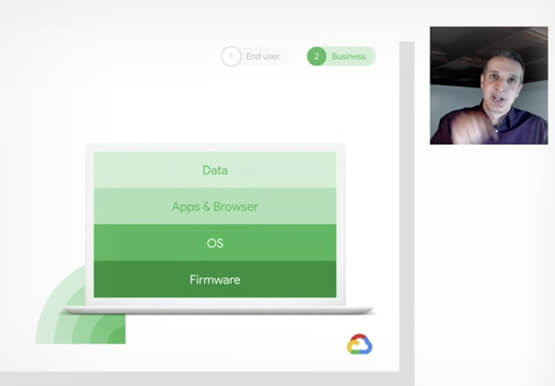
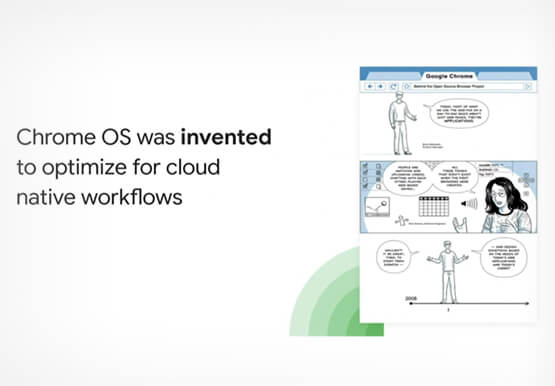
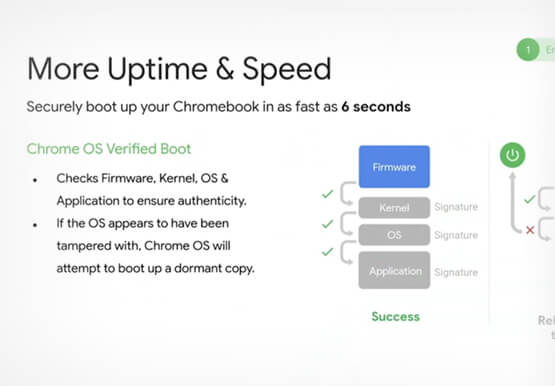

Deep-dive into modern OS architecture built for the cloud
Cloud-based technology--and we all know this--has changed how we work. It has meant that we can work securely from any device, any location, anytime. You can be on a tablet, a phone, a laptop, a desktop, and you get to your work. You can collaborate with others in a really
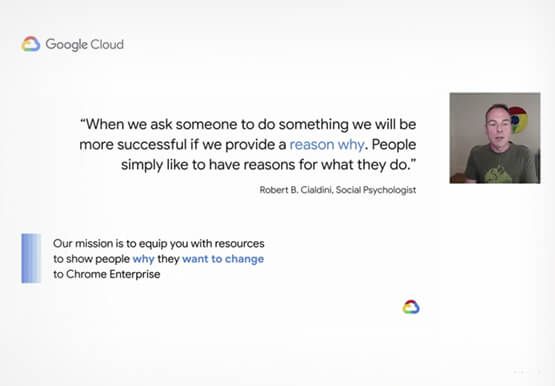
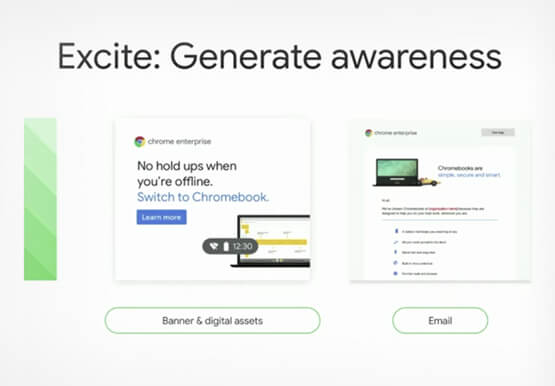
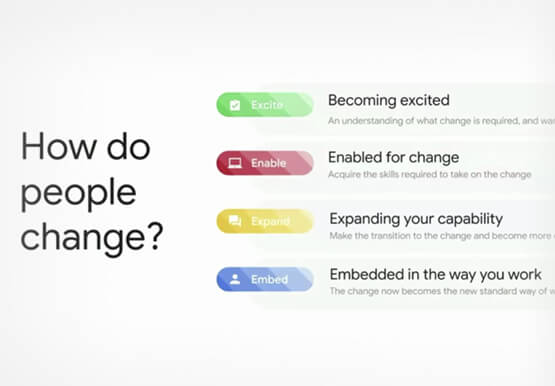
Boosting Chrome OS adoption with effective change management
Can you remember the last time you asked a child to do something how did you convince them to do what you wanted? How many times did they ask you why probably more than once, right? So we know change is hard when we ask someone to make a change

New ways Google Workspace works with tools you already use
Looking back on 2020, it’s clear that the ways we work have rapidly transformed—from the rise of remote work and increasingly digitized processes, to balancing time across work and personal responsibilities. But one thing hasn’t changed—businesses still rely on a staggering number of applications to get work done. Working from

Google Products Helps HMH’s Healthcare Staff Work from Anywhere Efficiently and Securely!
Hackensack Meridian Health (HMH) executive Mark Eimer explains how an ambitiously-timed rollout of a comprehensive suite of Google products helped the entire organization—from doctors to IT staff—achieve better security, cultivate a more equitable work environment, and ultimately, improve patient outcomes. How does a recently merged, 17-hospital healthcare system fast-track a platform migration
