





4 Steps to a Successful Cloud Migration

3962
Of your peers have already read this article.
2:00 Minutes
The most insightful time you'll spend today!
Digital transformation and migration to the cloud are top priorities for a lot of enterprises. At Google Cloud, we’re working hard to make this journey easier. For example, we recently launched Migrate for Compute Engine and Migrate for Anthos to simplify cloud migration and modernization. These services have helped customers like Cardinal Health perform successful, large-scale migrations to GCP.
But we understand that the migration journey can be daunting. To make things easier, we developed a whitepaper on application migration featuring investigative processes and advice to help you design an effective migration and modernization strategy. This guide outlines the four basic steps you need to follow to migrate successfully and efficiently:
- Build an inventory of your applications and infrastructure: Understanding how many items, such as applications and hardware appliances, exist in your current environment is an important first step.
- Categorize your applications: Analyze the characteristics of all of your applications and evaluate them across two dimensions: migration to cloud, and modernization.
- Decide whether or not to migrate an application to the cloud: Not all applications should move to the cloud quite yet. The whitepaper lists the questions to ask to determine whether or not to migrate a given application.
- Pick your migration strategy: For the applications you decided to migrate, decide on your ideal strategy—pure lift and shift, containers, cloud managed services, or a combination thereof.
There’s a lot to consider when you start thinking about digital transformation, and every cloud modernization project has its nuances and unique considerations. The secret to success is understanding the advantages and disadvantages of the options at your disposal, and weighing them against what you want to transform and why. To learn how to migrate and modernize your applications with Google Cloud, download this whitepaper.

IDC: Firms Should Migrate VM-based Enterprise Workloads to Google Cloud for Optimal Price, Performance, and Security
DOWNLOAD WHITEPAPER4447
Of your peers have already downloaded this article
5:30 Minutes
The most insightful time you'll spend today!
Public cloud platforms provide the scale, elasticity, and operational efficiency that enable enterprises to both innovate and deliver more products and services to the market faster. This increased ability to innovate provides enterprises a competitive advantage and the businesses agility to stay ahead of their competition. Enterprises should leverage the business agility that public cloud infrastructure enables to their strategic advantage. Thus incorporating a cloud platform is an inherent part of their initiatives to modernize their IT infrastructure.
Enterprise cloud adoption is not without challenges. Enterprises cite a lack of skill set, decision fatigue, operational challenges, security concerns, and unpredictable TCO as significant inhibitors to adopting a public cloud service provider. Information technology decision makers (ITDMs) are caught between the need to innovate faster and the fear of instability and mismatched expectations. This dilemma is why enterprises that partner with a trusted service provider before, during, and after migration are more likely to succeed in their cloud journey.
Google Cloud is an ideal platform for virtual machine (VM)–based applications due to its key technical capabilities, such as high-performing virtual machines, including compute-optimized and memory-optimized VMs; custom sizes for virtual machines; high-performance network infrastructure for faster data transfers; and data protection capabilities.
Download this IDC report to understand why ITDMs should consider Google Cloud as the preferred cloud services partner — owing to Google Cloud being a reliable platform for VM-based applications; a trusted partner before, during, and after application migration; and an innovator to future proof the enterprise IT infrastructure.
Airbus: Taking the flight to a brighter future with Google Cloud and Google Workplace

3581
Of your peers have already read this article.
1:30 Minutes
The most insightful time you'll spend today!
“Any device, anytime, anywhere.” A cohort of CIOs within Airbus believed that the cloud, combined with new ways of working, could provide the foundation for this vision. Google Workspace and Google Cloud have played a pivotal role in helping Airbus realize this new path, transforming security, data management, and collaboration along the way.

Adopting a secure-by-design approach
In adopting Google Workspace and Google Cloud Airbus needed to ensure a robust, zero-trust security model that works across the entire organization, even when employees are working outside the office. Google Workspace provides a single login that enables secure access to data, based on device and user information, as well as contextual inputs that inform the security risk of each login and user action. Airbus admins also use Google Workspace to define trust rules that govern what information and files can be shared within and outside the organization, making it easy for employees to comply with best practices from anywhere.
Encryption also plays a central role in keeping information secure and private. By default, Google Workspace uses the latest cryptographic standards to encrypt all data at rest and in transit. Google Workspace also offers client-side encryption, which Airbus uses for their most sensitive projects, giving them authoritative control over their data as the sole owner of their encryption keys.
And to ensure the organization is protected against hackers, Airbus has implemented sharding as a standard practice, thereby splitting data across multiple servers and data centers. Because the company works with incredibly sensitive information—including government and military information—the ability to locate data all within European data centers continues to be a necessity.
Powerful data management
Managing an enormous volume and variety of data, Airbus needs to ensure complete compliance with internal policies, as well as with external standards, like the General Data Protection Regulation (GDPR). Given this context, Airbus requires a solution that has strong built-in governance controls. Airbus also leverages the Drive labels feature, along with manual classification, to ensure that every file added to Google Drive is tagged and labeled correctly. In turn, these labels define the loss-prevention policies assigned to each file.
Staying connected during the pandemic
Before the pandemic, nearly every employee spent their workdays at an Airbus facility. When remote work became mandatory, the company made the pivot to Google Chat and Google Meet as an essential part of supporting real-time and asynchronous collaboration. Gmail also played a significant role in secure, anywhere-anytime communication, with its built-in anti-spam and anti-malware protections. Customizable filters let administrators protect against suspicious attachments, untrustworthy links, and countless other forms of malicious content. While Gmail blocks more than 99.9% of spam and phishing messages from ever reaching users’ inboxes, more advanced security measures like sandboxing can be put in place for specific use cases.
Protecting more than just data
Google Cloud’s sustainability efforts are as equally important to Airbus as data security. Google Cloud has been working to keep its climate footprint and those who use its services as low as possible, with all of Google currently carbon neutral and with a goal to run on carbon-free energy 24/7 at all of our data centers by 2030. And with our smarter, more efficient data centers, we’re already on that path with more than six times the computing power for the same amount of electrical power we used 5 years ago.
Building the future of work
By combining Google Workspace with Google Cloud, Airbus has been able to live up to its vision of “any device, anytime, anywhere.” The new model is a core foundation for its evolving future of work. Not only has Airbus adopted a zero-trust model across the organization, it’s also transformed how data is secured, managed, and accessed by employees working across a broad range of locations. The new flexible approach has also led to changes in how collaboration happens. Google is deeply gratified to have supported Airbus as they implement these changes and we continue to be proud that we’re running the cleanest cloud in the industry.
Want to learn more about how Google Workspace helps businesses like yours do more while keeping your data secure? Read this whitepaper to find out about our zero-trust model and other ways we protect organizations.
Answering the 4 Common FAQs on Compute Engine

3874
Of your peers have already read this article.
1:30 Minutes
The most insightful time you'll spend today!
Compute Engine lets you create and run virtual machines (VMs) on Google’s infrastructure, allowing you to launch large compute clusters with ease. When it comes to getting started with Compute Engine, our customers have lots of questions—but some questions come up more often than others.
We looked at an internal list of the most popular Compute Engine documentation pages over a 30-day period to find out what topics were explored by users again and again. Here are the top four questions users have about Compute Engine, in order.
1. What are the different machine families
Compute Engine lets you select the right machine for your needs. You can choose from a curated set of predefined virtual machine (VM) configurations optimized for specific workloads, ranging from small-level purpose to large-scale use cases or create a machine type customized to your needs with our custom machine type feature.
Compute Engine machines are categorized by machine family, including:
- General-purpose: Best price-performance ratio for a variety of standard and cloud-native workloads
- Compute-optimized: Highest performance per core for compute-intensive workloads, such as ad serving or media transcoding
- Memory-optimized: More compute and memory per core than any other family for memory-intensive workloads, such as SAP HANA or in-memory data analytics
- Accelerator-optimized: Designed for your most demanding workloads, such as machine learning (ML) or high performance computing (HPC)
Read the documentation to learn more about each machine family category.
2. How to connect to VMs using advanced methods
In general, we recommend using the Google Cloud Console and the gcloud command-line tool to connect to Linux VM instances. However, some of our customers want to use third-party tools, or require alternative connection configurations.
In these cases, there are several methods that might fit your needs better than the standard connection options:
- Connecting to instances using third-party tools (e.g. Windows PuTTY, Chrome OS Secure Shell app), or MacOS or Linux local terminal)
- Connecting to instances without external IP addresses
- Connecting to instances as the root user Manually connecting between instances and running commands as a service account
Read the documentation to learn about advanced methods for connecting Linux VMs.
3. How to set up OS Login
OS Login lets you use IAM roles and permissions to manage access and permissions to VMs.
OS Login is the recommended way to manage users across multiple instances or projects. OS Login provides:
- Automatic Linux account lifecycle management
- Fine-grained authorization using Google IAM without having to grant broader privileges
- Automatic permissions updates to prevent unwanted access
- Ability to import existing Linux accounts from Active Directory (AD) and Lightweight Directory Access Protocol (LDAP)
You can also add an extra layer of security by setting up OS Login with two-factor authentication or manage organization access by setting up organization policies.
Read the documentation to learn how to configure OS login and connect to your instances.
4. How to manage SSH keys in metadata
Compute Engine allows you to manually manage SSH keys and local user accounts by editing public SSH key metadata.
You can add public SSH keys to instance and project metadata using:
- The Google Cloud Console The gcloud command-line tool
- API methods from the Google Cloud Client Libraries
Read the documentation to learn how to manually manage SSH keys and local user accounts in metadata.
Don’t see your question here? Check out the Compute Engine documentation for all of our recommended guides, tutorials, and resources.
How We Built a Brand New Bank on Google Cloud and Cloud Spanner: The First Scalable, Enterprise-grade, Database Service

6572
Of your peers have already read this article.
6:30 Minutes
The most insightful time you'll spend today!
Editor’s note: Technology today lets companies of any size take on entire industries simply with an innovative business model plus digital distribution. Take Shine, a French startup whose platform helps freelancers manage their finances — and their administrative commitments. Here, Raphael Simon, Shine’s CTO and co-founder, talks about why Shine built a new bank on Google Cloud Platform, and in particular Cloud Spanner.
More and more people are deciding to take the plunge and start a freelance career. Some of them by choice, others out of necessity. One of their biggest pain points is dealing with administrative tasks.
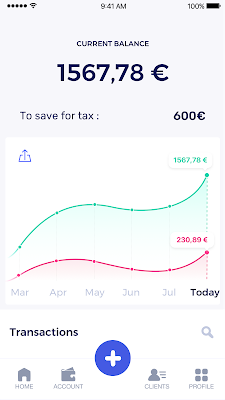
In some countries, especially in Europe, the administrative burden of being a freelancer is similar to what a company of 10 or more people deals with. A freelancer doesn’t necessarily have the time or skills to manage all this paperwork. So we are building a new bank for freelancers from the ground up that helps automate administrative tasks associated with their business.
Shine’s banking services and financial tools make it as easy to work as a freelancer as it is to work for a larger company. We deal with administrative tasks on behalf of the freelancer so that he or she can focus on their job: finding and wowing clients.

Building our infrastructure
As a new bank, we had the opportunity to build our infrastructure from the ground up. Designing an infrastructure and choosing a database presents tough decisions, especially in the financial services world. Financial institutions come under tremendous scrutiny to demonstrate stability and security. Even a tiny leak of banking data can have tremendous consequences both for the bank and its clients, and any service interruption can trigger a banking license to be suspended or a transaction to be declined.
At the same time, it’s vital for us to optimize our resources so we can maximize the time we spend developing user-facing features. In our first six months, we iterated and validated a prototype app using Firebase, and secured our seed funding round (one of the largest in Europe in 2017).
Based on our positive experience with Firebase, plus the ease-of-use and attractive pricing that Google Cloud offered, we decided to build our platform on Google Cloud Platform (GCP).
We were drawn to GCP because it has a simple, consistent interface that is easy to learn. We chose App Engine flexible environment with Google Cloud Endpoints for an auto-scaling microservices API. These helped us reduce the time, effort, and cost in terms of DevOps engineers, so we could invest more in developing features, while maintaining our agility.
We use Cloud Identity and Access Management (Cloud IAM) to help control developer access to critical parts of the application such as customer bank account data. It was quite a relief to lean on a reliable partner like Google Cloud for this.
Database decisions
Next came time to choose a database. Shine lives at the financial heart of our customers’ businesses and provides guidance on things like accounting and tax declaration. The app calculates the VAT for each invoice and forecasts the charges they must pay each quarter.
Due to the sensitivity of our customers’ data, the stakes are high. We pay careful attention to data integrity and availability and only a relational database with support for ACID transactions (Atomicity, Consistency, Isolation, Durability) can meet this requirement.
At the same time, we wanted to focus on the app and user experience, not on database administration or scalability issues. We’re trying to build the best possible product for our users, and administering a database has no direct value for our customers. In other words, we wanted a managed service.
Cloud Spanner combines a globally distributed relational database service with ACID transactions, industry-standard SQL semantics, horizontal scaling, and high availability. Cloud Spanner provided additional security, high-availability, and disaster recovery features out-of-the-box that would have taken months for us to implement on our own. Oh, and no need to worry about performance — Cloud Spanner is fast. Indeed, Cloud Spanner has been a real asset to the project, from the ease-of-use of creating an instance to scaling the database.
Cloud Spanner pro tips
We began working with Cloud Spanner and have learned a lot along the way. Here are some technical notes about our deployment and some best practices that may be useful to you down the road:
- Cloud Spanner allows us to change a schema in production without downtime. We always use a NOT NULL constraint, because we generally think that using NULL leads to more errors in application code. We always use a default value when we create an entity through our APIs and we use Cloud Dataflow to set values when we change a schema (e.g., adding a field to an entity).
- With microservices, it’s generally a good practice to make sure every service has its own database to ensure data isolation between the different services. However, we adopted a slightly different strategy to optimize our use of Cloud Spanner. We have an instance on which there are three databases — one for production, one for staging and one for testing our continuous integration (CI) pipeline. Each service has one or more interleaved tables that are isolated from others services’ tables (we do not use foreign-keys between tables from different services). This way our microservices data are not tightly “coupled”.
- We created an internal query service that performs read-only queries to Cloud Spanner to generate a dashboard or do complex queries for analytics. It is the only service where we allow joins between tables across services.
- We take advantage of Cloud Spanner’s scalability, and thus don’t delete any data that could one day be useful and/or profitable.
- We store all of our business logs on Cloud Spanner, for example connection attempts to the application. We append the ‘-Logs’ suffix to them.
- When possible, we always create an interleave.
In short, implementing Cloud Spanner has been a good choice for Shine:
- It’s saved us weeks, if not months, of coding.
- We feel we can rely on it since it’s been battle-tested by Google.
- We can focus on building a disruptive financial services product for freelancers and SMBs.
And because Cloud Spanner is fully managed and horizontally scalable, we don’t have to worry about hardware, security patches, scaling, database sharding, or the possibility of a long and risky database migration in the future. We are confident Cloud Spanner will grow with our business, particularly as we expand regionally and globally. I strongly recommend Cloud Spanner to any company looking for a complete database solution for business-critical, sensitive, and scalable data.
Wipro selects Google Cloud to advance its digital transformation strategy

3723
Of your peers have already read this article.
2:30 Minutes
The most insightful time you'll spend today!
Wipro has partnered with Google for migration of its enterprise-wide SAP footprint to the Cloud platform. The engagement will bring SAP applications and workloads to the cloud to support the country’s fourth-largest software services firm’s 180,000-plus employees.
Bhanumurthy B.M, President and Chief Operating Officer, Wipro said that as a provider of digital transformation services to some of the world’s most impactful businesses, it is critical that the company’s own core systems and technologies are running on intelligent and modern platforms that encompass the needs of the future.
“The technology that we’re getting into right now, and the kind of design led approach that we are taking, I think customers will benefit significantly from this,” he told ET.
Read the Full Story on Economic Times
More Relevant Stories for Your Company
Delivering 10X Improvement to Risk and Regulatory Reporting Through Cloud and AI
Enterprise agility and the ability to innovate, adapt and respond quickly to the ever-changing risk and regulatory landscape is no longer a choice, but the cornerstone of successful digital transformation and commercial growth. Traditional access to and ways of managing data invariably create challenges in dealing with multiple data repositories,

Italian Utility Company Deploys its SAP Workloads on Google Cloud to Meet Sustainability Goals
With more than 2.5 million customers, Italian utility company A2A is committed to delivering electricity, gas, clean water, and waste collection every day. More recently, the company made another significant commitment: To incorporate the principles of the “circular economy” into its way of doing business — part of the UN

YoungCapital CIO: Why I Moved to Google Cloud and G Suite to Grow Our Business
When your business is rapidly adding new employees, expanding to new countries, and always focused on staying ahead of the competition, you have to take a hard look at the tools that are slowing you down—and swap them out for better ones that can keep pace with the company. We’re

Google Cloud and StartEd Join Forces to Boost EdTech Startups
Over the past few years, as the education sector was going through transformative change, EdTech startups rose to meet the demand of learners and help address some of the biggest challenges in education. At Google Cloud, we're inspired by how EdTech startups continue to solve challenges with agility, innovative technology,
