





5325
Of your peers have already watched this video.
1:34 Minutes
The most insightful time you'll spend today!
How You Can Collaborate in Real Time to Build Pitch Proposals Overnight
It’s no secret that marketing and sales teams have a love-hate relationship. But there’s one thing that binds them like no other: The pressure of creating pitch decks overnight.
The struggle is real.
Be it for a new marketing campaign or a sales idea, pitch decks need multiple teams in different parts of the world to collaborate towards a single goal—and race with the clock.
That’s why, more often than not, marketing and sales teams watch deadlines fly past and risk losing potential customers, fail to beat the competition, and adversely impact revenue.
But with G Suite, marketing teams can now collaborate in real time, tweak proposals, add missing data, and write and edit the same file—all together. In fact, 74 percent of all time spent in Docs, Sheets, and Slides is on collaborative work—that is, multiple people creating and editing content together. That means they can create pitch decks overnight.
With AI and machine learning powering, and protecting, the G Suite, today’s marketing and sales teams have a smarter, quicker and more secure platform to ensure their ideas get to market faster and also remain within the organization.
That’s probably why companies like Whirlpool, Nielsen, BBVA, and Broadcom are among the many who chose G Suite to move faster, better connect their teams, and advance their competitive edge.
4918
Of your peers have already watched this video.
9:37 Minutes
The most insightful time you'll spend today!
L’Oréal: Managing Big-data Complexity with Google Cloud
L’Oreal is a global company with a presence in 150 countries worldwide. Between managing all of its brands and requirements for different countries, L’Oreal looks to data to make insightful business decisions. How does L’Oreal unify its data across all its systems and databases? How does L’Oreal make the data accessible to thousands of employees? In this video, Antoine Castex, Enterprise Architect at L’Oreal, discusses with Martin Omander how L’Oreal built a serverless, multi-cloud warehouse based on Google Cloud.
Chapters:
0:00 – Intro
0:23 – Why does L’Oreal need a new data warehouse?
0:51 – Who is the L’Oreal group?
1:35 – Which systems does L’Oreal use?
2:14 – How does L’Oreal manage complexity?
3:59 – What is ELT?
4:57 – Who are L’Oreal’s data consumers?
5:41 – How L’Oreal built the data warehouse
8:51 – L’Oreal’s future plans
9:10 – Wrap up
Google Cloud Workflows → https://goo.gle/3q20M1V
Cloud Run → https://goo.gle/3CSWbXG
Eventarc → https://goo.gle/3B7qhFy
BigQuery → https://goo.gle/3KHgyJ3
Looker → https://goo.gle/3Rx4Ind
Checkout more episodes of Serverless Expeditions → https://goo.gle/ServerlessExpeditions
Subscribe to Google Cloud Tech → https://goo.gle/GoogleCloudTech
How Barilla Created a Social Media Style App to Improve Efficiency

5653
Of your peers have already read this article.
3:30 Minutes
The most insightful time you'll spend today!
Google Cloud Results
- Replaced conflicting, time-consuming paper logs with a near real-time, transparent app
- Scaled rapidly and easily to accommodate new teams thanks to Google App Engine
- Enables photographic and video communication to replace confusing text
- New factory solution rolled out in just 15 days
In 1877, Pietro Barilla set up a small bakery to make pasta and baked goods for the people of Parma, Italy. Today, Barilla applies its 140 years of baking knowledge on a global scale, with six major manufacturing sites in Italy and an international network employing over 8,000 people. As the world’s leading producer of pasta, Barilla knows that when it comes to making quality food, great communication is key. That’s why the company plans to become a completely digital, looking to technology to improve the way it works.
Teams at the Barilla factory in Cremona work along a production line more than one-kilometer long, staffed by three shifts of workers a day. When one shift handed over to the next or requested machine maintenance teams, they used paper notebooks and unofficial instant messaging to communicate. That meant there was no authoritative, real-time record of events, communication was messy, oversight was poor, and teams had to hold daily morning meetings to synchronise notes.
Barilla worked with the Google Cloud Partner Injenia to create a solution, beginning with a consultative process on the factory floor.
“We had the idea to to start from the bottom and work up,” says Cristiano Boscato at Injenia. “Barilla’s top staff were brilliant about letting us do it. Eight of us from Injenia spent months on the factory lines with Barilla workers, collecting ideas on Google Docs, making presentations with Slides and collecting feedback with Forms. The CollaborAction app we created is the result of an amazing partnership.”
Co-designing a team social network
“Everything at the Cremona plant was managed offline, with paper,” explains Alessandra Ardrizzoia, Digital Engagement Senior Manager at Barilla. “Workers on the line would track events in notebooks, the shift leader would have another notebook, and the leader of the maintenance team would have yet another notebook. Everybody wrote their own text description of events, so there would be mismatches in the information going around.”
To resolve this, teams would meet at 8:30am every day to reconstruct a consistent narrative. In addition, machine maintenance workers were already using instant messaging to communicate with the line. Barilla and Injenia looked for a solution that could deliver a searchable, single version of events, with the ease of use of a mobile messaging application.
After consulting factory workers for ideas, Injenia created CollaborAction, a custom-built app that brought G Suite collaboration tools together on an Google App Engine platform, using Google Cloud SQL to index files. Google+, Google Drive and Hangouts were not only highly available and easy-to-use, they also “helped with fast adoption, with interfaces that workers could already relate to.” Meanwhile Google App Engine enabled the Injenia team to deliver updates and new versions at speed, as part of a feedback process with workers who offered suggestions through a link to Forms embedded in the app.
Google+ provides an intuitive social media dashboard that workers felt comfortable with. Now teams use company tablets placed at intervals along the line to log in, report issues to other teams, photograph problems, schedule maintenance, give status updates through Hangouts chat, and have visibility on the whole process as it takes place.
“Everyone in the Cremona plant was really happy with the new social collaboration process. Because they were involved in designing the solution, they felt involved and really engaged with the process,” says Alessandra. “And now that everyone is aligned with CollaborAction, all the work in the plant is more effective. They are more agile and can use their time in more added-value activities.”
Optimization and a national roll-out
Created in Cremona, now CollaborAction connects over 1,000 users in six of Barilla’s factories in Italy. “The pilot at Cremona took one month, and adoption has been easier and faster in every plant we’ve taken it to,” says Cristiano. “We have another five or six plants more, and it takes no more than 15 days to introduce. That’s incredible.”
Because CollaborAction is a mobile app built on Google App Engine, scaling to meet new demand has been simple. Now maintenance teams use the app on smartphones, line workers use it on tablets, and shift leaders use it on laptops, so the entire team is aligned in close to real-time on a single version of events. And now teams communicate with video and photographs as well as text, there’s less room for confusion, as Alessandra explains. “It’s no problem understanding what’s happening in a video or picture, compared to a message that just says ‘something is going wrong.’ On a production line, where one part leads into the next, that speed makes a difference, and means we don’t have to throw as much food away when something breaks down.”
“Now we’re collecting feedback from all of the plants using CollaborAction and using it to create a standardised solution that we can apply across all of our plants,” says Alessandra. “We’re side-by-side with the workers in that sense, trying to address their needs with new features. It’s a way to make the workers feel like part of the solution, and that the app represents their needs and their voice.”
Solving a universal problem
By the end of 2018, Barilla and Injenia aim to have deployed CollaborAction to 2,700 employees at 18 factories worldwide. Barilla has already collected more than 50,000 posts with the app, including around 20,000 photographs and videos, and is now considering ways to apply Cloud Machine Learning Engine to create a maintenance chatbot or direct IoT connection with machinery.
“CollaborAction hasn’t just made our maintenance processes faster and more efficient, its also exponentially increased the knowledge and understanding employees have about their work,” says Alessandra. “It’s improving team spirit, too, such as when employees use CollaborAction to arrange to play soccer. It’s become the main communication tool for the entire plant.”
3984
Of your peers have already watched this video.
33:29 Minutes
The most insightful time you'll spend today!
Introducing G Suite Essentials: The simplest way for teams to securely work together from anywhere
With millions of employees forced to work from home, it has become clear that the existing tools many have in place were not cutting it. The Google Cloud team stepped in and accelerated production timelines to launch a new offering. G Suite Essentials is Google’s integrated set of tools designed to support a modern workspace.
With that in mind, Google wants to give an introduction to Essentials and insights into how Google addresses this specific situation we find ourselves in due to the pandemic.
And so the question becomes, now that remote work is the new normal, are the tech tools that we have in place the right ones? And here’s the harsh reality–for many, anything other than collaboration whilst sharing the same conference room in-person is broken.
We all have our examples–incorrect versions of documents, not being able to find the right information, unproductive conference calls, you name it. You have your own story. The unfortunate thing is that it feels normal at this point, and that’s just not fair.
How—and where—people work has changed. Being a part of a distributed team is the new normal, and teams need easy-to-adopt tools that empower them to collaborate from anywhere. Learn how your team can get started in minutes, swiftly and securely.
4196
Of your peers have already watched this video.
2:00 Minutes
The most insightful time you'll spend today!
How Intuit Solved a Long-standing Dilemma: Frictionless, But Secure, Collaboration
If there’s one thing that the folks at Intuit hold dear, it’s the ability to stay agile.
“Intuit is a 35-year-old start-up. We’re about 9,000 people in eight countries around the world,” is how Atticus Tysen, SVP and CIO, Intuit, describes the company.
Founded in 1983, Intuit is a financial software company that creates financial, accounting, and tax software for small businesses, accountants, and individuals, with revenues of $6 billion. It’s products include TurboTax, QuickBooks, ProConnect, and Mint, among others.
A few years ago, different groups, in different parts of the world, used different tools. “We had a lot of siloed solutions and people worked locally and then emailed attachments and documents,” says Brynna Donn, Director, Collaboration and Productivity at Intuit.
What Intuit needed was a way for teams to work together and collaborate without friction—yet securely. Box for G-Suite did that for them.
“Box for G-Suite has allowed us to enable our global workforce to pick the right tools for collaboration but also have all the information in one place. It makes everything easy to find, govern and manage,” says Tysen.
Find out how Intuit benefitted from Box for G-Suite. Watch this two-minute case study.
An Expert’s Guide to Productivity and Well-being while Embracing WFH and Hybrid Style

4405
Of your peers have already read this article.
1:30 Minutes
The most insightful time you'll spend today!
Driving impact over output in a new era of work
As Google’s productivity advisor, I spend a lot of time coaching executives on ways they can make the most of their work day. Over the years, people have come to me with very different ideas about what productivity is, why it matters, and how to achieve it. Often, they think it’s about extracting every last ounce of output from a day—likely because the idea of productivity comes from economics and is most closely associated with factory conveyor belts and efficiency.
My definition of personal productivity is different. It’s less about getting as much as you can out of each day and more about achieving the things you set out to accomplish and making an impact.
Productivity is grounded in understanding yourself as a whole person. What makes you happy at work and outside of work? What are your natural rhythms and peak times for creativity, focus, or efficiency? When are you most engaged in meetings? What makes you feel unstoppable when responding to emails? And when do you need to take a break, do some uninterrupted thinking, or deepen social connections with your colleagues?
When people don’t understand these aspects of productivity, they struggle to make an impact—no matter how well they manage their calendars and inboxes.
During the global pandemic, we’ve realized the importance of sustaining the wellbeing of ourselves and our families, setting healthy boundaries, and bringing intention to the work day. Among those lucky enough to have the flexibility to work from home, many had to juggle new obligations, from homeschooling to caregiving. And without a solid plan in place, people often found themselves working longer hours and facing burnout.
Now, even as the pandemic enters new and unforeseen phases, many organizations are gearing up for a hybrid work model, Google included. As we make those plans, it’s important that people take a fresh look at personal productivity and plan to maximize wellbeing and impact across all the places they work.
I developed this new guide with these challenges in mind. It gathers up all my best productivity and wellbeing tips from over the years, including how to:
- Rethink your time and your calendar
- Transform your inbox
- Make meetings more meaningful
- Bring productivity and wellbeing together
As we embrace new ways—and places—of working, all these areas feel more important than ever.
Download The Google Workspace guide to productivity and wellbeing.
More Relevant Stories for Your Company

Quick Recap on Google Cloud: Latest News, Launches, Updates, Events and More
Want to know the latest from Google Cloud? Find it here in one handy location. Check back regularly for our newest updates, announcements, resources, events, learning opportunities, and more. Tip: Not sure where to find what you’re looking for on the Google Cloud blog? Start here: Google Cloud blog 101: Full list
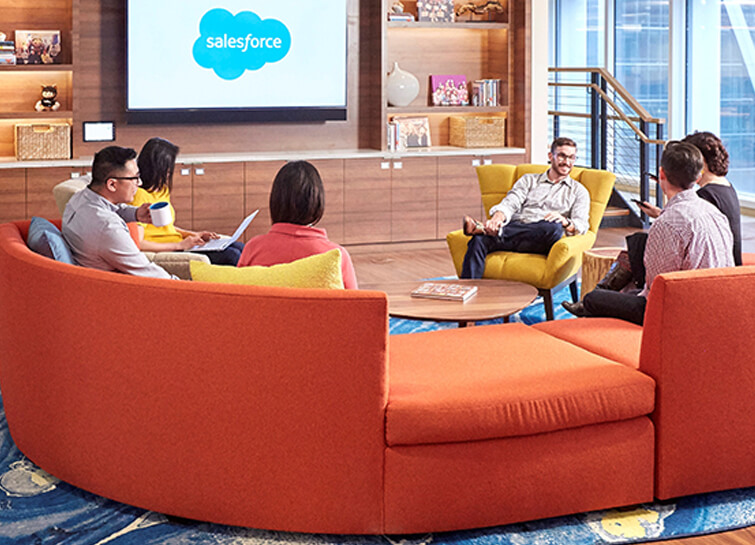
Salesforce Enhances Business Outcome with Real-time Collaboration
Nearly 20 years after its debut, the Customer Relationship Management (CRM) software company, Salesforce, “dominates the market,” as Bloomberg puts it, with 19.6 percent market share in 2017, according to International Data Corporation. The company as also recently named number 1 in Fortune’s 2018 list of 100 Best Companies to Work For. In

How We Proved Everyone Wrong and Scaled Our Sports Apparel Company Across Continents
There were several reasons why Suddora and CustomOnIt shouldn’t have been successes. My friend Adam and I were working in a Michigan video store and knew next to nothing about running a business. We started with an idea to sell sweatbands, like the ones I used to wear in my

Google AppSheet Leads the Low-code Development Platform Market for Business Developers: Forrester
We’re excited to share the news that leading global research and advisory firm Forrester Research has named Google AppSheet a Leader in the recently released report The Forrester Wave™: Low-code Platforms for Business Developers, Q4 2021. It’s our treasured community of business developers—those closest to the challenges that line-of-business apps can
