





How Google Maps Platform Boosts Domino’s Operations and Fast Growing Franchise across Indonesia

3861
Of your peers have already read this article.
5:00 Minutes
The most insightful time you'll spend today!
Editor’s note: Today’s blog post is from Mayank Singh, Chief Digital Officer and VP Marketing and IT at pizza delivery group Domino’s Indonesia. He explains how Google Maps Platform is enabling their business to optimize their operations and supporting the franchise’s ambitious expansion strategy in one of the world’s most exciting emerging markets.
When I was developing India’s first hyper local on-demand food delivery digital commerce platform for Domino’s Pizza India, I never imagined life would take me to a country with such a different culture to my own.
But in 2018, when Domino’s Indonesia invited me to drive its expansion strategy as Senior General Manager to lead Digital, IT and Marketing functions, I jumped at the chance to try my hand in another gigantic emerging nation that brims with entrepreneurial hunger and innovative energy.
Indonesia is a massive archipelago of more than 17,500 islands and 270 million people, one of the world’s most promising developing markets. Here, the opportunities for a global brand, such as Domino’s, are almost boundless. At the same time, we’re extremely cautious. We want to make sure that any new store we open has the correct demographic profile to be profitable.
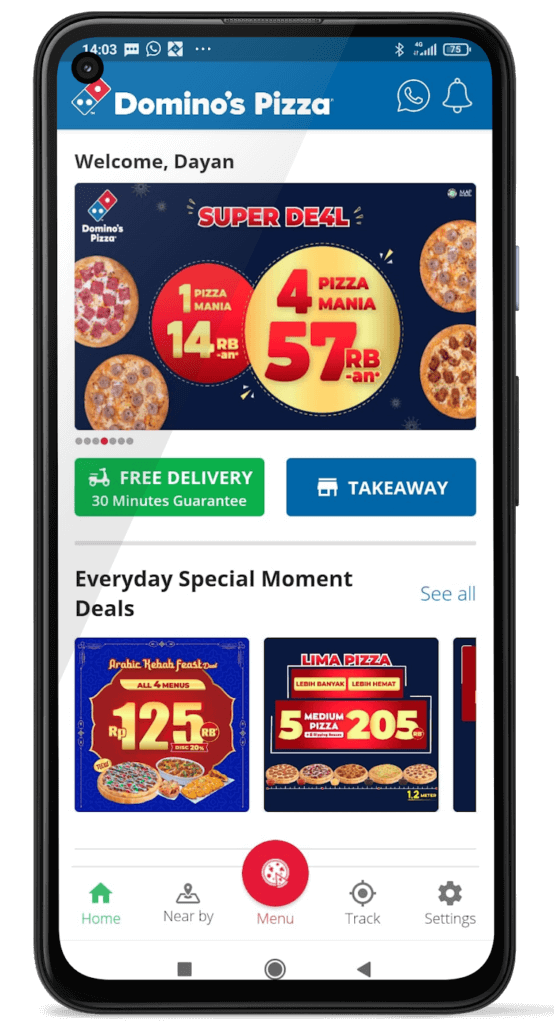
This is one of the key areas in which Google Maps Platform enables us to satisfy the hunger of a vibrant, fast-moving society. The Google Maps Platform APIs empower us with much more than the ability to maintain Domino’s 30-minute delivery pledge. They play an instrumental role in our value chain before a store even begins selling pizzas, providing vital insights in our hunt for new shop locations.
Mapping the dizzying pace of change in one of Asia’s fastest growing economies
Under the Domino’s Indonesia model, every outlet has a defined territory and can only take orders from that zone. Instead of customers picking a store, we assign them one based on their location. That’s why selecting zones that have the highest profit potential (due to factors such as population, income, education, and business activity) is essential to our success.
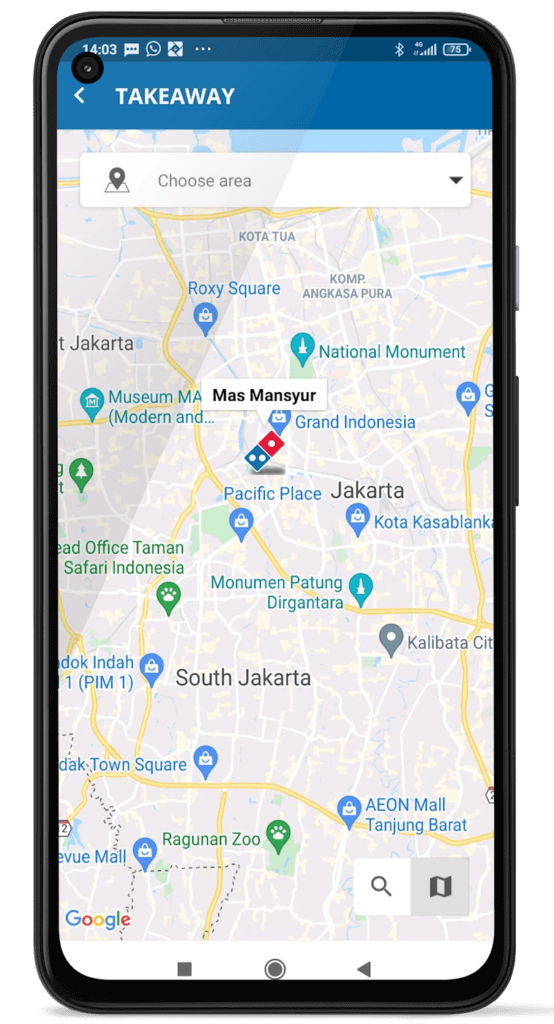
The first step is casting a net around the test location that covers anywhere within a nine-minute drive to any point in the proposed zone. This is enabled by the Google Maps Platform APIs, including Distance Matrix API.
Things become really interesting and complicated when considering Indonesia’s dizzying pace of change. Social, economic, and infrastructure transformation in Indonesia literally unfolds before your eyes, meaning the map in any area can change overnight.
A place that had little to no development yesterday might be tomorrow’s next desirable suburb—populated by families drawn to new schools, but also increased traffic congestion caused by community growth. By overlaying our data, such as population, average income, and age range onto Google Maps, our team can better visualize the revenue potential in that zone compared to neighboring stores. Since the definition of a profitable zone is in constant flux, we need our local insights to be ahead of the game.
Charting Indonesia’s transformation with speed and accuracy is crucial in our mission to carve out delivery zones that serve communities that need our service most while maximizing our revenues.
Retrofitting Indonesian delivery zones to optimize Domino’s success
Expansion is just one side of the story. Just as important, we must keep an eye on existing outlets to make sure that traffic conditions, road configurations, prominent sites, public infrastructure, and more, hit the sweet spot for timely delivery and revenue optimization.
A successful delivery area, for example, might fall victim to its own popularity, causing congestion that prevents timely delivery to once viable addresses. In such cases, the specified drive time in the delivery matrix shrinks. We accordingly must downsize the service zone, while adding micro-zones to satisfy demand. Google Maps Platform features such as Traffic Layer in Maps JavaScript API enable the real-time traffic intelligence that helps us make precision calls in the evolving mission of zone optimization.
Conversely, we might want to expand a store territory thanks to a new highway or roadworks that improve traffic circulation. Here, too, Google Maps Platform is the fastest in mapping such shifts in the urban landscape. We’re even planning to experiment with a new feature whereby delivery zones change in size over the course of a day, based on factors such as peak traffic and roadworks. This new project will be enabled by Google Maps Platform real-time road intelligence.
Enabling Indonesia’s pandemic support with contactless delivery and support for frontline healthcare
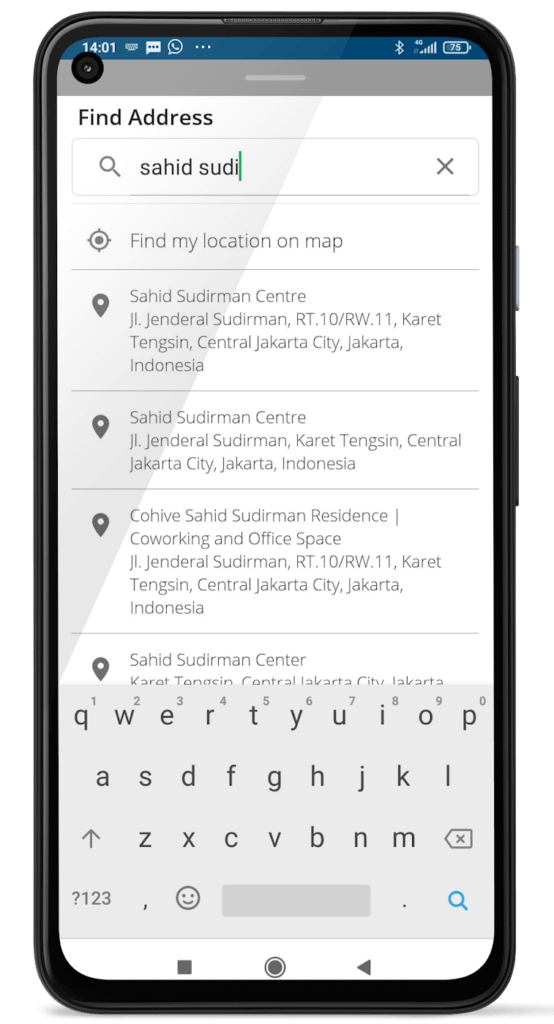
Google Maps Platform also helps us respond quickly to societal changes. When the pandemic hit Indonesia, for example, our team was all hands on deck developing ways to deliver pizzas in the safest possible way. We overhauled our order system to make contactless delivery and contactless takeaway the default method of connecting customers to their pizzas. This was done to reassure customers how safe it is to order with Domino’s. Customers can locate us using the map UI, view the ordering options and have a contactless takeaway experience.
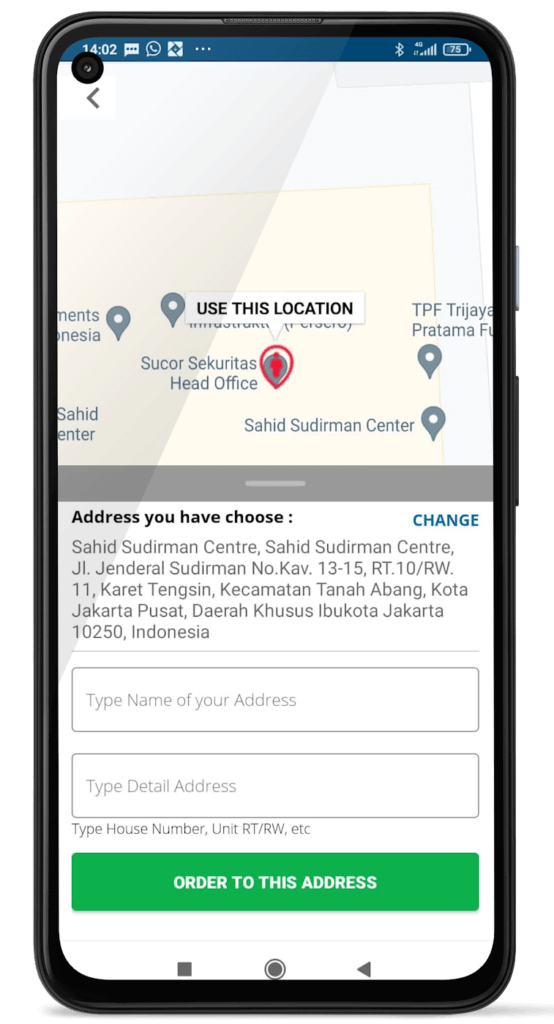
Google Maps Platform products such as Places API, which provides rich places details and location information as well as the Static Street View API which provides a more accurate visual of the location, now enable our drivers to pinpoint a drop spot, such as ‘the porch with the red roof’ with precision accuracy.
Our team is also proud of how we supported healthcare workers at the frontline of the pandemic. Google Maps Platform was an invaluable solution in enabling us to deliver pizzas to these vital frontline workers. It gave all of us at Domino’s Pizza Indonesia great satisfaction to see smiles on the faces of heroes working hard to keep people safe and well in this immense nation.
For more information on Google Maps Platform, visit our website.
Why settle for the status quo?

3956
Of your peers have already read this article.
2:30 Minutes
The most insightful time you'll spend today!
Virtual meetings, remote collaboration, flexible hours: it’s becoming clear that these new ways of working are here to stay.
Business leaders, since the onset of COVID-19, have seen workplace transformation go from an almost theoretical long-term goal to an urgent priority. Employers and employees want more flexible ways of working, and delivering on this requires the right technology.
But flexibility isn’t the only thing that employees want. Remote working has significantly increased the demands we’re getting from many directions—in both our professional and our personal lives. Employees feel overloaded with too much information and too many tasks across too many different tools. Instead of learning another tool, we need the tools we already use to be even more helpful, and work together, in an integrated, intuitive way.
Today’s teams need to re-imagine not only how they communicate and collaborate with each other remotely, but also how they continue to serve their own customers and support the communities they belong to. From doctors consulting with patients, to financial institutions providing critical advice to customers, to teachers delivering distant learning, to car dealerships creating virtual showrooms—it’s clear that these new ways of working are here to stay.
The future of work is here. COVID-19 has accelerated a shift in how organizations like yours get work done. Take this 2-minute assessment below to see where you’re at on the journey to the future of work, and get a free guide to help you take the next step.
Accelerate Developer Productivity with Google Workspace

5754
Of your peers have already read this article.
3:30 Minutes
The most insightful time you'll spend today!
The software development process requires complex, cross-functional collaboration while continuously improving products and services. Our customers who build software say that they value Google Workspace for its ability to drive innovation and collaboration throughout the entire software development life cycle. Developers can hold standups and scrums in Google Chat, Meet, and Spaces, create and collaborate on requirements documentation in Google Docs and Sheets, build team presentations in Google Slides, and manage their focus time and availability with Google Calendar.
Development teams also use many other tools to get work done, like tracking issues and tasks in Atlassian’s Jira, managing workloads with Asana, and incident management in PagerDuty. One of the benefits of Google Workspace is that it’s an open platform tailored to improve the performance of your tools by seamlessly integrating them together. We’re constantly expanding our ecosystem and improving Google Workspace, giving you the power to push your software development even further.
Make software development more agile
Google Workspace gives you real-time visibility into project progress and decisions to help you ship quality code fast and stay connected with your stakeholders, all without switching tools and tabs. By leveraging applications from our partners, you can pull valuable information out of silos, making collaborating on requirements, code reviews, bug triage, deployment updates, and monitoring operations easy for the whole team. This allows your teams to stay focused on their priorities while keeping everyone aligned, ensuring collaborators are always in the loop.
Plan and execute together
When combined with integrations, Google Workspace makes the software development planning process more collaborative and efficient. For example, many organizations use Asana—a leading work management platform—to coordinate and manage everything from daily tasks to cross-functional strategic initiatives. To make the experience more seamless, Asana built integrations so users can always have access to their tasks and projects with Google Drive, Gmail, and Chat. With these integrations for Google Workspace, you can turn your conversations into action and create new tasks in Asana—all without leaving Google Workspace.
“We’ve seen exceptional, heavy adoption of tasks being created from within the Gmail add-on. Our customers and community have also shown very strong interest in future development work, which is something we’ll continue to prioritize.” Strand Sylvester, Product Manager, Asana
To date, users have installed the Asana for Gmail add-on over 2.5 million times, as well as over 3.8 million installs of the Asana for Google Workspace add-on for Google Drive.

Start coding quickly
Google Workspace makes it easy for product managers, UX designers, and engineers to agree on what they’re building and why. By bringing all stakeholders, decisions, and requirements into one place—whether it’s a Gmail or Google Chat conversation, or a document in Google Docs, Sheets, or Slides—Google Workspace removes friction, helping your teams finalize product specifications and get started right away.
Integrations like GitHub for Google Chat make the entire development process fit easily into a developer’s workflow. With this integration, teams can quickly push new commits, make pull requests, do code reviews, and provide real-time feedback that improves the quality of their code—all from Google Chat.

Speed up testing
Integrations like Jira for Google Chat accelerate the entire QA process in the development workflow. The app acts as a team member in the conversation, sending new issues and contextual updates as they are reported to improve the quality of your code and keep everyone informed on your Jira projects.

Ship code faster
Developers use Jenkins—a popular open-source continuous integration and continuous delivery tool—to build and test products continuously. Along with other cloud-native tools, Jenkins supports strong DevOps practices by letting you continuously integrate changes into the software build.
With Jenkins for Google Chat, development and operations teams can connect into their Jenkins pipeline and stay up to date by receiving software build notifications directly in Google Chat.

Proactively monitor your services
Improving the customer experience requires capturing and monitoring data sources to improve application and infrastructure observability. Google Workspace supports DevOps teams and organizations by helping stakeholders collaborate and troubleshoot more effectively. When you integrate Datadog with Google Chat, monitoring data becomes part of your team’s discussion, and you can efficiently collaborate to resolve issues as soon as they arise.
The integration makes it easy to start a discussion with all the relevant teams by sharing a snapshot of a graph in any of your Chat spaces. When an alert notification is triggered, it allows you to notify each Chat space independently, precisely targeting your communication to the right teams.

Improve service reliability
Orchestrating business-wide responses to interruptions is a cross-functional effort. When revenue and brand reputation depends on customer satisfaction, it’s important to proactively manage service-impacting events. Google Workspace supports response teams by ensuring that urgent alerts reach the right people by providing teams with a central space to discover incidents, find the root cause, and resolve them quickly.
PagerDuty for Google Chat empowers developers, DevOps, IT operations, and business leaders to prevent and resolve business-impacting incidents for an exceptional customer experience—all from Google Chat. See and share details with link previews, and perform actions by creating or updating incidents. By keeping all conversations in a central space, new responders can get up to speed and solve issues faster without interrupting others.

Accelerate developer productivity
Integrating your DevOps tools with Google Workspace allows your development teams to centralize their work, stay focused on what’s important—like managing their work—build code quickly, ship quality products, and communicate better during service impacting incidents. For more apps and solutions that help centralize your work so you and your teams can connect, create, and get things done, check out Google Workspace Marketplace, where you’ll find more than 5,300 public applications that integrate directly into Google Workspace.

1218
Of your peers have already downloaded this article
3:30 Minutes
The most insightful time you'll spend today!
Small and medium-sized businesses are increasingly adopting cloud solutions, with Google Cloud Platform offering significant benefits. IDC interviews reveal that SMBs using Google Cloud Platform experience improved performance, reliability, and scalability while reducing costs. Key findings include:
- Empowering application development teams with infrastructure agility and scalability
- Enabling business growth by addressing and expanding revenue opportunities
- Maximizing IT staff time through automation and embedded technologies
- Optimizing IT infrastructure costs with features like autoscaling and Google Kubernetes Engine
IDC estimates that these benefits translate to an average value of $1.09 million per interviewed SMB, demonstrating the value of Google Cloud Platform in driving business success.
How Google Maps Platform Boosts Domino’s Operations and Fast Growing Franchise across Indonesia
3862
Of your peers have already read this article.
5:00 Minutes
The most insightful time you'll spend today!
Editor’s note: Today’s blog post is from Mayank Singh, Chief Digital Officer and VP Marketing and IT at pizza delivery group Domino’s Indonesia. He explains how Google Maps Platform is enabling their business to optimize their operations and supporting the franchise’s ambitious expansion strategy in one of the world’s most exciting emerging markets.
When I was developing India’s first hyper local on-demand food delivery digital commerce platform for Domino’s Pizza India, I never imagined life would take me to a country with such a different culture to my own.
But in 2018, when Domino’s Indonesia invited me to drive its expansion strategy as Senior General Manager to lead Digital, IT and Marketing functions, I jumped at the chance to try my hand in another gigantic emerging nation that brims with entrepreneurial hunger and innovative energy.
Indonesia is a massive archipelago of more than 17,500 islands and 270 million people, one of the world’s most promising developing markets. Here, the opportunities for a global brand, such as Domino’s, are almost boundless. At the same time, we’re extremely cautious. We want to make sure that any new store we open has the correct demographic profile to be profitable.
This is one of the key areas in which Google Maps Platform enables us to satisfy the hunger of a vibrant, fast-moving society. The Google Maps Platform APIs empower us with much more than the ability to maintain Domino’s 30-minute delivery pledge. They play an instrumental role in our value chain before a store even begins selling pizzas, providing vital insights in our hunt for new shop locations.
Mapping the dizzying pace of change in one of Asia’s fastest growing economies
Under the Domino’s Indonesia model, every outlet has a defined territory and can only take orders from that zone. Instead of customers picking a store, we assign them one based on their location. That’s why selecting zones that have the highest profit potential (due to factors such as population, income, education, and business activity) is essential to our success.
The first step is casting a net around the test location that covers anywhere within a nine-minute drive to any point in the proposed zone. This is enabled by the Google Maps Platform APIs, including Distance Matrix API.
Things become really interesting and complicated when considering Indonesia’s dizzying pace of change. Social, economic, and infrastructure transformation in Indonesia literally unfolds before your eyes, meaning the map in any area can change overnight.
A place that had little to no development yesterday might be tomorrow’s next desirable suburb—populated by families drawn to new schools, but also increased traffic congestion caused by community growth. By overlaying our data, such as population, average income, and age range onto Google Maps, our team can better visualize the revenue potential in that zone compared to neighboring stores. Since the definition of a profitable zone is in constant flux, we need our local insights to be ahead of the game.
Charting Indonesia’s transformation with speed and accuracy is crucial in our mission to carve out delivery zones that serve communities that need our service most while maximizing our revenues.
Retrofitting Indonesian delivery zones to optimize Domino’s success
Expansion is just one side of the story. Just as important, we must keep an eye on existing outlets to make sure that traffic conditions, road configurations, prominent sites, public infrastructure, and more, hit the sweet spot for timely delivery and revenue optimization.
A successful delivery area, for example, might fall victim to its own popularity, causing congestion that prevents timely delivery to once viable addresses. In such cases, the specified drive time in the delivery matrix shrinks. We accordingly must downsize the service zone, while adding micro-zones to satisfy demand. Google Maps Platform features such as Traffic Layer in Maps JavaScript API enable the real-time traffic intelligence that helps us make precision calls in the evolving mission of zone optimization.
Conversely, we might want to expand a store territory thanks to a new highway or roadworks that improve traffic circulation. Here, too, Google Maps Platform is the fastest in mapping such shifts in the urban landscape. We’re even planning to experiment with a new feature whereby delivery zones change in size over the course of a day, based on factors such as peak traffic and roadworks. This new project will be enabled by Google Maps Platform real-time road intelligence.
Enabling Indonesia’s pandemic support with contactless delivery and support for frontline healthcare
Google Maps Platform also helps us respond quickly to societal changes. When the pandemic hit Indonesia, for example, our team was all hands on deck developing ways to deliver pizzas in the safest possible way. We overhauled our order system to make contactless delivery and contactless takeaway the default method of connecting customers to their pizzas. This was done to reassure customers how safe it is to order with Domino’s. Customers can locate us using the map UI, view the ordering options and have a contactless takeaway experience.
Google Maps Platform products such as Places API, which provides rich places details and location information as well as the Static Street View API which provides a more accurate visual of the location, now enable our drivers to pinpoint a drop spot, such as ‘the porch with the red roof’ with precision accuracy.
Our team is also proud of how we supported healthcare workers at the frontline of the pandemic. Google Maps Platform was an invaluable solution in enabling us to deliver pizzas to these vital frontline workers. It gave all of us at Domino’s Pizza Indonesia great satisfaction to see smiles on the faces of heroes working hard to keep people safe and well in this immense nation.
For more information on Google Maps Platform, visit our website.
Hybrid Work with Google Workspace: What Customers can Expect

5844
Of your peers have already read this article.
4:00 Minutes
The most insightful time you'll spend today!
In June, we shared our vision for navigating the future of hybrid work with a single connected experience in Google Workspace. Now, as many of our customers begin to embark on their own hybrid journeys, I wanted to share how we’re helping them bridge the gaps in this new way of working.
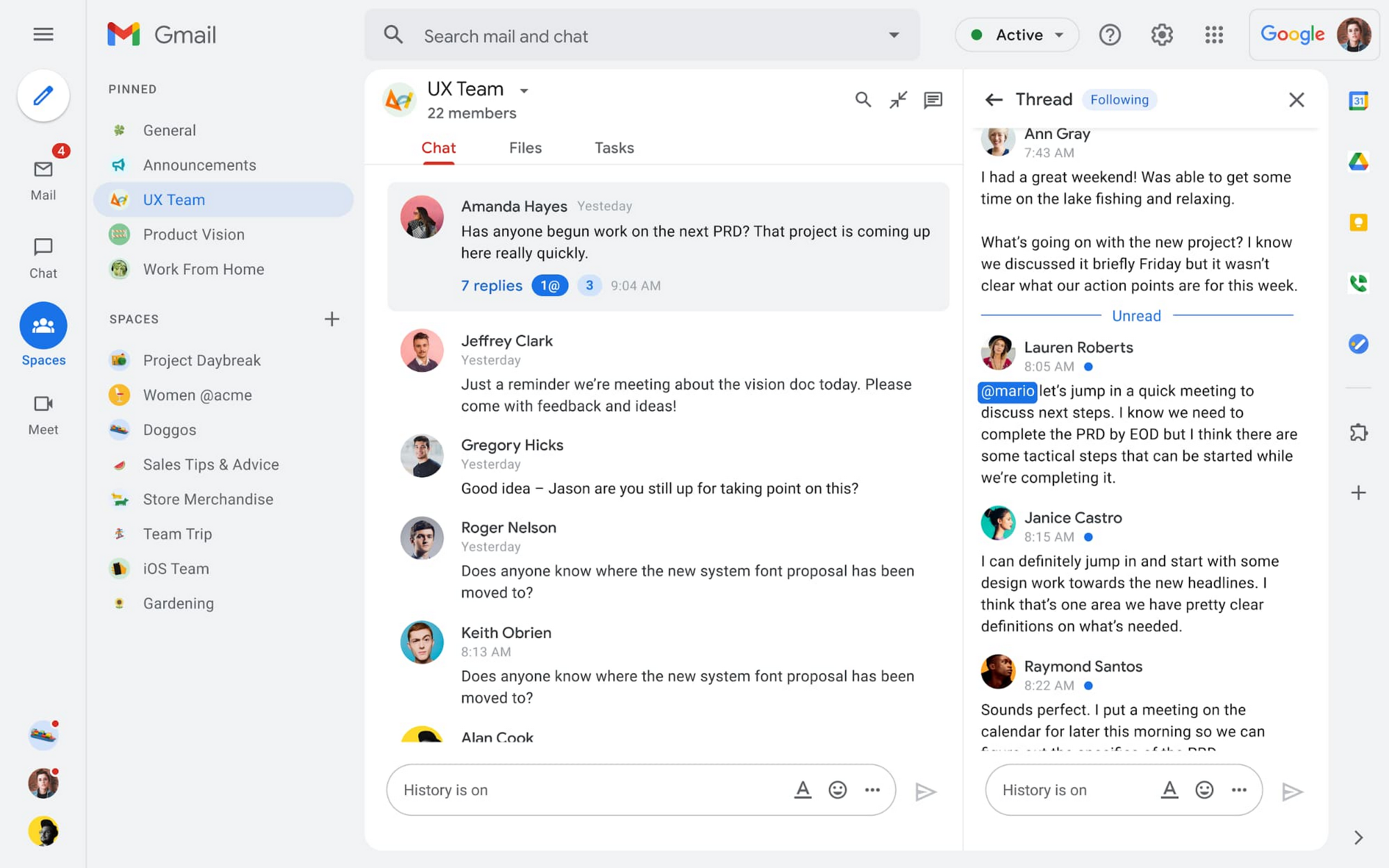
A dedicated place for team collaboration: Spaces are now live
Spaces are the central place for team collaboration in Workspace and starting today, Spaces are live for all users. Spaces are unique in that they are tightly integrated with Google Workspace tools like Calendar, Drive, Docs, Sheets, Slides, Meet, and Tasks, providing a better way for people to engage in topic-based discussions, share knowledge and ideas, move projects forward and build communities and team culture.
We hear from our customers that they’re continuing to work across a broad range of locations and working hours, and that Spaces can be a central hub for collaboration, both in real time and asynchronously. Instead of starting an email chain or scheduling a video meeting, teams can come together directly in a Space to move projects and topics along, whether it’s a team of 10 for “2022 Roadmap Planning” or a team of 1,000 for the “Company-wide All-Hands.”
With Spaces, teams can share ideas, collaborate on documents, and manage tasks from a single place. Because all their work is preserved for future reference, team members can easily jump in and contribute at a time that works best for them, seeing a full history of the conversations, context, and content along the way. Using Spaces has already helped my own team, which is spread across time zones and varied in its working styles. It’s been helpful to rely on Spaces to retain and structure foundational knowledge, whether it’s for onboarding a new teammate or preserving context when someone moves to a new role.
We’re just getting started with Spaces and I’m excited to share a little more about where we’ll take it next.
In the coming months, our users will see:
- Streamlined navigation: A flexible user interface helps users easily access their inbox, chats, Spaces and meetings—all from a single location—so they can stay on top of everything that’s important.
- Discoverable Spaces: Spaces and their content can be made discoverable to all members of an organization, so other people can find and join the conversation. Administrators can also set discoverability as the default for their organization.
- Enhanced search: Allows users to easily find content from within and across Spaces, or even discover new Spaces to join. “Search everything” in Spaces opens up powerful new collaboration possibilities and makes it easier to access the team’s collective knowledge base.
- In-line topic threading: The ability to reply to any message within a Space fuels deeper discussions and collaboration across teams and organizations.
- Robust security & admin features: Tools for content moderation, managing Spaces, and establishing the right rules for healthy communication across domains and companies.
Making meetings more hybrid friendly
Spaces will play an important role in laying the groundwork for meetings and, in some cases, reduce the number of meetings a team needs to gain alignment. Having a dedicated space for asynchronous collaboration, with access to all the right content and context, will help teams be more deliberate about scheduling meetings. This is top of mind for us and many of our customers given the rise in meeting fatigue over the last 18 months. But when having a meeting genuinely feels worthwhile, the experience of transitioning into (and out of) it from different collaboration touchpoints should be seamless.
Over the past few months, in collaboration with many customers and across teams within Google, we developed a handbook for navigating hybrid work that includes best-practice blueprints for the five most common hybrid meeting types. Because meetings are a foundational piece of hybrid work, our goal is to make them as productive, immersive and inclusive as possible.
Scheduling meetings that work across the entire team
With hybrid work, many teams—my own included—have locations and working hours that can change daily. When many of us were together in the office, we might have tended to schedule meetings at a time that favored the “in-office majority,” but now it’s especially important to schedule meetings that scale across the entire distributed team.
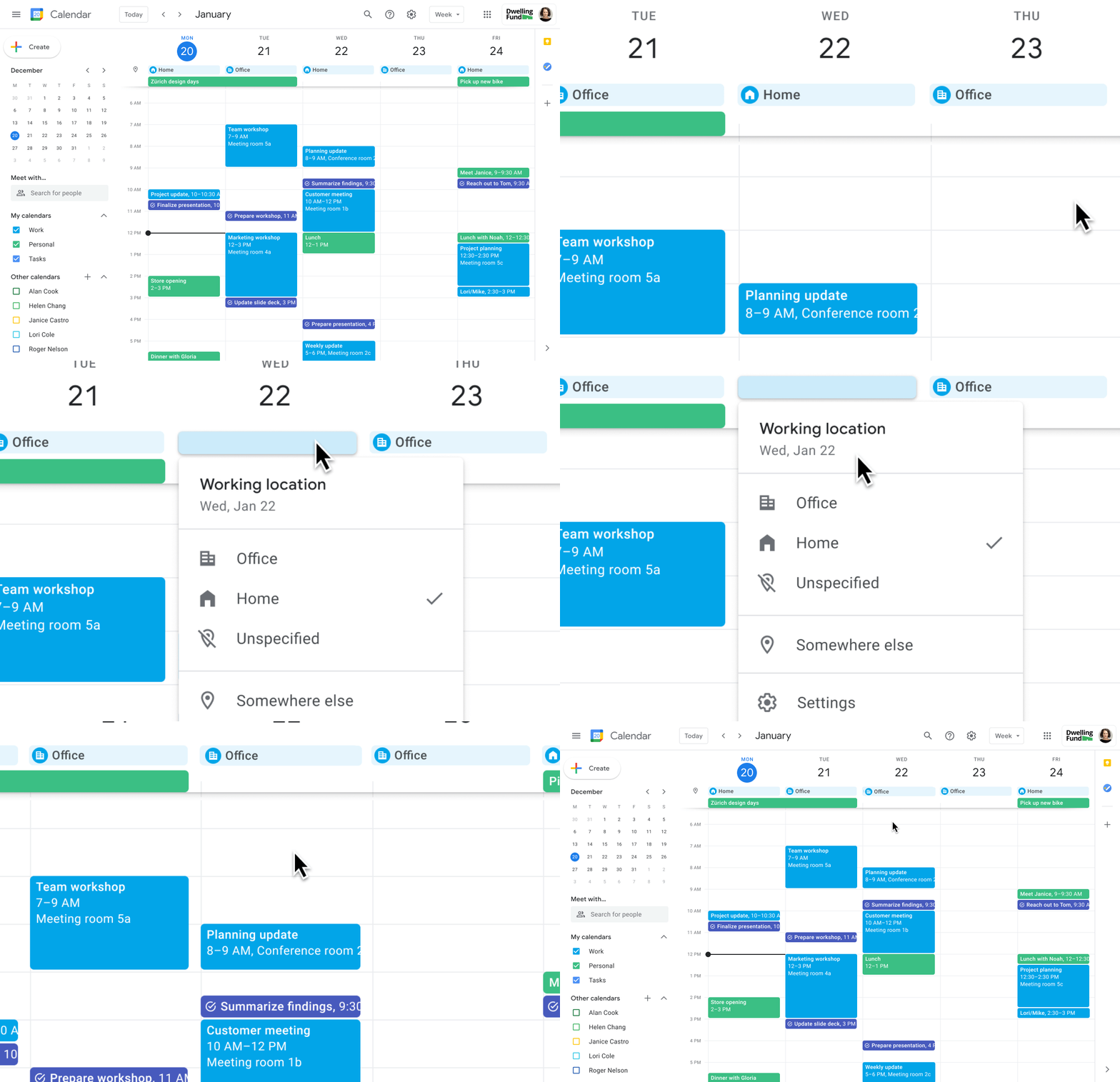
Now, beyond indicating their virtual or physical presence when accepting meeting invites, team members can set their location for each work day in Calendar. When combined, these capabilities allow meeting organizers and on-site support teams to plan for the right mix of in-person and virtual attendance. They can also provide greater visibility and help set expectations across hybrid teams.
Making meetings more spontaneous
Remember when you’d casually bump into a colleague in the office hallway or a break room and start a conversation that sparked new ideas? That’s perhaps the thing I’m looking forward to most as more of my team plan their part-time return to the office. These casual encounters were always a great way to build relationships and learn about topics that might not come up in structured meetings. To help enable these spontaneous connections when teammates aren’t in the office together, we’re bringing Google Meet calling to Workspace.
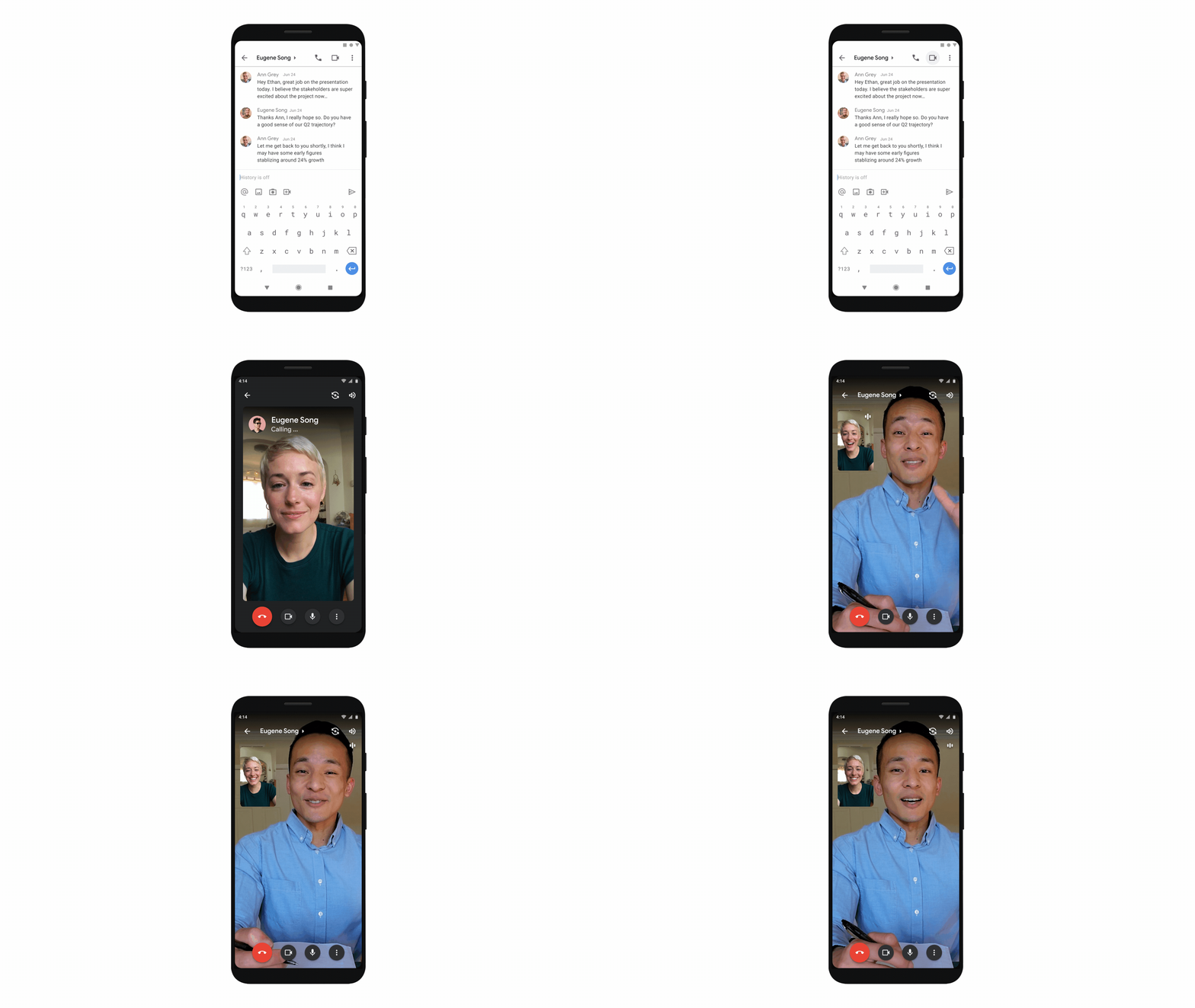
Google Meet calling is a seamless experience of initiating a video or audio call between one or more participants, complementing more structured, scheduled video meetings. Our intention is to bring Meet calling to all the natural endpoints in Workspace where you’d initiate an ad-hoc call including chats, people cards, and Spaces, but this will come first to one-to-one chats within the Gmail mobile app. Soon I’ll be able to call members of my team directly from a one-to-one chat. This will ring their device running the Gmail mobile app and send a call chip to our chat on their laptop, so they can easily answer from any device. It’s not quite the same as a spontaneous hallway conversation, but it might be the next best thing in a hybrid setting.
Ensuring collaboration equity in hybrid meetings
How do we ensure that hybrid meetings aren’t two meetings in one, divided between those in-person and those who are remote? Effective hybrid meetings need a unified experience so that the people sitting together in the same room can interact with their remote colleagues seamlessly, without it ever feeling like there are two parallel conversations.
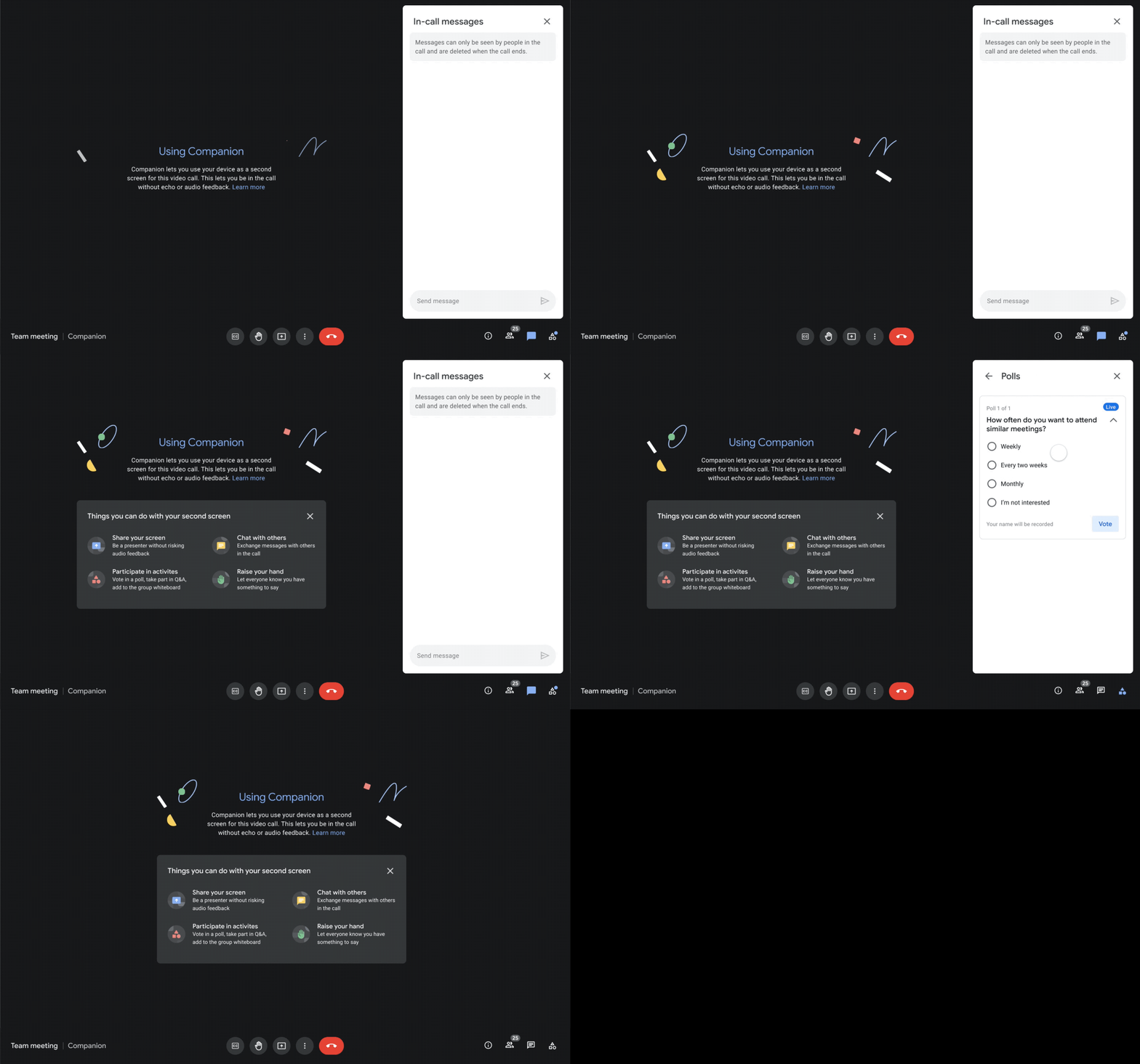
We designed Companion mode in Google Meet to specifically meet this challenge and we’ll start rolling it out to customers in November. With Companion mode I can host or join a meeting from within a conference room using my laptop while leveraging the in-room audio and video—and it all happens without any awkward audio feedback. This functionality lets me share content or see presentations up close on my own device, access the meeting chat and whiteboard, initiate and vote on polls, or post a question in Q&A, just as I would from home. And to ensure that users have greater choice over how they participate in meetings, live-translated captions will be available in Meet and through Companion mode by the end of the year. We’re currently working on translating meetings in English to French, German, Spanish and Portuguese, with many more languages coming in the future.
Expanding choice and flexibility for meeting hardware
While Companion mode keeps people in the room seamlessly connected to their remote colleagues, meeting hardware plays a crucial role in making hybrid meetings feel more immersive and human, with the ability for everyone to be clearly seen and heard. To provide more flexibility and choice on this foundation of how we come together in a hybrid work world, we’re announcing an expanded Google Meet hardware portfolio and interoperability with other conference room solutions.
First, we’re announcing two new all-in-one video conferencing devices to complement our Series One Room Kits. The Series One Desk 27 is an all-in-one 27” device that’s perfect for small shared spaces or your desktop, either in the office or at home. Series One Board 65 is an all-in-one 65” 4K device that can be paired with an optional stand for ultimate configuration flexibility—turning any room or space into a video collaboration hub in minutes.
Both devices feature collaboration capabilities with the Jamboard app built right in, and each can be used as an external display. While optimized for Google Meet, USB-C connection from your laptop gives you the flexibility to use the meeting app of your choice while leveraging the high-fidelity audio and high-definition video on Series One Desk 27 and Board 65. You can learn more about these devices developed in partnership with Avocor through our on-demand webinar starting at 9 AM PT today.
https://www.youtube.com/embed/BR81EAce5BQ?enablejsapi=1&
We’re also proud to announce new third-party devices coming to the Google Meet hardware ecosystem. Google has certified the Logitech Rally Bar Mini and Rally Bar for Google Meet, which provide complete room solutions for small and mid-sized rooms. You can learn more about these Google Meet-certified products in Logitech’s September 21 webinar. Additionally, the Rayz Rally Pro is a new mobile device speaker dock by Appcessori that will automatically launch Google Meet for video meetings and provide an improved audio experience from your mobile device.
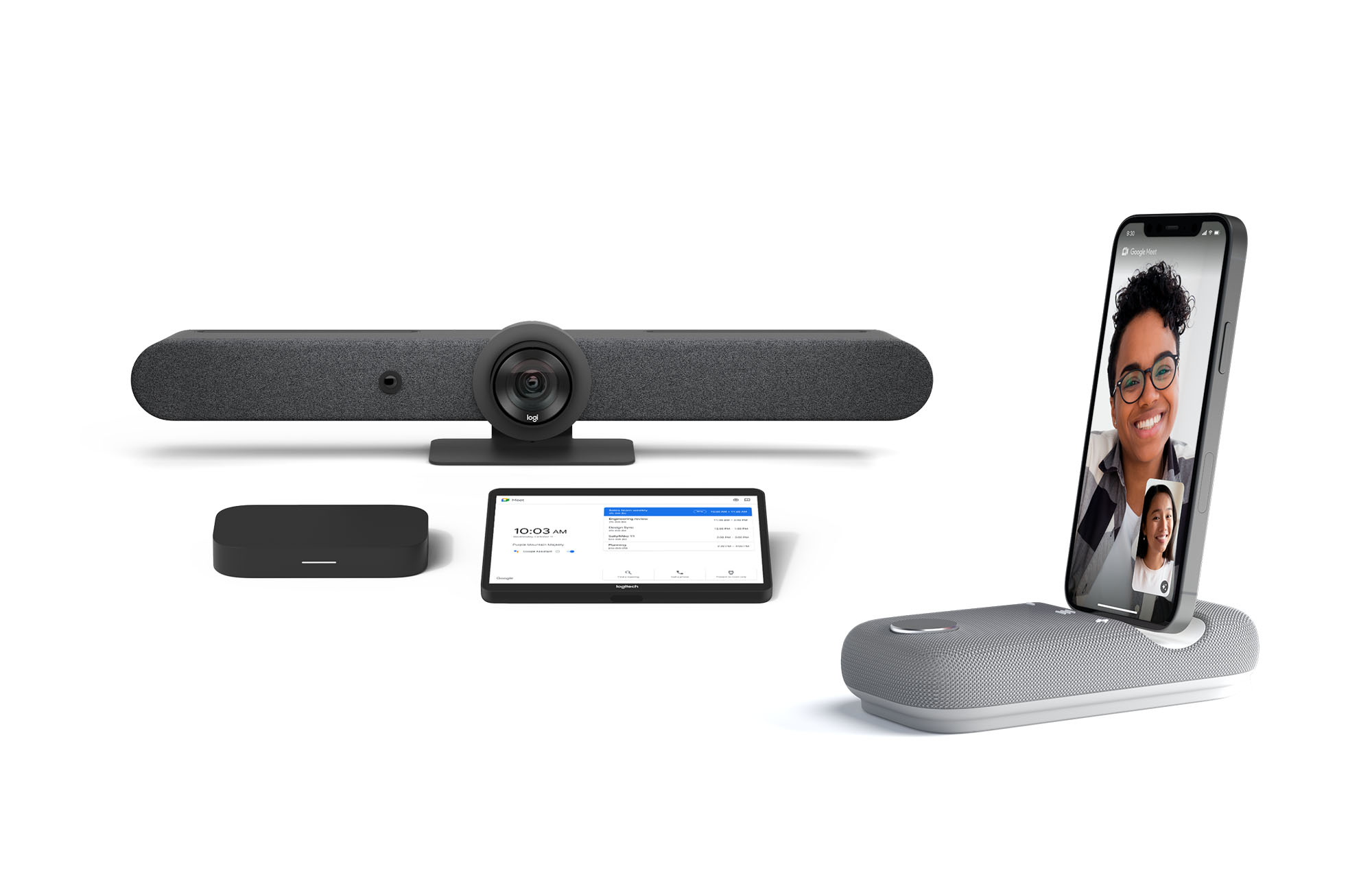
Certified Google Meet hardware ensures high-quality video and audio in meetings and is easy to deploy and manage. You can view our full Google Meet device portfolio and purchase directly from approved resellers by visiting the Google Meet Hardware website.
While Google Meet customers enjoy a full-featured experience on Meet hardware, we realize they sometimes need to connect with people outside of their video calling network. To enable this, organizations can use Pexip for Google Meet to seamlessly join Meet meetings from the widest range of third-party video conferencing solutions. Today, we’re also announcing support for bidirectional interoperability with devices from Webex by Cisco and Google Meet hardware. Soon you’ll be able to launch a Google Meet meeting on Webex hardware and a Webex meeting on Google Meet hardware. Calling interoperability between Meet and Webex is supported on Series One Board 65, Series One Desk 27, and the rest of the Google Meet hardware portfolio, as well as Webex Room Series, Room Kit Series, Desk Series and Board Series. We expect general availability later this year. You can find more details here. We plan to give Meet users even broader calling interoperability with support for other conferencing services in the near future.
Navigating hybrid work is a journey
We’re thrilled to bring these new Google Workspace experiences and devices to our customers, but we also realize that navigating hybrid work will be a journey of learning and adaptation for every organization. Two resources we recently developed can help along the way:
- Navigating hybrid work: A Google Workspace handbook
- The newly launched Future of Work site from Google Workspace, where you can keep up with all the ways work is changing.
Bridging the gaps in the emerging hybrid work world will necessarily be a combination of technology, workplace culture, and reimagining the use of physical spaces. But developing a “hybrid-first” mindset starts with the tools people use every day to connect, create, and collaborate, and Google Workspace will continue to play a crucial role in that evolution.
More Relevant Stories for Your Company

Accuracy and Real-time Updates with Google Maps’ On-Demand Rides and Delivery Solution Impacts CX
Last year we launched our on-demand rides and delivery solution to help businesses improve operations as well as transform the driver and customer journey from booking to arrival or delivery. When it comes to on-demand rides and deliveries, every minute matters. When users book a ride or order food, they want a

Scaling Your Startup: Strategies for Optimization and Growth
Reboot your Startup with our technical guided series At Google Cloud, we want to provide you with the access to all the tools you need to grow your business. Through the Google Cloud Technical Guides for Startups, leverage industry leading solutions with how-to video guides and resources curated for startups. This multi-series contains 3

How Japan’s Vaccine Locator Platform Became A One-stop Shop for COVID-19 and Vaccination-related Information
Editor’s Note: David Moore, Founder and CEO of Navagis, shares his story of teaming up with the Google Maps Platform team to help people across Japan get vaccinated amid COVID-19 pandemic. The roots of Navagis go back to Hurricane Katrina, when I led an Army Corps of Engineers team that




How Manish Malhotra Created Masterpieces on G Suite for the World’s Biggest Names
From Hillary Clinton’s golden outfit at Isha Ambani’s wedding to scores of Indian movies, Manish Malhotra has been a household name for over two decades. It was in 1990 that Malhotra first designed outfits for an Indian movie and since then he has won several awards in the Best Costume
