





6419
Of your peers have already watched this video.
1:30 Minutes
The most insightful time you'll spend today!
How Manish Malhotra Created Masterpieces on G Suite for the World’s Biggest Names
From Hillary Clinton’s golden outfit at Isha Ambani’s wedding to scores of Indian movies, Manish Malhotra has been a household name for over two decades. It was in 1990 that Malhotra first designed outfits for an Indian movie and since then he has won several awards in the Best Costume category from prestigious film magazines and organizations.
In 2005, Malhotra launched his label featuring traditional Indian colors, texture, and craftsmanship. Today, Malhotra’s work has inspired some of the world’s biggest celebrities, including Michael Jackson, and the Princess of Riyadh. In 2014, his label recorded a turnover of 1 billion INR.
Getting here wasn’t easy. “Each outfit requires careful planning: from choosing the perfect fabric to bringing it to life, in all its exuberance. And yet it’s still far from done,” says Malhotra. Sometimes, it also means starting from scratch. That calls for immense collaboration, working across teams in different continents, all in real-time.
Without G Suite, reaching across borders, in different time zones, and bringing out one unified idea wouldn’t have been possible.
Watch this one-minute video to find out how he achieved that.
Iroquois Healthcare Association Leverages Chrome OS to Keep Staff, Patients and Families Remotely Connected

3965
Of your peers have already read this article.
3:00 Minutes
The most insightful time you'll spend today!
Editor’s note: Today’s post is by Eileen Murphy, Senior Director of Special Projects, and Andrew Nault, Director of Business Development, both from Iroquois Healthcare Association Workforce Investment Organization (IHA WIO). The health association represents 44 hospitals in 32 counties in New York State, providing advocacy, cost-saving initiatives, and business solutions. IHA WIO has provided its participating long-term care organizations with more than 5,000 Chromebooks to support 80 organizations in several ways, including training staff, connecting nursing home residents to their families, and helping administrative staff work safely from home.
Since early 2020, clinicians and staff at IHA WIO participant organizations have had to adapt to constant change—everything from implementing pandemic safety protocols to helping nursing-home residents stay in touch with families. We’re proud of the wonderful work they’ve done and continue to do.
During the pandemic, our use of Chrome OS and Chrome devices was expanded and changed to meet the needs of organizations dealing with an unprecedented event. Chrome devices were used to not only train staff but to enable remote work, as well as to connect residents to their friends and families during long periods of isolation. In the morning, a Chromebook could be in a managed guest session mode, helping a grandmother virtually attend her grandkids’ birthday party; at lunch, a nursing assistant could log in to her latest continuing education classes on that same Chromebook.
That evening, the Chrome OS devices could be found at check-in desks, helping visitors fill out a COVID-19 survey. All it took to change a device’s purpose were a few clicks in the Google Admin console, all of which could be done remotely.
Chrome OS for training
Most of our 5,000 Chrome OS devices came from a New York State grant to provide continued education training for long-term care organizations and its employees. We wanted to offer online classes, which meant we’d have to give people the technology to access that training. Our partner, CDW, recommended Chrome OS for us because it’s an operating system built for the cloud. In addition, devices running Chrome OS are easy to use, easily shared, and cost-effective.
Best of all, Chromebook Enterprise came with all the enterprise capabilities of Chrome OS unlocked. This allowed us to use the Google Admin console to manage our entire Chromebook Enterprise fleet remotely. We were able to set up one high-level organizational unit across IHA, with almost 80 organizational units for facilities and groups.
To support training, Lenovo helped us create a five-minute video that we added to our HealthStream learning platform so staff could learn the basics of using Chromebooks. This video was created because we didn’t realize there were people who have never touched a laptop before. The video and Chrome OS ease of use made it possible to get the folks who needed the most help up to speed quickly.
Chrome OS for connecting residents to loved ones
Once the pandemic began and people could no longer visit nursing home residents, the staff for one of our facilities asked about using a training Chromebook for video calls between residents and families. We loved this idea as it was still in line with our mission: to enable the workforce to provide higher-quality care.
With the Admin console, the process was easy. We changed the managed guest session to auto load, and changed what is populated on startup. With help from healthcare staff, residents were able to choose from several video apps including Google Meet, Zoom, and Facebook.
Chrome OS for remote workers
When office and administrative staff had to work remotely, Chromebooks again came to the rescue. Since staff could access all their work applications via Citrix—like Outlook, office phone systems, and other public documents—we placed the remote-work laptops in managed guest session mode and loaded the Citrix app at startup. All the employees had to do was connect to Wi-Fi and log into Citrix, and they were ready to work.
With our training program still running and virtual remote ability on the rise, we realized we would need more Chromebooks. CDW informed us that Chrome OS device supply was running low, but they located 1,000 Chromebooks for us and sent them to our home office in Clifton Park, New York.
Normally, the job of configuring and shipping 1,000 laptops would strike fear into the hearts of the IT team. Not this time: With zero-touch enrollment, all of the Chromebooks were enrolled in our high-level organizational unit before the boxes arrived at our Clifton Park office. We created a list of Chromebook serial numbers for each IHA location getting a shipment, then packed up the boxes. We never had to open a Chromebook box, or even turn the devices on before preparing them for use by employees.
Chrome OS for telehealth and clinic kiosks
There were more Chromebook transformations to come. In the interest of keeping residents and medical professionals safe, we enabled Chromebooks for non-urgent telehealth sessions. Doctors and nurses could see and talk to nursing home residents, using the same video conferencing apps that residents used to talk to loved ones. In these cases, we had PointClickCare, our electronic medical records app, loaded at startup on doctors’ Chromebooks.
We even turned a few Chromebooks into guest kiosks at IHA member hospitals that have walk-in clinics. If the clinics required visitors to fill out a COVID-19 screening form, the Chromebook, in kiosk mode, was stationed at the front desk. Once visitors submitted the form, a new blank form appeared, ready for the next visitor without any data stored on the device.
Chrome OS for whatever’s needed next
What’s amazing is that we could help people in all these different ways in just a few minutes—without visiting a nursing home, getting someone to ship laptops back to us, or loading software. Chromebooks are so versatile that sometimes they’re used in various modes several times a day. One user can log in, while another user can use managed guest sessions to login as a guest user. No matter what changes come to our healthcare association in the future, we’ll be ready.
3926
Of your peers have already watched this video.
19:57 Minutes
The most insightful time you'll spend today!
Work beyond borders: How to use G Suite with Microsoft and your favorite third-party applications
The average enterprise uses 129 different applications on a day to day basis. These applications enable critical workflows that drive businesses forward. But when these apps don’t work well together that leads to lost time, frustration, and missed opportunities.
Professionals have access to dozens of applications in their organization. Apps like DocuSign, Box, or Trello can simplify individual processes and drive businesses to adopt newer ways of work. It’s really great that there seems to be an app specifically designed for what we need to get done for each task.
But there’s a downside to this proliferation of apps. The flood of notifications and disconnected processes frustrates users. Our work is spread across more apps than ever before, which inevitably leads to lots of apps switching, and reduces our ability to focus. Context-switching between applications cuts into time spent on value-additive work.
Learn how G Suite works seamlessly with Microsoft and other third-party applications to support key workflows, enhance collaboration, and help teams get to impact quickly.
*Google Workspace, formerly known as G Suite.
Workspace powers business as usual for Optiva during COVID-19

3813
Of your peers have already read this article.
3:30 Minutes
The most insightful time you'll spend today!
Established companies in any industry, including telecommunications, often take a cautious approach when it comes to adopting new technology. This is true of any technology and especially of tools used across entire organizations and at all levels—like collaboration and communication tools. I joined Optiva Inc. as its Chief Marketing Officer in August 2018, and right off the bat I faced the need for cloud-based productivity and collaboration tools like Google Workspace (formerly G Suite), which was new to me.
Optiva was in the midst of making an organization-wide change to implement Google Workspace productivity and collaboration tools. Employees at that time—at Optiva and across other organizations I used to work with—primarily collaborated by attaching documents to company emails and meeting their colleagues in office corridors. Meetings were almost always in person or via phone. These processes were inefficient and contributed to version-control confusion and decreased overall productivity. They were also based on our pre-COVID world.
Today, Optiva is a fully remote-first organization, and our employees use all the tools in Google Workspace. Collaboration has increased dramatically, surprising even initial skeptics. Occasionally we still encounter resistance from new employees who are used to a different way of working. This is logical, but more often than not, they thank us later, and many have told me that they see the value for their productivity and the entire organization’s collaboration.
Google Workspace has become a real advantage, especially for a global company like Optiva with employees across the world and in so many different time zones. Instead of waiting for team members’ availability to review or collaborate on a document, wasting time coordinating who works on the latest version, or who is the “owner” of a deck, employees can open a document, view new changes, and add updates, even when others are working on the same document in parallel.
Google Workspace promotes business as usual during COVID-19
The combination of Optiva’s remote-first policy and Google Workspace collaboration tools proved a welcome addition during the challenges posed by COVID-19. Optiva was ahead of the curve of remote working policies in the telecommunications industry and in the software industry as a whole, so when the work-at-home orders went into effect in March last year, Optiva’s business charged ahead without missing a beat.
Google Meet has helped us maintain a strong corporate culture during this challenging time. For example, we constantly use video conferencing, which has been a great way to see the entire team and get a real sense for how each employee is doing—professionally as well as personally. Using Google Chat allowed us to keep in touch with everyone across our global teams. It helps us ensure that everyone feels secure and can work during this challenging time. Also, we have continued to create new teams with employees all around the world. If we attempted to onboard or train them using conference calls or emails, the experience wouldn’t be the same. Meet has helped us develop the strongest teams possible, faster, and much more effectively.
We also use Google Workspace tools to cross-train employees on tasks and processes in departments outside their own. That way, if one of our employees has to be out of the office unexpectedly, the company benefits from full business continuity. To make this possible, various teams and departments documented their specific processes, held training sessions on Meet, and recorded them so any employee could access them on demand.
Many struggled in the early days of the self-quarantine orders, especially when it came to the sudden need to select and deploy new technologies for remote collaboration and, more importantly, to keep supporting their customers. We were fortunate that our business was unphased—and we owe a lot of this success to Google Workspace.
In sync for better efficiency: Effective collaboration strategies for distributed workforces

3180
Of your peers have already read this article.
2:30 Minutes
The most insightful time you'll spend today!
Workplace collaboration continues to evolve as hybrid work expands its footprint. While both “same-time” and “staggered-time” (or asynchronous) collaboration modes each have their place in the hybrid work environment, organizations and teams sometimes overuse one mode over another. That’s probably because in-person meetings or collaborating in real time have been the default for many organizations, leading to a “same-time” bias, even as new tools make working across time zones and locations seamless. Ultimately, the key for making collaboration scalable and to support employee wellbeing is choosing the right method and tool for the task at hand. With that in mind, here are some ways to get the most out of same-time and staggered-time collaboration in your organization.
Making same-time collaboration more valuable
Historically, many organizations have valued same-time interactions for the fast, direct exchange of information and feedback. They also bring teams together and build human connections. While all these outcomes are powerful and important, same-time collaboration also has some drawbacks — especially in a hybrid environment.
First, same-time interactions can be difficult to arrange. Coordinating schedules requires advanced planning, especially when employees are distributed across time zones or working outside of traditional business hours. Second, back-to-back scheduling can contribute to meeting fatigue. In our recently commissioned global hybrid work survey with Economist Impact, 72% of respondents acknowledged that virtual meetings improve inclusion and participation. At the same time, 68% said there are too many virtual meetings in general, suggesting that even though employees value same-time collaboration, they want it in moderation.

To address these challenges, organizations should consider the collaboration scenarios in which same-time interactions can make the greatest impact. It’s particularly useful when consensus or immediate action is needed, as in briefings, decision-making, and crisis management.
For effective same-time collaboration in a hybrid environment, your employees need tools that help them coordinate real-time interactions and minimize time spent switching apps and context. With Google Workspace, teams can create and access a shared agenda or Google Doc inside a Google Calendar invite, helping align expectations and goals before, during, and after scheduled same-time work sessions. And, the more integrated your collaboration tools are, the easier it is for employees to get right to work when inspiration strikes or a quick decision is needed. For example, team members can initiate spontaneous work sessions by starting a Google Meet directly from Docs, Sheets, or Slides.
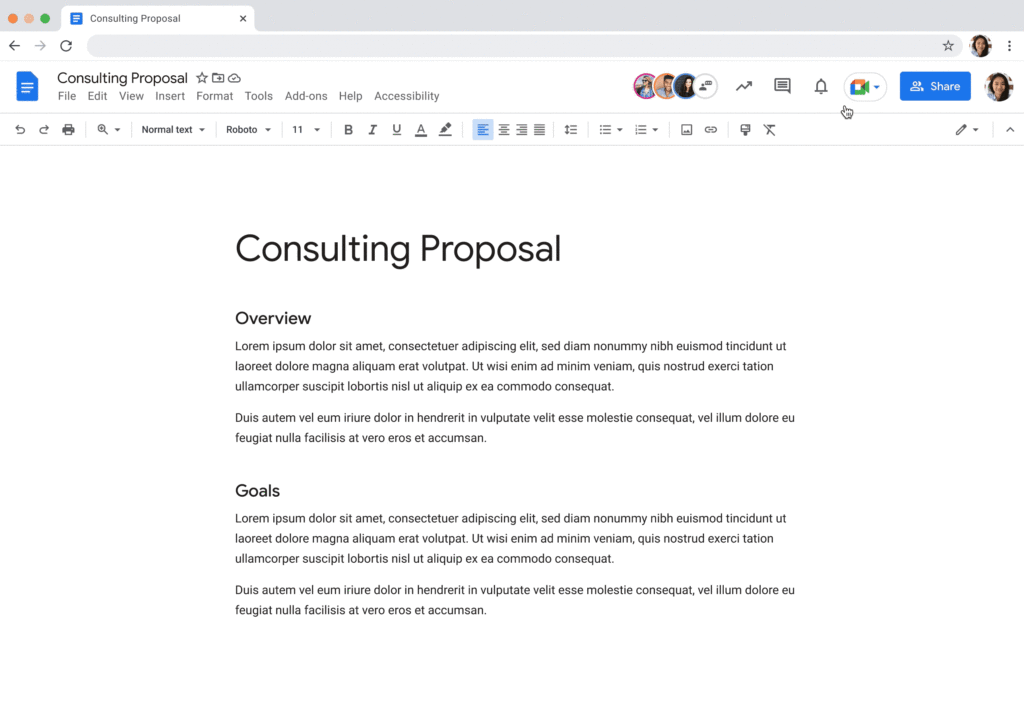
Additionally, consider how you can bring real-world collaboration activities into virtual environments to enhance same-time collaboration for distributed teams. For instance, digital whiteboard tools, like Jamboard and Miro in Google Meet, allow people to brainstorm, ideate, and problem-solve in real time from anywhere. Interactive solutions like these empower employees to work together in new ways.
Expanding what’s possible with staggered-time collaboration
Widespread adoption of hybrid work has prompted organizations to turn more frequently to staggered-time collaboration — where team members are free to share and respond to information in their own time. A key benefit of staggered collaboration is improving the experience and wellbeing of employees — specifically, by promoting participation across the team and support for flexible work habits. Allowing team members to engage when they’re most productive, or when it doesn’t interfere with their scheduled focus time, supports their wellbeing. It can also help employees feel heard, valued, and empowered. Staggered-time collaboration can also give team members who may feel uncomfortable or vulnerable speaking up in real time, or who just need time to think about their feedback, a more inviting way to share their perspectives.
Staggered-time collaboration can enhance a range of collaboration scenarios, including assigning tasks and action items, knowledge- and resource-sharing, brainstorming, and giving feedback. To make these interactions successful, employees need secure, intuitive tools that give them the information they need to do their jobs from anywhere, at any time. For example, in Spaces, team members can initiate and take part in group chat threads devoted to project- and topic-based discussions, as well as access files and tasks, to stay in the loop whenever they’re able to participate. For people working on a task or project at varied times, creating a dynamic, single source of truth makes all the difference.
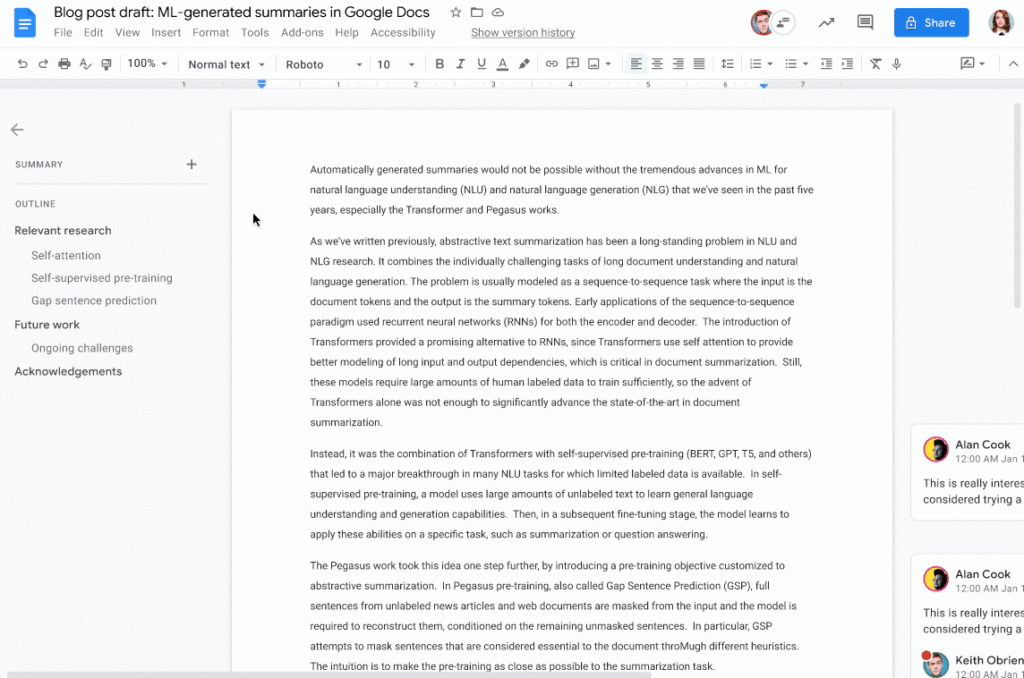
When collaborating on shared documents, a feature like smart canvas enables teammates to assign tasks, build checklists, and share files using @-mentions for easy information access. Meanwhile, automated, built-in summaries in Docs help the team get up to speed without losing focus. Features like these help everyone stay on the same page (literally), even if they’re contributing to a project at different times.
Flexibility and collaboration are not mutually exclusive
Helping people know which tasks call for real-time collaboration and which tasks are better done on their own time is critical for sustaining productivity and wellbeing in a hybrid work world. Employees who are empowered to work in ways that complement their needs, preferences, and schedules typically reward their organization for that flexibility. As Holger Reisinger, Paul Sephton, and Dane Fetterer wrote for the Harvard Business Review, “When leaders give employees the freedom to choose where and when they work, it signals they trust them to do the job they were hired to do. The data shows that that trust is then paid back…at a very high rate, building a tight-knit culture of inclusivity and belonging.”
When you create team norms around same-time and staggered-time collaboration, you can help your employees stay productive and connected — to each other and the broader organization. And by giving them tools that support seamless, secure collaboration experiences from anywhere, the impact on productivity, employee wellbeing, and morale can be transformational.
Accuracy and Real-time Updates with Google Maps’ On-Demand Rides and Delivery Solution Impacts CX
5631
Of your peers have already read this article.
3:00 Minutes
The most insightful time you'll spend today!
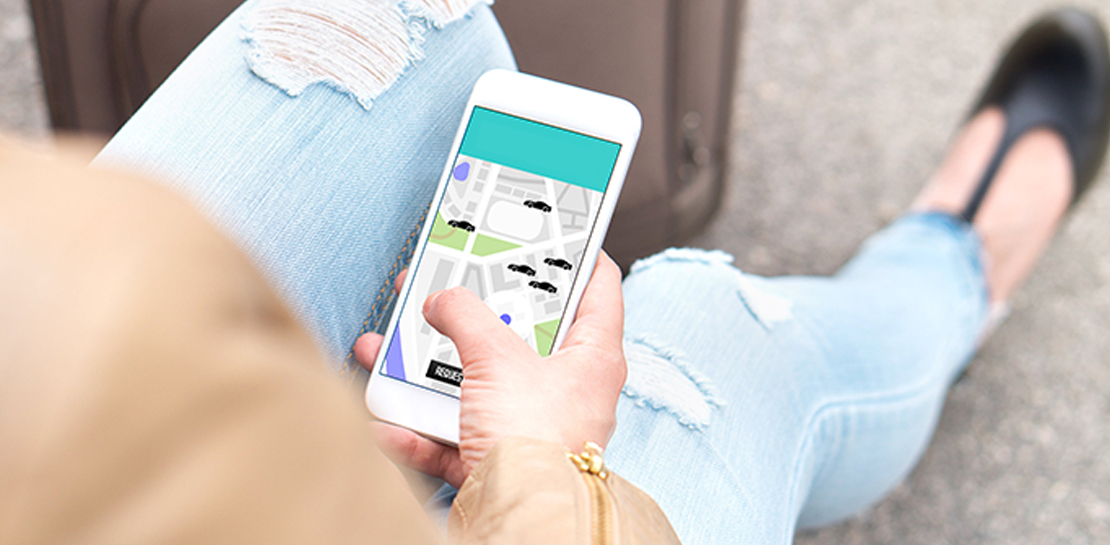
Last year we launched our on-demand rides and delivery solution to help businesses improve operations as well as transform the driver and customer journey from booking to arrival or delivery. When it comes to on-demand rides and deliveries, every minute matters. When users book a ride or order food, they want a seamless experience and real-time accurate updates. Today, we’re taking a closer look into data quality improvements for location, time and distance accuracy, and motorbike routes.
Machine learning helps drive location accuracy
Location accuracy stands at the base of our customers’ operation. The location signals that are coming from mobile devices can sometimes be off for various reasons and a driver’s location can get stuck, or jump around.
Recently we developed mechanisms in our fleet management product that can take in multiple location signals and determine the most reliable location to use for a given vehicle. With that, we noticed drastic improvements:
- Eliminated long periods of location ‘stuckness’ almost completely; a vehicle is considered ‘stuck’ when we think it’s moving but the measured location is not
- Reduced the jumpiness of the location signal by 52%-86%: ‘jumpiness’ is when a vehicle shows a sudden and usually drastic change in location. A jump is determined to exist when the speed the vehicle had to go at in order to cover the distance it did is unrealistic
- Reduced the average jump distance by 44%-86% : ‘jump distance’ is the distance between two consecutive location pings when we determined a ‘location jump’ has occurred.
Dunzo, a local e-commerce platform in India, explains how integrating the order tracking capability within Google Maps Platform’s On Demand Rides and Delivery solution has helped reduce support calls by 90%. The out-of-the-box solution helped Dunzo’s motorbike delivery partners with updating location sync to reduce stuckness and jumpiness as well as deliver premium user experiences.
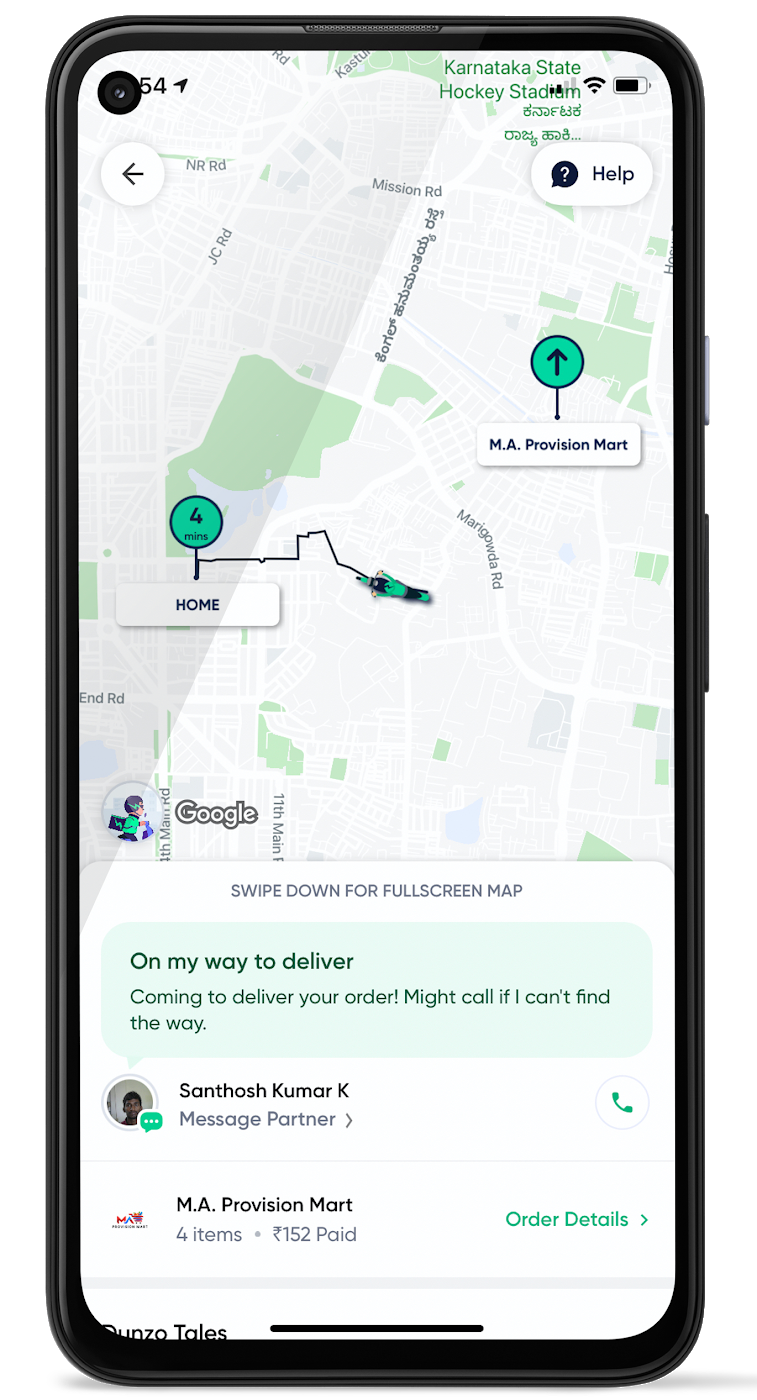
When the vehicle location is more reliable, the dispatch decision is of higher quality, meaning there is a higher chance you will be able to make the optimal decision. This can lead to less wait time for consumers, increased driver happiness and fewer cancellations.
Improvements in ETA accuracy in motorbike routes
In many geographic areas, road space is limited and car ownership is prohibitively expensive so motorbike is a prominent transportation mode. Motorbike mapping requires unique routing, ETA models, and navigation capabilities. Improvements in motorbike routing and ETA estimation have enabled customers like Gojek to offer better overall services, even in geographies with poor wifi or missing roads.
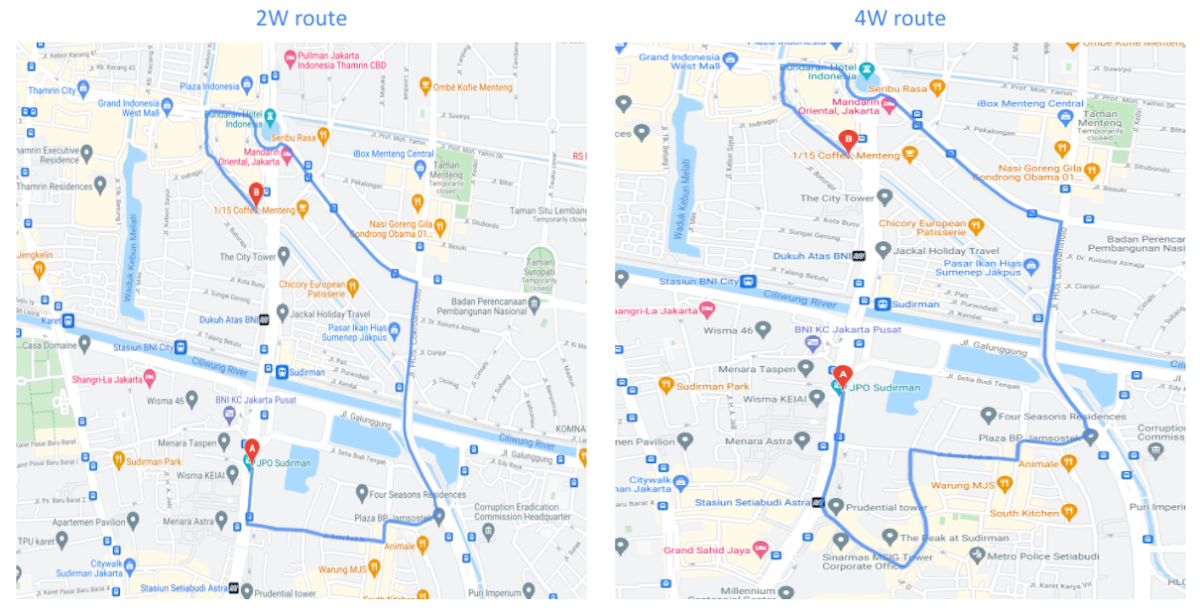
Recently, we further improved ETA outcomes by developing new machine learning models trained specifically for motorbikes. These models help our systems account for differences in congestion and traffic flow that arise in different regions and scenarios.
Globally, we measured an ~8% improvement in ETA accuracy for riders in the general public, and a ~6% improvement in on-demand rides and deliveries ETA accuracy. In this on-demand economy, where consumers are accustomed to real-time trip and order progress, these improvements will significantly improve their experience.
We will continue to innovate on both our car and motorbike on-demand rides and deliveries capabilities based on customer demand and requirements. We are committed to the success of our customers by building a seamless experience for all parties—consumers, drivers, and fleet operators—in the rides and deliveries journey.
For more information on Google Maps Platform, visit our website.
More Relevant Stories for Your Company


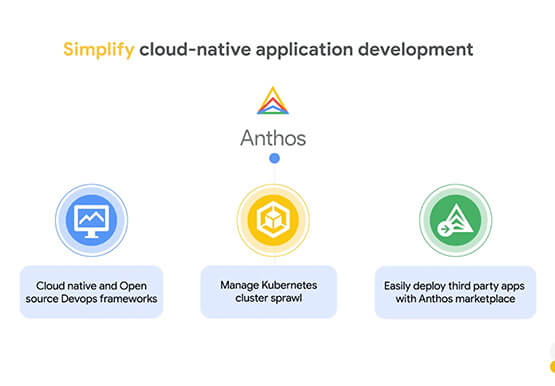

How Anthos Helps Organizations Implement Multi and Hybrid Cloud Strategy
Organizations have become increasingly focused on using modernization solutions to build competitive advantage, for faster time to market, serve customers better and seamlessly operate in hybrid and multi-cloud environments. Anthos by Google Cloud, a managed application platform plays an important role in application modernization and also in empowering customers to

Google Workspace’s Single Connected Experience Makes Workplaces Hybrid-ready
Our collective understanding of work—where it takes place and how it gets done—has been transformed over the last year. As companies and organizations across the globe reimagine work, new challenges and opportunities are emerging. How do people working “somewhere else” stay connected and part of the same conversations as those

A set of new capabilities to build a differentiated data platform: BigLake, now generally available
Data continues to grow in volume and is increasingly distributed across lakes, warehouses, clouds, and file formats. As more users demand more use cases, the traditional approach to build data movement infrastructure is proving difficult to scale. Unlocking the full potential of data requires breaking down these silos, and is

Video: How Whirlpool’s 90,000 Employees Collaborate to Bring 100 New Products to Market Every Year
As one of the world’s largest manufacturing companies, Whirlpool needs no introduction. The 104-year-old company manufactures home appliances from over 70 manufacturing and technology research centers around the world. Innovation has been the company’s focus since its inception and that’s evident from the fact that it introduced close to 100
