





4627
Of your peers have already watched this video.
37:00 Minutes
The most insightful time you'll spend today!
On-Demand Webinar: The Underrated Impact of Real-Time Collaboration on Your Business
There comes a time in your life when you have to build that dreaded sales report, once a month. That’s the stuff of nightmares.
First, you need to gather data from multiple sources, sometimes multiple, siloed sheets, different departments, numerous salespeople, and wait endlessly. That’s time-consuming.
Then you have to plot all of that in one sheet, check for errors, and pray that the numbers are accurate enough to make informed decisions. That’s cumbersome and complex.
And then repeat this arduous task, month after month. What do you gain? Sleepless nights.
But had you put all of that data on the cloud, in a platform like Google Sheets—that lets multiple team members input, edit, and work on the same sheet all at the same time—creating sales reports wouldn’t seem like a huge mountain to climb.
In this webinar, Ryan Weber, Product Manager, Google Cloud, provides simple tricks and tips that help you build reports quickly, accurately, and cost-effectively with real-time collaboration, so that you spend more time on innovation and getting products out to market faster. And a lot less time building reports.
Watch this on-demand webinar to find out how.
Google Workspace Now has Adobe Add-on!
3868
Of your peers have already read this article.
2:00 Minutes
The most insightful time you'll spend today!
Every day, individual people and creative teams combine Google Workspace with Adobe Creative Cloud to bring their best ideas to life and delight their customers or friends, across photography, design, video, 3D design, and more. In fact, Adobe’s add-on for Google Workspace has had over a million installs and counting. By partnering with Adobe, we’re helping people boost creative collaboration wherever and however they work together. And they can benefit from a potential tenfold increase in productivity that results from things like shared libraries and styles across all the apps they use.
We started integrating Adobe apps with Google Workspace last year by introducing Adobe XD integration into Flutter, enabling developers to simplify the design-to-development workflow, and letting creative teams design apps in XD and convert those designs into Flutter code with the click of a button.
Next, we brought together Adobe Creative Cloud and Gmail to make it easier to share links to your creative assets with external teams and stakeholders through email. With this integration, you can search for your Creative Cloud assets and attach public links to synced files, libraries, and creations made on mobile devices without leaving Gmail. You can also save any attachments received in Gmail directly to Creative Cloud in a few clicks.
This year we are furthering our collaboration with Adobe with some exciting new capabilities. We’re integrating Adobe Creative Cloud with Docs and Slides, and launching Adobe Creative Cloud for Chrome.
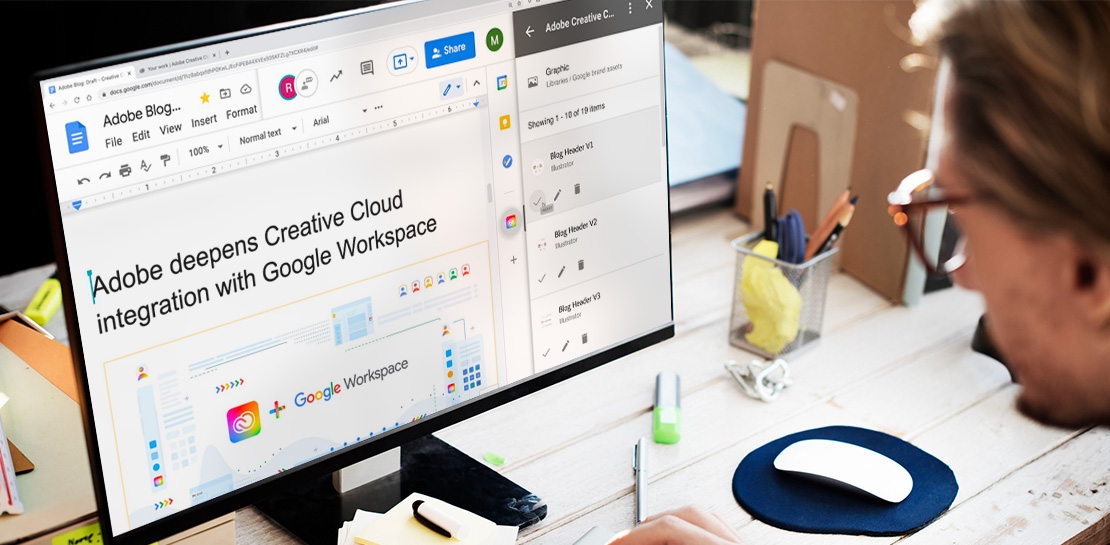
The integration of Adobe Creative Cloud with Docs and Slides will give creative and business stakeholders a single source of truth and a powerful new way to manage brand assets. With easy access to Creative Cloud Libraries inside both Adobe Creative Cloud (with apps like Photoshop, Illustrator, InDesign, XD, and more) and inside Google Workspace (with apps like Gmail, Docs, and Slides), marketing and product design teams can seamlessly share work, get feedback, and stay connected along the way. Learn more about this integration.
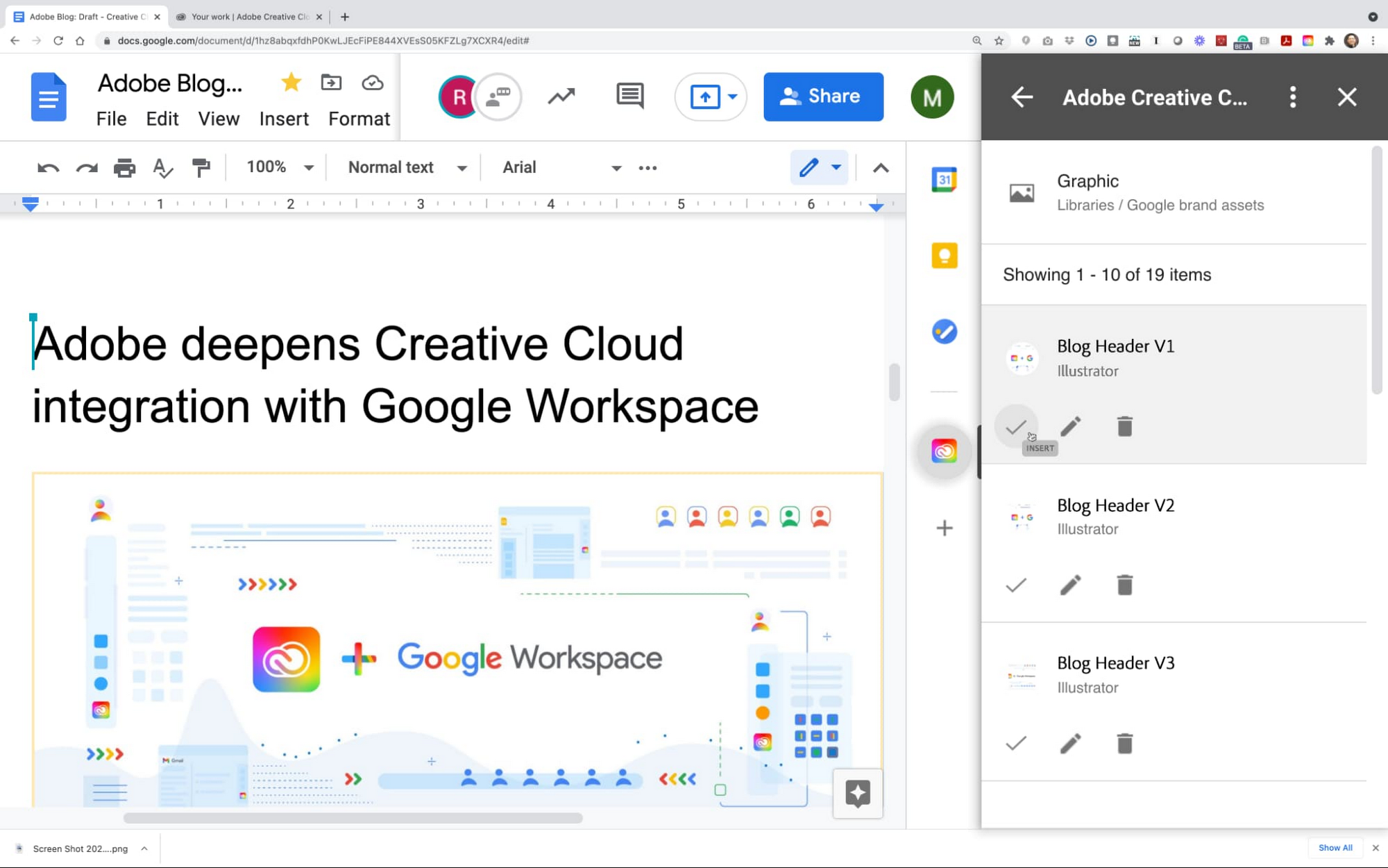
Adobe Creative Cloud for Chrome is a new extension that lets designers draw inspiration from the web’s most beautiful designs and artwork. Whether you’re looking for color combinations, patterns, vector shapes, or gradients extracted from images, the new Chrome extension helps you capture them from the source and apply them to your own design work. Adobe Capture features are available on mobile, on desktop for Photoshop and Creative Cloud Libraries, and now on the web, so wherever and whenever inspiration strikes, you’ll be ready to capture the moment. This feature became available in May. Learn more
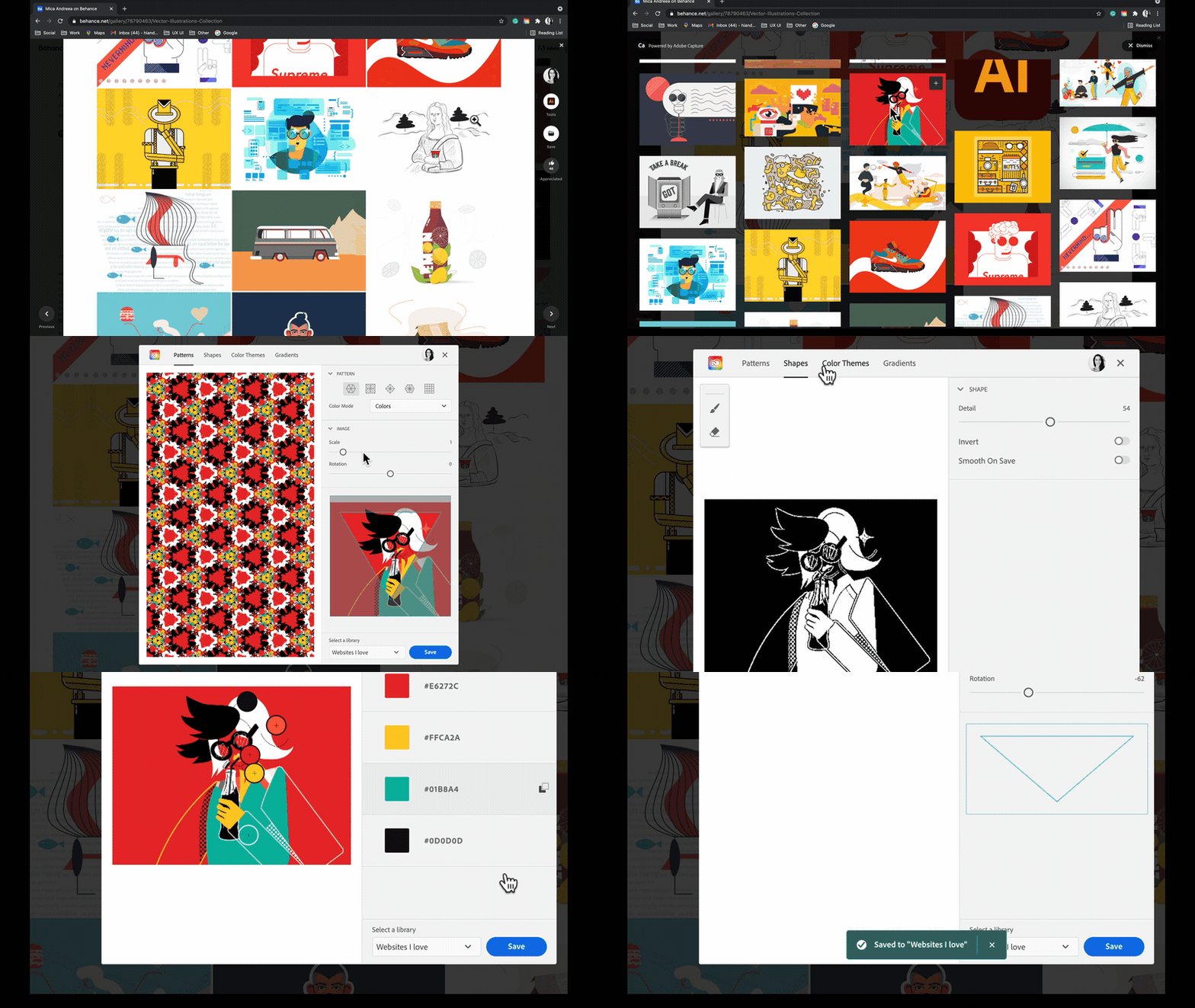
These new integrations between Adobe Creative Cloud and Google Workspace and Google Chrome let creatives focus on what they do best: ideate, create, and innovate. Creative teams of 1 or 100 have fast, seamless access to the digital assets and editor tools that bring their work to life. And they’re ready to capture inspiration from the web whenever and wherever it strikes using Google Chrome. We’re committed to boosting creative collaboration in Google Workspace with Adobe as a trusted partner. Start using Google Workspace and Creative Cloud today.
New ways Google Workspace works with tools you already use

4040
Of your peers have already read this article.
6:30 Minutes
The most insightful time you'll spend today!
Looking back on 2020, it’s clear that the ways we work have rapidly transformed—from the rise of remote work and increasingly digitized processes, to balancing time across work and personal responsibilities. But one thing hasn’t changed—businesses still rely on a staggering number of applications to get work done. Working from home and the associated pressures on productivity have only emphasized the need for fewer tools that do more, are easy to use from anywhere, and seamlessly integrate with other software.
Google Workspace helps you get more done—with communication and collaboration tools known and loved by billions of users, thoughtfully connected together. And while billions of users choose our apps, we recognize that they also need to effectively collaborate with partners, customers, and even teammates that might use other tools. In particular, we know that many people work with a mix of Google Workspace and Microsoft applications—for example, while migrating to Google Workspace or collaborating with external vendors or clients. That’s why we make it easy for you to use Google Workspace with Microsoft Office and Office 365, helping you collaborate productively from any device with anyone, regardless of what tools you use.
Save time with helpful intelligence and faster workflows in Google Workspace
Creating and collaborating on content is at the heart of getting work done. When working with content received from customers, partners, or teammates, employees shouldn’t lose time converting files or working in unfamiliar tools.
With Google Drive, you can store and share over 100 different file types and formats, including Microsoft Word, Excel, and PowerPoint files, as well as PDFs, images, and videos. And by using intelligent features like Priority and Quick Access in Drive, you can find files nearly 50% faster.
With Office editing, users can also easily edit Microsoft Office files in Google Docs, Sheets, and Slides without converting them, with the added benefit of layering on Google Workspace’s enhanced collaborative and assistive features. From assigning action items via comment, to writing faster with Smart Compose, to accelerating data entry with Sheets Smart Fill, Office editing brings Google Workspace functionality to your Office files. And we recently extended Office editing to the Docs, Sheets, and Slides mobile apps as well, so you can easily work on Office files on the go.
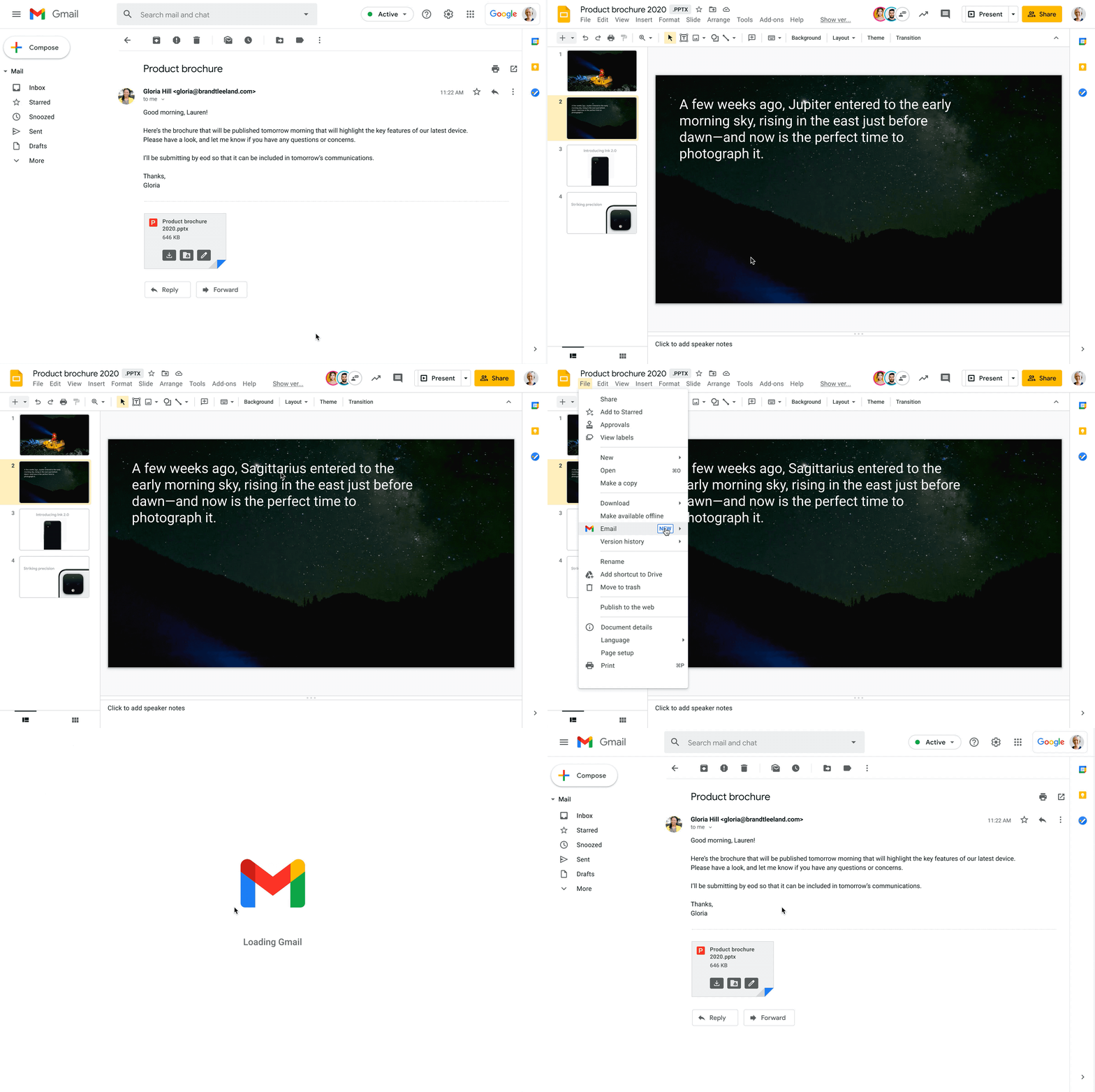
Starting today, you can also open Office files for editing directly from a Gmail attachment, further simplifying your workflows. For example, when you receive a Word document as an email attachment, you can open it and start editing in Docs with a single click while still preserving the Word file format. Then you can respond to the original email thread and include the updated file, right from Docs—saving you time by eliminating steps like downloading the file to edit, or searching for the relevant email to reattach it to.
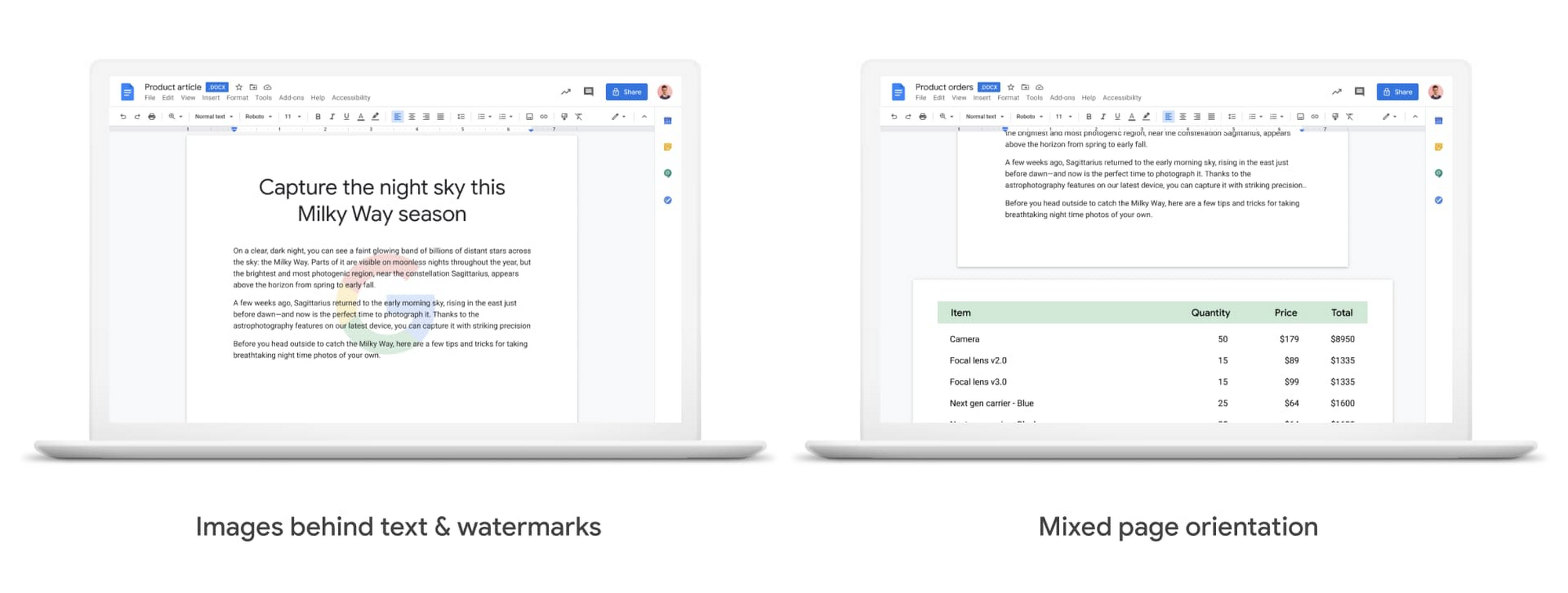
We also know it’s important that your Office files look consistent when opened in Docs, Sheets, and Slides, so we continue to support additional formatting options used in Office files. Today, we’re announcing mixed page orientation support in Docs, so you can create Docs or edit Word files with mixed landscape and portrait pages. And next year, we’ll add support for inserting images behind text and watermarks, to give you further flexibility.
Finally, when it comes to spreadsheets, we know that many organizations maintain both Excel and Sheets, especially when relying heavily on macros that have been built over time to automate processes. In Sheets, it’s easy for anyone to record macros, without having to write any code. And to make it easier for teams to transition from Excel to Sheets or support co-existence of these tools, we have also launched a new Macro Conversion add-on that helps users migrate macros from Excel to Sheets. This way, teams can save time through automation, without having to start from scratch.https://www.youtube.com/embed/CUKAUFoa86M
Stay connected with others, wherever you are
Business growth is fueled by people connecting and generating ideas together, whether they are working from the same office or dispersed around the globe. Google Workspace makes it easy to schedule time and meet with others, helping you maintain a connection with your collaborators and accomplish more together, from any device, anywhere.
To make and maintain these connections, people need an easy way to schedule time with others, regardless of which calendaring system they are using. Some organizations run mixed calendaring environments, for example, during a migration to Google Workspace or merger, where one company is not on Google Workspace. To help in such scenarios, the Google Calendar Interop tool makes it easy for people to schedule and book resources regardless of which system they’re on. With Calendar Interop, teams across systems can see each other’s free/busy status, event details, and book shared resources, so that they don’t need an endless exchange of chats or emails to land on a time that works for both parties.
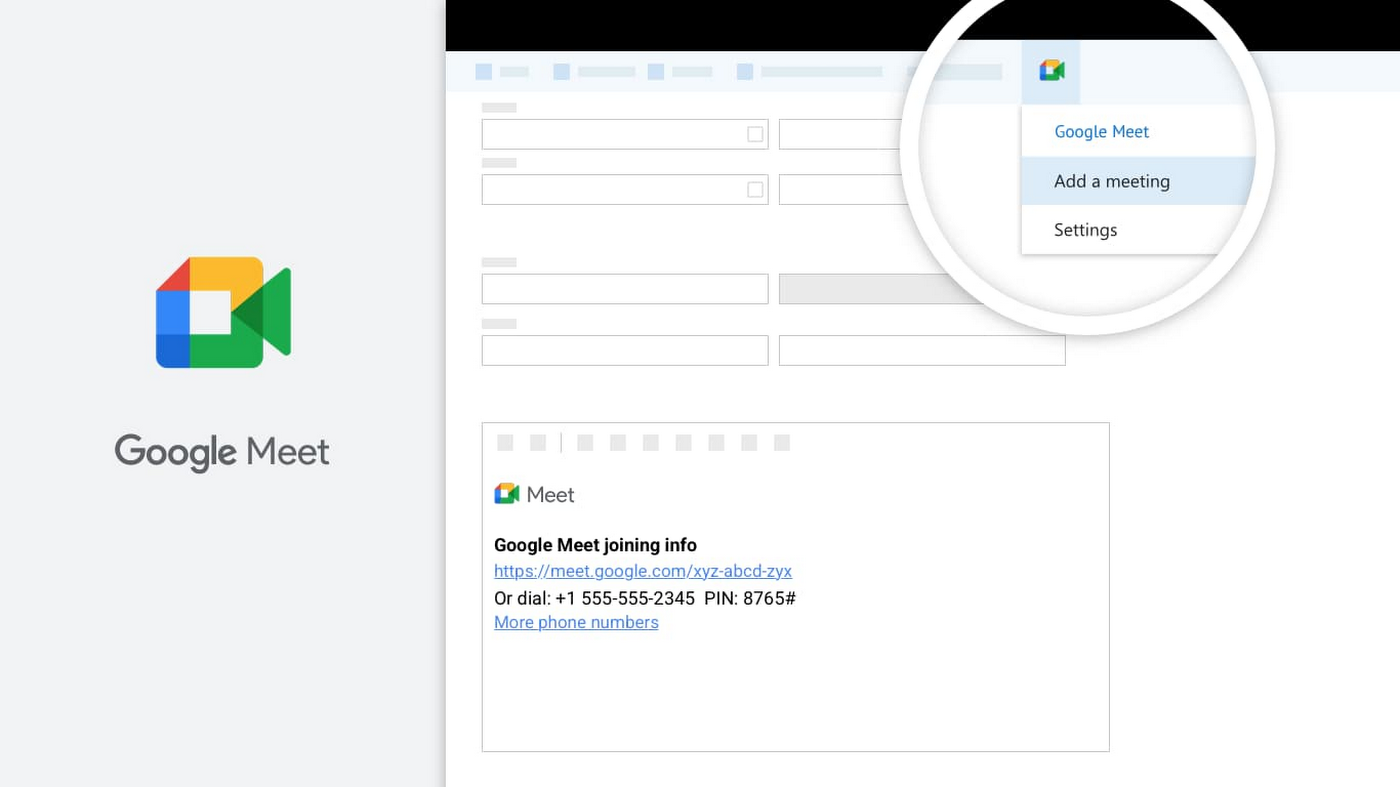
Google Meet is another powerful tool for keeping employees connected, wherever they are. With Meet, it’s easy for teams to connect via secure, enterprise-grade video conferencing from any device—laptop, mobile, or even dial-in via phone. Google Workspace customers can invite anyone to join a Meet call, including people using Outlook who don’t have a Google Account. Or if using Outlook to schedule events, users can easily add Meet video conferencing details using the Google Meet add-in for Microsoft Outlook. With a simple tap of the meeting link in your email or calendar, you can easily connect face-to-face with your collaborators, helping maintain that human connection that drives work forward.
Be productive from anywhere with custom solutions
Often, certain tasks and processes require employees to develop custom applications to manage them. Understanding how to code can be a huge barrier for employees faced with this challenge, but Google Cloud’s AppSheet enables anyone to build applications without having to write code. AppSheet is available to all Google Workspace users and has a number of tight integrations that make it easy to build custom apps on top of Google Workspace apps, like Google Sheets.
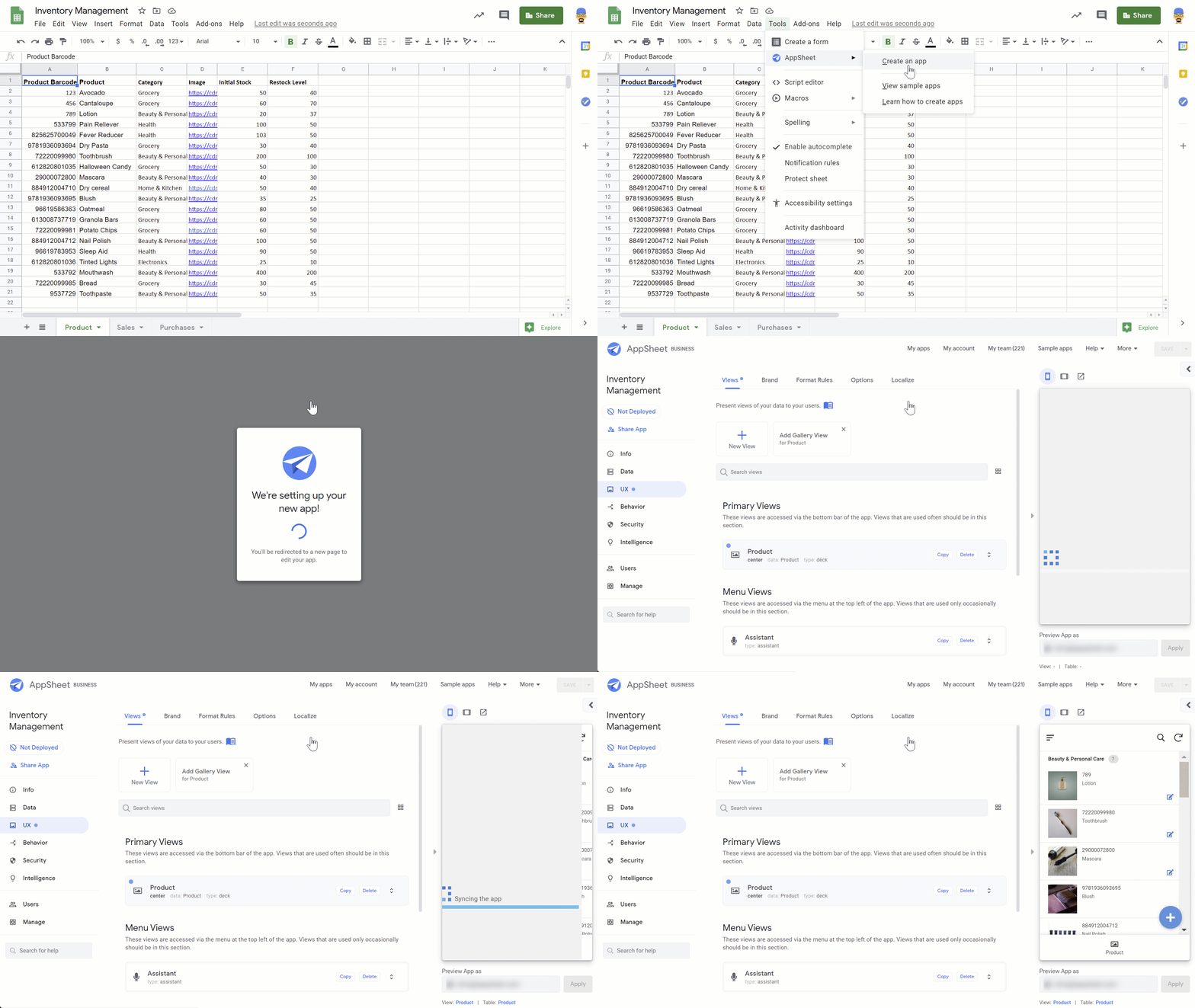
AppSheet is designed to work on any device and can connect to your data and spreadsheets, wherever they live. While AppSheet and Google Workspace are tightly integrated, AppSheet also easily connects to O365 data sources such as Excel spreadsheets stored in OneDrive or SharePoint. AppSheet creates a bridge between environments—custom apps and automations can connect to Google Workspace and Microsoft Office apps simultaneously, so that teams and processes split between environments can be managed more seamlessly. Plus, with AppSheet, even Microsoft users can easily incorporate Google’s leading AI and machine learning capabilities, like optical character recognition and sentiment analysis, into their apps.
Flexibility is important when it comes to effective collaboration, and we’ll continue to invest in the many ways Google Workspace can work seamlessly with the rest of the tools you use—helping you accomplish more, faster. Visit our learning center for more info on topics like working with Office files in our apps, or check out these helpful switching guides if your organization is currently transitioning from Microsoft Office to Google Workspace.
5087
Of your peers have already watched this video.
1:30 Minutes
The most insightful time you'll spend today!
Ramco Cements: Enhancing Intelligence with Data Visualization
Ramco Cements chose Google Maps to integrate with its Ramco ERP system. By layering its data onto Google Maps, the result was a rich data visualization tool that facilitated idea generation and improved productivity. Over 1,000 employees across India access reports and transactions on a daily basis from the Ramco ERP system and integrated Google Maps.
Management at Ramco Cements uses Google Maps for visual analysis – for monitoring benchmarks, identifying discrepancies and deviation. Google Maps serves as a tool to help them develop appropriate strategies for business growth.
Also, the field sales team now has the capability to easily view information on their mobile devices – information ranging from competitor distribution networks in their area, to the best and worst performing dealers.
The Inspiring Story Behind How Bhutan is Using the Cloud to Enable Sustainable Development and Social Well-being
4313
Of your peers have already read this article.
3:30 Minutes
The most insightful time you'll spend today!
For many nations, gross domestic product is the primary measure of a society’s success. The Himalayan kingdom of Bhutan gauges achievement by a different standard: gross national happiness (GNH).
The Royal Government of Bhutan’s GNH index measures a “holistic and sustainable approach to development,” prioritizing factors such as community, education, mental health, cultural heritage, and ecology. It’s a model that was endorsed by the U.N. General Assembly in 2011. Focus on GNH has enabled Bhutan to become a carbon-negative nation; nurture habitats for Bengal tigers, clouded leopards, and red pandas; and provide free healthcare to all of its 735,553 citizens.
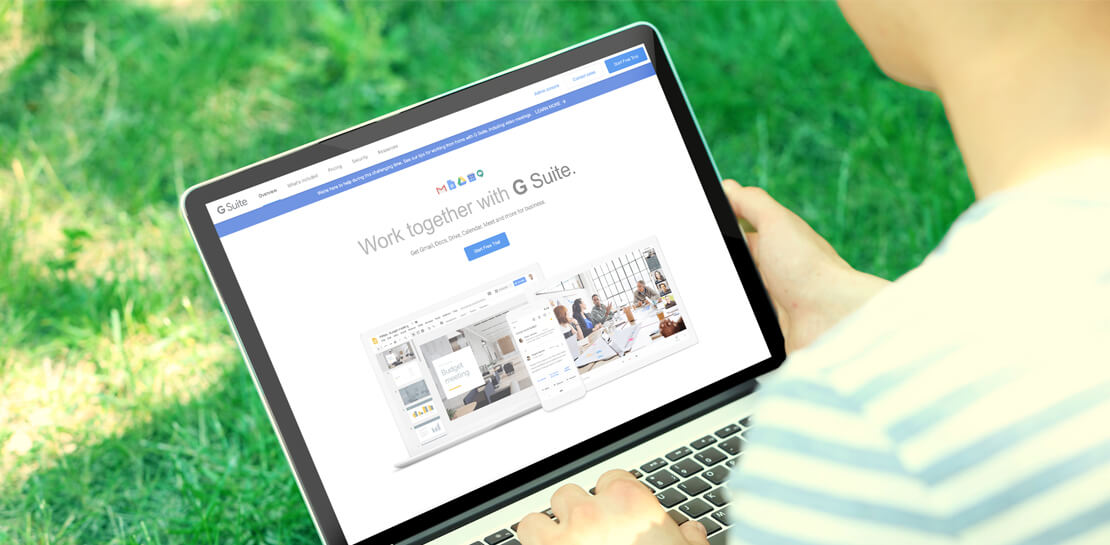
One of the pillars of GNH in Bhutan, ranked South Asia’s least-corrupt country, is good governance. Yet as one of Asia’s least-developed nations, Bhutan needed to draw every last bit of value from public funds, while maximizing the potential of its civil servants. Turning to G Suite, it discovered powerful tools enabling communication, accountability, and cost-savings that have been vital to the mission of promoting a well-balanced society.
“G Suite collaboration tools are providing a framework that allows us to foster citizens’ happiness,” says Lobzang Jamtsho, Head of Application Division, Ministry of Information & Communication. “It’s the three C’s: collaboration, coordination, and communication. This has improved significantly with G Suite adoption.”
Freeing up resources for positive change
“When we started using Sites, we found a powerful yet simple tool that’s really a one-stop shop for sharing. You don’t have to know the development side; you just drag, drop, and build.”
—Kuenga Zam, Dy. Chief ICT Officer, Royal Civil Service Commission
From wildlife conservation, to keeping hospitals well-supplied, to the development of human resources, ensuring a correct balance between well-being and development demanded smooth coordination in the civil service. Meanwhile, everything from the cost of printing meeting agendas to investing in email servers and staff to maintain them drained resources from vital tasks such as sourcing medication.
G Suite marked a fundamental shift in the way the Royal Government of Bhutan pursued its mission, as tools such as Docs, Sheets, and Sites came together to provide a unified platform where team contributions could be seamlessly integrated in the cloud. It sparked a surge of cooperative vigor.
“In writing, for example, we collaborate in terms of drafting a proposal. And we collaborate with other parties,” says Lobzang. “It’s really helped us in terms of analyzing the decision-making process and promoting accountability, ownership, and transparency.”
G Suite is used today by 9,500 civil servants across all 67 government agencies. The benefits have been dramatic. In a survey of more than 800 civil servants, roughly 78% of respondents reported G Suite boosted productivity by more than 50%. About 80% said collaboration with colleagues increased more than 50%. And 85% of respondents agreed or strongly agreed with the statement, “my organization is more innovative.”
“G Suite has empowered both education and hospitals. We have our entire education system on the platform, all teachers and students. And processes have improved in hospitals, translating directly into an increase of happiness among citizens.”
—Lobzang Jamtsho, Head of Application Division, Ministry of Information & Communication
The Royal Civil Service Commission of the Royal Government of Bhutan organizes scholarships for civil servants to pursue long-term studies as a part of human resource development. It’s vital to the nation’s pursuit of sustainable development while preserving a unique cultural heritage.
G Suite inspired the Royal Civil Service Commission to build its own internal platform using Sites to manage scholarships, streamline processes, and boost overall HR Development Management.
“When we started using Sites, we found a powerful yet simple tool that’s really a one-stop shop for sharing,” says Kuenga Zam, Dy. Chief ICT Officer, Royal Civil Service Commission. “You don’t have to know the development side; you just drag, drop, and build. And since it’s an internal site, it helps us share from one division to another what scholarships are available for renewal.”
Human connectivity for enhancing quality of life
For the Royal Government of Bhutan, G Suite is a tool that doesn’t just facilitate better communication, it enables the whole of government to work better together. “G Suite has empowered both education and hospitals. We have our entire education system on the platform, all teachers and students,” says Lobzang. “And processes have improved in hospitals, translating directly into an increase in happiness among citizens.”
“When services are delivered better, people are happier,” adds Kuenga. “So it aligns in that way with GNH.”
Motivating team members to build a better future
Today, the Royal Government of Bhutan is writing the next chapter of its journey with G Suite, motivating civil servants to tap the platform’s creative possibilities through training programs that demonstrate why you don’t need to be an IT expert to be a digital innovator.
“We did a demo at a conference to show how we are using Sites. Our users then went forward and took that idea and built their own site,” says Kuenga. “After we show the possibilities, they have the motivation to go forward and explore.”
The next step for the Royal Government of Bhutan is to begin experimenting with Apps Script to create applications for automating workflow processes: “There’s so much potential that we haven’t explored,” says Kuenga.

4236
Of your peers have already downloaded this article
1:30 Minutes
The most insightful time you'll spend today!
Dr. Alan Hippe, CFO & CIO, Roche Group, shares how collaboration tools help healthcare firms like the Roche Group take timely decisions that help them focus on saving patients’ lives.
For over 110 years, Roche has been pioneering the discovery, development, production and marketing of novel healthcare solutions. Our focus has always been on innovation.
The way our employees communicate and collaborate is diverse, and our employees are spread globally.
Our two different email and calendaring platforms have often been an obstacle for effective collaboration. To end these platform interoperability issues, the Roche Corporate Executive Committee made the decision that all employees will move to G Suite as the single common platform for the Roche Group.
The integrated and socially-focused way that G Suite enables collaboration is very compelling, and we expect this to not only bring our company closer together but give us a strategic advantage. Additionally, being able to deploy G Suite features by simply enabling them via a control panel versus planning for and deploying complex infrastructure in our data-centers will help us focus on our core business–helping save patients’ lives.
More Relevant Stories for Your Company

Ease Your Migration and Modernization Journey with Microsoft and Windows on Google Cloud Demo Center
If you’re looking to migrate and modernize your Microsoft and Windows workloads, Google Cloud is your premiere destination. No matter what migration strategy you’ve selected or what value you’re looking to achieve, with Google Cloud you’re able to: simplify your migration and modernization journeyreduce your on-prem footprint and increase agilityoptimize license

The Divercity Story: Using Google Cloud to Achieve a More Inclusive and Sustainable Workforce
Despite a growing number of diversity, equity, and inclusion (DEI) initiatives, Black and Latinx people remain highly underrepresented in tech. Although comprising 12.6% and 18% of the U.S. labor force respectively, Black professionals hold only 5% of tech positions, while Latinx professionals fill just 6% of tech roles. Long-standing biases

How a Former Refugee is Using Tech to Transform the Lives of Women in Afghanistan
Born in Iran as a refugee during the Soviet invasion of Afghanistan, I understand the challenges many people face there to get access to formal education. I was one of eight children in a progressive, yet financially limited, family. We left everything behind in Herat to move to a new

Five Reasons Your Business Should Move to AI-Enabled, Smarter, Spreadsheets
When it comes to data analysis, it’s easy to fall into routine. But no matter how much of a whiz you are at formulas or pivot tables, superb spreadsheet skills only take you so far if you’re working with multiple versions or outdated datasets. On average, your employees spend up
