






Five Reasons Your Business Should Move to AI-Enabled, Smarter, Spreadsheets
READ FULL INTRODOWNLOAD AGAIN6315
Of your peers have already downloaded this article
4:04 Minutes
The most insightful time you'll spend today!
6612
Of your peers have already watched this video.
8:00 Minutes
The most insightful time you'll spend today!
Hospitals Can Offer Interconnected Patient Experiences Using Google’s Natural Language Services
Machine Learning (ML) in healthcare helps extract data from conversations, medical records, forms, research reports, insurance claims and other documents across the care value-chain to help care providers have a holistic view of their patients to draw insights for diagnoses and treatments. With Natural Language Processing(NLP), healthcare organizations can program computers and systems to process and analyse large volumes of human communication in form of spoken texts, written documentation and utterances. Watch the video to learn how the healthcare community can leverage Google’s NLP services to process structured and unstructured data to offer interconnected experiences for patients.
Migrating MySQL to Spanner? Here’s What You Need to Know

5629
Of your peers have already read this article.
2:00 Minutes
The most insightful time you'll spend today!
Since its initial release in 1995, MySQL has not only been the de-facto database for many data storage needs, but has gathered much attention over the years as one of the most well-recognized databases around when it comes to Relational Database Management Systems and transactional data processing.
Any application in retail, e-commerce, or banking has likely had its fair share of business depending on a relational database for its transactional needs. Many of these applications are built on MySQL due to its flexibility, open source nature, and strong community support.
Whether in the context of a migration from a relational database (like MySQL or PostgreSQL) , migration from a NoSQL database (like Cassandra), or a green grass workload, many companies turn to Cloud Spanner seeking a high availability SLA (99.99% for regional instances and 99.999% for multi region instances), unlimited scale, and low operational overhead – no patching required, no maintenance or other planned downtimes, just to name a few benefits.
The tooling and open source ecosystem around Spanner has evolved and grown ever since the service was introduced. HarbourBridge is a part of this ecosystem, and it’s meant to help customers port their existing MySQL or PostgreSQL schema to a Cloud Spanner schema.
Application Migration Tips
Despite helpful tools like HarbourBridge, database migrations are never trivial. Here are a few things to pay attention to when migrating from MySQL to Spanner, and how to update your application logic to address them.
Note – The following snippets use the PHP client for Cloud Spanner. A couple of the snippets reference a partial Magento port that our friends over at Searce have been working on. Once you understand the operations, you should be able to implement the same in any of the other languages that Cloud Spanner supports.
Cloud spanner enforces strict data types
In a MySQL query, the value of an attribute can be referenced as either a string or an integer. Example:
- select * from catalog_eav_attribute where attribute_id = 46;
- select * from catalog_eav_attribute where attribute_id = “46”;
Both are valid and equivalent.
In Cloud Spanner, the query will return an error if you try to reference an integer type by using a string representation.
Here is an example of a working query from Cloud Spanner:
- select * from catalog_eav_attribute where attribute_id = 46; — this will work
- Select * from catalog_eav_attribute where attribute_id = “46” — will fail, since we are supplying a string with “46”
You may use a function like the following to assist you with such transformations.
/*** Formats the SQL for Cloud Spanner* Example* Input SQL : <select statement> WHERE* (`product_id` = '340') ORDER BY position ASC* Output SQL : <select statement> WHERE* (`product_id` = 340) ORDER BY position ASC* In the above example integer*`340` is sanitized by removing single quotes.* Sanitization is required since Cloud Spanner* has strict typing* @param string $sql* @return string $sql*/public function sanitizeSql(string $sql){if (preg_match_all("/('[^']*')/", $sql, $m)) {$matches = array_shift($m);for($i = 0; $i < count($matches); $i++) {$curr = $matches[$i];$curr = filter_var($curr,FILTER_SANITIZE_NUMBER_INT);if (is_numeric($curr)) {$sql = str_replace($matches[$i],$curr, $sql);}}}return $sql;}
Using sequences in primary keys is not a Spanner best practice
Cloud Spanner does not implement a sequence generator, and it is not a Spanner best practice to use sequential IDs because doing so can cause hotspotting.
An alternative mechanism of generating a unique primary key is to use a UUID or any other similar mechanisms that result in non-sequential values. For more information, please refer to this article.
In order to convert all existing primary keys to a UUID pattern, you can change the schema using the snippet here
You may use this code snippet to modify the application code to generate the UUID for the auto increment. There are other ways to do this as well, such as using PHP built-in uniqid function.
/*** Generate UUID.* @return string*/public function getAutoIncrement(){if (function_exists('com_create_guid') === true) {return trim(com_create_guid(), '{}');}return sprintf('%04X%04X-%04X-%04X-%04X-%04X%04X%04X',mt_rand(0, 65535), mt_rand(0, 65535),mt_rand(0, 65535), mt_rand(16384, 20479),mt_rand(32768, 49151), mt_rand(0, 65535),mt_rand(0, 65535), mt_rand(0, 65535));}
Implicit casting and the need for explicit casting of field data types
Both MySQL and Cloud Spanner follow the SQL standard, hence much of the query syntax is the same. One notable difference is that the Cloud Spanner field types are implicitly cast to an appropriate data type out of the ones mentioned here. When implicit casting of the field type fails, Spanner returns a read error, so it would be safer to perform the casting to the appropriate type when issuing the SELECT statement.
Modify application code to cast to respective data type before execution of query.
$con = $this->getSpannerConnection();/*** Cloud Spanner follows strict type so cast the columns appropriately*/$select = $con->addCast($select, "`t_d`.`value`", 'string');$select = $con->addCast($select, "`t_s`.`value`", 'string');$select = $con->addCast($select, "IF(t_s.value_id IS NULL,t_d.value, t_s.value)", 'string');$values = $con->fetchAll($select);
Modify the application code to cast the column to its respective type
/*** Cast the column with type* @param string $sql* @param string $col* @param string $type* @return string*/public function addCast(string $sql,string $col, string $type){$cast = "cast(".$col." as ".$type.")";return str_replace($col, $cast, $sql);}
Using interleaved tables to improve read performance
Cloud Spanner’s table interleaving is a great choice for many parent-child relationships where the child table’s primary key includes the parent table’s primary key columns. Interleaving ensures that child rows are collocated with their parent rows, which can significantly improve query performance.
Refer to the statements here for a few samples of creating interleaved tables. To learn more about table interleaving, visit the documentation.
Conclusion
Database migrations are complicated. Hopefully, using HarbourBridge and the list of tips in this article can make that task easier. For additional tips, please take a look at this migration guide and read more about HarbourBridge.
Discovery’s Massive Workspace Migration Fuels Innovation and Collaboration

3838
Of your peers have already read this article.
1:30 Minutes
The most insightful time you'll spend today!
In the past two decades, Discovery has moved from a purely cable business based in the U.S. to a global media and entertainment powerhouse. Like many other businesses in the industry, we’ve had to adjust to the unique shifts in people’s behaviors and preferences, almost all of which result from the rise in streaming.
We have always been consumer-obsessed at Discovery, with a corporate culture built on the desire to entertain and inspire people of all ages and backgrounds with exceptional content. As we’ve grown, we have also learned just how important it is to be staff-obsessed, giving our employees the best possible experiences so they can continue to innovate and deliver the world-class content our customers expect.
In 2019, we decided one way to fuel innovation and collaboration among employees was to bring in Google Workspace. Selected for its intuitive, easy-to-use, and constantly evolving tools, Google Workspace enables teams to seamlessly create, connect, and collaborate anywhere, anytime.
Given the scope of our ambitions, and recognizing the challenges of migrating 16,500 global employees to a new collaboration solution, we worked with Google Cloud premier partner SADA to get the job done.
Change management amid a massive migration
We began the move to Google Workspace by migrating our document storage system from a legacy cloud provider to Google Drive. This included 86 million items amounting to about two petabytes of data migrated with minimal disruptions. A few months later we completed our move to Google Workspace by migrating 1.2 million calendar invites and 20,800 mail accounts, including thousands of collaborative inboxes and delegated accounts.
In addition to the technical support and Google Workspace expertise that SADA provided, they also partnered with our project team on the change management strategy. Despite challenges presented by the COVID-19 pandemic, our training team and SADA were able to offer outstanding educational opportunities to assist our workforce in the transition and to get the most out of Google Workspace. This included collaborating on over 240 global webinars in seven languages.
Discovering the power of transformative tools
Discovery has many types of end users, from finance professionals and marketing teams to producers and content developers. The fact that Google Workspace has been well-received across the company is a testament to the power of the solution.
Many of our teams have taken advantage of collaborative Gmail accounts and shared drives, providing them with a centralized location to seamlessly communicate and work together on team-focused projects. Our internal communications team is especially happy with the real-time collaborative editing experience within Docs as they work on company-wide emails, announcements, and other projects.
These collaboration tools have allowed us to stay agile amid global lockdowns and will continue to do so as we adapt to a more flexible working environment.
The value of partnership
While we were comfortable with our legacy collaboration suite, one of the biggest benefits of switching to Google Workspace has been Google Cloud’s and SADA’s partnership. They provide us with regular updates on product roadmaps, upcoming features, and more.
This is just the beginning as we plan to grow, deliver new content, and lead the media and entertainment industry with the help of these two great partners and their solutions.
To learn more about Discovery’s journey with Google Workspace, read the full case study.
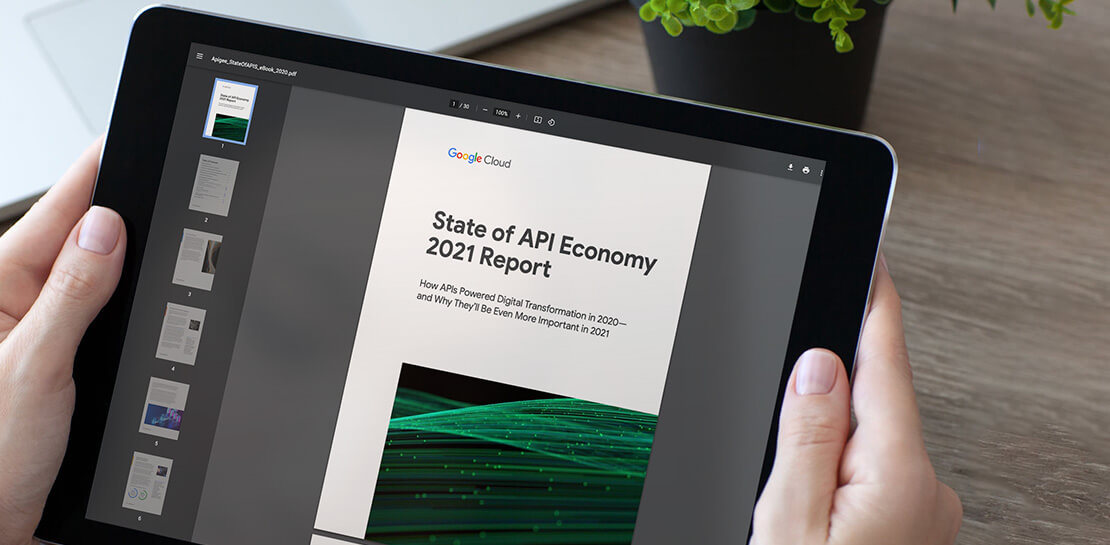
Report on API-led Digital Transformations in 2020 and the Future
6820
Of your peers have already read this article.
1:30 Minutes
The most insightful time you'll spend today!
In 2020, many businesses across industries turned their focus and investments towards digital strategies. APIs being an integral part of every organization’s digital disruption, will grow in relevance throughout 2021. Read the report to gain more insights on driving API-led digital transformations and in-depth analysis of Google Cloud’s Apigee API Management Platform usage data, case studies and third-party surveys conducted with tech leaders.
Cloud-Native Observability: Google Cloud and Chronosphere Join Forces

1358
Of your peers have already read this article.
2:30 Minutes
The most insightful time you'll spend today!
As digital transformation continues apace, cloud native adoption has skyrocketed — and so has the volume, velocity, and variety of data that organizations must monitor to maintain visibility over their IT environments. Rather than a fixed number of virtual machines (VMs) running a single application each, systems are more flexible and ephemeral — with thousands of containers and microservices emitting data — and services and systems have greater interdependencies. All of this has led to an explosion in complexity that makes it nearly impossible to reliably and efficiently operate cloud-native services using traditional observability solutions without dramatically increasing overhead.
Built on Google Kubernetes Engine (GKE), Chronosphere is the only cloud-native observability solution that helps teams quickly resolve incidents before they affect the customer experience and the bottom line. And the relationship between Google Cloud and Chronosphere has developed into a growing partnership. Chronosphere brings the ability to rapidly and reliably control observability data and costs to Google Cloud customers, while maintaining open source compatibility. Recently, GV (Google Ventures) participated in Chronosphere’s $115 million round of Series C funding. Chronosphere is also available on Google Cloud Marketplace, making it easy for customers to procure and deploy.
Why Chronosphere chose to build on Google Cloud
Chronosphere’s founders, CEO, Martin Mao, and CTO, Rob Skillington, wanted to build an observability solution that solved some of the same problems they encountered when leading the observability team at Uber. The challenges at Uber focused on scale, reliability and cost, with a key emphasis on how these were not easily solvable for monitoring of cloud-native applications. Martin and Rob were looking to build a solution that was cloud-native, highly reliable, and capable of managing the high volume of data that modern organizations process every day. For those reasons, Martin and Rob chose to build Chronosphere on top of Google Kubernetes Engine (GKE):
Cloud-native mindset: When Martin and Rob launched Chronosphere, one of the first considerations was this: A cloud-native problem needs a cloud-native solution. Google Cloud and Chronosphere work together to provide a purpose-built software-as-a-service (SaaS) observability solution platform for cloud-native technologies like Kubernetes. Chronosphere runs much of its critical infrastructure on Google Cloud, using the service’s global infrastructure to deliver secure and reliable services to hypergrowth customers.
Open platform: Martin and Rob have a commitment to openness — a commitment that Google Cloud makes to its customers as well. All of the ins and outs of Chronosphere are open source compatible –built on GKE, the platform ingests both metric and trace data in a variety of open source formats, such as Prometheus, OpenTelemetry, and StatsD, so teams can get onboard easily while avoiding vendor lock-in. And they remain fully in control of how much data to ingest, how it’s ingested, how it’s stored, and for how long. That way, customers remain in control of their observability costs while their systems and data continue to grow, and can troubleshoot and remediate issues more quickly.
Mission-critical performance: Observability is a mission-critical service because it is essential for the reliability and performance of mission-critical systems. For this reason, Martin and Rob wanted to offer the strongest service level agreements (SLAs) possible for availability, reliability, and performance. Google Cloud provides the secure global infrastructure that allows them to do so.
Data volume: Modern organizations emit huge volumes of data that they have to sift through in near-real time to gain full visibility. Google Cloud offers the same infrastructure and networks that Google uses to support billions of users every day, capable of processing petabytes of data with ease.
How Chronosphere works with Google Cloud
GKE provides specific technical benefits that Chronosphere leverages to offer customers the performance and availability they need to spend less time managing their observability systems and more time creating value.
The Chronosphere collector is a Kubernetes-native, Prometheus-compatible agent that collects, processes, and exports telemetry data, including metrics and traces. When you install the collector in a Kubernetes cluster, it automatically discovers all your workloads and starts to gather data from them.
The Chronosphere UI tailors the experience to each user based on what services that individual owns or which teams that person belongs to. This makes the overall user experience friendlier and less overwhelming while helping people get to the bottom of issues faster.
Running on GKE means that Chronosphere can leverage Google Cloud’s multiple zones in each geographic region to distribute workloads evenly, ensure customer data stores are isolated from each other, and build tolerance for zonal failures. It also allows for data persistence across multiple zones. At the same time, Google Cloud’s global load balancers bring the data physically closer to the customer, shortening the time it takes for a data point to be visible to a user after its emission.
What this means for customers
The partnership brings together the best in cloud-native services and cloud-native observability. With the power of Google Cloud and Chronosphere, observability teams can transform their observability data based on need, context, and utility, storing only the useful data to reduce costs and improve performance. With purpose-built solutions for a cloud-native world, teams gain faster issue detection and resolution, and also benefit from Chronosphere’s 99.99% availability and open source compatibility — eliminating vendor lock-in.
“Companies growing their online infrastructure risk huge hits to their bottom line if they don’t also manage increased complexity and cost,” says Martin. “Our partnership with Google Cloud brings together the world’s leading cloud services platform with our powerful observability solution to unlock the benefits of a cloud-native world, while optimizing for efficiency, reliability, and cost.”
Google Cloud and Chronosphere: The perfect match
Google Cloud and Chronosphere offer an industry-leading observability solution built from the ground up to abstract away the complexities of cloud computing for already stressed teams. And the future of this partnership is sure to bring new innovations around performance, reliability, and cost efficiency as both companies continue to invest in these three areas. The goal: to deliver the best performance for cost in the industry.
Learn more about what Chronosphere and Google Cloud are doing for customers, and check out the Chronosphere listing on Google Cloud Marketplace.
More Relevant Stories for Your Company


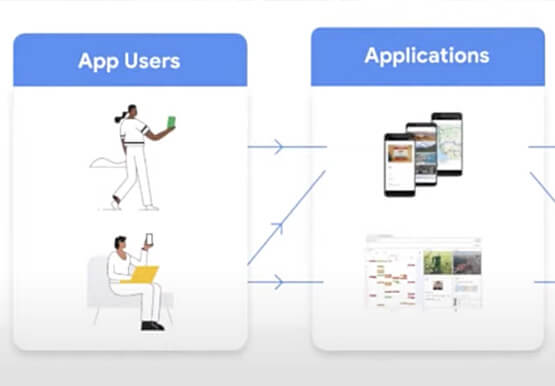

AppSheet: Reduce Shadow IT and Accelerate Development of Enterprise-grade Apps
Google Cloud findings suggest that nearly 40 percent of organizations' investments are consumed by shadow IT and can be a detractor to the adoption of cutting-edge tools and solutions. Also, about 51 percent of the surveyed executives are of the opinion that the inability to adapt to digital transformation trends

Lucent Bio: Boosting collaboration and sustainability with Google Workspace
From electrifying transportation to shifting the grid to renewable energy, environmental sustainability is one of the greatest challenges of our generation. A critical but often forgotten goal is the development of sustainable agricultural practices, especially given increasing water shortages and soil degradation around the world. Lucent Bio was born to



L’Oréal: Managing Big-data Complexity with Google Cloud
L’Oreal is a global company with a presence in 150 countries worldwide. Between managing all of its brands and requirements for different countries, L’Oreal looks to data to make insightful business decisions. How does L’Oreal unify its data across all its systems and databases? How does L’Oreal make the data

ShareChat Builds its Diverse, Hyperlocal Social Network. Thanks to Google Cloud
Editor’s note: Today’s guest post comes from Indian social media platform ShareChat. Here’s the story of how they improved performance, app development, and analytics for serving regional content to millions of users using Google Cloud. How do you create a social network when your country has 22 major official languages and
