





3961
Of your peers have already watched this video.
36:30 Minutes
The most insightful time you'll spend today!
Lessons for the Indian Government: How the State of Arizona Innovates with Emerging Tech
Government agencies of every size and jurisdiction are being called upon to provide accurate and real-time information and deliver essential services across the globe in a world infested by COVID-19.
Doug Lange, Chief Strategy Officer, state of Arizona, is primarily responsible for two things. One is Arizona’s statewide IT Strategic plan. The other to find different ways to promote emerging technologies across the state of Arizona.
Arizona is constructed of roughly 130 agencies, boards, and commissions. You have everything from the Department of Transportation to the Department of Revenue, all the way down to the Board of Nursing or the Board of Barbers. An important call-out for the state of Arizona: It’s a Federated state. That means every one of the agencies have the ability to make decisions. Lange works with an asset, which would be the Arizona Strategic Enterprise Technology office, also known as the Office of the State CIO.
“Our charge is really to partner with the governor’s office, and find ways to really promote enterprise opportunities
across all 130 agencies across the state of Arizona, to really find those wins. And when you start to dig into our why,
I think that makes a little more sense. How do we run government at the speed of business,
start to break through some of those barriers, and ultimately, find efficiencies that are going to be real savings and real wins for the citizens that are ultimately consuming the services for our agencies,” says Lange.
So with that charge, technology plays a huge part. And not only is technology a part of what any organization is doing, whether you’re talking about the public sector or private sector. But when you get into government,
there are just so many different ways that emerging technologies can really make a difference, says Lange.
Find out how Lange is enabling the State of Arizona with emerging technologies that support remote working and meetings for government officials and ensuring they quicken decision-making and serve citizens efficiently.
Usha Martin Consolidates and Modernizes with Google

5263
Of your peers have already read this article.
4:30 Minutes
The most insightful time you'll spend today!
About Usha Martin
Founded more than 50 years ago and headquartered in Kolkata, India, Usha Martin is a leading steel and wire rope manufacturer. The company’s products are used in sectors such as oil and gas, aerial haulage, and general engineering.

Usha Martin operates several wire and rope manufacturing plants in India, Thailand, the United Arab Emirates, and the United Kingdom. In 1974, Usha Martin established an integrated alloy steel plant in Jamshedpur, India.
The business operates a range of joint ventures internationally, including a partnership with Joh Pengg AG of Austria to produce oil-tempered wire for the automotive industry and a venture with TESAC of Japan to manufacture and sell specialized wire rope.
Usha Martin’s ICT strategy had traditionally been highly localized, with independent IT infrastructures in all the manufacturing plants and businesses globally. These infrastructures were not integrated, leading to extensive duplication of effort and activities across the business.
In 2016, Usha Martin corporate started a project to integrate ICT across the business and establish centralized financial and technology controls.
“We established a program to integrate our communications infrastructure, security policies, and software licenses and implement a centralized enterprise resource planning system across our business,” says Jayanta Bhowmik, SVP-IT and CIO, Usha Martin. This program is being initiated primarily in Usha Martin’s Indian businesses before being extended to international markets.
In parallel with these initiatives, Usha Martin decided to consolidate the disparate email infrastructures and systems used by its corporate team, plants, and business units.
“We faced security threats and control problems managing and interconnecting all our very different email systems,” Bhowmik says.
“For example, we experienced on average about three to four ransomware attacks every year. We decided there was no alternative but to deploy a centralized email system.”
Usha Martin weighed its options and went so far as to purchase a license to run a single email system on its in-house infrastructure. However, the challenges of migrating a 4,000-strong workforce from up to seven existing email systems to an in-house platform proved difficult to overcome.
“We would have had to plan for server infrastructure, backups, security, and disaster recovery and execute smoothly, which would have been a time-consuming, expensive exercise,” Bhowmik says. “We estimated an in-house deployment would take seven to eight months to complete.”
“We looked at cloud-based services and Google presented a unique opportunity for us to consolidate our email without having to plan for our own infrastructure and worry about project planning, architectures, and deployment,” Bhowmik says.
“We also considered another service, but realized Google also gave us the opportunity to move our personal productivity applications to G Suite.”
A competitive evaluation regarding hosting and disaster recovery confirmed Usha Martin’s positive impressions. Google technology and processes in these areas outstripped the capabilities of the company’s own data centers.
“Google came up with a migration timeline and process that met our needs, with an expert partner to ease the transition,” Bhowmik says. “This was extremely important as the change represented a paradigm shift for a business that is very traditional and conservative.”
The Google partner worked closely with the internal Usha Martin team to complete phase one of the migration to the senior executive team. The partner also undertook training and worked with the IT team to hold meetings at various plants and locations to explain the changes. In addition, the partner conducted a skills transfer exercise to enable Usha Martin team members to complete the remaining phases of the project.
The business migrated the 1,500 team members in its Indian operations, as well as those in its Austrian joint venture, to the new platform.
“Using Google gives us wonderful alternatives to traditional systems,” Bhowmik says. “For example, using Google Hangouts Meet for video calls means we can reduce the number of video conferences that occupy large rooms and help ensure there are enough time-slots to meet demand.”
Improved Security of Information and Systems
One of the key differences between Usha Martin’s existing email systems and Gmail is the improvement in security and online safety.
“We had an anti-spam engine but, despite this, our employees received a lot of spam emails and messages carrying ransomware viruses,” Bhowmik says.
“With G Suite, we don’t receive these messages anymore and we minimize the risk of our network being compromised by malicious infections that could prevent us from accessing our files.”
Using G Suite has reduced team members’ use of USB drives to share large files that would otherwise be blocked due to email attachment limits.
“In addition, people are reducing the practice of printing documents for meetings. One person in each meeting can now steer and control documents, reducing duplication and the possibility of errors.”
“Document sharing is now happening much more in the cloud rather than through external media, improving control and security,” Bhowmik says.
Manage Calendars More Effectively
G Suite now enables Usha Martin team members to manage their calendars more effectively and share documents with multiple people without having to aggregate feedback or manage version control.
“Thanks to G Suite, our people are coming into a world of collaboration and modernization,” Bhowmik says.
4790
Of your peers have already watched this video.
50:00 Minutes
The most insightful time you'll spend today!
How G Suite Makes it Easy to Work with Microsoft Office and Exchange
A silent transformation is taking shape in organizations today. Employees are looking for new ways to discover new ideas, and work together anytime, anywhere to ensure businesses are always on.
Without IT’s help that’s not possible. And to make this possible IT teams are working over-time to ensure seamless collaboration by integrating disparate systems. But what happens when IT teams have to marry Microsoft tools with Google?
With G Suite, IT managers don’t have to bother. G Suite interoperates with Microsoft tools. Its multiple features create a more seamless experience between G Suite and Office—including support for user and resource availability lookups between Google Calendar and Microsoft Exchange, as well as the ability to seamlessly collaborate on Microsoft Office documents in real time.
This interoperability ensures that these two tools are designed to work together. There are three pillars that are necessary for interoperability. One, data needs to move from on-premise to the cloud. Two, ensure internal co-existence where some users use Microsoft tools, while others run on G Suite. This interoperability is important to ensure both sets of users can work together irrespective of the tools they are using.
And three, collaborating with external parties that use Microsoft tools—external co-existence—is also
5225
Of your peers have already watched this video.
17:00 Minutes
The most insightful time you'll spend today!
AppSheet: Reduce Shadow IT and Accelerate Development of Enterprise-grade Apps
Google Cloud findings suggest that nearly 40 percent of organizations’ investments are consumed by shadow IT and can be a detractor to the adoption of cutting-edge tools and solutions. Also, about 51 percent of the surveyed executives are of the opinion that the inability to adapt to digital transformation trends and practices are at the risk of going out of business in the next 3-4 years. However, enterprises need not be blindsided by the mounting expenses involved with the implementation and optimization of solutions and tools meant for empowering employees. AppSheet, Google Cloud’s no-code application development and automation platform is at the helm of empowering organizations to custom build apps for employees without relying on third-party services.
Watch the video from the Google Workspace sessions of Next ’21 to hear experts’ insights on AppSheet to effectively govern workforce and ward off security threats to helps employees build enterprise-grade applications!
3914
Of your peers have already watched this video.
15:11 Minutes
The most insightful time you'll spend today!
Communication in G Suite: The Future of Gmail, Chat, Meet, and More
Let’s take a step back and acknowledge the sudden shift that many of our businesses and employees have recently faced in the workplace.
A lot of people, who for a really long time relied on physical office space and infrastructure to both communicate and collaborate, have had to shift how they work and quickly. The crisis at hand has become a massive catalyst to remote, distributed and flexible work. And almost 3/4 of CFOs actually predict that these changes will permanently affect how companies choose to work moving forward.
While we’re well into this new reality, I want to quickly recap a few ways we’ve adapted to try to make this change to flexible work easier on people and organizations. First, we made premium Meet features available to all G Suite users, which meant that every customer, from schools to startups to small businesses to large enterprises, could leverage larger meeting sizes, live streams, recordings, and more.
In this video, find out more about how Google Workspace (formerly G Suite) is changing the future of work.
Transitioning to Hybrid Environment with Chrome Browser
4078
Of your peers have already read this article.
3:00 Minutes
The most insightful time you'll spend today!
It’s been quite a year. In general, and for work. Just the other day, I read a new study from Pew Research that shows 71% of people are currently working from home, and 50% of employees say they want to continue working from home at least three days a week. That’s more than half of people wanting to be remote over half the time!
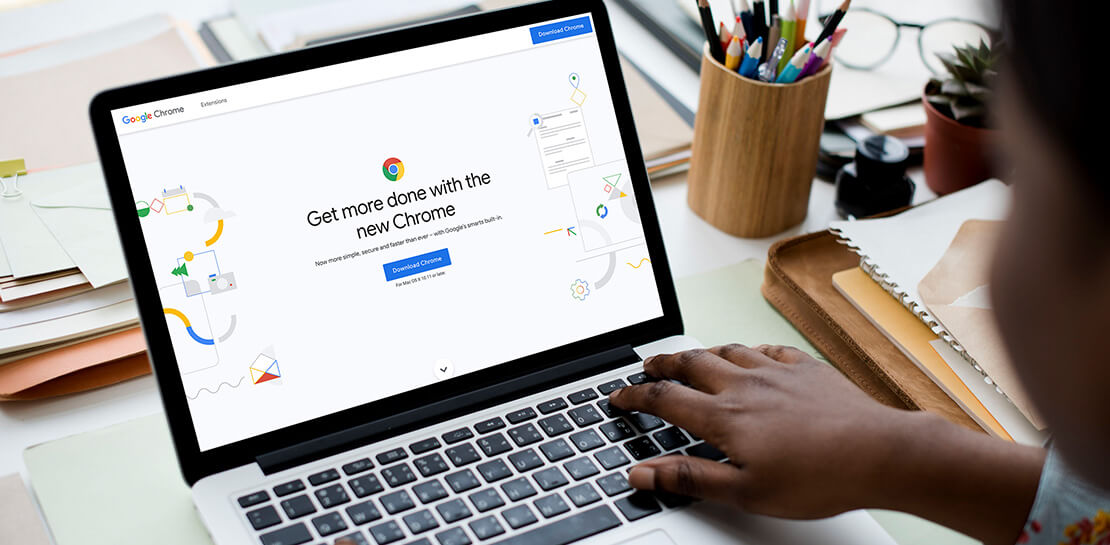
As we’ve been navigating our own return to the office here at Google, one thing has become more clear than ever: the browser is no longer just a portal to the internet—it’s one of the most critical components of our tech stack. And we know we’re not alone in this. As our organization, and other organizations of all sizes, transition to a more hybrid way of working, it’s absolutely key to have a modern browser that’s built to support both admins and end users.
The good news is, Chrome is made for this! Literally. It’s purpose-built for flexible work—and as the future unfolds and businesses’ needs continue to evolve, we’re committed to making sure our browser is even easier to manage, even more secure, and even more helpful, so all of us can be more productive.
What’s next for Chrome
As we design and build Chrome to be a stronger asset for the enterprise, we are focused on these key areas:
- Simple management
- Modernized security
- Productivity enhancements
- Helpful integrations
We’ve already made great strides in all four areas, with more exciting releases to come soon. Let’s take a closer look at what’s new and available right now, what to look forward to, and how each feature is equipping Chrome browser-based businesses (and their users) for what’s next.
When it comes to simple management there have been a lot of exciting developments—Chrome Browser Cloud Management is built for this new hybrid reality, giving IT teams the advantage of powerful and flexible management capabilities both in the cloud and on premises, so they always have the visibility and insights they need to make more informed decisions, quickly.
With recent new releases admins can:
- Track all versions of Chrome from one place. Our new daily version report allows IT teams to see all versions, including minor versions, in a single report to support compliance and make it easier to see and manage their entire deployment.
- Report on apps and extensions across the organization. A new Apps & Usage report provides helpful visibility into all installed extensions, Progressive Web Apps (PWAs), Chrome apps, and Android apps. You can see versions and permissions for each individual app and even force install or block, right from the report.
- Remotely troubleshoot and clear browser data. This is one of my favorites because not only is it incredibly helpful, it was created from customer requests! Admins (and a lot of service desk employees) told us how useful it would be if they could clear an end user’s browsing data, cookies, and cache remotely – and our team made it happen.
- Extension management improvements. Coming this summer: extension request workflow will empower admins to change the behavior of Chrome Web Store so that end users request extensions and admins then approve or deny the installations from a centralized list in Admin Console. Another new release is extension details, where admins can now find out exactly what extensions are installed where, who makes them, what resources they’re using, and all other extension-related details – also right from the Admin console.
Of all of our priorities, modernized security often feels most urgent. In a recent security report, 65% of US and UK employees said they received a phishing email during the remote working period initiated by COVID-19. Further, a study by the Ponemon Institute found that 41% of responding organizations had dealt with an attack involving the compromise of employees’ passwords, costing an average of $267,408 per organization. Between the regular emergence of new threats and the increase in targeted mobile attacks, our new ways of working definitely demand a fresh approach to security.
- BeyondCorp Enterprise, our new modern zero trust solution, enables secure access to critical apps and services with integrated threat and data protection, all delivered through Chrome browser, was introduced in January 2021. Its agentless approach simplifies the admin and end-user experience. We also just launched BeyondCorp Enterprise protected profiles to help organizations protect their extended workforce, including contractors, frontline workers, and anyone working from home who needs to securely access corporate resources from shared or unmanaged devices.
To learn more about Google’s approach to modernizing security, tune into the Wall Street Journal’s Advancing Security in the New Business Environment event tomorrow from 10:35 am – 10:55 am EST, with very own Parisa Tabriz (Head of Chrome Engineering, Product Management and UX) and Phil Venables (CISO of Google Cloud).
When it comes to productivity enhancements, I’m proud to share that we’re consistently releasing features that support users no matter where they’re working. Now that the browser is where so much of our day-to-day work happens, it’s more important than ever before to build in new ways to save time and work together while apart.
Recently released productivity-boosting features include:
- A faster way to take action right from the address bar. Chrome Actions is a feature we launched last year, where you can simply type in commands such as “clear browsing data ” or “open incognito window”and get down to business in just a few clicks. We’re excited to announce new Chrome Actions are now available through our beta channel! Try one of these actions to check it out: “ Run Chrome safety check,” “Create doc,” and “Manage Google Account.”
- Link directly to highlighted text. If you like to share snippets and quotes from articles or websites with your colleagues, you’re in luck. Now, instead of sharing the URL link from the address bar, you can take advantage of the new “link to highlight” feature in Chrome to point to the specific content. Simply choose the content you want to share, right click, select “Copy link to highlight,” and then send the link – to the exact part of the page you want people to see. It’s available for desktop and Android now, and coming soon for iOS.
- Decreased Chrome CPU usage. This means more battery life, less heat coming off of your device, and less fan noise. 🎉 🙌🏻
- And there’s more! To explore additional productivity features, check out this blog post.
Our final area of focus is all about giving Chrome customers more choice with helpful integrations. We’re actively partnering with best-of-breed organizations to bring integrations —and your favorite tools— into Chrome, to create a more seamless and productive experience across the board. Stay tuned on this as we’ll have more to share later this year. In the meantime, hear from our Modern Computing Alliance partners, such as Box, HP, RingCentral, Okta and VMware, as they explore many of the most important questions about returning to the office.
We’re constantly thinking about how we can help people and organizations adapt and thrive as they begin to return to the office. See below for three events from the team that cover how to make the transition to hybrid easier for your team, be sure to check them out.
Modernizing Your Approach to Security session at the Wall Street Journal’s Advancing Security in the New Business Environment event
- Tomorrow June 2, 2021
- 10:35 – 10:55 AM EST
- Register here
Chrome Insider: Browser tips & tricks for IT admins
- June 10, 2021
- 10:00 AM – 11:15 PT
- Register here
More Relevant Stories for Your Company

How Mailjet Sends 1.5 billion Emails a Month with Google Cloud
Mailjet allows companies to create, send, and track millions of emails to their customers and prospects around the world each month. The company’s offerings range from routing these emails to tailor-made tools that allow clients to design and send marketing campaigns with messages related to sales, user clubs, coupons and discounts,


On-Demand Webinar: The Underrated Impact of Real-Time Collaboration on Your Business
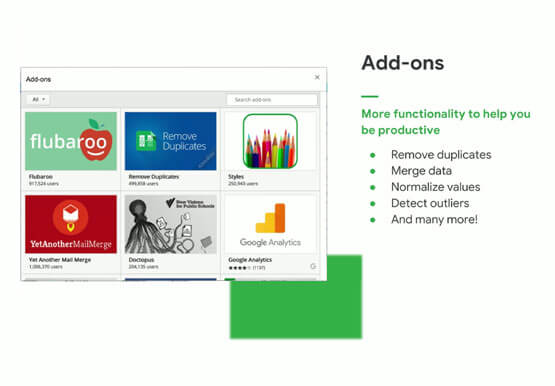
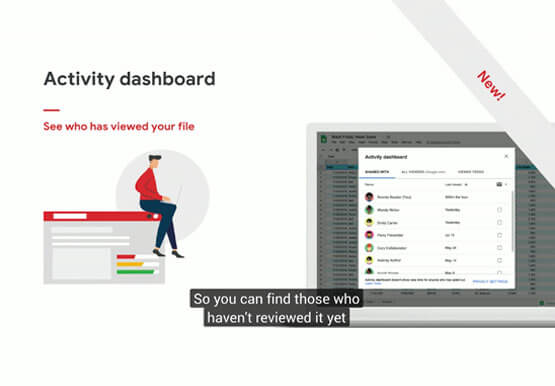
There comes a time in your life when you have to build that dreaded sales report, once a month. That’s the stuff of nightmares. First, you need to gather data from multiple sources, sometimes multiple, siloed sheets, different departments, numerous salespeople, and wait endlessly. That’s time-consuming. Then you have to

ShareChat Builds its Diverse, Hyperlocal Social Network. Thanks to Google Cloud
Editor’s note: Today’s guest post comes from Indian social media platform ShareChat. Here’s the story of how they improved performance, app development, and analytics for serving regional content to millions of users using Google Cloud. How do you create a social network when your country has 22 major official languages and

Gmail Turns 18, Has 3 Billion Users! A Product Lead Breaks Down How Gmail Stays Interesting
This April, Gmail will be 18 years old. That’s a big milestone, given that email as a medium just turned 50. Launched in 2004—with its 1 GB free storage, conversation based grouping, and enhanced search capabilities—Gmail quickly became one of the most popular email services in the world. What started off
