





6873
Of your peers have already watched this video.
14:21 Minutes
The most insightful time you'll spend today!
How Anthos Helps Organizations Implement Multi and Hybrid Cloud Strategy
Organizations have become increasingly focused on using modernization solutions to build competitive advantage, for faster time to market, serve customers better and seamlessly operate in hybrid and multi-cloud environments. Anthos by Google Cloud, a managed application platform plays an important role in application modernization and also in empowering customers to deploy a hybrid or multi-cloud strategy with opensource technologies and platforms like Kubernetes.
Watch the video to refer to the real use-cases of Anthos for application modernization and hybrid/multi cloud deployment across retail, digital natives, banking and manufacturing space.
Also, explore the latest tool, Migrate for Anthos if you are a traditional enterprise looking to skip rewriting of applications and lift-and-shift process!
Workspace’s Collaboration Equity Integral for Delivering the ‘Promise of Hybrid Workplace’

3814
Of your peers have already read this article.
3:00 Minutes
The most insightful time you'll spend today!
Like many businesses around the world, Google is trying to combine on-site and off-site work into an efficient hybrid model. And like most businesses, we’re also figuring out how to get it right. As we grow our vision for the best possible hybrid workplace, one theme consistently emerges: the need for collaboration equity.
Collaboration equity is when all workers have the ability to contribute and communicate equally, regardless of location, role, experience level, language, and device preference. A lack of collaboration equity can stem from hierarchies in video calls or language barriers on international calls. It can mean junior employees don’t feel empowered to speak up in meetings, off-site employees struggle to access their on-site managers, or frontline workers lack the communication tools their office colleagues enjoy.
When these disparities add up, they can damage an individual’s wellbeing, career potential, and effectiveness. When they permeate an organization, team performance suffers, innovation wanes, and talent leaves. In our recently commissioned global survey with Economist Impact, 62% of respondents agreed with the notion that “limited networking opportunities with senior employees and co-workers has a negative impact on career growth.” Proximity bias is just one of many new challenges we face in hybrid work environments.
We believe the location from which you participate shouldn’t influence your outcome. And while it’s easier to have everyone on-site or everyone off-site, hybrid models demand deeper thinking about social, organizational, and technological challenges. These ideas should be addressed at the C-Suite level with solutions that garner buy-in from every part of the organization.
So, how do we deliver on the promise of a hybrid workplace where flexibility, wellbeing, and meaningful impact coexist?
At Google, we’re bridging the gap between the in-person and the “somewhere else” by pushing technology, culture, and physical spaces to be more inclusive and maximize participation. We’re also innovating new Google Workspace features to power collaboration equity for our billions of users worldwide.
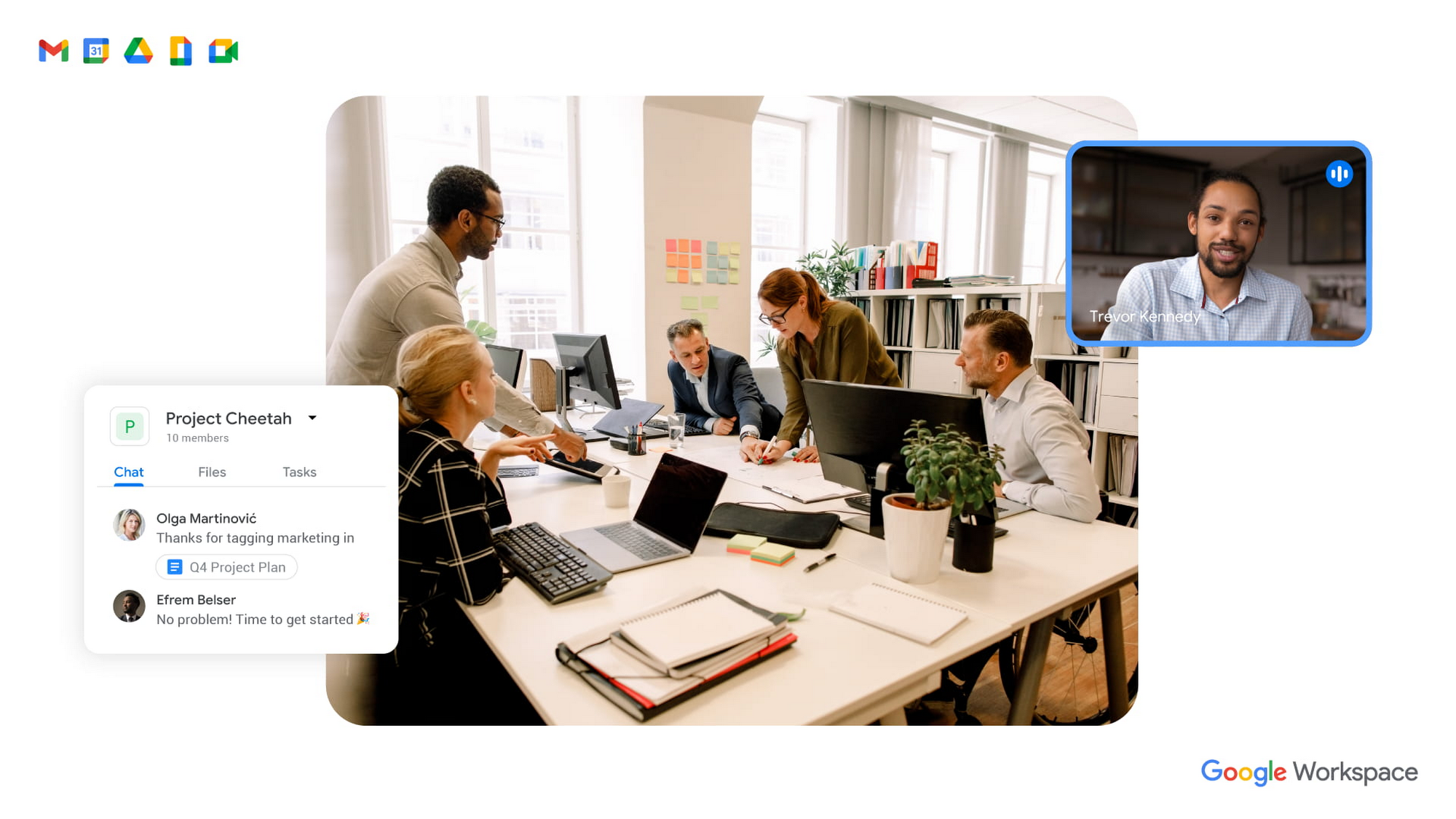
To guide our work, we’ve identified three pillars of collaboration equity: representation, participation, and information.
Representation equity
Achieving representation equity means that all employees can be seen, heard, and portrayed equally, whether working off-site or on-site. When the pandemic hit, we were all scrambling to make sure people could simply connect safely with one another. Google’s existing technology for distributed teams was pressure tested, and I’m proud of how well it performed. But we’re now faced with the disconnect that happens when you merge off-site work with on-site work.
When we were all participating in meetings remotely, everyone shared equal-sized tiles on videos. There was no one sitting in a corner office, no hierarchy—everyone was represented equally. In a hybrid environment, it’s distorted. The people participating remotely appear giant on a conference room monitor, while the people in the conference room appear tiny on screens at home. It can be difficult to decipher who’s even in the room. This is certainly not equal representation.
Some of these issues can be solved with technology. For example, we’ve been working on features like AI-driven video adjustments in Google Meet to compensate for low-light environments and auto-zoom to keep all participants in focus, and both will improve representation equity for hybrid workplaces. Additionally, we can now limit data usage on slow mobile networks so no one has to turn off video during a call. All of these technological innovations improve representation equity for hybrid workplaces, but we also need to adopt new workplace norms as well. For example, some organizations have implemented policies where if one person joins a meeting from off-site, then everyone joins via device so they are all represented equally.
Participation equity
We think of participation equity as the ability to host, present, and participate equally, regardless of location. At Google, we were already accustomed to joining meetings virtually from different offices. With the new tools we’ve developed in the last 18 months, everyone’s ability to participate equally has grown. Wider adoption of meeting tools like hand raise, polls, Q&A, and breakout rooms gives us an ordered, structured way of talking in distributed groups.
But how will we interact when many of us are back in the office? How do we ensure that off-site workers can still engage as meaningfully as others? Companion mode, a tool we’ve developed for Google Meet, gives both in-person and off-site attendees the same meeting experience. Each individual can host, present, and participate in meetings in the same way, with the same tools, regardless of their location.
Teams can also promote participation equity by using meeting moderators who encourage the use of hand-raising features so no one dominates the conversation or interrupts—a challenge that often arises when multiple people are in the same location. While it may feel forced and prevent natural back-and-forths, it does help everyone’s voices be heard. We’ve also learned that many people find it distracting to see their own image, so we’ve enabled users to hide their own video feed. I’ve seen firsthand how these tools and practices are improving participation equity.
Information equity
Information equity means that regardless of whether people work on- or off-site, they have equal access to information. Ensuring free flow of information is key to better long-term thinking, creativity, and cooperation among teams. As individuals exercise their autonomy for where and how they work best, their preferences affect recruiting and retention. If we’re going to accommodate a range of preferences, how do we best equalize access to information?
First, we should actively prioritize keeping each other informed. We can support this proactive mindset through technology by ensuring that meetings have agendas, are recorded or transcribed, and have shareable, accessible information. Our tools, including Spaces and Drive, can be used as information hubs where teammates can reliably access crucial files, conversations, and updates. And coworkers can leverage smart suggestions to @-mention others linked to the project, so no one is left out.
We must commit to solving the information equity problem together or risk ending up in a mushy middle ground where no one is satisfied. Because while most people enjoy working from home, they won’t sacrifice career progression to keep it. If the center of gravity tilts too far toward on-site work, the hybrid model will collapse. We’re not advocating a “choose your own adventure” mentality, nor a one-size-fits-all model. We’re empowering teams to meet the preferences of individual members in a deliberate fashion that supports the larger organization.
During this pivotal time, we are enthusiastic about how we’re seeing work change and advance around the globe. Delivering on the hybrid-work promise of “the best of both worlds” feels more within our reach than ever before. But if we’re going to succeed, we must strive for collaboration equity. Our experience tells us that when you give people freedom and opportunity, they will amaze you.
How to build collaboration equity in your hybrid workplace:
✅ Start with representation. Can every employee be seen and heard? Do they have the tools, technology, and devices to be adequately represented?
✅ Enable participation. Is everyone encouraged to provide their input and voice their opinions? What tools and forums exist to provide this input? How is the input acknowledged and acted upon?
✅ Share information. Do people have access to all the information they need to do their jobs? Does information flow freely or is it hoarded?
✅ Let teams and departments design their own hybrid schedules. Hybrid will not work if every individual is “choosing their own adventure.” Consider using on-site days for collaborative, creative, and brainstorming projects and reserving off-site days for deep focus work.
✅ Reward outcomes, not activities. An employee’s individual preference for how and where to work should not matter as long as they are getting things done. This means flexibility in location and work schedule to maximize impact.
✅ Highlight our shared responsibility to each other. Every manager should ask:
- What does the team need to know about how you work best?
- What are you personally doing to ensure the entire team is successful?
Follow other trends and insights on our Future of Work site.
YoungCapital Scales Up with Ease With Chrome Enterprise and G Suite

4277
Of your peers have already read this article.
2:45 Minutes
The most insightful time you'll spend today!
When your business is rapidly adding new employees, expanding to new countries, and always focused on staying ahead of the competition, you have to take a hard look at the tools that are slowing you down—and swap them out for better ones that can keep pace with the company.
We’re expanding YoungCapital in Germany, which means more offices, more people, and more technology to make the business run smoothly.
As we scale, Google Cloud tools like Chromebooks and G Suite help us grow our business efficiently. They free us up from sluggish, time-intensive technology that’s hard to maintain and repair, and give us the freedom to work together in faster, smarter ways.
Free from hours of device setup. Some months, there are as many as 40 new employees starting at YoungCapital—and as we continue to expand that number will continue to rise, especially now that we’ve opened three new offices in Germany.
With our old Windows desktops, setting up new computers could take up to an hour per employee (which can add up to about 40 hours a month for IT). Today, using Chrome Enterprise tools, it takes about five minutes to get an Acer Spin or Pixelbook ready to hand off to a new hire—saving us more than three months per year of device setup time.
Free from VPNs. Our previous Windows machines required a complicated virtual private network (VPN) for accessing corporate files outside of the office.
Using a VPN was complicated for our employees because the software wasn’t intuitive; if an employee had trouble signing into the VPN while at home or traveling, they could not log in and work as quickly as they needed to. With Chromebooks, all you need is an online connection to sign into G Suite to access files and work from anywhere.
From our perspective, Chromebooks are resistant to threats like ransomware and phishing attacks, giving us confidence that our data can stay secure.
With Chrome Enterprise Upgrade, our IT admins can strengthen security even further: for example, by enabling advanced security features that help block vulnerabilities, locking down lost or stolen devices right away, and setting device security policies in the cloud so devices everywhere are safer.
Free from infrastructure. We used to have to invest in servers, and then add more time and money to keep them running. Now we don’t have to run the business on infrastructure or hire people to maintain it—we can just use Google’s cloud.
NextNovate is helping us make the most of Google Cloud Platform, like integrating some of our proprietary applications with G Suite and building our own add-ons. For example, we created a button for Gmail that connects to our job candidate database; when candidates email us, we can click on the button and see their profiles and work experience.
Free from multiple passwords and logins. Chrome Browser and G Suite with single sign-provider SAML are the portal to all the productivity apps our employees need. Once people log in to G Suite, they don’t have to remember a bunch of other user names and passwords. The IT team loves it too, because we don’t have to spend hours zeroing out passwords and creating new ones.
Free to manage cross-country devices easily in the cloud. Our four-person IT support team, which keeps our systems humming, hasn’t grown, even though we’ve doubled the number of employees.
When we were on Windows devices, we fielded roughly 1,800 IT support requests every month. Now we get about 1,300 requests a month, from a much bigger employee base. This translates to nearly 30% fewer requests for our lean support team, which reduces their workload significantly even though we have roughly 20% more employees—all made possible with Chrome Enterprise.
Being free of slow, high-maintenance technology doesn’t just make the IT department happy—people are actually changing how they work. They no longer send files to each other by email or struggle to keep track of versions; they store everything in Google Drive and work together in Google Docs on a single document at the same time.
And instead of traveling to other offices, connecting with each other in video conferences on Hangouts Meet has become a completely natural way to do business.
With Chromebooks and G Suite, we’re ready for anything: more new markets, more employees, and more-flexible ways to work together and shake up the staffing industry.
10 Reasons that Make Google Cloud the Champion of IaaS

10382
Of your peers have already read this article.
5:00 Minutes
The most insightful time you'll spend today!
When you choose to run your business on Google Cloud you benefit from the same planet-scale infrastructure that powers Google’s products such as Maps, YouTube, and Workspace.
We have picked 10 ways in which Google Cloud Infrastructure services outshine alternatives in the market in how they simplify your operations, save money, and secure your data.
1. Custom Machine Types means no wasted resources
Compute Engine offers predefined machine types that you can use when you create a VM instance. A predefined machine type has a preset number of vCPUs and a preset amount of memory; each type is billed at a set price as described on the Compute Engine pricing page.
If predefined machine types don’t meet your needs, you can create a VM instance with a custom number of vCPUs and custom amount of memory, effectively building a custom machine type. Custom machine types are available only for general-purpose machine families. When you create a custom machine type, you are deploying a custom machine type from the E2, N2, N2D, or N1 machine family on GCP. No other leading cloud vendor offers custom machine types so extensively.
Custom machine types are a good idea for workloads that aren’t a good fit for the predefined machine types and for workloads that require more processing power or memory but don’t need all of the upgrades provided by the next machine type level. This translates into lower operating costs. They are also useful for controlling software licensing costs that are based on the number of underlying compute cores.
Jeremy Lloyd, Infrastructure and Application Modernization Lead at Appsbroker, a Google partner:
“Custom machine types coupled with Google’s StratoZone data center discovery tool provides Appsbroker with the flexibility we need to provide cost efficient virtual machines matched to a virtual machine’s actual utilization. As a result, we are able to keep our customers’ operating costs low while still providing the ability to scale as needed.”
2. Compute Engine Virtual Machines are optimized for scale-out workloads
For scale-out workloads, T2D, the first instance type in the Tau VM family, is based on 3rd Gen AMD EPYC processors and leapfrogs VMs for scale-out workloads of any leading public cloud provider today, both in terms of performance and price-performance. Tau VMs offer 56% higher absolute performance and 42% higher price-performance compared to general-purpose VMs from any leading public cloud vendor (source). The x86 compatibility provided by these AMD EPYC processor-based VMs gives you market-leading performance improvements and cost savings, without having to port your applications to a new processor architecture. Sign up here if you are interested in trying out T2D instances in Preview.
For SAP HANA, Google Cloud has demonstrated with SAP how we can run the world’s largest scale-out HANA system in the public cloud (96TB). With such innovation, you are covered as your business grows exponentially.
3. Largest single node GPU-enabled VM
Google is the only public cloud provider to offer up to 16 NVIDIA A100 GPUs in a single VM, making it possible to train very large AI models. Users can start with one NVIDIA A100 GPU and scale to 16 GPUs without configuring multiple VMs for single-node ML training, without crossing the VM layer.
Additionally, customers can choose smaller GPU configurations—1, 2, 4 and 8 GPUs per VM—providing the flexibility to scale their workload as needed.
The A2 VM family was designed to meet today’s most demanding applications—workloads like CUDA-enabled machine learning (ML) training and inference, for example. This family is built on the A100 GPU which offers up to 20x the compute performance compared to the previous generation GPU and comes with 40 GB of high-performance HBM2 GPU memory. To speed up multi-GPU workloads, the A2 VMs use NVIDIA’s HGX A100 systems to offer high-speed NVLink GPU-to-GPU bandwidth that delivers up to 600 GB/s. A2 VMs come with up to 96 Intel Cascade Lake vCPUs, optional Local SSD for workloads requiring faster data feeds into the GPUs and up to 100 Gbps of networking. A2 VMs provide full vNUMA transparency into the architecture of underlying GPU server platforms, enabling advanced performance tuning. Google Cloud offers these GPUs globally.
4. Non-disruptive maintenance means you worry less about planned downtime
Compute Engine offers live migration (non-disruptive maintenance) to keep your virtual machine instances running even when a host system event, such as a software or hardware update, occurs. Google’s Compute Engine live migrates your running instances to another host in the same zone without requiring your VMs to be rebooted. Live migration enables Google to perform maintenance that is integral to keeping infrastructure protected and reliable without interrupting any of your VMs. When a VM is scheduled to be live-migrated, Google provides a notification to the guest that a migration is imminent.
Live migration keeps your instances running during:
- Regular infrastructure maintenance and upgrades
- Network and power grid maintenance in the data centers
- Failed hardware such as memory, CPU, network interface cards, disks, power, and so on. This is done on a best-effort basis; if a hardware component fails completely or otherwise prevents live migration, the VM crashes and restarts automatically and a hostError is logged.
- Host OS and BIOS upgrades
- Security-related updates
- System configuration changes, including changing the size of the host root partition, for storage of the host image and packages
Live migration does not change any attributes or properties of the VM itself. The live migration process transfers a running VM from one host machine to another host machine within the same zone. All VM properties and attributes remain unchanged, including internal and external IP addresses, instance metadata, block storage data and volumes, OS and application state, network settings, network connections, and so on. This has the benefit of reducing operational and maintenance overhead, helps you build a more robust security posture where infrastructure can be consciously revamped from a known good state and minimizes risks for advanced persistent threats.
Refer to Lessons learned from a year of using live migration in production on Google Cloud from the Google engineering team.
5. Trusted Computing: Shielded VMs guard you against advanced, persistent attacks
Establishing trust in your environment is multifaceted, involving hardware and firmware, as well as host and guest operating systems. Unfortunately, threats like boot malware or firmware rootkits can stay undetected for a long time, and an infected virtual machine can continue to boot in a compromised state even after you’ve installed legitimate software.
Shielded VMs can help you protect your system from attack vectors like:
- Malicious guest OS firmware, including malicious UEFI extensions
- Boot and kernel vulnerabilities in the guest OS
- Malicious insiders within your organization
To guard against these kinds of advanced persistent attacks, Shielded VMs use:
- Unified Extensible Firmware Interface (UEFI) BIOS: Helps ensure that firmware is signed and verified
- Secure and Measured Boot: Helps ensure that a VM boots an expected, healthy kernel
- Virtual Trusted Platform Module (vTPM): Establishes root-of-trust, underpins Measured Boot, and prevents exfiltration of vTPM-sealed secrets
- Integrity Monitoring: Provides tamper-evident logging, integrated with Stackdriver, to help you quickly identify and remediate changes to a known integrity state
The Google approach allows customers to deploy Shielded VMs with only a simple click, thereby easing implementation.
6. Confidential Computing encrypts data while in use
Google Cloud was a founding member of the Confidential Computing Consortium. Along with encryption of data in transit and at rest using customer-managed encryption keys (CMEK) and customer-supplied encryption keys (CSEK), Confidential VM adds a “third pillar” to the end-to-end encryption story by encrypting data while in use. Confidential Computing uses processor-based technology that allows data to be encrypted in use while it is being processed in the public cloud. Confidential VM allows you to to encrypt memory in use on a Google Compute Engine VM by checking a single checkbox.
All Confidential VMs support the previously mentioned Shielded VM features under the covers—you can think of Shielded VM as helping to address VM integrity, while Confidential VM addresses the memory encryption aspect which relies on CPU features. With the confidential execution environments provided by Confidential VM and AMD Secure Encrypted Virtualization (SEV), Google Cloud keeps customers’ sensitive code and other data encrypted in memory during processing. Google does not have access to the encryption keys. In addition, Confidential VM can help alleviate concerns about risk related to either dependency on Google infrastructure or Google insiders’ access to customer data in the clear.
See what Google Cloud partners say about Confidential Computing here.
7. Advanced networking delivers full-stack networking and security services with fast, consistent, and scalable performance
Google Cloud’s network delivers low latency, reduces operational costs and ensures business continuity, enabling organizations to seamlessly scale up or down in any region to meet business needs. Our planet-scale network uses advanced software-defined networking and security with edge caching services to deliver fast, consistent, and scalable performance. With 28 regions, 85 zones, and 146 PoPs connected by 16 subsea fiber cables around the world, Google Cloud’s network offers a full stack of layer 1 to layer 7 services for enterprises to run their workloads anywhere. Enterprises can be assured that they have best-in-class networking and security services connecting their VMs, containers, and bare metal resources in hybrid and multi-cloud environments with simplicity, visibility, and control.
Google Cloud’s network has protected customers from one of the world’s largest DDoS attacks at 2.54 Tbps. With our multi-layer security architecture and products such as Cloud Armor, our customers ran their business with no disruptions. Furthermore, our recent integration of Cloud Armor with reCAPTCHA Enterprise adds best-in-class bot and fraud management to prevent volumetric attacks. Cloud Armor is deployed with our Cloud Load Balancer and Cloud CDN, extending the secure benefits at the network edge for traffic coming into Google Cloud so customers have security, performance, and reliability all built in. Furthermore, we are excited to offer Cloud IDS in preview, which was co-developed with security industry leader, Palo Alto Networks, to run natively in Google Cloud.
Our advanced networking capabilities also extends to GKE and Anthos networking. With the GKE Gateway controller, customers can manage internal and external HTTPS load balancing for a GKE cluster or a fleet of GKE clusters with multi-tenancy while maintaining centralized admin policy and control. Unlike other Kubernetes offerings, we offer eBPF dataplane which brings powerful tooling such as Kubernetes network policy and logging to GKE. eBPF is known to kernel engineers as a “superpower” for its unique architecture to load and unload modules in kernel space, and now this capability is built in with Google Cloud networking.
For observability and monitoring, our customers deploy Network Intelligence Center, Google Cloud’s comprehensive network monitoring, verification and optimization platform. With four key modules in Network Intelligence Center, and several more to come, we are working towards realizing our vision of proactive network operations that can predict and heal network failures, driven by AI/ML recommendations and remediation. Network Intelligence Center provides unmatched visibility into your network in the cloud along with proactive network verification. Centralized monitoring cuts down troubleshooting time and effort, increases network security and improves the overall user experience.
8. Regional Persistent Disk for High Availability
Regional Persistent Disk is a storage option that provides synchronous replication of data between two zones in a region. Regional Persistent Disks can be a great building block if you need to ensure high availability of your critical applications as they offer cost-effective durable storage and replication of data between two zones in the same region.
Regional Persistent Disks are also easy to set up within the Google Cloud Console. If you are designing robust systems or high availability services on Compute Engine, Regional Persistent Disks combined with other best practices such as backing up your data using snapshots enable you to build an infrastructure that is highly available and recoverable in a disaster. Regional Persistent Disks are also designed to work with regional managed instance groups. In the unlikely event of a zonal outage, Regional Persistent Disks allow continued I/O through failover of your workloads to another zone. Regional Persistent Disks can help meet zero RPO and near-zero RTO requirements and other stringent SLAs that your critical applications might require by maximizing application availability and protection of data during events such as host/VM failures and zonal outages.
9. Cloud Storage’s single namespace for dual-region and multi-region means managing regional replication is incredibly simple
Similar to how Persistent Disk makes data more available by replicating data across zones, Cloud Storage provides similar benefits for object storage. Cloud Storage within a region is cross-zone by definition, reducing the risk that a zonal outage would take down your application. Cloud Storage adds to this by also providing a cross-region option that can protect against a regional outage and gets your data closer to distributed users. This comes in the form of Dual-region or Multi-region settings for a bucket. These are the simplest to implement cross-region replication offerings in the industry—just a simple button or API call to enable them. In addition to being simple to implement, they offer an added advantage of using a single bucket name that spans regions.
This is unique in the industry. Competitive offerings currently require setting up and managing two distinct buckets, one in each region and they don’t offer the strong consistency properties Cloud Storage offers across regions. Operations and app development are burdened by this design. Google’s single namespace approach dramatically simplifies application development (the app runs on single region or dual/multi-region without any changes), and provides simpler application restarts and testing for DR.
10. Predictive autoscaling
Customers use predictive autoscaling to improve response times for applications with long initialization times or for applications with workloads that vary predictably with daily or weekly cycles. When you enable predictive autoscaling, Compute Engine forecasts future load based on your Managed Instance Group’s history and scales out the MIG’s in advance of predicted load, so that new instances are ready to serve when the load arrives. Without predictive autoscaling, an autoscaler can only scale a group reactively, based on observed changes in load in real time.
With predictive autoscaling enabled, the autoscaler works with real-time data as well as with historical data to cover both the current and forecasted load. Forecasts are refreshed every few minutes (faster than competing clouds) and consider daily and weekly seasonality, leading to more accurate forecasts of load patterns.
For more information, see How predictive autoscaling works and Checking if predictive autoscaling is suitable for your workload.
These are just a few examples of customer-centric innovation that set Google Cloud infrastructure apart. Bring your applications and let the platform work for you.
Get started by learning about your options for migration, or talk to our sales team to join the thousands of customers who have embarked upon this journey.
Acknowledgement
Special thanks to Dheeraj Konidena (Google) for contributing to this article.
How to sustainably transform while minimizing risk

935
Of your peers have already read this article.
3:30 Minutes
The most insightful time you'll spend today!
In previous blog posts, we’ve discussed the benefits that organizations can reap by measuring and then optimizing their overall ESG impact. In this post, we’ll look at the endgame: sustainable transformation into an organization that continually adapts to maximize its resilience while reducing risk. Where will my customers be with the evolving global community landscape? How can I design communities and products with sustainability in mind? Are my assets exposed to physical climate risk — drought, flood, wildfire? Adaptation and resilience are the board and legislative focus areas that the ambition loops created by Google Cloud Ready – Sustainability seek to accelerate.
This is especially important due to the scrutiny of governments and financial institutions as they evaluate the viability of physical asset investments. These organizations want assurances that their investments will not be under undue environmental risk. Similarly, companies embarking on net-zero transitions can realize interest expense savings by providing the measurable, accountable assurances their financiers demand.
Leveraging analytics for climate and business resilience
We’ve said it before, but it bears repeating: The Google Cloud Ready – Sustainability program challenges the notion that sustainability is just a nice-to-have or merely good PR. Rather, we designed the program to help organizations adapt to a net-zero future with solutions that reduce risk, support growth, provide competitive advantages, and positively impact the bottom line. The following partners provide data and analytics that offer deep insights into the environment, natural resources, and social trends that point the way toward sustainable, profitable growth.
Atlas AI has built a geospatial artificial intelligence platform that helps every organization anticipate changing societal conditions — where people live, where wealth and poverty are concentrated, how the physical makeup of communities is evolving, and more — to determine where to invest today to prepare for the world of tomorrow. Atlas AI customers, which range from the World Bank and global NGOs to multinational corporations, use the platform to accelerate growth, future-proof supply chains, target resources to vulnerable populations, and build greater resilience to climate change.
Climate Engine’s SpatiaFi solution, powered by Google Cloud, helps financial services organizations connect economic assets to the world of Earth observation data supporting regulatory reporting, climate risk reduction, and new innovative sustainable finance offerings. Combining billions of planetary observations with peer-reviewed scientific methods, SpatiaFi is connecting Earth science to operational systems offering new levels of accuracy, transparency, scalability, and trust in climate and sustainability data in the context of financial decision-making.
Kumi Analytics‘ KACSAT solution was approved by OxCarbon as a methodology for the calculation and verification of voluntary carbon offsets in support of nature-based solutions. KACSAT leverages multiple satellite platforms and Google Earth Engine‘s state-of-the-art processing tools to enable science-based carbon assessment aligned to the Oxford Offsetting Principles of environmental integrity, additionality, permanence, and achieving net-zero emissions. Environmental organizations, financial institutions, and corporations can now offset their carbon footprints through the reforestation and conservation of millions of hectares of forests — something that was previously limited due to the cost and time of validating high-quality forest projects.
Tensorflight revolutionizes property underwriting with AI. Its cutting-edge tool provides underwriters and insurers with access to rich and highly accurate datasets for commercial and residential properties, enabling them to create superior insurance products. As pioneers of the first property-inspection platform based on convolutional neural networks, Tensorflight’s advanced technology connects seamlessly via API and utilizes ground-level imagery, satellite, and aerial data. This unique approach enables the company to generate precise replacement costs and conduct more comprehensive risk assessments. By automating property inspections and enhancing underwriting accuracy, Tensorflight empowers insurance providers to plan for the future with pragmatic decision-making. With Tensorflight, the future of property underwriting is transformed, offering unparalleled insights, efficiency, and sustainability.
Are you ready for sustainability transformation?
Transforming into a net-zero organization means much more than building resilience to climate change, as important as that is. It also means finding the customers of the future, achieving ongoing energy savings, more sustainable resource usage, and improved transparency to regulatory institutions and consumers. Google Cloud Ready – Sustainability partners offer certified solutions that can help organizations get there.
Look for Google Cloud Ready – Sustainability validated solutions on the Google Cloud Partner Directory Listing, Google Cloud Ready Sustainability Partner Advantage page, and — if applicable — via the Google Cloud Marketplace. We hope to help customers better understand how these technologies can help them meet their ESG goals, find the right solutions for their particular challenges, and implement solutions faster.
Learn more about the Google Cloud Ready – Sustainability validation initiative and explore all our partners in sustainability transformation.
Quick Recap on Google Cloud: Latest News, Launches, Updates, Events and More

12878
Of your peers have already read this article.
2:00 Minutes
The most insightful time you'll spend today!
Want to know the latest from Google Cloud? Find it here in one handy location. Check back regularly for our newest updates, announcements, resources, events, learning opportunities, and more.
Tip: Not sure where to find what you’re looking for on the Google Cloud blog? Start here: Google Cloud blog 101: Full list of topics, links, and resources.
Week of May 24-May 28 2021
- Google Cloud for financial services: driving your transformation cloud journey–As we welcome the industry to our Financial Services Summit, we’re sharing more on how Google Cloud accelerates a financial organization’s digital transformation through app and infrastructure modernization, data democratization, people connections, and trusted transactions. Read more or watch the summit on demand.
- Introducing Datashare solution for financial services–We announced the general availability of Datashare for financial services, a new Google Cloud solution that brings together the entire capital markets ecosystem—data publishers and data consumers—to exchange market data securely and easily. Read more.
- Announcing Datastream in Preview–Datastream, a serverless change data capture (CDC) and replication service, allows enterprises to synchronize data across heterogeneous databases, storage systems, and applications reliably and with minimal latency to support real-time analytics, database replication, and event-driven architectures. Read more.
- Introducing Dataplex: An intelligent data fabric for analytics at scale–Dataplex provides a way to centrally manage, monitor, and govern your data across data lakes, data warehouses and data marts, and make this data securely accessible to a variety of analytics and data science tools. Read more.
- Announcing Dataflow Prime–Available in Preview in Q3 2021, Dataflow Prime is a new platform based on a serverless, no-ops, auto-tuning architecture built to bring unparalleled resource utilization and radical operational simplicity to big data processing. Dataflow Prime builds on Dataflow and brings new user benefits with innovations in resource utilization and distributed diagnostics. The new capabilities in Dataflow significantly reduce the time spent on infrastructure sizing and tuning tasks, as well as time spent diagnosing data freshness problems. Read more.
- Secure and scalable sharing for data and analytics with Analytics Hub–With Analytics Hub, available in Preview in Q3, organizations get a rich data ecosystem by publishing and subscribing to analytics-ready datasets; control and monitoring over how their data is being used; a self-service way to access valuable and trusted data assets; and an easy way to monetize their data assets without the overhead of building and managing the infrastructure. Read more.
- Cloud Spanner trims entry cost by 90%–Coming soon to Preview, granular instance sizing in Spanner lets organizations run workloads at as low as 1/10th the cost of regular instances, equating to approximately $65/month. Read more.
- Cloud Bigtable lifts SLA and adds new security features for regulated industries–Bigtable instances with a multi-cluster routing policy across 3 or more regions are now covered by a 99.999% monthly uptime percentage under the new SLA. In addition, new Data Access audit logs can help determine whether sensitive customer information has been accessed in the event of a security incident, and if so, when, and by whom. Read more.
- Build a no-code journaling app–In honor of Mental Health Awareness Month, Google Cloud’s no-code application development platform, AppSheet, demonstrates how you can build a journaling app complete with titles, time stamps, mood entries, and more. Learn how with this blog and video here.
- New features in Security Command Center—On May 24th, Security Command Center Premium launched the general availability of granular access controls at project- and folder-level and Center for Internet Security (CIS) 1.1 benchmarks for Google Cloud Platform Foundation. These new capabilities enable organizations to improve their security posture and efficiently manage risk for their Google Cloud environment. Learn more.
- Simplified API operations with AI–Google Cloud’s API management platform Apigee applies Google’s industry leading ML and AI to your API metadata. Understand how it works with anomaly detection here.
- This week: Data Cloud and Financial Services Summits–Our Google Cloud Summit series begins this week with the Data Cloud Summit on Wednesday May 26 (Global). At this half-day event, you’ll learn how leading companies like PayPal, Workday, Equifax, and many others are driving competitive differentiation using Google Cloud technologies to build their data clouds and transform data into value that drives innovation. The following day, Thursday May 27 (Global & EMEA) at the Financial Services Summit, discover how Google Cloud is helping financial institutions such as PayPal, Global Payments, HSBC, Credit Suisse, AXA Switzerland and more unlock new possibilities and accelerate business through innovation. Read more and explore the entire summit series.
- Announcing the Google for Games Developer Summit 2021 on July 12th-13th–With a surge of new gamers and an increase in time spent playing games in the last year, it’s more important than ever for game developers to delight and engage players. To help developers with this opportunity, the games teams at Google are back to announce the return of the Google for Games Developer Summit 2021 on July 12th-13th. Hear from experts across Google about new game solutions they’re building to make it easier for you to continue creating great games, connecting with players and scaling your business. Registration is free and open to all game developers. Register for the free online event at g.co/gamedevsummit to get more details in the coming weeks. We can’t wait to share our latest innovations with the developer community. Learn more.
More Relevant Stories for Your Company

Jeni’s Splendid Ice Creams
At Jeni's Splendid Ice Creams, Jeni and her staff are all passionate about ice cream and sharing that passion with the world by creating ice creams that you can fall madly in love with. To do this every day, requires incredible teamwork and collaboration, and Google Workspace is helping support

Collaboration Helps Healthcare Firm Roche Group Focus on Saving Lives
Dr. Alan Hippe, CFO & CIO, Roche Group, shares how collaboration tools help healthcare firms like the Roche Group take timely decisions that help them focus on saving patients’ lives. For over 110 years, Roche has been pioneering the discovery, development, production and marketing of novel healthcare solutions. Our focus

Google Workspace’s Single Connected Experience Makes Workplaces Hybrid-ready
Our collective understanding of work—where it takes place and how it gets done—has been transformed over the last year. As companies and organizations across the globe reimagine work, new challenges and opportunities are emerging. How do people working “somewhere else” stay connected and part of the same conversations as those

There are 2 Key Traits You Need to Battle the Slowdown. FM Logistic Know How to Enable Them
FM Logistic provides its international customers with complete logistics solutions that cover everything from warehousing and handling, to transport and distribution, co-packing and co-manufacturing, and supply chain optimization. Operating in 14 countries including France, Russia, Poland, India, Vietnam, Brazil, and China, FM Logistic supports its clients by offering specialized services across
