





4192
Of your peers have already watched this video.
2:00 Minutes
The most insightful time you'll spend today!
How Intuit Solved a Long-standing Dilemma: Frictionless, But Secure, Collaboration
If there’s one thing that the folks at Intuit hold dear, it’s the ability to stay agile.
“Intuit is a 35-year-old start-up. We’re about 9,000 people in eight countries around the world,” is how Atticus Tysen, SVP and CIO, Intuit, describes the company.
Founded in 1983, Intuit is a financial software company that creates financial, accounting, and tax software for small businesses, accountants, and individuals, with revenues of $6 billion. It’s products include TurboTax, QuickBooks, ProConnect, and Mint, among others.
A few years ago, different groups, in different parts of the world, used different tools. “We had a lot of siloed solutions and people worked locally and then emailed attachments and documents,” says Brynna Donn, Director, Collaboration and Productivity at Intuit.
What Intuit needed was a way for teams to work together and collaborate without friction—yet securely. Box for G-Suite did that for them.
“Box for G-Suite has allowed us to enable our global workforce to pick the right tools for collaboration but also have all the information in one place. It makes everything easy to find, govern and manage,” says Tysen.
Find out how Intuit benefitted from Box for G-Suite. Watch this two-minute case study.
4421
Of your peers have already watched this video.
1:32 Minutes
The most insightful time you'll spend today!
How the UK’s Football Association Turns to Tech to Ensure its 29 Teams Deliver World-Class Performance
The FA is an iconic British institution responsible for overseeing all aspects of football in the UK, from the grassroots club level across the country to the national teams who play at Wembley.
However, even icons like The FA must evolve to stay at the top of their game and they realized their old methods of pen and paper needed to change.
So The FA partnered with Google Cloud to transform itself into a digital leader. The first step was to implement G Suite to get all 29 professional national teams on the same page.
For all 350+ staff at St. George’s Park training facility and coaches throughout the country and on the road, G Suite provides an intuitive and easy way for all these entities to work together.
Coaches could communicate through Hangout; analysts could
compile and share data in Sheets; AI training plans could be distributed
and executed using Slides; and Drive helped support players on the
move, giving immediate access to important information, like dietary
requirements, training data, travel docs and more.
Watch the video to find out more.
Google Workspace’s Single Connected Experience Makes Workplaces Hybrid-ready

4036
Of your peers have already read this article.
1:30 Minutes
The most insightful time you'll spend today!
Our collective understanding of work—where it takes place and how it gets done—has been transformed over the last year. As companies and organizations across the globe reimagine work, new challenges and opportunities are emerging. How do people working “somewhere else” stay connected and part of the same conversations as those in the office? And if hybrid work is the sum of all the places and ways that work happens, how do employees create a shared experience, better manage their time and attention, and build stronger connections along the way?
For well over a decade, we’ve been building the future of work with products and experiences that transform how teams of all sizes connect, create, and collaborate together—on any device, from any location. Last October, we launched Google Workspace as an integrated solution with a singular promise: everything you need to get anything done, now in one place. In March, we introduced a series of innovations to help people better manage their time and build deeper connections with each other as the future of work continues to evolve. And at Google I/O last month, we took our next big step in transforming collaboration with smart canvas, a new product experience in Google Workspace. And today, we’re delivering additional innovations that address the specific challenges and opportunities of the hybrid work world.
A dedicated space for teamwork and collaboration
Chat and video meetings have been an essential part of work during the last year, serving as a bridge for separated colleagues to collaborate in real time. As we reflect on the lessons of a year where many people were working remotely, we know that distributed teams need a new type of dedicated, shared space. A place in Google Workspace to bring projects to life by connecting the right content, people, and conversations in new and powerful ways.
With the introduction of Spaces, we’re evolving the Rooms experience in Google Chat into a dedicated place for organizing people, topics, and projects in Google Workspace. Over the summer, we’ll evolve Rooms to become Spaces and launch a streamlined and flexible user interface that helps teams and individuals stay on top of everything that’s important. Powered by new features like in-line topic threading, presence indicators, custom statuses, expressive reactions, and a collapsible view, Spaces will seamlessly integrate with files and tasks, becoming a new home in Google Workspace for getting more done—together.

Spaces can provide a place to fuel knowledge sharing and community building for teams of all sizes, where all the relevant information, conversations, and files for a project can be organized, and where topics—even at the organization level—can be intelligently moderated. With the ability to pin messages where everyone can see them, Spaces will play a crucial role in helping people stay connected and informed as hybrid work evolves.
As we transition from Rooms to Spaces in Google Chat this summer we’ll be delivering new features on a rolling basis. Customers can have their admins turn on Google Chat in Gmail so their organizations can start using Rooms today, ensuring a seamless path to Spaces when it becomes available.
Keeping everyone in the conversation during hybrid meetings
Collaboration equity—the ability to contribute equally, regardless of location, role, experience level, language, and device preference—is a cornerstone of Google Workspace. When teammates were fully remote during the last year, everyone experienced meetings in much the same way and had access to the same communication features. But what happens when some colleagues are in a conference room together while others are joining from living rooms, home offices, or a remote co-working space? How do they all participate equally in the same conversation?
At Google I/O, we previewed Companion Mode in Google Meet as a way of fostering collaboration equity in a hybrid work world. Companion Mode is designed to seamlessly connect those in the room with their remote teammates, giving everyone advanced features to participate, while leveraging the best of in-room audio and video conferencing capabilities.

Companion Mode gives every meeting participant, no matter where they are, access to interactive features and controls like screen sharing, polls, in-meeting chat, hand raise, Q&A, live captions, and more. Colleagues who are in the same meeting room together will enable Companion Mode on their personal devices, giving them their own video tile in Meet and helping them to stay connected with their remote teammates. Companion Mode will be available on the web and our upcoming progressive web app in September, and it will be coming soon to mobile.
To allow meeting organizers to better plan for hybrid meetings, invitees will soon be able to RSVP with their join location, indicating whether they’ll be joining in a meeting room or remotely.
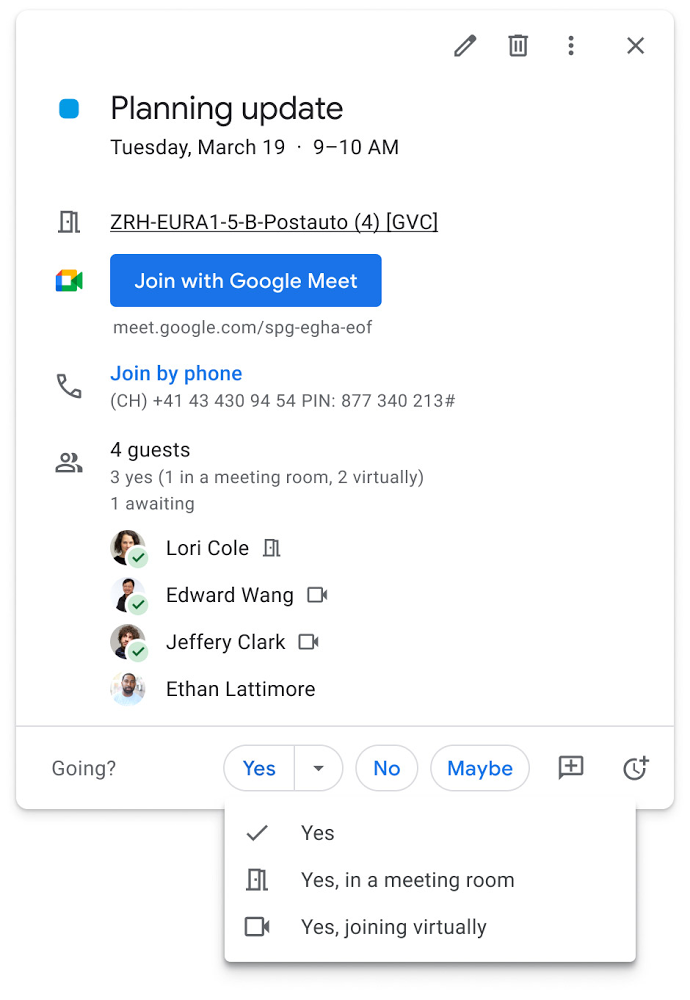
Updates to improve the in-room experience are also coming to Google Meet hardware in September, including the ability to see and use the hand-raise feature and receive notifications from polls and Q&As. The modular design of Meet’s Series One room kits can easily accommodate a variety of space layouts and be paired with an AV cart for optimum flexibility.
We’re also continually launching new controls to make meetings more safe and secure, including the ability for admins to set policies for who can join meetings, and how participants can engage within meetings. To help everyone stay focused in meetings without interruption, in the next few months we’ll introduce moderation controls for hosts, giving them the ability to prevent the use of in-meeting chat and prohibit presenting during meetings, as well as allowing them full control to mute and prevent participants from unmuting.
Together, these changes will make meetings a safer, more connected, and inclusive experience across all hybrid environments. Register today for our free webinar on how Google Workspace is enabling hybrid work and helping foster collaboration equity.
Trusted hybrid collaboration in Google Workspace
Security, data privacy, and trust continue to be the foundation that make anywhere, anytime collaboration possible. As organizations explore new ways for their teams to collaborate securely in a hybrid work world, we’re introducing several ways that we’re strengthening this foundation in Google Workspace.
Today, we’re announcing new security and privacy capabilities to help Google Workspace customers realize the full power of trusted, cloud-native collaboration. Google Workspace Client-side encryption will help customers strengthen the confidentiality of their data while addressing a range of data sovereignty and compliance needs. It will also strengthen meeting security when it comes to Google Meet this fall. Additionally, we’re rolling out a number of security enhancements for Google Drive, including trust rules for Drive that help control how files can be shared within and outside your organization; Drive labels that classify files and apply controls based on their sensitivity levels; and enhanced phishing and malware protections to help safeguard against insider threats and user error. For full details, please visit our security blog post.
A single, connected experience
As businesses move to a hybrid work environment, the importance of creating secure collaboration spaces and fostering human connection has never been more important. Because Google Workspace was designed to fuel anywhere, anytime collaboration, we’re now helping millions of organizations navigate the challenges and opportunities of the newly emerging work model. Our customers are using Google Workspace to rethink virtual meetings, provide people with modern tools to stay connected and manage their time and attention, and double down on security and privacy. In countless ways, Google Workspace was built for this moment.
See how we’re bringing Google Workspace to everyone. With this change, all of our 3 billion existing users across consumer, enterprise, and education now have access to the full Google Workspace experience, including Gmail, Chat, Calendar, Drive, Docs, Sheets, Meet and more.
Google Products Helps HMH’s Healthcare Staff Work from Anywhere Efficiently and Securely!

10224
Of your peers have already read this article.
3:00 Minutes
The most insightful time you'll spend today!
Hackensack Meridian Health (HMH) executive Mark Eimer explains how an ambitiously-timed rollout of a comprehensive suite of Google products helped the entire organization—from doctors to IT staff—achieve better security, cultivate a more equitable work environment, and ultimately, improve patient outcomes.
How does a recently merged, 17-hospital healthcare system fast-track a platform migration and hardware rollout securely and in a way that improves work for everyone, regardless of location or role? These are the questions that kept me up at night in early 2020, when the pandemic demanded a “big bang”—something our legacy laptops and operating systems couldn’t handle.
We began our work with Google in 2020 with the adoption of Chrome as our default browser. As we migrated platforms, keeping patient data safe was of the utmost importance to us, along with providing every staff member with the tools they needed to work virtually. Our staff often experienced issues accessing our web-based applications using Internet Explorer or Edge Browser, a problem that went away when we switched to Chrome. Chrome’s versatile compatibility also made it easier for my team to migrate all of our web-based operations, and Chrome’s security and manageability were key components to making this switch a huge win for the organization.
The success of this migration led us to extend our Google partnership to patient care applications—where Google’s expertise in AI and ML helps scale the use of diagnostics tools and improve other aspects of the patient journey.

Achieving security at every step
Like so many other healthcare organizations, we’ve been concerned about ransomware attacks. This is part of why we moved to Google Workspace and distributed over 3,000 Chrome OS devices in kiosk mode in March of 2020, when many of us went remote due to the pandemic. We were very concerned about team members accessing corporate applications through home devices that were running EOL operating systems (WIN7), as well as a general lack of antivirus and encryption measures.
We were protected by the fact that Google’s software and hardware both had built-in security features that we needed to stave off sophisticated attackers. For example, Chrome OS automatically updates to the latest security update and encrypts data living outside the cloud on the hardware. These features protected us from security-related disruptions, letting us securely move a huge library of file shares and emails across thousands of accounts to Google Chrome OS in just four months.
A year later, in March 2021, we migrated the enterprise over to Google Workspace and saw an immediate reduction in spam by 30% from the inherent built-in AI/ML. This meant staff were less likely to receive (and click through) phishing attempts. My team could connect, create, and collaborate easily and securely—even as more of us were working from home and needed to access sensitive data remotely.
Leveling the playing field
As an organization, we were surprised by how many team members didn’t have personal computers at home. We quickly decided that if we needed team members to work from home, the health network would have to supply hardware. Chromebooks’ lower price tag compared to PCs—on top of their built-in security controls—allowed us to purchase, deploy, and support that initial distribution of 3,000 Chromebooks to team members in less than three weeks, providing devices to every eligible remote employee instead of just a select few. This was vital to reaching our equitable technology goal as part of our diversity and inclusion initiative: everybody has the same tools to do good work.
When all employees have what they need to do their jobs well, we get better patient outcomes. Before we began this cloud adoption journey, patient and staff experiences were different within the hospitals and outside of them.
Now it’s the same wherever our staff is, and we’ve seen efficiency and accessibility benefits extend to the patient side. For example, we built a web-based contact center that supports 80 locations that use Workspace and Chrome OS devices. Since customer service, admin, and providers are all on the same system, it has become a one-stop shop for patients.
Furthermore, through the Grow with Google program, we were able to provide another benefit to employees that drove our equity goals. Google trained 50 non-IT staff members—from environmental services, food and nutrition, and other non-tech areas who were interested in making a career change to IT—on the Google products we were using. They may not have thought about switching to a career in IT before the Grow with Google program came to our organization, but through this partnership, they now have that opportunity.
A strategic, long-term partner
With any large-scale rollout, the work doesn’t end once laptops are in employee hands. Google has shown their commitment to long-term collaboration as they continuously optimize their products for the unique needs of healthcare providers and go the extra mile in tailoring tools to our staff’s workflows.
For example, on the Chrome OS side, the Google team has helped our registration desks and document centers with device integration for hardware like credit card readers and e-signature pads. They’ve also helped us meet security and privacy requirements mandated by state and federal governments around HIPAA, Medicaid, and Medicare reimbursements. Over this next year, we’ll look at a feature roadmap with Google Cloud to deliver further enhancements, iterating on the product itself to meet our needs for the present and the future.

Delivering the future of healthcare
The benefits we’ve seen around security and usability—and the ability to provide all staff with equal access to Google’s technology—are why we’re expanding our partnership with Google to both the administrative and clinical sides of HMH. In addition to further Google rollouts with corporate, next year we’re distributing Chromebooks to all 350 of our ambulatory clinics.
We’re also working with the Google professional services team to create a custom AI model that analyzes 3D mammogram images. This AI model will enable two providers to read mammograms—which adheres to international best practices but is currently rare in the US—without requiring additional time. Conducting double readings of mammograms will yield better health outcomes for our patients, such as a lower patient recall rate and an increased accuracy in detecting breast cancer.
We’re currently building the model using a variety of Google Cloud products, including Cloud Healthcare API. Once complete, this model is expected to be trained, deployed, and maintained in Google’s Vertex AI, allowing our providers to be more productive as they make clinical decisions with AI support. As the model is proven over time, we plan to make the predictive services accessible to other healthcare organizations.
With Google, we’re able to achieve a unified architecture for storing data as well as training and deploying AI models, which enable our staff to work more efficiently and securely from anywhere. While I may not be able to predict the future as accurately as AI can, I foresee our continued partnership with Google as a key part of HMH’s improved provider and patient outcomes.
6362
Of your peers have already watched this video.
1:30 Minutes
The most insightful time you'll spend today!
How Bloomberg uses Google Translate to Share Breaking News with the World
Bloomberg uses Google Translate to instantly share news with customers in more than 170 countries. Financial markets can move within seconds of a story breaking, so speed matters. With Google’s automated translation Bloomberg can quickly disseminate breaking financial news to customers around the world in 40 different languages.
3850
Of your peers have already watched this video.
14:49 Minutes
The most insightful time you'll spend today!
Helpful and human: G Suite’s vision for your future workspace
With an accelerated shift to remote working brought on by COVID-19, it’s clearer than ever that an organization’s success relies on its people and how they work. No matter where they’re working from, who they’re working with, or what projects they’re working on, organizations need to enable their employees to have impact.
That’s why, schools are figuring out remote learning models. Doctors are using Google Meet to consult with patients via video call. I believe COVID-19 is the catalyst that will accelerate the transition to more flexible and distributed teams. We’re seeing this trend clearly from both employers and employees. 80% of the workforce would really like the flexibility to work from home at least some of the time, and 74% of CFOs intend to shift some employees to work from home permanently after COVID-19.
From the beginning, G Suite was designed with human impact in mind: to help people work together from anywhere to achieve bigger things in work and in life.
G Suite’s Vice President and General Manager, Javier Soltero, talks about what the future of G Suite means for your organization. Get a window into the newest, most exciting innovations and hear how G Suite is helping organizations navigate what’s next.
More Relevant Stories for Your Company


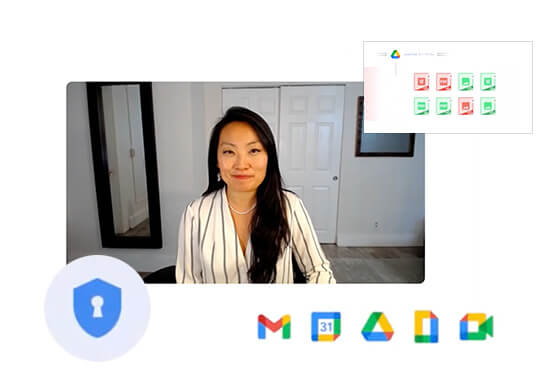

How Google Workspace Helps Manage, Govern and Protect Sensitive Data
The shift towards a hybrid work style and trends accelerated by the pandemic has resulted in data deluge. With companies and individuals sharing increasingly large volumes of information and collaborating with internal and external stakeholders, the need for innovations for higher security also escalates. View this video to learn how

The Future of Cloud Computing: Choose Your Own Services and Payment Options
As the saying goes, “it’s hard to make predictions, especially about the future.” Some organizations find it challenging to predict what cloud resources they’ll need in months or years ahead. Every organization is on its own unique cloud journey. To help, we’re developing new ways for customers to consume and

A Breakdown of Cloud-based Data Ingestion Practices
Businesses around the globe are realizing the benefits of replacing legacy data silos with cloud-based enterprise data warehouses, including easier collaboration across business units and access to insights within their data that were previously unseen. However, bringing data from numerous disparate data sources into a single data warehouse requires you

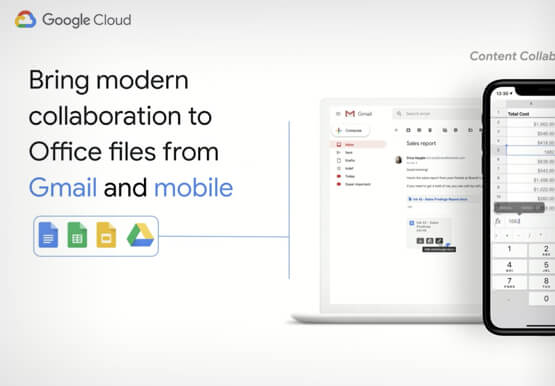
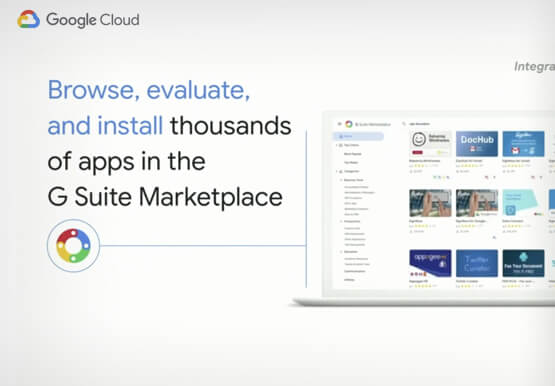
Work beyond borders: How to use G Suite with Microsoft and your favorite third-party applications
The average enterprise uses 129 different applications on a day to day basis. These applications enable critical workflows that drive businesses forward. But when these apps don't work well together that leads to lost time, frustration, and missed opportunities. Professionals have access to dozens of applications in their organization. Apps
