





Without an API Product Owner, Your APIs Have a Limited Lifespan

3554
Of your peers have already read this article.
3:30 Minutes
The most insightful time you'll spend today!
Product teams often serve as the nexus between all organizational units within a company, ensuring that a specific line of business follows a clear roadmap and that cross-functional alignment drives success. At their most empowered, product owners are like miniature CEOs for each offering within a company.
Unfortunately, in today’s complicated IT landscape, not everything that should be thought of as a product receives the designation. In my time as a digital consultant, I’ve seen one particular technology too often dismissed as back-office minutiae — application programming interfaces, or APIs.
APIs can be the glue that binds a company’s resources together and the mechanisms through which an enterprise’s data, functionality, and other digital assets are accessed and distributed. They enable software systems to communicate and let developers leverage software for new applications and digital experiences, abstracting underlying complexity into a consistent interface that allows data and functionality to be combined and reused with unprecedented flexibility.
Unfortunately, many business leaders see APIs as middleware and thus as undeserving of the resources of a full-fledged digital product. Their organizations create APIs as one-off projects, with engineers moving on to other projects when they are done and no one looking after an API’s maintenance or whether it offers utility beyond the bespoke use case for which it was created.
This is a problem because APIs can unlock digital assets that otherwise would be captive within enterprise silos. An API that exposes a customer database can likely be used and reused for numerous purposes, for example, and treating developers as customers of this API can help increase adoption of and the amount of innovation around it. But such a powerful outcome is unlikely if an API has been created only as a system integration detail rather than as a product with an owner who oversees a full lifecycle, from ideation to adoption to iteration. Put bluntly, a project-oriented attitude toward APIs misses the boat.
Pitney Bowes, a company I’ve worked with at Google Cloud, offers a high-profile example in which a notable enterprise has treated APIs as products and given its API program the same treatment it would give to any go-to-market offering. After selling traditional mailing and shipping solutions for nearly 100 years, the company transformed itself into a provider of digital logistics and e-commerce solutions by building out 160 public APIs and 400 internal APIs. This enabled its developers and partners to easily consume the company’s location intelligence and shipping services in new, agile ways. It also accelerated the company’s internal project timelines, shortening the average project lifecycle from over a year to just a few months. What’s more, APIs not only introduced efficiencies and reduced costs, but also opened new revenue streams. Because developers can more easily leverage individual Pitney Bowes business capabilities for their applications, the company’s services are manifesting in new ways — such as when Pitney Bowes technology is harnessed to let customers print USPS shipping labels from within the context of an online marketplace.
Manage APIs as products
Traditionally, but wrongly, APIs have been considered pieces of other products. They’ve been built by the IT team at the request of product owners every time a project came up that required one. When the funding spigot is flowing, APIs generally receive support. But once the project runs its course, the APIs are neglected and quickly grow outdated.
Without consistent resources, APIs can’t be adapted to fluctuations in the enterprise and market dynamics. Worst of all, project-oriented APIs often end up siloed within the business unit that gave birth to them, which defies the benefit of modern APIs: to not only allow enterprise assets to be reused by other business units and partners but also accelerate the business’s innovation by increasing the number of developers interacting with its capabilities.
In contrast, if an API is treated as a product in its own right with its own owner lobbying for consistent funding, the API can be iterated according to shifts in internal and market trends. Ideally, the product owner should continually monitor an API’s engagement and collect and synthesize analytics to improve quality of service. Product-minded companies frequently launch APIs as minimum viable products in order to get ideas to market faster, then use API consumption analytics to understand developer engagement and refine APIs to be even more attractive, powerful, and intuitive.
With the help of management tools that facilitate dynamic changes, an API product owner can also help ensure that developers benefit from the latest and greatest build with minimal interruption.
Virtually all traditional product ownership responsibilities can be easily applied to an API. An API product owner is responsible for galvanizing the entire company around their API’s value. Their team can answer any questions users may have about the API’s value proposition or how to use it. It may sound trivial but having dedicated experts available to assist with any question that may arise can be a boon to an API’s velocity.
Additionally, if a dedicated product owner is assigned to pilot a company’s aggregate API program, they can use comprehensive monitoring and analysis of all API traffic to derive insight into which APIs drive value and which don’t. This can save considerable time and money from being wasted on the wrong bets. The product owner can also create API bundles segmented according to each developer community the program wants to serve. Here, the goal is not just to expose enterprise assets, but also to encourage repeat consumption. When it comes to third-party engagement, these bundles should seek to improve partner stickiness to cultivate and maintain new revenue channels. Just as any product is only useful if it has users adopting it and sticking with it, APIs are typically valuable when they attract communities of repeat users.
Tools and processes that turn APIs into strategic assets
To drive an API as a strategic asset, an API product manager should support the API with management tools and processes.
First off, it’s necessary to establish comprehensive security layers for an API so cross-functional internal groups and third-party partners are comfortable using it. Mechanisms that apply protection with introducing user friction — such as OAuth, API key verification, XML/JSON threat protection — are strongly encouraged. It’s also often prudent to integrate machine learning functionality that can detect bot attacks and other adversaries before they breach an API and affect either its developer users or the end users consuming those developers’ apps.
Enterprise software products are typically afforded visualization tools, dashboards, reports, and self-service functionality to drive adoption — and APIs should be no different. Comprehensive portals that highlight API features (including knowledge centers, interactive documentation, blogs, and forums) should be crafted to promote developer consumption. Anything that is likely to magnetize collaborators and expedite registration should be provided for an API. A primary goal of API-first development is to increase velocity, so offering developers a self-service experience while maintaining visibility and control over API usage is crucial.
Manage with an “outside-in” perspective
Perhaps the most important role an API product owner must fulfill is maintaining a staunch outside-in approach.
In an inside-out perspective, enterprise leaders look internally for gaps and fill them with existing IT capabilities. Internal intuition untested by the market can define planning, and the resources that IT already has — rather than those that customers demand — typically restrict options. In contrast, an outside-in approach requires the company to listen to what the market is asking for and to respond appropriately. Outside-in thinkers start by asking what the customer needs, then build strategies from there. Because customer preferences are moving targets, an outside-in perspective is constantly evolving and seeking new data. In the case of API programs, product managers should find ways to align API user data with business KPIs, which can be essential to organizing stakeholders and achieving buy-in for the program throughout the organization.
Because both consumers and developers will abandon products that do not meet their needs, an outside-in perspective is increasingly non-negotiable. The product owner needs to analyze rapidly-changing market trends, understand the competitive landscape, keep a pulse on customer and stakeholder needs, and facilitate a backlog of changes that can help the company satisfy the market. Essentially, API product owners are the end-user advocate — and that’s for both for developers using the APIs and the people touching the applications powered by those APIs.
None of this means product owners need to be entirely risk averse, however. They should have the freedom to experiment with hypotheses and to make adjustments — but to make experimentation viable over the long run, they also need to have the foresight to kill a project immediately if the early end-user response is poor. If the product owner is not learning and iterating, they probably are not pushing the API program forward.
Calling all product professionals
If an enterprise plans to pursue an API-first mandate, it’s crucial that the API program is a well-funded, autonomous business unit. Without a visionary owner, APIs will not be able to usher in the transformation experienced by companies such as Pitney Bowes. The API-first philosophy requires that APIs are built prior to applications and that the API provide a value proposition of its own — which means that if an enterprise wants to accelerate innovation and take advantage of APIs, its first step should be to hire API product managers.
Master AI Prompt Engineering with 6 Proven Tips

1060
Of your peers have already read this article.
2:30 Minutes
The most insightful time you'll spend today!
As AI-powered tools become increasingly prevalent, prompt engineering is becoming a skill that developers need to master. Large language models (LLMs) and other generative foundation models require contextual, specific, and tailored natural language instructions to generate the desired output. This means that developers need to write prompts that are clear, concise, and informative.
In this blog, we will explore six best practices that will make you a more efficient prompt engineer. By following our advice, you can begin creating more personalized, accurate, and contextually aware applications. So let’s get started!
Tip #1: Know the model’s strengths and weaknesses
As AI models evolve and become more complex, it is essential for developers to comprehend their capabilities and limitations. Understanding these strengths and weaknesses can help you, as a developer, avoid making mistakes and create safer, more reliable applications.
For example, an AI model that is trained to recognize images of blueberries may not be able to recognize images of strawberries. Why? Because the model was only trained on a dataset of blueberry images. If a developer uses this model to build an application that is supposed to recognize both blueberries and strawberries, the application would likely make mistakes, leading to an ineffective outcome, and poor user experience.
It’s important to note that AI models have the ability to be biased. This is due to AI models being trained on data that is collected from the real world, and so it can reflect the inequitable power dynamics inherently rooted in our social hierarchy. If the data that is used to train an AI model is biased, then the model will also be biased. This can lead to problems if the model is used to make decisions that affect people by reinforcing societal biases. Addressing these biases is important to ensure that data is fair, promoting equality, and ensuring the responsibility of AI technology. Prompt engineers should be aware of training limitations or biases so they can craft prompts more effectively and understand what kind of prompting is even possible for a given model.

Tip #2: Be as specific as possible
AI models have the ability to comprehend a variety of prompts. For instance Google’s PaLM 2 can understand natural language prompts, multilingual text, and even programming codes like Python and JavaScript. Although AI models can be very knowledgeable, they are still imperfect, and have the ability to misinterpret prompts that are not specific enough. In order for AI models to navigate ambiguity, it is important to tailor your prompts specifically to your desired outcome.
Let’s say you would like your AI model to generate a recipe for 50 vegan blueberry muffins. If you prompt the model with “what is a recipe for blueberry muffins?”, the model does not know that you need to make 50 muffins. It is thus unlikely to list the larger volume of ingredients you’ll need or include tips to help you more efficiently bake such a large number of muffins. The model can only go off the context that is provided. A more effective prompt would be “I am hosting 50 guests. Generate a recipe for 50 blueberry muffins.” The model is more likely to generate a response that is relevant to your request and meets your specific requirements.
Tip #3: Utilize contextual prompts
Utilize contextual information in your prompts to help the model gain an in-depth understanding of your requests. Contextual prompts can include the specific task you want the model to perform, a replica of the output you’re looking for, or a persona to emulate, from a marketer or engineer to a high school teacher. Defining a tone and perspective for an AI model gives it a blueprint of the tone, style, and focused expertise you’re looking for to improve the quality, relevance, and effectiveness of your output.
In the case of the blueberry muffins, it is important to prompt the model using the context of the situation. The model might need more context than generating a recipe for 50 people. If it needs to be aware that the recipe must be vegan friendly, you might prompt the model by asking it to answer by emulating a skilled vegan chef.
By providing contextual prompts, you can help ensure that your AI interactions are as seamless and efficient as possible. The model will be able to more quickly understand your request and it will be able to generate more accurate and relevant responses.
Tip #4: Provide AI models with examples
When creating prompts for AI models, it is helpful to provide examples. This is because prompts act as instructions for the model, and examples can help the model to understand what you are asking for. Providing a prompt with an example looks something like this: “here are several recipes I like – create a new recipe based on the ones I provided.” The model can now understand the your ability and needs in order to make this pastry,
Tip #5: Experiment with prompts and personas
The way you construct your prompt impacts the model’s output. By creatively exploring different requests, you will soon have an understanding of how the model weighs its answers, and what happens when you interfuse your domain knowledge, expertise, and lived experience with the power of a multi-billion parameter large language model.
Try experimenting with different keywords, sentence structures, and prompt lengths to discover the perfect formula. Allow yourself to step into the shoes of various personas, from work personas such as “product engineer” or “customer service representatives,” to parental figures or celebrities such as your grandmother, a celebrity chef, and explore everything from cooking to coding!
By crafting unique, and innovative, requests replete with your expertise and experience, you can learn which prompts provide you with your ideal output. Further refining your prompts, known as ‘tuning,’ allows the model to have a greater understanding and framework for your next output.
Tip #6: Try chain-of-thought prompting
Chain of thought prompting is a technique for improving the reasoning capabilities of large language models (LLMs). It works by breaking down a complex problem into smaller steps, and then prompting the LLM to provide intermediate reasoning for each step. This helps the LLM to understand the problem more deeply, and to generate more accurate and informative answers. This will help you to understand the answer better and to make sure that the LLM is actually understanding the problem.
Conclusion
Prompt engineering is a skill that all workers, across industries and organizations, will need as AI-powered tools are becoming more prevalent. Remember to incorporate these five essential tips the next time you communicate with an AI model, so you can generate the accurate outputs that you desire. AI will forever continue to develop, constantly refining itself as we use it, so I encourage you to remember that learning, for mind and machine, is a never ending journey. Happy Prompting!
Leverage Apigee X to Access API Backends with Multiple VPCs

4237
Of your peers have already read this article.
4:00 Minutes
The most insightful time you'll spend today!
API gateways are a critical component of a modern architecture. Apigee X is Google Cloud’s API management platform. It also allows users of the legacy Apigee Edge product to leverage Virtual Private Cloud (VPC) products and features, like Cloud Armor and Load Balancers. With these new security and availability advantages come a new set of challenges. The biggest challenge is accessing API backends in multiple VPCs. This introduces VPC peering transitivity restrictions. Only two VPCs can be peered in sequence, but the Apigee X Runtime already consumes one peering connection. This blog post discusses overcoming transitivity limits, with an eye on future managed services that solve the problem.
VPC Peering Transitivity Limits
The main challenge with Apigee X is that customers have backend servers in multiple distinct VPCs. This means that Apigee X Runtime traffic must traverse multiple VPC peering connections. However, peering transitivity limits VPC networking to only one sequential VPC hop.
In the past (Apigee Edge / SaaS) customers did not need to worry about securing their backend APIs across multiple VPCs. Apigee X networking is a new feature, compared to the original Apigee SaaS product.
VPC Connectivity Options
VPC peering is the easiest option. The restriction is that connectivity wise, only one peering hop is allowed, which is already consumed by a connection to the Apigee X Runtime. The Apigee X Runtime resides in a Google managed VPC.
Internal Global Load Balancers (ILBs) with Managed Instance Group (MIG) backends is the second option. This peering solution is complex though.
The open internet is the most parsimonious solution. Apigee X facilitates this, but it would violate the security mandates of many Google Cloud customers.
The final option is Cloud VPN. Cloud VPN supports transitivity across multiple VPC network hops. As well the implementation steps are relatively simple. Traffic does not traverse the open internet for VPCs within Google Cloud.
Apigee X Networking Explained
ApigeeX is a Private Service Access (PSA) based service that is deployed and managed in a tenant project. A tenant project is a project that is tied to the Apigee X Runtime, in a one-to-one relationship. The Apigee X deployment natively manages a load balancer in the customer’s VPC for ingress traffic. By default, egress to non-private routes from Apigee X is through Cloud NAT in the tenant project. The default Apigee X deployment is more suitable for non hub-and-spoke network design.
Single VPC Hub Design
Figure 3 demonstrates the API request flow. External API requests come from the internet and first encounter the XLB. The XLB has the Apigee X Runtime as a backend, using Network Endpoint Group to contain the Apigee X Environment Group domain name. From here the Apigee X Runtime sends the API request over the VPC peering connection to apigee-x-project.
Google Cloud VPN connections allow Virtual Private Clouds (VPCs) to reference each other’s internal resources, with the help of Google Cloud Routers. Cloud Routers advertise each VPCs’ IP address ranges. This enables traffic over the Cloud VPN tunnels to reference resources via their private IP addresses. Additionally, Google Cloud DNS peering facilitates a consumer VPC to reference hostnames in a producer VPC.
From the apigee-x-vpc (consumer), the API request references a backend-project-a-vpc (producer) resource hostname, via DNS peering. This would be the backend identified in an Apigee X API proxy. The request itself does not traverse the DNS peering connection. Instead, the API request goes through a Cloud VPN tunnel. In this way, Cloud VPN is used as a substitute for VPC peering.
Shared VPC Hub Design
A more advanced example is a shared VPC hub project, illustrated in Figure 4. The general idea is the same; use Cloud VPN connections instead of peering connections, advertise routes using Cloud Router and use DNS peering to reference any compute resources by their hostnames.
What is interesting is the idea that the apigee-x-project can use a subnet in a shared VPC, independently of the hub-project, which is in the same shared VPC. Shared VPC subnets do not violate the VPC peering transitivity limit (only two peered VPCs in sequence). This architecture pattern can be scaled to connect multiple shared VPCs via VPN tunnels. This is analogous to cascading hub-and-spoke architecture pattern: the inner hub-and-spoke is the shared VPC (with the apigee-x-project) and the outer hub-and-spoke is the VPN connected backend-projects.
Fixing VPC Peering with Private Service Connect
Private Service Connect (PSC) allows private consumption of services across VPC networks. This feature is coming to Apigee X in the first half of 2022. Private Services Access (PSA) is what enables you to reach services’ internal IP addresses. Apigee X is a PSA service, hence its ability to connect to backends by their internal IP addresses. PSC is the missing piece that will natively support Apigee X backends in other VPCs.
What Next?
Try it out for yourself! We built and shared a working Terraform example in our Github repository. Apigee X opens up users to the products and features of Google Cloud VPCs. VPC transitivity limits do require some work to overcome. Private Service Connect (PSC) will solve Apigee X VPC peering challenges later in 2022. A great next step would be to implement a “wheel” architecture pattern. This is an evolution of the hub-and-spoke design, where spoke VPCs peer to each other. Cloud VPN makes this possible and PSC makes a wheel more feasible to implement. The advantage of a wheel is that spokes no longer rely on a hub VPC; for example productizing APIs in a multi-tenant environment. More details are available in the following ebook: The API Product Mindset
Resources
You can find the Terraform code in the Github repository.

3731
Of your peers have already downloaded this article
5:30 Minutes
The most insightful time you'll spend today!
Business needs for digital solutions have intensified the urgency for rapid application development and deployment. At the same time, widespread adoption of cloud computing has revolutionized the IT environment used by both enterprises and consumers.
In addition, the acceleration of digital transformation has increased the availability of developer tools and deployment environments. Besides, the vibrancy of the DevOps movement and the multiplicity of development tools and infrastructures mean that developers enjoy greater decision-making authority in the development of digital solutions.
As a result, developers not only confront the challenge of shipping software faster but also encounter competing challenges to ensure software quality and the appropriate mitigation of risks associated with rapid development and deployment.
Hence, to move quickly and with confidence, developers must use tools that automate the full software development life cycle and work across platforms and operating systems.
Developers need to adopt FaaS, a cloud platform that allows developers to develop, deploy, and manage event-driven applications without the responsibility of managing the infrastructure on which the applications run.
Consent is a Key Component for a Successful Embedded Financial Solution: Read Why

3242
Of your peers have already read this article.
5:00 Minutes
The most insightful time you'll spend today!
When banks and other financial institutions make their products available via non-banks, we call that Embedded Finance. Think, for example, of a retailer offering financing for people buying goods; or a budgeting app gathering bank transactions to help you categorize and understand your spending patterns. The finance – the money management – has been embedded into the retailer or the budgeting experience.
This last example falls under the Data Exchange category of Embedded Finance , and it’s often also called Open Banking. In many countries this active data exchange is actually mandated by law, with specific Open Banking standards encoded into law for all financial institutions. As of this blog post, there are approximately 37 countries with such laws already in place or currently being worked on.
In an Embedded Finance scheme there are three main players: The financial institution offering their products and services, a third party provider (TPP) making use of those products or services, and an end user who is a customer of the financial institution and is interacting with the TPP.
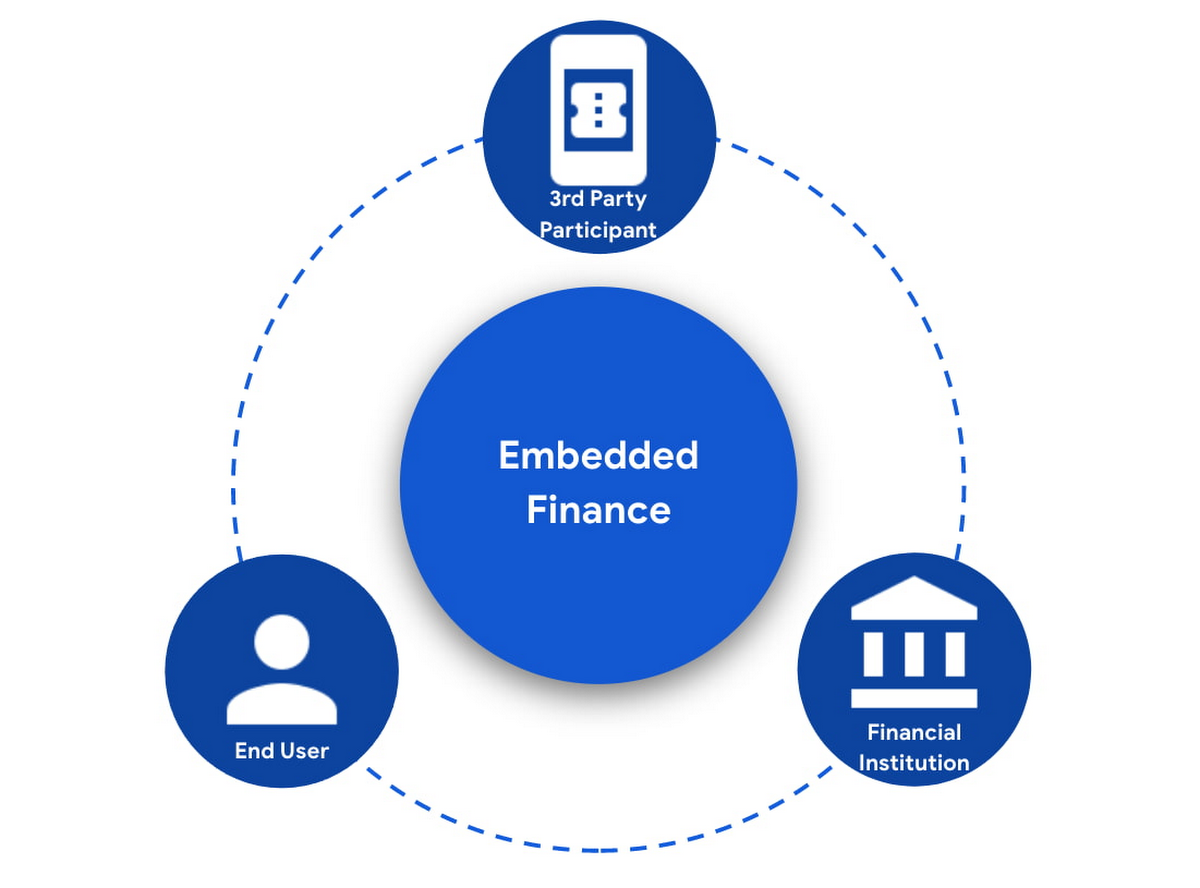
The most important ingredient for these schemes is consumer trust. If a consumer does not trust that their data will be safely shared with a third party, and that they can easily understand the terms they have agreed to and stop sharing their data whenever they want to, consumers will simply not participate. When a consumer agrees for their data to be shared, this is called consent.
What components do I need for a successful Embedded Finance solution?
Banks’ products and services are made available to other parties via APIs, thus a fundamental component is an API Management platform. An API Management Platform lets you design, secure, analyze, and scale APIs anywhere with visibility and control.
Also, we need a component to manage consents given by end users. Consent Management refers not only to the capability of checking whether a certain action by a third party (eg: access an end user’s account balance) is valid according to the consent granted by the end user to that TPP, but also the availability of tools for end users to check existing consents, modify them or revoke them, as well as tools for financial institutions to perform similar actions on behalf of their customers.
Finally, we need an Identity Platform capable of authenticating an end user and establishing their identity.

A Google Cloud based embedded finance solution uses Apigee as the API management platform, Identity Platform or your own identity platform of choice, and a consent management service (CMS). Google Cloud has partnered with two leading providers in the consent management space: Clarip and CloudEntity.

How do these components work together?
The main roles and responsibilities of each of the three components are quite clear, but there is a certain degree of flexibility on how to orchestrate the interactions between the components, and which component performs which function when there is an overlap of functionality between them.
Google Cloud has tested the following interaction patterns:
- Interaction Pattern #1: Apigee as the main orchestrator
In this interaction pattern, Apigee interacts with both the consent management service and the identity platform, coordinating end user authentication with the identity platform, and authorization and consent with the consent management service. Apigee acts as the “broker” between users, their identity, and their consent.
- Interaction Pattern #2: The consent management service abstracts the identity platform.
In this case, the consent management service manages all the interactions with the identity management platform, and the identity platform acts as the “broker”. Apigee only interacts with the consent service.
The three components share a common pool of client apps and end users. One of the components is typically designated as the source of truth for these entities, while the other components that need to know about these entities synchronize that information from the source of truth.
The identity platform is typically the source of truth for end user identities and the consent management component will synchronize that information by pulling it from the identity platform.
The consent management service is the source of truth for user opt-in and current consent status. Apigee will either check with the service the validity of a consent every time a request comes through, or to make it more efficient, it will validate the main attributes of the consent based on information stored in Apigee. To maintain consistency, the consent management service should tell Apigee to invalidate any tokens associated with a consent when it is revoked via other means (for example, if an end user revoked consent from a consent dashboard).
For client apps, either Apigee or the consent management component can act as the source of truth, with the other component synchronizing the information. In the context of Open Banking in particular, standards often mandate that financial institutions support Dynamic Client Registration. This means having endpoints that new clients can use to register themselves as clients for the Open Banking APIs. In this case, the synchronization of clients can easily be incorporated into Dynamic Client Registration.
Let’s look now into more detail about how the three components interact. There are two user journeys that are particularly relevant:
Authentication/Authorization/Consent
This is the beginning of the typical consumer client journey, when an end user starts using a third party app that requires access to that user’s data. The third party app needs to authenticate itself, and request authorization to access the user’s data. This will trigger the authentication of the end user and consent granting: Consent granting being the process of, the user authorizing the operations the app will execute on their behalf, and establishing the list of accounts on which these operations will be performed. The authorization is represented by an access token, which the app will need to include in all subsequent requests.
This is quite a complex journey with many steps involved in order to make this as secure as possible. To make it easier to understand, we will simplify some of the steps (apologies in advance to you OIDC/FAPI experts out there!).
At a high level, these are the steps involved in this user journey:
- End user starts using an app
- The app requests permission to access user’s data
- The identity platform (IdP) authenticates the end user
- The consent management service obtains consent from end user
- An access token is issued for the app, encapsulating the authorized permissions, accounts, etc. A refresh token is also issued – the access token normally has a short life (measured in minutes), but the app can use the refresh token, which typically lasts much longer (days or months), in order to obtain a new access token without the need of going through the end user authentication/authorization/consent process again.
The way these steps are orchestrated varies depending on the interaction pattern among the components.
Pattern #1: Apigee orchestrates all interactions
When the client requests permission, Apigee will record the request and then redirect the client app to the IdP login page. Once the end user logs in, the IdP will return an authorization code to the callback URL that Apigee registered in the IdP configuration.
Apigee will then redirect the client app to the Consent Management service, so that the consent form is displayed. Once the user grants consent, selects the desired permissions, and selects the accounts it will apply to, the Consent Management Service will update Apigee with the status of the consent, via a callback Apigee registered in the consent configuration.
Now that the end user has authenticated and granted consent, Apigee can now issue an authorization code, and associate all the necessary information, for instance, details about the consent, the authorization code issued by the Identity Platform (IdP), the identification of the end user in the IdP, etc. Apigee will return this authorization code to the client app via a callback endpoint that the app provided when registering with Apigee.
The app will then exchange the authorization code for an access token. Apigee will obtain an access token from the IdP, abd update the status of the consent before issuing an access token to the client.
Pattern #2: The Consent Management Service is the center of the Architecture
In Pattern #2, Apigee will only communicate with the Consent Management Service, which acts as an authorization server for the app and will also coordinate all interaction with the IdP.
When the client requests permission, Apigee will forward the request to the CMS. The CMS will record the request and then redirect the client app to the IdP login page. Once the end user logs in, the IdP will return an authorization code to the callback the CMS registered in the IdP configuration.
The CMS then displays the consent form. Once the user approves the consent and selects the desired permissions and accounts it will apply to, the Consent Management Service will return an authorization code to Apigee, via a callback Apigee registered in the CMS configuration.
From now on, the flow is the same as explained above. Apigee will issue an authorization code, associate all the necessary information and will return this authorization code to the client app via a callback endpoint. The app will then exchange the authorization code for an access token. Apigee will obtain an access token from the CMS, before issuing an access token to the client.
Let’s now look at the other relevant user journey:
Access shared data
Once the third party app has been authorized, it will then start requesting that end user’s data. For instance, it may request the list of accounts or the balance of a particular account.
When that request goes through, a series of checks need to be performed: Is this third party app still authorized? Has it been granted the right permission for the operation being requested? Is the account involved included in the list of accounts authorized by the end user? Apigee can perform all these checks by inspecting the access token presented by the third party app.
There is, however, one other check which cannot be done simply by inspecting the token. Imagine for a moment that in-between the user granting consent and the app requesting the user’s data, the end user decided to revoke that consent. This could be done by other means than the app itself, for instance by checking all consents granted to all apps in a consent dashboard accessible via other channels such as an “Internet Banking” site. When the app requests the user data, the token is still valid, however the consent has already been revoked. Therefore, in this user journey, Apigee will check with the Consent Management service to check if the consent is still valid. This adds a bit of overhead, which can be minimized by other means. For instance, one popular optimization is to make sure that the Consent Management service asks Apigee to revoke any access or refresh tokens associated with a given consent when that consent is revoked via other channels. If that guardrail is in place, then Apigee can determine if a request should be allowed simply by validating the access token and using the consent information stored alongside the token.
The following diagram summarizes the interactions required between Apigee and the Consent Management component. The interaction is essentially the same in both interaction patterns.

What’s next?
In this article we have described how Apigee, a Consent Management service, and an Identity Platform are the fundamental ingredients of a successful and secure Embedded Finance solution. We have also looked at how these components interact with each other to keep user consent consistent and available. Both interaction patterns described are valid and have been proven to work. So which one may be right for you? The answer ultimately depends on your particular requirements, the choice of consent management service, and your choice of identity platform. As a rule of thumb, if you have multiple application experiences, identity systems, and sources of consent, an Apigee-centric architecture is a great solution. If you are looking at a Consent Management service in the context of an Open Banking implementation mandated by a centralized authority (eg: Open Banking Brazil, Consumer Data Standards in Australia), CloudEntity is a good choice for consent management, as their product is also Certified Financial-grade API (FAPI) OpenID Provider, with profiles for the various Open Banking standards. CloudEntity integrates with Apigee using Pattern #2.
For more details on both Clarip and CloudEntity’s offerings and how their particular solution works with GCP please check:
- Clarip: Universal Consent Management Platform – GDPR
- CloudEntity: Certified OpenBanking & Consent (UK, Brazil and Australia) at scale
For more details on Apigee API Management, see https://cloud.google.com/apigee
You can also learn about our solutions for retail banking or contact sales.
New Map Customization Features for Enhanced User Experiences

5573
Of your peers have already read this article.
1:30 Minutes
The most insightful time you'll spend today!
A customized map can be key to delivering a frictionless experience that engages users and sets you apart in users’ minds–whether you’re a real estate company fine-tuning points of interest (POIs) on a map to help buyers decide where to live, or a regional pharmacy styling a map to ensure your locations stand out from the competition. That’s why we’ve focused on empowering you with these capabilities through features like POI density and POI filtering controls, zoom level customization, and even industry-optimized map styles. But we’re not done helping you take your map to the next level. Today, we’re making two updates generally available—a new Maps SDK for Android and the extension of Cloud-based maps styling features to our Android and iOS SDKs. Together they enhance the native mobile map experience and make it easier for you to deliver consistent, optimized maps across all your platforms. We’ll also give you an early look at additional features that we’re working on.
Update your Maps SDKs for Android for an enhanced user experience
Developers around the world depend on the Maps SDK for Android to power critical experiences like helping drivers make a delivery or helping retailers visually confirm an order’s shipping address. With consumers spending an increasing amount of time in apps, it’s more important than ever that mobile experiences meet the high consumer expectations that come with essential, everyday use.
Today we released version 18.0.0 of the Maps SDK for Android, which delivers an enhanced map experience to app users, thanks to a new renderer. The new renderer introduces optimizations to our tile serving and rendering architecture, reducing payload size. This can help to reduce network load, on-device processing, and memory consumption for a more stable and smoother end-user experience. You’ll also see specific improvements with map labels. Now more fluid and clearly positioned, they pave the way for future marker management features. We’ve also enhanced overall gesture handling for better animations and smoother panning and zooming.
Because the Maps SDK for Android continues to be distributed as part of the Google Play services SDK, you can upgrade to v18.0.0 along with all its improvements with no increase to your APK size.
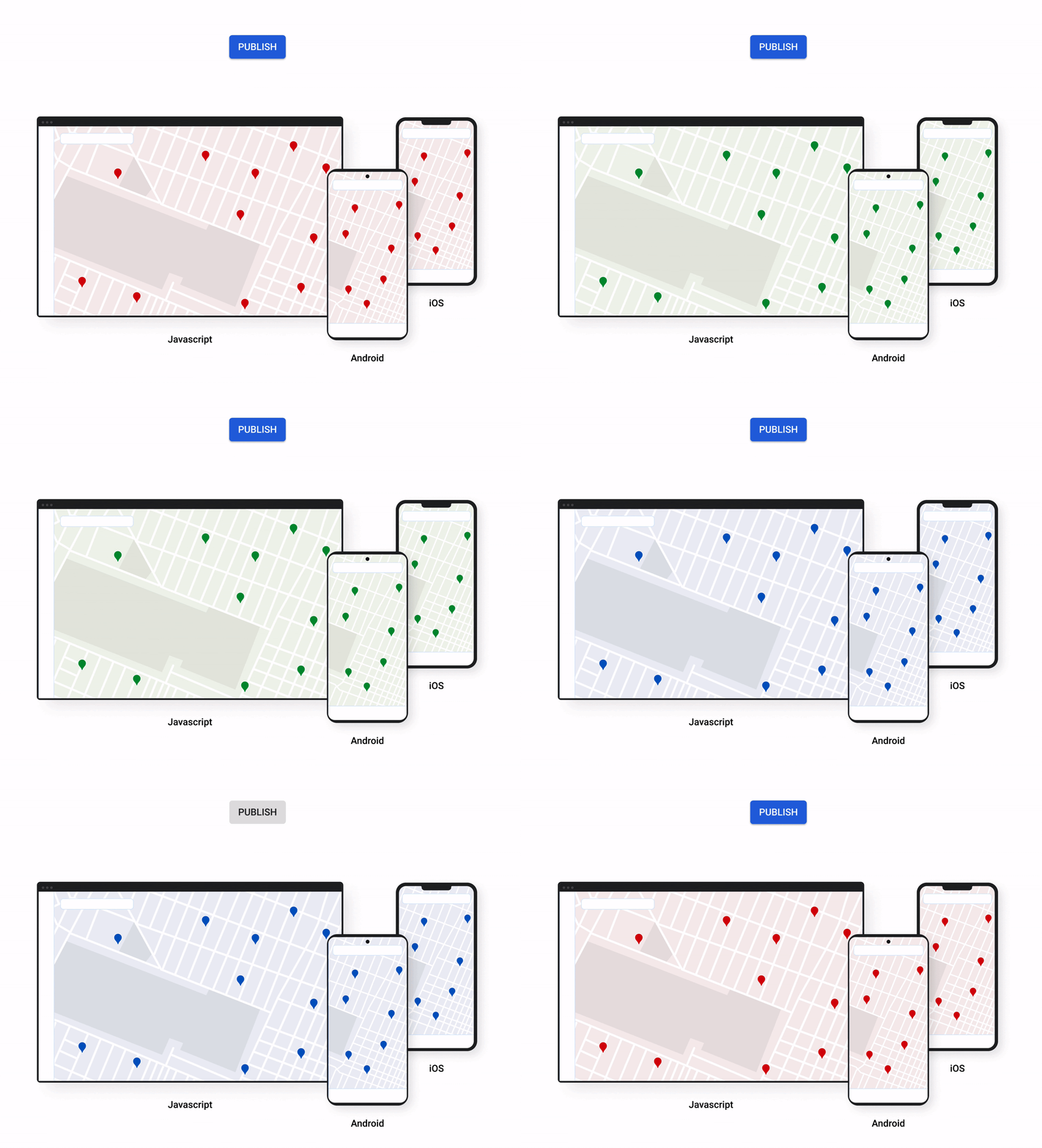
A consistent cross-platform maps experience with Cloud-based maps styling for mobile
Earlier this year at Google I/O, we announced the general availability of Cloud-based maps styling for JavaScript. Since then customers have used the richer customization capabilities and efficient cloud-enhanced deployment workflow to power millions of mapping experiences, from a curated interactive map of Munich to fun virtual Easter egg hunts hosted by Cadbury. Starting today, Cloud-based maps styling features are supported in the GA versions of our Maps SDK for Android (v18+) and Maps SDK for iOS (V5.0+).
Cloud-based maps styling moves map customization code off the client and into the cloud–where it can be easily modified to use new features or test new configurations. This decoupling of client code and customization code makes it easy to manage a single branded and optimized style across any number of apps across all supported platforms. It also makes it possible to simultaneously publish changes to a map style across platforms and install bases with the click of a button. Cloud-based maps styling is the foundation for a growing set of new customization features including POI filtering and POI boosting, zoom level customization, landmarks, and commercial corridor styling.

Mobile developers can now take advantage of Cloud-based maps styling features and simple cross-platform customizations for their Dynamic Maps by creating a MapID in Google Cloud Console and using it within their Maps SDK for Android or Maps SDK for iOS. Dynamic maps loaded with a Map ID via our Maps SDK for Android or Maps SDK for iOS will be billed to the same SKU as Maps JavaScript API (Dynamic Maps) and covered under the same $200 monthly credit and volume pricing. Developers can upgrade to the new Maps SDK for Android and continue using client-styled maps for no charge as they always have.
Additional capabilities we’re working on¹
We know you have a range of map customization needs to engage your users with differentiated experiences. We’re working on developing more Cloud-based maps styling features–focused on marker capabilities, map elements, and data-driven styling–to help you do just that. We’re working on a new set of markers capabilities, easier pin customizations, marker collision management, performance optimizations, and the ability to build custom marker elements that you can use to quickly deploy deeply customized, highly optimized marker-driven experiences. For those seeking greater detail in their maps, we’re working on expanding the availability and customization of detailed street maps to even more cities. We’re also working on features to make it easier to programmatically style map elements by exposing new APIs to enable things like the simple creation of choropleths by styling Google geographical boundaries based on your data.
This is just a peek into what we’re excited to be building for our developer community. While we’re working hard to bring these additional features to life, visit our website to learn more and our developer documentation to start customizing and enhancing your mobile maps.
¹Product capabilities, timeframes, and features are subject to change.
More Relevant Stories for Your Company

Unlocking Efficient API Management with Apigee and CI/CD Pipelines
In modern software development, automating delivery using Continuous Integration and Continuous Deployment (CI/CD) pipelines draws parallels to automotive assembly lines that doubled the production while cutting down costs by 65%. According to a recent report from Postman, over 51% of respondents indicated that their organizations devote more than half of their development

Cloud and AI Paves the Future of Finance: Excerpts from FIA Boca 2022
Financial markets were among the first to adopt new technologies, and that has certainly been true of the derivatives markets, which were early adopters of electronic trading. Going forward, new capabilities will transform the way industry participants communicate, analyze, and trade. I sat down with Google Cloud’s Phil Moyer and


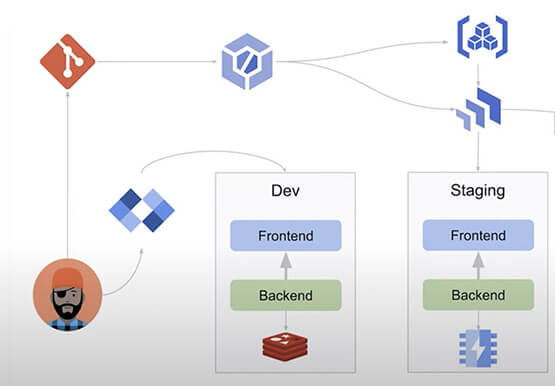

Building Cloud-native Apps at Scale with Kubernetes and Other Dev Tools
Developer productivity is directly linked to customer value generation, higher levels of customer satisfaction and faster time to market. To help build cloud-native applications that cater to customer demands and at scale, experts at Google Cloud share insights on CI/CD tools, processes and interfaces for deploying and developing Google Kubernetes

What Users and System Designers Must Learn from Google’s Best Practices for Password Management
Updated for 2021: This post includes updated best practices including the latest from Google's Best Practices for Password Management whitepapers for both users and system designers. Account management, authentication and password management can be tricky. Often, account management is a dark corner that isn't a top priority for developers or product managers. The resulting experience
