





Rethinking time management: Helping employees manage their time efficiently

3597
Of your peers have already read this article.
3:30 Minutes
The most insightful time you'll spend today!
As business leaders evaluate their hybrid work models, employee productivity is top of mind. They’re trying to understand how to balance organizational needs for productivity with employee needs for autonomy, flexibility, and work/life balance. In my role as Google’s Productivity Advisor, I help organizations and employees realize that being productive means working smartly and efficiently — not overworking. And one key to productivity is developing strong time management skills.
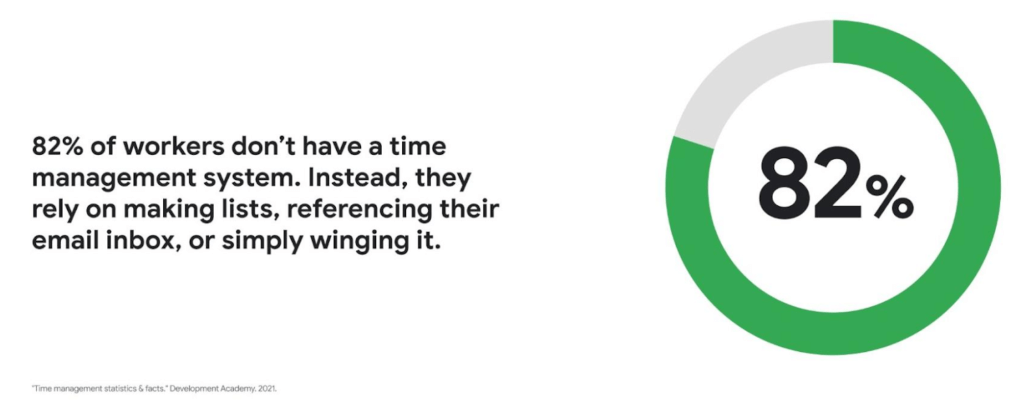
Recent research found that 82% of workers don’t have a proper time management system, however. Instead, they rely on making lists, referencing their inbox, or simply winging it. And the result is telling: 21% of people say “their work is never under control or only under control one day per week.”
Everyone works differently, and one of the best things about hybrid work is that it empowers people to work in their own way, at their own pace. However, if your employees are managing their time inefficiently over the long term, their risk of burnout increases — which can be bad news for employee wellbeing, morale and productivity.
In order for any hybrid work plan to be effective and your teams to be healthy, your employees need to build their time management muscle. You can help them do so with a three-step process:
- Understand how your employees are currently managing their time
- Encourage your employees to identify time management strengths and areas for improvement
- Empower your employees to maximize their time management practices
Step 1: Understanding your employees’ work habits
Before you can help your employees manage their time more effectively, you first need to understand how they spend it. To start, identify habits that might be preventing your employees from establishing productive workflows. For example, some employees might be working too much outside of business hours or spending the majority of their working hours in meetings.
While observation may help you glean some of this information, it’s best to go straight to the source. To find out if your employees feel they’re managing their time efficiently, simply ask them! You can distribute an anonymous questionnaire using a survey tool, like Google Forms, with questions like:
- Are you having trouble getting all your work done?
- Do you feel like you have enough independent working time?
- Do alerts and notifications interrupt or enhance your workflow?
- Which productivity and collaboration tools do you find the most and the least useful?
- How do you communicate best with your coworkers when working on- and off-site?
One major hurdle to effective time management can be too many meetings. To learn if meeting fatigue is plaguing your teams, include a survey question asking employees if they feel like they devote too much time to meetings. Help them get specific by encouraging them to use a tool like Time Insights. With this feature, employees can see exactly how much time they spend in meetings and how much focus time they schedule each week to accurately answer your survey.
Fielding an anonymous questionnaire is a great way to start your time management audit. The learnings that emerge can help you identify patterns in your workplace and among your teams — but they won’t reveal how individual employees work. For that, you’ll need to reach out to them directly.
Step 2: Identifying individual strengths to harness and areas for improvement
Once you have a general idea of how your team works, you can dig deeper into your individual employees’ time management methods and working styles. With this information, you can then help them identify the practices that work — and don’t work — for them.
Suggest to your employees that they spend a week observing their productivity patterns and time management methods. You might encourage people to look at:
- Their level of energy at different times during the day and/or on different days of the week
- The different types of work, such as strategic or administrative, they like doing and when
- How much time they spend doing work versus communicating about work
- How they feel during and after group meetings
- The amount of time they spend in deep-focus versus time spent switching among different tasks
If your organization uses digital timesheets, your employees can consult built-in, automatic time-tracking insights to see where they’re spending their time. Otherwise, you can easily create a custom time-tracking app using a no-code solution like AppSheet to help your employees measure the time they devote to their various responsibilities.
Once everyone has completed their weeklong study, set up dedicated meetings to review your employees’ observations with them individually. Armed with this new understanding, you and your employees can clarify when and how each person does their best work, identify areas for improvement, and start adjusting accordingly.
Step 3: Empowering your employees to flex their time management muscle
Now that you have clarity on how your employees spend their time, you can work with them to develop personal time management practices. To set them up for success, look for opportunities that take advantage of their strengths and offset their challenges — no matter how they like to work.
It’s important to remember there’s no one-size-fits-all solution to using time productively. Some workers love to tackle the most difficult tasks first thing in the morning; others feel more energized at the end of their day. Some people think best in conversation while others prefer to be alone with their thoughts. To help your employees develop time management practices that fit their working style, they need to feel empowered to decide how they can use their time and tools productively.
When it comes to time management, calendars are your best friend, so encourage your employees to take advantage of simple features. Google Calendar lets everyone see availability; by glancing at a shared calendar, coworkers will know when to reach out to someone (and when not to). You can also prompt your employees to block off quiet time during windows when they feel most productive, and use tools like Focus time to protect the time they need for heads-down work.
Email and chat are important, but they can also become a distraction if not used intentionally. Most people open email first thing in the morning, leave it open all day, and check it often. Instead, when you and your employees need to focus, try closing the email tab or using Gmail features to snooze and star emails to stay on task. The same approach applies to chat: check it strategically and turn off notifications when you need deep focus.
Finally, be intentional about building and maintaining trust with your teams as they develop new time management skills. If you decide to use Google Meet for regular check-ins, partner with your employees to develop meeting agendas directly inside Calendar invites to ensure your shared time will be used efficiently.
Valuing impact over output
Hybrid work offers an opportunity for business leaders to rethink their perspective on employee time management and what it means to be productive. Remember, the goal of building effective time management skills isn’t always to become more efficient so one can take on additional work. Often times, taking a step back helps us simplify how we work in order to deepen our impact. When you empower your employees to create a personal time management system, I think you’ll find they will be happier and healthier, with more to contribute to your organization.
Rethinking time management: Helping employees manage their time efficiently
3598
Of your peers have already read this article.
3:30 Minutes
The most insightful time you'll spend today!
As business leaders evaluate their hybrid work models, employee productivity is top of mind. They’re trying to understand how to balance organizational needs for productivity with employee needs for autonomy, flexibility, and work/life balance. In my role as Google’s Productivity Advisor, I help organizations and employees realize that being productive means working smartly and efficiently — not overworking. And one key to productivity is developing strong time management skills.
Recent research found that 82% of workers don’t have a proper time management system, however. Instead, they rely on making lists, referencing their inbox, or simply winging it. And the result is telling: 21% of people say “their work is never under control or only under control one day per week.”
Everyone works differently, and one of the best things about hybrid work is that it empowers people to work in their own way, at their own pace. However, if your employees are managing their time inefficiently over the long term, their risk of burnout increases — which can be bad news for employee wellbeing, morale and productivity.
In order for any hybrid work plan to be effective and your teams to be healthy, your employees need to build their time management muscle. You can help them do so with a three-step process:
- Understand how your employees are currently managing their time
- Encourage your employees to identify time management strengths and areas for improvement
- Empower your employees to maximize their time management practices
Step 1: Understanding your employees’ work habits
Before you can help your employees manage their time more effectively, you first need to understand how they spend it. To start, identify habits that might be preventing your employees from establishing productive workflows. For example, some employees might be working too much outside of business hours or spending the majority of their working hours in meetings.
While observation may help you glean some of this information, it’s best to go straight to the source. To find out if your employees feel they’re managing their time efficiently, simply ask them! You can distribute an anonymous questionnaire using a survey tool, like Google Forms, with questions like:
- Are you having trouble getting all your work done?
- Do you feel like you have enough independent working time?
- Do alerts and notifications interrupt or enhance your workflow?
- Which productivity and collaboration tools do you find the most and the least useful?
- How do you communicate best with your coworkers when working on- and off-site?
One major hurdle to effective time management can be too many meetings. To learn if meeting fatigue is plaguing your teams, include a survey question asking employees if they feel like they devote too much time to meetings. Help them get specific by encouraging them to use a tool like Time Insights. With this feature, employees can see exactly how much time they spend in meetings and how much focus time they schedule each week to accurately answer your survey.
Fielding an anonymous questionnaire is a great way to start your time management audit. The learnings that emerge can help you identify patterns in your workplace and among your teams — but they won’t reveal how individual employees work. For that, you’ll need to reach out to them directly.
Step 2: Identifying individual strengths to harness and areas for improvement
Once you have a general idea of how your team works, you can dig deeper into your individual employees’ time management methods and working styles. With this information, you can then help them identify the practices that work — and don’t work — for them.
Suggest to your employees that they spend a week observing their productivity patterns and time management methods. You might encourage people to look at:
- Their level of energy at different times during the day and/or on different days of the week
- The different types of work, such as strategic or administrative, they like doing and when
- How much time they spend doing work versus communicating about work
- How they feel during and after group meetings
- The amount of time they spend in deep-focus versus time spent switching among different tasks
If your organization uses digital timesheets, your employees can consult built-in, automatic time-tracking insights to see where they’re spending their time. Otherwise, you can easily create a custom time-tracking app using a no-code solution like AppSheet to help your employees measure the time they devote to their various responsibilities.
Once everyone has completed their weeklong study, set up dedicated meetings to review your employees’ observations with them individually. Armed with this new understanding, you and your employees can clarify when and how each person does their best work, identify areas for improvement, and start adjusting accordingly.
Step 3: Empowering your employees to flex their time management muscle
Now that you have clarity on how your employees spend their time, you can work with them to develop personal time management practices. To set them up for success, look for opportunities that take advantage of their strengths and offset their challenges — no matter how they like to work.
It’s important to remember there’s no one-size-fits-all solution to using time productively. Some workers love to tackle the most difficult tasks first thing in the morning; others feel more energized at the end of their day. Some people think best in conversation while others prefer to be alone with their thoughts. To help your employees develop time management practices that fit their working style, they need to feel empowered to decide how they can use their time and tools productively.
When it comes to time management, calendars are your best friend, so encourage your employees to take advantage of simple features. Google Calendar lets everyone see availability; by glancing at a shared calendar, coworkers will know when to reach out to someone (and when not to). You can also prompt your employees to block off quiet time during windows when they feel most productive, and use tools like Focus time to protect the time they need for heads-down work.
Email and chat are important, but they can also become a distraction if not used intentionally. Most people open email first thing in the morning, leave it open all day, and check it often. Instead, when you and your employees need to focus, try closing the email tab or using Gmail features to snooze and star emails to stay on task. The same approach applies to chat: check it strategically and turn off notifications when you need deep focus.
Finally, be intentional about building and maintaining trust with your teams as they develop new time management skills. If you decide to use Google Meet for regular check-ins, partner with your employees to develop meeting agendas directly inside Calendar invites to ensure your shared time will be used efficiently.
Valuing impact over output
Hybrid work offers an opportunity for business leaders to rethink their perspective on employee time management and what it means to be productive. Remember, the goal of building effective time management skills isn’t always to become more efficient so one can take on additional work. Often times, taking a step back helps us simplify how we work in order to deepen our impact. When you empower your employees to create a personal time management system, I think you’ll find they will be happier and healthier, with more to contribute to your organization.
3925
Of your peers have already watched this video.
18:52 Minutes
The most insightful time you'll spend today!
Deep-dive into modern OS architecture built for the cloud
Cloud-based technology–and we all know this–has changed how we work. It has meant that we can work securely from any device, any location, anytime. You can be on a tablet, a phone, a laptop, a desktop, and you get to your work. You can collaborate with others in a really seamless way.
This is something, for those of you that will remember, you know, there was version 12 of the document and you’d send it out to eight people and they’d all give you different revisions and you’d have to somehow merge them together. But now, because it’s in the cloud, and there’s a central place, you can all be collaborating at the same time.
This has really fundamentally changed how fast we work and what happens in challenging times like we’ve been facing for the last several months were working from home didn’t all of a sudden mean you couldn’t do anything. An enormous number of people could continue working if the applications were built for the cloud from the very beginning.
Cloud-native endpoints such as Chrome OS provide the speed, ease of management, and security required as more workloads move to the cloud. This video includes a deep dive into Chrome OS’s multi-layered approach to computing and explores key features that provide differentiated benefits from legacy systems.
Beyond Traditional Learning: AI-based Online Learning Platform and Google Cloud Solutions Push Learners to Get Ahead

10364
Of your peers have already read this article.
1:30 Minutes
The most insightful time you'll spend today!
The combination of a vital need for IT experts among businesses and a digital skills gap is making lifelong learning increasingly critical. Beyond professional development, learning new skills offers additional rewards from building peer connections to boosting your creativity. That’s why in 2020 Krishna Deepak Nallamilli and I launched KIMO.ai to reimagine how people approach learning, especially in developing markets. Our team is building the artificial intelligence needed to generate individual learning paths through a wide range of quality digital learning content.
Google Cloud and its Startup Program have been instrumental in connecting our team with the tools, people, processes, and best practices to grow our business.
Existing learning platforms lack engagement
Outside of traditional education settings, massive open online learning courses (MOOCs)—often modeled after university courses—can provide a flexible and affordable way to upskill or reskill. But the vast majority of people who participate in MOOC programs fail to complete courses. Based on our research, the challenge with existing learning platforms is a lack of engagement, primarily caused by limited direction on which skills to learn, whether AI, fintech, blockchain, or other in-demand disciplines.
We’ve also received feedback that many corporate learning management systems–developed as online training systems to upskill employees–tend to be poorly designed and time-consuming to use.
Overall, a significant challenge with most existing learning platforms is that they’re generic. For example, suppose you’re interested in learning about AI. In that case, you need AI-related coursework that applies to your industry and the job you want because AI in medicine is vastly different from AI in financial services. Today’s online learning options typically take a one-size-fits-all approach and fail to capture the nuances of what learners really need to get ahead.
Building a future-proof learning platform
The commitment to highly personalized, accessible learning inspired KIMO.ai, a platform that we believe is the future of education. Depending on your goals, current skills, location, and other factors, our AI-based platform will identify which coursework (and where to find those classes) to build the skills you need. The more personalized, relevant learning recommendations even take into account people’s preferences for podcasts, MOOCs, books, articles, videos, courses, publications, and more.
In a mix of cooperation and competition we call “coopetition,” KIMO.ai will regularly recommend courses from other established online learning systems if, based on our automated assessment, it’s the best option for a learner. There’s also the option to access free content only.
Google cultural alignment fosters trust
Our platform started with one developer exploring NLP models and Google APIs. As we’ve grown our team and launched our beta to 110,000 users in developing markets, we discovered there is a lot of interest in our platform, and we believe we can make a significant impact. In feedback forums, we also learned that we need to focus our efforts on the mobile experience to improve engagement since 99% of the beta testers use mobile devices.
Beyond our team’s high level of trust in Google Cloud solutions, our team also appreciates the cultural alignment with Google. We value Google’s developer-centric approach and rely on tools like Dataflow for batch data processing and Cloud TPU to reliably run machine learning models with AI services on Google Cloud. We also build all of our deployments on Google Kubernetes Engine (GKE), which makes it easy to manage all our containerized workloads
On the front end, Google App Engine makes it easy to deploy apps and experiment, and it integrates seamlessly with Firebase for authentication and more. BigQuery is our serverless data warehouse that efficiently scales to support the millions of articles, videos, and other learning resources we need to analyze to provide the targeted coursework recommendations our learners require.
As we grow our business having a network of trusted advisors is also extremely valuable. By working closely with DoIT International, the 2020 Google Cloud Global Reseller Partner of the Year, our team has access to their cloud, Kubernetes, and machine learning expertise. DoIT has already helped us quickly resolve IT issues and create analytics dashboards that give us insights to continually enhance our services.
Building for a growing industry
The dynamic edtech market is growing rapidly and estimated to become an $11B industry by 2025. We’re proud to be part of the next wave of personalized education that has the potential to empower people in developing markets and beyond to grow their skills with coursework tailored to their exact needs and how they like to learn. This year, we will deliver our platform to at least 400,000 more people. We’re excited to see how they use it and where it takes them.
If you want to learn more about how Google Cloud can help your startup, visit our Startup Program application page here to get more information about our program, and sign up for our communications to get a look at our community activities, digital events, special offers, and more.
Future of Work: What You Don’t Know Will Cost You

5267
Of your peers have already read this article.
3:40 Minutes
The most insightful time you'll spend today!
The future of work is here—it’s just not evenly distributed. Indeed, many of the technologies, trends, and cultural norms that will drive tomorrow’s workplaces are already reshaping organizations around the world today. We examine this topic in a new Google Cloud report on the future of collaboration and productivity, featuring the results of original research, predictions by business and technology leaders, and recommendations from Google experts.
The report also identifies three important and impactful changes that businesses can make today to catch up with forward-thinking competitors. Here are the highlights:
1. Give people tools that help them save time and work faster.
What is it about work that just isn’t working? Research shows that employees around the world spend significant chunks of their day on low-value activities that get in the way of efficiency, productivity, and innovation. These include attending unnecessary meetings, managing high volumes of email, tracking down the right versions of documents, switching between applications, and generally struggling with outdated technology.
To help their employees spend more time on work that matters, future-minded organizations are replacing legacy business software with cloud-based tools that integrate seamlessly with one another and use automation to make routine tasks less burdensome. For example, an app might surface the right information at the right time so you don’t have to go hunting for it, suggest commonly used phrases as you type, or propose available meeting times and conference rooms. Add up the few minutes you save on each task, and that’s a significant portion of the day you’ve reclaimed for the work that matters.
2. Empower people to access knowledge and share ideas.
Have you ever used Google Search to find your own company’s logo? Or recreated content that already existed because you couldn’t track something down? Employees around the world experience similar challenges when searching for what they need across siloed, ineffective information repositories within their organizations. And that’s a problem, because nearly 80% of business leaders agree that seamless, digital access to knowledge is very important to overall performance, according to a survey sponsored by Google Cloud and conducted by Harvard Business Review Analytic Services.
The solution? Providing employees with centrally managed technology that lets them access and share knowledge more easily, curbing reliance on unsanctioned apps that may put sensitive data at risk. Fast access to relevant information can also help cultivate new opportunities for employees to contribute, whether it’s by suggesting a new product or service, providing feedback on internal processes or business initiatives, or exchanging insights with colleagues across the company. Eighty-nine percent of executives say that for a business to be successful, new ideas must come from everyone across the organization, from senior executives to front-line employees, according to another survey sponsored by Google Cloud and conducted by Harvard Business Review Analytic Services.
3. Let people work how they want: flexibly and collaboratively.
Along with time-saving tools and expanded access to information, two core values are reshaping work for forward-thinking organizations and will help determine the future success of every business: flexibility and collaboration. According to Deloitte research, only 17% of millennials are willing to stay with an employer for more than five years without the opportunity to work where they choose, while 74% of global employees believe that businesses perform better when they encourage teamwork.
Luckily, technology is evolving to support this sweeping shift toward flexible collaboration. We now have tools that let people on opposite sides of the globe work together as a team, from video meetings for face-to-face interaction to digital whiteboards for collective brainstorming. Research shows that more and more businesses are taking advantage of these cloud-powered services: 27% of global executives adopted integrated software suites for collaborative content creation and idea-sharing in the last two years, while an additional 24% plan to do so by 2021, according to Harvard Business Review Analytic Services.
4136
Of your peers have already watched this video.
23:18 Minutes
The most insightful time you'll spend today!
Securing Remote Workers with Google and Chrome Enterprise
With the proliferation of COVID-19 across the globe, the need for a remote working strategy has become paramount to keep businesses running.
A Gartner survey found that 88% of organizations have asked their employees to work remotely. And 97% of the organizations canceled work-related travel. However, only 10% of the organizations planned to reduce working hours. For us, this shows that despite the prevalence of coronavirus across the world, business demands require that work must go on.
Technologies such as Chromebooks, Chrome Browser, and SaaS applications have helped make this strategy a reality, providing access to critical data wherever employees may be working from during this challenging time.
However, this way of working has created new security challenges for IT departments, who may not be equipped to address these issues.
This session provides a walkthrough of many of Google’s solutions, such as Chrome devices, Chrome Enterprise Upgrade, BeyondCorp Remote Access, and Chrome Browser Cloud Management to ensure your business can keep secure, even in a remote working environment.
More Relevant Stories for Your Company


Introducing G Suite Essentials: The simplest way for teams to securely work together from anywhere
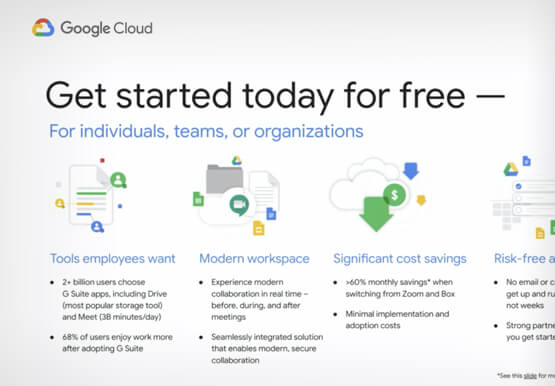
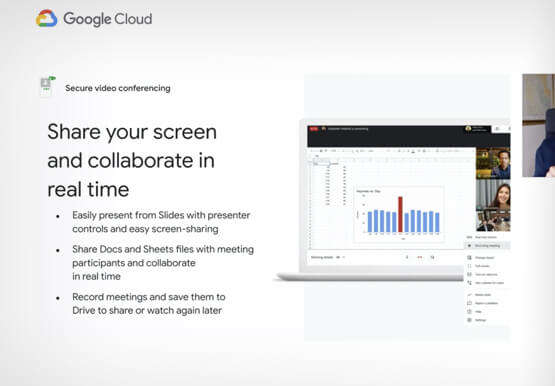
With millions of employees forced to work from home, it has become clear that the existing tools many have in place were not cutting it. The Google Cloud team stepped in and accelerated production timelines to launch a new offering. G Suite Essentials is Google's integrated set of tools designed
Google Workspace Now has Adobe Add-on!
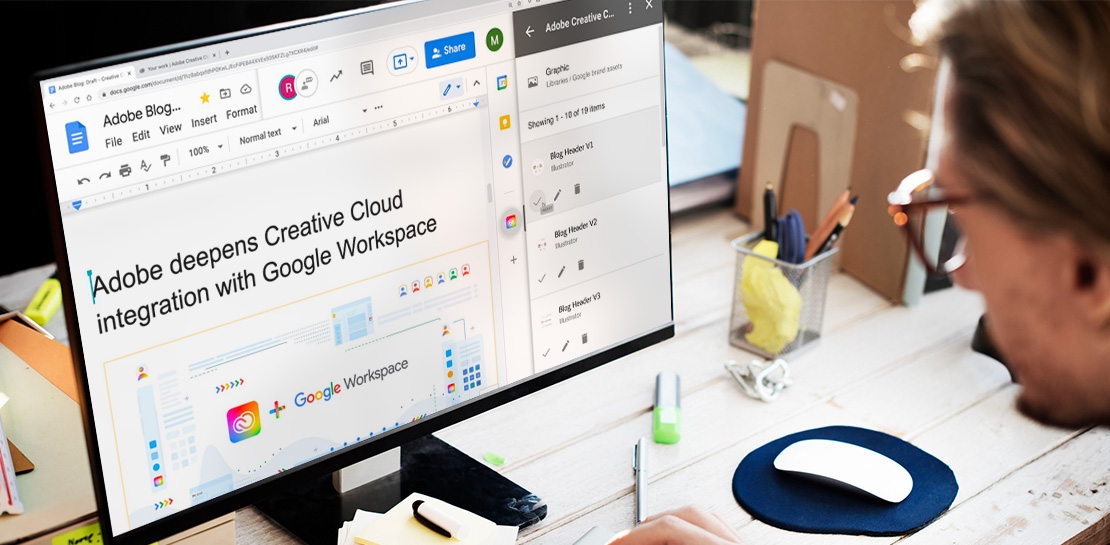
Every day, individual people and creative teams combine Google Workspace with Adobe Creative Cloud to bring their best ideas to life and delight their customers or friends, across photography, design, video, 3D design, and more. In fact, Adobe’s add-on for Google Workspace has had over a million installs and counting. By partnering

Dr. Agarwal’s Eye Hospital Cuts IT Support Tickets By 80% With Google
Founded by the late Dr. J. Agarwal, Dr. Agarwal’s Eye Hospital, headquartered in Chennai, India, operates 62 hospitals in cities across India and 14 hospitals in 8 countries in Africa, including Zambia, Nigeria, and Ghana. According to Dilip Ramadasan, GM-IT, Dr. Agarwal’s Eye Hospital, the business is the second-largest network

Lending DocAI Shortens Borrowers’ Journey on Roostify
The home lending journey entails processing an immense number of documents daily from hundreds of thousands of borrowers. Currently, home lending document processing relies on some outdated digital models and a high dependency on manual labor, resulting in slow processing times and higher origination costs. Scaling a business that sorts
