





Messages by Google: Unveiling New Features for AT&T Android Users

3846
Of your peers have already read this article.
1:30 Minutes
The most insightful time you'll spend today!
Today, we’re announcing that we’re working with AT&T to establish Messages by Google as the default messaging application for all AT&T customers in the United States using Android phones. The collaboration aims to help accelerate the industry toward global Rich Communication Services (RCS) coverage and interoperability to offer a consistent, secure, and enhanced messaging experience for all Android users around the world.
“Many AT&T customers have enjoyed the advantages of RCS for years when texting with friends and family,” said David Christopher, executive vice president and general manager – AT&T Mobility. “We look forward to working closely with Google to extend these benefits to even more of our customers as they enjoy richer conversations with others around the world.”
Working together, AT&T and Google will continue the momentum to upgrade SMS with enhanced messaging features offered in Messages, which includes the support of chat features based on the open RCS standard. With Messages as the default messaging application, all AT&T customers using Android devices will get enhanced features so they can:
- Share full-resolution pictures from a recent event or vacation
- Send a higher-quality video of that soccer goal and the celebration that followed
- Know when someone is replying to a text
- Send and receive messages over Wi-Fi or data
- Participate in group chats where it’s easy to add someone else to the conversation, or let someone leave, without starting a brand new thread
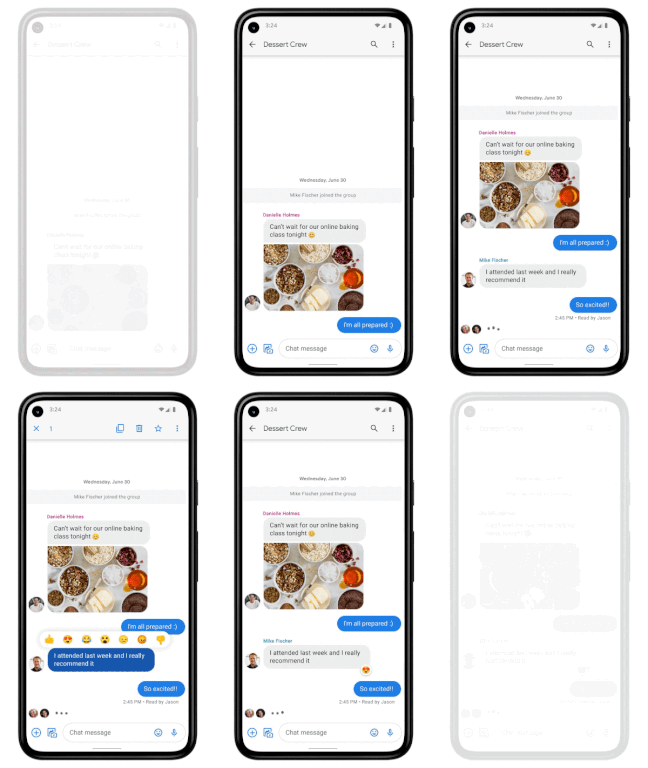
In addition to these features, we’re also rolling out end-to-end encryption for one-on-one RCS conversations between people using Messages and people who have chat features enabled.
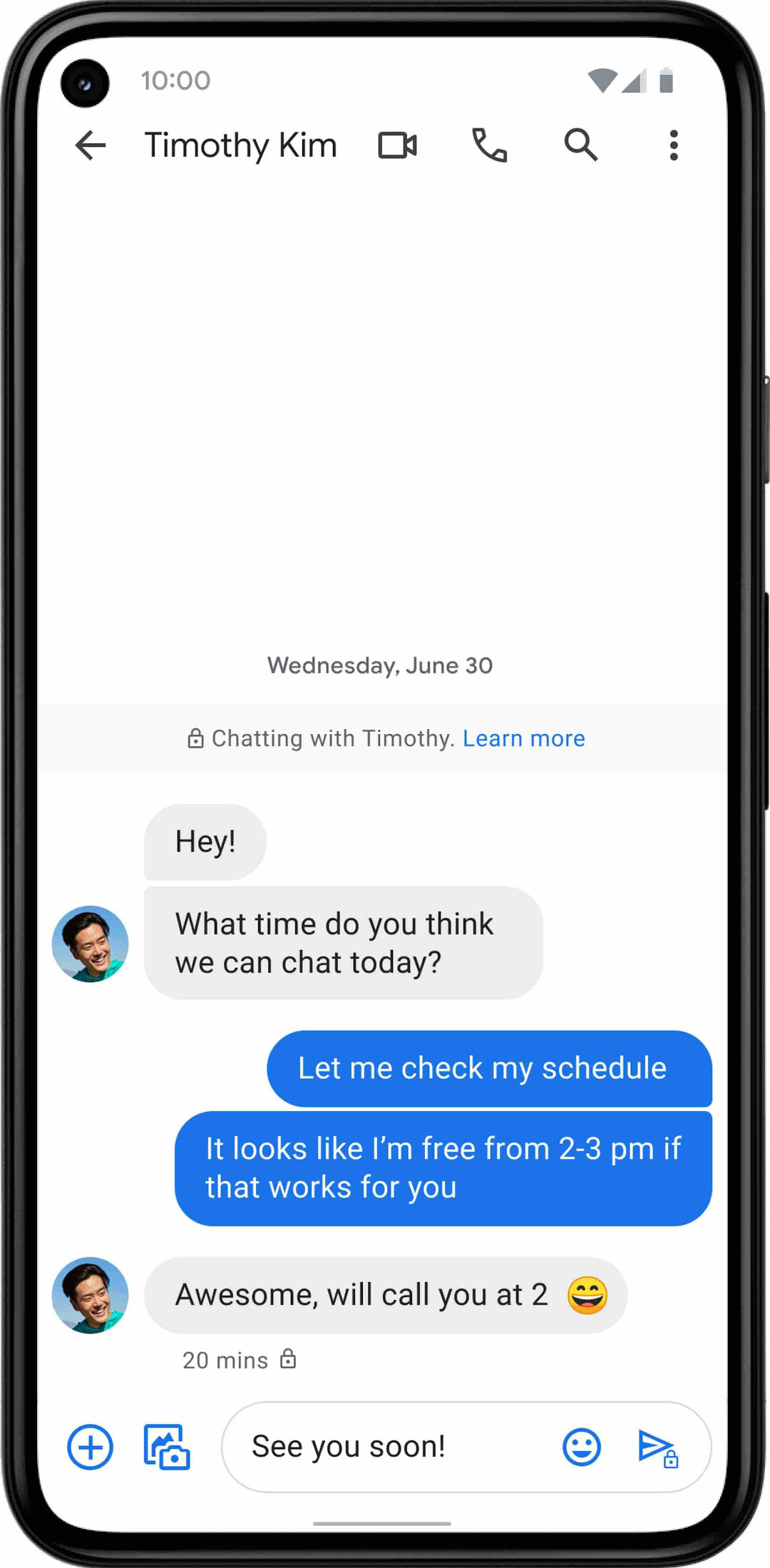
For years, we’ve been working with the mobile industry and device makers to bring enhanced and secure messaging to everyone on Android. Today’s announcement—that AT&T customers using Android devices will soon be able to enjoy these features by default—is a major step forward.
3924
Of your peers have already watched this video.
18:52 Minutes
The most insightful time you'll spend today!
Deep-dive into modern OS architecture built for the cloud
Cloud-based technology–and we all know this–has changed how we work. It has meant that we can work securely from any device, any location, anytime. You can be on a tablet, a phone, a laptop, a desktop, and you get to your work. You can collaborate with others in a really seamless way.
This is something, for those of you that will remember, you know, there was version 12 of the document and you’d send it out to eight people and they’d all give you different revisions and you’d have to somehow merge them together. But now, because it’s in the cloud, and there’s a central place, you can all be collaborating at the same time.
This has really fundamentally changed how fast we work and what happens in challenging times like we’ve been facing for the last several months were working from home didn’t all of a sudden mean you couldn’t do anything. An enormous number of people could continue working if the applications were built for the cloud from the very beginning.
Cloud-native endpoints such as Chrome OS provide the speed, ease of management, and security required as more workloads move to the cloud. This video includes a deep dive into Chrome OS’s multi-layered approach to computing and explores key features that provide differentiated benefits from legacy systems.
Google Workspace and Chrome Enterprise Integral for Colgate-Palmolive’s Flexible Work-Culture

3886
Of your peers have already read this article.
2:00 Minutes
The most insightful time you'll spend today!
Editor’s note: Today’s post is by Roger Lim, IT Manager of Collaboration Infrastructure Development, and Jim Arcure, Director of Infrastructure Development, both with Colgate-Palmolive, the multinational consumer products company. Colgate-Palmolive is in the midst of a multiyear project to create a collaborative, flexible work culture, leveraging Google Workspace and Chrome Enterprise.
Colgate-Palmolive Company is a caring, innovative growth company reimagining a healthier future for all people, their pets, and our planet. Focused on Oral Care, Personal Care, Home Care, and Pet Nutrition, and reaching more than 200 countries and territories, Colgate teams are developing and selling product offerings essential to society through brands such as Colgate, Palmolive, elmex, meridol, Tom’s of Maine, hello, Sorriso, Speed Stick, Softsoap, Irish Spring, Protex, Sanex, Filorga, eltaMD, PCA Skin, Ajax, Axion, Fabuloso, Soupline and Suavitel, as well as Hill’s Science Diet and Hill’s Prescription Diet.
Colgate-Palmolive has been accelerating growth and delivering meaningful innovation and attracting new and diverse talent in areas such as ecommerce, innovation and digital. That speed and agility comes in large part from the Chrome Enterprise tools that allow the business to move faster and stay competitive.
Changing out software and hardware for 30,000 employees in 70+ countries is a massive project. Early on, we chose Chrome Enterprise as our partner. We had to move away from our dependency on legacy platforms, software, and devices if our business was going to thrive. We knew cloud-based tools like Chrome and Google Workspace would do what on-premises solutions can’t—ease the IT workload while keeping employees happy and productive.
Why we’re escaping legacy apps and embracing the cloud
We don’t want Colgate-Palmolive’s size and geographical breadth to get in the way of people working together and maintaining its strength in global teamwork. That’s why we’re replacing bulky, hard-to-maintain, on-premises applications and software with cloud versions that everyone can securely access in a web browser.
As an IT team, we thought about how much work time we spent installing, updating, and troubleshooting software (up to 30 percent of work hours during big upgrades!). As we were looking at ways to work together better, we had our eyes on the cloud revolution—and, specifically, Chrome Enterprise and Google Workspace.
First step, switch to a new browser
Back in 2016, the IT team was working to move everyone to Google Workspace and away from legacy productivity applications. Once you start Google Workspace adoption, it’s time to take a closer look at browser options.
We chose Chrome Browser for several reasons. It updates automatically, so we could cross lengthy upgrade tasks off our list. An even bigger benefit is that Chrome Browser’s management tools, data protection, and malware detection are all built in. We anticipate a lot of synergy here by leveraging these features and having our users go all Chrome.
Chrome Browser also gave us tools to manage and grant access to apps across our multi-platform device fleet. We call Chrome Browser Cloud Management our “golden nugget” because every browser gets enrolled automatically in browser management.
It’s now much easier to push out new extensions and apps (and allowlist or blocklist them) compared to the time-consuming process of using our existing desktop policy management settings. The ability to easily manage extensions is a huge benefit since it enabled IT to provide new and safe functionality to our end users.
Next, share new ways of working together
Our IT team wants workers to see the benefits of Google Workspace and Chrome Browser on their own, but sometimes we have to guide them toward the finish line. At the beginning of the project, we developed “Going Google” tools to notify users to consider Google Workspace when opening legacy applications that are no longer needed.
As Chrome Enterprise and Google Workplace became our primary productivity tools, it was also important to ensure our users did not fall back on old habits. Our “Going Google” tools gave our IT organization the ability to not only notify, but turn off specific legacy apps per user. Though IT could easily restore access to these legacy apps on a temporary basis, we have seen a significant dropoff in these types of requests over the past few months. Our goal is to give Colgate people a gentle and consistent reminder that we will be a Google Workspace-only company. By taking these active and decisive steps, we ensure that our users and teams are migrating to Google Workspace today.
To that end, we’ve provided lots of support. We use over 1,000 Colgate “Google Guides” around the world who run on-site classes and webinars on Google Workspace, and are available for one-on-one help, as well as roughly 700 “Google Gurus” who are savvy early-adopters and can lend a hand to colleagues with questions about Google Workspace. Our training classes and webinars are playing to packed houses, and we’re scheduling sessions that focus on specific skills, like a class about using Google Sheets attended by 250 people via Google Meet.
Finally, start rolling out new devices
If we can get everyone at Colgate-Palmolive working in Google Workspace and Chrome Browser, then offering Chromebooks is another natural fit: Chromebooks and the Chrome OS are built for the cloud world we want to work in. We’re pilot testing about 200 Chromebooks for employees, mostly in our customer development department. The Chromebooks are in high demand in challenging locations because they’re easier to deploy for new hires. When employees eventually get back to their offices, we are eager to expand Grab-and-Go racks for people that need a temporary loaner. These Grab-and-Go racks in our New York City and Piscataway, N.J. offices will provide another way for people to test drive Chromebooks.
Two hundred-odd years after Colgate-Palmolive started doing business, we’re excited about the modern focus of our workplace tools. The Google tools that allow us to collaborate also allow the company to succeed well into our third century.
How Google Meet Keeps Your Video Conferences Secure

6820
Of your peers have already read this article.
4:30 Minutes
The most insightful time you'll spend today!
All over the world, businesses, schools and users depend on G Suite to help them stay connected and get work done. Google designs, builds, and operates our products on a secure foundation, aimed at thwarting attacks and providing the protections needed to keep you safe. G Suite and Google Meet are no exception.
Google Meet’s security controls are turned on by default, so that in most cases, organizations and users won’t have to do a thing to ensure the right protections are in place. Here, we’ll summarize the key capabilities of Google Meet that help protect you.
Proactive protections to combat abuse and block hijacking attempts
Google Meet employs an array of counter-abuse protections to keep your meetings safe. These include anti-hijacking measures for both web meetings and dial-ins.
Google Meet makes it difficult to programatically brute force meeting IDs (this is when a malicious individual attempts to guess the ID of a meeting and make an unauthorized attempt to join it) by using codes that are 10 characters long, with 25 characters in the set. We limit the ability of external participants to join a meeting more than 15 minutes in advance, reducing the window in which a brute force attack can even be attempted. External participants cannot join meetings unless they’re on the calendar invite or have been invited by in-domain participants. Otherwise, they must request to join the meeting, and their request must be accepted by a member of the host organization.
In addition, we’re rolling out several features to help schools keep meetings safe and improve the remote learning experiences for teachers and students, including:
- Only meeting creators and calendar owners can mute or remove other participants. This ensures that instructors can’t be removed or muted by student participants.
- Only meeting creators and calendar owners can approve requests to join made by external participants. This means that students can’t allow external participants to join via video, and that external participants can’t join before the instructor.
- Meeting participants can’t rejoin nicknamed meetings once the final participant has left. This means if the instructor is the last person to leave a nicknamed meeting, students can’t join later without the instructor present.

Secure deployment and access controls for admins and end-users
To limit the attack surface and eliminate the need to push out frequent security patches, Google Meet works entirely in your browser. This means we do not require or ask for any plugins or software to be installed if you use Chrome, Firefox, Safari, or Microsoft Edge. On mobile, we recommend that you install the Google Meet app.
To help ensure that only authorized users administer and access Meet services, we support multiple 2-Step Verification options for accounts that are secure and convenient. These include hardware and phone-based security keys and Google prompt. Additionally, Google Meet users can enroll their account in our Advanced Protection Program (APP), which provides our strongest protections available against phishing and account hijacking and is specifically designed for the highest-risk accounts.
For G Suite Enterprise and G Suite for Education customers, we offer Access Transparency, which logs any Google access to Google Meet recordings stored in Drive, along with the reason for the access (support team actions that you might have requested, for example). Customers can also use data regions functionality to store select/covered data of Google Meet recordings in specific regions (i.e. US or Europe).
Secure, compliant, and reliable meeting infrastructure
In Google Meet, all data is encrypted in transit by default between the client and Google for video meetings on a web browser, on the Android and iOS apps, and in meeting rooms with Google meeting room hardware. Meet adheres to IETF security standards for Datagram Transport Layer Security (DTLS) and Secure Real-time Transport Protocol (SRTP). For every person and for every meeting, Meet generates a unique encryption key, which only lives as long as the meeting, is never stored to disk, and is transmitted in an encrypted and secured RPC (remote procedure call) during the meeting setup.
Security is an integral part of all our operations at Google. Our team of full-time security and privacy professionals supports our software engineering and operations to ensure that security is always a part of how we build and run our services. All of our Google Cloud and G Suite customers benefit from these capabilities, including:
- Secure-by-design infrastructure: Google Meet benefits from Google Cloud’s defense-in-depth approach to security, which utilizes the built-in protections and global-private network that Google uses to secure your information and safeguard your privacy.
- Compliance certifications: Our Google Cloud products, including Google Meet, regularly undergo independent verification of their security, privacy, and compliance controls, including validation against standards such as SOC, ISO/IEC 27001/17/18, HITRUST, and FedRAMP. We support your compliance requirements around regulations such as GDPR and HIPAA, as well as COPPA and FERPA for education.
- Incident management: We have a rigorous process for managing data and security incidents that specifies actions, escalations, mitigation, resolution, and notification of any potential incidents impacting customer data.
- Reliability: Google’s network is engineered to accommodate peak demand and handle future growth. Our network is resilient and engineered to accommodate the increased activity we’ve seen on Google Meet.
- Transparency: At Google Cloud, we’re clear about our commitments regarding customer data: we process customer data according to your instructions; we never use customer data for advertising purposes; and we publish the locations of our Google data centers, which are highly available, resilient, and secure.
During COVID-19 and beyond, we will continue to protect Google Meet users and their data, and keep innovating with new features to make our tools helpful, secure, and safe.
Partner Delivery Excellence: Empowering Partners Deliver Customer value with Google Cloud

982
Of your peers have already read this article.
3:30 Minutes
The most insightful time you'll spend today!
With growing demand for Google Cloud, customers are increasingly expecting more reliable advisory and implementation skills from Google Cloud Systems Integrator (SI) Partners. Our model for professional services remains differentiated, with a heavy co-dependence on our SI Partner ecosystem to drive success for our customers. Therefore, enabling and nurturing strong delivery capabilities in our Partners is a responsibility we take seriously. The Google Cloud Global Services Delivery and Global Partner Ecosystem & Channels team jointly made significant investments earlier this year to underscore our commitment in this area. That’s why we’ve created the expanded Partner Delivery Excellence portfolio, a rich set of resources to help Google Cloud Partners deliver high-quality Google Cloud projects. Whether you’re a Partner just getting started with Google Cloud or have prior experience, we have the resources you need to succeed and we’ll meet you where you are in this journey.
Here are some of the key offerings in the Partner Delivery Excellence portfolio:

Stage: Building delivery skills | Pre-engagement
- Delivery Readiness Index (DRI): a framework that enables SI Partners to receive customized, individual level delivery enablement recommendations based on each consultant’s delivery readiness, assessed across training, certifications, delivery skills validation and prior delivery experience.
- Delivery Navigator (coming soon): A delivery management platform consisting of delivery methods, work management tools, and dashboards that enables Google PSO and Partners to drive a high-quality, globally consistent project experience. You’ll hear more about this in an upcoming blog post.
Stage: Develop delivery expertise | Preparing for a delivery project
- Delivery Runbooks: Workload-level detailed delivery guides which include reference architectures, detailed migration steps, validation guidelines, common troubleshooting tips and more.
- Delivery Bootcamps: In-person or hybrid mode multi-day sessions conducted by experienced Google Cloud Consultants and customizable to the specifics of a Google Cloud project for a customer.
- Use case learning: Self-paced learning in the form of bite-sized lectures to build foundational delivery skills at the workload level, with quiz based assessment to validate knowledge gained.
- Delivery labs: Hands-on labs, hosted on our Qwiklabs platform, that complement use-case learning to build and test core delivery skills through a series of practical delivery scenario challenges.
Stage: Leverage Google delivery SMEs | During active project delivery
- Onboarding accelerator: Enables Partners with advisory services to onboard customers on Google Cloud foundations and migrate the first workload quickly and efficiently, by imparting knowledge and best practices from the Technical Onboarding Center. Supported workloads span Infrastructure & Application modernization, Analytics & AI and Databases.
- Delivery Helpdesk: In-the-moment implementation support for Partners during a live Google Cloud project through a standard case management process. Google Global Services Delivery teams well versed in the technology area will advise and help Partners resolve the issue at hand.
- Delivery Assurance Services: Project-level safeguarding services that are delivered in the context of an active Partner-led customer project.
Stage: Leverage Google delivery expertise independent of projects | Build, scale and optimize Google Cloud practices
- Tooling advisory: Assessment of Partner tools with detailed recommendations to enhance tools architecture for better scale, security, ease of use and, where applicable, pointers to Google Cloud open-source tools and best practices.
- Resident Experts: We are selectively introducing this offering of specialists from Google Cloud Consulting teams embedded with Partners for a fixed period of time and with defined scope and deliverables. Partners can leverage these experts to build core delivery capabilities in new areas like generative AI, sharpen existing Google Cloud capabilities in adjacent solution areas like Data & Analytics or have access to expertise to define a comprehensive automation strategy for Google Cloud migration practices.
We are confident that the Partner Delivery Excellence portfolio brings forth much of what’s needed for our Partners to not only deliver high-quality services but also profitably grow their Google Cloud services business quickly and efficiently.
To learn more about the portfolio or to share your feedback or suggestions, please contact your Google Cloud Partner representative.
If you are attending Partner Summit during Google NEXT in August, we look forward to seeing you in the breakout series where we have a dedicated session on this topic.
Thank you for reading. And thank you for your partnership!
Nubian Skin Beats Spikes in Customer Interest with G Suite

4219
Of your peers have already read this article.
2:30 Minutes
The most insightful time you'll spend today!
“Nude” comes in all shapes, sizes and colors. But for Ade Hassan, finding undergarments to match her skin tone took more effort than necessary. Born in the U.K. to Nigerian parents, Hassan searched unsuccessfully for underwear and swimwear that matched her skin—a problem that continued to frustrate her through college and into her professional life.
“My nude isn’t the nude I see in shops,” Hassan says.
Like many other black entrepreneurs, she created her own solution. Hassan founded Nubian Skin, a company that sells lingerie, hosiery, and swimwear for women of color.
With shades like “cafe au lait” and “berry,” Nubian Skin products reflect diverse skin tones and are sold in shops located in the U.K., Nigeria and the U.S., as well as online. Beyoncé and her dancers even asked Nubian Skin to outfit them for their 2017 “Formation” tour.
Since nearly the beginning, Hassan has used G Suite to keep her business humming.
From managing meetings with retailers and manufacturers, to coordinating publicity efforts with fashion press, to keeping track of retail invoices, G Suite has helped Hassan scale her business as quickly as people have demanded her products.
“There are so many pitfalls and so many things that are hard about business,” Hassan says. “It’s really amazing to have something like G Suite that is easy and intuitive.”
Nubian Skin’s fashion fame arrived seemingly overnight. When Hassan posted the company’s first campaign images, its Instagram followers jumped from 50 people to more than 20,000 in just a few weeks.
“People called asking, ‘Can we have the contact for the press department?,” says Hassan. “But at the time, it was just me.” To easily handle media requests, she set up a press@nubianskin.com email address through the G Suite Admin console. And because she had used Gmail for several months before launching the company, using the business version of Gmail came naturally.
“Having that nubianskin.com address gave the business an air of professionalism, which we wouldn’t have had otherwise,” Hassan says. “Usually you need a whole IT department to set up new emails and passwords, but the Admin console removes the hassle of that process.”
Because Nubian Skin employees aren’t always in the showroom together, they need to be able to access business documents—like model photos and customer invoices—from anywhere.
To help, Hassan securely stores business documents in Google Drive (which can be accessed on mobile, too) and works collaboratively with her finance team to process orders using Google Sheets.
“Everyone has access to the spreadsheet so we can fill in what we need at any given point,” says Hassan. “This way, nothing slips through the cracks.”
And when she needs to connect with colleagues quickly or face-to-face, she uses Hangouts Chat or Hangouts Meet. Chat makes it so employees are only a message away, and Meet helps her connect with people as if they’re in person at the office.
Five years after launching Nubian Skin, Hassan is a recognized entrepreneur who’s influenced other retailers to create more inclusive designs.
“Even if you’re small, you want people to see you as a professional business,” Hassan says. “If you’re still growing, you need the building blocks to get you where you want to be. I can’t imagine working without G Suite.”
More Relevant Stories for Your Company
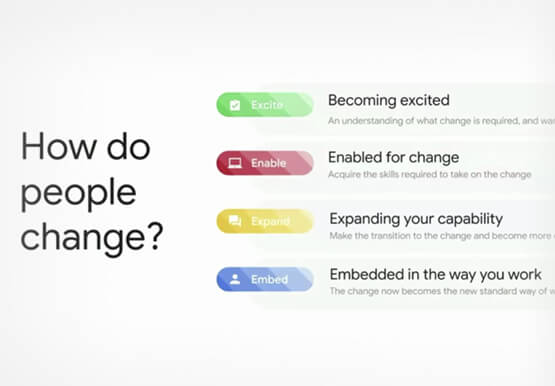

Boosting Chrome OS adoption with effective change management
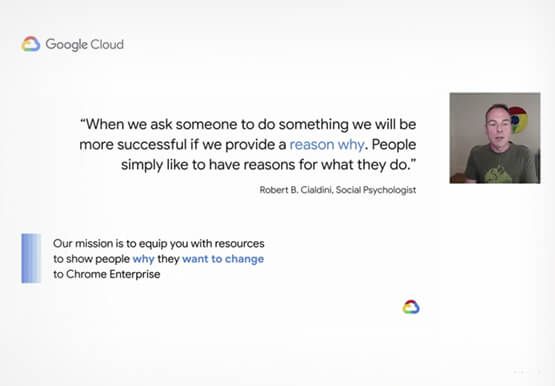
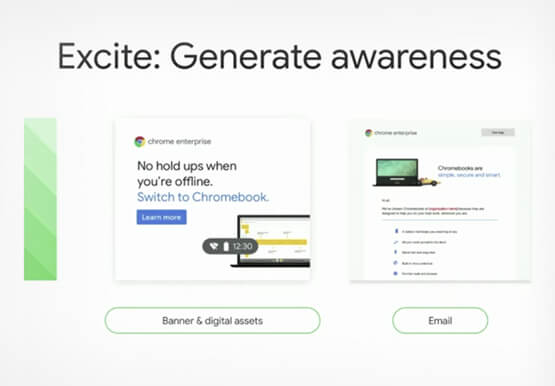
Can you remember the last time you asked a child to do something how did you convince them to do what you wanted? How many times did they ask you why probably more than once, right? So we know change is hard when we ask someone to make a change
Google Cloud VMware Engine Achieves HIPAA Compliance
We are excited to announce that as of April 1, 2021, Google Cloud VMware Engine is covered under the Google Cloud Business Associate Agreement (BAA), meaning it has achieved HIPAA compliance. Healthcare organizations can now migrate and run their HIPAA-compliant VMware workloads in a fully compatible VMware Cloud Verified stack running natively
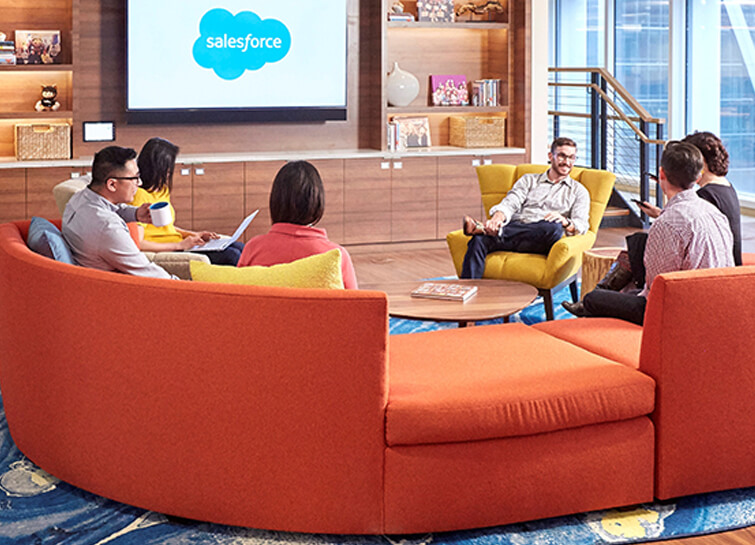
Salesforce Enhances Business Outcome with Real-time Collaboration
Nearly 20 years after its debut, the Customer Relationship Management (CRM) software company, Salesforce, “dominates the market,” as Bloomberg puts it, with 19.6 percent market share in 2017, according to International Data Corporation. The company as also recently named number 1 in Fortune’s 2018 list of 100 Best Companies to Work For. In

Say Hello to Google Workspace
Make way for Google Workspace to connect, create, and collaborate with your team and organization. Watch the video to explore how you can achieve more with Google Workspace and how it can transform the future of workplace!
