





How EDI empowers its workforce in the field, in the office, and at home

3883
Of your peers have already read this article.
5:12 Minutes
The most insightful time you'll spend today!
For consulting companies such as EDI Environmental Dynamics Inc. (EDI), interactions among employees and customers are the direct drivers of value, and helping them collaborate has a tangible impact on the bottom line. However, connecting people from the field to work-from-home spaces to the office is no easy task.
EDI, an environmental consulting company that helps organizations assess environmental impacts and meet government regulations, has eight offices across Western and Northern Canada. Frontline workers account for 80% of its total employees, ranging from biologists and scientists to safety inspectors and project managers. EDI’s success is directly linked to its remote workforce’s ability to work effectively in the field and to collaborate with coworkers and clients across Western Canada. With the help of Google Workspace and AppSheet, EDI is enabling its mobile workforce to function more efficiently and collaboratively than ever before.
Bringing efficiency to its frontline workers
Just four years ago, much of EDI’s fieldwork was still being tracked with pen and paper, resulting in frequent challenges, from error-prone data retention to inefficient collaboration. Luckily, EDI was able to address this using AppSheet, Google Cloud’s no-code application development platform.
With AppSheet, EDI has replaced the majority of its pen-and-paper processes with tailored apps. As EDI’s Director of IT, Dennis Thideman explains, “AppSheet allows us to be much more responsive to our field needs. Using it, we can spin up a basic industrial application, share it with our field workers, and have them adjust their workflows—all in just a few hours. Doing that from scratch might take weeks or months.”
For EDI, there are a couple of features that make AppSheet shine. First, AppSheet is platform-agnostic, meaning it works on most devices and most operating systems, so any employee can access their AppSheet apps. Secondly, because 90% of EDI’s projects involve working in remote areas, they can leverage AppSheet’s Offline Mode, allowing workers to collect data on their mobile devices in the field and have it automatically download when they reconnect to the internet.
Eliminating the challenges associated with pen and paper has resulted in even more benefits than EDI leaders originally anticipated: namely, employees work faster across an unexpectedly wide range of use cases. For example, governmental regulations require EDI to complete a pre-trip safety evaluation before heading into the field. Before using AppSheet, this evaluation would take upwards of four hours to complete. By streamlining the process with an AppSheet app, EDI employees have reduced that time down to one hour. EDI averages over 850 evaluations every year, and they’ve realized over 2,550 hours in annual savings—savings that can be passed on to clients and allow staff to focus more time on other tasks. This is just one of more than 35 mission-critical applications that EDI has built with AppSheet.
Time savings is a huge benefit, but as Logan Thideman, an IT manager at EDI, explains “At the end of the day, we realized that the biggest benefits of AppSheet aren’t about time savings as much as they are about high-quality data.” Collecting and analyzing good data is critical to EDI’s operations, as most data collected in the field can never be replicated. For example, if a water quality sample for a certain day is lost (which can happen easily when using pen and paper), that information can never be retrieved again. AppSheet makes data collection easy. Employees are much less likely to lose a smart device than they are a paper form, and any data entered would be immediately uploaded to a Google Sheet or SQL database when they return from the field, meaning data is always backed up in the cloud. From there, information can quickly be analyzed by coworkers, passed on to the client, or shared with government agencies to ensure proper compliance.
Overall, EDI found that the more they could enable their field workers with AppSheet apps, the more those employees could focus on providing quality research and recommendations to their clients and gain a stronger competitive advantage in the market.
Enhancing collaboration everywhere
Enabling collaboration in remote environments can be difficult, but Google Workspace has made this easy for EDI. Google Workspace lets employees effortlessly share documents and work together in real time. Given its ease of use for mobile workers, Google Meet has become all-important and is used as EDI’s tool of choice for face-to-face collaboration. It became even more essential when COVID-19 arrived. As Dennis Thideman explains, “Google Meet allowed us to adapt to the COVID-19 environment quickly as we were already conversant with it. In just two days, we were able to transition our employees from office to home because of it.” By leveraging Google Meet and the rest of the Google Workspace platform, EDI employees are able to remain productive, regardless of where they’re working.
Google Workspace also makes it easy to collaborate with customers. Because many of EDI’s customers leverage Microsoft Office tools such as Word, Excel, and PowerPoint, EDI still needs to use them. Google Workspace makes it easy to continue using Microsoft products in its environment, allowing employees to store Microsoft Office files on Google Drive and open, edit and save them using Google Docs, Sheets, and Slides.
AppSheet and Google Workspace’s deep integrations also make collaboration easy. Employees can update data in Google Sheets, save images and reports to Drive, and update Calendar events all from AppSheet apps. Together, the two platforms simplify many of the activities that consumed so much time in the past.
An empowered workforce
Empowering employees has been at the core of EDI’s success, and Google Workspace and AppSheet have given EDI a clear advantage. Collaboration has become easier and more agile using Google Workspace. Robust AppSheet apps have been built to streamline mission-critical processes. For unique project requirements, simple AppSheet apps are built in a matter of hours. As Dennis Thideman summarizes, Google Workspace and AppSheet “make managing a distributed, deskless workforce much simpler, giving EDI better growth opportunities and a competitive edge in the marketplace.”
Migrating MySQL to Spanner? Here’s What You Need to Know

5614
Of your peers have already read this article.
2:00 Minutes
The most insightful time you'll spend today!
Since its initial release in 1995, MySQL has not only been the de-facto database for many data storage needs, but has gathered much attention over the years as one of the most well-recognized databases around when it comes to Relational Database Management Systems and transactional data processing.
Any application in retail, e-commerce, or banking has likely had its fair share of business depending on a relational database for its transactional needs. Many of these applications are built on MySQL due to its flexibility, open source nature, and strong community support.
Whether in the context of a migration from a relational database (like MySQL or PostgreSQL) , migration from a NoSQL database (like Cassandra), or a green grass workload, many companies turn to Cloud Spanner seeking a high availability SLA (99.99% for regional instances and 99.999% for multi region instances), unlimited scale, and low operational overhead – no patching required, no maintenance or other planned downtimes, just to name a few benefits.
The tooling and open source ecosystem around Spanner has evolved and grown ever since the service was introduced. HarbourBridge is a part of this ecosystem, and it’s meant to help customers port their existing MySQL or PostgreSQL schema to a Cloud Spanner schema.
Application Migration Tips
Despite helpful tools like HarbourBridge, database migrations are never trivial. Here are a few things to pay attention to when migrating from MySQL to Spanner, and how to update your application logic to address them.
Note – The following snippets use the PHP client for Cloud Spanner. A couple of the snippets reference a partial Magento port that our friends over at Searce have been working on. Once you understand the operations, you should be able to implement the same in any of the other languages that Cloud Spanner supports.
Cloud spanner enforces strict data types
In a MySQL query, the value of an attribute can be referenced as either a string or an integer. Example:
- select * from catalog_eav_attribute where attribute_id = 46;
- select * from catalog_eav_attribute where attribute_id = “46”;
Both are valid and equivalent.
In Cloud Spanner, the query will return an error if you try to reference an integer type by using a string representation.
Here is an example of a working query from Cloud Spanner:
- select * from catalog_eav_attribute where attribute_id = 46; — this will work
- Select * from catalog_eav_attribute where attribute_id = “46” — will fail, since we are supplying a string with “46”
You may use a function like the following to assist you with such transformations.
/*** Formats the SQL for Cloud Spanner* Example* Input SQL : <select statement> WHERE* (`product_id` = '340') ORDER BY position ASC* Output SQL : <select statement> WHERE* (`product_id` = 340) ORDER BY position ASC* In the above example integer*`340` is sanitized by removing single quotes.* Sanitization is required since Cloud Spanner* has strict typing* @param string $sql* @return string $sql*/public function sanitizeSql(string $sql){if (preg_match_all("/('[^']*')/", $sql, $m)) {$matches = array_shift($m);for($i = 0; $i < count($matches); $i++) {$curr = $matches[$i];$curr = filter_var($curr,FILTER_SANITIZE_NUMBER_INT);if (is_numeric($curr)) {$sql = str_replace($matches[$i],$curr, $sql);}}}return $sql;}
Using sequences in primary keys is not a Spanner best practice
Cloud Spanner does not implement a sequence generator, and it is not a Spanner best practice to use sequential IDs because doing so can cause hotspotting.
An alternative mechanism of generating a unique primary key is to use a UUID or any other similar mechanisms that result in non-sequential values. For more information, please refer to this article.
In order to convert all existing primary keys to a UUID pattern, you can change the schema using the snippet here
You may use this code snippet to modify the application code to generate the UUID for the auto increment. There are other ways to do this as well, such as using PHP built-in uniqid function.
/*** Generate UUID.* @return string*/public function getAutoIncrement(){if (function_exists('com_create_guid') === true) {return trim(com_create_guid(), '{}');}return sprintf('%04X%04X-%04X-%04X-%04X-%04X%04X%04X',mt_rand(0, 65535), mt_rand(0, 65535),mt_rand(0, 65535), mt_rand(16384, 20479),mt_rand(32768, 49151), mt_rand(0, 65535),mt_rand(0, 65535), mt_rand(0, 65535));}
Implicit casting and the need for explicit casting of field data types
Both MySQL and Cloud Spanner follow the SQL standard, hence much of the query syntax is the same. One notable difference is that the Cloud Spanner field types are implicitly cast to an appropriate data type out of the ones mentioned here. When implicit casting of the field type fails, Spanner returns a read error, so it would be safer to perform the casting to the appropriate type when issuing the SELECT statement.
Modify application code to cast to respective data type before execution of query.
$con = $this->getSpannerConnection();/*** Cloud Spanner follows strict type so cast the columns appropriately*/$select = $con->addCast($select, "`t_d`.`value`", 'string');$select = $con->addCast($select, "`t_s`.`value`", 'string');$select = $con->addCast($select, "IF(t_s.value_id IS NULL,t_d.value, t_s.value)", 'string');$values = $con->fetchAll($select);
Modify the application code to cast the column to its respective type
/*** Cast the column with type* @param string $sql* @param string $col* @param string $type* @return string*/public function addCast(string $sql,string $col, string $type){$cast = "cast(".$col." as ".$type.")";return str_replace($col, $cast, $sql);}
Using interleaved tables to improve read performance
Cloud Spanner’s table interleaving is a great choice for many parent-child relationships where the child table’s primary key includes the parent table’s primary key columns. Interleaving ensures that child rows are collocated with their parent rows, which can significantly improve query performance.
Refer to the statements here for a few samples of creating interleaved tables. To learn more about table interleaving, visit the documentation.
Conclusion
Database migrations are complicated. Hopefully, using HarbourBridge and the list of tips in this article can make that task easier. For additional tips, please take a look at this migration guide and read more about HarbourBridge.
Google’s Latest ‘Carbon Footprint’ can Flag Users about Carbon Emission Levels from their Cloud Usage

7068
Of your peers have already read this article.
4:00 Minutes
The most insightful time you'll spend today!
Google Cloud is proud to support our customers with the cleanest cloud in the industry. For the past four years, we’ve matched 100% of our electricity use with renewable energy purchases, and we were the first company of our size to commit going even further by running on carbon-free energy 24/7 by 2030. As we work to achieve 24/7 carbon-free energy, we help you take immediate action to decarbonize your digital applications and infrastructure. We’re also working with our customers across every industry to develop new solutions for the unique climate change challenges that organizations face. Today, we’re excited to expand our portfolio of carbon-free solutions and announce new partnerships that will help every company build a more sustainable future.
First, we’re launching Carbon Footprint, a new product that provides customers with the gross carbon emissions associated with their Google Cloud Platform usage. Now available to every GCP user for free in the Cloud Console, this tool helps you measure, track and report on the gross carbon emissions associated with the electricity of your cloud usage. Of course, the net operational emissions associated with your Google Cloud usage is still zero. With growing requirements for Environmental Social and Governance (ESG) reporting, companies are looking for ways to show their employees, boards and customers their progress against climate targets. Using Carbon Footprint, you have access to the gross energy related emissions data you need for internal carbon inventories and external carbon disclosures, with one click.
Built in collaboration with customers like Atos, Etsy, HSBC, L’Oréal, Salesforce, Thoughtworks and Twitter, our Carbon Footprint reporting introduces a new standard of transparency to support you in meeting your climate goals. You can monitor your gross cloud emissions over time, by project, by product and by region, giving IT teams and developers metrics that can help them reduce their carbon footprint. Our detailed calculation methodology is published so that auditors and reporting teams can verify that their cloud emissions data meets GHG Protocol guidance.

“The power of knowledge combined with the power of technology innovation plays a vital role in proactively responding to the climate crisis we are facing. With Google Carbon Footprint reporting, Atos feeds emissions data in our Decarbonization Data Platform, demonstrating potential emissions reductions from the Google Cloud Platform to our customers. This reporting opens up new levels of emissions transparency, trajectory planning, and data insight to support our customers in meeting, and potentially accelerating towards, their climate goals.”—Nourdine Bihmane, Head of Decarbonization Business Line, Atos
“The capability to measure and understand the environmental footprint of our Public Cloud usage is among the key axis of our sustainable tech roadmap. With Google Cloud Carbon Footprint, we are now able to directly follow the impact of our sustainable infrastructure approach and architecture principles.”—Hervé DUMAS, Sustainability IT Director, L’Oreal
While digital infrastructure emissions are just one part of your environmental footprint, accurately accounting for IT carbon emissions is necessary to measure progress against the carbon reduction targets required to avert the worst consequences of climate change. To help you account for emissions beyond our cloud and across your organization, we’re excited to partner with Salesforce Sustainability Cloud, integrating our Google Cloud Platform emissions data into their carbon accounting platform.
“As we face unprecedented climate challenges, companies across the globe need to embed sustainability into the core of their business in order to meet growing customer and stakeholder expectations, and reduce their environmental impact. Together, Google Cloud and Salesforce Sustainability Cloud can help our joint customers accelerate their path to Net Zero, leveraging data-driven insights and visualizations to track and reduce their carbon emissions to drive sustainable change.”—Ari Alexander, GM of Salesforce Sustainability Cloud.
From information to action
With the gross energy-related emissions footprint of data associated with your Google Cloud usage now available, we’re committed to providing tools to not only measure your carbon footprint, but help you reduce it. We recently launched low-carbon region icons to help you choose cleaner regions to locate your Google Cloud resources. New users who see the icons are over 50% more likely to choose clean regions over others, ensuring their applications emit less carbon over time.
For current Google Cloud users, we’re pleased to announce that Active Assist Recommender will include a new sustainability impact category, extending its original core pillars of cost, performance, security, and manageability. Starting with the Unattended Project Recommender, you’ll soon be able to estimate the gross carbon emissions you’ll save by removing your idle resources. Unattended Project Recommender uses machine learning to identify, with a high degree of confidence, projects that are likely abandoned based on API and networking activity, billing, usage of cloud services, and other signals, and provides actionable recommendations on how to remediate those abandoned projects. By deleting these projects, not only can you reduce costs and mitigate security risks, but you can also reduce your carbon emissions. In August, Active Assist analyzed the aggregate data from all customers across our platform, and over 600,000 gross kgCo2e was associated with projects that it recommended for cleanup or reclamation. If customers deleted these projects they would significantly reduce future gross carbon emissions. Check out this blog to learn more about Active Assist.

Solutions for climate resilience
Many of our customers face difficult questions about how their business impacts the natural environment today, and how it will be affected by climate change in the future. Answering these questions requires rich datasets about the planet, better analytics tools and smarter models to predict potential outcomes. For over a decade Google Earth Engine has supported scientists and developers with hyperscale computing power and the world’s largest catalog of satellite image data. Today, we are delighted to announce the preview of Earth Engine as part of Google Cloud Platform. Now, you can access Earth Engine and combine it with other geospatial-enabled products like BigQuery. By extending Earth Engine’s powerful platform to enterprises through Google Cloud, we are bringing the best of Google together.
Over the past year we’ve worked with a number of organizations to use Earth Engine technology with tools like BigQuery and the Cloud AI Platform to develop new solutions for responsible commodity sourcing, sustainable land management and carbon emissions reduction. Earth Engine enables companies to track, monitor and predict changes in the Earth’s surface due to extreme weather events or human-caused activities, thus helping them save on operational costs, mitigate and better manage risks, and become more resilient to climate change threats. This new offering will wrap the unique data, insights and functionality of Earth Engine with a fully-managed, enterprise-grade experience and reliability.
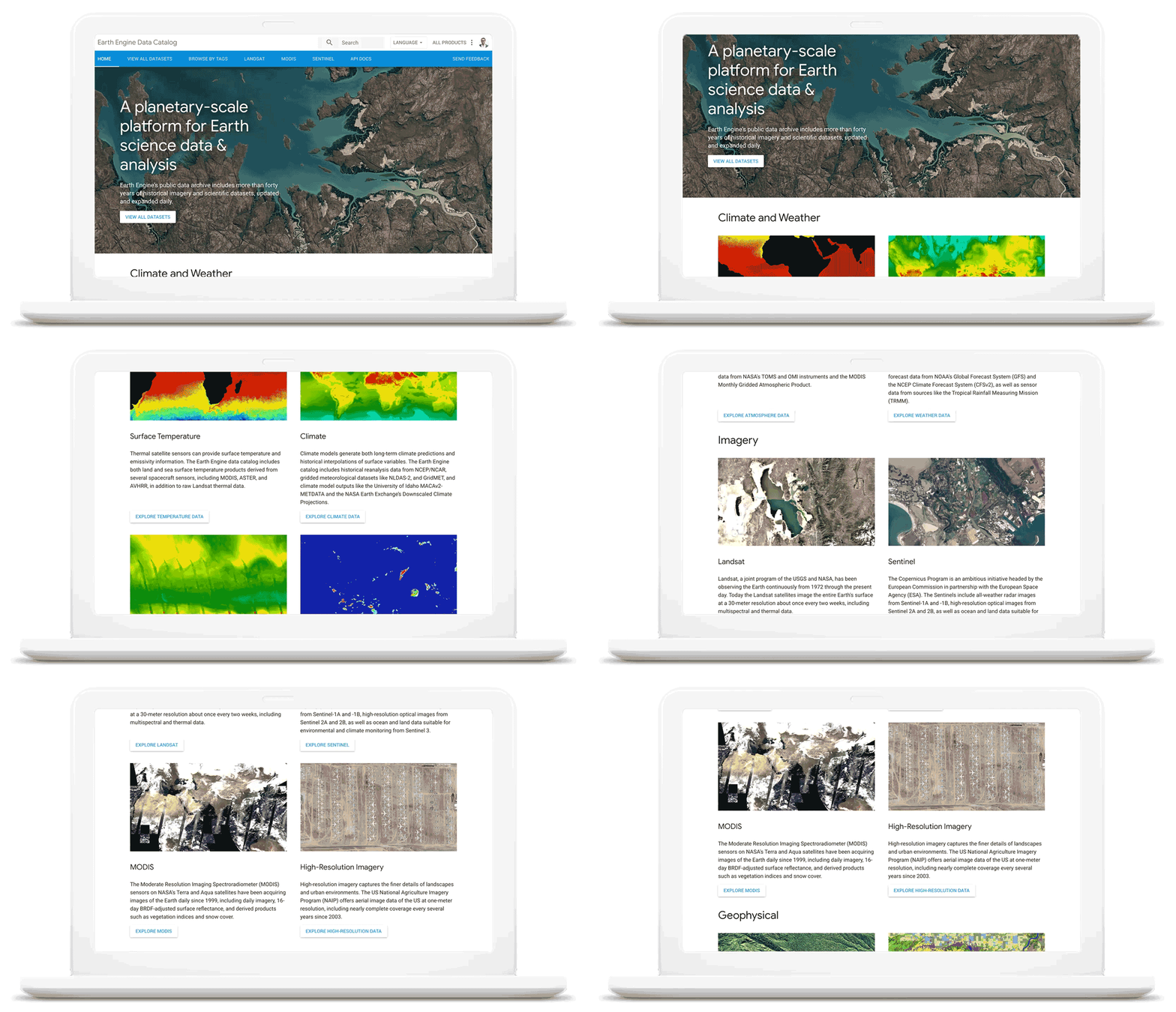
As we work with our customers to accelerate their sustainability initiatives, earth observation data is proving critical to effectively plan for the long-term impacts of climate change. To extend our geospatial and sustainability use cases we’re also expanding our partnerships with CARTO, Climate Engine, Geotab, NGIS, and Planet to bring their data and core applications to Google Cloud.
These partners will each make their existing platforms and datasets available globally on Google Cloud, giving you low-latency and reliable access to critical data and applications that will inform your sustainability initiatives. By integrating water availability, agricultural data, weather risks, and extensive daily satellite imagery into Earth Engine and BigQuery, you can achieve more ambitious goals for the sustainability of your business and our planet.
Committing to help you meet your climate goals
With each of these tools, we’re working to reduce the barriers you face in adopting more sustainable technology practices. We understand that building more sustainable applications and infrastructure is not easy. You face competing priorities, technical challenges, and the perception that climate action is costly.
It doesn’t have to be this way. Today, we are making a sustainability pledge to you: teams across Google Cloud are committing to eliminating the barriers you face in building a more sustainable digital future for your organization, and will help you take action today to realize your climate goals. We’ll do this in a number of ways:
- In digital transformation projects and workshops, sustainability teams will always have a seat at the planning table, so we can work together on using cloud technology to build a more sustainable future.
- We’re putting low-carbon signals natively into our products to help developers choose more sustainable options early in their application development.
- We’ll ensure carbon impact is measured consistently with other key performance indicators. Leveraging the social cost of carbon, the ROI models and value assessments you conduct with Google Cloud will project your emissions impact too.
- We’ll be transparent about our carbon impact, by publishing third-party reviewed reports and methodologies, so you can trust the data for your own reports and disclosures.
- We’ll continue to work with the industry on best practices, including educational resources like Sustainable IT – Decoded, a new masterclass created in partnership with Intel, that shares the expertise of sustainability thought leaders.
For the next decade we need to work together to avert the worst consequences of climate change. We’ve made tremendous progress in building technology that helps everyone do more for the planet, and we’re excited to see what you do with it. Visit this page to learn more about Google Cloud’s sustainability efforts.

4200
Of your peers have already downloaded this article
6.06 Minutes
The most insightful time you'll spend today!
Nearly 20 years after its debut, the Customer Relationship Management (CRM) software company, Salesforce, “dominates the market,” as Bloomberg puts it, with 19.6 percent market share in 2017, according to International Data Corporation. The company as also recently named number 1 in Fortune’s 2018 list of 100 Best Companies to Work For.
In the fast-changing, highly competitive industry that it helped establish, how does Salesforce maintain its position as a business, philanthropic, and workplace leader?
In part, the company’s success is a result of streamlined collaboration, both internally and externally, supported by real-time, easy communication between teams and partners.
As the company grew and expanded its network of offices and partners, it found that its on-premises email system and communication and collaboration tools couldn’t keep pace. That’s why it turned to G Suite.
“With all the stakeholders who need to review and comment, getting marketing materials out the door used to take weeks. With Google Docs, we can create, approve, and deliver assets in as little as 24 hours,” says Leandro Perez, Senior Director of Product Marketing, Salesforce.
Google Products Helps HMH’s Healthcare Staff Work from Anywhere Efficiently and Securely!

10194
Of your peers have already read this article.
3:00 Minutes
The most insightful time you'll spend today!
Hackensack Meridian Health (HMH) executive Mark Eimer explains how an ambitiously-timed rollout of a comprehensive suite of Google products helped the entire organization—from doctors to IT staff—achieve better security, cultivate a more equitable work environment, and ultimately, improve patient outcomes.
How does a recently merged, 17-hospital healthcare system fast-track a platform migration and hardware rollout securely and in a way that improves work for everyone, regardless of location or role? These are the questions that kept me up at night in early 2020, when the pandemic demanded a “big bang”—something our legacy laptops and operating systems couldn’t handle.
We began our work with Google in 2020 with the adoption of Chrome as our default browser. As we migrated platforms, keeping patient data safe was of the utmost importance to us, along with providing every staff member with the tools they needed to work virtually. Our staff often experienced issues accessing our web-based applications using Internet Explorer or Edge Browser, a problem that went away when we switched to Chrome. Chrome’s versatile compatibility also made it easier for my team to migrate all of our web-based operations, and Chrome’s security and manageability were key components to making this switch a huge win for the organization.
The success of this migration led us to extend our Google partnership to patient care applications—where Google’s expertise in AI and ML helps scale the use of diagnostics tools and improve other aspects of the patient journey.

Achieving security at every step
Like so many other healthcare organizations, we’ve been concerned about ransomware attacks. This is part of why we moved to Google Workspace and distributed over 3,000 Chrome OS devices in kiosk mode in March of 2020, when many of us went remote due to the pandemic. We were very concerned about team members accessing corporate applications through home devices that were running EOL operating systems (WIN7), as well as a general lack of antivirus and encryption measures.
We were protected by the fact that Google’s software and hardware both had built-in security features that we needed to stave off sophisticated attackers. For example, Chrome OS automatically updates to the latest security update and encrypts data living outside the cloud on the hardware. These features protected us from security-related disruptions, letting us securely move a huge library of file shares and emails across thousands of accounts to Google Chrome OS in just four months.
A year later, in March 2021, we migrated the enterprise over to Google Workspace and saw an immediate reduction in spam by 30% from the inherent built-in AI/ML. This meant staff were less likely to receive (and click through) phishing attempts. My team could connect, create, and collaborate easily and securely—even as more of us were working from home and needed to access sensitive data remotely.
Leveling the playing field
As an organization, we were surprised by how many team members didn’t have personal computers at home. We quickly decided that if we needed team members to work from home, the health network would have to supply hardware. Chromebooks’ lower price tag compared to PCs—on top of their built-in security controls—allowed us to purchase, deploy, and support that initial distribution of 3,000 Chromebooks to team members in less than three weeks, providing devices to every eligible remote employee instead of just a select few. This was vital to reaching our equitable technology goal as part of our diversity and inclusion initiative: everybody has the same tools to do good work.
When all employees have what they need to do their jobs well, we get better patient outcomes. Before we began this cloud adoption journey, patient and staff experiences were different within the hospitals and outside of them.
Now it’s the same wherever our staff is, and we’ve seen efficiency and accessibility benefits extend to the patient side. For example, we built a web-based contact center that supports 80 locations that use Workspace and Chrome OS devices. Since customer service, admin, and providers are all on the same system, it has become a one-stop shop for patients.
Furthermore, through the Grow with Google program, we were able to provide another benefit to employees that drove our equity goals. Google trained 50 non-IT staff members—from environmental services, food and nutrition, and other non-tech areas who were interested in making a career change to IT—on the Google products we were using. They may not have thought about switching to a career in IT before the Grow with Google program came to our organization, but through this partnership, they now have that opportunity.
A strategic, long-term partner
With any large-scale rollout, the work doesn’t end once laptops are in employee hands. Google has shown their commitment to long-term collaboration as they continuously optimize their products for the unique needs of healthcare providers and go the extra mile in tailoring tools to our staff’s workflows.
For example, on the Chrome OS side, the Google team has helped our registration desks and document centers with device integration for hardware like credit card readers and e-signature pads. They’ve also helped us meet security and privacy requirements mandated by state and federal governments around HIPAA, Medicaid, and Medicare reimbursements. Over this next year, we’ll look at a feature roadmap with Google Cloud to deliver further enhancements, iterating on the product itself to meet our needs for the present and the future.

Delivering the future of healthcare
The benefits we’ve seen around security and usability—and the ability to provide all staff with equal access to Google’s technology—are why we’re expanding our partnership with Google to both the administrative and clinical sides of HMH. In addition to further Google rollouts with corporate, next year we’re distributing Chromebooks to all 350 of our ambulatory clinics.
We’re also working with the Google professional services team to create a custom AI model that analyzes 3D mammogram images. This AI model will enable two providers to read mammograms—which adheres to international best practices but is currently rare in the US—without requiring additional time. Conducting double readings of mammograms will yield better health outcomes for our patients, such as a lower patient recall rate and an increased accuracy in detecting breast cancer.
We’re currently building the model using a variety of Google Cloud products, including Cloud Healthcare API. Once complete, this model is expected to be trained, deployed, and maintained in Google’s Vertex AI, allowing our providers to be more productive as they make clinical decisions with AI support. As the model is proven over time, we plan to make the predictive services accessible to other healthcare organizations.
With Google, we’re able to achieve a unified architecture for storing data as well as training and deploying AI models, which enable our staff to work more efficiently and securely from anywhere. While I may not be able to predict the future as accurately as AI can, I foresee our continued partnership with Google as a key part of HMH’s improved provider and patient outcomes.
How the Telegraph is Reimagining Media with Google Cloud

10166
Of your peers have already read this article.
3:30 Minutes
The most insightful time you'll spend today!
Whether they’re reading the newspaper on the way to work, or catching up on the latest headlines on their smartphones, readers expect up-to-the-minute news wherever and whenever makes the most sense for them. As a result, media companies are increasingly looking for ways to improve, expand, and simplify their offerings, and they’re increasingly looking to the cloud to do it.
For more than 160 years The Telegraph has been counted on by readers across the United Kingdom and globally for award-winning news and journalism. An early adopter of cloud technology, it’s been a G Suite customer since 2008 and has already been using Google Cloud Platform to analyze digital behaviors to improve engagement and advertising performance since 2016.
Recently, The Telegraph announced it’s migrating fully to Google Cloud. By migrating all their production and pre-production services, they aim to deliver content faster, provide compelling experiences to readers, and reduce environmental impact.
“We are delighted to announce our newest collaboration with Google Cloud,” said Chris Taylor, Chief Information Officer, The Telegraph. “We have always worked closely with Google as they help us to provide our readers with great experiences on our digital products, collaboration software and internet scale through search. Their continued leadership in projects such as Kubernetes are enabling us to build flexible development environments that truly support DevOps.”
Powering the Digital Publishing Ecosystem
The Telegraph produces large volumes of digital content every day. It was imperative for them to find a cloud provider they could trust to support this ecosystem. By working with Google Cloud they have changed the way they see and engage with data: they can collect new information about their products every second and use that to continually hone their strategy. The Telegraph are placing more confidence and trust in the data captured about their content and now have one of the best available pieces of technology for capturing and analyzing the stories they publish in real-time.
Leveraging AI to support journalists
Time is critical when journalists are on a story, and The Telegraph wants to put important data in the hands of its journalists right when they need it. To do this, it will be using AutoML to classify content for journalists and make it more discoverable. For example, a reporter will be able to bring up relevant assets that link to their stories. It will also apply AutoML to classify Telegraph stock photos to help journalists attach compelling visual content to their stories faster.
Building compelling reader experiences with the help of APIs
Readers have an ever-increasing expectation of personalization. To meet this need, The Telegraph launched My Telegraph, currently live in beta, to offer registered readers personalized news experiences based on their interests or the particular journalists they want to follow. My Telegraph was developed on an API management platform provided by Google Cloud’s Apigee. You can learn more about how it’s applying API management to My Telegraph, in this blog post.
Working for environmental good
The Telegraph is the biggest selling quality newspaper in the UK, an accolade which requires it to print and distribute hundreds of thousands of copies each day. Optimal management of print production is important, and by using a combination of the cloud and machine learning, The Telegraph is better able to predict demand for physical newspapers, maximizing sales and minimizing waste. This makes great business sense for The Telegraph but also has great environmental benefit.
More Relevant Stories for Your Company

Google Maps Platform Helps BungkusIT Fulfil its Promise of Deliveries in One Hour!
Editor’s note: Today's post is written by Hatim M, Chief Commercial Officer at BungkusIT. The on-demand delivery service delivers packages within the hour for one million customers across Malaysia and uses Google Maps Platform to create a seamless end-to-end delivery experience for its customers. Imagine it's the end of a




Colgate-Palmolive: The Story of a Large Company Transforming Itself in 6 Months
What started as a small soap and candle company in 1806 in New York, has today transformed into a household name: Colgate-Palmolive. Over 200 years hence, the company has diversified into oral care, personal care, home care, and pet nutrition businesses and sells its products in over 200 countries across



Teamwork from anywhere: G Suite’s vision for content collaboration
So the world has changed. We all know that the COVID-19 pandemic has fundamentally shifted where we work, when we work, and how we work. And during this time period, there has been a dramatic increase in the number of people working from home. It went from just 13% before
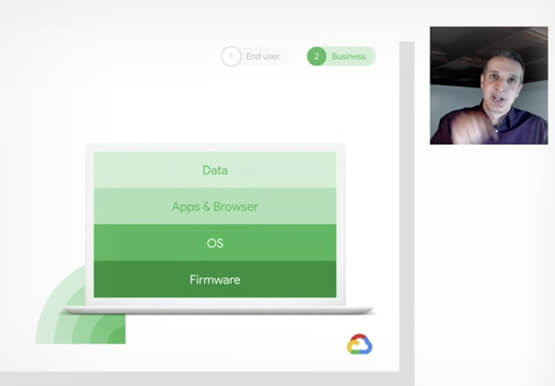
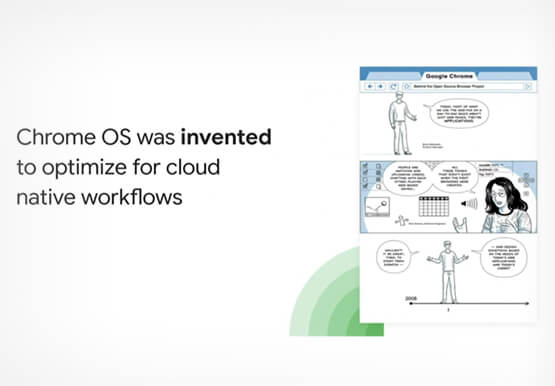
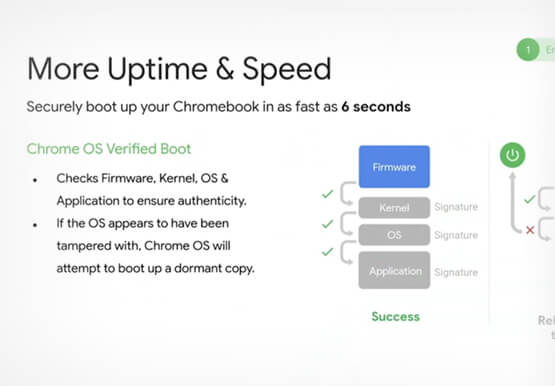
Deep-dive into modern OS architecture built for the cloud
Cloud-based technology--and we all know this--has changed how we work. It has meant that we can work securely from any device, any location, anytime. You can be on a tablet, a phone, a laptop, a desktop, and you get to your work. You can collaborate with others in a really
