





Google Workspace and Miro Together Bring Immersive Team Collaboration Experience

3940
Of your peers have already read this article.
3:00 Minutes
The most insightful time you'll spend today!
While many of us are navigating the shift to hybrid work, every team’s experience is unique. Distributed work is taking many different forms—from the fully remote to a specific mix of in-person and in-office—but there are potential gaps across all the places that people work. Google Workspace helps teams bridge these gaps by providing tools for them to connect, create and collaborate securely wherever they are. Today, we’re taking this one step further by announcing new ways to bring Miro’s intuitive whiteboard experience to Google Workspace so that teams can ideate and innovate more immersively.
With a shared commitment to extending inclusive, flexible collaboration experiences for all, we’re partnering with Miro to bring whiteboarding capabilities into Google Meet. We’re also deepening the existing experience within Google Docs, Sheets and Slides, making it easier for teams to ideate and co-create asynchronously and in real time.
Deepening collaboration in meetings
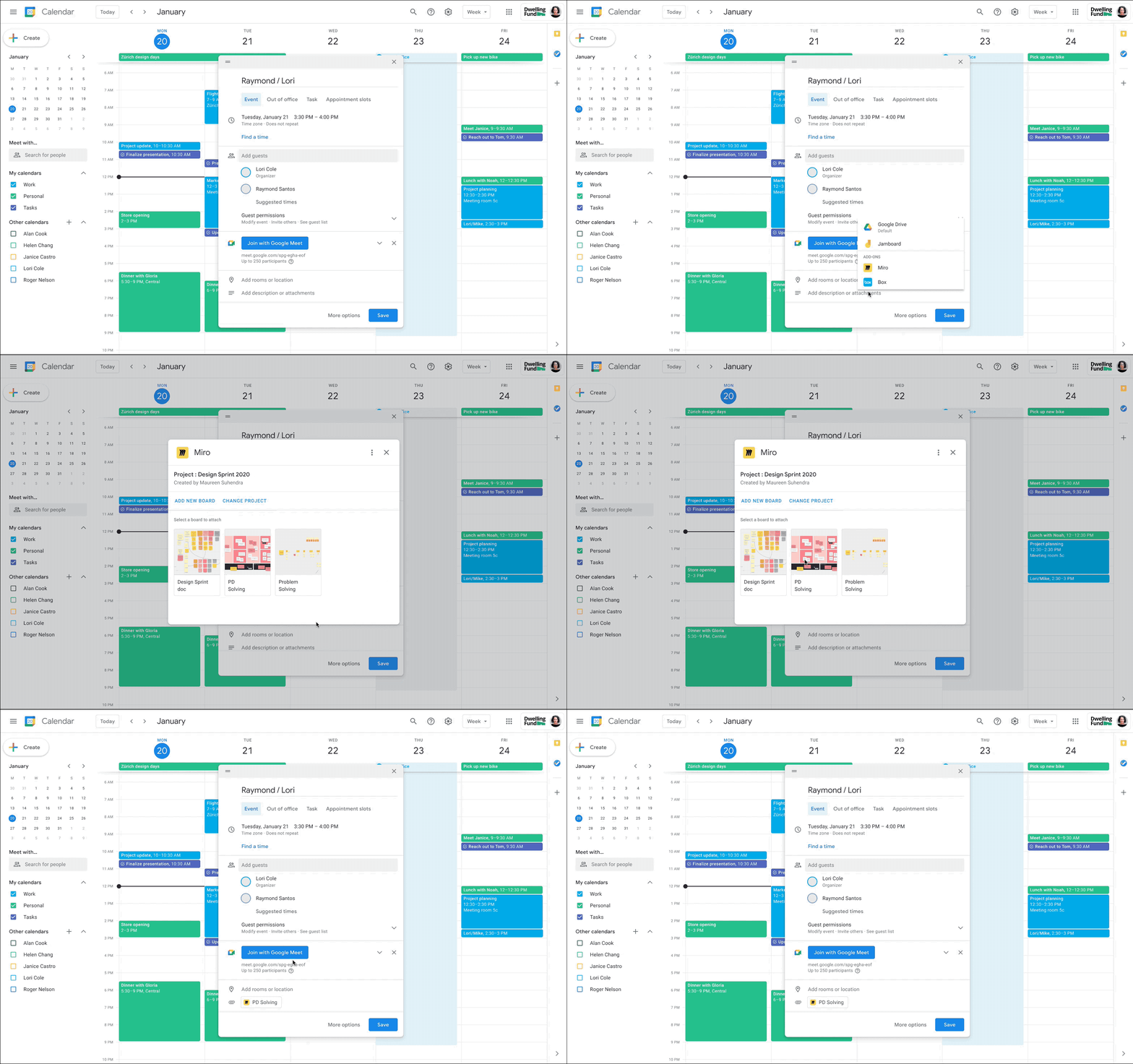
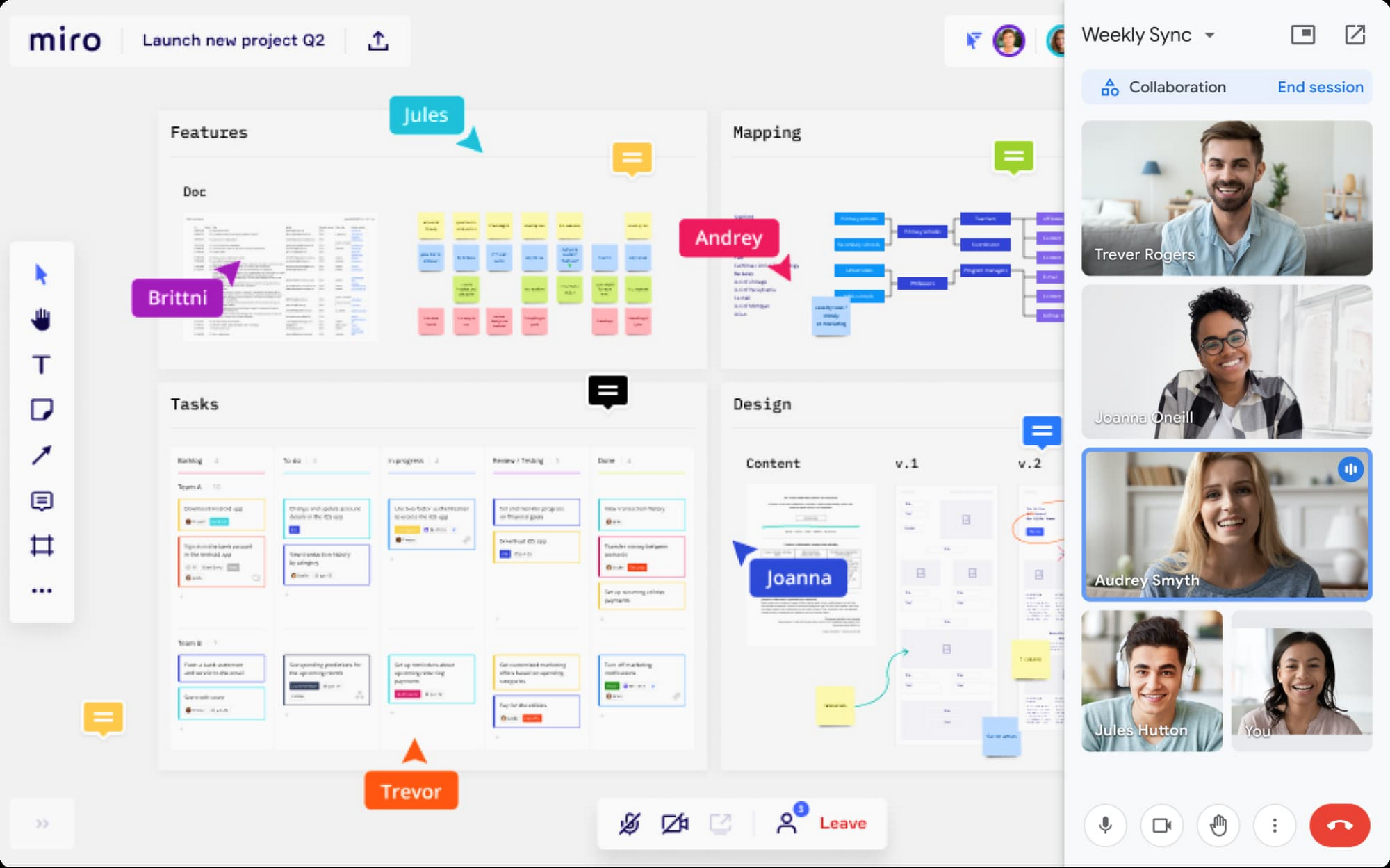
With the new Miro experience in Meet, you’ll get an immersive side-by-side video and whiteboard experience that’s ideal for brainstorming, sketching, and iteration during meetings. This approach fosters idea generation and participation from all team members, even if they’re in different locations. And using a Miro whiteboard in Meet is seamless: simply attach the Miro whiteboard to the meeting in Google Calendar or select a board during a meeting to share and collaborate in real-time. These new experiences will be available in early 2022.
Seamlessly integrate content from Google Docs, Sheets, and Slides
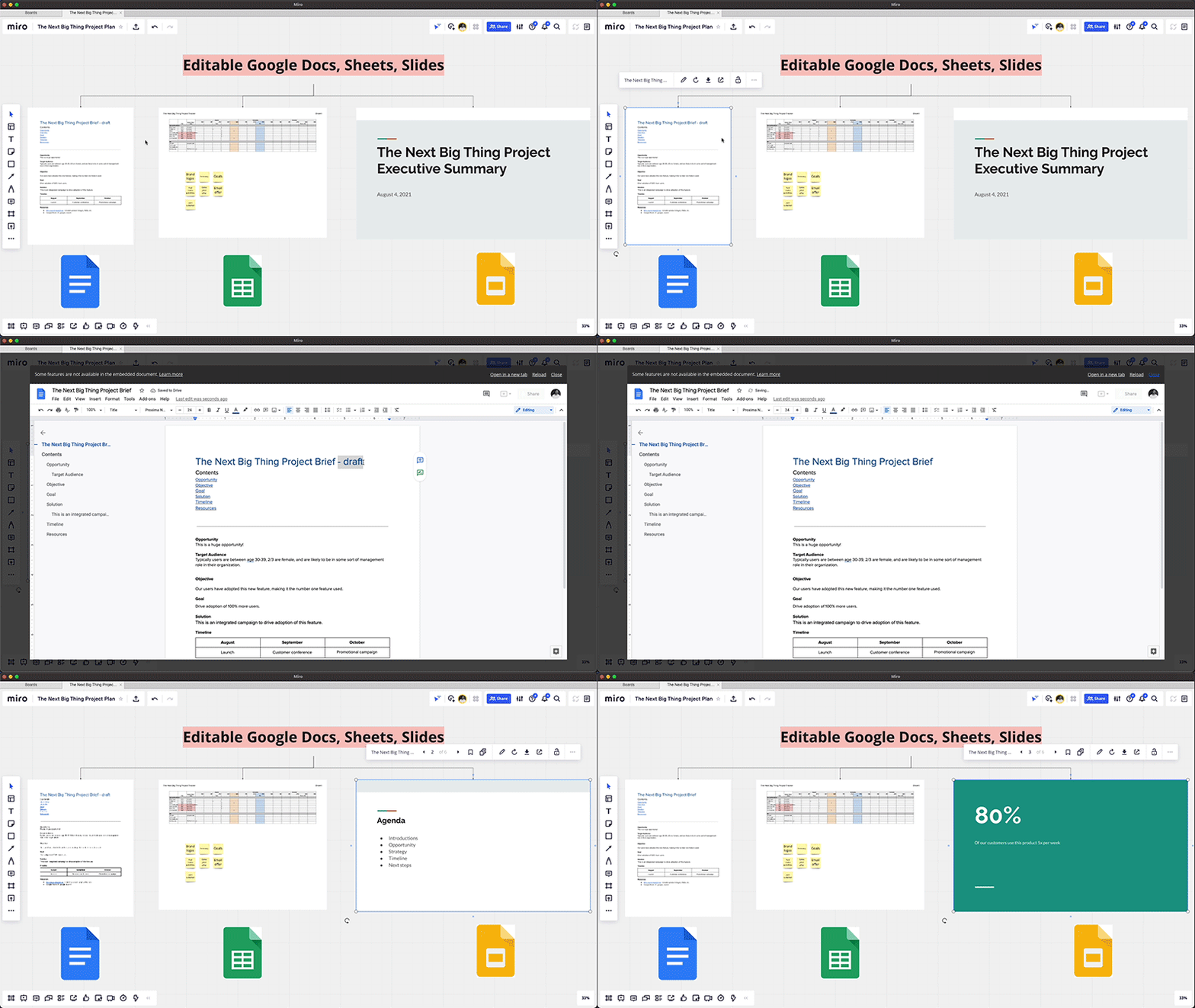
Real-time collaboration across a distributed team often spans multiple files—from brainstorming in documents, to project management in spreadsheets, to presenting your ideas in slides. Miro integrates with Google Drive, so teams can easily access and embed their Google Docs, Sheets, and Slides into Miro’s infinite canvas, making it easier to visualize and manage all the pieces of a project from one shared space. You can also save your Miro boards to Drive, and Docs, Sheets, and Slides automatically sync across both applications, so you’re always working with the latest content.
Start using Miro in Google Workspace today
The Miro app for Workspace is one of the growing number of 3rd-party applications you can use to bring the apps and services you use every day to your Google Workspace experience. Try the Miro app in Workspace with your existing credentials, or sign up for Workspace and Miro to start using the free versions together. And stay tuned for future innovation as we partner with Miro on delivering visual collaboration capabilities that are mission critical for the hybrid workplace.
Reactive Programming on Google Maps Platform: Watch Video to Learn

5314
Of your peers have already read this article.
1:30 Minutes
The most insightful time you'll spend today!
The Google Maps Platform Android SDK supports extensions for reactive programming, which helps you write code to handle asynchronous operations.
Write reactive and responsive mapping applications with Google Maps Platform
In mobile apps, asynchronous events can happen at any point in time: user touch events, waiting for network calls to complete, or receiving push notifications, to name a few. As an app developer, accounting for these events and composing them with other asynchronous events can be challenging. Reactive programming is an alternative to passing callbacks for different events and helps simplify the process of working with asynchronous events. In reactive programming, events are modeled as a stream, emitting items over time.
https://youtube.com/watch?v=1TmJvOZfBVQ%3Fenablejsapi%3D1%26
There are two libraries you can use to write reactive code: Kotlin Flows and RxJava. The next two videos show you how to use each one.
Writing reactive and responsive mapping applications using Kotlin
If you’re a Kotlin developer looking to use Coroutines and Flows, the KTX library allows you to use Kotlin Flows to receive events. The Maps KTX library includes extension functions that return Kotlin Flow objects, so you can listen to events in a reactive manner. Unlike suspending functions, which return a single value, Kotlin Flows can return several values over time. For example, you can use a Flow to receive camera event changes over time. To get started using Kotlin Flows in your app, include the Maps KTX library in the dependencies section in your build.gradle file.
https://youtube.com/watch?v=Cotx1ZmEYg8%3Fenablejsapi%3D1%26
Creating reactive maps on Android with RxJava
Integrate Google Maps Platform SDKs with popular Android library RxJava. RxJava is the Java implementation of Reactive Extensions, which is a library for composing asynchronous and event-based programs using observable sequences. One thing RxJava does is allows you to convert callback-based asynchronous code into a chain of transformations. Learn how this works and the other ways you can use RxJava in the third video in this series.
https://youtube.com/watch?v=AgGE7fAMrdA%3Fenablejsapi%3D1%26
We hope you learn more about reactive programming concepts to help you build responsive and reactive mobile apps in this three-part YouTube series. Have ideas for helpful videos you’d like to see on our channel? Leave a comment on any of our videos. And don’t forget to subscribe to our YouTube channel for the latest updates, tutorials, customer stories, and more.
For more information on Google Maps Platform, visit our website.
4210
Of your peers have already watched this video.
18:40 Minutes
The most insightful time you'll spend today!
Enabling a Remote Workforce with Chrome Enterprise
The recent COVID-19 pandemic has mandated that organizations take unprecedented efforts to enable their employees to work remotely. This recent Gartner survey indicated that 88% of organizations have encouraged or required employees to work from home.
Even before this year’s events, remote working has been a growing consideration for employees and employers alike. In fact, since 2005, working from home has grown by 173% amongst the non-self-employed population. And the desire to work remotely continues to increase.
As more businesses consider how to enable their teams to work remotely, business and IT leaders are increasingly thinking about how to best support a distributed workforce.
In this video, learn how Chrome Enterprise can help keep your employees productive and data secure while allowing IT to remotely manage devices and find out how other companies are doing it too.
New Map Customization Features for Enhanced User Experiences

5563
Of your peers have already read this article.
1:30 Minutes
The most insightful time you'll spend today!
A customized map can be key to delivering a frictionless experience that engages users and sets you apart in users’ minds–whether you’re a real estate company fine-tuning points of interest (POIs) on a map to help buyers decide where to live, or a regional pharmacy styling a map to ensure your locations stand out from the competition. That’s why we’ve focused on empowering you with these capabilities through features like POI density and POI filtering controls, zoom level customization, and even industry-optimized map styles. But we’re not done helping you take your map to the next level. Today, we’re making two updates generally available—a new Maps SDK for Android and the extension of Cloud-based maps styling features to our Android and iOS SDKs. Together they enhance the native mobile map experience and make it easier for you to deliver consistent, optimized maps across all your platforms. We’ll also give you an early look at additional features that we’re working on.
Update your Maps SDKs for Android for an enhanced user experience
Developers around the world depend on the Maps SDK for Android to power critical experiences like helping drivers make a delivery or helping retailers visually confirm an order’s shipping address. With consumers spending an increasing amount of time in apps, it’s more important than ever that mobile experiences meet the high consumer expectations that come with essential, everyday use.
Today we released version 18.0.0 of the Maps SDK for Android, which delivers an enhanced map experience to app users, thanks to a new renderer. The new renderer introduces optimizations to our tile serving and rendering architecture, reducing payload size. This can help to reduce network load, on-device processing, and memory consumption for a more stable and smoother end-user experience. You’ll also see specific improvements with map labels. Now more fluid and clearly positioned, they pave the way for future marker management features. We’ve also enhanced overall gesture handling for better animations and smoother panning and zooming.
Because the Maps SDK for Android continues to be distributed as part of the Google Play services SDK, you can upgrade to v18.0.0 along with all its improvements with no increase to your APK size.
A consistent cross-platform maps experience with Cloud-based maps styling for mobile
Earlier this year at Google I/O, we announced the general availability of Cloud-based maps styling for JavaScript. Since then customers have used the richer customization capabilities and efficient cloud-enhanced deployment workflow to power millions of mapping experiences, from a curated interactive map of Munich to fun virtual Easter egg hunts hosted by Cadbury. Starting today, Cloud-based maps styling features are supported in the GA versions of our Maps SDK for Android (v18+) and Maps SDK for iOS (V5.0+).
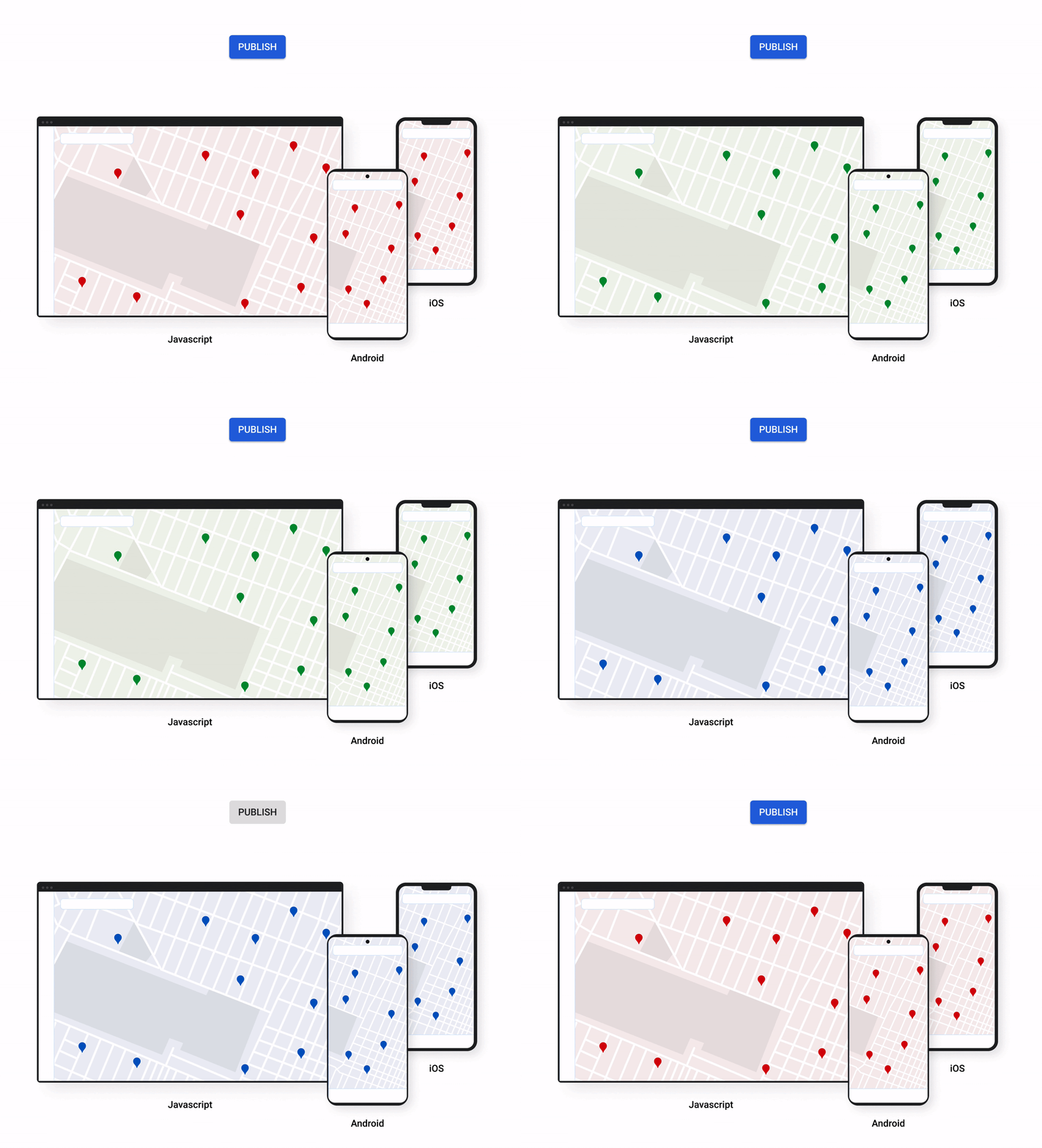
Cloud-based maps styling moves map customization code off the client and into the cloud–where it can be easily modified to use new features or test new configurations. This decoupling of client code and customization code makes it easy to manage a single branded and optimized style across any number of apps across all supported platforms. It also makes it possible to simultaneously publish changes to a map style across platforms and install bases with the click of a button. Cloud-based maps styling is the foundation for a growing set of new customization features including POI filtering and POI boosting, zoom level customization, landmarks, and commercial corridor styling.
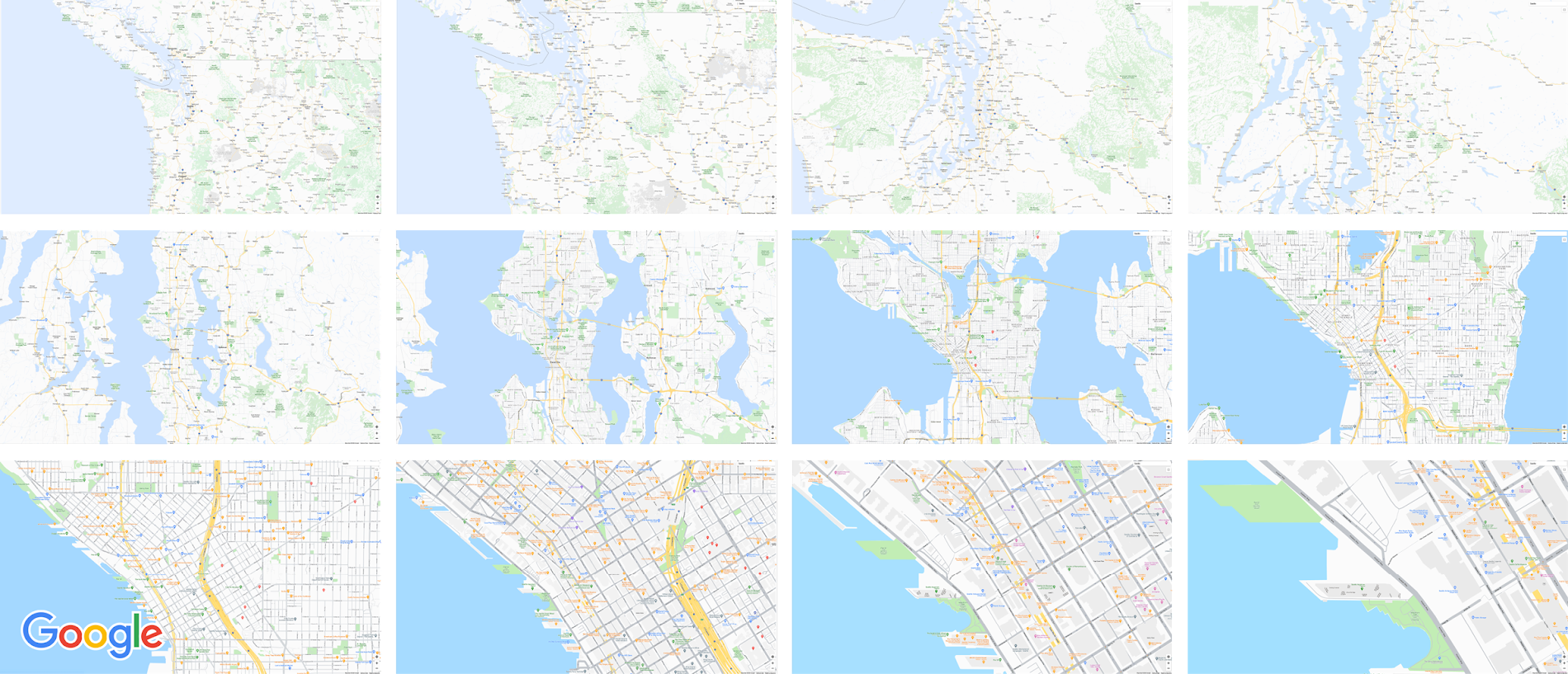
Mobile developers can now take advantage of Cloud-based maps styling features and simple cross-platform customizations for their Dynamic Maps by creating a MapID in Google Cloud Console and using it within their Maps SDK for Android or Maps SDK for iOS. Dynamic maps loaded with a Map ID via our Maps SDK for Android or Maps SDK for iOS will be billed to the same SKU as Maps JavaScript API (Dynamic Maps) and covered under the same $200 monthly credit and volume pricing. Developers can upgrade to the new Maps SDK for Android and continue using client-styled maps for no charge as they always have.
Additional capabilities we’re working on¹
We know you have a range of map customization needs to engage your users with differentiated experiences. We’re working on developing more Cloud-based maps styling features–focused on marker capabilities, map elements, and data-driven styling–to help you do just that. We’re working on a new set of markers capabilities, easier pin customizations, marker collision management, performance optimizations, and the ability to build custom marker elements that you can use to quickly deploy deeply customized, highly optimized marker-driven experiences. For those seeking greater detail in their maps, we’re working on expanding the availability and customization of detailed street maps to even more cities. We’re also working on features to make it easier to programmatically style map elements by exposing new APIs to enable things like the simple creation of choropleths by styling Google geographical boundaries based on your data.
This is just a peek into what we’re excited to be building for our developer community. While we’re working hard to bring these additional features to life, visit our website to learn more and our developer documentation to start customizing and enhancing your mobile maps.
¹Product capabilities, timeframes, and features are subject to change.
Google AppSheet Leads the Low-code Development Platform Market for Business Developers: Forrester

5259
Of your peers have already read this article.
1:30 Minutes
The most insightful time you'll spend today!
We’re excited to share the news that leading global research and advisory firm Forrester Research has named Google AppSheet a Leader in the recently released report The Forrester Wave™: Low-code Platforms for Business Developers, Q4 2021. It’s our treasured community of business developers—those closest to the challenges that line-of-business apps can solve—who deserve credit for not only the millions of apps created with AppSheet, but also the collaborative approach to no-code development that has helped further our mission of empowering everyone to build custom solutions to reclaim their time and talent.
AppSheet received the highest marks possible in the product vision and planned enhancements criteria, with Forrester noting in the report that “AppSheet’s vision for AI-infused-and-supported citizen development is unique and particularly well suited to Google. The tech giant’s deep pockets and ecosystem give AppSheet an advantage in its path to market, market visibility, and product roadmap.”
“Features for process automation and AI are leading,” remarking that, “The platform provides a clean, intuitive modeling environment suitable for both long-running processes and triggered automations, as well as a useful range of pragmatic AI services such as document ingestion.”
Many enterprise customers including Carrefour Property – Carmila, Globe Telecom, American Electric Power, and Singapore Press Holdings (SPH) choose AppSheet as their business developer partner, along with thousands of other organizations in every industry. We are honored to serve these customers and to be a Leader in the Forrester Wave™: Low-code Platforms for Business Developers. We look forward to continuing to innovate and to helping customers on their digital transformation journey. To download the full report, visit here and enter your email address. To learn more about AppSheet, visit our website.
5078
Of your peers have already watched this video.
27:00 Minutes
The most insightful time you'll spend today!
On-Demand Webinar: How to Create Compelling Pitch Presentations That Win New Business
Innovation is a word that’s thrown around too often without much thought behind it, isn’t it?
So much so that it has become a vague measurement of a team’s success—when you can’t really label success under a more specific or appropriate title. We can see you nodding in agreement.
But your innovation or your next big idea could actually go places if you know how to present it. Yes, all of it boils down to your presentation because, at the end of the day, that’s what your customers, your boss, and your employees are going to remember: What did that slide say?
Of course, you know how to create an arresting presentation but making it effective, changing on-the-fly, and fast—all at once—is quite something else. Google Cloud is making it easy for you. Slides from G Suite is a quick and easy way to leverage presentation templates, collaborate with team members in real-time—where all of you can work on the same presentation at the same time—and create impactful presentations in no time.
In this on-demand webinar, Adam Tishok, Product Manager, Google Cloud, talks about how enterprises can use Slides to create compelling pitch presentations that win new business.
More Relevant Stories for Your Company


Work beyond borders: How to use G Suite with Microsoft and your favorite third-party applications
The average enterprise uses 129 different applications on a day to day basis. These applications enable critical workflows that drive businesses forward. But when these apps don't work well together that leads to lost time, frustration, and missed opportunities. Professionals have access to dozens of applications in their organization. Apps

The Divercity Story: Using Google Cloud to Achieve a More Inclusive and Sustainable Workforce
Despite a growing number of diversity, equity, and inclusion (DEI) initiatives, Black and Latinx people remain highly underrepresented in tech. Although comprising 12.6% and 18% of the U.S. labor force respectively, Black professionals hold only 5% of tech positions, while Latinx professionals fill just 6% of tech roles. Long-standing biases

Canva: Democratizing design and collaborating closely with Google Workspace
Launched in 2013, Canva is a free online design platform with a mission to empower everyone in the world to design. Featuring a simple drag-and-drop user interface and a vast range of templates ranging from presentations, social media graphics, posters, apparel to videos, plus a huge library of fonts, stock

The Story Behind How Woolworth Innovates to Better Customer Experience
As one of Australia and New Zealand's most innovative retailers, Woolworths is always looking for ways to use technology to give its customers more convenient ways to shop. This innovative approach does not stop with our customers. Our extensive staff needs intuitive technology to enable them to work more efficiently,
