





Google Cloud CCAI’s Support for the Public Sector Soars during the Pandemic

5288
Of your peers have already read this article.
2:00 Minutes
The most insightful time you'll spend today!
Scaling Virtual Support in the Pandemic Era: The AI Connection
Since the early days of the pandemic, we’ve partnered with government organizations and academic institutions to serve communities at scale with Contact Center Artificial Intelligence (CCAI). I sat down with Bill MacKenzie, IT liaison for the Upper Grand School District in Ontario, and Marco Palermo, director of digital government and modernization, to discuss how they embraced CCAI to introduce scalable service delivery to residents and students alike. I’m sharing more on their stories below, and for the full overview, check out our Google Cloud Public Sector Summit session, Scaling Virtual Support in the Pandemic Era: The AI Connection.
Upper Grand School District: Answering questions with speed and accuracy
Bill MacKenzie described the Upper Grand School District’s struggles at the beginning of the pandemic, particularly helping parents with IT issues. The staff-oriented help desk was not equipped to assist parents trying to securely login for students as young as kindergarten. Without sufficient support for parents, the District was struggling to handle thousands of phone calls a day.
To alleviate the manual strain, they turned to Quantiphi, a Google Cloud partner, to implement Google Cloud Dialogflow. They were fully functional within a few weeks. The new website provided real-time responses as well as clear documentation to help parents get up and running quickly.
“In the first 10 days, we had over 5,000 hits, and the accuracy rate was 92%,” MacKenzie said.
The district doesn’t know what the future holds, but now that they have been through the process, they are confident they now understand how to create their own bots to meet critical needs.
City of Toronto: Getting critical information to the community
Marco Palermo explained how the city of Toronto was facing a very rapid and fluid situation at the beginning of the pandemic. Getting information to constituents was extremely important, and they needed alternative channels to deliver that information.
Toronto has been committed to workforce equity and inclusivity in order to best represent the diversity of its residents. As a result, solutions had to be accessible to all. The bot handled 25,330 unique users and addressed 20,174 total questions with an 80% accurate response rate in the first four months. It’s been a huge success for the city, with plans to expand its capabilities.
Personalized response to the pandemic challenge
I noted that even before the pandemic, government leaders were asking for a way to provide more flexible personal experiences and better support outside of normal business hours. Around 60% of constituents want more self-service options and 75% would happily interact with digital resources if they could get the answers they needed.
Google Cloud CCAI addresses these needs with a single core of intelligence that provides a consistently high-quality conversational experience—human or virtual—across all channels and platforms. It can be deployed on legacy infrastructure without upgrades in an average of two weeks.
CCAI operates with a conversational core that centralizes the ability to talk, understand, and interact, orchestrating high-quality conversations at scale. It provides services in three different ways:
- Virtual Agent AI allows natural conversation with customers to identify and address their issues effectively
- Agent Assist AI helps human agents by providing real-time turn-by-turn guidance so they can better serve constituents
- Insight AI determines metrics and trends in real-time to enable faster and more accurate insights
CCAI provides consistency across every application. It can go off-script when answering complex questions, adjusting human conversation with the capacity to handle unexpected stops and starts, odd word choices, or implied meanings. It can also handle multiple use cases for the customer, such as taking payments, updating information, providing information, and more. By allowing agencies to automate routine tasks and reduce the amount of time employees need to dedicate to answering calls, the solution created cost savings for the agency.
Explore more on this session by visiting the Public Sector Summit on-demand video.
The Inspiring Story Behind How Bhutan is Using the Cloud to Enable Sustainable Development and Social Well-being

4327
Of your peers have already read this article.
3:30 Minutes
The most insightful time you'll spend today!
For many nations, gross domestic product is the primary measure of a society’s success. The Himalayan kingdom of Bhutan gauges achievement by a different standard: gross national happiness (GNH).
The Royal Government of Bhutan’s GNH index measures a “holistic and sustainable approach to development,” prioritizing factors such as community, education, mental health, cultural heritage, and ecology. It’s a model that was endorsed by the U.N. General Assembly in 2011. Focus on GNH has enabled Bhutan to become a carbon-negative nation; nurture habitats for Bengal tigers, clouded leopards, and red pandas; and provide free healthcare to all of its 735,553 citizens.
One of the pillars of GNH in Bhutan, ranked South Asia’s least-corrupt country, is good governance. Yet as one of Asia’s least-developed nations, Bhutan needed to draw every last bit of value from public funds, while maximizing the potential of its civil servants. Turning to G Suite, it discovered powerful tools enabling communication, accountability, and cost-savings that have been vital to the mission of promoting a well-balanced society.
“G Suite collaboration tools are providing a framework that allows us to foster citizens’ happiness,” says Lobzang Jamtsho, Head of Application Division, Ministry of Information & Communication. “It’s the three C’s: collaboration, coordination, and communication. This has improved significantly with G Suite adoption.”
Freeing up resources for positive change
“When we started using Sites, we found a powerful yet simple tool that’s really a one-stop shop for sharing. You don’t have to know the development side; you just drag, drop, and build.”
—Kuenga Zam, Dy. Chief ICT Officer, Royal Civil Service Commission
From wildlife conservation, to keeping hospitals well-supplied, to the development of human resources, ensuring a correct balance between well-being and development demanded smooth coordination in the civil service. Meanwhile, everything from the cost of printing meeting agendas to investing in email servers and staff to maintain them drained resources from vital tasks such as sourcing medication.
G Suite marked a fundamental shift in the way the Royal Government of Bhutan pursued its mission, as tools such as Docs, Sheets, and Sites came together to provide a unified platform where team contributions could be seamlessly integrated in the cloud. It sparked a surge of cooperative vigor.
“In writing, for example, we collaborate in terms of drafting a proposal. And we collaborate with other parties,” says Lobzang. “It’s really helped us in terms of analyzing the decision-making process and promoting accountability, ownership, and transparency.”
G Suite is used today by 9,500 civil servants across all 67 government agencies. The benefits have been dramatic. In a survey of more than 800 civil servants, roughly 78% of respondents reported G Suite boosted productivity by more than 50%. About 80% said collaboration with colleagues increased more than 50%. And 85% of respondents agreed or strongly agreed with the statement, “my organization is more innovative.”
“G Suite has empowered both education and hospitals. We have our entire education system on the platform, all teachers and students. And processes have improved in hospitals, translating directly into an increase of happiness among citizens.”
—Lobzang Jamtsho, Head of Application Division, Ministry of Information & Communication
The Royal Civil Service Commission of the Royal Government of Bhutan organizes scholarships for civil servants to pursue long-term studies as a part of human resource development. It’s vital to the nation’s pursuit of sustainable development while preserving a unique cultural heritage.
G Suite inspired the Royal Civil Service Commission to build its own internal platform using Sites to manage scholarships, streamline processes, and boost overall HR Development Management.
“When we started using Sites, we found a powerful yet simple tool that’s really a one-stop shop for sharing,” says Kuenga Zam, Dy. Chief ICT Officer, Royal Civil Service Commission. “You don’t have to know the development side; you just drag, drop, and build. And since it’s an internal site, it helps us share from one division to another what scholarships are available for renewal.”
Human connectivity for enhancing quality of life
For the Royal Government of Bhutan, G Suite is a tool that doesn’t just facilitate better communication, it enables the whole of government to work better together. “G Suite has empowered both education and hospitals. We have our entire education system on the platform, all teachers and students,” says Lobzang. “And processes have improved in hospitals, translating directly into an increase in happiness among citizens.”
“When services are delivered better, people are happier,” adds Kuenga. “So it aligns in that way with GNH.”
Motivating team members to build a better future
Today, the Royal Government of Bhutan is writing the next chapter of its journey with G Suite, motivating civil servants to tap the platform’s creative possibilities through training programs that demonstrate why you don’t need to be an IT expert to be a digital innovator.
“We did a demo at a conference to show how we are using Sites. Our users then went forward and took that idea and built their own site,” says Kuenga. “After we show the possibilities, they have the motivation to go forward and explore.”
The next step for the Royal Government of Bhutan is to begin experimenting with Apps Script to create applications for automating workflow processes: “There’s so much potential that we haven’t explored,” says Kuenga.
8012
Of your peers have already watched this video.
2:51 Minutes
The most insightful time you'll spend today!
Video: How Did GANT Get Products to Market in Just Three Months?
It was in 1949 that a Ukranian immigrant Berl Gantmacher launched–what was going to be an iconic shirt-making company–GANT in Connecticut, America.
Since then, the company has reinvented shirts every single day. Headquartered in Stockholm, Sweden, GANT operates in 70 countries.
In 2017, GANT wanted to launch a flagship store in London. It takes most companies a year to open a store, considering the amount of cross country collaboration and planning that’s needed for a store to take off.
In order to open the store in London, teams from three countries—Sweden, Portugal and the UK—needed to work together.
“Right away through the process, we moved forward as one team with one goal. With G Suite we have access to all information in one place and we collaborate on Hangout. A flagship store could be well over a year. Regent Street (London) was three months. A very, very different timeline. It’s been an amazing success for the company,” says Matthew Wood, Creative Director, GANT.
G Suite made it possible for the various teams from different countries to collaborate on a single platform and launch a flagship store in just three months—instead of a year.
5273
Of your peers have already watched this video.
2:58 Minutes
The most insightful time you'll spend today!
Are You Suffering from Spreadsheet Paralysis?
Today, within the four walls of your office there’s just one concern everyone has: What do the numbers say?
The answer to that question almost always rests with you. If they get it wrong, everybody gets it wrong. But does it have to be so hard to get it right?
Wading in the waters of endless spreadsheets, trying to figure formulas to slice data in every possible permutation and combination, and still keeping your sanity is a herculean task.
That’s probably why today’s business leaders are most likely suffering from what’s being termed as spreadsheet paralysis. The symptoms include confusion, anxiety and a desire to throw away your computer in the garbage.
It doesn’t have to be that bad. With Explore in Google Sheets,
Watch this video to find out how.
How the Telegraph is Reimagining Media with Google Cloud

10210
Of your peers have already read this article.
3:30 Minutes
The most insightful time you'll spend today!
Whether they’re reading the newspaper on the way to work, or catching up on the latest headlines on their smartphones, readers expect up-to-the-minute news wherever and whenever makes the most sense for them. As a result, media companies are increasingly looking for ways to improve, expand, and simplify their offerings, and they’re increasingly looking to the cloud to do it.
For more than 160 years The Telegraph has been counted on by readers across the United Kingdom and globally for award-winning news and journalism. An early adopter of cloud technology, it’s been a G Suite customer since 2008 and has already been using Google Cloud Platform to analyze digital behaviors to improve engagement and advertising performance since 2016.
Recently, The Telegraph announced it’s migrating fully to Google Cloud. By migrating all their production and pre-production services, they aim to deliver content faster, provide compelling experiences to readers, and reduce environmental impact.
“We are delighted to announce our newest collaboration with Google Cloud,” said Chris Taylor, Chief Information Officer, The Telegraph. “We have always worked closely with Google as they help us to provide our readers with great experiences on our digital products, collaboration software and internet scale through search. Their continued leadership in projects such as Kubernetes are enabling us to build flexible development environments that truly support DevOps.”
Powering the Digital Publishing Ecosystem
The Telegraph produces large volumes of digital content every day. It was imperative for them to find a cloud provider they could trust to support this ecosystem. By working with Google Cloud they have changed the way they see and engage with data: they can collect new information about their products every second and use that to continually hone their strategy. The Telegraph are placing more confidence and trust in the data captured about their content and now have one of the best available pieces of technology for capturing and analyzing the stories they publish in real-time.
Leveraging AI to support journalists
Time is critical when journalists are on a story, and The Telegraph wants to put important data in the hands of its journalists right when they need it. To do this, it will be using AutoML to classify content for journalists and make it more discoverable. For example, a reporter will be able to bring up relevant assets that link to their stories. It will also apply AutoML to classify Telegraph stock photos to help journalists attach compelling visual content to their stories faster.
Building compelling reader experiences with the help of APIs
Readers have an ever-increasing expectation of personalization. To meet this need, The Telegraph launched My Telegraph, currently live in beta, to offer registered readers personalized news experiences based on their interests or the particular journalists they want to follow. My Telegraph was developed on an API management platform provided by Google Cloud’s Apigee. You can learn more about how it’s applying API management to My Telegraph, in this blog post.
Working for environmental good
The Telegraph is the biggest selling quality newspaper in the UK, an accolade which requires it to print and distribute hundreds of thousands of copies each day. Optimal management of print production is important, and by using a combination of the cloud and machine learning, The Telegraph is better able to predict demand for physical newspapers, maximizing sales and minimizing waste. This makes great business sense for The Telegraph but also has great environmental benefit.
How Google Meet Keeps Your Video Conferences Secure

6825
Of your peers have already read this article.
4:30 Minutes
The most insightful time you'll spend today!
All over the world, businesses, schools and users depend on G Suite to help them stay connected and get work done. Google designs, builds, and operates our products on a secure foundation, aimed at thwarting attacks and providing the protections needed to keep you safe. G Suite and Google Meet are no exception.
Google Meet’s security controls are turned on by default, so that in most cases, organizations and users won’t have to do a thing to ensure the right protections are in place. Here, we’ll summarize the key capabilities of Google Meet that help protect you.
Proactive protections to combat abuse and block hijacking attempts
Google Meet employs an array of counter-abuse protections to keep your meetings safe. These include anti-hijacking measures for both web meetings and dial-ins.
Google Meet makes it difficult to programatically brute force meeting IDs (this is when a malicious individual attempts to guess the ID of a meeting and make an unauthorized attempt to join it) by using codes that are 10 characters long, with 25 characters in the set. We limit the ability of external participants to join a meeting more than 15 minutes in advance, reducing the window in which a brute force attack can even be attempted. External participants cannot join meetings unless they’re on the calendar invite or have been invited by in-domain participants. Otherwise, they must request to join the meeting, and their request must be accepted by a member of the host organization.
In addition, we’re rolling out several features to help schools keep meetings safe and improve the remote learning experiences for teachers and students, including:
- Only meeting creators and calendar owners can mute or remove other participants. This ensures that instructors can’t be removed or muted by student participants.
- Only meeting creators and calendar owners can approve requests to join made by external participants. This means that students can’t allow external participants to join via video, and that external participants can’t join before the instructor.
- Meeting participants can’t rejoin nicknamed meetings once the final participant has left. This means if the instructor is the last person to leave a nicknamed meeting, students can’t join later without the instructor present.

Secure deployment and access controls for admins and end-users
To limit the attack surface and eliminate the need to push out frequent security patches, Google Meet works entirely in your browser. This means we do not require or ask for any plugins or software to be installed if you use Chrome, Firefox, Safari, or Microsoft Edge. On mobile, we recommend that you install the Google Meet app.
To help ensure that only authorized users administer and access Meet services, we support multiple 2-Step Verification options for accounts that are secure and convenient. These include hardware and phone-based security keys and Google prompt. Additionally, Google Meet users can enroll their account in our Advanced Protection Program (APP), which provides our strongest protections available against phishing and account hijacking and is specifically designed for the highest-risk accounts.
For G Suite Enterprise and G Suite for Education customers, we offer Access Transparency, which logs any Google access to Google Meet recordings stored in Drive, along with the reason for the access (support team actions that you might have requested, for example). Customers can also use data regions functionality to store select/covered data of Google Meet recordings in specific regions (i.e. US or Europe).
Secure, compliant, and reliable meeting infrastructure
In Google Meet, all data is encrypted in transit by default between the client and Google for video meetings on a web browser, on the Android and iOS apps, and in meeting rooms with Google meeting room hardware. Meet adheres to IETF security standards for Datagram Transport Layer Security (DTLS) and Secure Real-time Transport Protocol (SRTP). For every person and for every meeting, Meet generates a unique encryption key, which only lives as long as the meeting, is never stored to disk, and is transmitted in an encrypted and secured RPC (remote procedure call) during the meeting setup.
Security is an integral part of all our operations at Google. Our team of full-time security and privacy professionals supports our software engineering and operations to ensure that security is always a part of how we build and run our services. All of our Google Cloud and G Suite customers benefit from these capabilities, including:
- Secure-by-design infrastructure: Google Meet benefits from Google Cloud’s defense-in-depth approach to security, which utilizes the built-in protections and global-private network that Google uses to secure your information and safeguard your privacy.
- Compliance certifications: Our Google Cloud products, including Google Meet, regularly undergo independent verification of their security, privacy, and compliance controls, including validation against standards such as SOC, ISO/IEC 27001/17/18, HITRUST, and FedRAMP. We support your compliance requirements around regulations such as GDPR and HIPAA, as well as COPPA and FERPA for education.
- Incident management: We have a rigorous process for managing data and security incidents that specifies actions, escalations, mitigation, resolution, and notification of any potential incidents impacting customer data.
- Reliability: Google’s network is engineered to accommodate peak demand and handle future growth. Our network is resilient and engineered to accommodate the increased activity we’ve seen on Google Meet.
- Transparency: At Google Cloud, we’re clear about our commitments regarding customer data: we process customer data according to your instructions; we never use customer data for advertising purposes; and we publish the locations of our Google data centers, which are highly available, resilient, and secure.
During COVID-19 and beyond, we will continue to protect Google Meet users and their data, and keep innovating with new features to make our tools helpful, secure, and safe.
More Relevant Stories for Your Company

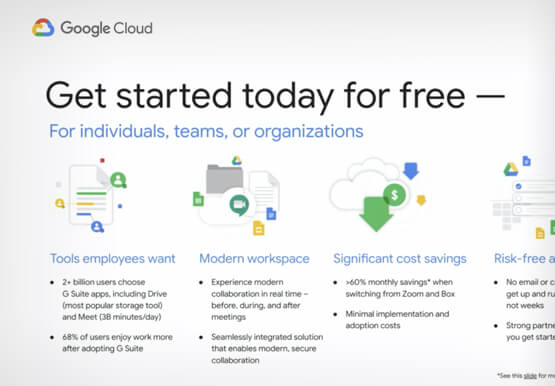
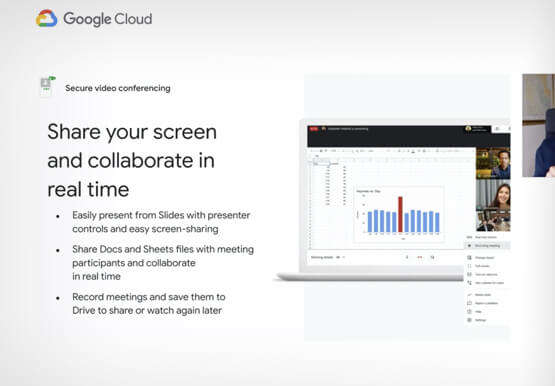

Introducing G Suite Essentials: The simplest way for teams to securely work together from anywhere
With millions of employees forced to work from home, it has become clear that the existing tools many have in place were not cutting it. The Google Cloud team stepped in and accelerated production timelines to launch a new offering. G Suite Essentials is Google's integrated set of tools designed

Rethinking time management: Helping employees manage their time efficiently
As business leaders evaluate their hybrid work models, employee productivity is top of mind. They’re trying to understand how to balance organizational needs for productivity with employee needs for autonomy, flexibility, and work/life balance. In my role as Google’s Productivity Advisor, I help organizations and employees realize that being productive

Nubian Skin Beats Spikes in Customer Interest with G Suite
“Nude” comes in all shapes, sizes and colors. But for Ade Hassan, finding undergarments to match her skin tone took more effort than necessary. Born in the U.K. to Nigerian parents, Hassan searched unsuccessfully for underwear and swimwear that matched her skin—a problem that continued to frustrate her through college

A set of new capabilities to build a differentiated data platform: BigLake, now generally available
Data continues to grow in volume and is increasingly distributed across lakes, warehouses, clouds, and file formats. As more users demand more use cases, the traditional approach to build data movement infrastructure is proving difficult to scale. Unlocking the full potential of data requires breaking down these silos, and is
