





Chrome OS’s Hybrid Work Model Powers Google’s Return to Work Strategy

7476
Of your peers have already read this article.
1:30 Minutes
The most insightful time you'll spend today!
The pandemic continues to deeply affect our lives around the globe. In some places, new cases are surging and returning to work is the last thing on people’s minds. In other areas, conditions are improving and companies are starting to think about transitioning their workforce back to the office.
Exactly when and how to do this remains complex and varies by country, industry, and company. What’s certain is that hybrid work will become an essential part of the business world moving forward. And finding solutions that bridge the gap between “in-person” and “somewhere else” are crucial.
At Google, we’ve been focused on what the hybrid transformation means for us. To prepare for hybrid work, using modern solutions is a key enabler.
Chrome OS: Supporting Google’s return to office strategy
At Google, we’ll move to a hybrid work week where most Googlers spend approximately three days in the office and two days wherever they work best. It’s no surprise that as the modern, secure, cloud-first platform, Chrome OS is playing a key role in our transition to a hybrid work model. Because Chrome OS devices can easily be shared, more flexible working models and spaces are now possible. And with user profiles stored in the cloud and collaboration solutions like Google Workspace, employees can log in to any Chrome OS device, access what they need and pick up where they left off.
Here are just a few ways we are using Chrome OS and its tools to support the return to the office:
- In select office locations, Googlers can reserve desks through an internal booking tool set up with a high-performance Chromebox, keyboard, mouse, and monitor. Employees can log in to the Chromebox which syncs their cloud profile, and start working with the same environment they have on all their Chrome OS devices.
- We’re announcing new docking stations that are designed for Chrome OS devices and allow employees to bring in their Chromebook from home, connect to the dock with one USB-C cable, and use a monitor, keyboard, and mouse for a full desktop experience.
- Every Chrome OS device enables a zero-trust security working model with BeyondCorp Enterprise providing our workforce with simple and secure access to applications while providing additional security controls for IT.
- We’ve deployed the new Chrome OS Readiness Tool to our extended workforce to identify employees that are able to switch to Chrome OS. This allows us to expand the latest security, deployment, and manageability benefits to more of the workforce.
Additional ways Chrome OS is helping organizations with return to office
We aren’t the only ones supporting our return to office and hybrid work strategy with Chrome OS. We’ve heard more ways our customers are using Chrome OS to make the transition as smooth as possible. These include:
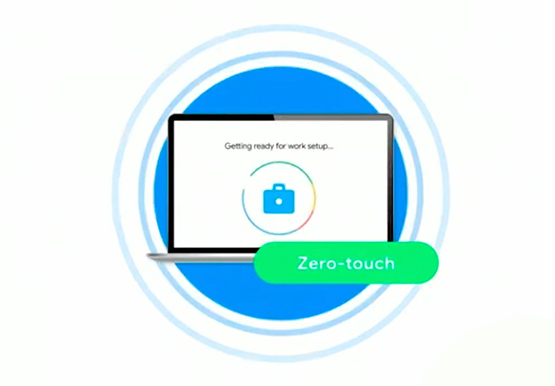
- Streamlining deployment and management of Chrome OS devices using zero-touch enrollment which allows devices to automatically enroll into a corporate domain without IT configuration.
Grab & Go Chromebooks being used for frontline and hybrid information workers, allowing employees to grab a Chromebook from a cart and get to work right away. - Parallels Desktop for Chrome OS being deployed to allow employees to access Windows or legacy apps locally on their Chrome OS devices.
- Existing Windows and Mac devices being modernized and repurposed to run a Chrome OS experience using CloudReady. (Google is currently offering a CloudReady promotion. Learn more here.)
While the Chrome OS team has been working towards making remote working as seamless as possible for IT, we’ve also made advancements in supporting traditional technology that’s required in the office.
- In October, we announced Chrome Enterprise Recommended: a collection of identity, printing, productivity, communications, and virtualization solutions that are verified to run great on Chrome OS.
- With the increased usage of video conferencing on Chrome OS devices, we’ve made improvements to Google Meet and Zoom performance including camera and video improvements to reduce any unnecessary processing and features that intelligently adapt to your device, your network, and what you are working on.
- For improved access to Windows and legacy apps, VMware Horizon introduced multi-monitor support and USB redirection and Citrix Workspace released a tech preview with webcam enhancements and Microsoft Teams optimizations.
- We integrated with the Okta Workflows platform, so IT administrators can include Chrome OS in it’s access logic and deploy quickly without code. Recently, we’ve added the ability to require users to reauthenticate on their Chrome OS device once Okta has detected that the user has changed their password. Try out this new capability by signing up for our Trusted Tester program.
- We’ve increased our support for direct IP printing with additional printer models since the beginning of 2020. In addition, we have made improvements to management features, including support for multiple print servers and launched policy APIs to provide a better IT admin experience.
Join us for a digital event with Modern Computing Alliance and its newest member HP
Last year we announced the launch of the Modern Computing Alliance—a collaboration of industry leaders including Box, Chrome Enterprise, Citrix, Dell, Google Workspace, Imprivata, Intel, Okta, RingCentral, Slack, VMware, and Zoom aim to create the pioneering solutions that businesses need. We are thrilled to introduce HP, who brings their innovative hardware and enterprise hardware expertise to the Modern Computing Alliance and has been working closely with the alliance to ensure true silicon-to-cloud innovation.
As an alliance, we’ve been deeply engaged in the hybrid work shift. We invite you to join us for a digital event where we discuss questions about returning to work. Like how product design can encourage participation and collaboration regardless of where employees are, important security issues to keep in mind, and what factors businesses should consider to support a safe, working environment.
Home. Heading back. Hybrid.
Hear from the experts on hybrid work and return to office.
Date: May 20th, 2021
Register here.
If you are ready to try Chrome OS today, it’s easy to get started. You can contact us to get connected to a partner, sign up for a free 30-day trial of Chrome Enterprise Upgrade to start managing Chrome OS devices, or deploy the Chrome OS Readiness Tool to identify employees that are ready to switch to Chrome OS.POSTED IN:
Iroquois Healthcare Association Leverages Chrome OS to Keep Staff, Patients and Families Remotely Connected

3963
Of your peers have already read this article.
3:00 Minutes
The most insightful time you'll spend today!
Editor’s note: Today’s post is by Eileen Murphy, Senior Director of Special Projects, and Andrew Nault, Director of Business Development, both from Iroquois Healthcare Association Workforce Investment Organization (IHA WIO). The health association represents 44 hospitals in 32 counties in New York State, providing advocacy, cost-saving initiatives, and business solutions. IHA WIO has provided its participating long-term care organizations with more than 5,000 Chromebooks to support 80 organizations in several ways, including training staff, connecting nursing home residents to their families, and helping administrative staff work safely from home.
Since early 2020, clinicians and staff at IHA WIO participant organizations have had to adapt to constant change—everything from implementing pandemic safety protocols to helping nursing-home residents stay in touch with families. We’re proud of the wonderful work they’ve done and continue to do.
During the pandemic, our use of Chrome OS and Chrome devices was expanded and changed to meet the needs of organizations dealing with an unprecedented event. Chrome devices were used to not only train staff but to enable remote work, as well as to connect residents to their friends and families during long periods of isolation. In the morning, a Chromebook could be in a managed guest session mode, helping a grandmother virtually attend her grandkids’ birthday party; at lunch, a nursing assistant could log in to her latest continuing education classes on that same Chromebook.
That evening, the Chrome OS devices could be found at check-in desks, helping visitors fill out a COVID-19 survey. All it took to change a device’s purpose were a few clicks in the Google Admin console, all of which could be done remotely.
Chrome OS for training
Most of our 5,000 Chrome OS devices came from a New York State grant to provide continued education training for long-term care organizations and its employees. We wanted to offer online classes, which meant we’d have to give people the technology to access that training. Our partner, CDW, recommended Chrome OS for us because it’s an operating system built for the cloud. In addition, devices running Chrome OS are easy to use, easily shared, and cost-effective.
Best of all, Chromebook Enterprise came with all the enterprise capabilities of Chrome OS unlocked. This allowed us to use the Google Admin console to manage our entire Chromebook Enterprise fleet remotely. We were able to set up one high-level organizational unit across IHA, with almost 80 organizational units for facilities and groups.
To support training, Lenovo helped us create a five-minute video that we added to our HealthStream learning platform so staff could learn the basics of using Chromebooks. This video was created because we didn’t realize there were people who have never touched a laptop before. The video and Chrome OS ease of use made it possible to get the folks who needed the most help up to speed quickly.
Chrome OS for connecting residents to loved ones
Once the pandemic began and people could no longer visit nursing home residents, the staff for one of our facilities asked about using a training Chromebook for video calls between residents and families. We loved this idea as it was still in line with our mission: to enable the workforce to provide higher-quality care.
With the Admin console, the process was easy. We changed the managed guest session to auto load, and changed what is populated on startup. With help from healthcare staff, residents were able to choose from several video apps including Google Meet, Zoom, and Facebook.
Chrome OS for remote workers
When office and administrative staff had to work remotely, Chromebooks again came to the rescue. Since staff could access all their work applications via Citrix—like Outlook, office phone systems, and other public documents—we placed the remote-work laptops in managed guest session mode and loaded the Citrix app at startup. All the employees had to do was connect to Wi-Fi and log into Citrix, and they were ready to work.
With our training program still running and virtual remote ability on the rise, we realized we would need more Chromebooks. CDW informed us that Chrome OS device supply was running low, but they located 1,000 Chromebooks for us and sent them to our home office in Clifton Park, New York.
Normally, the job of configuring and shipping 1,000 laptops would strike fear into the hearts of the IT team. Not this time: With zero-touch enrollment, all of the Chromebooks were enrolled in our high-level organizational unit before the boxes arrived at our Clifton Park office. We created a list of Chromebook serial numbers for each IHA location getting a shipment, then packed up the boxes. We never had to open a Chromebook box, or even turn the devices on before preparing them for use by employees.
Chrome OS for telehealth and clinic kiosks
There were more Chromebook transformations to come. In the interest of keeping residents and medical professionals safe, we enabled Chromebooks for non-urgent telehealth sessions. Doctors and nurses could see and talk to nursing home residents, using the same video conferencing apps that residents used to talk to loved ones. In these cases, we had PointClickCare, our electronic medical records app, loaded at startup on doctors’ Chromebooks.
We even turned a few Chromebooks into guest kiosks at IHA member hospitals that have walk-in clinics. If the clinics required visitors to fill out a COVID-19 screening form, the Chromebook, in kiosk mode, was stationed at the front desk. Once visitors submitted the form, a new blank form appeared, ready for the next visitor without any data stored on the device.
Chrome OS for whatever’s needed next
What’s amazing is that we could help people in all these different ways in just a few minutes—without visiting a nursing home, getting someone to ship laptops back to us, or loading software. Chromebooks are so versatile that sometimes they’re used in various modes several times a day. One user can log in, while another user can use managed guest sessions to login as a guest user. No matter what changes come to our healthcare association in the future, we’ll be ready.

4228
Of your peers have already downloaded this article
1:30 Minutes
The most insightful time you'll spend today!
Dr. Alan Hippe, CFO & CIO, Roche Group, shares how collaboration tools help healthcare firms like the Roche Group take timely decisions that help them focus on saving patients’ lives.
For over 110 years, Roche has been pioneering the discovery, development, production and marketing of novel healthcare solutions. Our focus has always been on innovation.
The way our employees communicate and collaborate is diverse, and our employees are spread globally.
Our two different email and calendaring platforms have often been an obstacle for effective collaboration. To end these platform interoperability issues, the Roche Corporate Executive Committee made the decision that all employees will move to G Suite as the single common platform for the Roche Group.
The integrated and socially-focused way that G Suite enables collaboration is very compelling, and we expect this to not only bring our company closer together but give us a strategic advantage. Additionally, being able to deploy G Suite features by simply enabling them via a control panel versus planning for and deploying complex infrastructure in our data-centers will help us focus on our core business–helping save patients’ lives.
How Kisan Network is Connecting Over 30,000 Farmers to Help them Reap Over 10% More Profits from Their Crops

5708
Of your peers have already read this article.
5:33 Minutes
The most insightful time you'll spend today!
For many people, an Ivy League education is a promise of a better future. But Aditya Agarwalla, who studied computer science at Princeton, didn’t want to limit that future to just himself. He wanted to share his good fortune and create a positive social impact in his home country of India.
When Agarwalla discovered that small farmers didn’t have ways to demand fair prices owed to them for their crops, he knew he’d found his mission. His Princeton thesis project was the basis for a solution: Kisan Network, an online marketplace that connects farmers directly to buyers for produce, eliminating middlemen and increasing farmers’ profits.
Taking a leave from Princeton, Agarwalla returned to Delhi and launched Kisan Network with his father in 2015. Agarwalla and his 70 employees—software developers as well as field employees who consult with farmers throughout India—use G Suite to record crop information from farmers, share ideas for improving Kisan Network’s Android app, and recruit new hires.
Bringing technology back to earth
“Switching to G Suite was seamless. Almost everyone is familiar with the functionality and design of it from their own personal Google accounts.” — Aditya Agarwalla, Founder, Kisan Network
Farmers in rural communities struggle to earn a living without access to information and technology. India’s independent farmers often engage in an outdated selling system involving middlemen who help set low prices that only benefit buyers. Agarwalla saw Kisan Network as a way to connect farmers directly to buyers, so that farmers could be paid fairly.
“We connect a farmer in a Northern Indian state to a buyer located in a Southern Indian state—a 1,500-mile spread,” says Agarwalla. Farmers benefit by doing business with a far broader range of produce buyers than they can reach on their own.
Talking to farmers and buyers across India demanded email and other business tools that could be accessed in a remote field, in Kisan Network’s offices just outside of Delhi, or while meeting job candidates in person. When Kisan Network started out with just four employees, Agarwalla used Microsoft Outlook for email.
“When you’re doing sales and marketing, it matters that you’re reaching out from an authorized company email address,” Agarwalla says. “It conveys a sense of professionalism and gives you validity.”
Adding email addresses with the kisannetwork.com wasn’t easy in Outlook, and once Agarwalla created the addresses, he’d still have to set up accounts and buy licenses for other productivity tools like Microsoft Word.
As Agarwalla started hiring more people, he realized that just about all of the candidates had Gmail addresses, which got him thinking about choosing G Suite for email and workplace collaboration. Since most people already knew their way around Gmail, Agarwalla wouldn’t have to teach them how to use the tools; plus, it was easier for him to manage.
“The ease of setup was important,” Agarwalla says. “Once you set up a new email address in Gmail—which only took a few minutes—that person instantly has access to everything you want them to use in G Suite. My employees needed only a single account for everything.”
Agarwalla liked the ease of creating Kisannetwork.com addresses with G Suite. Another deciding factor was that G Suite could easily integrate with other systems he and his employees used for software development and supply chain management. G Suite was also more affordable than Microsoft Office 365, finalizing Agarwalla’s decision to go with G Suite.
“Switching to G Suite was seamless,” says Agarwalla. “Almost everyone is familiar with the functionality and design of it from their own personal Google accounts.”
Filling the hiring pipeline
Agarwalla had big plans to reform the produce buying process—but he needed more people to make that vision a reality. Right out of the gate, G Suite helped streamline Kisan Network’s hiring process with secure, paper-free tools.
Every job candidate fills out a Google Form, which everyone in the hiring process can access online during interviews. Once candidates are hired, Kisan Network’s hiring team then creates email addresses for new employees through the G Suite admin console—a process that only takes a few minutes.
New hires can browse orientation materials that are shared in Docs and Sheets. The shared online documents help Kisan Network hire people quickly and get new workers up to speed on their roles.
Shrinking the distance between farms
“G Suite seamlessly flows into our everyday work, whether it’s sending emails, setting up meetings, or creating shared documents and presentations.” — Aditya Agarwalla, Founder, Kisan Network
Kisen employees travel all over India to meet with farmers, covering roughly 175,000 miles to date. “We have field presence in many rural regions,” says Agarwalla. “The employees are collecting information like land assessments when they meet farmers and explore new crops.”
Field supervisors log their deployment and destination details into Sheets for quick reference, and use Forms to record the data they collect, including photos of crops and their conditions. In rural India, home internet access is not as common as in cities, so the field supervisors access G Suite apps on their phones.
“They’re constantly working in very remote areas,” Agarwalla says. “Using G Suite on mobile devices is the only way they can do what they do.”
When field supervisors need to speak to colleagues in New Delhi about farmers and their crops, they use Hangouts Meet or Hangouts Chat. “Hangouts is a much better option than Skype for Business, as it works in a browser and can be set up directly from a Calendar event,” Agarwalla says.
Today, Kisan Network employees work across seven Indian states and more than 2,500 villages. The 30,000-plus farmers in the Kisan Network control their entire crop-selling processes through online marketing, earning at least 10 percent more profits than before.
“G Suite seamlessly flows into our everyday work,” says Agarwalla. “Whether it’s sending emails, setting up meetings, or creating shared documents and presentations, we heavily depend on G Suite for everything we do.”
An Insider’s Guide on the Future of Collaboration and Productivity

4321
Of your peers have already read this article.
1:00 Minutes
The most insightful time you'll spend today!
As Google’s productivity adviser, I’ve been closely following the evolving discussion around the future of work. Long before the pandemic, employees, business leaders, and analysts were already thinking about how work needed to evolve, but the crisis brought the future cascading into the present. Virtually overnight, millions of companies and workers went remote and stayed that way for over a year, pushing their collaboration and productivity tools to the test across living rooms and time zones. While some organizations were able to launch new solutions or adapt existing ones to keep their people connected and productive, many struggled.
The organizations that struggled quickly discovered their tools weren’t complete, scalable, secure, or built for the cloud era. Meanwhile, across all industries and business types, employees reported spikes in burnout, feelings of disconnection, and frustration with finding the latest information or using unfamiliar tools.
With many businesses headed into a hybrid model, the world of work has been transformed, possibly forever. There’s a fresh and fast-moving conversation about how organizations can succeed within the evolving future of work.
But at the center of that discussion are two familiar topics: collaboration and productivity. How will they evolve in an era of distributed teams and surging employee demand for flexibility? And how will businesses meet expectations to innovate quickly and deliver on rising customer expectations while navigating the new future of work?
Although 2020 was a major inflection point, a closer look reveals that many of the technologies, trends, and cultural norms shaping the future of work have been around for some time. For years, forward-thinking organizations have been wrestling with how to maximize collaboration, productivity, and wellbeing among their employees, and they’ve been developing the tools to make it happen at scale. By that measure, the future of work has been here for some time; it just hasn’t been evenly distributed or easily visible.
With this context in mind, we’re sharing our new guide Create what’s next: The future of collaboration and productivity, which highlights three areas of focus for organizations wanting to catch up with those leading the charge to empower the future of work.
- Making work-from-anywhere a reality with flexible solutions
- Giving people helpful tools to maximize their impact
- Enabling knowledge sharing and human connection
Armed with these three strategies, businesses can improve productivity and encourage innovation while better meeting the needs of their customers and their employees—now and in the years ahead.
We share some highlights from the guide in the infographic below (click to enlarge). You can also download the full guide now.

4292
Of your peers have already watched this video.
1:43 Minutes
The most insightful time you'll spend today!
The Amazing Tech Behind This Animal Rescue Center Helps Save Costs and Rescue More Animals
The Royal Society for the Prevention of Cruelty to Animals (RSPCA) is the UK’s largest animal welfare charity. Each year, it finds new homes for more than 50,000 animals in need.
Streamlining the charity’s IT systems is the job of Billie Laidlaw, Assistant Director IT Resources. “Every pound we save with our solutions helps to rescue, rehabilitate and re-home animals across England and Wales,” says Billie.
Google Apps for Work was introduced to replace the legacy email system, and the move has saved the charity hundreds of thousands of pounds and introduced more effective ways of working. With Apps for Work on Android phones and Chromebooks, RSPCA inspectors can use Drive and Gmail on the go to connect, check documentation, share information, and request temporary shelter for rescued animals.
With Slides and Chromebox, rescue centre managers can quickly and easily create promotional screens to display in their reception areas showcasing animals that need new owners. And the slides can be pushed simultaneously to RSPCA charity shop screens to help ensure the best chance of finding the animals loving new homes.
“Every time a supporter puts a pound in one of our collection tins, they want it to be spent wisely,” says Billie. “By streamlining our services with Google Apps for Work, we make sure that more of that money serves the animals who need it.”
Watch this video to find out the tech that helps RSPCA make a difference.
More Relevant Stories for Your Company


Equip Your Frontline Workers for Success with Android
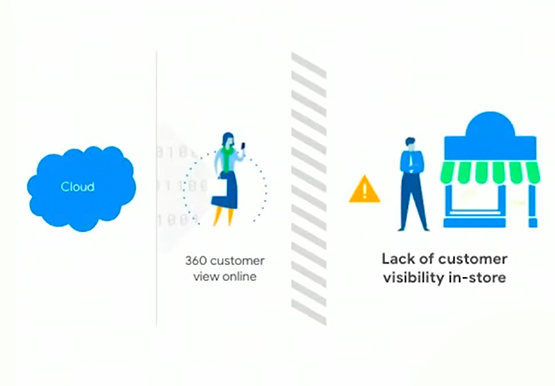
As more teams are working remotely, it's more important than ever to have the right tools in the hands of all of your employees. More than ever, the customer is at the center. And their expectations are rising. The hurdle to keep customers happy continues to rise as everyone becomes

Google Workspace and Chrome Enterprise Integral for Colgate-Palmolive’s Flexible Work-Culture
Editor’s note: Today’s post is by Roger Lim, IT Manager of Collaboration Infrastructure Development, and Jim Arcure, Director of Infrastructure Development, both with Colgate-Palmolive, the multinational consumer products company. Colgate-Palmolive is in the midst of a multiyear project to create a collaborative, flexible work culture, leveraging Google Workspace and Chrome
Google Workspace Now has Adobe Add-on!
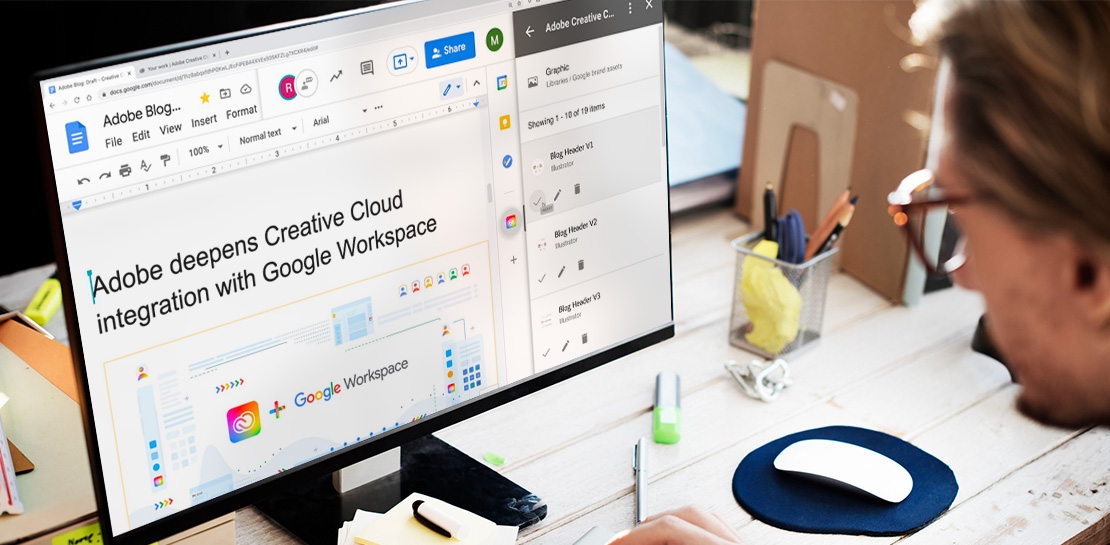
Every day, individual people and creative teams combine Google Workspace with Adobe Creative Cloud to bring their best ideas to life and delight their customers or friends, across photography, design, video, 3D design, and more. In fact, Adobe’s add-on for Google Workspace has had over a million installs and counting. By partnering

On-Demand Webinar: The Underrated Impact of Real-Time Collaboration on Your Business
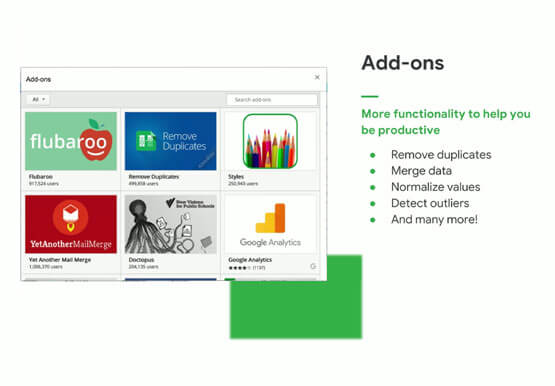
There comes a time in your life when you have to build that dreaded sales report, once a month. That’s the stuff of nightmares. First, you need to gather data from multiple sources, sometimes multiple, siloed sheets, different departments, numerous salespeople, and wait endlessly. That’s time-consuming. Then you have to
