





Candidate360: Google Cloud and Deloitte Product Improves Universities’ Enrollment and Admission Processes

4812
Of your peers have already read this article.
2:00 Minutes
The most insightful time you'll spend today!
Given the May 1 deadline for students to enroll, colleges and universities have been carefully watching the numbers of students who put down deposits and commit to a school. Like nearly every other sector in the U.S., colleges and universities have been hit hard by the pandemic and economic downturn, making enrollment numbers more important than ever to maintain financial health and meet student body goals. Technology and AI-based models are providing a way for institutions to manage their admissions data efficiently and cost-effectively.
For example, an admissions officer may want to offset drops in international or out-of-state enrollment by attracting local talent so they can achieve their target class profile. Additionally, institutions have sought to increase the availability and access of higher ed and are intentionally recruiting more low-income and underrepresented populations. New technologies allow admissions officers to have a stronger grasp of the incoming class’ details. With the press of a button, users can switch between overall, in-state, out-of-state, and international enrollment figures. The “How Do Regions Compare to Last Year” tile lets users view the percentage of change and the total number of candidates by region, comparing 2020 and 2021 side-by-side. With access to data, regional recruiters can focus on individual candidates and develop a plan to change the numbers.
An innovative enrollment strategy at MSU
Michigan State University was looking to improve how they managed the recruiting process. They implemented an enrollment strategy that saw their out-of-state enrollment increase by over 20% and generate $5M in additional net tuition revenue in a single year. “We knew we needed better real-time and predictive insights about our enrollment pipeline, and we understood the value of bringing in external data on prospects, but we couldn’t do that by ourselves.
The solution really helped us be innovative with our analytics and improve our enrollment outcomes,” said someone close to the project at Michigan State University.
Data-driven insights support informed enrollment decisions
Student admissions and marketing groups are turning to Google Cloud and Deloitte to help support their enrollment decisions with predictive, actionable insights across recruiting and admissions processes. The partnership resulted in Candidate360, a solution that helps institutions process and analyze large amounts of data and develop meaningful insights to support their enrollment goals and mission. Part of Google’s Student Success Services offerings, Candidate360 uses artificial intelligence and predictive analytics to help higher education institutions improve enrollment and matriculation, as well as optimize financial aid decisions.
With nine AI/ML models, Candidate360’s capabilities help university leaders, enrollment teams and recruiters do things like:
- Identify regions with clusters of candidates or see dips in application numbers
- Deploy marketing resources and admissions staff to the right geographic areas
- Understand applicants’ needs in terms of academics, safety, and social activities
- Make intelligent financial aid decisions to recruit and retain talented students from underrepresented communities
- Respond faster to the students who are most likely to be accepted and then go on to enroll, stay enrolled, and graduate
- Work towards the ideal class composition and increase competitiveness with peer institutions
Enhancing the student experience
Enrollment is the first key touchpoint with incoming students, and tools like Candidate360 can help institutions build a student preferences profile throughout the application process. They can understand each student’s prospective major, areas of interest, dream job, and more, allowing colleges and universities to personalize recommendations and advising for enrolled students.
With integrated toolsets, Candidate360 and Google Cloud’s Student Success Services can help colleges and universities emerge from the pandemic stronger than ever.
To see a demonstration of Candidate360 in action, contact our sales team.
3558
Of your peers have already watched this video.
44:30 Minutes
The most insightful time you'll spend today!
Bra Fit or Brad Pitt? Fun Moments of Using AI for Contact Centers
For many enterprises, the wish to tap into the power of AI is negated only by a lack of know-how: How AI works, what sort and how much data they will need to gather and structure correctly, and how to use the platforms that make AI adoption easier.
Google understands that. Which is why the AI solutions they have built “are basically plug and play, ready to go with our partners, so that you (businesses) can have immediate business value for your specific use case, and for your specific workflow without a deep investment of any kind into machine learning,” says Levent Besik, Group Product Manager, Google Cloud.
Among the more interesting use cases that’s seeing adoption is contact center AI.
“So one thing that we see quite often, especially from our B2C customers, is that they often have this growing pain in their call centers. They face a trade-off between operational efficiency and great customer service. With the advances in language and conversational AI, that doesn’t have to be the case anymore,” says Besik.
That’s exactly the problem in front of Akash Parmar, Enterprise Architect,. “One of the big challenge we had was: how do we effectively manage 14 million calls, which come into our contact center, stores and head office? In the past, these calls were managed by completely different platforms with their own IVRs, with their own routing and reporting solutions. It was expensive, plus the experience across them was very inconsistent.”
Digging deeper, Parmar and team figured that the challenge was in the fact that an IVR couldn’t really capture the hundreds of reasons customers call.
To get around the problem Parmar and team decided to let customer tell them why they were calling. They then used AI to decipher what the customer was saying, extract the customer’s intent from that, and then help them directly, or re-route them to the best department.
Overall, it proved to be a big success, says Parmer. Although there were funny moments.
“In our early days, we were getting some transcriptions from the Speech API, which were not what we expected. It was not word by word and we had to kind of train the model to make sense of it. For example, we started to get calls about Brad Pitt. We were like, we’ve really won the Oscar here. Brad Pitt is calling us. It was not actually call for Brad Pitt. These were calls about bra fit, which it’s a big business for M&S,” remembers Parmer.
Find out how three companies, including Marks and Spencer, are using AI today.
How a Mid-Sized Firm is Shrinking Inventory Carryovers 50% with AI

7452
Of your peers have already read this article.
5:30 Minutes
The most insightful time you'll spend today!
For more than 10 years, NMK Textile Mills has manufactured bed linens for major retailers in the United States and Canada. As e-commerce exploded, the company’s co-founder saw an opportunity to grow the business. So, in addition to manufacturing bed linens wholesale for retail customers, NMK Textile Mills reworked its complete supply chain to manufacture products for California Design Den, which became an e-commerce retailer selling its own fashion-forward products directly to consumers online.
With California Design Den’s push into e-commerce, it became apparent the SMB company (with about 250 global employees) faced the same tough supply chain questions as large retail customers, including maintaining enough inventory to meet customer demand in a timely, efficient way.
California Design Den depended upon a myriad of systems to track its complex forecasting and reordering processes. Team members typically planned inventory manually using desktop spreadsheet software, which could lead to excess inventory. Accurately forecasting demand and supply was essential to the company’s financial success—but it was also a challenge.
A couple years ago, California Design Den partnered with Pluto7, a technology solutions provider that offers a software as a service (SaaS) called Planning In A Box. Leveraging Google Cloud Platform machine learning and artificial intelligence, Planning In A Box intelligently helps predict demand and balances it with supply.
But that was just the beginning. “Along the way, we realized that to compete with larger retailers, make quicker decisions, and move faster, we needed to go further,” says Deepak Mehrotra, Co-founder and Chief Adventurer at California Design Den.
With guidance from Pluto7, California Design Den began migrating its database to Google Cloud Platform. Using Google BigQuery, Google Compute Engine, Google Cloud SQL, and Google Cloud Storage, and experimenting with Google Cloud Vision and Google Cloud AutoML, the company is reducing inventory carryovers by more than 50%, improving the accuracy of demand planning quarter over quarter, and gaining granular insights into how individual SKUs are performing.
“We would need an army of data scientists to make faster decisions on pricing and inventory levels. With Google Cloud Platform machine learning and artificial intelligence, we don’t need that. We can make much faster pricing decisions to optimize profitability and move inventory.”
—Deepak Mehrotra, Co-founder and Chief Adventurer, California Design Den
No need for army of data scientists
“Using Google Cloud Platform machine learning and AI was essential for California Design Den if it was to compete successfully with larger retailers,” Deepak says.
For example, tastes and fashions in bed linens can change quickly and consumer prices fluctuate. With more than 2,500 SKUs, it wasn’t possible for California Design Den’s team to continuously monitor product demand and experiment with competitive pricing in real time.
“We would need an army of data scientists to make faster decisions on pricing and inventory levels,” says Deepak. “With Google Cloud Platform machine learning and artificial intelligence, we don’t need that. We can make much faster pricing decisions to optimize profitability and move inventory.”
By integrating all its data onto Google Cloud Platform, California Design Den’s team gains deeper insights into product sales over time, which in turn helps the company improve demand planning by better determining which styles to manufacture and sell in the future.
“When experienced employees leave, their knowledge leaves with them. By having all data in one place, and with machine learning and AI, California Design Den can go back in its history, look at products made or sold years ago, and analyze product performance.”
—Deepak Mehrotra, Co-founder and Chief Adventurer, California Design Den
Merging visuals with data
Before Google Cloud Platform, team members had to dig through spreadsheets and run scenarios to get a sense of how particular products had sold. The next step was to perform keyword searches across the company’s photo library in the cloud to find each product’s image. From there, a team member would insert the product images into a presentation, along with relevant data points, to provide a report for stakeholders on how particular styles performed.
Today, California Design Den, with the help of Pluto7, is integrating its entire product image library with its database on Google Cloud Platform. Experimenting with Google Cloud Vision and Google Cloud AutoML, California Design Den is moving towards a day when team members can run sales scenarios and get deep background data on individual product performance while viewing images of the relevant products.
Merging product visuals with data will help designers and team members better understand sales patterns over time and in context. In the past, making correlations between things like which sheet colors sold well in California, compared to how the same sheet colors performed on the East Coast, was something that California Design Den employees primarily did in their heads.
“When experienced employees leave, their knowledge goes with them,” says Manjunath Devadas, Founder and CEO at Pluto7. “By having all data in one place, and with machine learning and AI, California Design Den can go back in its history, look at products made or sold years ago, and analyze product performance.”
“We are literally growing the complexity of our business on all levels, including designing, manufacturing, selling, reordering, inventory holding—everything.”
—Deepak Mehrotra, Co-founder and Chief Adventurer, California Design Den
Reimagining supply-demand balancing
Pluto7’s mission statement is to democratize supply demand balancing with machine learning and AI. California Design Den is a case in point, as the combination of Planning In A Box and Google Cloud Platform gives the company greater control over its destiny.
“Big retailers used to tell us what to manufacture and how much they would pay for it,” says Deepak. “That was our primary business, and if we didn’t accept the terms, a competitor would.” Today, in addition to continuing to make products for retailers, California Design Den can design, make, and sell a variety of designs for itself, including custom and limited-edition products, thanks to Google Cloud Platform and Pluto7 software offerings. The payoff is not only in having a more diversified business. California Design Den also receives more favorable profit margins by selling its own products.
“We are literally growing the complexity of our business on all levels, including designing, manufacturing, selling, reordering, inventory holding—everything,” Deepak says. “We can make smaller batches. We can connect directly with consumers. We can identify the missing pieces—what should we produce next, when, and how much? We otherwise couldn’t afford the level of talent it would take to do this.”
Cutting through the noise
Google and Pluto7 software helped California Design Den reduce inventory carryovers by more than 50%. Inventory tracking and distribution, along with insights and visibility into product sales, are faster, more efficient, and accurate. Google Cloud Platform flexible pricing, speed, reliability, security, and scalability enable California Design Den to stay relevant and be more competitive.
In addition to benefiting from Google Cloud Platform, California Design Den relies on G Suite—also part of Google Cloud—to enhance collaboration among its global teams. Previously, the company’s email server would sometimes crash, due to the heavy load of sharing product photos and other data. “Gmail and Google Drive handle the everyday demands on the business effortlessly and reliably,” Deepak says.
“Google machine learning and AI enable us to cut through all the noise from raw data, so we can see what’s important. We can focus on analytics to guide us to success today and in the future.”
—Deepak Mehrotra, Co-founder and Chief Adventurer, California Design Den
The company is exploring additional ways to leverage Google Cloud Platform in the near future. For example, one possibility is to import customer reviews from sites where products are sold into Google BigQuery, and to use that data to perform sentiment analysis via Google Cloud Natural Language. It could provide another valuable data source to help California Design Den’s team decide where to focus future designs.
“Google machine learning and AI enable us to cut through all the noise from raw data, so we can see what’s important,” Deepak says. “We can focus on analytics to guide us to success today and in the future.”
The Future of Retail: Automated Customer Journeys Powered by Technology

3692
Of your peers have already read this article.
1:30 Minutes
The most insightful time you'll spend today!
Editor’s note: To kick off the new year and in preparation for NRF The Big Show, we invited partners from across our retail ecosystem to share stories, best practices, and tips and tricks on how they are helping retailers transform during a time that continues to see tremendous change. Please enjoy this entry from our partner.
If you put a pot of water on the stove, it doesn’t heat up instantly. It simmers slowly at first, eventually picking up steam to reach a rolling boil. The retail landscape is not so different. Capgemini’s research shows the sector has evolved over four generations, from the early days of fragmented outlets to omnichannel and customer-centric focuses, with a fifth generation on the horizon that promises to be centered on consumption.
- Generation 1: Fragmented outlets
- Generation 2: Chain concentration
- Generation 3: Omnichannel
- Generation 4: Consumer-centric
- Generation 5: Consumption-centric
Although incremental change allows companies to experiment and iterate during their digital journeys, the COVID-19 pandemic rapidly accelerated the evolution of online and contactless shopping. Evolution became a revolution, with most Consumer Product and Retail (CPR) companies still mastering the omnichannel generation of their digital transformation to create a seamless shopping experience. Companies that are more digitally mature are already aspiring to the consumer-centric phase, embracing opportunities made possible by technology such as personalization and automation.
What consumers want
Customers have more choices in how they shop and engage with brands. This has made it harder for brands to predict and anticipate needs across customer journeys. And that’s convincing some companies to innovate more quickly as consumer demand drives the need for speed and scale.
Think about your own online behavior. Say you’re shopping for an item and searching online for the closest store in your neighborhood. Google is likely your go-to for finding that information. Looking to troubleshoot an issue with a product or seek out a service? Again, you’ll likely hit up Google first, not even considering going directly to a brand’s website for answers.
Both scenarios point to a disconnect between virtual and physical worlds, a gap technology can bridge in numerous ways such as breaking down silos and integrating fragmented media channels. Interestingly, though, not everything will be centered online all the time. In our recent study on consumer behavior, The great consumer reset, Capgemini discovered 57 percent of shoppers plan to return to brick-and-mortar stores post-pandemic, which is basically unchanged from the 59 percent who often interacted with physical stores before.
But business as usual? Not even close. Consumers have come to expect a frictionless shopping experience (buy online, pick up in store) or an immersive one (products displayed online using augmented reality), and are not content to return to in-store lineups, empty shelves, or a one-size-fits-all approach. Moreover, customers want personalized interactions while ensuring their data and privacy are protected.
So the role of the store is changing. In fact, many online-only brands are opening brick-and-mortar establishments to drive customer experience. In our research on “smart stores,” we found the majority of consumers (66 percent) believe automation can improve their shopping experience by solving the challenges they face at retail stores.
From personalization to serendipity
Retailers must recognize that they have to win consumer trust and confidence. Many consumers believe retailers’ use of tech is focused on reducing costs rather than easing friction. And they’re right. That same Capgemini research found that only one-third (35 percent) of retailers consider “solving customer pain points” as the most important criteria when deciding which automation use cases to implement.
“Retailers are largely in the early stages of adopting automation, and that’s an opportunity to rethink how they’re using technology, not just to smooth out friction and engender consumer trust but to build unexpected consumer benefits,” says Neerav Vyas, Head of Customer First, Co-Chief Innovation Officer, Insights & Data, North America, Capgemini. “We’re trying to move towards this idea of delivering serendipitous experiences to bridge the physical and digital divide.”
The focus is not solely on shoppers seeking out a specific product. “When consumers are in an exploratory mood, retailers can recommend products and services customers didn’t even know they wanted,” says Vyas. For example, business teams that use personalization platforms as part of an integrated media strategy can optimize algorithms against outcomes such as improving conversion and driving engagement.
Vyas says the elevated experience from “personalization to serendipity” fosters trust in the ability of recommendation architectures to persuade and influence consumers’ choices in beneficial ways. A case in point: our research found that half (52 percent) of spending by millennials goes towards experience-related purchases. As always, the key is to meet consumers where they are. Even better, according to Vyas, is to anticipate and understand when signals like customer intent are changing.
How to create value throughout the customer journey
One solution companies can implement right now is an integrated media spend platform that incorporates reporting, planning, and strategy across the entire customer journey. This offers value throughout the customer journey by using technology to reduce friction along the way. Think of it as starting with the customer looking for a product (search and discovery), moving on to the purchase (omnichannel basket, “shoppable” screens) and pick up/delivery (QR code scan in store), and through to post-purchase engagement with the retailer (Google Contact Center AI).
Such a holistic approach also accelerates data acquisition, integration, and reporting using advanced analytics to break down silos and emphasize the importance of privacy and first-party data. This in turn guides end-to-end interventions across customer journeys that enable optimized media spend, empowers businesses to analyze their spend distribution, fine-tunes owned and paid tactics with agencies, and promotes stewardship to support audit efficacy.
A culture of experimentation
With this data-driven focus, CPRs can create a 360-degree perspective of the customer. That intelligence can be used to enhance and humanize automated shopping experiences by putting the customer in control, whether online, in store, or across company brands. Moreover, by using Google Cloud’s emerging technologies such as artificial intelligence (AI), we help companies accelerate value across the spectrum, from supply-chain optimization and customer innovation to consumer experience.
Building a culture of experimentation is a team effort. “It’s not ever just one person who had a big idea. It’s all incremental steps,” says Jennifer Marchand, Google Cloud COE Leader, Capgemini. “Finding the right use case and timing is everything.” Take Google Glass Enterprise, she continues. For greater consumer experience, it can enable in-store associates to better serve with hands-free checkout, customer personalization and recommendations, and special offers. At the same time, Computer Vision and Smart Shelves can help prioritize tasks for employees, notifying them of low stock or a spill in the store.
Marchand points out that companies and consumers alike might not be ready to fully adopt some technology like facial recognition, but since almost everyone has a smartphone these days, they can benefit from automation with ease. “What’s interesting,” she adds, “is the way Google thinks about these types of problems, solving them for the long term.”
The store of tomorrow
Imagine a truly frictionless shopping experience, where state-of-the-art computer vision and AI identifies the products you pick up, put back, and keep, allowing you to head home, completely bypassing the checkout, with a 99 percent accuracy rate and receipts sent directly to your mobile app. That utopian experience is already taking shape at CornerShop, Capgemini’s live experimental store in London, UK.
Jamie MacLoud, Transformation & Strategy Consultant at frog, part of Capgemini, describes the retail space, which runs on Google Cloud, as the store of tomorrow, and not the distant future. It’s an experiential space where retailers and brands can explore, develop, and test technological shopping innovations in real-time. The outcome is a clearer understanding of how digital innovation can enable new ways to progress the customer experience, improve in-store operations, and help consumers to rediscover the joy of in-person retail through new ways to shop and engage with brands.
“We build, test, and learn about store concepts of tomorrow that we believe could be implemented into actual stores in the next one to two years. Getting these experiences in front of real customers in the CornerShop allows us to generate tangible learnings that we can share with our clients and use to shape future store strategy” says MacLeod. CornerShop was opened to the public in two eight-week stints, which allowed real-time testing to see what technologies resonated with customers, which brands can adapt and scale. Frictionless checkout, not surprisingly, was a big win for customers, but the technology underpinning the “virtual try-on” of clothing was deemed more suitable for the store of the future.
So, unlike an innovation lab, CornerShop lets companies experiment risk free, speeding up the process from hypothesis to full-scale implementation. It’s also another step toward solving the challenges customers face, while delivering those serendipitous experiences that build brand loyalty and longevity.
Learn more about how Capgemini is partnering with Google Cloud to help retailers create next-generation shopping experiences today.
We would like to acknowledge Jamie MacLoud, Transformation & Strategy Consultant at frog, part of Capgemini and Neerav Vyas, Head of Customer First, Co-Chief Innovation Officer, Insights & Data, North America at Capgemini who supported with invaluable insights and subject matter expertise in the writing of this blog post.
Transform ‘Dark Data’ from Documents with Document AI, Cloud Functions and Workflows

8206
Of your peers have already read this article.
2:00 Minutes
The most insightful time you'll spend today!
At enterprises across industries, documents are at the center of core business processes. Documents store a treasure trove of valuable information whether it’s a company’s invoices, HR documents, tax forms and much more. However, the unstructured nature of documents make them difficult to work with as a data source. We call this “dark data” or unstructured data that businesses collect, process and store but do not utilize for purposes such as analytics, monetization, etc. These documents in pdf or image formats, often trigger complex processes that have historically relied on fragmented technology and manual steps. With compute solutions on Google Cloud and Document AI, you can create seamless integrations and easy to use applications for your users. Document AI is a platform and a family of solutions that help businesses to transform documents into structured data backed by machine learning. In this blog post we’ll walk you through how to use Serverless technology to process documents with Cloud Functions, and with workflows of business processes orchestrating microservices, API calls, and functions, thanks to Workflows.
At Cloud Next 2021, we presented how to build easy AI-powered applications with Google Cloud. We introduced a sample application for handling incoming expense reports, analyzing expense receipts with Procurement Document AI, a DocAI solution for automating procurement data capture from forms including invoices, utility statements and more. Then organizing the logic of a report approval process with Workflows, and used Cloud Functions as glue to invoke the workflow, and do analysis of the parsed document.

We also open sourced the code on this Github repository, if you’re interested in learning more about this application.

In the above diagram, there are two user journeys: the employee submitting an expense report where multiple receipts are processed at once, and the manager validating or rejecting the expense report.
First, the employee goes to the website, powered by Vue.js for the frontend progressive JavaScript framework and Shoelace for the library of web components. The website is hosted via Firebase Hosting. The frontend invokes an HTTP function that triggers the execution of our business workflow, defined using the Workflows YAML syntax.
Workflows is able to handle long-running operations without any additional code required, in our case we are asynchronously processing a set receipt files. Here, the Document AI connector directly calls the batch processing endpoint for service. This API returns a long-running operation: if you poll the API, the operation state will be “RUNNING” until it has reached a “SUCCEEDED” or “FAILED” state. You would have to wait for its completion. However, Workflows’ connectors handle such long-running operations, without you having to poll the API multiple times till the state changes. Here’s how we call the batch processing operation of the Document AI connector:
- invoke_document_ai:call: googleapis.documentai.v1.projects.locations.processors.batchProcessargs:name: ${"projects/" + project + "/locations/eu/processors/" + processorId}location: "eu"body:inputDocuments:gcsPrefix:gcsUriPrefix: ${bucket_input + report_id}documentOutputConfig:gcsOutputConfig:gcsUri: ${bucket_output + report_id}skipHumanReview: trueresult: document_ai_response
Machine learning uses state of the art Vision and Natural Language Processing models to intelligently extract schematized data from documents with Document AI. As a developer, you don’t have to figure out how to fine tune or reframe the receipt pictures, or how to find the relevant field and information in the receipt. It’s Document AI’s job to help you here: it will return a JSON document whose fields are: line_item, currency, supplier_name, total_amount, etc. Document AI is capable of understanding standardized papers and forms, including invoices, lending documents, pay slips, driver licenses, and more.
A cloud function retrieves all the relevant fields of the receipts, and makes its own tallies, before submitting the expense report for approval to the manager. Another useful feature of Workflows is put to good use: Callbacks, that we introduced last year. In the workflow definition we create a callback endpoint, and the workflow execution will wait for the callback to be called to continue its flow, thanks to those two instructions:
- create_callback:call: events.create_callback_endpointargs:http_callback_method: "POST"result: callback_details...- await_callback:try:call: events.await_callbackargs:callback: ${callback_details}timeout: 3600result: callback_requestexcept:as: esteps:- update_status_to_error:...
In this example application, we combined the intelligent capabilities of Document AI to transform complex image documents into usable structured data, with Cloud Functions for data transformation, process triggering, and callback handling logic, and Workflows enabled us to orchestrate the underlying business process and its service call logic.
Going further
If you’re looking to make sense of your documents, turning dark data into structured information, be sure to check out what Document AI offers. You can also get your hands on a codelab to get started quickly, in which you’ll get a chance at processing handwritten forms. If you want to explore Workflows, quickstarts are available to guide you through your first steps, and likewise, another codelab explores the basics of Workflows. As mentioned earlier, for a concrete example, the source code of our smart expense application is available on Github. Don’t hesitate to reach out to us at @glaforge and @asrivas_dev to discuss smart scalable apps with us.

5199
Of your peers have already downloaded this article
2:30 Minutes
The most insightful time you'll spend today!
For as long as business intelligence (BI) has been around, visualization tools have played an important role in helping analysts and decision-makers quickly get insights from data.
In our current era of big data analytics, that premise still holds. To provide an integrated platform for building BI dashboards on top of big data, GCP offers the combination of Google BigQuery, a cloud-native data warehouse that helps you analyze petabytes of data quickly, and Google Data Studio, a free tool that helps you quickly create beautiful reports.
First, imagine that you work for an online retailer that bases important decisions on customer interaction data in the form of large amounts (multiple TBs) of usage logs stored as date-partitioned tables in a BigQuery dataset called usage. To get business value out of that data as quickly as possible, you want to build a dashboard for analysts that will provide visualizations of trends and patterns in your data.
The good news is that a connector is available that lets you query data stored in BigQuery directly from Data Studio.
Learn how to build a BI dashboard with Data Studio as the front end, and powered by BigQuery on the back end (with some help from Google App Engine for added efficiency). Download this how-to now.
More Relevant Stories for Your Company
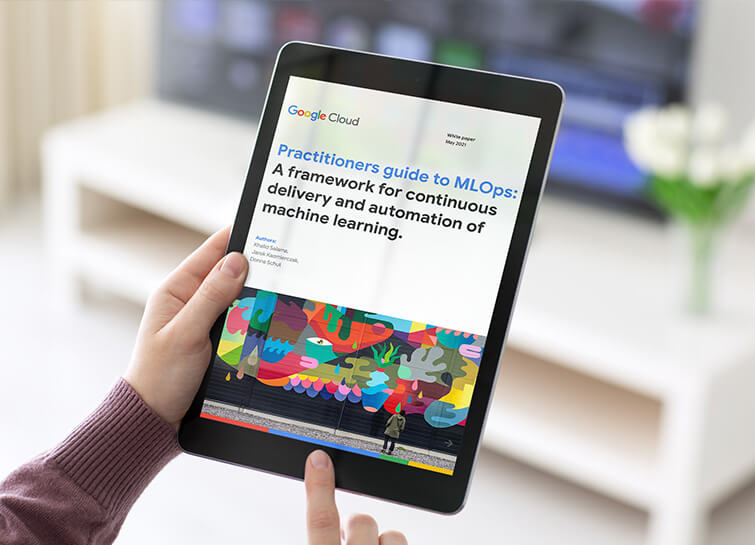
Data Science Teams: A Practitioners Guide to MLOps
Across industries, DevOps and DataOps have been widely adopted as methodologies to improve quality and reduce the time to market of software engineering and data engineering initiatives. With the rapid growth in machine learning (ML) systems, similar approaches need to be developed in the context of ML engineering, which handle

OCR Engine Upgrade: Document AI Introduces 3 New Capabilities
Documents are indispensable parts of our professional and personal lives. They give us crucial insights that help us become more efficient, that organize and optimize information, and that even help us to stay competitive. But as documents become increasingly complex, and as the variety of document types continues to expand,

Geospatial Data for Business Apps Drive Sustainable and Accurate Decision-making
Organizations that collect geospatial data can use that information to understand their operations, help make better business decisions, and power innovation. Traditionally, organizations have required deep GIS expertise and tooling in order to deliver geospatial insights. In this post, we outline some ways that geospatial data can be used in

Predict Protein Structures with AlphaFold on Vertex AI
Today, to accelerate research in the bio-pharma space, from the creation of treatments for diseases to the production of new synthetic biomaterials, we are announcing a new Vertex AI solution that demonstrates how to use Vertex AI Pipelines to run DeepMind’s AlphaFold protein structure predictions at scale. Once a protein’s
