





Bigbasket: Delivering Groceries Across 25 Cities in India

7319
Of your peers have already read this article.
1:30 Minutes
The most insightful time you'll spend today!
When Bigbasket was founded in December 2011, it guaranteed to deliver goods within a one-hour delivery slot of its customers’ choosing or it would refund them 10 percent of their orders. The company also introduced an express service, delivering groceries within 90 minutes of an order being placed.
Bigbasket needed a mapping platform that could help it meet its delivery times, and offer a familiar interface to customers. MediaAgility, a digital consulting company, recommended Google Maps Platform to Bigbasket.
When customers use the Bigbasket mobile app to place orders, they select their locations on a Google Map. The prices and availability of groceries varies according to location, so a customer’s location determines the cost of the order and what can be ordered.
Google Maps Platform Results
- Bigbasket handles more than one million orders per month, and delivers in more than two dozen cities in India
- Bigbasket now has more than four million customers
- Orders are delivered on time, increasing customer loyalty
It is also used to determine driver routes. Bigbasket used the Maps Javascript API to build a web-based app for the company’s backend that tracks all orders and delivery progress. Dispatchers use the Directions API to match drivers with orders and customers, and the Distance Matrix API to get estimate the time of arrival for deliveries. As dispatchers track the progress of deliveries on the map, they can tweak routes as necessary.
“We’ve built Bigbasket from the ground up using Google Maps Platform. It makes sure we have the right customer locations and deliver to them on time. We couldn’t have started Bigbasket without Google Maps. It helps us to be fast and efficient, and make sure our customers get what they’ve ordered quickly,” said Pramod Jajoo, Chief Technology Officer, Bigbasket
5890
Of your peers have already watched this video.
1:30 Minutes
The most insightful time you'll spend today!
FFF Enterprises See 80% Improvements in Speed at Lower Cost by Moving SAP Data to Google Cloud
FFF Enterprises, a pharmaceutical distributor of lifesaving biopharma products, vaccines and plasma products deployed SAP on Google Cloud to leverage its ability to scale server demands, reduce costs and improve speed and performance. Learn how the migration helps FFF empower healthcare to care!
3916
Of your peers have already watched this video.
26:56 Minutes
The most insightful time you'll spend today!
Teamwork from anywhere: G Suite’s vision for content collaboration
So the world has changed. We all know that the COVID-19 pandemic has fundamentally shifted where we work, when we work, and how we work.
And during this time period, there has been a dramatic increase in the number of people working from home. It went from just 13% before to 47% in April 2020. And these numbers are likely to be greater today with upcoming fluctuations as companies figure out how to return to work. We are all now operating in this new normal together.
Overnight, we lost the ability to build face-to-face connections with our teams, to work hand-in-hand on a project in the same room with the real-time back and forth exchange of ideas, and to just be able to stop by someone’s desk to ask them for feedback on a document.
Now, our need to collaborate and operate effectively as a team hasn’t changed through all this. But being remote has made that so much harder. And in this new environment, virtual collaboration is no longer just a strategic priority. But needs to be a necessity for all organizations. Now across the entire world, we saw organizations had to react quickly to the disruptions that were caused by COVID-19 in order to keep going.
In this video, find out how teams across the world are collaborating to enable faster decision-making, increasing productivity, and enhancing customer experience.
5347
Of your peers have already watched this video.
26:00 Minutes
The most insightful time you'll spend today!
On-Demand Webinar: 3 Ways Collaboration Transforms How Your Company Works
A majority of your employees and teams spend 38% of their time unsuccessfully searching and recreating content, according to IDC.
They also spend 20% of their time looking for information, according to McKinsey. That’s 58% of time lost in unproductive tasks that could have been spent coming up with the next big innovative idea that actually impacts business.
Now you know why there are no new ideas, no new innovations, no room for business to grow. Savvy organizations like Nielsen, Whirlpool, and Colgate-Palmolive have had enough of that and are embracing the cloud to collaborate in real-time and transform how their companies work.
The only way to achieve business growth and beat competition is to invest less time in unproductive tasks—like looking for information—and more time innovating with intelligent systems that provide your teams with information they need without even having to look for it: The ability to search smart, find fast, collaborate in real-time, and build new ideas quickly. Embracing Artificial Intelligence enabled-cloud collaboration platforms is one way to get there.
In this webinar, Allen Yang, Product Manager, Google Cloud, talks about how big corporations are turning to the power of the cloud to enable real-time collaboration, faster decision making, smarter and more productive employees and teams, and embracing a new way of working.
How Swiggy’s UK Competitor Expanded to 14 Countries in Just Three Years

4550
Of your peers have already read this article.
1:30 Minutes
The most insightful time you'll spend today!
Deliveroo is the fastest-growing technology company in the United Kingdom, and the first-ever to win Deloitte’s UK Technology Fast 50 two years in a row. Founded in 2013, the food courier service achieved a three-year growth rate of over 15,000% to 2018, expanding beyond its London base to operate in 14 countries in Europe and the Asia-Pacific region, from Spain to Singapore, Hong Kong, and Taiwan.
“G Suite products work really well, with no steep learning curve. As a fast-growing company, our strategy is to go to G Suite tools first to find immediate, effective answers within one integrated solution.”
– Asif Akmal, Director of IT, Deliveroo
The company runs multiple offices in each of its 14 markets, manned by more than 2,500 full-time staff. “Around 2016, we made a clear decision,” says Asif Akmal, Director of IT at Deliveroo. “As the company was scaling, we needed a strategy for all our offices to scale with us, and we needed the right infrastructure to do that. We can’t afford to have downtime, or to have tools that confuse staff, rather than help them.”
Together with Google Cloud Premier Partner Netpremacy, Deliveroo created a strategy around G Suite that emphasizes the speed and efficiency the company needs to set up offices and train new staff.
“G Suite products work really well, with no steep learning curve,” says Asif. “As a fast-growing company, our strategy is to go to G Suite tools first to find immediate, effective answers within one integrated solution.”
Putting videoconferencing at the core of the business
Videoconferencing is central to the Deliveroo business model. “Many of our international offices rely on operational staff from headquarters, whether for daily one-to-ones or group meetings,” says Asif. “Some of our engineers are constantly present in remote offices on a permanent live video stream, with a screen at the desk where there would be a chair. That makes it mission critical for us to have the correct infrastructure in place in order to do videoconferencing.”
Because internet connectivity can be inconsistent at new offices, Deliveroo teams occasionally need to be able to dial into videoconferencing over the phone, as well as connect through the internet. Previously, Deliveroo used a separate videoconferencing solution in order to have this feature. Now, as G Suite Enterprise users, Deliveroo employees can use Hangouts Meet for the same dial-in functionality, higher quality reception, and up to 100 participants on each call.
“Videoconferencing is crucial. And with Hangouts Meet we can have just one AV person in the whole business setting up and overseeing the infrastructure in 14 countries.”
– Asif Akmal, Director of IT, Deliveroo
“It was a simple decision to switch to Hangouts Meet,” says Asif. “It came with the enterprise package that we were already on, so we made a substantial cost savings by stopping the other solution, which cost almost £15 a month per user. Financially, that made it a no-brainer, but Hangouts also works better from a technical and integration perspective.”
“One of the first things that we address as a company moving into a new office is: Where do we get the videoconferencing system in place so we can start doing calls straight away?” says Elliott Shafii, Google Technology Engineer at Deliveroo. That’s why Deliveroo has a blueprint for video conferencing rooms, specifying the equipment required and the size and acoustics of the rooms where they’ll be installed. Once the necessary Hangouts Meet hardware has been delivered, the Deliveroo AV Manager flies out to the location, installs the equipment in two days, signs off on it, and flies back.
“Videoconferencing is crucial,” says Asif. “And with Hangouts Meet we can have just one AV person in the whole business setting up and overseeing the infrastructure in 14 countries.”
Issuing new devices in one-tenth of the time
Deliveroo facilitates its exceptional growth rate by minimizing the time teams need to spend getting to grips with new tools. “With G Suite, users don’t have much that they need to learn,” says Asif. “That means we can deploy the solution in any country and be comfortable that people can walk into a room and connect to a meeting without problems.”
Asif and his team worked closely with Netpremacy to make training in G Suite tools efficient and accessible, for new starters and anyone who wants to learn. “Collaborating on Docs and Sheets, and using Drive to share files instead of sending attachments allows us to move more rapidly than any other business,” says Asif. “That’s why we have permanent staff in the IT team who concentrate exclusively on the onboarding process, so anyone can learn to use one of the G Suite products in just one hour.”
Introducing Pixelbooks is the latest step in Deliveroo’s pursuit of speed and efficiency. “Previously, it took an average of 50 minutes to set someone up on a laptop,” says Asif. “With Chrome devices, that induction period is down to five minutes. We just open the box, enroll the device, and hand it over.”
Creating a cloud-based company
“Our strong relationships with Netpremacy and Google Cloud product managers mean we can align our internal strategies with them. Working together, we can create the ideal environment for our culture of collaboration.”
– Asif Akmal, Director of IT, Deliveroo
Using G Suite, Deliveroo is building its ideal workplace to support a more mobile, agile approach to work. “By the end of next year, we should have the vast majority of new starters using Pixelbooks,” says Asif. “We expect that to increase the use of Docs and Sheets and other G Suite tools, in place of other applications. We want to see ourselves as a cloud-based company, and G Suite is ideal for reaching that goal.”
As part of the further deployment of G Suite tools, Deliveroo plans to roll out more Jamboards, in addition to the 14 already in use across the business. “Previously, we would take photographs of whiteboards and share those,” says Elliott. “I remember seeing someone wheeling a whiteboard back to his desk from a meeting, and thinking ‘That poor guy is going to have to sit at his desk and copy everything down.'”
“At that point, before Jamboards, we actually made a significant financial investment in another interactive whiteboard solution,” adds Asif. “Now that solution is collecting dust, because we’ve got Jamboards, which are much more cost-effective and work brilliantly within the G Suite system.”
“Our strong relationships with Netpremacy and Google Cloud product managers mean we can align our internal strategies with them,” says Asif. “Working together, we can create the ideal environment for our culture of collaboration.”
Embracing the cloud helps Deliveroo both to enable rapid collaboration and to minimize the maintenance and management of infrastructure: an ideal combination for a fast-growing technology company.
Safeguarding time and attention with Google Workspace and Gmail

3996
Of your peers have already read this article.
3:30 Minutes
The most insightful time you'll spend today!
As the pandemic forced millions of people to work from home, many of us found ourselves spending more time in video meetings and in our inboxes as a way to bridge the distance from our colleagues. When the workplace became the living room or the makeshift home office, and as professional and personal responsibilities sometimes collided, we had to find new ways to manage time and attention and to sustain human connection.
When it comes to work emails during the pandemic, we were sending more of them, to more recipients, and we often sent them outside of normal business hours. A study conducted by the Organizational Behavior Unit of Harvard Business School assessed email statistics eight weeks before the start of the pandemic-related lockdowns and eight weeks after. The study concluded that after lockdowns, employees sent 5.2% more emails a day, emails had 2.9% more recipients, and about 8.3% more emails were sent after business hours.
Many of the latest Google Workspace features are designed to help people save time, find focus, and manage tasks more efficiently, whether it’s with smarter emails, writing suggestions, Google Assistant, segmentable working hours, or predictive search. These features combine to save the equivalent of a full working month every year, per person, so that you can spend more time on what matters instead of managing tools.
With that in mind, let’s take a deeper look at how Gmail can help you better manage time and attention.
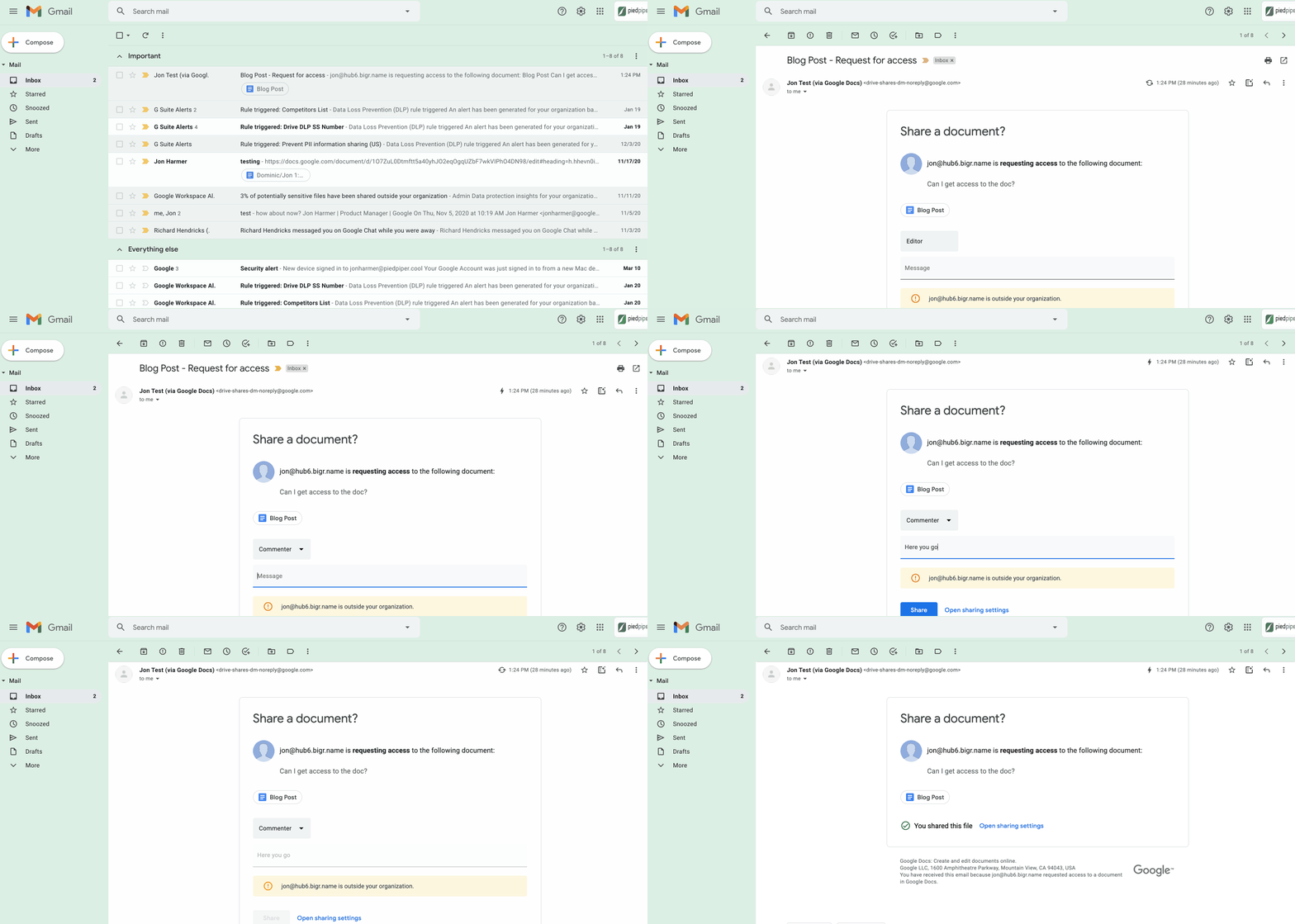
1. Use dynamic email to help recipients complete tasks directly inside an email message. With the new dynamic email support in Gmail, you can easily send and receive emails that enable the reader to take action directly from within the message. This removes the burden of opening multiple documents and tabs. Email recipients can grant access to Drive files, respond to or resolve comments in Docs, Slides, or Sheets, and RSVP to events—all without leaving the message. Learn more.
2. Stay productive, even when you’re offline. Gmail Offline lets you read, reply, delete, and search your Gmail messages when you’re not connected to the internet. Once you set it up, an outbox will appear in the left panel. When a connection later becomes available, Gmail will automatically send the messages from your outbox, and download any new messages to your inbox. This is great for those working on the frontlines who need to stay productive and informed, even when they’re offline.
3. Get organized and prioritize your work with Tasks in Gmail. This feature allows you to easily convert emails into tasks with just one click. You can create due dates that will automatically appear in your calendar, and check tasks off as you complete them. Baked directly into the side panel, you can create, view and manage your task lists without leaving Gmail.
4. Spend time innovating, not writing emails. Gmail’s template functionality lets you create standardized email messages that can be edited and sent out to different recipients in a matter of seconds. If this feature sounds appealing, check out Smart Reply and Smart Compose to learn more ways to write and reply to emails faster.
5. Get search results faster in Gmail. Search chips help you find what you’re looking for in Gmail faster, without needing to sort through irrelevant results or use search operators (e.g., from: marketing@company.com). For example, you can search a colleague’s name and further narrow your results by selecting search chips like attachment type (Doc, Sheet, PDF, etc.) or a specific timeframe. You can even exclude specific keywords and calendar invites from your results. You can also use search chips to search your Google Chat history, directly from within Gmail. To use search chips, all you need to do is type in a Gmail search, click on the search filter chips below the search box and Gmail will take care of the rest.

6. Tune out the irrelevant with the Gmail mute feature. Because we’ve all found ourselves trapped in unnecessary email threads, we created the Gmail Mute feature. With two clicks, you can mute email threads that aren’t relevant or that you no longer wish to follow. All future responses to that thread will now be automatically muted so you can focus your attention elsewhere. If you decide to rejoin the conversation, you can unmute the email thread just as easily.
More Relevant Stories for Your Company

How Machine Learning in G Suite Helps Employees of Dalmia Bharat Discover the Next Big Idea
Creating expense reports, Email management, formatting documents: Your time is caught in the quicksand of formatting, tracking, analysis or other mundane tasks. These are just some of the time-sinks that can affect your—and your employees’—productivity at work. At Google Cloud, this is referred to as “overhead”—time spent working on tasks

Three months, 30x demand: How we scaled Google Meet during COVID-19
As COVID-19 turned our world into a more physically distant one, many people began looking to online video conferencing to maintain social, educational, and workplace contact. As shown in the graph below, this shift has driven huge numbers of additional users to Google Meet. The continental peak session count dictated

Quick Tips: How to Set Up a Business Without Investing Too Much
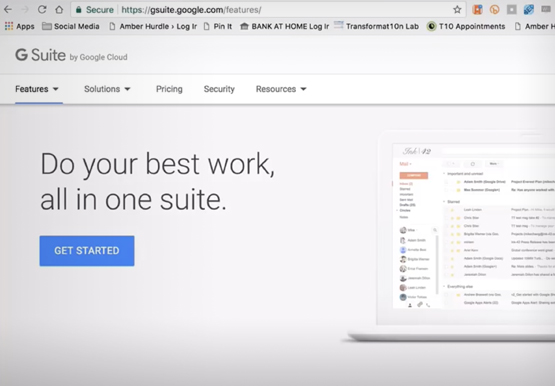
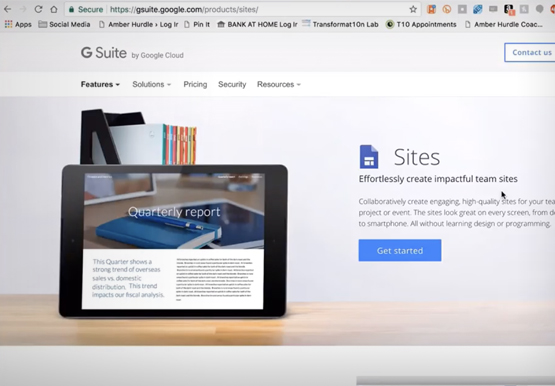
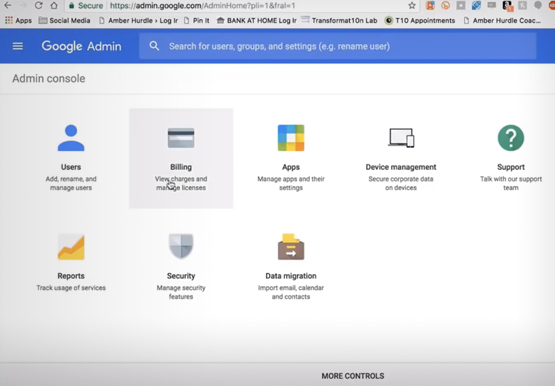
Running a business is everybody’s dream but only a few get to realize it. Among the many hurdles that entrepreneurs face, setting up the business with everyday tools like business emails, calendars, and finding cost-effective ways to collaborate are imperatives. But it isn’t a struggle in the age of the



How You Can Collaborate in Real Time to Build Pitch Proposals Overnight
It’s no secret that marketing and sales teams have a love-hate relationship. But there’s one thing that binds them like no other: The pressure of creating pitch decks overnight. The struggle is real. Be it for a new marketing campaign or a sales idea, pitch decks need multiple teams in
