





How Google is Showing the Way to the Differently-abled: A Blind Program Manager’s Account

4245
Of your peers have already read this article.
3:30 Minutes
The most insightful time you'll spend today!
What does “accessibility” mean to businesses? It’s not just about making sure that your office or retail space is accessible to workers and customers who have mobility challenges, it’s also about making sure that your apps, digital tools and content are also more accessible to everyone.
Our product teams work every day to ensure that tools like G Suite have built-in accessibility features. As a Program Manager, I help create those features and use many of them myself, as I’m blind. I would like to give an overview of product accessibility features that have been available for some time, as well as some new ones.
Listen to content with help from screen readers.
A screen reader is a helpful tool for people who are blind or have low vision. It provides methods to interact and control applications and also converts content on screen into spoken text. With a screen reader and keyboard shortcuts, you can read, edit, and comment on files. Getting started is easy: In Google Docs, Slides, or Sheets, go to the Tools menu, and in “Accessibility settings,” check the “Turn on screen reader support” box. Learn how to turn on screen reader support in Docs.
G Suite supports several screen readers, including ChromeVox, Google’s own screen reader. ChromeVox is automatically built into Chrome devices, like Chromebooks. You just have to enable it. There are many other screen readers you can use with G Suite too; this support guide explains which screen readers work best with which web browsers.
Another way to listen to content is with Select-to-speak, a feature that reads content aloud to you using text-to speech (TTS) to verbalize highlighted content. To try it out, highlight text and activate the select-to-speak button. An example of a select-to-speak tool is the one built into ChromeOS.
See a summary of changes to your documents.
To make it easier for people to keep track of collaborators’ contributions in Google Docs (without having to actively watch every single change), we recently added a feature called Live Edits. Helpful if you use a screen reader or magnification, Live Edits periodically summarizes changes made to a document by collaborators within the sidebar. Learn how to comment and collaborate in Docs using a screen reader.
And for people who are sensitive to visual crowding, we also introduced eight different Lexend font families that have varied widths and spacing to accommodate different reading speeds. Read more details about these font options.
Use voice typing to “write” by speaking.
Voice typing is a powerful productivity tool for everyone, including those who do not use a keyboard. It’s especially useful for people with low vision or with motor disabilities that may prevent them from using keyboards, mice or trackpads. When you speak into the computer’s microphone, voice typing uses artificial intelligence (AI) to convert your voice into text. In Docs, you can even use voice commands to select and edit text—for example, bolding words or cutting and pasting text.
Maximize your downtime with these 12 cost-effective Google Cloud learning opportunities

2990
Of your peers have already read this article.
3:30 Minutes
The most insightful time you'll spend today!
The holiday season is upon us! If you are making your list and checking it twice, we’ve got a few learning gifts you can tick off the list and share with others too. For the season of giving, we’ve wrapped up some of our most popular training and certification opportunities and made them available at no-cost.
This December we’re aiming to offer something for everyone, whether you’re just getting started with cloud, or knee deep in preparing for a professional certification exam. Start with the fundamentals to gain a deeper understanding of cloud whether you’re in a business or technical role. Perhaps you’re looking to flex your data analytics and ML muscle with BigQuery and SQL, earn a Google Cloud skill badge, or enhance your technical cloud skills. Or jump into a hot topic like sustainability and learn about Google’s commitment to a clean cloud, and how to use sustainability tools. Read on to find something on your learning wishlist.
We also have a variety of learning formats to fit your needs. Complete hands-on labs, view courses and webinars, or jump into competitions like the Google Cloud Fly Cup Challenge or our most popular #GoogleClout Challenge of 2022 – and let the fun begin!
Are you ready to learn? Take a look at the training we’ve recommended below to work towards your goals as we head into the new year, with new skills, to make the most of new opportunities.
We’re giving plenty of learning gifts to choose from this month, so take your pick from the topics below:
ML, AI and data analytics
Who it’s for: ML, AI and data engineers
What you’ll take away: A deeper understanding of working in BigQuery and SQL.
Level: Foundational
Start learning now:
- Introduction to SQL for BigQuery and Cloud SQL – Get started with this one hour and 15 minute hands-on lab to learn fundamental SQL querying keywords, which you will run in the BigQuery console on a public dataset, and how to export subsets of a dataset into CSV files, then upload to Cloud SQL. You’ll also learn how to use Cloud SQL to create and manage databases and tables, with hands-on practice on additional SQL keywords that manipulate and edit data.
- Weather Data with BigQuery – In this 45 minute lab, you’ll use BigQuery to analyze historical weather observations, and run analytics on multiple datasets.
- Insights from Data with BigQuery – Earn a shareable skill badge when you complete this five hour quest. It includes interactive labs covering the basics of BigQuery, from writing SQL queries, creating and managing database tables in Cloud SQL, and querying public tables to loading sample data into BigQuery.
- The Google Cloud Fly Cup Challenge – This is a three-stage competition in the sport of drone racing in the Drone Racing League (DRL). You will use DRL’s race data to predict outcomes and give performance improvement tips to pilots (these are the best drone pilots in the world!). There’s a chance to win exclusive swag, prizes, and an expenses paid trip to the DRL World Championship. Registration closes on December 31, 2022.
CI/CD
Who it’s for: Software Developers
What you’ll take away: Take part in our most popular #GoogleClout challenge of 2022! Build a simple containerized application.
Level: Fundamental
Start learning now:
- GoogleClout – CI/CD in a Google Cloud World – Flex your #GoogleClout in this cloud puzzle that challenges you in a lab format to create a Cloud Build Trigger to rebuild a containerized application hosted on a remote repository. Register it in the Artifact Registry and deploy. You’ll be scored on your results and earn a badge to share.
Preparing for Google Cloud certification
Who it’s for: Cloud engineers and architects, network and security engineers and Google Workspace administrators
What you’ll take away: Explore the breadth and scope of the domains covered in the cloud certification exams, assess your exam readiness and create a study plan.
Level: Foundational to advanced
Start learning now:
- Preparing for Google Cloud certification – These courses are for Associate Cloud Engineers, Professional Cloud Architects, Professional Cloud Network Engineers, Professional Cloud Security Engineers, and Google Workspace Administrators preparing for Google Cloud certification exams. You’ll also earn a completion badge when you finish the course.
- Preparing for the Cloud Architect certification exam – Join this 30 minute on-demand webinar to learn about resources to maximize your study plan, and get tips from a #GoogleCloudCertified Professional Cloud Architect.
Intro to Google Cloud for technical professionals
Who it’s for: Software Developers
What you’ll take away: Boost your Google Cloud operational and efficiency skills to drive innovation by navigating the fundamentals of compute, containers, cloud storage, virtual machines, and data and machine learning services.
Level: Foundational
Start learning now:
- Getting Started with Google Cloud Fundamentals – This on-demand webinar takes a little less than three hours to complete. Navigate Compute Engine, container strategies, and cloud storage options through sessions and demos. You’ll also learn how to create VM instances, and discover Google Cloud’s big data and machine learning options.
Intro to Google Cloud for business professionals
Who it’s for: Business roles in the cloud space like HR, marketing, operations and sales
What you’ll take away: A deeper understanding of cloud computing and how Google Cloud products help achieve organizational goals.
Level: Foundational
Start learning now:
- Cloud Digital Leader learning path -There are four courses in this learning path covering digital transformation, innovating with data, infrastructure and application modernization, and Google Cloud security and operations.
- Preparing for the Cloud Digital Leader certification exam – In this 30 minute webinar continue your learning journey by preparing for the Google Cloud Digital Leader certification exam. The webinar covers all the resources we’ve made available to help you prepare.
Sustainability
Who it’s for: Software Developers
What you’ll take away: Learn how the cleanest cloud in the industry can help you save your cloud bill, and save the planet.
Level: Foundational
Start learning now
- A Tour of Google Cloud Sustainability -Work through this one hour, hands-on lab, to explore your carbon footprint data, use the Cloud Region Picker, and reduce your cloud carbon footprint with Active Assist recommendations.
Keep connected and learning with us in 2023
Accelerate your growth on Google Cloud by joining the Innovators Program. No-cost for users of Google Cloud (including Workspace), it’s for anyone who wants to advance their personal and professional development around digital transformation, drive innovation, and solve difficult business challenges.
Continue your learning with Google Cloud in 2023 by starting an annual subscription1 with Innovators Plus benefits. Gain access to $500 in Google Cloud credits, live learning events, our entire on-demand training catalog, a certification voucher, access to special events, and other benefits.
Build your skills, reach your goals and advance your career with 12 no-cost ways to learn Google Cloud!
- Start an annual subscription on Google Cloud Skills Boost with Innovators Plus for $299/year, subject to eligibility limitations.
How Did DTDC Express Speed Up Decision-making and Collaboration by 10x—While Cutting Costs?

7297
Of your peers have already read this article.
6:30 Minutes
The most insightful time you'll spend today!
Among Indian courier and logistics businesses, DTDC has expanded rapidly since its foundation in 1990. Starting with seed capital of less than US$2,000, DTDC has grown to a US$175 million business with operations across the country and internationally.
The business is second only to the government-owned India Post in the courier and logistics sector with 522 offices, more than 10,700 franchisees, and a 5,000 employee-strong workforce.
It handles 450,000 shipments—primarily small to medium parcels—per day, has a direct presence in 12 countries, a presence through associates in 22 countries, and operates 16 gateway hubs.
DTDC’s mission is to become India’s preferred express parcel provider with a focus on the consumer and the company aims to be valued at INR 5,000 crore (about US$778 million) by 2020.
However, like all businesses in the courier and logistics sector, DTDC is facing greater competition. Most of the large ecommerce businesses in the country have created their own express delivery arms and these are contributing to heightened customer expectations.
“Businesses and consumers want information and answers now rather than later today or tomorrow,” Mrinal Chakraborty, Executive Vice President, Technology and Innovation, DTDC, says.
“For example, customers are looking for direct API integration between their systems and our tracking tools, rather than a mundane, old-style MIS-driven approach.
“The express delivery businesses themselves are eager to embrace trends such as increased predictability of delivery, greater capacity utilization, and how vehicles can be run in the most efficient way possible.”
External-facing Technology Policies
DTDC had operated a traditional technology operation including in-house infrastructure located in a mid-sized data centre at its Bangalore headquarters. This in-house data centre housed a completely virtualised server-storage environment and connected to all 522 offices by MPLS link or internet-based VPN services. The business also operated a small disaster recovery facility in another city in India.
However, DTDC realised its technology operation could not deliver the agility, flexibility, and performance needed for the business to thrive in a highly disrupted industry.
Its technology leaders started reviewing their options and in early 2017 adopted a policy that embraced external models such as public cloud services. The business moved its SAP HANA relational database management into the cloud and now is considering using Google Cloud Platform to host its core enterprise resource planning system.
Google Cloud Platform also gives DTDC the ability to analyse data in order to improve the efficiency and predictability of its services.
An Opportunity for Change
While the business had implemented cloud-based office productivity applications in 2016, these applications were not meeting its needs, Chakraborty says.
“What we observed after three years, despite a considerable cost, these applications were only being used for email rather than as a full suite of collaboration tools,” he says.
“For example, if a simple presentation file needed to be delivered for decision-making, it had to be sent to about 20 stakeholders,” he adds. “We would then have to collect feedback from each and aggregate it into a final draft. This approach compromised productivity and decision-making, and meant multiple versions of data were circulating within the organisation.”
DTDC also wanted to extend mobility from a small group within the business to the wider organisation as part of a broader project to improve collaboration, productivity, and decision-making. In addition, the business intended to improve the usability and relevance of its intranets to its employees.
Furthermore, Chakraborty and his team planned to help improve collaboration within and the performance of DTDC’s more than 10,700 franchisees in responding to customer needs.
G Suite Targeted to Increase Collaboration
Based on his previous experience with G Suite, Chakraborty recommended the cloud-based suite of intelligent applications to DTDC’s senior management team. He also provided a comprehensive cost-effort-benefit analysis to back up his recommendation.
DTDC had started with a three-week proof of concept exercise spanning 20 users across the business. Having determined that G Suite met its business requirements, the courier and logistics provider had chosen a ‘big bang’ implementation across about 5,000 users.
DTDC switched over to G Suite on 23 June 2017 and undertook an extensive user acceptance and training program—called Project Liberty—over the following two weeks with the assistance of a 24-hours-per-day, seven-days-per-week helpdesk.
“We made hundreds of calls to our employees to explain the move, created and distributed an FAQ, and provided extensive training at regional office and branch office levels,” Chakraborty says. The business also displayed posters and banners at all DTDC offices, sent teaser messages to users, and provided daily G Suite usage tips over a three-week period.
“We completed that part of the move in about six days and by 1 July 2017 we had migrated all databases and all old emails to G Suite. Two weeks later, we had signed off the job,” Chakraborty says.
Considerable Cost Savings
DTDC has reaped several rewards from its move to G Suite. The amount the business spends on video conferencing has fallen from about US$5,000 per month to nearly zero as it takes advantage of the voice and video capabilities of Google Hangouts Meet.
“Largely because the volume of email attachments has fallen dramatically since we moved to Gmail—despite the fact our business has grown significantly—we have not had to upgrade any of our links over the last year or so,” Chakraborty says.
“Team members are increasingly sending links through Google Drive instead.” The ability to store files in the cloud through Google Drive has also enabled DTDC to eliminate the need to perform local backups of users’ files.
Meanwhile, team members are also increasingly using Google Calendar to make appointments and check the availability of colleagues and superiors for meetings.
Supporting Mobilisation with G Suite
Deploying G Suite has also enabled DTDC to increase the number of workers with access to email on their mobile devices from 150 users to more than 4,000 users.
“At our National Franchisee Meeting in Delhi in February 2018, our Chairman explicitly explained in an open forum how significantly his performance had improved since we deployed G Suite and implemented mobility,” Chakraborty says.
With sharing of spreadsheets and documents rising through the use of Google Sheets and Google Docs respectively, DTDC’s employees are collaborating more effectively and making decisions faster and more easily. Several departments within the business are using Google Sites to create intranets to host commonly-accessed documents and provide knowledge bases, including FAQ documents to help employees solve problems themselves.
“Thanks to G Suite, we have experienced a 10-fold increase in the speed of collaboration, decision-making, and supporting systems,” Chakraborty says. “The activities of our management team are more transparent and cohesive while as an organisation we are making decisions in hours and minutes rather than days.”
DTDC has also completed the migration of more than 10,700 franchisees across to G Suite. “Thus DTDC has become one of the few organisations where its Chairman and Managing Director and a small franchisee in a town in India would use the same intelligent applications,” Chakraborty says. “This makes the organisation much flatter, more collaborative operation in nature.
“Furthermore, franchisees who are using G Suite have started telling us that the ease of collaboration and access to information is enabling them to resolve customer queries faster and more effectively.”
Delivering a Bright Future with Google
DTDC plans to continue developing its intranets on Google Sites and encourage further use of Google Docs and Sheets.
“We are continuing to go back to our internal teams to highlight the benefits of these products and drive takeup to create more awareness and enthusiasm,” says Chakraborty.
DTDC has also started evaluating Google’s big data and analytics platform for its internal MIS and dashboard practices. “More broadly, we see Google as key to our ability to realise our business objectives and remain competitive in the dynamic, fast-changing courier and logistics industry,” Chakraborty concludes
3847
Of your peers have already watched this video.
14:49 Minutes
The most insightful time you'll spend today!
Helpful and human: G Suite’s vision for your future workspace
With an accelerated shift to remote working brought on by COVID-19, it’s clearer than ever that an organization’s success relies on its people and how they work. No matter where they’re working from, who they’re working with, or what projects they’re working on, organizations need to enable their employees to have impact.
That’s why, schools are figuring out remote learning models. Doctors are using Google Meet to consult with patients via video call. I believe COVID-19 is the catalyst that will accelerate the transition to more flexible and distributed teams. We’re seeing this trend clearly from both employers and employees. 80% of the workforce would really like the flexibility to work from home at least some of the time, and 74% of CFOs intend to shift some employees to work from home permanently after COVID-19.
From the beginning, G Suite was designed with human impact in mind: to help people work together from anywhere to achieve bigger things in work and in life.
G Suite’s Vice President and General Manager, Javier Soltero, talks about what the future of G Suite means for your organization. Get a window into the newest, most exciting innovations and hear how G Suite is helping organizations navigate what’s next.
Transport Platform’s Richly-detailed Geospatial Data Allows Commuters to Track Buses in Real-time!

5629
Of your peers have already read this article.
3:00 Minutes
The most insightful time you'll spend today!
Vinayak Bhavnani, Co-Founder and CTO of India-based bus transport technology company Chalo, shares how Google Maps Platform is used to improve visibility for commuters and bus operators across India by visualizing geospatial data.
Effective public transport networks contribute to the local economy and help make cities safe, pleasant, and sustainable. In India, buses make up around 90% of the public transport offering, but when you talk to the people who ride them every day, you find that there’s a lot of room for improvement. Heavy traffic means there are rarely any fixed schedules and it’s impossible to know exactly when your bus is coming. We’ve found that people tend to wait at a bus stop for up to 30 minutes a day, which creates a lot of frustration and wasted time.
When we founded Chalo, our aim was to make the daily city commute a more positive experience. Reliability is synonymous with visibility: when you know exactly when the bus is coming, you can plan your day better. If you’re in your office, for example, and see the next bus is in 10 minutes, you can be at the stop at the exact time it arrives, instead of waiting around. To enable this, we base our solutions on richly-detailed geospatial data provided by Google Maps Platform.
Eliminating wait times and increasing revenue with geospatial data
In India, bus passengers tend to have fewer resources. The Chalo App, which can be downloaded for free, allows them to see exactly where their bus is on its route and when it will arrive at their nearest stop. They also tend to be late adopters of mobile technology, meaning we had to create an interface that was user-friendly, reassuring and adapted to all age groups and backgrounds. One of the main reasons we opted for Google Maps Platform is that it’s very present in India and other emerging markets and is familiar to our users, which inspires trust. At the same time, we like the fact that Google Maps Platform provides rich geospatial data while being simple to implement and work with. We use the Geocoding API, Reverse Geocoding, and the Directions API to enable location search and provide directions.
We also worked with MediaAgility to identify the Google Maps Platform products most suited to our needs and the best practices to be followed. This helped to ensure that our business objectives could be met efficiently.
The Chalo App also enables digital ticketing, alongside the Chalo Card, a payment card for those who don’t own a smartphone. India, like the rest of the world, is gradually moving away from cash payments, but the public transport system is proving slow to catch up, meaning people still must have cash in hand when they board the bus. Digital ticketing not only makes commuting more convenient, it also helps protect passengers, drivers and conductors during the COVID-19 health crisis by limiting physical contact.
Chalo also offers solutions aimed at bus operators that help them improve their services and their bottom line. In major Indian cities, buses are run by a combination of public and private agencies and small private individual bus operators, with the majority of the latter only operating one or two buses. The market is very fragmented and there’s not much incentive for bus operators to invest in infrastructure or customer experience – especially when they have little to no visibility on where their fleet is at a given time, how many kilometers it travels in a day, or how much money it takes.
The Chalo dashboard provides operators with a map-based real-time overview of bus locations, alongside scheduling features and route, ticketing, and passenger statistics. Geospatial intelligence and insight into passenger demand enable operators to explore new avenues of revenue and adapt routes and services to passenger needs. Operators who’ve partnered with Chalo report an average improvement of 10% to 30% of their bus fleet operations.
Chalo is currently powering about 100 million rides a month on 15,000 buses in 37 cities. We’d like to see the number of rides increase tenfold over the next few years. To do that, we’re looking to broaden our offer and expand to other parts of the country and across international borders. A pilot is underway in Bangkok, and we’re considering expansion into South-East Asia, Africa, and the Middle East. Having access to detailed geospatial data anywhere in the world via Google Maps Platform, without having to make any major investments or changes to our technology stack, will make this considerably easier.
At the same time, we’re exploring artificial intelligence and machine learning to improve the accuracy of our scheduling features and we’re introducing video-based solutions for people-counting on buses. Our aim is to continually improve our offering and optimize our services. We’re looking forward to working closely with Google to make that happen.
For more information on Google Maps Platform, visit our website.
Two Ways to Deploy SAP HANA System on Google Cloud

7877
Of your peers have already read this article.
4:00 Minutes
The most insightful time you'll spend today!
Many of the world’s leading companies run on SAP—and deploying it on Google Cloud extends the benefits of SAP even further. Migrating your current SAP S/4HANA deployment to Google Cloud—whether it resides on your company’s on-premises servers or another cloud service—provides your organization with a flexible virtualized architecture that lets you scale your environment to match your workloads, so you pay only for the compute and storage capacity you need at any given moment. Google Cloud includes built-in features, such as Compute Engine live migration and automatic restart, that minimize downtime for infrastructure maintenance. And it allows you to integrate your SAP data with multiple data sources and process it using Google Cloud technology such as BigQuery to drive data analytics.
SAP server-side architecture consists of two layers: the SAP HANA database, and the Netweaver application layer. In this blog post, we’ll look at the options and steps for moving the database layer to Google Cloud as a lift and shift or rehost, a straightforward approach that entails moving your current SAP environment unchanged onto Google Cloud.
Deploying an SAP HANA system on Google Cloud
Google Cloud offers SAP-certified virtual machines (VMs) optimized for SAP products, including SAP HANA and SAP HANA Enterprise Cloud, as well as dedicated servers for SAP HANA for environments greater than 12TB. (For a complete list of VM and hardware options, visit the Certified and Supported SAP HANA Hardware Directory.)
Before proceeding with a rehost migration to Google Cloud, your current (source) environment and Google Cloud (target) environments should meet these specifications:
Prerequisites:
- The configuration of the Google Cloud environment (i.e., VM resources, SSD storage capacity) should be identical to that of the source environment. If the underlying hardware is different, however, you must use Option 2 for your migration, detailed below.
- Both environments should be running the same operating system (SUSE or RHEL Linux).
- The HANA version, instance number, and system ID (SID) should be identical.
- Schema names must remain the same.
- Establishing the network connection between the on-premises environment and Google Cloud will be required in this phase to support rehost of the SAP application.you can use Cloud VPN or Dedicated Interconnect. Learn more about Dedicated Interconnect and Cloud VPN.
Note: Depending on your internet connection and bandwidth requirements, we recommend using a Dedicated Interconnect over Cloud VPN for production environments.
We offer a number of automated processes to accelerate your cloud journey. To deploy the SAP HANA system on Google Cloud, you can use the Google Cloud Deployment manager or Terraform and Ansible scripts available on GitHub with configuration file templates to define your installation. For more details, see the Google Cloud SAP HANA Planning Guide.
Note: To deploy SAP HANA on Google Cloud machine types that are certified by SAP for production, please review the Certification for SAP HANA on Google Cloud page.
Moving an SAP HANA Database to Google Cloud
There are two different options you can use to rehost your SAP HANA database to Google Cloud, and each has pros and cons that you should consider when deciding on your approach.
Option 1: Asynchronous replication uses SAP’s built-in replication tool to provide continuous data replication from the source system (also known as the primary system) to the destination or secondary system—in this case residing on Google Cloud. It’s best for mission-critical applications for which minimum downtime is a high priority, and for large databases. In addition, the high level of automation means that the process requires less manual intervention. Here’s where you can learn more on HANA Asynchronous Replication.
Option 2: Backup and restore relies on SAP’s backup utility to create an image of the database that is then transferred to Google Cloud, where it is restored in the new environment. Downtime for this method varies by database size, so large databases may require more downtime via this method vs. asynchronous replication. It also involves more manual tasks. However, it requires fewer resources to perform, making it an attractive option for less urgent use cases. Here’s where you can learn more on SAP HANA database Backup and restore.

How to migrate the SAP HANA database to Google Cloud using Asynchronous Replication

- Create and configure Dedicated Interconnect or Cloud VPN between the current environment and Google Cloud.
- Set up SAP HANA asynchronous replication. You can configure system replication using SAP HANA Cockpit, SAP HANA Studio, or hdbnsutil. See Setting Up SAP HANA System Replication in the SAP HANA Administration Guide.
- Be sure to use the same instance number and HANA SID in the template as the primary instance.
- Configure the Google Cloud instance as the secondary node for using HANA Asynchronous replication.
- Perform data validation once full data replication is completed to the SAP HANA database in Google Cloud. To learn more: HANA System Replication overview.
- Perform an SAP HANA takeover on your standby database. This switches your active system from the current primary system onto the secondary system on Google Cloud. Once the takeover command runs, the system on Google Cloud becomes the new primary system.To learn more: HANA Takeover.
How to migrate the SAP HANA database to Google Cloud using Backup and Restore

- Create a full backup of your SAP HANA database in your current environment.
- Create a new storage bucket in your Google Cloud environment. Visit Creating Storage Buckets in the Google Cloud Storage documentation.
- Download and install gsutil onto the source environment and run it to upload the HANA backup to the Google Cloud storage bucket. To install gsutil utility on any computer or server, visit Install gsutil in the Google Cloud Storage documentation.
Note: You can run parallel multi thread/multi processing in gsutil to copy large files more quickly. - Recover the HANA database on Google Cloud using SAP’s RECOVER DATABASE statement. See RECOVER DATABASE Statement (Backup and Recovery) in the SAP HANA SQL Reference Guide for SAP HANA Platform.
Note: BackInt agent is an integrated SAP interface tool used for HANA database on Google Cloud.Backint agent for SAP HANA can be used to store and retrieve backups directly from Google Cloud Storage. It is supported and certified by SAP on Google Cloud. To learn more: SAP HANA Backint Agent on Google Cloud.
In summary, we recommend using Asynchronous Replication (Option 1) for mission-critical applications that require the lowest downtime window. For all other applications, we recommend Backup and Restore (Option 2), as this approach requires fewer resources. It’s also a great way to implement the backup and restore functionality on Google Cloud.
A rehost migration is the most straightforward path to getting your SAP on HANA system up and running on Google Cloud. And the sooner you migrate, the sooner you can take advantage of the many benefits Google Cloud brings to your SAP solution. For more information on the different migration options please review: SAP on Google Cloud: Migration strategies.
Learn more about deploying SAP on Google Cloud. Technical resources can be found here.
More Relevant Stories for Your Company

AirAsia Flies High With Data Analytics and AI
AirAsia’s vision is simple: allow everyone to fly. Founded in 2001, the airline and sister company AirAsia X have grown to service 150+ destinations in 25 markets, using 274 aircraft to operate 11,000+ weekly flights from 23 hubs across the region. While the airline is known as a provider of

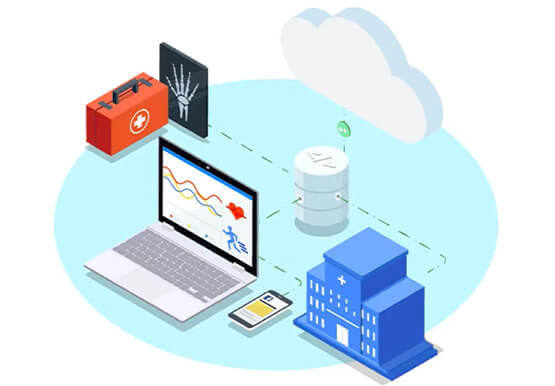

Hospitals Can Offer Interconnected Patient Experiences Using Google’s Natural Language Services
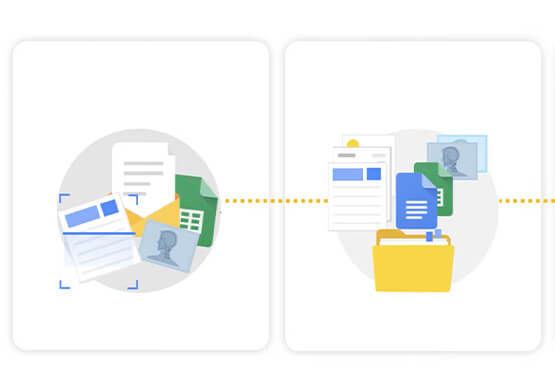
Machine Learning (ML) in healthcare helps extract data from conversations, medical records, forms, research reports, insurance claims and other documents across the care value-chain to help care providers have a holistic view of their patients to draw insights for diagnoses and treatments. With Natural Language Processing(NLP), healthcare organizations can program

How Recommendation AI Helps Retailers Optimize Click-through and Conversion Rates
Time to go outside again, I guess. I'll need a sun hat. Sunscreen. Maybe some new sandals? What else? With the Recommendations AI service, I might be reminded to grab a reusable water bottle and a swimsuit. Or some after-sun aloe lotion. Good thing, cause I'll need it. Photo by Nawartha

Google Launches Smart Canvas to Stir-up Collaboration in Google Workspace
After more than a year of remote collaboration, many people are showing signs of digital fatigue. Throughout the pandemic, millions of employees bridged the physical distances with their colleagues by making themselves more available, joining a deluge of virtual meetings, and leaning into a dizzying array of tools and applications.
