





3933
Of your peers have already watched this video.
1:30 Minutes
The most insightful time you'll spend today!
Workspace: Embedding Inclusion and Equity throughout Product Design and Development
Google’s products are built for everyone! Watch the video to hear what the experts at Google say about embedding inclusion throughout the design to product development process, and how Google Workspace is built on product equity principles that takes into consideration the challenges and requirements of users across demographics.
Vodafone Turns to Google Maps Platform to Expand and Improve its Network

6399
Of your peers have already read this article.
1:30 Minutes
The most insightful time you'll spend today!
Vodafone India had a manual, labor-intensive process for determining network capabilities and reach. The company sent field operatives to every customer location to conduct a feasibility study. These feasibility studies help Vodafone determine whether they can provide connectivity and services to customers based on the infrastructure at that location.
Everyone from the IT team and end users to the field operatives doing the work recognized the need to adopt a new solution to automate the measurements. They needed a technology that was easy to use and maintain.
“Vodafone used to manually perform physical surveys for each feasibility, which is a time-consuming and labor-intensive process. Often, feasibility studies were delayed, and we missed out on opportunities to serve additional customers. With SmartFeasibility, we’ve increased our capacity 15 fold, which positively impacts our bottom line and allows us to provide better and smarter customer service.”
—Rajneesh Asthana, IT Planning and Delivery, Vodafone India
Partnering with Lepton Software (a leading global provider of location-based analytics solution) Vodafone introduced SmartFeasibility—a solution that changed the feasibility testing from a manual to an automated process. This involved a full Google geo platform solution – leveraging world class technology like maps, roads and directions.
Google Maps Platform Results
- Employees are able to access information faster with SmartFeasibility—they have data at their fingertips, rather than waiting for an employee to collect it
- Field operatives have increased their conversion rates by providing more accurate readings on feasibilities and closing more customer business
- Addresses are now easy to find with a click of a button. The Vodafone India team can search feasibilities that have been loaded into the database, so if there’s an issue or if they need to reference a past action, they have that information at their fingertips
- 2 day turnaround versus 5 before the solution was implemented
- 400+ new customers added per day
With the new solution, Vodafone India no longer needs field operatives to manually calculate these measurements. With Google Maps, users can search customers’ addresses, calculate the distance between Vodafone’s location and the customer’s location and research building data such as height.
The old system of having field operatives collect data was unreliable. With Google Maps Platform, the Vodafone India team knows that the measurements are accurate and reliable.
Workspace’s Collaboration Equity Integral for Delivering the ‘Promise of Hybrid Workplace’

3826
Of your peers have already read this article.
3:00 Minutes
The most insightful time you'll spend today!
Like many businesses around the world, Google is trying to combine on-site and off-site work into an efficient hybrid model. And like most businesses, we’re also figuring out how to get it right. As we grow our vision for the best possible hybrid workplace, one theme consistently emerges: the need for collaboration equity.
Collaboration equity is when all workers have the ability to contribute and communicate equally, regardless of location, role, experience level, language, and device preference. A lack of collaboration equity can stem from hierarchies in video calls or language barriers on international calls. It can mean junior employees don’t feel empowered to speak up in meetings, off-site employees struggle to access their on-site managers, or frontline workers lack the communication tools their office colleagues enjoy.
When these disparities add up, they can damage an individual’s wellbeing, career potential, and effectiveness. When they permeate an organization, team performance suffers, innovation wanes, and talent leaves. In our recently commissioned global survey with Economist Impact, 62% of respondents agreed with the notion that “limited networking opportunities with senior employees and co-workers has a negative impact on career growth.” Proximity bias is just one of many new challenges we face in hybrid work environments.
We believe the location from which you participate shouldn’t influence your outcome. And while it’s easier to have everyone on-site or everyone off-site, hybrid models demand deeper thinking about social, organizational, and technological challenges. These ideas should be addressed at the C-Suite level with solutions that garner buy-in from every part of the organization.
So, how do we deliver on the promise of a hybrid workplace where flexibility, wellbeing, and meaningful impact coexist?
At Google, we’re bridging the gap between the in-person and the “somewhere else” by pushing technology, culture, and physical spaces to be more inclusive and maximize participation. We’re also innovating new Google Workspace features to power collaboration equity for our billions of users worldwide.
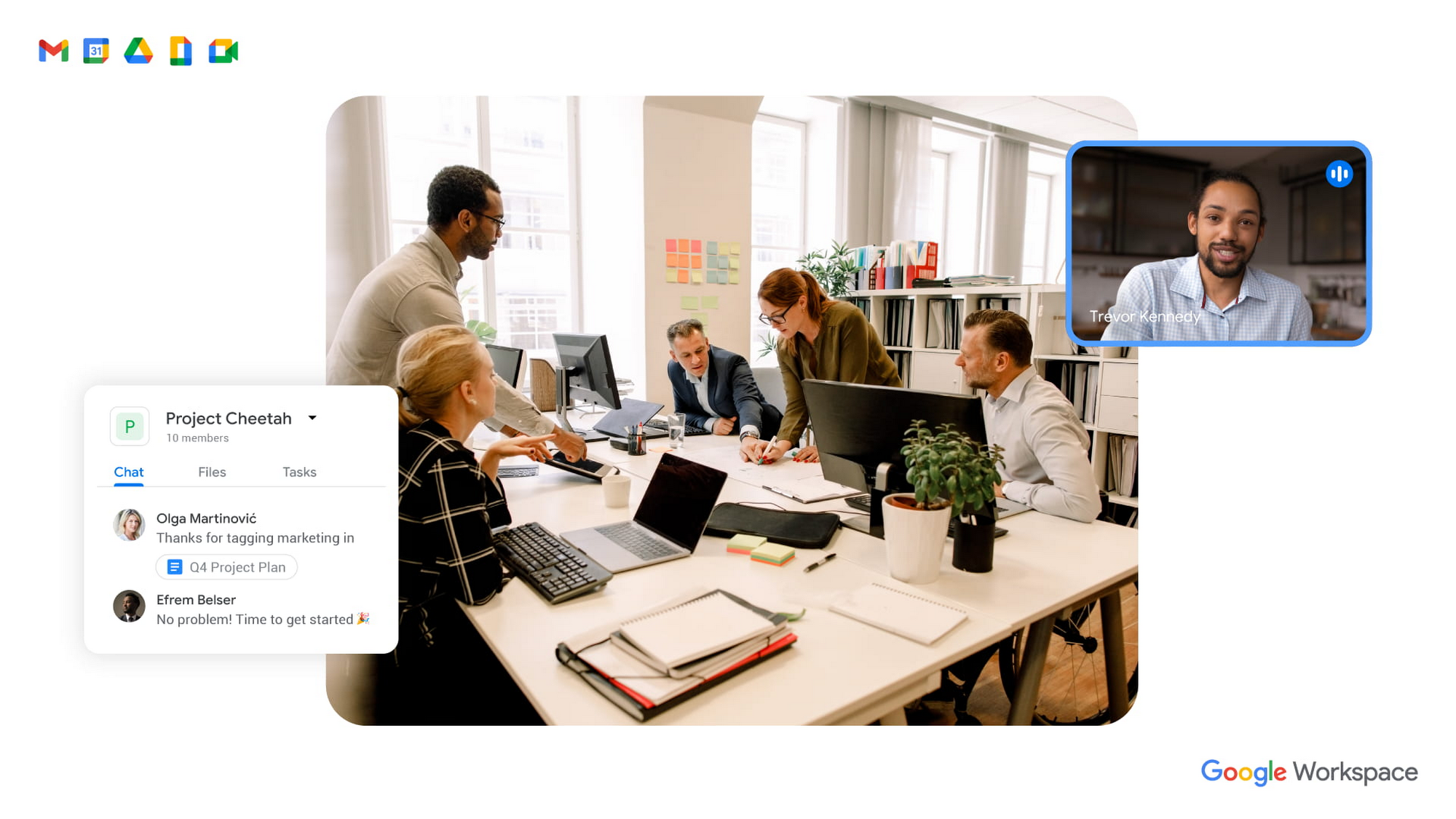
To guide our work, we’ve identified three pillars of collaboration equity: representation, participation, and information.
Representation equity
Achieving representation equity means that all employees can be seen, heard, and portrayed equally, whether working off-site or on-site. When the pandemic hit, we were all scrambling to make sure people could simply connect safely with one another. Google’s existing technology for distributed teams was pressure tested, and I’m proud of how well it performed. But we’re now faced with the disconnect that happens when you merge off-site work with on-site work.
When we were all participating in meetings remotely, everyone shared equal-sized tiles on videos. There was no one sitting in a corner office, no hierarchy—everyone was represented equally. In a hybrid environment, it’s distorted. The people participating remotely appear giant on a conference room monitor, while the people in the conference room appear tiny on screens at home. It can be difficult to decipher who’s even in the room. This is certainly not equal representation.
Some of these issues can be solved with technology. For example, we’ve been working on features like AI-driven video adjustments in Google Meet to compensate for low-light environments and auto-zoom to keep all participants in focus, and both will improve representation equity for hybrid workplaces. Additionally, we can now limit data usage on slow mobile networks so no one has to turn off video during a call. All of these technological innovations improve representation equity for hybrid workplaces, but we also need to adopt new workplace norms as well. For example, some organizations have implemented policies where if one person joins a meeting from off-site, then everyone joins via device so they are all represented equally.
Participation equity
We think of participation equity as the ability to host, present, and participate equally, regardless of location. At Google, we were already accustomed to joining meetings virtually from different offices. With the new tools we’ve developed in the last 18 months, everyone’s ability to participate equally has grown. Wider adoption of meeting tools like hand raise, polls, Q&A, and breakout rooms gives us an ordered, structured way of talking in distributed groups.
But how will we interact when many of us are back in the office? How do we ensure that off-site workers can still engage as meaningfully as others? Companion mode, a tool we’ve developed for Google Meet, gives both in-person and off-site attendees the same meeting experience. Each individual can host, present, and participate in meetings in the same way, with the same tools, regardless of their location.
Teams can also promote participation equity by using meeting moderators who encourage the use of hand-raising features so no one dominates the conversation or interrupts—a challenge that often arises when multiple people are in the same location. While it may feel forced and prevent natural back-and-forths, it does help everyone’s voices be heard. We’ve also learned that many people find it distracting to see their own image, so we’ve enabled users to hide their own video feed. I’ve seen firsthand how these tools and practices are improving participation equity.
Information equity
Information equity means that regardless of whether people work on- or off-site, they have equal access to information. Ensuring free flow of information is key to better long-term thinking, creativity, and cooperation among teams. As individuals exercise their autonomy for where and how they work best, their preferences affect recruiting and retention. If we’re going to accommodate a range of preferences, how do we best equalize access to information?
First, we should actively prioritize keeping each other informed. We can support this proactive mindset through technology by ensuring that meetings have agendas, are recorded or transcribed, and have shareable, accessible information. Our tools, including Spaces and Drive, can be used as information hubs where teammates can reliably access crucial files, conversations, and updates. And coworkers can leverage smart suggestions to @-mention others linked to the project, so no one is left out.
We must commit to solving the information equity problem together or risk ending up in a mushy middle ground where no one is satisfied. Because while most people enjoy working from home, they won’t sacrifice career progression to keep it. If the center of gravity tilts too far toward on-site work, the hybrid model will collapse. We’re not advocating a “choose your own adventure” mentality, nor a one-size-fits-all model. We’re empowering teams to meet the preferences of individual members in a deliberate fashion that supports the larger organization.
During this pivotal time, we are enthusiastic about how we’re seeing work change and advance around the globe. Delivering on the hybrid-work promise of “the best of both worlds” feels more within our reach than ever before. But if we’re going to succeed, we must strive for collaboration equity. Our experience tells us that when you give people freedom and opportunity, they will amaze you.
How to build collaboration equity in your hybrid workplace:
✅ Start with representation. Can every employee be seen and heard? Do they have the tools, technology, and devices to be adequately represented?
✅ Enable participation. Is everyone encouraged to provide their input and voice their opinions? What tools and forums exist to provide this input? How is the input acknowledged and acted upon?
✅ Share information. Do people have access to all the information they need to do their jobs? Does information flow freely or is it hoarded?
✅ Let teams and departments design their own hybrid schedules. Hybrid will not work if every individual is “choosing their own adventure.” Consider using on-site days for collaborative, creative, and brainstorming projects and reserving off-site days for deep focus work.
✅ Reward outcomes, not activities. An employee’s individual preference for how and where to work should not matter as long as they are getting things done. This means flexibility in location and work schedule to maximize impact.
✅ Highlight our shared responsibility to each other. Every manager should ask:
- What does the team need to know about how you work best?
- What are you personally doing to ensure the entire team is successful?
Follow other trends and insights on our Future of Work site.
How We Proved Everyone Wrong and Scaled Our Sports Apparel Company Across Continents

5621
Of your peers have already read this article.
4:30 Minutes
The most insightful time you'll spend today!
There were several reasons why Suddora and CustomOnIt shouldn’t have been successes. My friend Adam and I were working in a Michigan video store and knew next to nothing about running a business. We started with an idea to sell sweatbands, like the ones I used to wear in my band, and over several months managed to launch it legitimately. This led us to bail on the video store and move to Vegas—smack in the middle of the 2008 financial crisis. We lived on ramen noodles and little else for two years while we got the company going. Our friends took bets on how long we’d stay in business.
But 11 years later, we have not one but several successful sports apparel businesses, I’m running a bunch of other e-commerce companies (including SweatBands.com), and we’re selling in the United Kingdom and soon in Asia Pacific.
How did two broke-but-determined guys working in a video store get this far? We always believed in moving ahead, no matter what obstacles came our way—and we learned a lot about how technology like G Suite can make a small business look and operate like a bigger one, and how searching Google for business resources can pay off.
Starting with an idea, a domain and…ramen noodles
In my band days in Michigan, we tried to think of ways to get our name out there. Instead of the usual T-shirts or stickers, I pitched the idea of custom sweatbands since I wore sweatbands when I played guitar. I figured other people might like sweatbands with the names of their bands.
We knew we needed a web domain and email addresses so we could sell online. We found out about G Suite during a Google search, and it seemed like the most pain-free way to get started by buying the domains Customonit.com and Suddora.com (Adam made up that name. “Sudor” is Spanish for “sweat,” which is what the businesses were about, and we added the “d” and the “a” to make the name stand out.).
Even though the company was just me and Adam, we needed to look professional (and also a bit bigger than we actually were). With G Suite, we set up email aliases for various business functions, like help@suddora.com and sales@suddora.com, and arranged to route email from these addresses into our regular Gmail inboxes; that way, customers could easily reach us.
Scaling our business in the Las Vegas heat
Next, we decided to move to Las Vegas because, in the aftermath of the recession, we could live cheaply there. When we got our first big sweatband order from a major NCAA football team, the momentum started. Now we had to scale up the business so we could handle more orders and deal with suppliers, even though we were still working out of our living room.
We grew to a five-person team, including a customer service person and a designer, and G Suite made it easy to onboard everyone quickly. In addition to giving new employees their own email addresses with the Suddora.com or STbands.com domain names, we routed emails to various people from the “help” and “sales” email aliases we had set up. We also made sure that all of our employees were set up on G Suite, too.
Once orders started to roll in from major fast-food restaurants, football teams, and sports apparel companies, our roles constantly changed. G Suite helped us shave off precious time by helping us manage email less manually—we automatically re-routed emails depending on who’s working on what. If I wanted to take on more sales work, I forwarded emails from sales@suddora.com to my inbox with one click. Same thing with customer service: We never want to lose track of customer service inquiries, which are a high priority.
In 2009, a year after starting the business, Adam and I left our part-time jobs at a local department store to run the business full-time. We promised ourselves that when we hit a revenue target of $15,000 in one month we’d buy a TV for the apartment—and we got that TV!
Going international (without leaving our office)
The business was taking off. We decided to split STbands.com into two websites: Suddora.com for sports sweatbands and CustomOnIt.com for custom apparel and party goods. We recognized that half our customers wanted athletic wear and accessories, while the other half wanted custom items like T-shirts and wristbands. It was a move that would allow each business to thrive.
Creating products and managing suppliers was getting more complicated. Once again, G Suite helped us move our business forward. We used Google search to find suppliers in China, and were able to set up supplier relationships and talk one-on-one with the people making our products—without extensive and time-consuming travel to China. You can accomplish so much with video meetings and chat.
With more suppliers and more customers, we needed to constantly up our game in terms of product design. When we create new designs it generates a ton of files and iterations, which get shared back and forth between pattern designers, photo editors, writers, and marketing professionals. To help centralize these files, we store everything in Google Drive so they can be shared and accessed anytime, from anywhere. For example, we use Sheets to house updated data on our products across all of our e-commerce platforms.
Lessons learned
Eleven years on, I’m still learning every day about what it takes to run and grow a business. I think what helps is finding tools like G Suite that are so easy to use, you don’t need much ramp-up time to get started—nor do your employees. That means we’re all productive much faster.
Also, you might be thinking about a million ideas for starting a business. But the truth is, you only need one—an opportunity that makes you think, “Okay, this is going to be big.” So go for it. You can’t afford not to.
YoungCapital CIO: Why I Moved to Google Cloud and G Suite to Grow Our Business

7320
Of your peers have already read this article.
4:30 Minutes
The most insightful time you'll spend today!
When your business is rapidly adding new employees, expanding to new countries, and always focused on staying ahead of the competition, you have to take a hard look at the tools that are slowing you down—and swap them out for better ones that can keep pace with the company. We’re expanding YoungCapital in Germany, which means more offices, more people, and more technology to make the business run smoothly.
As we scale, Google Cloud tools like Chromebooks and G Suite help us grow our business efficiently. They free us up from sluggish, time-intensive technology that’s hard to maintain and repair, and give us the freedom to work together in faster, smarter ways.
Free from hours of device setup. Some months, there are as many as 40 new employees starting at YoungCapital—and as we continue to expand that number will continue to rise, especially now that we’ve opened three new offices in Germany. With our old Windows desktops, setting up new computers could take up to an hour per employee (which can add up to about 40 hours a month for IT). Today, using Chrome Enterprise tools, it takes about five minutes to get an Acer Spin or Pixelbook ready to hand off to a new hire—saving us more than three months per year of device setup time.
Free from VPNs. Our previous Windows machines required a complicated virtual private network (VPN) for accessing corporate files outside of the office. Using a VPN was complicated for our employees because the software wasn’t intuitive; if an employee had trouble signing into the VPN while at home or traveling, they could not log in and work as quickly as they needed to. With Chromebooks, all you need is an online connection to sign into G Suite to access files and work from anywhere.
From our perspective, Chromebooks are resistant to threats like ransomware and phishing attacks, giving us confidence that our data can stay secure. With Chrome Enterprise Upgrade, our IT admins can strengthen security even further: for example, by enabling advanced security features that help block vulnerabilities, locking down lost or stolen devices right away, and setting device security policies in the cloud so devices everywhere are safer.
Free from infrastructure. We used to have to invest in servers, and then add more time and money to keep them running. Now we don’t have to run the business on infrastructure or hire people to maintain it—we can just use Google’s cloud. NextNovate is helping us make the most of Google Cloud Platform, like integrating some of our proprietary applications with G Suite and building our own add-ons. For example, we created a button for Gmail that connects to our job candidate database; when candidates email us, we can click on the button and see their profiles and work experience.
Free from multiple passwords and logins. Chrome Browser and G Suite with single sign-provider SAML are the portal to all the productivity apps our employees need. Once people log in to G Suite, they don’t have to remember a bunch of other user names and passwords. The IT team loves it too, because we don’t have to spend hours zeroing out passwords and creating new ones.
Free to manage cross-country devices easily in the cloud. Our four-person IT support team, which keeps our systems humming, hasn’t grown, even though we’ve doubled the number of employees. When we were on Windows devices, we fielded roughly 1,800 IT support requests every month. Now we get about 1,300 requests a month, from a much bigger employee base. This translates to nearly 30% fewer requests for our lean support team, which reduces their workload significantly even though we have roughly 20% more employees—all made possible with Chrome Enterprise.
Being free of slow, high-maintenance technology doesn’t just make the IT department happy—people are actually changing how they work. They no longer send files to each other by email or struggle to keep track of versions; they store everything in Google Drive and work together in Google Docs on a single document at the same time. And instead of traveling to other offices, connecting with each other in video conferences on Hangouts Meet has become a completely natural way to do business.
With Chromebooks and G Suite, we’re ready for anything: more new markets, more employees, and more-flexible ways to work together and shake up the staffing industry.
Now on Mobile: Manage Your Google Cloud Support Cases Anywhere, Anytime
946
Of your peers have already read this article.
2:30 Minutes
The most insightful time you'll spend today!
We’re excited to announce that Google Cloud Support is now available as Public Preview* in the Google Cloud mobile app.
View and manage Google Cloud Support cases
We understand how important it is to be able to access and collaborate on Cloud Support cases. As such, we’ve made it easy for you to manage your cases via the mobile app. There is no need to log in to the mobile browser, search for a proper website, and navigate to the place where you need to be. Your Cloud Support cases are now available at your fingertips.
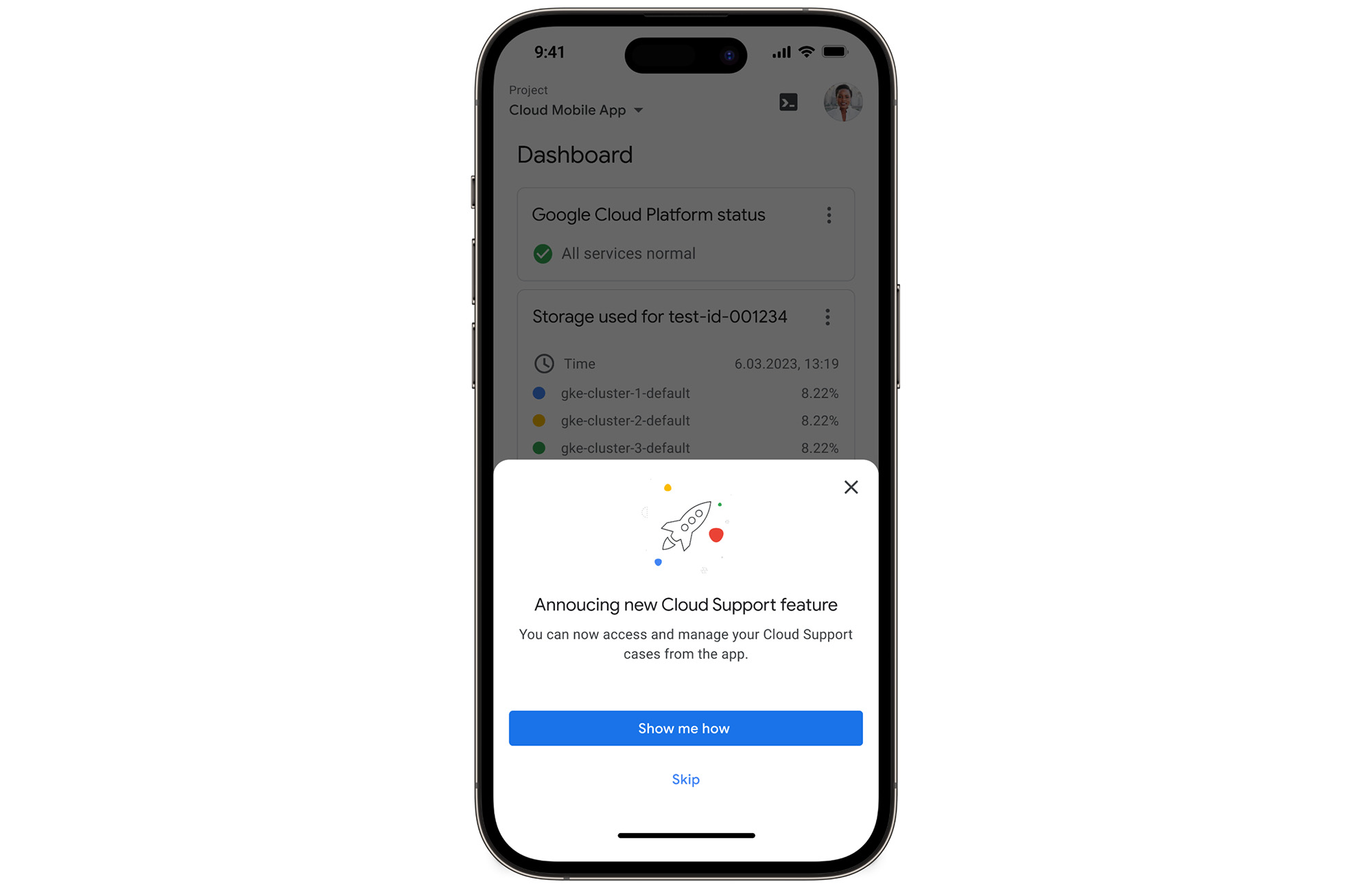
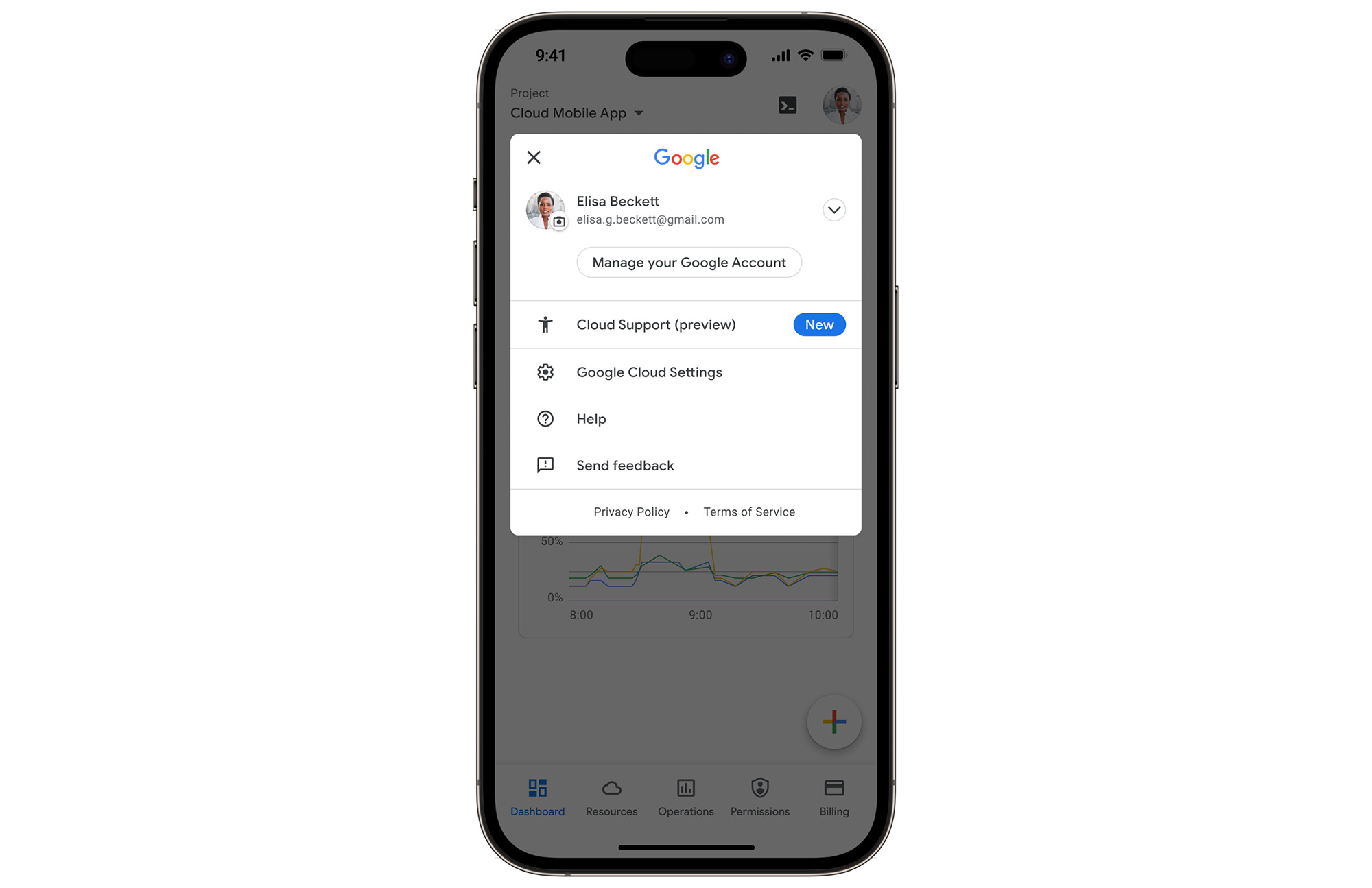
In the Google Cloud mobile app, simply navigate to “Cloud Support (preview)” from any screen by touching your profile picture.
With just one touch you can see the list of all your support cases and easily dive into their important details.
Create Google Cloud Support cases and take action
Not only can you easily view and manage your existing Cloud Support cases, you can also create new ones on the fly with the Google Cloud mobile app.
Seamlessly browse case comments to see the full history of the support case, and respond to the case with new comments.
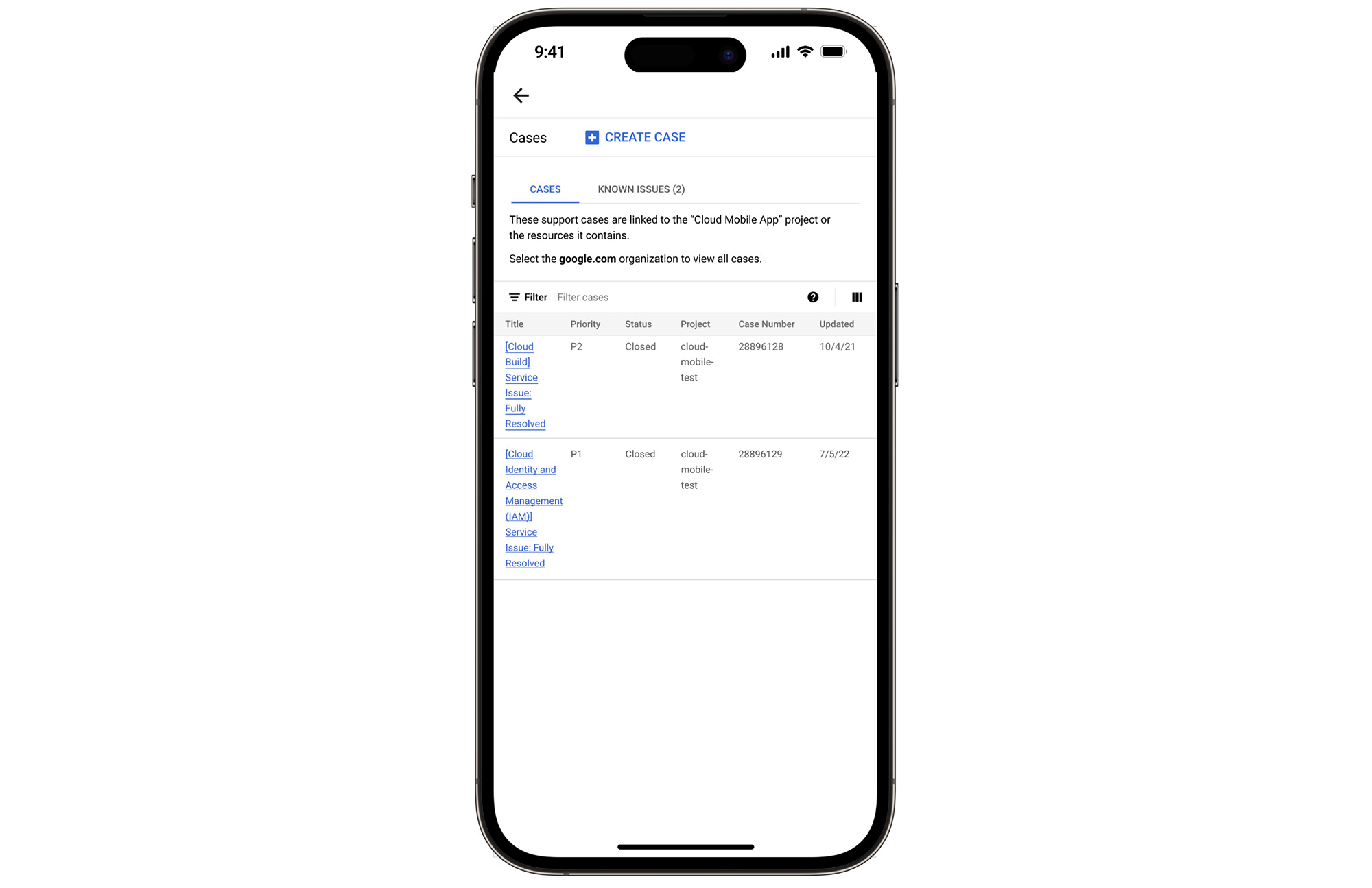
Download the Google Cloud app today
The Google Cloud app is a powerful tool for managing your Google Cloud environment on the go, and it just got better. To summarize, we’ve added Cloud Support cases to our mobile app, which lets you:
- Read existing conversations with the Google Cloud Support Team
- Respond to Google Cloud Support cases
- Create new Google Cloud Support cases
These new features are available for you to use today in Public Preview. Download the Google Cloud mobile app from Google Play or the Apple App Store to try it out. Check out the Google Cloud app documentation to learn more about what you can do on-the-go. If you have any feedback, we would love to hear from you — simply click on the “send feedback” button in the app to share your experience.
*Preview – This product or feature is covered by the Pre-GA Offerings Terms of the Google Cloud Terms of Service. Pre-GA products and features might have limited support, and changes to pre-GA products and features might not be compatible with other pre-GA versions. For more information, see the launch stage descriptions.
More Relevant Stories for Your Company
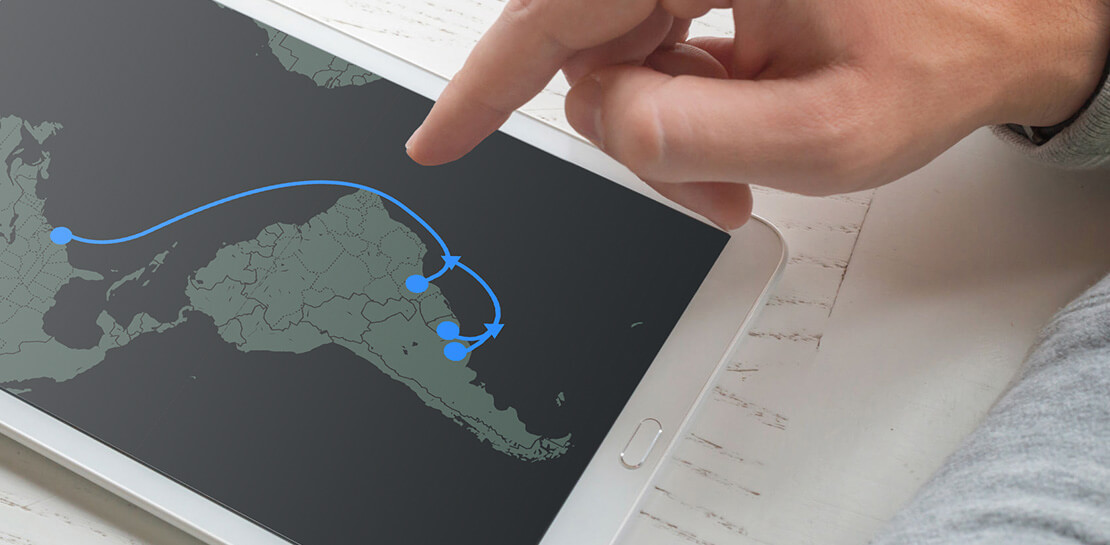
Google’s Open Subsea Cable ‘Firmina’ to Improve South Americans’ Access to Google Products
Today, we’re announcing Firmina, an open subsea cable being built by Google that will run from the East Coast of the United States to Las Toninas, Argentina, with additional landings in Praia Grande, Brazil, and Punta del Este, Uruguay. Firmina will be the longest cable in the world capable of
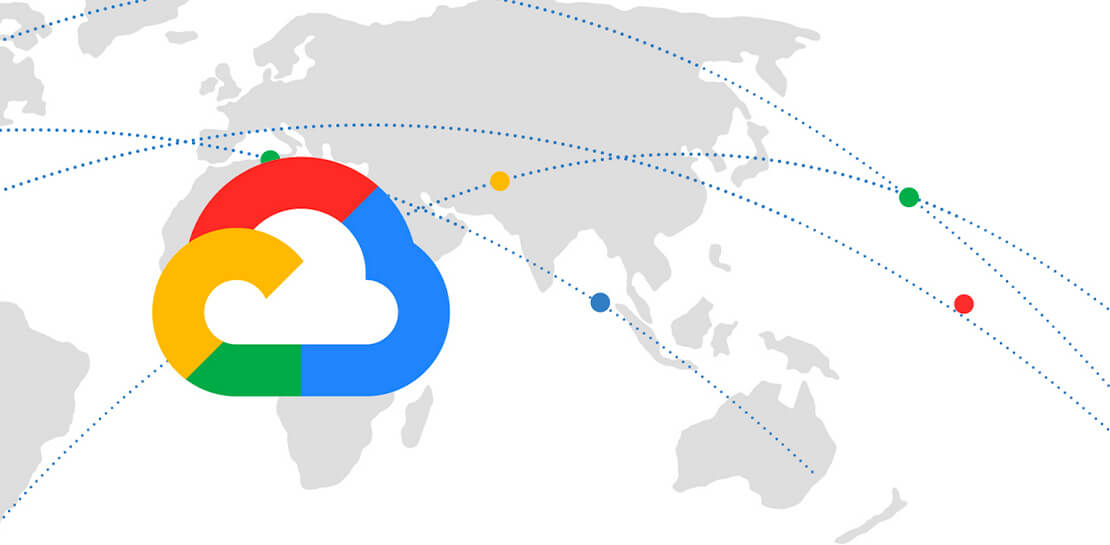
Guide to Google’s Underwater Infrastructure
From data centers and cloud regions to subsea cables, Google is committed to connecting the world. Our investments in infrastructure aim to further improve our network—one of the world’s largest—which helps improve global connectivity, supporting users and Google Cloud customers. Our subsea cables play a starring role in this work,

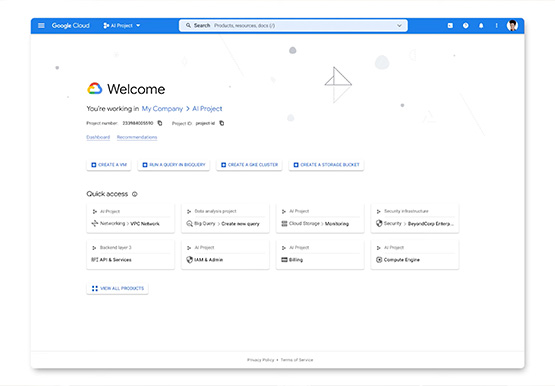
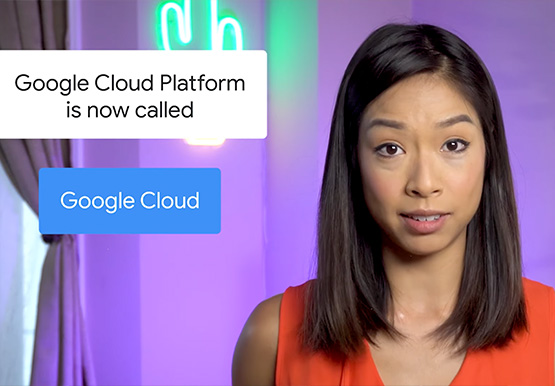

A Brand New Google Cloud Homepage
After collating multiple feedbacks from our Google Cloud users, Team Google has come up with a brand new homepage which is much more faster, simpler and easy to navigate. The new page gives you a clean and streamlined customised experience helping you reach to your most relevant destinations. It allows

Work & wellbeing: Find the latest insights on future of work & collaboration
Business leaders and IT professionals come to Google Workspace to build secure, cloud-first collaboration solutions that transform how people work together. Here’s the latest from Google Workspace leaders and partners about the evolving future of work and collaboration, all in one place. Empowering everyday innovation to build a more adaptive
