





4692
Of your peers have already watched this video.
2:04 Minutes
The most insightful time you'll spend today!
Video: How Google App Maker Helps Businesses Build Mobile Apps in No Time
Analysts estimate that the right custom mobile app can save each employee 7.5 hours per week (that’s a week’s worth of lunch breaks!). Yet, too few businesses have the means, let alone the resources, to invest time and effort in building customized mobile apps. Why?
That’s because their budgets center on big enterprise apps like CRM, ERP, and SCM and beyond those priorities.
App Maker was created to enable your line-of-business teams to build apps for the jobs these bigger apps don’t tackle. With App Maker, you can revamp company processes like requesting purchase orders or filing and resolving help desk tickets, create quick marketing assets, and generate sales enablement apps, for example, as if you designed and built the processes yourself.
This low-code, simple, easy-to-use, drag and drop mobile app creator doesn’t need extensive coding knowledge and can build apps in a jiffy. Anyone can make it: As simple as that.
A Year of Connecting Brand and Consumers with Google’s Business Messages

6193
Of your peers have already read this article.
3:00 Minutes
The most insightful time you'll spend today!
Last June, in the early months of the pandemic, we expanded Business Messages to support all kinds of businesses, from pharmacies and grocery stores to airlines and luxury brands. Then, in December, we announced the ability for small businesses to use the Google Maps app to message with their customers. We knew people would find messaging directly with businesses from Google Search and Maps helpful, but we didn’t know just how valuable it would turn out to be.
Consumers are increasingly eager to use messaging to connect with brands, and businesses across all industries are now building innovative messaging experiences to address that growing need. The demand from consumers is reflected in recent data:
- 45% of users have spent more time on messaging services because of the pandemic
- 85% of consumers would like to message brands directly, up from 65% in 2019
Being able to message a business directly has never been more important. For me personally, there’s nothing more fulfilling than using technology to help people in the moments that matter. After the release of initial COVID-19 vaccines in late 2020, online searches for vaccines reached an all-time high. To help people searching for vaccine eligibility, availability, and appointment booking, Albertsons Companies’ banner pharmacies—like Albertsons, Safeway, and Vons—made this information easily accessible through Google Search and Maps via the “chat” button. This gave people the information they needed, when they needed it.
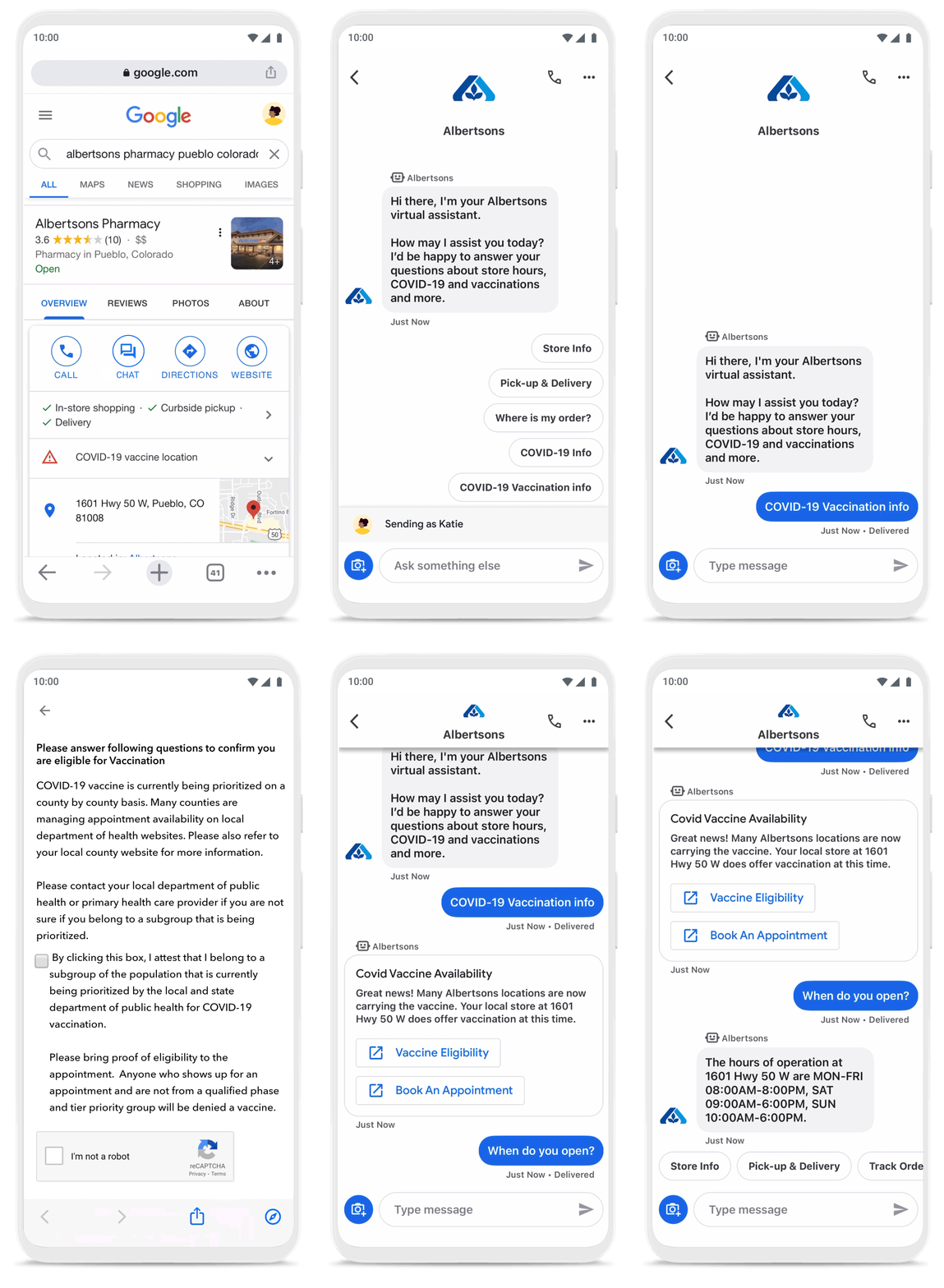
To be more helpful in moments like these, over the last year, we’ve made Business Messages available globally, in more than 70 languages, and we’ve seen more than 30,000 brands and 200 partners come on board. Major brands like Carrefour, Walmart, and Woolworths have invested in Business Messages to help serve their consumers in new and meaningful ways.
Expanding the conversation between consumers and brands
The retail sector has undergone a transformation since the start of the pandemic. As a result, we know it is critical for digital services to integrate with physical stores. We were able to do just that with Google’s Business Messages, which has been instrumental in helping better serve our customers across 1200+ stores in Europe.
Thomas Rudelle
Global Digital Marketing Director, Carrefour
There were major shifts in consumer behavior during the pandemic, from the way people found and purchased products to the ways they interacted with businesses. Not only did we see higher demand for direct contact with brands, but retail searches also surged. At the end of 2020, retail searches grew at a rate that was more than three times higher than the same period in 2019 (based on Google internal data).
As Business Messages has become more widespread, brands are able to boost both responsiveness and customer satisfaction using the service. Levi’s, for example, surpassed 85% customer satisfaction scores using Business Messages and they discovered that the service drove 30x more store-related questions than web chat.
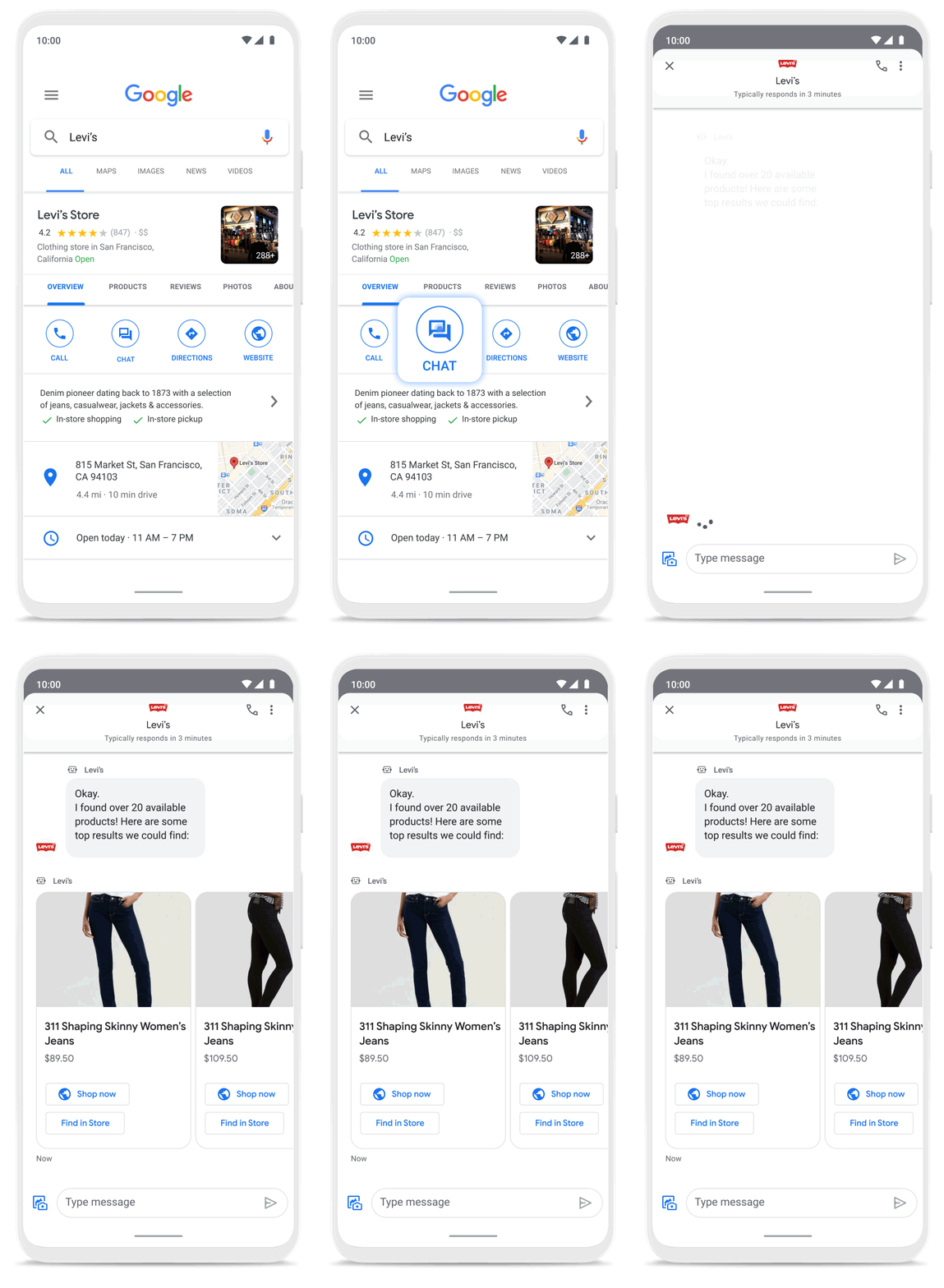
Many brands have also digitized what were traditionally in-store experiences, especially in high-consideration categories like jewelry. For example, Signet brought its virtual jewelry consultant to Business Messages, offering customers advice and answering queries in a way that’s convenient but still feels personal.We started using Google’s Business Messages pretty early on, and continue to transform and improve our experience. The ability to let customers know whether a product is in stock, and its precise location, is critical to offering a connected and frictionless shopper experience. Of course it also helps reduce the workload on our store and customer hub teams.
Nick Eshkenazi
Chief Digital Technology Officer, Woolworths
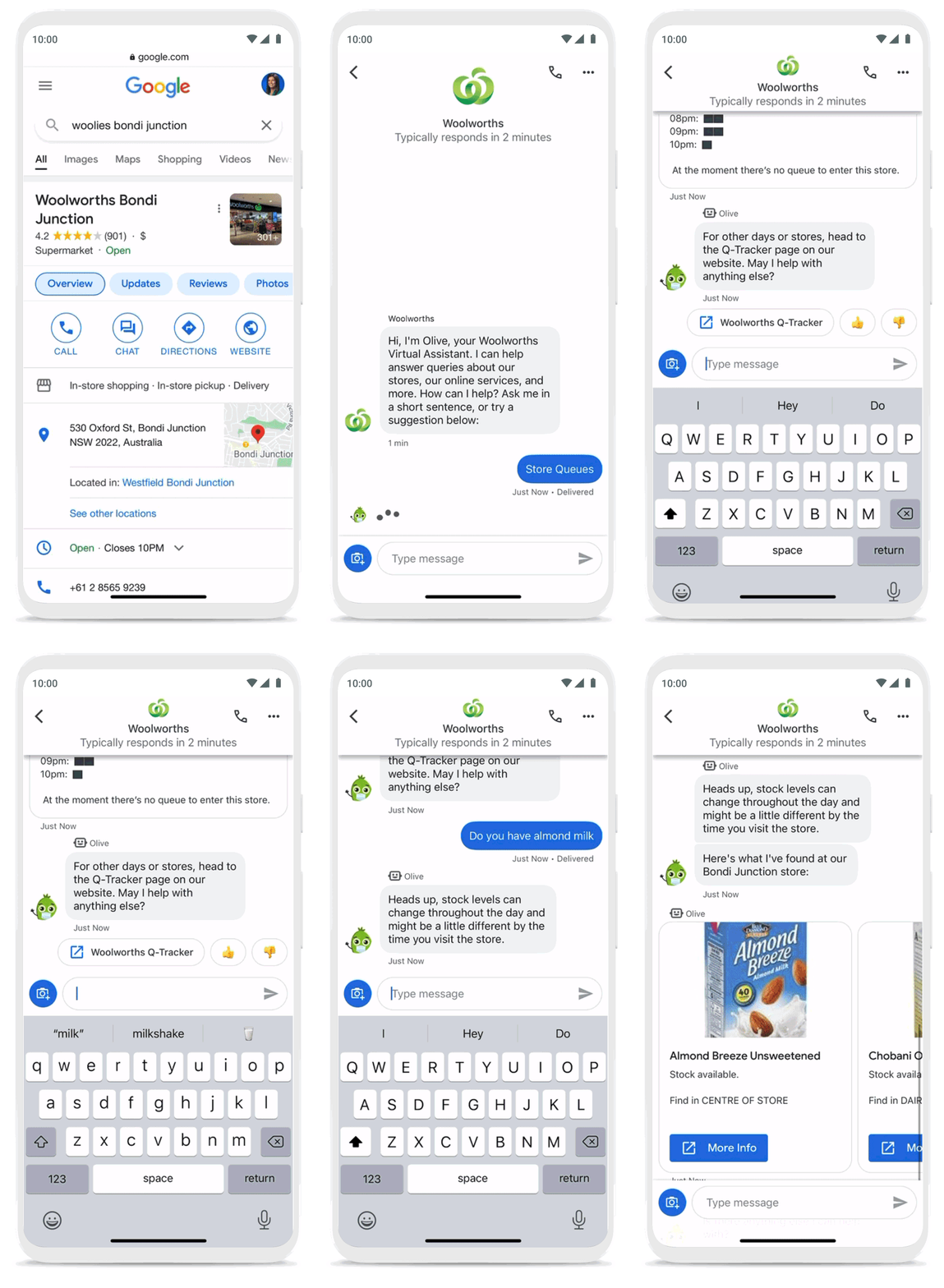
As a working mother, these sorts of innovations have made a direct impact in my own life. I find it very helpful to be able to ask—and get real-time answers to—everyday questions using Business Messages, ranging from store hours and product availability to order status and how to make returns. One of my favorite features is the ability to know, in real time, what store wait times are like, and the exact location of the product I’m looking for, saving me precious time when I visit the store.
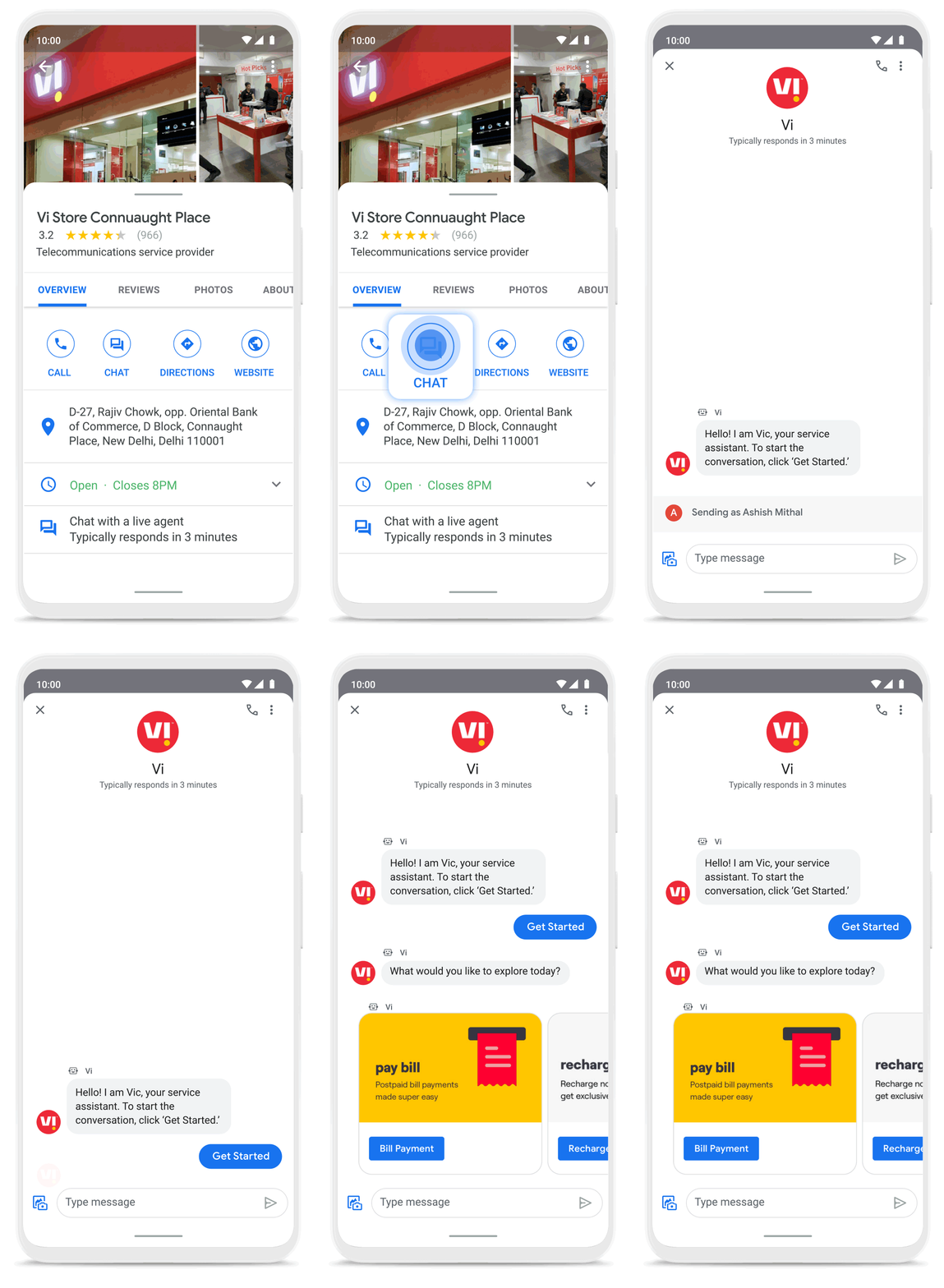
Business Messages helps people do more with their time in other ways as well. Earlier this year I’d been meaning to change my insurance plan, but kept pushing it off because I didn’t want to get on a phone call. I can now message Geico to update my policy through the agent pretty effortlessly. Similarly, in India, Vi customers can use 24×7 real-time customer service to chat with their AI powered virtual assistant VIC, integrated with Google’s Business Messages, to check billing information, activate packs, add recharges and payments, check balances, and much more—and it all happens seamlessly.
Building a full suite of messaging products
We’re investing in building a full suite of messaging products that enable seamless conversational commerce to drive business results. As Business Messages continues to support brands in establishing their messaging presence on Google, we’re also experimenting with other ways to help them increase their reach and engagement on Search and Display. To accelerate on the digital front, we recently integrated AdLingo, a project built within Area 120, Google’s in-house incubator. This will enable brands to easily transform ads into AI powered, personalized conversations at scale.
For more information on how you can activate Business Messages, please reach us via the contact form on the Business Messages website. Merchants can also read and respond to messages via Google My Business or on the Google Maps app.
Snap and Google Cloud Team Up to Upskill Teams Worldwide

1662
Of your peers have already read this article.
2:30 Minutes
The most insightful time you'll spend today!
Snap inc., the developer of the Snapchat platform, has become a global leader in the social media industry. Snap runs its business on Google Cloud, and relies on Premium Support to optimize its cloud business imperatives. Snap sought new ways to extract business value from their cloud data, so turned to their assigned Google Technical Account Management team to develop a means to strengthen and expand cloud skills to meet their goal. The Technical Account Managers (TAMs) serve as an extension of the Snap Engineering Program Management team to deliver deep expertise of Google Cloud and guide Snap in their cloud journey including mapping the essential cloud skills for Snap to achieve broader business strategy. Since Snap employees had varying levels of cloud expertise, it meant that their TAM team needed to design a tailored learning program to optimally meet Snap’s needs.
The TAM team engaged with Google Cloud Customer Experience (CCE) team which included cloud support, learning, consulting, customer success and customer insight and advocacy services. The Google team leveraged a Skill Training Survey for the Snap team to identify, extract and map existing skills to the level of targeted cloud skills that would enable them to design a learning curriculum to boost employee productivity, enable efficient scaling and strengthen the mitigation of technical issues while optimizing their environment for issue prevention. In addition, Google Cloud offered instructor-led virtual training focused on Looker, Kubernetes and others topics of interest and a tailored Snap Global Training Program was launched in the last quarter of 2022.
By including training for Looker, it expanded Snap employees’ ability to reach data-driven decisions. Snap also took advantage of the Google Cloud Skills Boost licenses delivering access to a learning platform with over 700 courses and learning labs, included with Premium Support.
Next, the TAMs and CCE teams were tasked to raise internal awareness of the global Snap training program, so they developed a comprehensive marketing and communications plan to drive promotion over a twelve week period to prospective trainees through newsletters, email groups, Slack channels, Engineering meetings, and an internal site dedicated to Snap training resources.
“Partnering with Google to provide Snap engineers with learning opportunities aligns with Snap’s values of Kind, Smart and Creative. Investing in growing our team member’s skills helps them personally advance and helps our business achieve our goals.”—Michele Vaughan, Snap Engineering Program Manager
The Google-led Snap Global Training Program includes hands-on, instructor-led training, in-person gamified Cloud Hero Learning Events, and access to on-demand Google Cloud Skills Boost labs. Over 100 trainees at Snap initially participated in the instructor-led training, and more than 500 employees completed the on-demand labs. This training program has enabled Snap employees to develop and strengthen skills in the targeted cloud areas including data visualization, AI and ML, and Kubernetes. In addition, the program ignited a Looker Advisory Professional Services initiative to advise Snap with best practices and improvements for the usage of Looker. These skills enable Snap to extract increased value for their cloud data and guide the future of their business for sustaining a competitive advantage in a dynamic marketplace.
To learn more about how Google Cloud Customer Experience can support your organization’s business transformation journey with cloud support, learning, consulting, customer success, and customer insight and advocacy services, visit:
- Premium Support to empower business innovation with expert-led technical guidance and cloud support
- Google Cloud Training & Certification to expand and diversify your team’s cloud education
6901
Of your peers have already watched this video.
14:21 Minutes
The most insightful time you'll spend today!
How Anthos Helps Organizations Implement Multi and Hybrid Cloud Strategy
Organizations have become increasingly focused on using modernization solutions to build competitive advantage, for faster time to market, serve customers better and seamlessly operate in hybrid and multi-cloud environments. Anthos by Google Cloud, a managed application platform plays an important role in application modernization and also in empowering customers to deploy a hybrid or multi-cloud strategy with opensource technologies and platforms like Kubernetes.
Watch the video to refer to the real use-cases of Anthos for application modernization and hybrid/multi cloud deployment across retail, digital natives, banking and manufacturing space.
Also, explore the latest tool, Migrate for Anthos if you are a traditional enterprise looking to skip rewriting of applications and lift-and-shift process!
Streamlining Your Experience: Enhanced Search and Navigation in Google Cloud Console
1379
Of your peers have already read this article.
4:30 Minutes
The most insightful time you'll spend today!
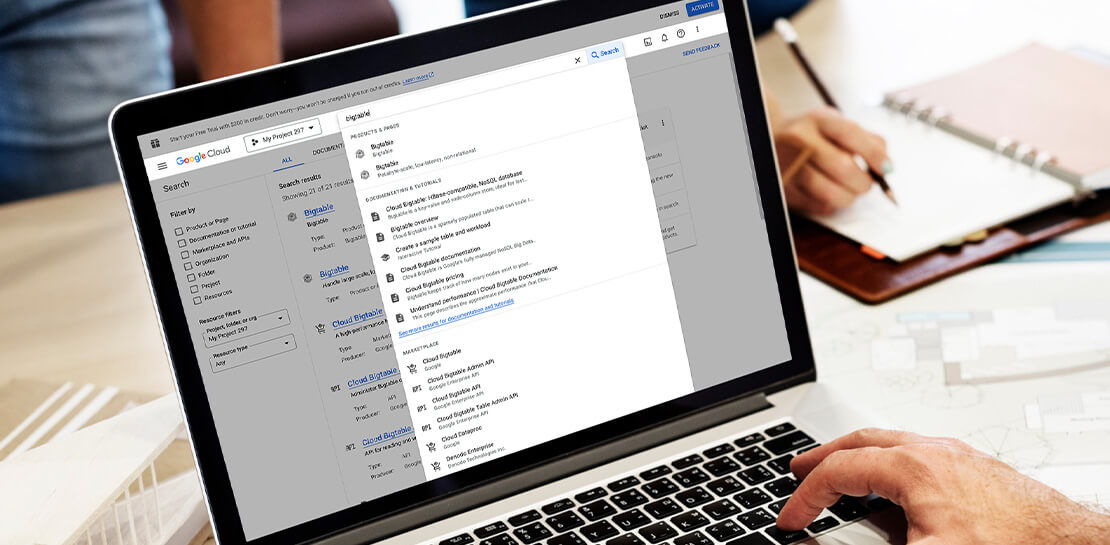
The Google Cloud console is a powerful platform that lets users manage their cloud projects end-to-end with an intuitive web-based UI. With over 120 Google Cloud products across thousands of pages, it can be challenging to navigate through the console quickly, and many users don’t like to use the command line interface. To help, Google Cloud console team recently made several improvements to our search and navigation features, making it easier to find what you need, when you need it.
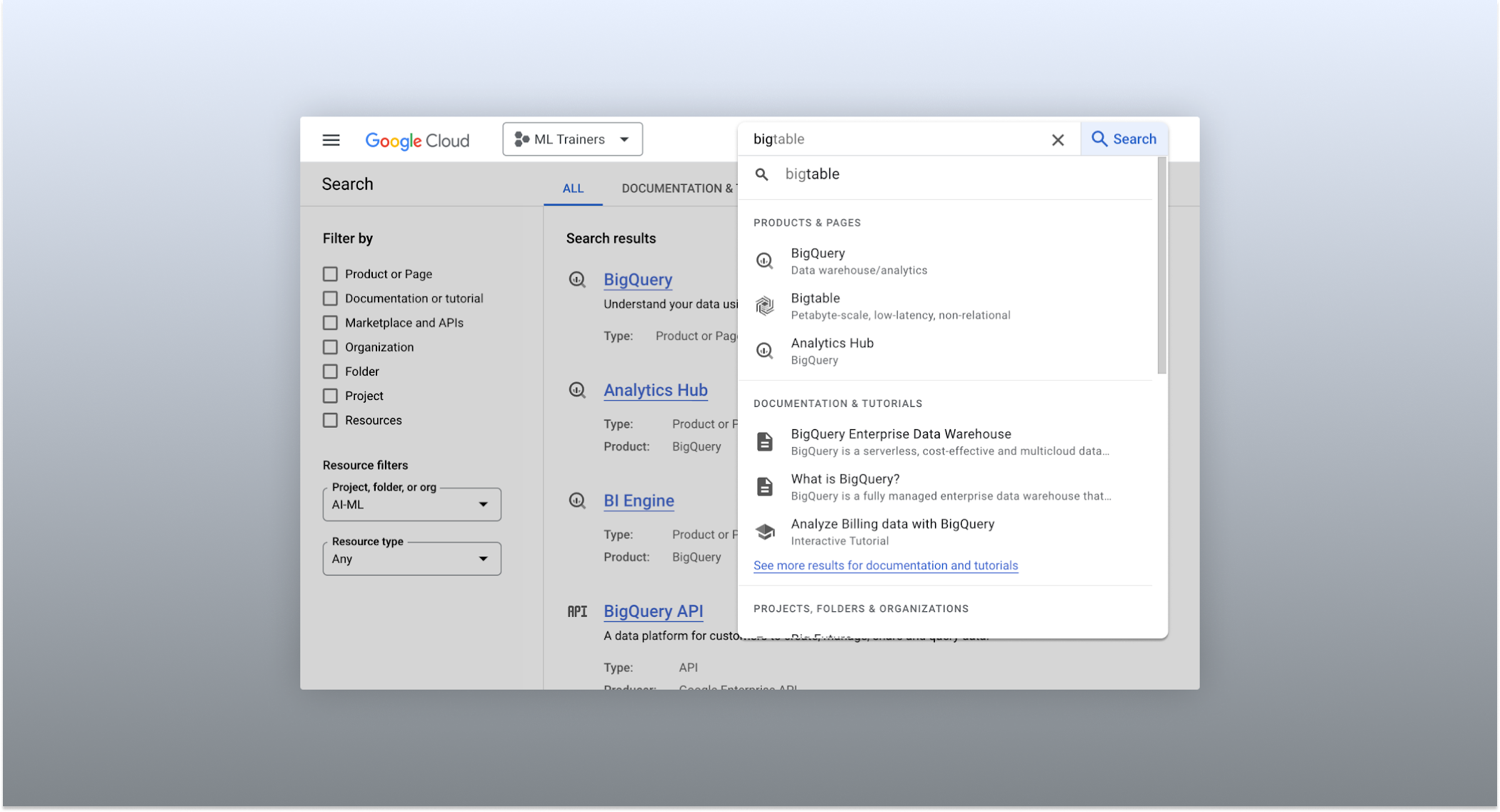
The Cloud console’s search dropdown and result page
Expanded resource-type search
One of the most significant improvements to the console’s search feature is the increased resource-type coverage. You can now find instances of nearly all of the over 120 products that Google Cloud offers directly from the search bar, rather than by manually clicking to the details section nested within specific product pages. This wider coverage saves you time compared to browsing through the different product categories to find what you’re looking for. This improvement also allows the console experience team to continuously add new resource types as we develop new features and capabilities in our various product offerings.
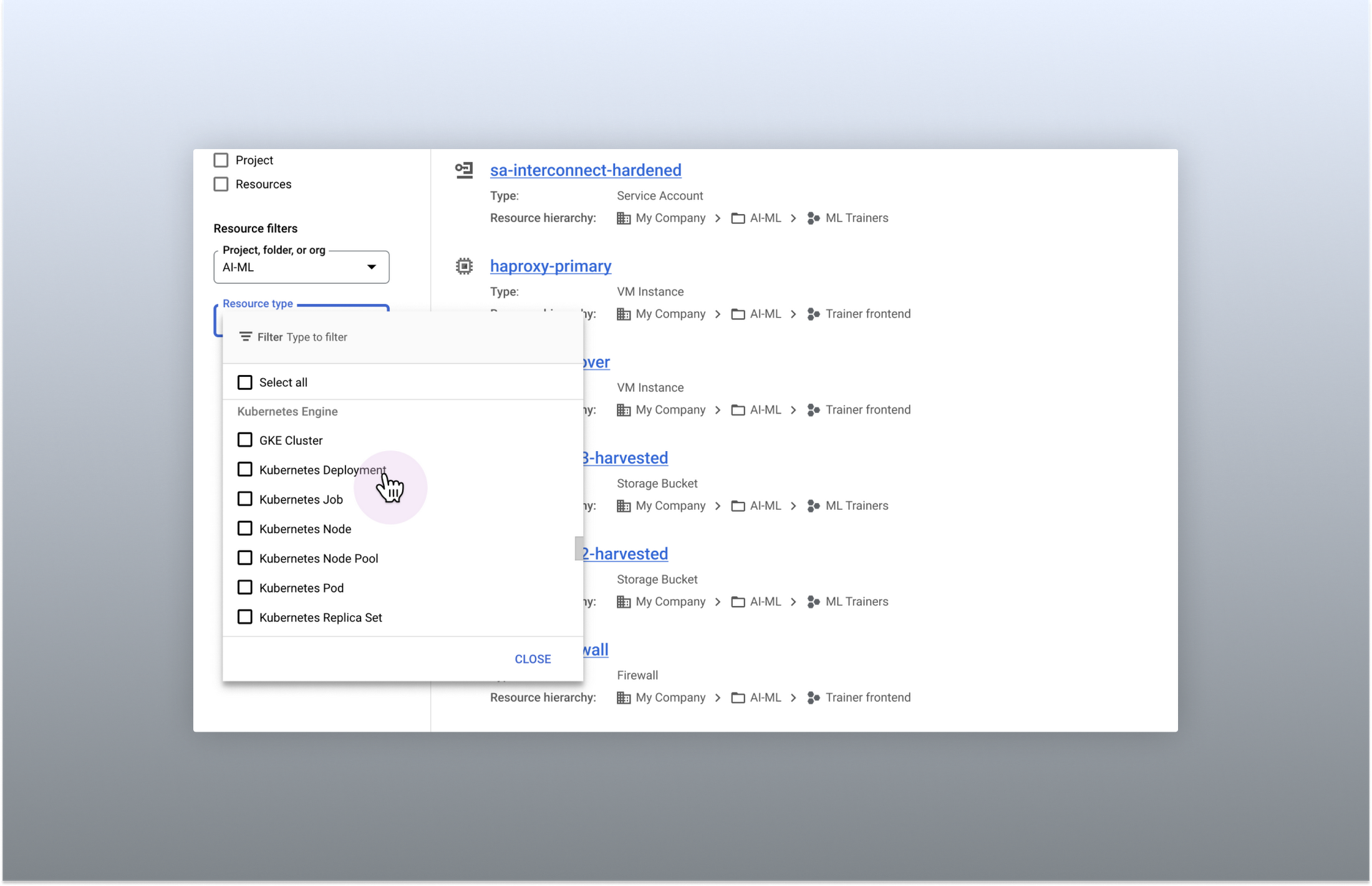
Search for more than 90 types of resources using Google Cloud console
Improved documentation search
We also improved the coverage and accuracy of the search experience for documentation, making it easier to find specific pages or interactive tutorials. Developers looking to get started with something they’re unfamiliar with may want to undertake tutorials in the context of their own working environment. Even experienced developers just looking for a quick answer to their question may not want to leave the console, so we expect these improvements can help users of all experience levels.
We’ve heard from you that finding the right documentation from within the console can be tricky, and so we hope this change can save you from needing to switch over to web search to be confident that they’ll find what you’re looking for.
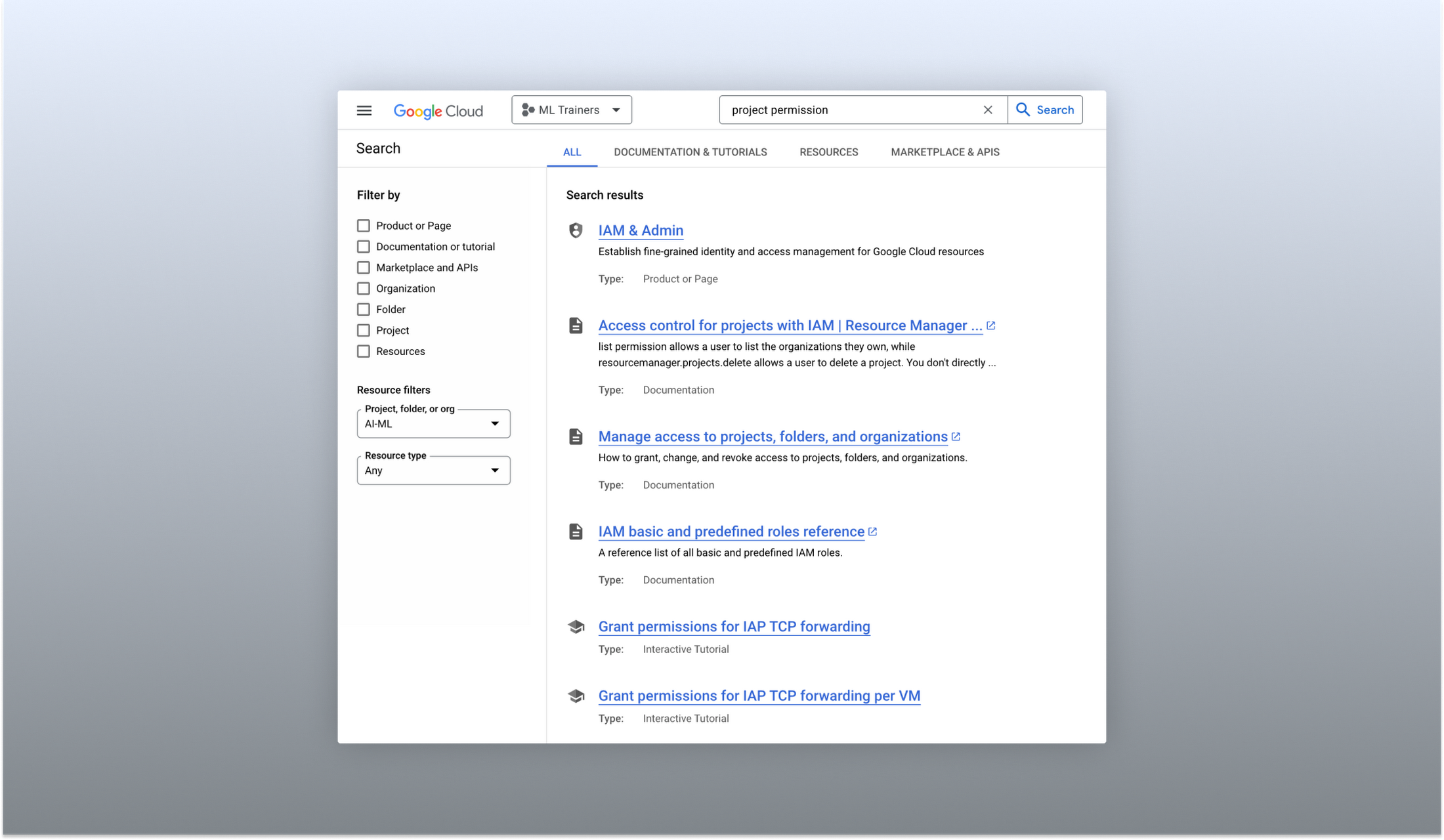
Cloud documentation and tutorials are available for search in the console
A refreshed search results page
To make browsing search results easier, we also overhauled our search results page by dividing results into tabs, similar to Google web search. This means that you can refine your search by diving into one of those categories individually. In addition to maintaining an “all results” tab, there are tabs for:
- Documentation and tutorials
- Resource instances, and
- Marketplace and APIs
Each tab also has a better filtering experience that’s unique to that search result category. For instance, the Resources tab lets you filter by metadata like the last time a resource was interacted with, while the Documentation tab allows you to search for interactive tutorials only. If you can’t find what you’re looking for in the autocomplete dropdown, try the search results page. It can provide additional results or context to help you find exactly what you’re looking for.
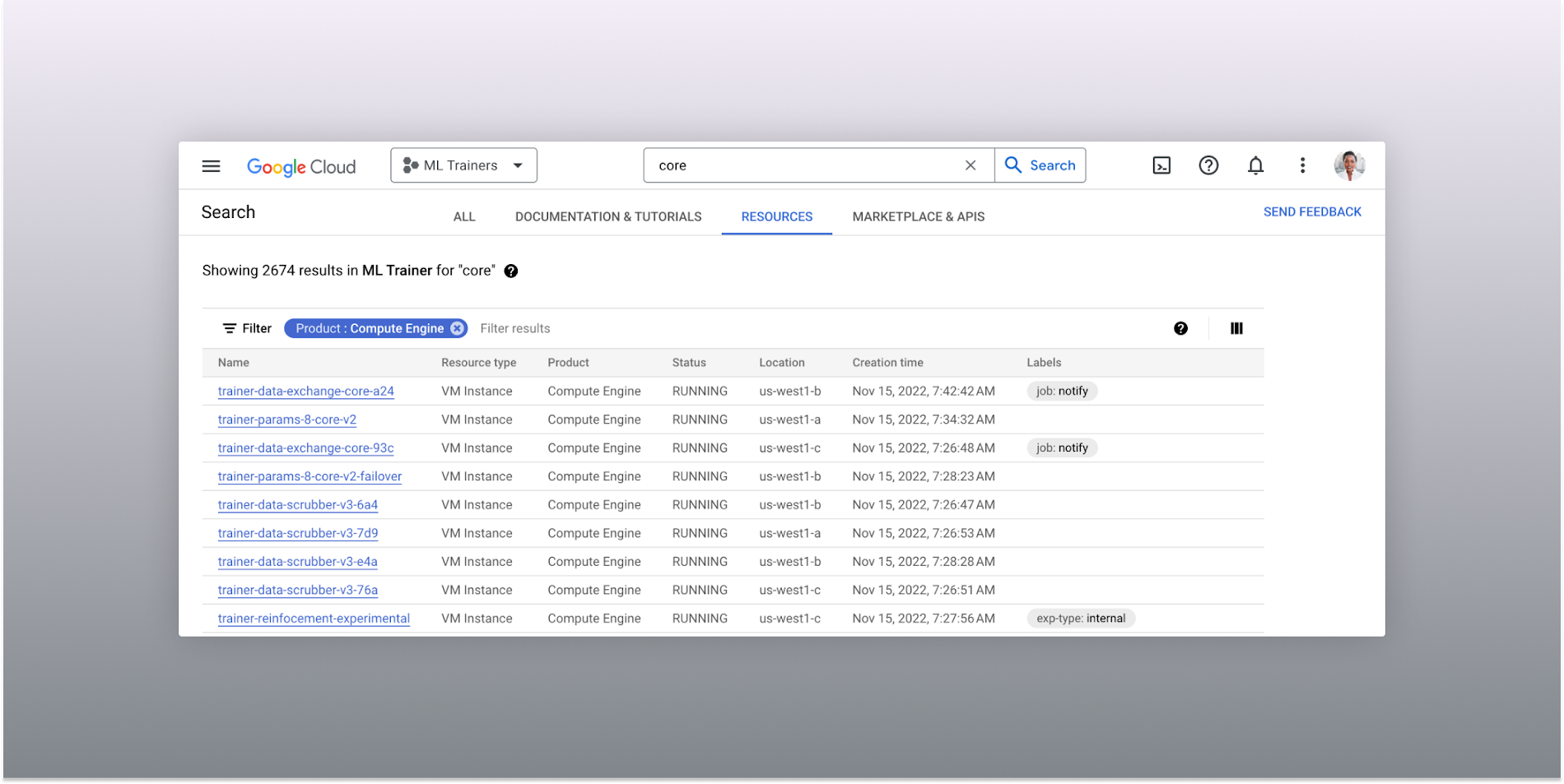
The Resources tab lists results in a denser, metadata-rich format with filtering available
Accurate industry-wide synonyms
Google Cloud console search now interprets industry-wide synonyms accurately — if you’re coming from AWS or Azure and know the name of a product in that ecosystem, searching for it will return the Google Cloud equivalent. A full list of synonyms can be found here.
General usability improvements
We also shipped several smaller quality-of-life improvements related to search, including:
- Improvements to accessibility, including better color contrast and zoom behaviors
- Faster latency targets and shorter load times for results
- A search keyboard shortcut — just type “/” to begin searching without using your mouse
- The ability to search for an API resource by its key
We also updated the look and feel of our platform bar to a cleaner, more modern experience that’s more in line with the branding across other Google Cloud interfaces.
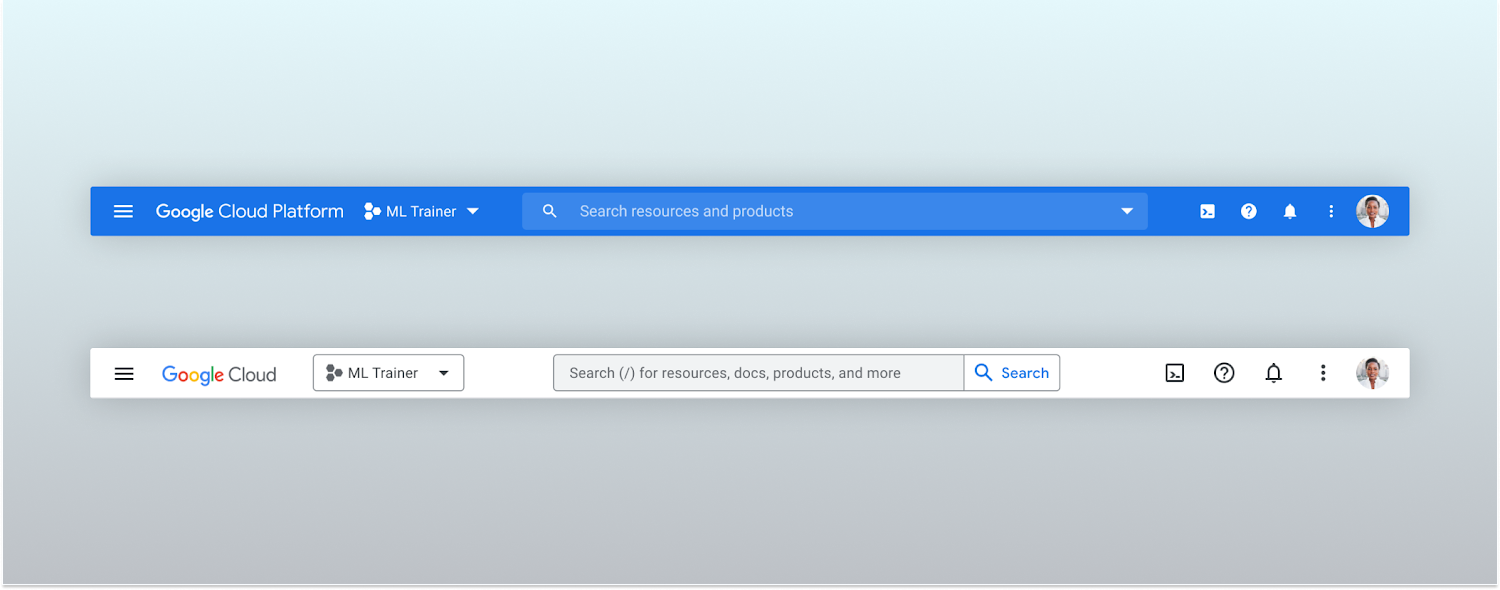
Google Cloud console’s old platform bar (top) and the updated version (bottom)
A customizable navigation menu
Finally, we made usability improvements to the left-hand navigation menu by allowing you to pin specific products. Products can be pinned from the left nav menu or our brand new All Product Page. This is a shift away from the default ordering of products that attempted a “one size fits all” approach to navigation. This customization feature lets you tailor the console to your specific needs and work more efficiently.
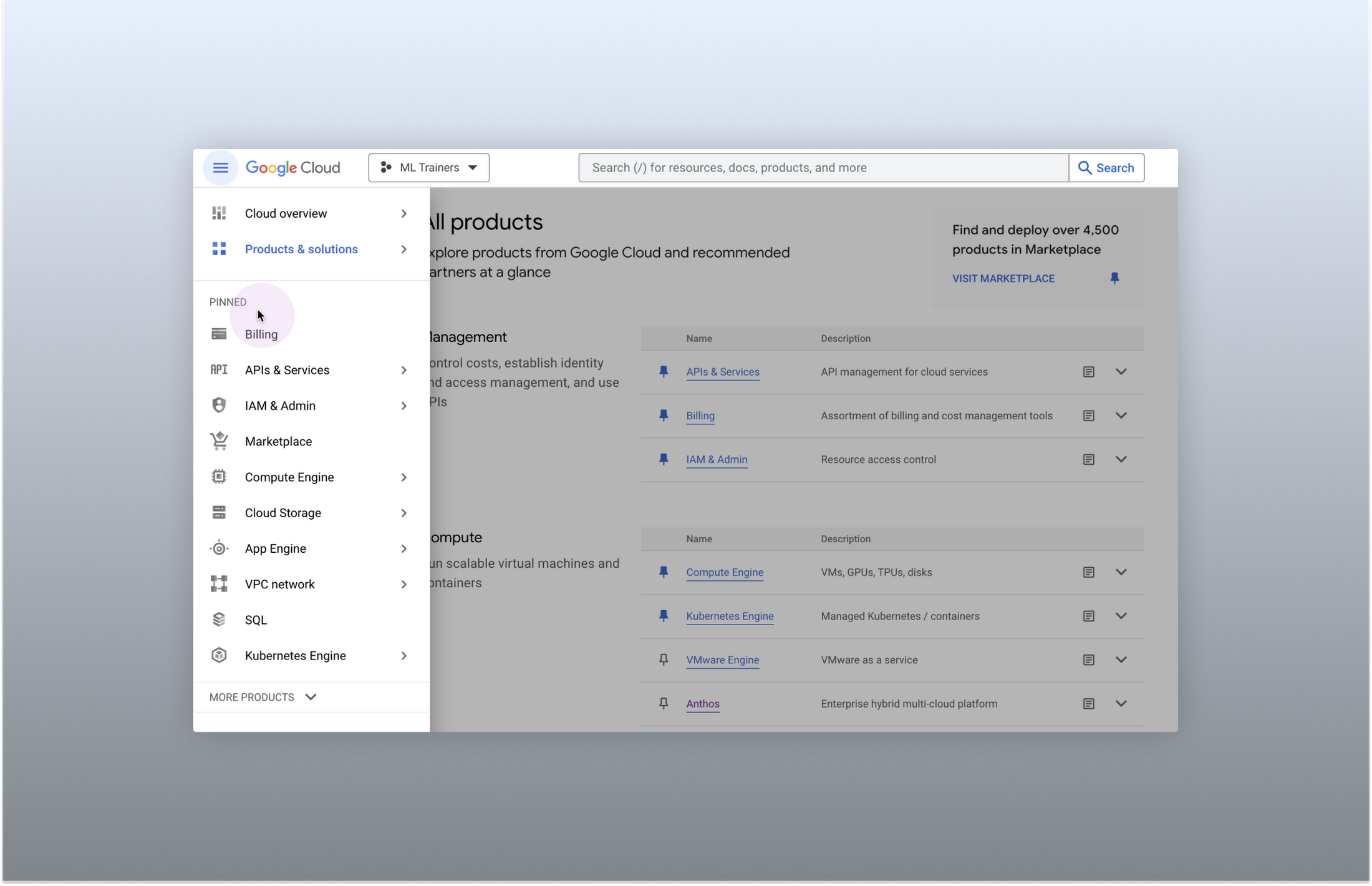
Products can be pinned to the left nav menu for easy access
Final thoughts
The Google Cloud console’s navigation and search features have come a long way. With these recent improvements, you can find what you need quickly and efficiently, making it easier to manage your cloud resources. From expanded resource-type search to improved documentation search and refined search results, the console is more user-friendly than ever before.
Why settle for the status quo?

3975
Of your peers have already read this article.
2:30 Minutes
The most insightful time you'll spend today!
Virtual meetings, remote collaboration, flexible hours: it’s becoming clear that these new ways of working are here to stay.
Business leaders, since the onset of COVID-19, have seen workplace transformation go from an almost theoretical long-term goal to an urgent priority. Employers and employees want more flexible ways of working, and delivering on this requires the right technology.
But flexibility isn’t the only thing that employees want. Remote working has significantly increased the demands we’re getting from many directions—in both our professional and our personal lives. Employees feel overloaded with too much information and too many tasks across too many different tools. Instead of learning another tool, we need the tools we already use to be even more helpful, and work together, in an integrated, intuitive way.
Today’s teams need to re-imagine not only how they communicate and collaborate with each other remotely, but also how they continue to serve their own customers and support the communities they belong to. From doctors consulting with patients, to financial institutions providing critical advice to customers, to teachers delivering distant learning, to car dealerships creating virtual showrooms—it’s clear that these new ways of working are here to stay.
The future of work is here. COVID-19 has accelerated a shift in how organizations like yours get work done. Take this 2-minute assessment below to see where you’re at on the journey to the future of work, and get a free guide to help you take the next step.
More Relevant Stories for Your Company
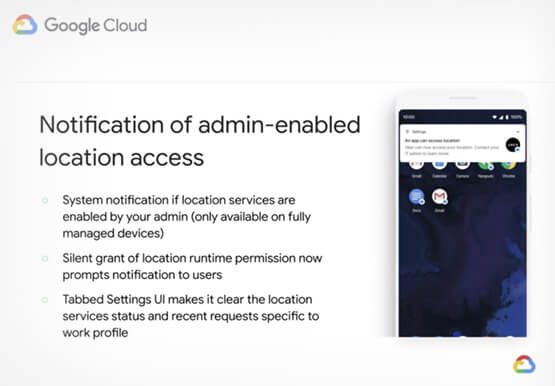

What’s new and next in Android Enterprise
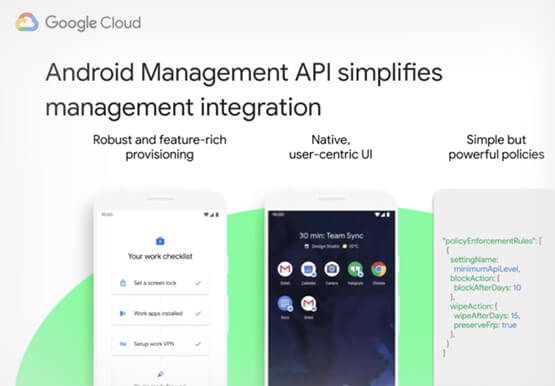
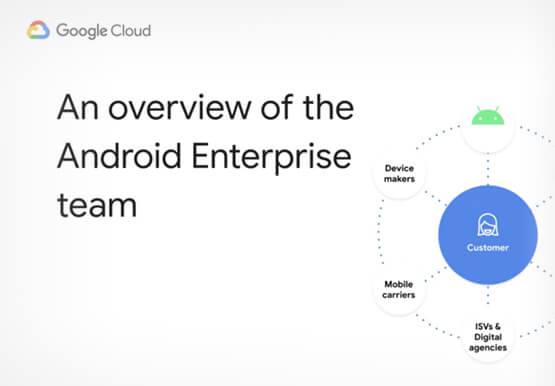
Many of you know Android as a consumer platform that has provided mobile data access on smartphones and tablets to over 2 and 1/2 billion people across the world. But we see Android as an enterprise operating system that spans a variety of form factors and use cases. We work

How Google Meet Keeps Your Video Conferences Secure
All over the world, businesses, schools and users depend on G Suite to help them stay connected and get work done. Google designs, builds, and operates our products on a secure foundation, aimed at thwarting attacks and providing the protections needed to keep you safe. G Suite and Google Meet



Colgate-Palmolive: The Story of a Large Company Transforming Itself in 6 Months
What started as a small soap and candle company in 1806 in New York, has today transformed into a household name: Colgate-Palmolive. Over 200 years hence, the company has diversified into oral care, personal care, home care, and pet nutrition businesses and sells its products in over 200 countries across

Elevate Your SRE Practice: Streamlining Your SLO Design Process
Poll three Site Reliability Engineers with the question "What is SRE?" and you're likely to get five different answers: an implementation of DevOps, a role, a set of practices, a cultural shift, a snazzy title. While these definitions may not necessarily align with those in the SRE books, there is one
