





Elevate Your SRE Practice: Streamlining Your SLO Design Process

1480
Of your peers have already read this article.
2:30 Minutes
The most insightful time you'll spend today!
Poll three Site Reliability Engineers with the question “What is SRE?” and you’re likely to get five different answers: an implementation of DevOps, a role, a set of practices, a cultural shift, a snazzy title. While these definitions may not necessarily align with those in the SRE books, there is one throughline differentiating SRE from other ways of working: Service Level Objectives (SLOs). While simple to understand – intentionally! – SLOs are frequently challenging to define in practice. And even though the specifics of an SLO vary across industries and verticals, we have found there are a number of practices and strategies common amongst teams that have successfully implemented SLOs for their workloads.
Bringing together product, development, and SRE teams to achieve a common understanding of the workload in question, and in particular its critical user journeys (CUJ), is a key first step. For many teams this means writing down, often for the first time, detailed sequence or flow diagrams for these CUJs. The maturity of and the relationship between the three “legs of the stool” (development, product, and SRE) will play a role in the level of effort required to complete this first step of the journey. Having a common understanding of your users’ expectations of your workload is a prerequisite to writing effective SLOs.
While modeling user journeys and decomposing them into SLOs is an art and no two applications are alike, there are a few key aspects upon which to anchor your discussion. The main question we recommend you keep top-of-mind when going through this process is “What do my users care about?” Framing your thought process in this way prevents implementation snafus and strategies that don’t approximate user expectations. Other aspects to consider include:
- Are there breakpoints where the user may choose not to take an action?
- Which parts of the interaction are we capable of measuring and which are we not (e.g., third-party dependencies)?
- Which parts of the user journey are common across many user journeys and thus are possible candidates for factoring out as their own CUJ (example: login)?
- Which parts of the journey can be measured in aggregate, and which must be separated because of differences in criticality, request rates, or other factors?
- Which steps of the journey have strict dependencies between one another?
Armed with answers to these questions, a detailed request diagram, and your application code, you’re ready to start putting pen to paper! Before jumping into your monitoring consoles, we recommend writing up an SLO design document which lays out the technical details of your chosen SLOs. We’ve made a template available to you to jump start this process (if you have a Google account, you can make a copy using this link). In it, you’ll find an empty template along with worked examples for reference as you create your own specifications. Whether you use this template or not, we recommend the following as you document your SLOs:
- Be pedantic with technical specifications – they will matter during implementation
- Maintain a section outlining clarifications, caveats, and/or tradeoffs made as a part of the design process
- Consider where you’re measuring – make sure it’s feasible
- Beware of summaries, averages, and other non-aggregatable statistics for latency SLOs
- Keep compliance periods consistent across your workload(s)
- We recommend the following defaults:
- 28 days rolling for operational needs (error budget alerting)
- Fixed calendar quarters for prioritization and lookback
- Changelog: Include one, even if your documentation tool has version history, so you can track major changes
- Put your SLO documentation in a location accessible by your team and company stakeholders
- Once your SLO PRD is finalized, treat your implementation as code and store it in your version control system
- Remember – DRY!
We hope these recommendations and template give you a head start in bringing your SLOs to production. If you find yourself in need of a tool to implement your SLOs, consider Google Cloud SLO Monitoring which allows you to create SLOs for any metric available in Google Cloud Monitoring and computes your error budget automatically, enabling burn rate-based alerting. If this process still feels daunting or you find your team in need of help with any of the above, our reliability engineering professional services team can assist. For more information, visit cloud.google.com/sre or you can contact your Google Cloud account team.
How Google is Showing the Way to the Differently-abled: A Blind Program Manager’s Account

4241
Of your peers have already read this article.
3:30 Minutes
The most insightful time you'll spend today!
What does “accessibility” mean to businesses? It’s not just about making sure that your office or retail space is accessible to workers and customers who have mobility challenges, it’s also about making sure that your apps, digital tools and content are also more accessible to everyone.
Our product teams work every day to ensure that tools like G Suite have built-in accessibility features. As a Program Manager, I help create those features and use many of them myself, as I’m blind. I would like to give an overview of product accessibility features that have been available for some time, as well as some new ones.
Listen to content with help from screen readers.
A screen reader is a helpful tool for people who are blind or have low vision. It provides methods to interact and control applications and also converts content on screen into spoken text. With a screen reader and keyboard shortcuts, you can read, edit, and comment on files. Getting started is easy: In Google Docs, Slides, or Sheets, go to the Tools menu, and in “Accessibility settings,” check the “Turn on screen reader support” box. Learn how to turn on screen reader support in Docs.
G Suite supports several screen readers, including ChromeVox, Google’s own screen reader. ChromeVox is automatically built into Chrome devices, like Chromebooks. You just have to enable it. There are many other screen readers you can use with G Suite too; this support guide explains which screen readers work best with which web browsers.
Another way to listen to content is with Select-to-speak, a feature that reads content aloud to you using text-to speech (TTS) to verbalize highlighted content. To try it out, highlight text and activate the select-to-speak button. An example of a select-to-speak tool is the one built into ChromeOS.
See a summary of changes to your documents.
To make it easier for people to keep track of collaborators’ contributions in Google Docs (without having to actively watch every single change), we recently added a feature called Live Edits. Helpful if you use a screen reader or magnification, Live Edits periodically summarizes changes made to a document by collaborators within the sidebar. Learn how to comment and collaborate in Docs using a screen reader.
And for people who are sensitive to visual crowding, we also introduced eight different Lexend font families that have varied widths and spacing to accommodate different reading speeds. Read more details about these font options.
Use voice typing to “write” by speaking.
Voice typing is a powerful productivity tool for everyone, including those who do not use a keyboard. It’s especially useful for people with low vision or with motor disabilities that may prevent them from using keyboards, mice or trackpads. When you speak into the computer’s microphone, voice typing uses artificial intelligence (AI) to convert your voice into text. In Docs, you can even use voice commands to select and edit text—for example, bolding words or cutting and pasting text.
Cart.com to Transform e-Commerce for Brands Globally

8745
Of your peers have already read this article.
1:30 Minutes
The most insightful time you'll spend today!
The ecommerce playing field has been hard to navigate for most retailers, and Cart.com is on a mission to change that. Traditionally, retailers needing to run their online store, order fulfillment, customer service, marketing, and other essential activities have had to cobble together systems to get the capabilities they need – much less having access to analytics across these functions. The result is costly, siloed ecommerce operations that are difficult to manage and scale.
It’s clearly not a formula for success, yet that’s the reality facing most retailers. Cart.com, in contrast, has set out to democratize ecommerce by giving brands of all sizes the full capabilities they need to take on the world’s largest online retailers. Our end-to-end environment empowers retailers to keep more of their revenue, set up proven strategies for managing all aspects of their business, and act on valuable insights from customer data every step of the way.
Together with our talented team, we’re building a unified ecommerce platform that already provides value to many leading or up and coming brands including Whataburger, GUESS, Dr. Scholl’s, Rowing Blazers, and Howler Bros.
We’re excited about the opportunity ahead as we reimagine traditional approaches to online sales, fulfillment, marketing, accessing growth capital, providing a unified view of all ecommerce and marketing analytics, and other activities. Expectations for Cart.com are high, and we are building a company that can scale to $100B in revenue and beyond. Supported by the Startup Program by Google Cloud and Google Cloud solutions, we’re establishing a technology platform to transform all aspects of ecommerce for brands worldwide.
Partner in disruption
At Cart.com, we’re currently targeting an underserved market. Our ideal customer is beyond demonstrating product-market-fit and is now at an inflection point seeking a growth opportunity. Typically, those companies are generating between $1M and $100M in annual revenue. We’ve seen an enthusiastic response from brands and retailers as well as investors, with backing from investors in just over a year totaling $143 million in three funding rounds.
Our strategy is to build an integrated ecommerce model that combines best-of-breed solutions, many of which we gain through acquisitions and then build upon to provide a streamlined and fully integrated experience for our brands. We’ve made seven acquisitions so far to round out our online store, order fulfillment, marketing services, customer service, and we have launched some integral partnerships including easy access to growth capital through our relationship with Clearco and product protection for customers on every purchase with Extend. Instead of acquiring a data company, we’re building our data platform on Google Cloud, across each operating function for a single-view for brands to harness actionable data. We see Google Cloud as the leader for data management, analytics, machine learning (ML) and artificial intelligence (AI).
Other reasons why we’re building our business on Google Cloud include scalability, excellence, security, reach, and data analytics that are far superior to other environments.
We also feel a cultural and mission alignment with Google Cloud and envision leaning into a long-term partnership of marketing, selling, and disrupting the disruptors together. Equally important to us are the investments Google Cloud is willing to make in early-stage companies like ours. The support through the Google Cloud for Startups program has been outstanding.
Built on Google Cloud
A wide range of Google Cloud solutions provide the foundation for our platform. For instance, Cloud Pub/Sub keeps our services communicating with one another. We rely on fully managed relational databases, like Cloud SQL and Cloud Spanner, to securely handle the huge volume of brand and shopper data generated every day.
Cloud Run allowed us to develop inside of containers before our Kubernetes infrastructure was ready to go. Now, we are taking advantage of all the capabilities in Google Kubernetes Engine. BigQuery integrates with all Google Cloud solutions and offers true data streaming natively out of the box, along with Dataflow for advanced analytics. We also use Container Registry to store and manage our Docker container images. Right now, we’re testing Cloud Composer to evaluate using it for data workflow orchestration instead of Apache Airflow.
The openness of the Google Cloud environment is further enabled by Anthos, which we may deploy soon to perform data integrations quickly as we acquire more companies over the next year. For example, if we acquire a company using Azure, we can easily align it with our Google Cloud ecosystem.
Enabling ecommerce 2.0
Recently, our team has been experimenting with Google Cloud Vertex AI and the fully managed services of AI deployment and ML operations. The capabilities would save us substantial time in the management of the ML lifecycle which allows us to focus more on developing proprietary AI that will transform commerce at scale.
Because Google Cloud is so far ahead in data science, our teams benefit from deep Google Cloud expertise as we look to provide brands with unmatched insights into customers to improve services and revenue. We’re also planning to test Recommendations AI among other tools to deploy customer product recommendations and personalization as turnkey productized offerings. Moving forward, we will likely use Bigtable to aid in serving machine learning to hundreds of thousands of brands due to its low latency and scalability.
Fanatical about brand success
We know that our work with Google Cloud for Startups and use of Google Cloud solutions for best-in-class data management, analytics, ML, and AI will enable us to offer even more transformative services to brands.
We also see the opportunity to use our platform and customer insights to break down barriers between brands, enabling retailers to share information and work better together when it’s in their best interests. What we’re building today on Google Cloud is fundamentally changing what’s possible for retailers of any size everywhere.
As a startup, when recruiting talent or working with prospective customers, it helps to share our success with Google Cloud. We view them as an extension of the Cart.com team. It also validates our business as we continue building a more integrated, holistic approach to commerce that opens new opportunities and drives growth for brands worldwide.
For more details about Cart.com’s vision for unified ecommerce, check out our video.
If you want to learn more about how Google Cloud can help your startup, visit our page here to get more information about our program, and sign up for our communications to get a look at our community activities, digital events, special offers, and more.
6414
Of your peers have already watched this video.
1:30 Minutes
The most insightful time you'll spend today!
How Manish Malhotra Created Masterpieces on G Suite for the World’s Biggest Names
From Hillary Clinton’s golden outfit at Isha Ambani’s wedding to scores of Indian movies, Manish Malhotra has been a household name for over two decades. It was in 1990 that Malhotra first designed outfits for an Indian movie and since then he has won several awards in the Best Costume category from prestigious film magazines and organizations.
In 2005, Malhotra launched his label featuring traditional Indian colors, texture, and craftsmanship. Today, Malhotra’s work has inspired some of the world’s biggest celebrities, including Michael Jackson, and the Princess of Riyadh. In 2014, his label recorded a turnover of 1 billion INR.
Getting here wasn’t easy. “Each outfit requires careful planning: from choosing the perfect fabric to bringing it to life, in all its exuberance. And yet it’s still far from done,” says Malhotra. Sometimes, it also means starting from scratch. That calls for immense collaboration, working across teams in different continents, all in real-time.
Without G Suite, reaching across borders, in different time zones, and bringing out one unified idea wouldn’t have been possible.
Watch this one-minute video to find out how he achieved that.

1217
Of your peers have already downloaded this article
3:30 Minutes
The most insightful time you'll spend today!
Small and medium-sized businesses are increasingly adopting cloud solutions, with Google Cloud Platform offering significant benefits. IDC interviews reveal that SMBs using Google Cloud Platform experience improved performance, reliability, and scalability while reducing costs. Key findings include:
- Empowering application development teams with infrastructure agility and scalability
- Enabling business growth by addressing and expanding revenue opportunities
- Maximizing IT staff time through automation and embedded technologies
- Optimizing IT infrastructure costs with features like autoscaling and Google Kubernetes Engine
IDC estimates that these benefits translate to an average value of $1.09 million per interviewed SMB, demonstrating the value of Google Cloud Platform in driving business success.
Google Maps Platform Helps BungkusIT Fulfil its Promise of Deliveries in One Hour!

5512
Of your peers have already read this article.
2:00 Minutes
The most insightful time you'll spend today!
Editor’s note: Today’s post is written by Hatim M, Chief Commercial Officer at BungkusIT. The on-demand delivery service delivers packages within the hour for one million customers across Malaysia and uses Google Maps Platform to create a seamless end-to-end delivery experience for its customers.
Imagine it’s the end of a long day at work, and you’re heading home for dinner as you look forward to a restful evening. Then just as you arrive at the doorstep, your phone buzzes with a message from a family member, asking if you could grab a carton of milk from the supermarket.
With moments like these in mind, we founded BungkusIT to alleviate the stress of everyday chores and give people a break from having to run seemingly mundane errands that can often be time-consuming. With so much to do and so few hours in a day, we want to make life simpler by providing our customers with an on-demand delivery service.

As a social enterprise, our mission is to create jobs and increase earning potential for BungkusIT roadies (those who run deliveries), while also increasing online visibility for local small and medium enterprises through an e-commerce platform. As such, we don’t charge merchants a fee for being featured on our app.
Our roadies help connect users with products and services that they need. Whether it’s picking up the keys you forgot, or buying a birthday cake for a loved one, our on-demand roadies can help accomplish your task quickly and efficiently. In fact, we’ve helped many seniors—a large and often underserved population—to run errands and provide last mile support.
Providing reliable service, 24/7
From the day we launched, our promise has always been to complete every task given to us within one hour. Google Maps Platform empowers us to fulfil this promise. We understand the importance of selecting a reliable mapping service from the get-go. After exploring different map products, we made the decision to go with Google Maps Platform due to its detailed and accurate location mapping system. With the support of our partner Searce, we’ve been able to quickly integrate all the relevant products on our platform and optimize our API calls.
On a day-to-day basis, our roadies rely on the Places API to navigate their journeys. It pinpoints the exact location set by customers so that our roadies can be sure they arrive at the correct destination. With so many small roads and alleys in Malaysia, it can be challenging to find the exact place based on an address. Dropping a pin on a specific location removes any confusion.
Because we price our services based on distance, it’s business critical to determine the exact distance of a location and the most efficient route to reach it. By automating that process with the Distance Matrix API, we can guarantee that customers don’t get overcharged, while making sure that we’re adequately compensated for our services.
Improving the user experience
At the end of the day, we want to make people’s lives easier. That’s why having an app that is intuitive is key. More than that, we want customers to be able to create a request as quickly as possible. By automatically completing the location a customer is typing after they’ve keyed in the first few characters, Place Autocomplete does that job for us.

As a fairly young company, we’ve got a long way to go. I believe that we’ll continue evolving alongside Google Maps Platform and exploring the new features it has to offer. We’re already talking to global brands to expand our services and I’m confident that with Google Maps Platform as our maps partner, we will go a long way.
For more information on Google Maps Platform, visit our website.
More Relevant Stories for Your Company

Collaboration Helps Nielsen Gain Better Consumer Insights and Save Costs by 20%
The Nielsen Company is one of the world’s most well-known and respected marketing research firms, with operations in over 100 countries. Its 56,000 employees work to provide insights and data that give customers a better understanding of what people watch, listen to, and buy. Those insights are essential to companies in a

6 ways Google Workspace helps IT admins safely use BYOD
Many organizations, including Google, have moved quickly to embrace working from home. With this widespread remote work, it’s never been more important for IT admins to be certain that every device in their organization is secure, even when that device isn’t company-owned. We pioneered zero-trust security through our BeyondCorp strategy and leverage

Work & wellbeing: Find the latest insights on future of work & collaboration
Business leaders and IT professionals come to Google Workspace to build secure, cloud-first collaboration solutions that transform how people work together. Here’s the latest from Google Workspace leaders and partners about the evolving future of work and collaboration, all in one place. Empowering everyday innovation to build a more adaptive

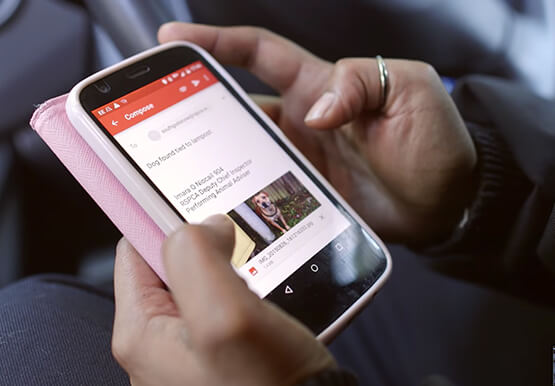


The Amazing Tech Behind This Animal Rescue Center Helps Save Costs and Rescue More Animals
The Royal Society for the Prevention of Cruelty to Animals (RSPCA) is the UK’s largest animal welfare charity. Each year, it finds new homes for more than 50,000 animals in need. Streamlining the charity’s IT systems is the job of Billie Laidlaw, Assistant Director IT Resources. “Every pound we save
