





Google Maps’ Cloud-based Styling Features Betters UX, Control and Flexibility
3362
Of your peers have already read this article.
2:00 Minutes
The most insightful time you'll spend today!
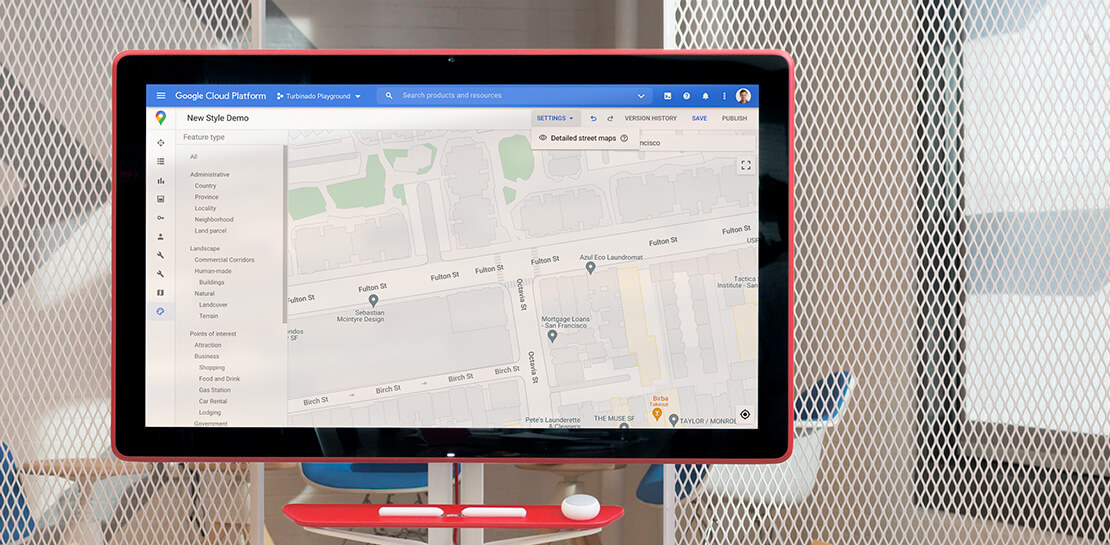
This year at Google I/O, we announced the general availability of Cloud-based maps styling for the Maps JavaScript API. In an effort to provide you with more options and more control to help create the best experience for your users, today we’re releasing new features to Cloud-based maps styling. You may already be familiar with these features from the consumer Google Maps web and mobile apps—Landmarks and Building Footprints. We’re also releasing updates to our industry optimized map styles to provide even more map details while providing the flexibility to craft the best experience for your users. Let’s take a look.
Help users quickly scan and orient themselves with Landmarks
You may have noticed some enhancements for prominent places in the consumer Google Maps web and mobile apps, these landmarks help show your users points of interest that help them orient and navigate cities they are exploring or visiting.

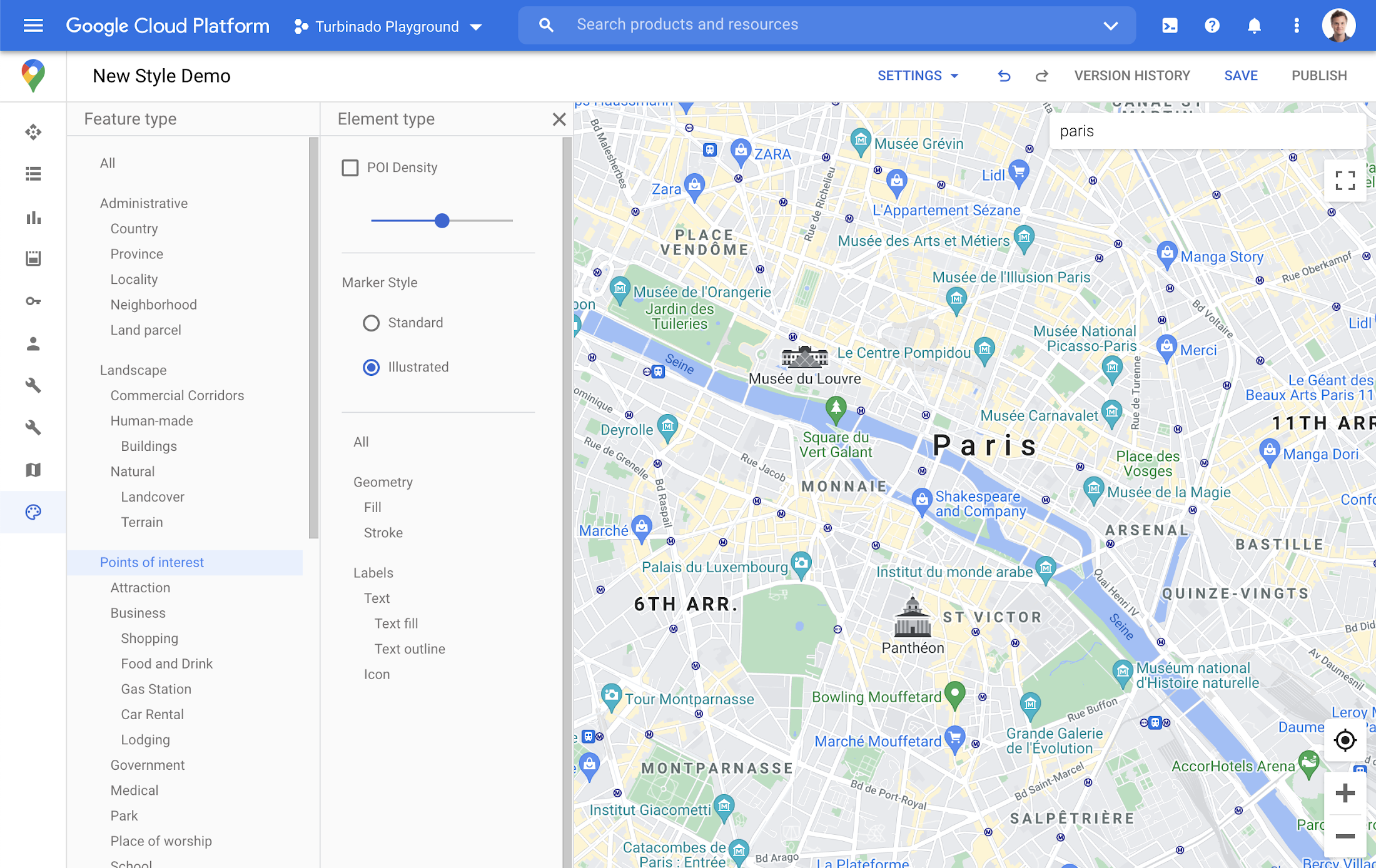
You now have the ability to bring this same experience to your users by creating maps using Cloud-based maps styling. This feature is available in 100 cities globally including New York, Dubai, Paris, Mumbai, and Singapore. To enable landmarks for your map, log into the Cloud console and in our style editor navigate to the Points of interest feature type and select ‘Illustrated’ under Marker Style.
Simplify maps features by switching to Building Footprints
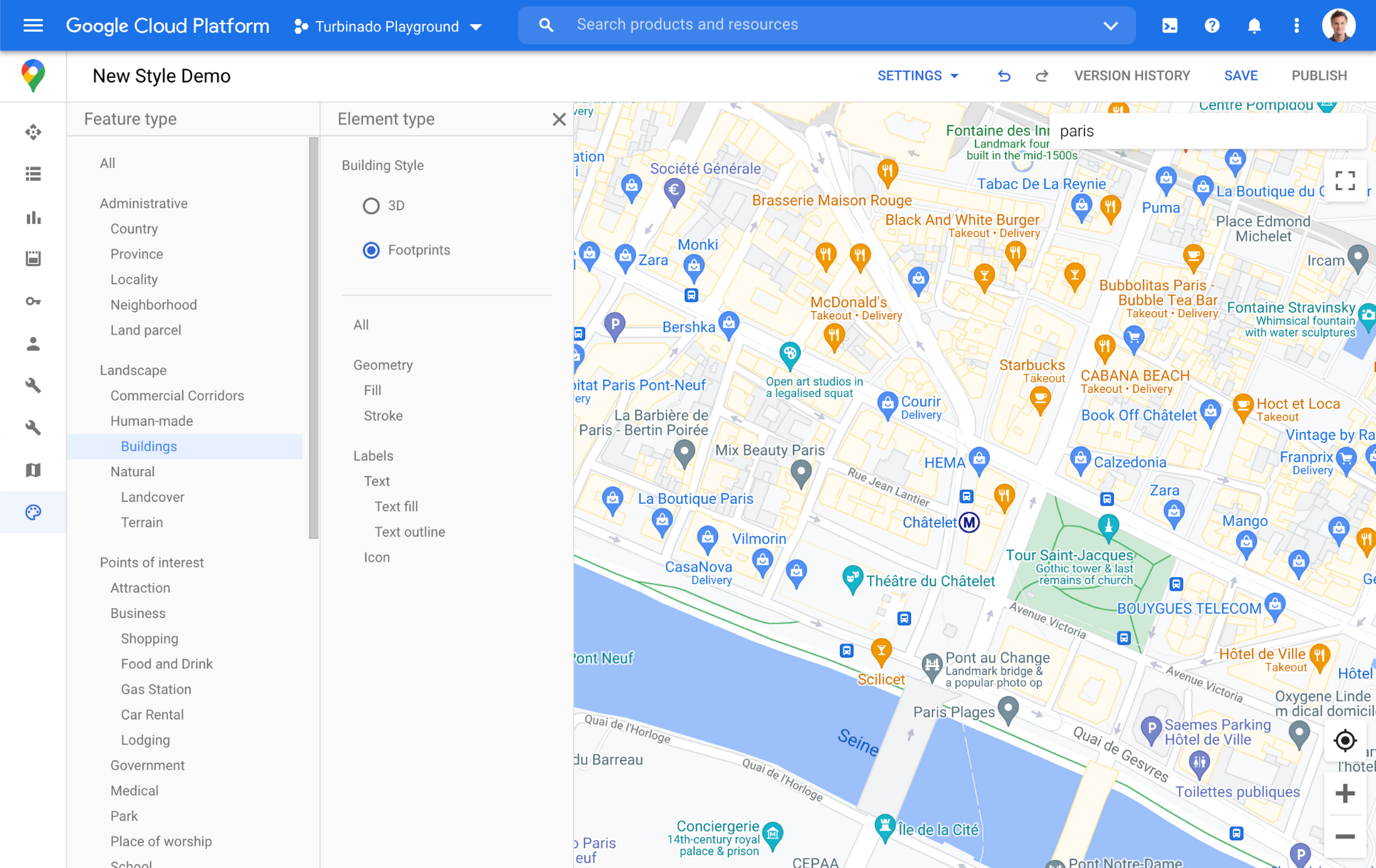
Sometimes less is more. In dense, highly vertical cities, showing 3D building heights can add cognitive load for users. Now, in addition to 3D buildings, we offer building footprints as an option in the style editor. Building footprints can provide a strikingly different basemap balance and composition to better support use cases that may not benefit from the added complexity that 3D buildings can present.

Fill and stroke geometries can also be styled independently to support various color themes. To enable Building Footprints, log into the Cloud console and in our style editor navigate to Buildings and choose ‘Footprints’ under building style.
Industry Optimized Map Styles now include Landmarks and Building Footprints, plus Detailed Street Maps
In January of this year we launched Industry Optimized Map Styles for the travel, real estate, retail, and logistics industries, providing customers with pre-styled map configurations, available via Cloud-based maps styling. Landmarks are now included in all of our Industry Optimized Map Styles and we have turned on Building Footprints in the travel style map. If you are already an Industry Optimized Map Styles user, these new features will be applied to your map with no action needed from you. If you would like to disable these changes, you can use the style editor to turn off these features.
For Industry Optimized Map Styles only, we are also excited to enable Detailed Street Maps. You may have seen these features in our consumer products at Google I/O, released back in August of 2020 for the consumer Google Maps web and mobile apps. Detailed Street Maps are available in San Francisco, New York, London, and Tokyo, and we are targeting expansion to 50 new cities by the end of 2021.
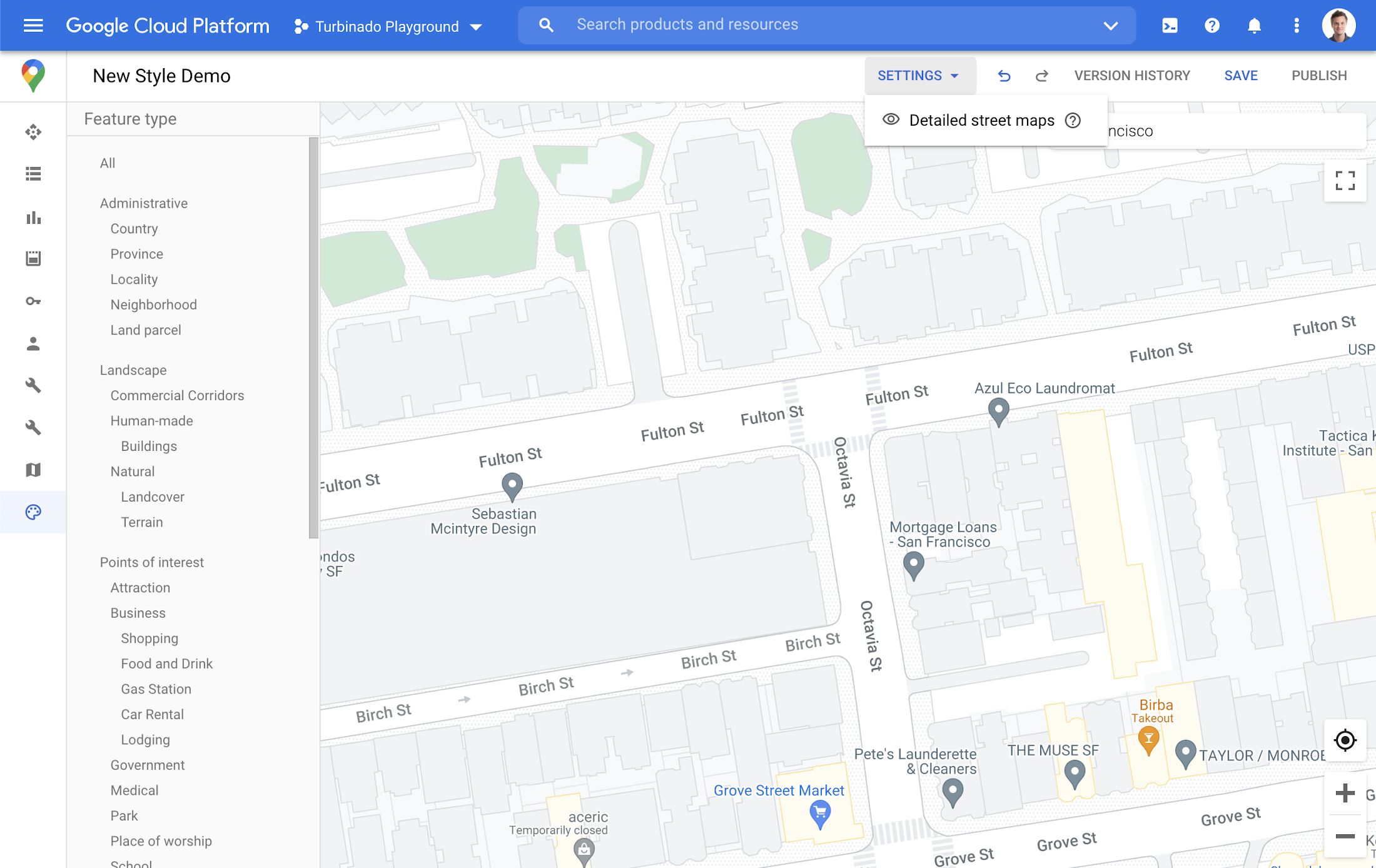
Detailed Street Maps are on by default for all Industry Optimized Map Styles and we created a new settings menu to change the visibility, as needed. We are working on bringing the full styling capability for Detailed Street Maps features to all Cloud-based maps styles in the future.
Landmarks and Building Footprints as well as the updates to Industry Optimized Map Styles are only available via Cloud-based map styling in the Google Cloud Console and are included in Google Maps Platform pricing. Learn more about how to use Landmarks and Building Footprints and Industry Optimized Map Styles. To get started with Cloud-based map styling, check out our documentation for JavaScript.
For more information on Google Maps Platform, visit our website.
How the Telegraph is Reimagining Media with Google Cloud

10173
Of your peers have already read this article.
3:30 Minutes
The most insightful time you'll spend today!
Whether they’re reading the newspaper on the way to work, or catching up on the latest headlines on their smartphones, readers expect up-to-the-minute news wherever and whenever makes the most sense for them. As a result, media companies are increasingly looking for ways to improve, expand, and simplify their offerings, and they’re increasingly looking to the cloud to do it.
For more than 160 years The Telegraph has been counted on by readers across the United Kingdom and globally for award-winning news and journalism. An early adopter of cloud technology, it’s been a G Suite customer since 2008 and has already been using Google Cloud Platform to analyze digital behaviors to improve engagement and advertising performance since 2016.
Recently, The Telegraph announced it’s migrating fully to Google Cloud. By migrating all their production and pre-production services, they aim to deliver content faster, provide compelling experiences to readers, and reduce environmental impact.
“We are delighted to announce our newest collaboration with Google Cloud,” said Chris Taylor, Chief Information Officer, The Telegraph. “We have always worked closely with Google as they help us to provide our readers with great experiences on our digital products, collaboration software and internet scale through search. Their continued leadership in projects such as Kubernetes are enabling us to build flexible development environments that truly support DevOps.”
Powering the Digital Publishing Ecosystem
The Telegraph produces large volumes of digital content every day. It was imperative for them to find a cloud provider they could trust to support this ecosystem. By working with Google Cloud they have changed the way they see and engage with data: they can collect new information about their products every second and use that to continually hone their strategy. The Telegraph are placing more confidence and trust in the data captured about their content and now have one of the best available pieces of technology for capturing and analyzing the stories they publish in real-time.
Leveraging AI to support journalists
Time is critical when journalists are on a story, and The Telegraph wants to put important data in the hands of its journalists right when they need it. To do this, it will be using AutoML to classify content for journalists and make it more discoverable. For example, a reporter will be able to bring up relevant assets that link to their stories. It will also apply AutoML to classify Telegraph stock photos to help journalists attach compelling visual content to their stories faster.
Building compelling reader experiences with the help of APIs
Readers have an ever-increasing expectation of personalization. To meet this need, The Telegraph launched My Telegraph, currently live in beta, to offer registered readers personalized news experiences based on their interests or the particular journalists they want to follow. My Telegraph was developed on an API management platform provided by Google Cloud’s Apigee. You can learn more about how it’s applying API management to My Telegraph, in this blog post.
Working for environmental good
The Telegraph is the biggest selling quality newspaper in the UK, an accolade which requires it to print and distribute hundreds of thousands of copies each day. Optimal management of print production is important, and by using a combination of the cloud and machine learning, The Telegraph is better able to predict demand for physical newspapers, maximizing sales and minimizing waste. This makes great business sense for The Telegraph but also has great environmental benefit.
Report on API-led Digital Transformations in 2020 and the Future
6804
Of your peers have already read this article.
1:30 Minutes
The most insightful time you'll spend today!
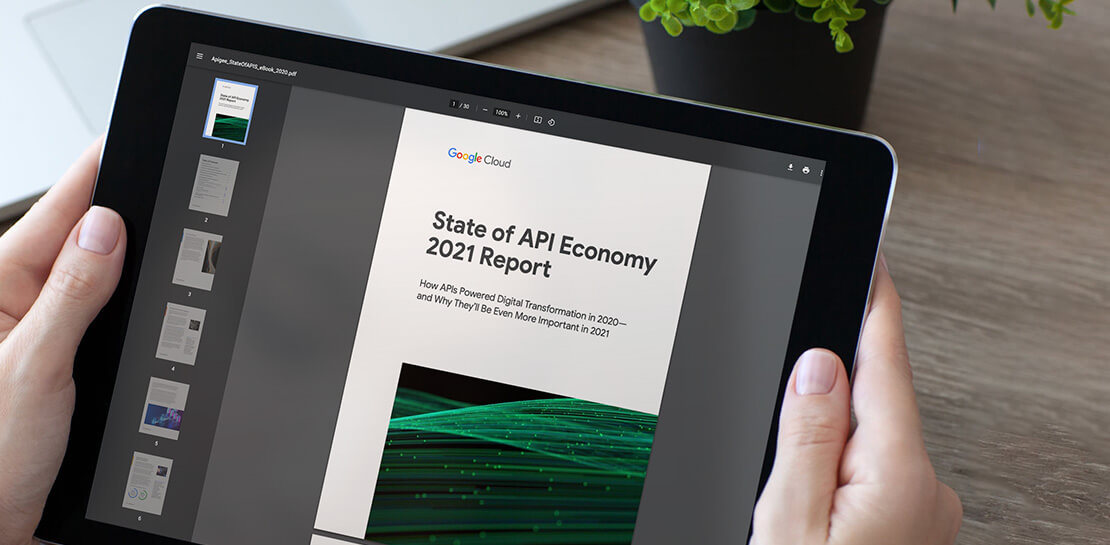
In 2020, many businesses across industries turned their focus and investments towards digital strategies. APIs being an integral part of every organization’s digital disruption, will grow in relevance throughout 2021. Read the report to gain more insights on driving API-led digital transformations and in-depth analysis of Google Cloud’s Apigee API Management Platform usage data, case studies and third-party surveys conducted with tech leaders.
An Insider’s Guide on the Future of Collaboration and Productivity

4324
Of your peers have already read this article.
1:00 Minutes
The most insightful time you'll spend today!
As Google’s productivity adviser, I’ve been closely following the evolving discussion around the future of work. Long before the pandemic, employees, business leaders, and analysts were already thinking about how work needed to evolve, but the crisis brought the future cascading into the present. Virtually overnight, millions of companies and workers went remote and stayed that way for over a year, pushing their collaboration and productivity tools to the test across living rooms and time zones. While some organizations were able to launch new solutions or adapt existing ones to keep their people connected and productive, many struggled.
The organizations that struggled quickly discovered their tools weren’t complete, scalable, secure, or built for the cloud era. Meanwhile, across all industries and business types, employees reported spikes in burnout, feelings of disconnection, and frustration with finding the latest information or using unfamiliar tools.
With many businesses headed into a hybrid model, the world of work has been transformed, possibly forever. There’s a fresh and fast-moving conversation about how organizations can succeed within the evolving future of work.
But at the center of that discussion are two familiar topics: collaboration and productivity. How will they evolve in an era of distributed teams and surging employee demand for flexibility? And how will businesses meet expectations to innovate quickly and deliver on rising customer expectations while navigating the new future of work?
Although 2020 was a major inflection point, a closer look reveals that many of the technologies, trends, and cultural norms shaping the future of work have been around for some time. For years, forward-thinking organizations have been wrestling with how to maximize collaboration, productivity, and wellbeing among their employees, and they’ve been developing the tools to make it happen at scale. By that measure, the future of work has been here for some time; it just hasn’t been evenly distributed or easily visible.
With this context in mind, we’re sharing our new guide Create what’s next: The future of collaboration and productivity, which highlights three areas of focus for organizations wanting to catch up with those leading the charge to empower the future of work.
- Making work-from-anywhere a reality with flexible solutions
- Giving people helpful tools to maximize their impact
- Enabling knowledge sharing and human connection
Armed with these three strategies, businesses can improve productivity and encourage innovation while better meeting the needs of their customers and their employees—now and in the years ahead.
We share some highlights from the guide in the infographic below (click to enlarge). You can also download the full guide now.

4625
Of your peers have already watched this video.
37:00 Minutes
The most insightful time you'll spend today!
On-Demand Webinar: The Underrated Impact of Real-Time Collaboration on Your Business
There comes a time in your life when you have to build that dreaded sales report, once a month. That’s the stuff of nightmares.
First, you need to gather data from multiple sources, sometimes multiple, siloed sheets, different departments, numerous salespeople, and wait endlessly. That’s time-consuming.
Then you have to plot all of that in one sheet, check for errors, and pray that the numbers are accurate enough to make informed decisions. That’s cumbersome and complex.
And then repeat this arduous task, month after month. What do you gain? Sleepless nights.
But had you put all of that data on the cloud, in a platform like Google Sheets—that lets multiple team members input, edit, and work on the same sheet all at the same time—creating sales reports wouldn’t seem like a huge mountain to climb.
In this webinar, Ryan Weber, Product Manager, Google Cloud, provides simple tricks and tips that help you build reports quickly, accurately, and cost-effectively with real-time collaboration, so that you spend more time on innovation and getting products out to market faster. And a lot less time building reports.
Watch this on-demand webinar to find out how.
Google Workspace Now has Adobe Add-on!
3867
Of your peers have already read this article.
2:00 Minutes
The most insightful time you'll spend today!
Every day, individual people and creative teams combine Google Workspace with Adobe Creative Cloud to bring their best ideas to life and delight their customers or friends, across photography, design, video, 3D design, and more. In fact, Adobe’s add-on for Google Workspace has had over a million installs and counting. By partnering with Adobe, we’re helping people boost creative collaboration wherever and however they work together. And they can benefit from a potential tenfold increase in productivity that results from things like shared libraries and styles across all the apps they use.
We started integrating Adobe apps with Google Workspace last year by introducing Adobe XD integration into Flutter, enabling developers to simplify the design-to-development workflow, and letting creative teams design apps in XD and convert those designs into Flutter code with the click of a button.
Next, we brought together Adobe Creative Cloud and Gmail to make it easier to share links to your creative assets with external teams and stakeholders through email. With this integration, you can search for your Creative Cloud assets and attach public links to synced files, libraries, and creations made on mobile devices without leaving Gmail. You can also save any attachments received in Gmail directly to Creative Cloud in a few clicks.
This year we are furthering our collaboration with Adobe with some exciting new capabilities. We’re integrating Adobe Creative Cloud with Docs and Slides, and launching Adobe Creative Cloud for Chrome.
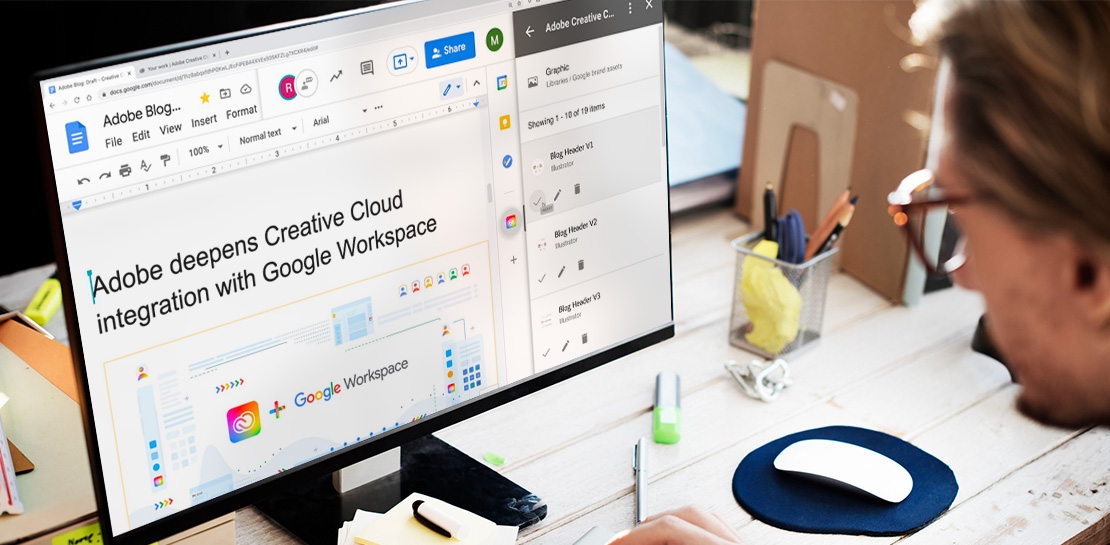
The integration of Adobe Creative Cloud with Docs and Slides will give creative and business stakeholders a single source of truth and a powerful new way to manage brand assets. With easy access to Creative Cloud Libraries inside both Adobe Creative Cloud (with apps like Photoshop, Illustrator, InDesign, XD, and more) and inside Google Workspace (with apps like Gmail, Docs, and Slides), marketing and product design teams can seamlessly share work, get feedback, and stay connected along the way. Learn more about this integration.
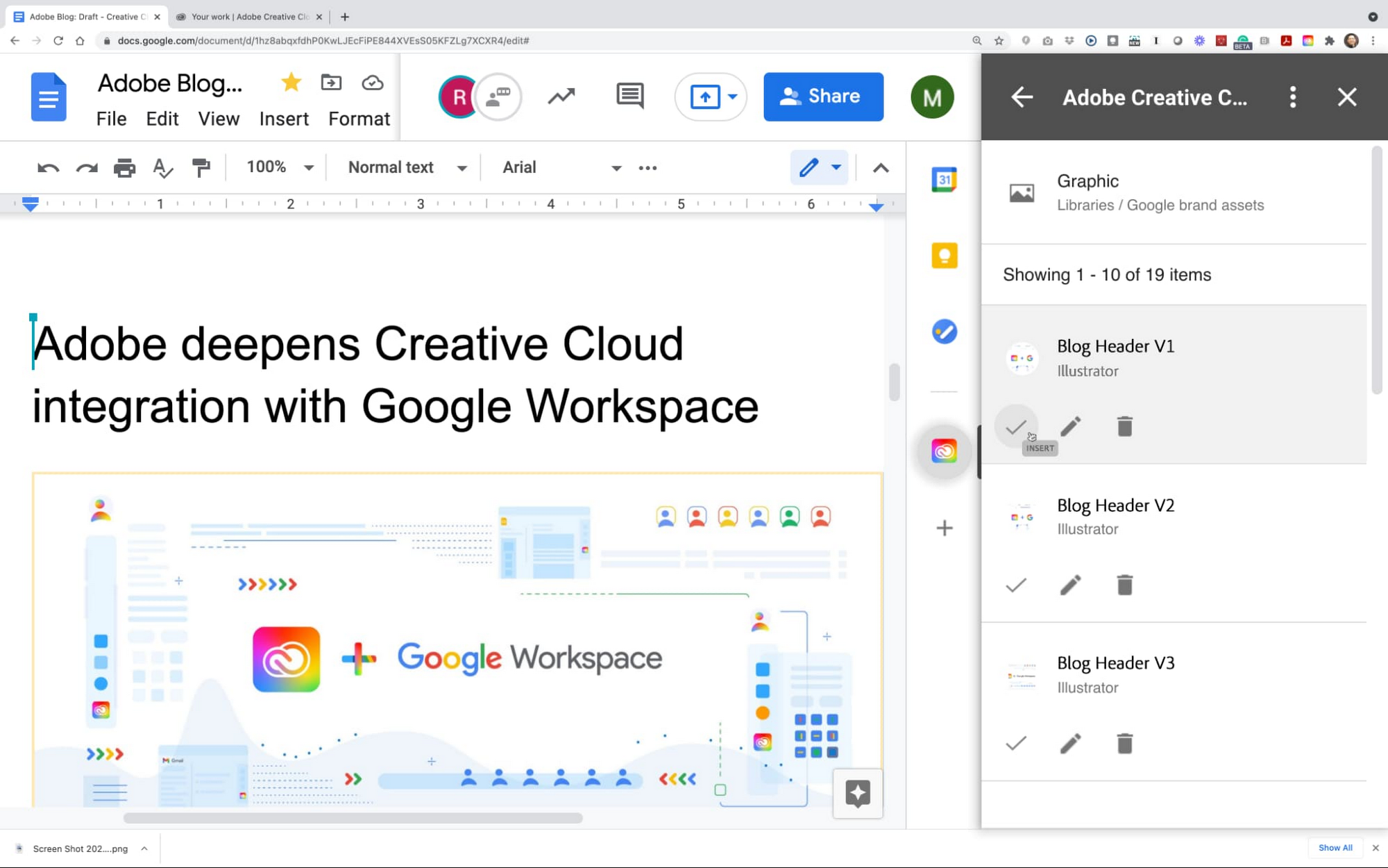
Adobe Creative Cloud for Chrome is a new extension that lets designers draw inspiration from the web’s most beautiful designs and artwork. Whether you’re looking for color combinations, patterns, vector shapes, or gradients extracted from images, the new Chrome extension helps you capture them from the source and apply them to your own design work. Adobe Capture features are available on mobile, on desktop for Photoshop and Creative Cloud Libraries, and now on the web, so wherever and whenever inspiration strikes, you’ll be ready to capture the moment. This feature became available in May. Learn more
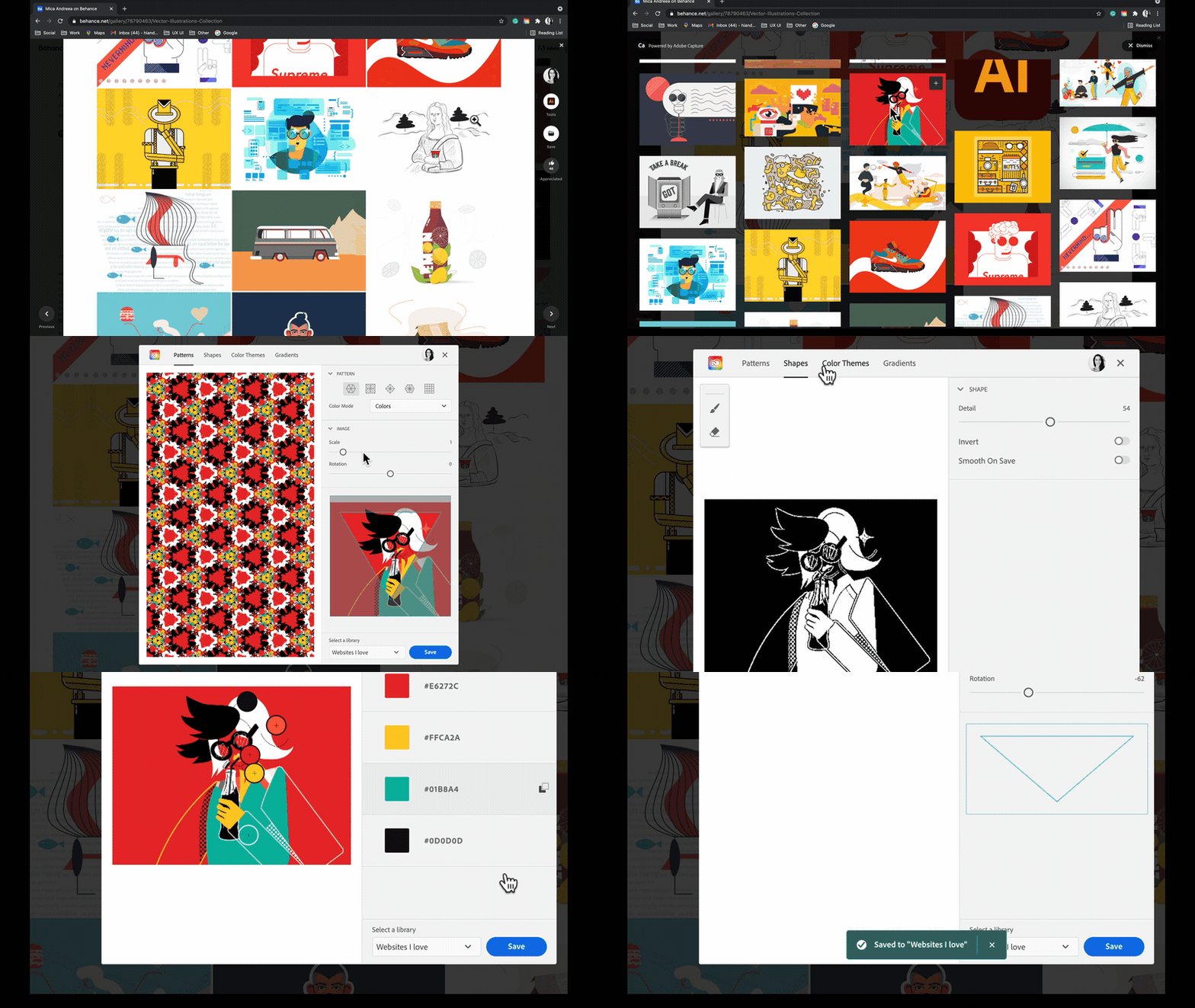
These new integrations between Adobe Creative Cloud and Google Workspace and Google Chrome let creatives focus on what they do best: ideate, create, and innovate. Creative teams of 1 or 100 have fast, seamless access to the digital assets and editor tools that bring their work to life. And they’re ready to capture inspiration from the web whenever and wherever it strikes using Google Chrome. We’re committed to boosting creative collaboration in Google Workspace with Adobe as a trusted partner. Start using Google Workspace and Creative Cloud today.
More Relevant Stories for Your Company

Google Workspace’s Single Connected Experience Makes Workplaces Hybrid-ready
Our collective understanding of work—where it takes place and how it gets done—has been transformed over the last year. As companies and organizations across the globe reimagine work, new challenges and opportunities are emerging. How do people working “somewhere else” stay connected and part of the same conversations as those

Ease Your Migration and Modernization Journey with Microsoft and Windows on Google Cloud Demo Center
If you’re looking to migrate and modernize your Microsoft and Windows workloads, Google Cloud is your premiere destination. No matter what migration strategy you’ve selected or what value you’re looking to achieve, with Google Cloud you’re able to: simplify your migration and modernization journeyreduce your on-prem footprint and increase agilityoptimize license
How Randstad Creates Assessment Reports in Five Minutes with G Suite
For over five decades, Randstad has matched businesses worldwide with millions of temporary and permanent workers, creating long-lasting, successful working relationships. Today, the company operates a vast multinational recruitment network, with 35,000 employees applying HR expertise in markets from Norway to Malaysia, and more than 37 countries in-between. To give staff a

How Russia’s Largest Housing Developer Reduced Construction Planning Time from Two Weeks to One Hour
PIK Group is the leading developer of large-scale residential housing projects in Russia. Founded in 1994, PIK Group has built more than 300,000 apartments – 19 million square meters of residential real estate in Moscow and other cities.To achieve and maintain its position at the top of the real estate industry,
