





Google Cloud Partnership Helps Lowe’s SRE Team Achieve 20X More Releases Per Month
5542
Of your peers have already read this article.
2:00 Minutes
The most insightful time you'll spend today!
Editor’s note: Today we hear from the Lowe’s SRE team. They share about how they have been able to increase the number of releases they can support by adopting Google’s Site Reliability Engineering (SRE) framework and leveraging their partnership with Google Cloud.
At Lowe’s, we’ve made significant progress in our multiyear technology transformation. To modernize our systems and build new capabilities for our customers and associates, we leverage Google’s SRE framework and Google Cloud, which helps us meet their needs faster and more effectively. With these efforts, we’ve been able to go from one release every two weeks to 20+ releases daily—about 20X more releases per month.
Our SRE transformation didn’t happen overnight, though. Every step along the way brought some challenges. But looking back, we are excited to see how much we have accomplished for our customers as a result.
Back in 2018, before adopting SRE practices, we were more reactive than proactive, following an “eyes on glass” approach. On-call structures and incident management efficiency were not at optimal levels with too many repetitive and manual tasks, resulting in operational toil. Production concerns were not surfaced into the product roadmap, which resulted in delays in making fixes.
Bootstrapping SRE at Lowe’s
As we moved from on-prem to Google Cloud, we decided to move from a monolithic- to microservices-based architecture. And to better manage this new architecture, we embarked on an SRE journey.
Then as COVID-19 hit, we really had to accelerate this journey as customers increasingly moved to online ordering and delivery to meet their Total Home Improvement needs. To do so, we followed four key principles that allowed us to meet changing customer needs quickly and release fast and reliably.
- Automate away toil
As we moved from traditional Ops to an SRE ecosystem, our biggest opportunity was reducing toil, so that engineers can spend time on activities that drive business impact and customer outcomes. We think of toil as work that is manual, repetitive, tactical, devoid of enduring value—but automatable. So, to tackle toil, we focused on automating away the need for manual intervention. As an example, we made sure engineers were not the first point of contact for any alert. Any triage or resolution that an engineer can perform, a machine can be trained to do the same. We used supervised and unsupervised learning techniques to automate our toil. With a long-term goal of “no toil,” our SREs work on identifying and reducing toil to a manageable level across the organization. - Engineer alignment through roadmaps
Our goal is to maximize the engineering velocity of developer teams while keeping products reliable. We want an engagement model where product, SRE and development teams are closely aligned. A key way we’ve been able to create this alignment is by having our SREs embedded into domain and product teams. Each domain has an SRE, who is involved at the beginning stages of product development to ensure that the domain stakeholders are in alignment with the SRE initiatives. As such, SREs are able to improve the reliability, performance, scalability and launch velocity of the services throughout all phases of the service lifecycle. - Adopt one-touch releases
Our path to production used to contain many manual steps and validations, slowing the rate at which we released features. Additionally, we used to bulk all our releases together to deploy at once, which increased the risk of failure and created a longer feedback loop from production. To tackle this with an SRE mindset, we created a one-touch release process in which SREs review the product team’s pull requests. When approved, this triggers a DevSecOps pipeline that deploys the approved changes to production securely. This process created a safe, reliable and sustainable continuous delivery pipeline with quick feedback loops. Striking the right balance between speed, innovation and stability, we were able to increase our releases exponentially for the year, taking less than 30 minutes per release to deliver quality code, including various automated quality checks and processes, all in just one click. - Embrace capacity planning
To ensure our services have enough spare capacity to handle any surge in traffic patterns, our SREs emphasize capacity planning, making recommended capacity changes in the continuous delivery (CD) pipeline. They constantly monitor performance to make sure the service is robust, stable and available. And when there’s a sudden surge beyond the forecasted volume, SREs change the capacity on demand and document changes for the performance and domain teams.
Capacity planning is especially important for us during peak holiday times such as Black Friday and Cyber Monday (BFCM). We lay out our SRE stability plan three months in advance and surface into the domain team’s product roadmap. This way development teams are able to allocate sufficient engineering time to reliability. We do performance testing to ensure the environment is able to sustain increased load over long periods of time and also handle sudden surges in traffic. We also do region failover testing at a global scale to validate the automatic failover duration of service level agreements (SLAs), SRE and domain readiness. Additionally, we conduct Black Friday and Cyber Monday-specific destructive testing to validate customer experience, reliability and more.
Google Cloud’s Black Friday and Cyber Monday white-glove service played a key role in ensuring our success in both BFCM 2019 and BFCM 2020. This service included on-site visits from Google’s Customer Reliability Engineering (CRE) team who reviewed Lowe’s web architecture, capacity planning, operations practices for event risks, and presented workshops on topics such as incident response best practices.
Looking ahead
There is always room for improvement, and at Lowe’s we aim to continuously improve our SRE practices. One thing that has worked well for us, which we plan to continue, has been our road shows, where senior SRE leads present to other SREs and application domain teams on the latest SRE principles and best practices, and to get input in real-time from them.
Google’s tools and methodology have played an instrumental role in helping reshape our SRE practices and better serve our customers. We look forward to building on the momentum and partnership as we continue our SRE journey at Lowe’s.
If you want to learn more about how to adopt SRE best practices on Google Cloud, check out our documentation. If you want to learn more about Google SRE, visit our website. Stay tuned for the next blogs with Lowe’s discussing how they trained their engineering talent to adopt SRE practices and tooling, and how they improved MTTR using SRE principles.
5 Features IT Departments Love About Google Cloud

3661
Of your peers have already read this article.
5:30 Minutes
The most insightful time you'll spend today!
Throughout the past couple of years, I have helped a good number of companies, big and small, migrate their systems to the Google Cloud Platform (aka GCP). During the course of these migrations, there are always a few of those moments where people look at a specific Google Cloud feature and say, “now, that’s cool!”.
More often than not, it is because, coming from other platforms, they have gotten used to some features requiring multiple steps, or some operations being complicated, etc. And often they find out that in GCP you can do this specific operation in a couple of clicks, or by setting up a simple text-based configuration. Then you see that light bulb turning on in their head, and there you go… happy customer.
A few of these happen so often that I compiled them in a list to share with others who might also benefit from these “aha!” moments. You could say these are the five things I wish they told me when I started using Google Cloud.
Projects: Naturally Group Resources Together
A project is a namespace where resources live. Every resource you instantiate in GCP, from load balancers to Kubernetes clusters to virtual machines, belongs to a single project, and has no access (by default) to resources in other projects. User roles and authorisations can be defined per-project and trickle down to everything in it. This has two immediate benefits: you can group things that belong together in neat logical units, and things that don’t belong together are isolated from each other (and isolation is a Good Thing)
This is powerful and quite simple, but it often takes new users off-guard. I’ve had many clients call me and ask me “How can I make sure my developers cannot access the production machines? What’s the best way to create access policies? ”
The answer to this is actually super-simple:
- have a project for development where your developers have rights,
- have a project for production where they don’t.
- That’s it.
Every machine/other resource in the production project won’t be accessible to developers.
Of course there is a lot more to it, and you can refine roles and permissions to a much greater degree using Organizations, Folders, etc. Not to mention all the crazy things you can do with per-project billing. But at least you can say “hey, if it’s a machine in the staging environment then it can be found in the “staging” project”.
Global Virtual Networks Are *Truly* Global
Imagine you are using a Cloud provider and that you have servers in the US, and servers in Singapore, and that they need to communicate.
So you create a VPC (Virtual Private Cloud) network in the US data center, another one in the Singapore data center, and then you will connect them by setting up inter-region VPC peering or a VPN (Virtual Private Network) or a transit VPC or other routing magic.
Lots of work, right? And many moving parts, so lots of opportunities for things to break.
With GCP, however, what makes my clients go “aha!” is when they realize that in GCP a single VPC network covers the entire planet. Only subnets are attached to a geographic location, and virtual machines communicate between subnets on private IPs (good old RFC1918 addresses) — no extra routing needed.
So, to make your server communicate across continents on GCP, here are the steps:
- create a VPC network
- create a subnet in the US, put your US servers in it
- create a subnet in Singapore, put your Singapore servers in it
That’s all there is to it. Your VPC network spanning 2 continents is ready to use. Below is a screenshot of how it looks on my account, for a VPC network called ‘my-global-network’ with 2 subnets. The first column (“us-central1” and “asia-southeast1”) contains the name of the GCP regions (read: data centers). The second column is the subnet name that I picked when I created them.

A machine in the US (on the “us-central” subnet) with IP 10.0.0.5 can communicate directly with a machine in Singapore (on the “singapore”) subnet with IP 10.10.0.8.
Nothing else to set up.
And thanks to the way these networks work, the Google Cloud Load Balancer can present a single IP to the world, and forward traffic to the instances that are the closest to you geographically without having to setup a tedious DNS-based load balancing. But that’s worth an entire blog. I’ll save it for another day.
Firewalls with Tags and (Almost) No IP Addresses
There is no network security without a firewall so unsurprisingly GCP comes with one built-in.
Now, I don’t know about you, but nothing makes my brain hurt like a list of firewall rules displaying IP ranges and addresses and ‘Allow/Deny’ directives. It looks a bit like this:

If you imagine a normal network with a few dozen (hundred?) servers, you can quickly see how this can get out of control. You’d better have a solid printout of your network layout to refer to when you start adding and changing rules. And good luck debugging things!
Wouldn’t it be nice if, instead, you could just tell the firewall: “the HTTP traffic from outside can only reach the HTTP servers and the MySQL database is only reachable by the HTTP server(s) on the same network?”
Turns out it’s pretty simple on GCP by using a little thing called network tags. As the documentation says:
“Network tags are text attributes you can add to Compute Engine virtual machine (VM) instances. Tags allow you to make firewall rules and routes applicable to specific VM instances.”
So let’s see how it works. Firewall rules in GCP are defined in terms of source and target (the traffic flows from the source to the target). You can define filtering rules that apply to the source or the target, and in both cases you can use tags.
This is simpler shown with an example. The rule below states that on the default network, the traffic to the VMs with the tag mysql-server can come from the VMs with the tag http-appserver. Any other traffic is “Deny”-ed by default.

All you have to do is to tag your machines properly, and they will automatically be covered by the rule. You don’t need to enter their IP range.
That’s neat if you ask me. It makes it a lot simpler to grasp what’s happening.
Of course, there’s a TON more to firewalls in GCP. Tags also apply to routes and you can mix and match IP-based rules with tag-based rules. Not to mention that thing called service accounts, but I’ll leave those for another day.
The bottom line is that you can create most rules by just expressing a business need and not having to remember complicated network layouts. I have no hard stats, but I’m pretty sure this has saved me hours of work.
Console Access to VMs from the Browser
Easily access virtual machines (VMs) from the Google Cloud console was one of my first “aha!” moments when I started using GCP.
This is a screen capture of my Google Cloud console, with a virtual machine and its internal IP.

The last column has a header that says “Connect” and when you click on the word “SSH” a separate windows pops up. You wait for a few seconds, and… this is what you get. Your personal shell access — in a browser popup no less.

You are connected through ssh to the virtual machine of your choice. You did not have to download ssh keys and put them in the ~/.ssh directory, do the correct chmod command and run a long-winded ssh -i ~/.ssh/somekey me@<it-took-me-forever-to-copy-paste-the-address-here>
In addition, you have access to a few nifty features such as uploading and downloading files, changing the user etc. Just use the menu behind the cog icon at the top right.
In truth, you should not need to connect directly that often, but when you have to, this is a godsend.
Your Personal Jumphost from the Google Cloud Console
The Google Cloud console has a cool trick: you can actually connect to a virtual environment that is managed by the Google Cloud console itself. It serves a bit as a jump host. You can access most resources from the projects from it, and you can activate it directly from the top menu with, no particular setup on your side. It’s called the Cloud Shell.
This is how it looks at the top right of the console:

When you activate the Cloud Shell, the session opens at the bottom of the console. You get a command line prompt and it’s fully configured with the gcloud command line tool (the jack-of-all-trades of Google Cloud scripting).

You can do a great many things from there, and this even includes uploading and downloading files, editing code or deploying it, a web preview for your AppEngine application, and more.
So you can get access to a fully configured shell environment in your project from any laptop where you can connect with your credentials. On top of this, it persists between connections so you can fine-tune it to your needs and have these changes available the next time you re-connect.
This has saved me many times during my previous life as a traveling consultant!
Live migration
Did I say 5 “Aha!” moments ? Well, you’ve been patient reading all the way to here, so here’s one more for free.
Google Cloud has an amazing way to literally “teleport” a running virtual machine between physical hosts without stopping it. It’s called Live Migration. It allows Google to move your virtual machine away from a defective host, or a host that needs a patch or an upgrade, or for any other infrastructure related reason.
It’s all done in the background, and is totally transparent, so you never really see it happening. Unless you look VERY closely. I once did a demo to a client, where a machine was live migrated while he was simulating a solid network load — and we did not lose a single packet, with no noticeable degradation in latency.
And that’s a wrap!
So there you go. These are 5+1 things that made me go “Aha!” when I became more familiar with the Google Cloud Platform, and that still make my clients do the same.
There is a lot of depth to the platform, and my examples above only scratch the surface of our features. I encourage you to try it yourself. There is a generous free tier, and when you are ready to take the plunge and create that new company, please contact us at Google Cloud for Startups. We’ll get you up and running in no time.
Jerome is a Startup Architect at Google Cloud. Based in Singapore, he helps startups make the most of the Google Cloud Platform.
3937
Of your peers have already watched this video.
6:00 Minutes
The most insightful time you'll spend today!
Confused about Cloud? Here is a Primer to get all Your Doubts Answered
When you have decided on moving workloads to the cloud, the task of choosing the right cloud platform can be a tough one with many questions looming in your mind. From which specific product to choose from the plethora of options available to how and where to store your data in the cloud to how secure is your data to how to get started on new and interesting projects like artificial Intelligence and machine learning, the questions can be endless.
However, what you need are answers for making a decision.
Get answers to some of the most commonly asked questions by customers from the Google Cloud Customer Engineers directy. From understanding the role of a Google Customer Engineer and how they can help you in your cloud journey to understanding the various products within the Google Cloud Platform for Infrastructure as a Service for hosting and running both managed VMs and containerized applications and Platform as a Service for building applications to the various fully managed data storage options for structured, unstructured, transactional or relational data, they have the answers to all your questions.
Watch this video to get answers to all your questions.

IDC: Firms Should Migrate VM-based Enterprise Workloads to Google Cloud for Optimal Price, Performance, and Security
DOWNLOAD WHITEPAPER4443
Of your peers have already downloaded this article
5:30 Minutes
The most insightful time you'll spend today!
Public cloud platforms provide the scale, elasticity, and operational efficiency that enable enterprises to both innovate and deliver more products and services to the market faster. This increased ability to innovate provides enterprises a competitive advantage and the businesses agility to stay ahead of their competition. Enterprises should leverage the business agility that public cloud infrastructure enables to their strategic advantage. Thus incorporating a cloud platform is an inherent part of their initiatives to modernize their IT infrastructure.
Enterprise cloud adoption is not without challenges. Enterprises cite a lack of skill set, decision fatigue, operational challenges, security concerns, and unpredictable TCO as significant inhibitors to adopting a public cloud service provider. Information technology decision makers (ITDMs) are caught between the need to innovate faster and the fear of instability and mismatched expectations. This dilemma is why enterprises that partner with a trusted service provider before, during, and after migration are more likely to succeed in their cloud journey.
Google Cloud is an ideal platform for virtual machine (VM)–based applications due to its key technical capabilities, such as high-performing virtual machines, including compute-optimized and memory-optimized VMs; custom sizes for virtual machines; high-performance network infrastructure for faster data transfers; and data protection capabilities.
Download this IDC report to understand why ITDMs should consider Google Cloud as the preferred cloud services partner — owing to Google Cloud being a reliable platform for VM-based applications; a trusted partner before, during, and after application migration; and an innovator to future proof the enterprise IT infrastructure.
City of San Jose Ensures Critical Services Reach Community Using AI Translation

5174
Of your peers have already read this article.
1:30 Minutes
The most insightful time you'll spend today!
San José is one of the most diverse U.S. cities, with residents speaking more than 100 languages. Several years ago, we set out to improve city community interactions through more equitable service management and delivery. This demanded a new approach to automating the intake of requests from a majority population whose first language is not English.
We first created the 311 portal and app, which was an important step as we effectively separated resident service requests from emergencies. The way we describe it to our citizens, you call 311 for a burning question, and 911 for a burning building. In the last fiscal year, San José 311 received nearly 210,000 contacts by phone and an additional 211,000 service requests through the SJ 311 app.
Through the portal and app, we gave citizens an omnichannel experience enabling them to interact with the city to request improvements, access useful information, and get emergency help when they need it.
In order to truly serve our diverse communities, we recognized language translation services would be required to offer truly equitable services to everyone. That’s when we started working closely with SpringML, Google Cloud, and other partners with involvement from our Mayor and City CIO.
Building public services with community engagement in mind
When we first rolled out the My San José website and mobile app, we used an out-of-the-box translation service that ended up not working. It had poor accuracy and did not meet our needs to provide all citizens with coherent services. After looking at many other options, we decided to partner with SpringML and Google Cloud to leverage the AutoML Translation with other technologies such as our virtual agent.
SpringML was selected through an open RFP process, and helped us to build and optimize our integrations, interfaces, and more between several systems, making the app and website more intuitive to manage. SpringML delivered the product we needed on time and up to specifications, and additional value came from the training sessions they provided to our team. This enabled us to understand everything we could do with AutoML and opened the door to other enhancements such as simplifying the vernacular used with our residents, making government access easier to navigate regardless of natural language spoken.
After establishing the My San José app’s translation capabilities using AutoML, SpringML also helped us incorporate Dialogflow virtual agents. Dialogflow also positions us to make modifications with our own staffing practices – something that has become increasingly important amid the frequent changes in service levels from COVID-19 response in the past year.
Responding to community needs
With the app up-and-running, our next step was to bring in community members to help with testing, improvements, and more. We wanted the app and the website to not just be something we provided to the community, but rather something they helped us build so they would readily adopt it.
Thanks to the greater accuracy of translation supported by Google Cloud services, we were able to leverage the expertise of a small pool of community members to evaluate translations. AutoML Translation and Glossary proved to be a powerful combination that pushed us closer to our goals.
Our primary targets were Spanish and Vietnamese translations. We are now seeing 90 percent accuracy in automated Spanish translations while Vietnamese translations continue to improve. We continue to work to simplify the language used in these services, which makes a big difference in terms of ensuring optimal language accessibility.
This work includes best serving our community members who primarily use phones to get in touch with us through 311 services. Using Google Cloud Contact Center AI, we have been able to effectively manage the calls we receive 24×7 and communicate with residents who speak Spanish as well as English. No matter which channel one of our residents choose to use to reach out, we can serve them efficiently.
A well-timed release
We’re proud of the work we’ve done. We’ve made many government services available to our community 24 hours a day, 7 days a week — accessible through many channels. Regardless of a person’s native language, the consistency of experiences enjoyed by everyone is improving every day thanks to AI. We’re also actively incorporating more language translation capabilities to better serve more people.
While we began this process several years ago, the recent integration of machine learning language translation with our customer relationship management system in late 2020 was very well-timed because we were able to incorporate this into our COVID-19 pandemic response.
We’re also beginning to work with other municipalities across the U.S. to share some of the lessons we’ve learned and success we’ve seen in hopes of furthering more equitable citizen services far beyond our City limits.
We are excited to continue working with SpringML, Google Cloud, and other partners to improve our city and the equity and quality of services that our residents enjoy.
Learn more about how you can work with a Google Cloud Partner here.
Google Cloud Next ’22 to Commence in October: Block Your Calendar!
7923
Of your peers have already read this article.
1:30 Minutes
The most insightful time you'll spend today!
We’re excited to announce that Google Cloud Next returns on October 11–13, 2022.
Join us for keynotes from industry luminaries and engage live with Google developers. Explore dynamic content across various learning levels, and dive deep into technologies and solutions spanning the Google Cloud and Google Workspace portfolios. Participate in breakout sessions, demos, and hands-on training. Hear from the world’s leading companies about their digital transformation journeys. You’ll have opportunities to connect with experts, get inspired, and boost your skills. We can’t wait to see you at Next ’22!
It’s too early to determine how the event experience will span the digital and physical worlds, so please stay tuned for updates as we plan with the health and safety of the attendees in mind. In the meantime, mark October 11–13 in your calendar, and visit our event site for updates. For more inspiration, rediscover Next ’21, now available on demand.
More Relevant Stories for Your Company


Value Realization with Google Cloud for Retail SAP Data
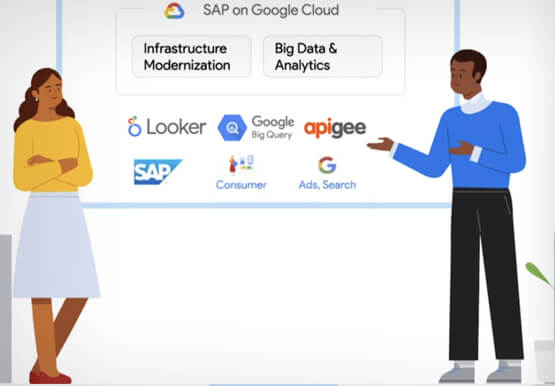
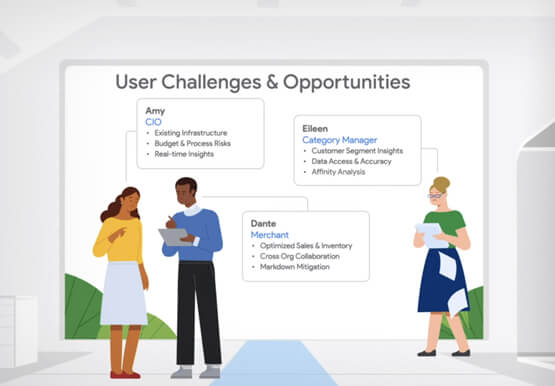
Retail engagements have changed drastically over the last few years, and by the virtue of COVID-19 pandemic, retail data and customers' expectations plummeted. To drive value and transformation across the entire value-chain retailers can make most of Google Cloud's secure, reliable IaaS by migrating their SAP systems and taking advantage
Google Cloud’s Role in Minimizing Memory Errors Impact for SAP Customers
Every cloud system begins with high-quality hardware infrastructure. Sometimes, however, hardware breaks — and when it happens, our most important goal is to minimize the impact on our customers and their cloud workloads. Memory errors are the most common type of hardware failure, and they're also one of the most


How Bloomberg uses Google Translate to Share Breaking News with the World
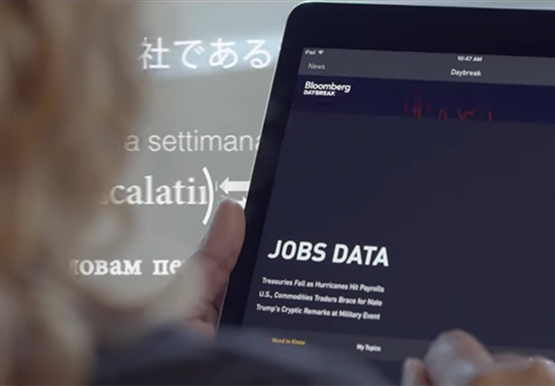
Bloomberg uses Google Translate to instantly share news with customers in more than 170 countries. Financial markets can move within seconds of a story breaking, so speed matters. With Google's automated translation Bloomberg can quickly disseminate breaking financial news to customers around the world in 40 different languages.

Security at Scale: A Peek into the Life of Google
Defending the world’s largest network against persistent and constantly evolving cyber threats has driven Google to architect, automate, and develop advanced tools to help keep it ahead. Understanding how Google has built and evolved it’s defenses can help you make smart architectural decisions of your own as you move forward.
