





WebGL-powered Features to Build Next-generation Mapping Experience

3460
Of your peers have already read this article.
3:00 Minutes
The most insightful time you'll spend today!
At Google I/O 2021, we announced the beta release of Tilt and Rotation, and Webgl Overlay View, which give you a fundamentally new way to build mapping experiences. You may be familiar with the existing Overlay View feature of the Maps JavaScript API that lets you render in a transparent layer that sits on top of the map. For years, developers have been using Overlay View to draw in two dimensions over the top of the map, but for as much as you can do with Overlay View, it only allows you to render on a transparent layer that effectively floats above the map.
In contrast, WebGL Overlay View gives you direct hooks into the lifecycle of the exact same WebGL rendering context we use to render the vector basemap. This means that for the first time ever, you can performantly render two and three dimensional objects directly on the map, enabling you to build experiences that were previously impossible with the Maps JavaScript API.https://www.youtube.com/embed/9eycQLef6iU?enablejsapi=1&
Today, we’re going to give you a quick overview of the new WebGL-powered features of the Maps JavaScript API, so that you have all the knowledge you need to get started creating next generation mapping experiences.
What is WebGL?
WebGL is a low-level browser API, originally authored by the Mozilla Foundation, that gives you access to the rendering and processing power of the graphics processing unit (GPU) on client devices, such as mobile phones and computers, in your web apps. On its own, the browser is not able to handle the heavy computation needed to render objects in 3D space, but using WebGL it is able to pass those processes off to be handled by the GPU, which is purpose built to handle such computations.
To learn more about WebGL, check out the documentation from the Khronos Group, the designers and maintainers of WebGL.
Requirements
To use WebGL Overlay View, you’ll need a Map ID with the vector map enabled. It’s also strongly recommended that you enable Tilt and Rotation when you create your Map ID, otherwise your map will be constrained to the default top-down view – in short, you won’t be able to move your map in three-dimensions.
To learn more about using Map IDs and the vector map, see the documentation.
Setting Tilt and Rotation
To load your map with a set tilt and rotation, you can provide a value for the `tilt` and `heading` properties when you create the map:
const mapOptions = {mapId: "15431d2b469f209e",tilt: 0,heading: 0,zoom: 17,center: {lat: -33.86957547870852,lng: 151.20832318199652}}const mapDiv = document.getElementById("map");const map = new google.maps.Map(mapDiv, mapOptions);
Tilt is specified as a number or float in degrees between 0 and 67.5, with 0 degrees being the default straight down view and 67.5 being the maximum tilt. The available maximum tilt also varies by zoom level.
The rotation is set in the heading property as a number or float between 0 and 360 degrees, where 0 is true north.
You can also change the tilt and rotation programmatically at runtime whenever you want by calling `setTilt` and `setHeading` directly on the map object. This is useful if you want to change the orientation of the map in response to events like user interactions.
map.setTilt(45);map.setHeading(180);
In addition, your users can manually control the tilt and rotation of the map by holding the <shift> key and dragging with the mouse or using the arrow keys.
For more information on Tilt and Rotation, see the documentation.
Adding WebGL Overlay View to the Map
WebGL Overlay View is made available in the Maps JavaScript API by creating an instance of `google.maps.WebglOverlayView`. Once an instance of the overlay is created, you simply need to call `setMap` on the instance to apply it to the map.
const webglOverlayView = new google.maps.WebglOverlayView;webglOverlayView.setMap(map);
To give you access to the WebGL rendering context of the map and handle any objects you want to render there, WebGL Overlay View exposes a set of five hooks into the lifecycle of the WebGL rendering context of the vector basemap.
Here’s a quick rundown:
- `onAdd` is where most of your pre-processing should be done, like fetching and creating intermediate data structures to eventually pass to the overlay. The reason to do all of that here is to ensure you don’t bog down the rendering of the map.
- `onRemove` is where you’ll want to destroy all intermediate objects, though it would be nice if you did it sooner.
- `onContextRestored` is called before the map is rendered and is where you should initialize, bind, reinitialize or rebind any WebGL state, such as shaders, GL buffer objects, etc.
- `onDraw` is where we actually render the map, as well as anything that you specify in this hook. You should try to execute the minimal set of draw calls to render your scene. If you try to do too much here you’ll bog down both the rendering of the basemap and anything you’re trying to do with WebGL, and trust me, no one wants that.
- `onContextLost` is where you’ll want to clean up any state associated with pre-existing GL state, since at this point the WebGL context will have been destroyed, so it’ll be garbage.
To implement these hooks, set them to a function, which the Maps JavaScript API will execute at the appropriate time in the WebGL rendering context lifecycle. For example:
webglOverlayView.onDraw = (gl,coordinateTransformer) => { //do somerendering }
For more information on using WebGL Overlay View and its lifecycle hooks, check out the documentation.
Creating Camera Animations
As part of the beta release of WebGL Overlay View, we’re also introducing `moveCamera`, a new integrated camera control that you can use to set the position, tilt, rotation, and zoom of the camera position simultaneously. Like `setTilt` and `setHeading`, `moveCamera` is called directly on the `Map` object.
By making successive calls to `moveCamera` in an animation loop you can also create smooth animations between camera positions. For example, here we are using the browser’s `requestAnimationFrame` API to change the tilt and rotation each frame:
const cameraOptions = {tilt: 0,heading: 0}function animateCamera () {cameraOptions.tilt += 1;cameraOptions.heading += 1;map.moveCamera(cameraOptions);}requestAnimationFrame(animateCamera);
Plus, all of these adjustments, including zoom, support floats, which means not only can you control the camera like never before, you can also do it with a high degree of precision.
For more information on `moveCamera`, see the documentation.
Give it a tryYou can try the new WebGL-powered features of the Maps JavaScript API right now by loading the API from the beta channel. We’ve got a new codelab, and documentation with all the details, as well as sample code and end-to-end example apps to help you get started. Also, be sure to check out our feature tour and travel demos to learn more and play with a real implementation of these features.
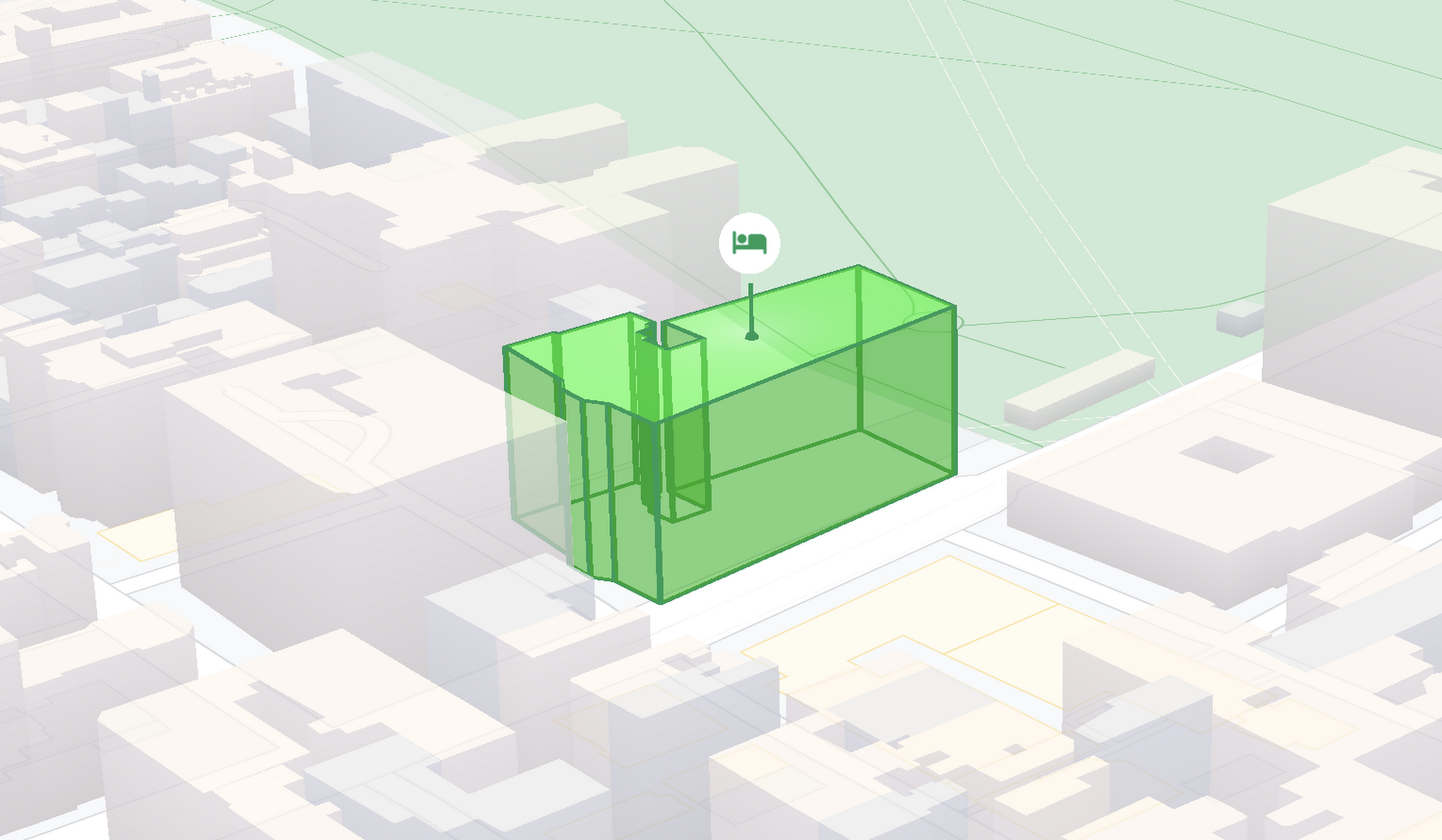
And let us know what you think by reporting through our issue tracker. We need your bug reports, your feature requests, and your feedback to help us test and improve the new WebGL-based map features.
Have fun building with the map in 3D—we can’t wait to see the amazing things you’ll build.
For more information on Google Maps Platform, visit our website.
Maximize your downtime with these 12 cost-effective Google Cloud learning opportunities

2997
Of your peers have already read this article.
3:30 Minutes
The most insightful time you'll spend today!
The holiday season is upon us! If you are making your list and checking it twice, we’ve got a few learning gifts you can tick off the list and share with others too. For the season of giving, we’ve wrapped up some of our most popular training and certification opportunities and made them available at no-cost.
This December we’re aiming to offer something for everyone, whether you’re just getting started with cloud, or knee deep in preparing for a professional certification exam. Start with the fundamentals to gain a deeper understanding of cloud whether you’re in a business or technical role. Perhaps you’re looking to flex your data analytics and ML muscle with BigQuery and SQL, earn a Google Cloud skill badge, or enhance your technical cloud skills. Or jump into a hot topic like sustainability and learn about Google’s commitment to a clean cloud, and how to use sustainability tools. Read on to find something on your learning wishlist.
We also have a variety of learning formats to fit your needs. Complete hands-on labs, view courses and webinars, or jump into competitions like the Google Cloud Fly Cup Challenge or our most popular #GoogleClout Challenge of 2022 – and let the fun begin!
Are you ready to learn? Take a look at the training we’ve recommended below to work towards your goals as we head into the new year, with new skills, to make the most of new opportunities.
We’re giving plenty of learning gifts to choose from this month, so take your pick from the topics below:
ML, AI and data analytics
Who it’s for: ML, AI and data engineers
What you’ll take away: A deeper understanding of working in BigQuery and SQL.
Level: Foundational
Start learning now:
- Introduction to SQL for BigQuery and Cloud SQL – Get started with this one hour and 15 minute hands-on lab to learn fundamental SQL querying keywords, which you will run in the BigQuery console on a public dataset, and how to export subsets of a dataset into CSV files, then upload to Cloud SQL. You’ll also learn how to use Cloud SQL to create and manage databases and tables, with hands-on practice on additional SQL keywords that manipulate and edit data.
- Weather Data with BigQuery – In this 45 minute lab, you’ll use BigQuery to analyze historical weather observations, and run analytics on multiple datasets.
- Insights from Data with BigQuery – Earn a shareable skill badge when you complete this five hour quest. It includes interactive labs covering the basics of BigQuery, from writing SQL queries, creating and managing database tables in Cloud SQL, and querying public tables to loading sample data into BigQuery.
- The Google Cloud Fly Cup Challenge – This is a three-stage competition in the sport of drone racing in the Drone Racing League (DRL). You will use DRL’s race data to predict outcomes and give performance improvement tips to pilots (these are the best drone pilots in the world!). There’s a chance to win exclusive swag, prizes, and an expenses paid trip to the DRL World Championship. Registration closes on December 31, 2022.
CI/CD
Who it’s for: Software Developers
What you’ll take away: Take part in our most popular #GoogleClout challenge of 2022! Build a simple containerized application.
Level: Fundamental
Start learning now:
- GoogleClout – CI/CD in a Google Cloud World – Flex your #GoogleClout in this cloud puzzle that challenges you in a lab format to create a Cloud Build Trigger to rebuild a containerized application hosted on a remote repository. Register it in the Artifact Registry and deploy. You’ll be scored on your results and earn a badge to share.
Preparing for Google Cloud certification
Who it’s for: Cloud engineers and architects, network and security engineers and Google Workspace administrators
What you’ll take away: Explore the breadth and scope of the domains covered in the cloud certification exams, assess your exam readiness and create a study plan.
Level: Foundational to advanced
Start learning now:
- Preparing for Google Cloud certification – These courses are for Associate Cloud Engineers, Professional Cloud Architects, Professional Cloud Network Engineers, Professional Cloud Security Engineers, and Google Workspace Administrators preparing for Google Cloud certification exams. You’ll also earn a completion badge when you finish the course.
- Preparing for the Cloud Architect certification exam – Join this 30 minute on-demand webinar to learn about resources to maximize your study plan, and get tips from a #GoogleCloudCertified Professional Cloud Architect.
Intro to Google Cloud for technical professionals
Who it’s for: Software Developers
What you’ll take away: Boost your Google Cloud operational and efficiency skills to drive innovation by navigating the fundamentals of compute, containers, cloud storage, virtual machines, and data and machine learning services.
Level: Foundational
Start learning now:
- Getting Started with Google Cloud Fundamentals – This on-demand webinar takes a little less than three hours to complete. Navigate Compute Engine, container strategies, and cloud storage options through sessions and demos. You’ll also learn how to create VM instances, and discover Google Cloud’s big data and machine learning options.
Intro to Google Cloud for business professionals
Who it’s for: Business roles in the cloud space like HR, marketing, operations and sales
What you’ll take away: A deeper understanding of cloud computing and how Google Cloud products help achieve organizational goals.
Level: Foundational
Start learning now:
- Cloud Digital Leader learning path -There are four courses in this learning path covering digital transformation, innovating with data, infrastructure and application modernization, and Google Cloud security and operations.
- Preparing for the Cloud Digital Leader certification exam – In this 30 minute webinar continue your learning journey by preparing for the Google Cloud Digital Leader certification exam. The webinar covers all the resources we’ve made available to help you prepare.
Sustainability
Who it’s for: Software Developers
What you’ll take away: Learn how the cleanest cloud in the industry can help you save your cloud bill, and save the planet.
Level: Foundational
Start learning now
- A Tour of Google Cloud Sustainability -Work through this one hour, hands-on lab, to explore your carbon footprint data, use the Cloud Region Picker, and reduce your cloud carbon footprint with Active Assist recommendations.
Keep connected and learning with us in 2023
Accelerate your growth on Google Cloud by joining the Innovators Program. No-cost for users of Google Cloud (including Workspace), it’s for anyone who wants to advance their personal and professional development around digital transformation, drive innovation, and solve difficult business challenges.
Continue your learning with Google Cloud in 2023 by starting an annual subscription1 with Innovators Plus benefits. Gain access to $500 in Google Cloud credits, live learning events, our entire on-demand training catalog, a certification voucher, access to special events, and other benefits.
Build your skills, reach your goals and advance your career with 12 no-cost ways to learn Google Cloud!
- Start an annual subscription on Google Cloud Skills Boost with Innovators Plus for $299/year, subject to eligibility limitations.
100 Stores. 5 States. How Schnucks Pulled Off a Mammoth Collaboration Feat

4407
Of your peers have already read this article.
4:30 Minutes
The most insightful time you'll spend today!
As a family supermarket chain since 1939, Schnuck Markets Inc. depends on driving efficiency and volume sales to achieve its mission, identifying customer service and community partnerships among its key differentiators.
In order to commit its maximum resources for success, Schnucks continues to focus on streamlining operations and achieving greater efficiency. Management and administrative staff throughout the company’s 100 stores in five states need to be able to collaborate effortlessly while enjoying an accurate, centralized information exchange platform. These efficiencies have the potential to impact productivity, customer service, and employee engagement.
Fast-tracking data sharing
Before adopting G Suite, Schnucks found collaborative workflows to be a challenge. Managers from different stores, often in different states, had to provide data that could be compiled and shared. Collaborative documents on traditional platforms faced challenges at Schnucks, where limits of simultaneous users would result in user lockouts. Schnucks managers often exchanged many different versions of the same documents and spreadsheets. However, reconciling all those versions was time-consuming and limited real-time collaboration.
“When we share a Google sheet and request data, 200 people can add their responses immediately at the same time from any device. They don’t walk away and forget and need a reminder. The result is near-effortless compliance,” says Kim Anderson, Director of Procurement and Replenishment at Schnucks.
Schnucks has been successful using the entire range of G Suite tools, with Drive, Docs, Slides, Sheets, and Forms contributing to enhanced collaboration. Google Keep is a popular productivity tool for meeting notes and tasks and creating reminders. Schnucks also uses Hangouts Meet and Hangouts Chat to reduce time and costs spent in face-to-face meetings, and Calendar as the central source for scheduling company events and meetings.
The partnership between Schnucks and Agosto helped with a successful G Suite deployment for the retailer. Agosto helped coordinate the logistics of the move and tackled the G Suite migration with a three-part strategy: IT staffers would move to Google first before employee “Google Guide” experts came in who could help answer teammate G Suite questions.
“Agosto’s deployment plan helped our G Suite deployment run smoothly,” says Dave Steck, Schnucks Vice President of Development and IT Infrastructure. “Their thorough planning helped mitigate the inevitable disruption a change of this size would make.”
Enhanced security and reliability
Previously, Schnucks relied on email to exchange information and any outages added even more lag time to its operations. With Gmail and the entire G Suite, Schnucks now experiences virtually no downtime, allowing for effective communication with enhanced levels of reliability and security.
“We were able to take advantage of the security benefits of G Suite right away,” says Joey Smith, Vice President and Chief Information Security Officer at Schnucks. “Our administrators are able to quickly configure, test, and manage our G Suite security settings to fit the security needs of our business while maintaining compliance with all regulatory obligations.”
On top of the CapEx and OpEx savings with Google providing infrastructure for its office productivity software, Schnucks has gained increased security and high availability, as well as robust disaster recovery. These features are included in G Suite, without any need for IT intervention.
“G Suite automatically encrypts our data with a unique encryption key for each piece and distributes it across multiple data centers for performance, security, and reliability,” says Joey. “This saves us a significant amount of time and money while achieving top notch security.”
Another way Schnucks benefits from Google security is the availability of data loss protection (DLP) features native to Gmail. With DLP, Schnucks can automatically audit outgoing emails for Personal Identifiable Information (PII), Protected Health Information (PHI), and other information the store requires.
“DLP is very powerful because it provides detailed visibility,” says Joey. “We can isolate emails, analyze patterns of false positives, and follow up with education or enhanced restrictions to increase security.”
Spam reduction
An unexpected advantage of adopting G Suite was an instantaneous reduction in spam emails. That’s more administrative time saved for employees. In fact, Gmail native spam prevention is so effective that Schnucks was able to replace its third-party spam filter with a simpler technology that costs 80% less.
Savings on hardware and software
Converting to G Suite saves Schnucks the operational costs of an infrastructure for office and communications solutions, but its web interface also provides substantial savings on application maintenance, anti-virus software, and hardware.
With G Suite files and applications residing in the cloud, the need for employees to use heavyweight installable applications is increasingly rare. As laptops age, Schnucks is replacing them with Chromebooks, saving approximately $1,250 per computer. Because Chromebooks don’t require additional anti-virus software or many other endpoint security measures, the need for software licenses and other security and maintenance costs are simultaneously reduced.
Schnucks also finds that Chromebooks instantly increase productivity. “What’s great about the Chromebook is the productivity savings we get from the speed and ease of use and management,” says Dave Steck, Vice President of Development and IT Infrastructure at Schnucks. “You’re not waiting for applications to start up. As a result, Chromebooks are the only laptops we need for the majority of our teammates.”
Aligning the company across sites
More than just providing a common set of office tools, intuitive collaboration in G Suite enables the grocery chain to provide consistent messaging and a central information hub across all store locations. With posters, presentations, and communications, Schnucks worked hard to help ensure that the entire company understood the value of the tools. The Operations and IT teams rolled out the changeover in three phases, using Google Guides to show the benefits of adoption and then rolling out to larger groups over time.
“Adopting G Suite as a collaborative platform helped us to integrate individual store activities and increase operational efficiency,” says Dave.
Investing in the future
Employees who were already familiar with G Suite because they used it in school or in their personal lives have found the move eases communications company-wide, and Schnucks believes that the move will also help attract prospective employees who already use G Suite.
“Knowing that more and more prospective employees are already familiar with G Suite is a big win for us,” says Joey. “To them, it helps demonstrate our commitment to innovation.”

6306
Of your peers have already downloaded this article
4:04 Minutes
The most insightful time you'll spend today!
When it comes to data analysis, it’s easy to fall into routine. But no matter how much of a whiz you are at formulas or pivot tables, superb spreadsheet skills only take you so far if you’re working with multiple versions or outdated datasets.
On average, your employees spend up to eight hours each week—an entire work day—searching for and consolidating information.
What if businesses spent their time applying data insights instead of tracking them down?
Working in the cloud means your data can easily stay up to date because information is automatically saved as it’s typed. Multiple team members can collaborate in real-time from their phone, tablet or computer (online and offline) and create a single source of truth for projects, like quarterly budgets.
Powered by Google’s machine intelligence, Sheets does a lot
of the heavy
lifting for you when it comes to data analysis. You can ask a question
about your data and Sheets will return an answer using natural language
processing. Sheets also builds
charts, suggests
formulas and creates
pivot tables for you.
Cloud-Native Observability: Google Cloud and Chronosphere Join Forces

1346
Of your peers have already read this article.
2:30 Minutes
The most insightful time you'll spend today!
As digital transformation continues apace, cloud native adoption has skyrocketed — and so has the volume, velocity, and variety of data that organizations must monitor to maintain visibility over their IT environments. Rather than a fixed number of virtual machines (VMs) running a single application each, systems are more flexible and ephemeral — with thousands of containers and microservices emitting data — and services and systems have greater interdependencies. All of this has led to an explosion in complexity that makes it nearly impossible to reliably and efficiently operate cloud-native services using traditional observability solutions without dramatically increasing overhead.
Built on Google Kubernetes Engine (GKE), Chronosphere is the only cloud-native observability solution that helps teams quickly resolve incidents before they affect the customer experience and the bottom line. And the relationship between Google Cloud and Chronosphere has developed into a growing partnership. Chronosphere brings the ability to rapidly and reliably control observability data and costs to Google Cloud customers, while maintaining open source compatibility. Recently, GV (Google Ventures) participated in Chronosphere’s $115 million round of Series C funding. Chronosphere is also available on Google Cloud Marketplace, making it easy for customers to procure and deploy.
Why Chronosphere chose to build on Google Cloud
Chronosphere’s founders, CEO, Martin Mao, and CTO, Rob Skillington, wanted to build an observability solution that solved some of the same problems they encountered when leading the observability team at Uber. The challenges at Uber focused on scale, reliability and cost, with a key emphasis on how these were not easily solvable for monitoring of cloud-native applications. Martin and Rob were looking to build a solution that was cloud-native, highly reliable, and capable of managing the high volume of data that modern organizations process every day. For those reasons, Martin and Rob chose to build Chronosphere on top of Google Kubernetes Engine (GKE):
Cloud-native mindset: When Martin and Rob launched Chronosphere, one of the first considerations was this: A cloud-native problem needs a cloud-native solution. Google Cloud and Chronosphere work together to provide a purpose-built software-as-a-service (SaaS) observability solution platform for cloud-native technologies like Kubernetes. Chronosphere runs much of its critical infrastructure on Google Cloud, using the service’s global infrastructure to deliver secure and reliable services to hypergrowth customers.
Open platform: Martin and Rob have a commitment to openness — a commitment that Google Cloud makes to its customers as well. All of the ins and outs of Chronosphere are open source compatible –built on GKE, the platform ingests both metric and trace data in a variety of open source formats, such as Prometheus, OpenTelemetry, and StatsD, so teams can get onboard easily while avoiding vendor lock-in. And they remain fully in control of how much data to ingest, how it’s ingested, how it’s stored, and for how long. That way, customers remain in control of their observability costs while their systems and data continue to grow, and can troubleshoot and remediate issues more quickly.
Mission-critical performance: Observability is a mission-critical service because it is essential for the reliability and performance of mission-critical systems. For this reason, Martin and Rob wanted to offer the strongest service level agreements (SLAs) possible for availability, reliability, and performance. Google Cloud provides the secure global infrastructure that allows them to do so.
Data volume: Modern organizations emit huge volumes of data that they have to sift through in near-real time to gain full visibility. Google Cloud offers the same infrastructure and networks that Google uses to support billions of users every day, capable of processing petabytes of data with ease.
How Chronosphere works with Google Cloud
GKE provides specific technical benefits that Chronosphere leverages to offer customers the performance and availability they need to spend less time managing their observability systems and more time creating value.
The Chronosphere collector is a Kubernetes-native, Prometheus-compatible agent that collects, processes, and exports telemetry data, including metrics and traces. When you install the collector in a Kubernetes cluster, it automatically discovers all your workloads and starts to gather data from them.
The Chronosphere UI tailors the experience to each user based on what services that individual owns or which teams that person belongs to. This makes the overall user experience friendlier and less overwhelming while helping people get to the bottom of issues faster.
Running on GKE means that Chronosphere can leverage Google Cloud’s multiple zones in each geographic region to distribute workloads evenly, ensure customer data stores are isolated from each other, and build tolerance for zonal failures. It also allows for data persistence across multiple zones. At the same time, Google Cloud’s global load balancers bring the data physically closer to the customer, shortening the time it takes for a data point to be visible to a user after its emission.
What this means for customers
The partnership brings together the best in cloud-native services and cloud-native observability. With the power of Google Cloud and Chronosphere, observability teams can transform their observability data based on need, context, and utility, storing only the useful data to reduce costs and improve performance. With purpose-built solutions for a cloud-native world, teams gain faster issue detection and resolution, and also benefit from Chronosphere’s 99.99% availability and open source compatibility — eliminating vendor lock-in.
“Companies growing their online infrastructure risk huge hits to their bottom line if they don’t also manage increased complexity and cost,” says Martin. “Our partnership with Google Cloud brings together the world’s leading cloud services platform with our powerful observability solution to unlock the benefits of a cloud-native world, while optimizing for efficiency, reliability, and cost.”
Google Cloud and Chronosphere: The perfect match
Google Cloud and Chronosphere offer an industry-leading observability solution built from the ground up to abstract away the complexities of cloud computing for already stressed teams. And the future of this partnership is sure to bring new innovations around performance, reliability, and cost efficiency as both companies continue to invest in these three areas. The goal: to deliver the best performance for cost in the industry.
Learn more about what Chronosphere and Google Cloud are doing for customers, and check out the Chronosphere listing on Google Cloud Marketplace.
Google’s Latest ‘Carbon Footprint’ can Flag Users about Carbon Emission Levels from their Cloud Usage

7086
Of your peers have already read this article.
4:00 Minutes
The most insightful time you'll spend today!
Google Cloud is proud to support our customers with the cleanest cloud in the industry. For the past four years, we’ve matched 100% of our electricity use with renewable energy purchases, and we were the first company of our size to commit going even further by running on carbon-free energy 24/7 by 2030. As we work to achieve 24/7 carbon-free energy, we help you take immediate action to decarbonize your digital applications and infrastructure. We’re also working with our customers across every industry to develop new solutions for the unique climate change challenges that organizations face. Today, we’re excited to expand our portfolio of carbon-free solutions and announce new partnerships that will help every company build a more sustainable future.
First, we’re launching Carbon Footprint, a new product that provides customers with the gross carbon emissions associated with their Google Cloud Platform usage. Now available to every GCP user for free in the Cloud Console, this tool helps you measure, track and report on the gross carbon emissions associated with the electricity of your cloud usage. Of course, the net operational emissions associated with your Google Cloud usage is still zero. With growing requirements for Environmental Social and Governance (ESG) reporting, companies are looking for ways to show their employees, boards and customers their progress against climate targets. Using Carbon Footprint, you have access to the gross energy related emissions data you need for internal carbon inventories and external carbon disclosures, with one click.
Built in collaboration with customers like Atos, Etsy, HSBC, L’Oréal, Salesforce, Thoughtworks and Twitter, our Carbon Footprint reporting introduces a new standard of transparency to support you in meeting your climate goals. You can monitor your gross cloud emissions over time, by project, by product and by region, giving IT teams and developers metrics that can help them reduce their carbon footprint. Our detailed calculation methodology is published so that auditors and reporting teams can verify that their cloud emissions data meets GHG Protocol guidance.

“The power of knowledge combined with the power of technology innovation plays a vital role in proactively responding to the climate crisis we are facing. With Google Carbon Footprint reporting, Atos feeds emissions data in our Decarbonization Data Platform, demonstrating potential emissions reductions from the Google Cloud Platform to our customers. This reporting opens up new levels of emissions transparency, trajectory planning, and data insight to support our customers in meeting, and potentially accelerating towards, their climate goals.”—Nourdine Bihmane, Head of Decarbonization Business Line, Atos
“The capability to measure and understand the environmental footprint of our Public Cloud usage is among the key axis of our sustainable tech roadmap. With Google Cloud Carbon Footprint, we are now able to directly follow the impact of our sustainable infrastructure approach and architecture principles.”—Hervé DUMAS, Sustainability IT Director, L’Oreal
While digital infrastructure emissions are just one part of your environmental footprint, accurately accounting for IT carbon emissions is necessary to measure progress against the carbon reduction targets required to avert the worst consequences of climate change. To help you account for emissions beyond our cloud and across your organization, we’re excited to partner with Salesforce Sustainability Cloud, integrating our Google Cloud Platform emissions data into their carbon accounting platform.
“As we face unprecedented climate challenges, companies across the globe need to embed sustainability into the core of their business in order to meet growing customer and stakeholder expectations, and reduce their environmental impact. Together, Google Cloud and Salesforce Sustainability Cloud can help our joint customers accelerate their path to Net Zero, leveraging data-driven insights and visualizations to track and reduce their carbon emissions to drive sustainable change.”—Ari Alexander, GM of Salesforce Sustainability Cloud.
From information to action
With the gross energy-related emissions footprint of data associated with your Google Cloud usage now available, we’re committed to providing tools to not only measure your carbon footprint, but help you reduce it. We recently launched low-carbon region icons to help you choose cleaner regions to locate your Google Cloud resources. New users who see the icons are over 50% more likely to choose clean regions over others, ensuring their applications emit less carbon over time.
For current Google Cloud users, we’re pleased to announce that Active Assist Recommender will include a new sustainability impact category, extending its original core pillars of cost, performance, security, and manageability. Starting with the Unattended Project Recommender, you’ll soon be able to estimate the gross carbon emissions you’ll save by removing your idle resources. Unattended Project Recommender uses machine learning to identify, with a high degree of confidence, projects that are likely abandoned based on API and networking activity, billing, usage of cloud services, and other signals, and provides actionable recommendations on how to remediate those abandoned projects. By deleting these projects, not only can you reduce costs and mitigate security risks, but you can also reduce your carbon emissions. In August, Active Assist analyzed the aggregate data from all customers across our platform, and over 600,000 gross kgCo2e was associated with projects that it recommended for cleanup or reclamation. If customers deleted these projects they would significantly reduce future gross carbon emissions. Check out this blog to learn more about Active Assist.

Solutions for climate resilience
Many of our customers face difficult questions about how their business impacts the natural environment today, and how it will be affected by climate change in the future. Answering these questions requires rich datasets about the planet, better analytics tools and smarter models to predict potential outcomes. For over a decade Google Earth Engine has supported scientists and developers with hyperscale computing power and the world’s largest catalog of satellite image data. Today, we are delighted to announce the preview of Earth Engine as part of Google Cloud Platform. Now, you can access Earth Engine and combine it with other geospatial-enabled products like BigQuery. By extending Earth Engine’s powerful platform to enterprises through Google Cloud, we are bringing the best of Google together.
Over the past year we’ve worked with a number of organizations to use Earth Engine technology with tools like BigQuery and the Cloud AI Platform to develop new solutions for responsible commodity sourcing, sustainable land management and carbon emissions reduction. Earth Engine enables companies to track, monitor and predict changes in the Earth’s surface due to extreme weather events or human-caused activities, thus helping them save on operational costs, mitigate and better manage risks, and become more resilient to climate change threats. This new offering will wrap the unique data, insights and functionality of Earth Engine with a fully-managed, enterprise-grade experience and reliability.
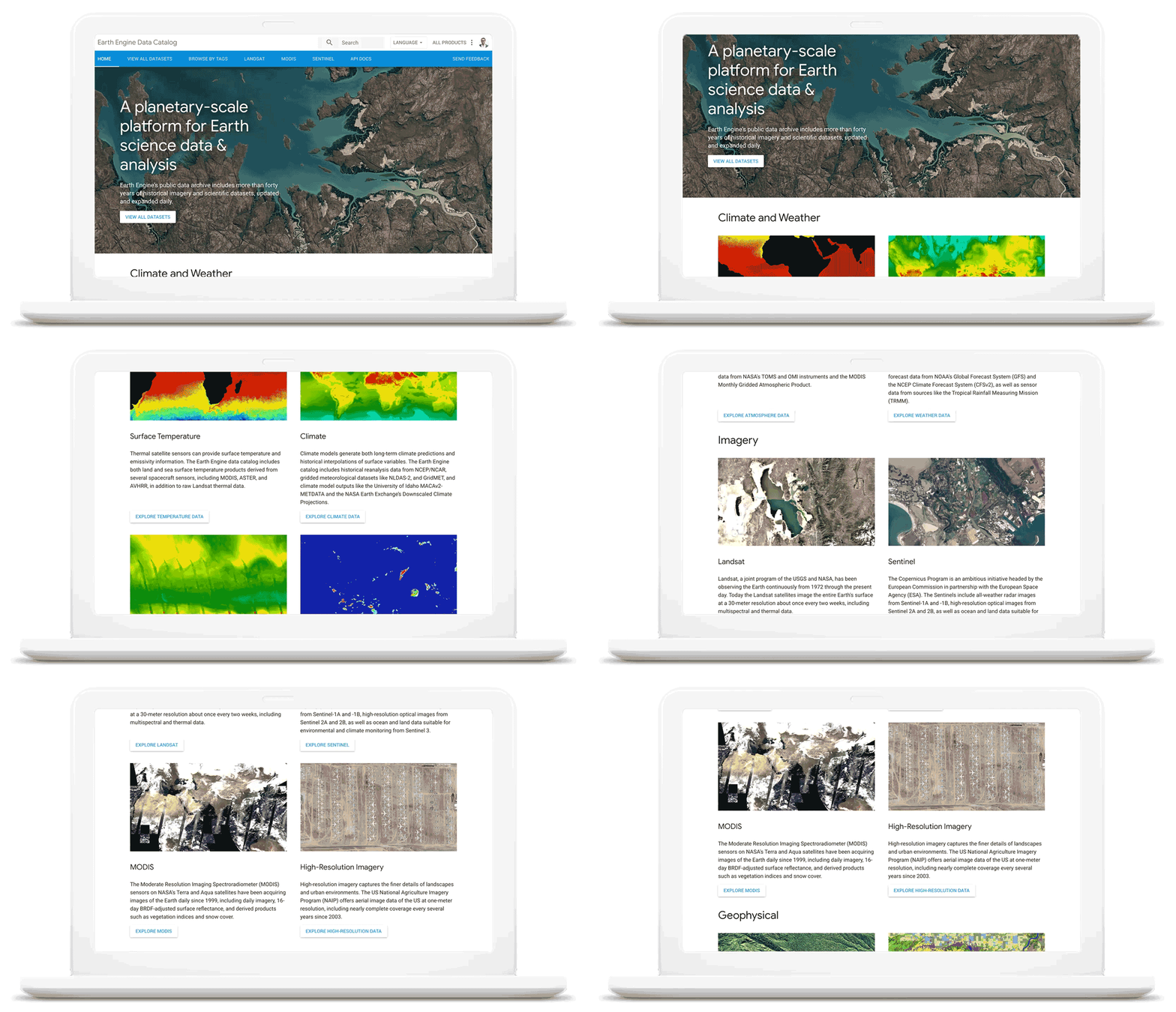
As we work with our customers to accelerate their sustainability initiatives, earth observation data is proving critical to effectively plan for the long-term impacts of climate change. To extend our geospatial and sustainability use cases we’re also expanding our partnerships with CARTO, Climate Engine, Geotab, NGIS, and Planet to bring their data and core applications to Google Cloud.
These partners will each make their existing platforms and datasets available globally on Google Cloud, giving you low-latency and reliable access to critical data and applications that will inform your sustainability initiatives. By integrating water availability, agricultural data, weather risks, and extensive daily satellite imagery into Earth Engine and BigQuery, you can achieve more ambitious goals for the sustainability of your business and our planet.
Committing to help you meet your climate goals
With each of these tools, we’re working to reduce the barriers you face in adopting more sustainable technology practices. We understand that building more sustainable applications and infrastructure is not easy. You face competing priorities, technical challenges, and the perception that climate action is costly.
It doesn’t have to be this way. Today, we are making a sustainability pledge to you: teams across Google Cloud are committing to eliminating the barriers you face in building a more sustainable digital future for your organization, and will help you take action today to realize your climate goals. We’ll do this in a number of ways:
- In digital transformation projects and workshops, sustainability teams will always have a seat at the planning table, so we can work together on using cloud technology to build a more sustainable future.
- We’re putting low-carbon signals natively into our products to help developers choose more sustainable options early in their application development.
- We’ll ensure carbon impact is measured consistently with other key performance indicators. Leveraging the social cost of carbon, the ROI models and value assessments you conduct with Google Cloud will project your emissions impact too.
- We’ll be transparent about our carbon impact, by publishing third-party reviewed reports and methodologies, so you can trust the data for your own reports and disclosures.
- We’ll continue to work with the industry on best practices, including educational resources like Sustainable IT – Decoded, a new masterclass created in partnership with Intel, that shares the expertise of sustainability thought leaders.
For the next decade we need to work together to avert the worst consequences of climate change. We’ve made tremendous progress in building technology that helps everyone do more for the planet, and we’re excited to see what you do with it. Visit this page to learn more about Google Cloud’s sustainability efforts.
More Relevant Stories for Your Company
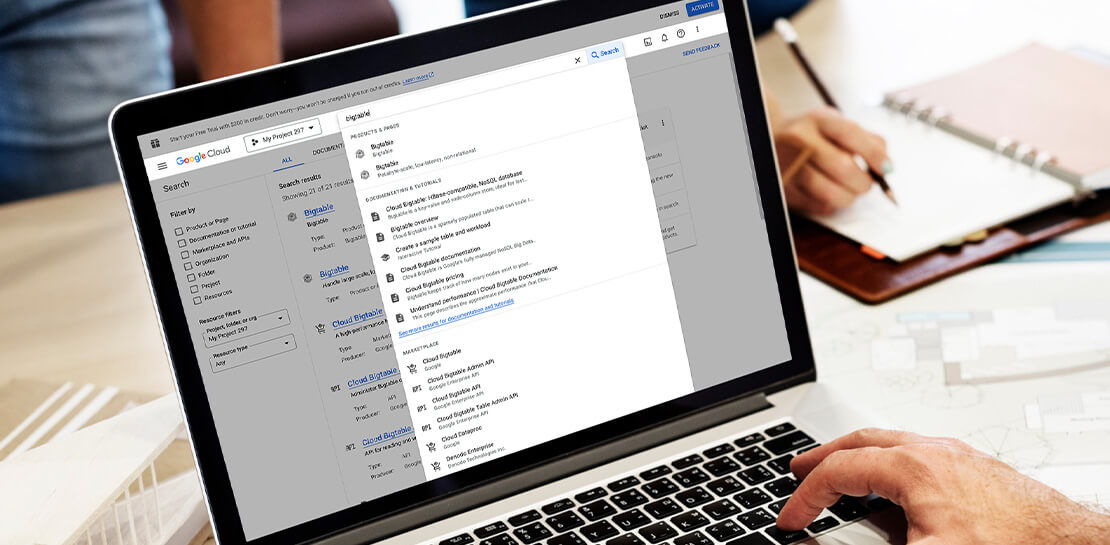
Streamlining Your Experience: Enhanced Search and Navigation in Google Cloud Console
The Google Cloud console is a powerful platform that lets users manage their cloud projects end-to-end with an intuitive web-based UI. With over 120 Google Cloud products across thousands of pages, it can be challenging to navigate through the console quickly, and many users don’t like to use the command

Google Cloud’s Suite of DevOps Speeds Up ForgeRock’s Development
Editor’s note: Today we hear from ForgeRock, a multinational identity and access management software company with more than 1,100 enterprise customers, including a major public broadcaster. In total, customers use the ForgeRock Identity Platform to authenticate and log in over 45 million users daily, helping them manage identity, governance, and access management across
Now on Mobile: Manage Your Google Cloud Support Cases Anywhere, Anytime
We’re excited to announce that Google Cloud Support is now available as Public Preview* in the Google Cloud mobile app. View and manage Google Cloud Support cases We understand how important it is to be able to access and collaborate on Cloud Support cases. As such, we’ve made it easy for you to




How This 70-Year Old Japanese Shoe-maker Uses Collaboration to Beat Competition
For over six decades now, ASICS, a Japanese footwear, and sports equipment provider—for some of the biggest names in the sporting world—has been in the business of making sport a part of people’s lives. From manufacturing basketball shoes in 1949, ASICS soon began to design sports shoes for Olympians. Headquartered
