





3013
Of your peers have already watched this video.
36:30 Minutes
The most insightful time you'll spend today!
Architecting and building a data lake on GCP with open source tools
Creating data lakes is often the first step towards maximizing value from data by generating insights for the business.
Hadoop data leaks, are today, the most common ones that are found on-premise and many of Google’s customers are moving these to the Google Cloud Platform. And the trend is accelerating.
In this video, Google Cloud Strategic Cloud Engineer, Roderick Yao, will teach you about the growing challenges in managing on-prem data lakes and what is driving the growth of open source implementations on the cloud.
He will walked you through how to architect, migrate, and secure your own open source data lake on Google Cloud using a mix of managed services and open source tools.
During the course of this presentation, Yao will go over:
- Why run data lakes on Google Cloud
- Designing and migrating data lakes
- Security and governance
A Comprehensive Guide for Understanding and Optimizing Your Dataflow Costs

1187
Of your peers have already read this article.
3:30 Minutes
The most insightful time you'll spend today!
Dataflow is the industry-leading platform that provides unified batch and streaming data processing capabilities, and supports a wide variety of analytics and machine learning use cases. It’s a fully managed service that comes with flexible development options (from Flex Templates and Notebooks to Apache Beam SDKs for Java, Python and Go), and a rich set of built-in management tools. It seamlessly integrates with not just Google Cloud products like Pub/Sub, BigQuery, Vertex AI, GCS, Spanner, and BigTable, but also third-party services like Kafka and AWS S3, to best meet your analytics and machine learning needs.
Dataflow’s adoption has ramped up in the past couple of years, and numerous customers now rely on Dataflow for everything from designing small proof of concepts, to large-scale production deployments. As customers are always trying to optimize their spend and do more with less, we naturally get questions related to cost optimization for Dataflow.
In this post, we’ve put together a comprehensive list of actions you can take to help you understand and optimize your Dataflow costs and business outcomes, based on our real-world experiences and product knowledge. We’ll start by helping you understand your current and near-term costs. We’ll then share how you can continuously evaluate and optimize your Dataflow pipelines over time. Let’s dive in!
Understand your current and near-term costs
The first step in most cost optimization projects is to understand your current state. For Dataflow, this involves the ability to effectively:
- Understand Dataflow’s cost components
- Predict the cost of potential jobs
- Monitor the cost of submitted jobs
Understanding Dataflow’s cost components
Your Dataflow job will have direct and indirect costs. Direct costs reflect resources consumed by your job, while indirect costs are incurred by the broader analytics/machine learning solution that your Dataflow pipeline enables. Examples of indirect costs include usage of different APIs invoked from your pipeline, such as:
- BigQuery Storage Read and Write APIs
- Cloud Storage APIs
- BigQuery queries
- Pub/Sub subscriptions and publishing, and
- Network egress, if any
Direct and indirect costs influence the total cost of your Dataflow pipeline. Therefore, it’s important to develop an intuitive understanding of both components, and use that knowledge to adopt strategies and techniques that help you arrive at a truly optimized architecture and cost for your entire analytics or machine learning solution. For more information about Dataflow pricing, see the Dataflow pricing page.
Predict the cost of potential jobs
You can predict the cost of a potential Dataflow job by initially running the job on a small scale. Once the small job is successfully completed, you can use its results to extrapolate the resource consumption of your production pipeline. Plugging those estimates into the Google Cloud Pricing Calculator should give you the predicted cost of your production pipeline. For more details about predicting the cost of potential jobs, see this (old, but very applicable) blog post on predicting the cost of a Dataflow job.
Monitor the cost of submitted jobs
You can monitor the overall cost of your Dataflow jobs using a few simple tools that Dataflow provides out of the box. Also, as you optimize your existing pipelines, possibly using recommendations from this blog post, you can monitor the impact of your changes on performance, cost, or other aspects of your pipeline that you care about. Handy techniques for monitoring your Dataflow pipelines include:
- Use metrics within the Dataflow UI to monitor key aspects of your pipeline.
- For CPU intensive pipelines, profile the pipeline to gain insight into how CPU resources are being used throughout your pipeline.
- Experience real-time cost control by creating monitoring alerts on Dataflow job metrics which ship out of the box, and that can be good proxies for the cost of your job. These alerts send real-time notifications once the metrics associated with a running pipeline exceeds a predetermined threshold. We recommend that you only do this for your critical pipelines, so you can avoid notification fatigue.
- Enable Billing Export into BiqQuery, and perform deep, ad-hoc analyses of your Dataflow costs that help you understand not just the key drivers of your costs, but also how these drivers are trending over time.
- Create a labeling taxonomy, and add labels to your Dataflow jobs that help facilitate cost attribution during the ad-hoc analyses of your Dataflow cost data using BigQuery. Check out this blog post for some great examples of how to do this.
- Run your Dataflow jobs using a custom Service Account. While this is great from a security perspective, it also has the added benefit of enabling the easy identification of APIs used by your Dataflow job.
Optimize your Dataflow costs
Once you have a good understanding of your Dataflow costs, the next step is to explore opportunities for optimization. Topics to be considered during this phase of your cost optimization journey include:
- Your optimization goals
- Key factors driving the cost of your pipeline
- Considerations for developing optimized batch and streaming pipelines
Let’s look at each of these topics in detail.
Goals
The goal of a cost optimization effort may seem obvious: “reduce my pipeline’s cost.” However, your business may have other priorities that have to be carefully considered and balanced with the cost reduction goal. From our conversations with customers, we have found that most Dataflow cost optimization programs have two main goals:
1. Reduce the pipeline’s cost
2. Continue meeting the service level agreements (SLAs) required by the business
Cost factors
Opportunities for optimizing the cost of your Dataflow pipeline will be based on the key factors driving your costs. While most of these factors will be identified through the process of understanding your current and near term costs, we have identified a set of frequently recurring cost factors, which we have grouped into three buckets: Dataflow configuration, performance, and business requirements.
Dataflow configuration includes factors like:
- Should your pipeline be streaming or batch?
- Are you using Dataflow services like Streaming Engine, or FlexRS?
- Are you using a suitable machine type and disk size?
- Should your pipeline be using GPUs?
- Do you have the right number of initial and maximum workers?
Performance includes factors like:
- Are your SDK versions (Java, Python, Go) up to date?
- Are you using IO connectors efficiently? One of the strengths of Apache Beam is a large library of IO connectors to different storage and queueing systems. Apache Beam IO connectors are already optimized for maximum performance. However, there may be cases where there are trade-offs between cost and performance. For example, BigQueryIO supports several write methods, each of them with somewhat different performance and cost characteristics. For more details, see slides 19 – 22 of the Beam Summit session on cost optimization.
- Are you using efficient coders? Coders affect the size of the data that needs to be saved to disk or transferred to a dedicated shuffle service in the intermediate pipeline stages, and some coders are more efficient than others. Metrics like total shuffle data processed and total streaming data processed can help you identify opportunities for using more efficient coders. As a general rule, you should consider whether the data that appears in your pipeline contains redundant data that can be eliminated by both filtering out unused columns as early as possible, and using efficient coders such as AvroCoder or RowCoder. Also, remember that if stages of your pipeline are fused, the coders in the intermediate steps become irrelevant.
- Do you have sufficient parallelism in your pipeline? The execution details tab, and metrics like processing parallelism keys can help you determine whether your pipeline code is taking full advantage of Apache Beam’s ability to do massively parallel processing (for more details, see parallelism). For example, if you have a transform which outputs a number of records for each input record (“high fan-out transform”) and the pipeline is automatically optimized using Dataflow fusion optimization, the parallelism of the pipeline can be suboptimal, and may benefit from preventing fusion. Another area to watch for is “hot keys.” This blog discusses this topic in great detail.
- Are your custom transforms efficient? Job monitoring techniques like profiling your pipeline and viewing relevant metrics can help you catch and correct your inefficient use of custom transforms. For example, if your Java transform needs to check if the data matches a certain regular expression pattern, then compiling that pattern in the setup method and doing the matching using the precompiled pattern in the “process element” method is much more efficient. The simpler, but inefficient alternative is to use the String.matches() call in the “process element” method, which will have to compile the pattern every time. Another consideration regarding custom transforms is that grouping elements for external service calls can help you prepare optimal request batches for external API calls. Finally, transforms that perform multi-step operations (for example, calls to external APIs that require extensive processes for creating and closing the client for the API) can often benefit from splitting these operations, and invoking them in different methods of the ParDo (for more details, see ParDo life cycle).
- Are you doing excessive logging? Logs are great. They help with debugging, and can significantly improve developer productivity. On the other hand, excessive logging can negatively impact your pipeline’s performance.
Business requirements can also influence your pipeline’s design, and increase costs. Examples of such requirements include:
- Low end-to-end ingest latency
- Extremely high throughput
- Processing late arriving data
- Processing streaming data spikes
Considerations for developing optimized data pipelines
From our work with customers, we have compiled a set of guidelines that you can easily explore and implement to effectively optimize your Dataflow costs. Examples of these guidelines include:
Batch and streaming pipelines:
- Consider keeping your Dataflow job in the same region as your IO source and destination services.
- Consider using GPUs for specialized use cases like deep-learning inference.
- Consider specialized machine types for memory- or compute-intensive workloads.
- Consider setting the maximum number of workers for your Dataflow job.
- Consider using custom containers to pre-install pipeline dependencies, and speed up worker startup time.
- Where necessary, tune the memory of your worker VMs.
- Reduce your number of test and staging pipelines, and remember to stop pipelines that you no longer need.
Batch pipelines:
- Consider FlexRS for use cases that have start time and run time flexibility.
- Run fewer pipelines on larger datasets. Starting and stopping a pipeline incurs some cost, and processing a very small dataset in a batch pipeline can be inefficient.
- Consider defining the maximum duration for your jobs, so you can eliminate runaway jobs, which keep running without delivering value to your business.
Summary
In this post, we introduced you to a set of knowledge and techniques that can help you understand the current and near-term costs associated with your Dataflow pipelines. We also shared a series of considerations that can help you optimize your Dataflow pipelines, not just for today, but also as your business evolves over time. We shared lots of resources with you, and hope that you find them useful. We look forward to hearing about the savings and innovative solutions that you are able to deliver for your customers and your business.
DocAI Lowers Customer’s Document Processing Cost by 60 Percent. Learn How

5623
Of your peers have already read this article.
2:00 Minutes
The most insightful time you'll spend today!
Some of the most important data at your company isn’t living in databases, but in documents, and most business processes begin, involve or end with a document.
Yet most companies are still manually entering data and reliant on guesswork to make sense of it all as the volume and variety of data explodes. Organizations are also leaving heaps of value on the table in the form of new and better customer experiences that can be unlocked with artificial intelligence (AI) applied to documents.
The latest releases of Document (Doc) AI platform, Lending DocAI and Procurement DocAI, built on decades of AI innovation at Google, bring powerful and useful solutions to these challenges. Under the hood are Google’s industry-leading technologies:
- Computer vision (including OCR) and Natural Language Processing (NLP) that creates pre-trained models for high-value, high-volume documents.
- Google Knowledge Graph to validate and enhance the fields in your documents.
- Training and creation of your own custom document models.
- Human interaction with AI to ensure accuracy where needed.
Google Cloud DocAI platform, Lending DocAI and Procurement DocAI are now generally available. Thousands of customers have tried these products in the preview phase—and DocAI has already processed tens of billions of pages of documents across lending, insurance, government and other industries.
“The vast majority of enterprise content still resides in unstructured sources like documents. Google Cloud’s Document AI brings a fresh new perspective to the problem informed by the company’s decades of experience making sense of the largest unstructured corpus in the world—the world wide web.” —Ritu Jyoti, VP of AI Research, IDC
Cut document processing costs by up to 60%
Lending DocAI helps banks, mortgage brokers and other lending institutions fast track the loan application process from weeks to days, dramatically reducing the cost of issuing a loan. And Procurement DocAI enables companies to automate procurement data capture at scale, lowering processing costs by up to 60%.
These solutions are built on DocAI platform, a unified console for document processing that lets you quickly access all parsers and tools. From the platform, you can automate and validate documents to streamline workflows, reduce guesswork, and keep data accurate and compliant.
Get more value from AI with DocAI’s industry-specific solutions
According to Accenture’s AI: Built to Scale report: “Companies that scale successfully see 3x the return on their AI investments compared to those who have not fully rolled out AI capabilities.”
Core to our strategy at Google Cloud is the creation of industry-specific solutions that help companies get maximum value out of their investments in AI. We announced Lending DocAI, our first solution designed specifically for the financial services industry, at the Mortgage Bankers Association convention last year. It processes borrowers’ income and asset documents using a set of specialized machine learning (ML) models, and automates routine document reviews so that mortgage providers can focus on more important work.
Lending DocAI is now generally available and includes more specialized parsers for critical loan documents including paystubs, bank statements, and more. Our goal is to provide the right tools to help borrowers and lenders have a better experience and close home loans faster. For more, watch this video.
Procurement DocAI is also now generally available. This solution helps companies accelerate document processing for invoices, receipts, and other valuable documents in the procurement cycle.
Automating data capture is helping our customers increase accuracy and also lower their procure-to-pay processing costs. We are continually expanding the types of documents Procurement DocAI can process—the latest is a utility parser for electric, water and other bills. In addition, Procurement DocAI leverages Google Knowledge Graph to validate and enrich parsed information to make the data even more useful. Check out this overview video for more details.
One company that lives and breathes AI-enabled document management is AODocs. It uses Procurement DocAI to simplify invoice processing for enterprise customers and launched a new Gmail add-on, Invoice to Sheet, for SMB customers who just want to track their invoices in Google Sheets.
“Google Cloud’s Procurement DocAI service allows our document management platform to better automate the processing of invoices; AODocs customers who have tested our new account payables workflow estimate that the productivity of their A/P team has more than doubled, thanks to the reduction of manual data input brought by the Procurement DocAI.”—Stéphan Donzé, Founder and CEO, AODocs
The new specialized parsers for Lending and Procurement DocAI can be used alongside our existing AutoML Text & Document Classification and AutoML Document Extraction services. These technologies provide a state-of-the-art toolset for creating new document models and have been widely deployed by customers in financial services and other industries.
Partner to accelerate your AI deployment and results
Having the right partner to ease the complexity of rolling out your AI-strategy in mortgage document processing is critical to transforming your customers’ experience. We’re excited to announce a partnership with Mr. Cooper, a leader in mortgage servicing, to provide customers with more automation and workflow tools throughout their entire mortgage life cycle. As part of this agreement, both companies will collaborate on digitizing Mr. Cooper’s core mortgage platform, creating a more personal customer experience utilizing AI, and driving a broader culture of innovation to imagine and develop services and solutions that will transform the mortgage experience for American homeowners.
“Over the last few years, we have made substantial investments in our servicing technology and core mortgage platform that have revolutionized the customer experience, while providing dramatic efficiencies in operating cost. Our partnership with Google Cloud AI will build on those advances and help make these technologies available for the mortgage industry.” —Jay Bray, Chairman and CEO, Mr. Cooper Group
This builds upon the robust partner ecosystem we’re creating to help customers revolutionize the home loan experience, which includes last year’s partnership announcement with Roostify.
Integrate human review into ML predictions
Next up is the general availability of Human-in-the-Loop AI, a new DocAI feature that will help companies achieve higher document processing accuracy with the assurance of human review. Adding human review can increase accuracy and help businesses interpret predictions using purpose-built tools to enable those reviews.
Processing documents quickly and cost-effectively is important. But it’s often necessary to have a high level of assurance on data accuracy for compliance. CIOs and IT decision-makers need highly accurate ML predictions to fulfill compliance requirements, improve employee experience (e.g. less rework), and raise customer satisfaction (e.g. fewer data errors). Including human participation in ML processes allows AI and humans to work together for the best possible results.

Human-in-the-Loop AI provides the workflow to manage human review tasks and produces a percentage confidence score of how “sure” it is that the AI ingested the document correctly. Document AI extracts data from documents with ML, and when paired with Human-in-the-Loop AI, human reviewers are able to verify the data captured. This system is customizable, providing the flexibility to set different thresholds and assign individual groups of reviewers to various stages of the workflow. With Human-in-the-Loop AI, developers can choose trusted reviewers to assign to the task; these reviewers can be from within their own or partner organizations.
More Document AI resources
To learn more, check out the Document AI webpage and watch a demo of how to process sample forms in AI Platform notebooks to inspect data extraction and confidence scores. For more on how customers and partners like Workday, AODocs, and Mr. Cooper are using Document AI, listen to our fireside chat. And stay tuned for the exciting evolution of these technologies in future releases of DocAI.
How Eventrac and Workflows Integration Helps Implement Hybrid Architecture in Google Cloud

6552
Of your peers have already read this article.
3:00 Minutes
The most insightful time you'll spend today!
I previously talked about Eventarc for choreographed (event-driven) Cloud Run services and introduced Workflows for orchestrated services.
Eventarc and Workflows are very useful in strictly choreographed or orchestrated architectures. However, you sometimes need a hybrid architecture that combines choreography and orchestration.
For example, imagine a use case where a message to a Pub/Sub topic triggers an automated infrastructure workflow or where a file upload to a Cloud Storage bucket triggers an image processing workflow. In these use cases, the trigger is an event but the actual work is done as an orchestrated workflow.
How do you implement these hybrid architectures in Google Cloud? The answer lies in Eventarc and Workflows integration.
Eventarc triggers
To recap, an Eventarc trigger enables you to read events from Google Cloud sources via Audit Logs and custom sources via Pub/Sub and direct them to Cloud Run services:

One limitation of Eventarc is that it currently only supports Cloud Run as targets. This will change in the future with more supported event targets. It’d be nice to have a future Eventarc trigger to route events from different sources to Workflows directly.
In absence of such a Workflows enabled trigger today, you need to do a little bit of work to connect Eventarc to Workflows. Specifically, you need to use a Cloud Run service as a proxy in the middle to execute the workflow.
Let’s take a look at a couple of concrete examples.
Eventarc Pub/Sub + Workflows integration
In the first example, imagine you want a Pub/Sub message to trigger a workflow.
Define and deploy a workflow
First, define a workflow that you want to execute. Here’s a sample workflows.yaml that simply decodes and logs the Pub/Sub message body:
main:params: [args]steps:- init:assign:- headers: ${args.headers}- body: ${args.body}...- pubSubMessageStep:call: sys.logargs:text: ${"Decoded Pub/Sub message data is " + text.decode(base64.decode(args.body.message.data))}severity: INFODeploy the workflow with a single command:gcloud workflows deploy ${WORKFLOW_NAME} --source=workflow.yaml --location=${REGION}
Deploy a Cloud Run service to execute the workflow
Next, you need a Cloud Run service to execute this workflow. Workflows has an execution API and client libraries that you can use for your favorite language. Here’s an example of the execution code from a Node app.js file. It simply passes the received HTTP request headers and body to the workflow and executes it:
const execResponse = await client.createExecution({parent: client.workflowPath(GOOGLE_CLOUD_PROJECT, WORKFLOW_REGION, WORKFLOW_NAME),execution: {argument: JSON.stringify({headers: req.headers, body: req.body})}});
Deploy the Cloud Run service with the Workflows name and region passed as environment variables:
gcloud run deploy ${SERVICE_NAME} \--image gcr.io/${PROJECT_ID}/${SERVICE_NAME} \--region=${REGION} \--allow-unauthenticated \--update-env-vars GOOGLE_CLOUD_PROJECT=${PROJECT_ID},WORKFLOW_REGION=${REGION},WORKFLOW_NAME=${WORKFLOW_NAME}
Connect a Pub/Sub topic to the Cloud Run service
With Cloud Run and Workflows connected, the next step is to connect a Pub/Sub topic to the Cloud Run service by creating an Eventarc Pub/Sub trigger:
gcloud eventarc triggers create ${SERVICE_NAME} \--destination-run-service=${SERVICE_NAME} \--destination-run-region=${REGION} \--location=${REGION} \--event-filters="type=google.cloud.pubsub.topic.v1.messagePublished"
This creates a Pub/Sub topic under the covers that you can access with:
export TOPIC_ID=$(basename $(gcloud eventarc triggers describe ${SERVICE_NAME} --format='value(transport.pubsub.topic)'))
Trigger the workflow
Now that all the wiring is done, you can trigger the workflow by simply sending a Pub/Sub message to the topic created by Eventarc:
gcloud pubsub topics publish ${TOPIC_ID} --message="Hello there"
In a few seconds, you should see the message in Workflows logs, confirming that the Pub/Sub message triggered the execution of the workflow:

Eventarc Audit Log-Storage + Workflows integration
In the second example, imagine you want a file creation event in a Cloud Storage bucket to trigger a workflow. The steps are similar to the Pub/Sub example with a few differences.
Define and deploy a workflow
As an example, you can use this workflow.yaml that logs the bucket and file names:
main:params: [args]steps:...- log:call: sys.logargs:text: ${"Workflows received event from bucket " + bucket + " for file " + file}severity: INFO
Deploy a Cloud Run service to execute the workflow
In the Cloud Run service, you read the CloudEvent from Eventarc and extract the bucket and file name in app.js using the CloudEvent SDK and the Google Event library:
const cloudEvent = HTTP.toEvent({ headers: req.headers, body: req.body });//"protoPayload" : {"resourceName":"projects/_/buckets/events-atamel-images-input/objects/atamel.jpg}";const logEntryData = toLogEntryData(cloudEvent.data);const tokens = logEntryData.protoPayload.resourceName.split('/');const bucket = tokens[3]
Executing the workflow is similar to the Pub/Sub example, except you don’t pass in the whole HTTP request but rather just the bucket and file name to the workflow:
const execResponse = await client.createExecution({parent: client.workflowPath(GOOGLE_CLOUD_PROJECT, WORKFLOW_REGION, WORKFLOW_NAME),execution: {argument: JSON.stringify({bucket: bucket, file: file})}});
Connect Cloud Storage events to the Cloud Run service
To connect Cloud Storage events to the Cloud Run service, create an Eventarc Audit Logs trigger with the service and method names for Cloud Storage:
gcloud eventarc triggers create ${SERVICE_NAME} \--destination-run-service=${SERVICE_NAME} \--destination-run-region=${REGION} \--location=${REGION} \--event-filters="type=google.cloud.audit.log.v1.written" \--event-filters="serviceName=storage.googleapis.com" \--event-filters="methodName=storage.objects.create" \--service-account=${PROJECT_NUMBER}-compute@developer.gserviceaccount.com
Trigger the workflow
Finally, you can trigger the workflow by creating and uploading a file to the bucket:
echo "Hello World" > random.txtgsutil cp random.txt gs://${BUCKET}/random.txt
In a few seconds, you should see the workflow log the bucket and object name.
Conclusion
In this blog post, I showed you how to trigger a workflow with two different event types from Eventarc. It’s certainly possible to do the opposite, namely, trigger a Cloud Run service via Eventarc with a Pub/Sub message (see connector_publish_pubsub.workflows.yaml) from Workflows or a file upload to a bucket from Workflows.
All the code mentioned in this blog post is in eventarc-workflows-integration. Feel free to reach out to me on Twitter @meteatamel for any questions or feedback.
How AI and Analytics in EdTech are Living Upto the Hype

4869
Of your peers have already read this article.
1:30 Minutes
The most insightful time you'll spend today!
Over the last year, COVID-19 presented unforeseen challenges for practically every type of business and organization—including schools, colleges, and universities. For educational institutions, the pandemic was an unapologetic agent of acceleration, shifting one billion learners from in-person to online learning within two months.
The rapid transition to online learning exposed many schools’ lack of readiness for the new online learning environment. It also widened the learning equity gap for students, with fewer than 40% of students from low-income families having access to the tools required for remote learning.
For those who do have online access, today’s students expect everything from engaging and collaborative digital learning experiences to skills-based training for their roles in the future workforce. Expectations are also high for 24×7 multi-channel tech support across all learning devices, applications, and platforms.
In these remarkable times, education technology companies have an important role to play in supporting academic institutions and students. Indeed, this is already happening, as the EdTech (Educational Technology) market is nearly tripling, with total global expenditures expected to reach $404 billion by 2025. However, the success of these EdTech companies depends on their performance in a number of areas, including:
- Content and products: How quickly can they generate new content and react to learner needs with new products to additional markets for broader adoption?
- Personalization: How effectively can they leverage artificial intelligence (AI) to provide a personalized experience to all types of learners?
- Trust and security: How trusted and secure are their services when educational organizations are suffering the highest number of data breaches since 2005?
Here are a few examples of how EdTech companies are successfully using AI and analytics to capture this opportunity and transform their businesses:
- Build better products: iSchoolConnect is an online platform that lets students explore schools, courses, and countries where they might study, and makes higher education admissions accessible to students around the globe. The company leverages AI services to help educational institutions optimize their academic operations by accelerating admission processing by greater than 90%, while saving significant costs.
- Launch in new markets faster: Classroom creativity tools provider Book Creator uses AI APIs to enhance accessibility and improve the learner experience. “The broad suite of intelligent APIs enables us to deliver richer experiences, faster and more easily, without having to be experts in machine learning, drawing recognition, map embeds, or other areas,” says VP of engineering Thom Leggett.
- Scale businesses securely: Using DevOps and CDN [content delivery network] services, Chrome browser recording extension creator Screencastify was able to support eight times growth in users overnight amid the COVID-19 pandemic, while maintaining consistent total cost of ownership. These technologies helped the company rapidly scale operations in response to the overnight increase in demand from consumers and assure student data privacy and security on a budget. “We know this is just the beginning, as more educators rely on technology to deliver richer, more interactive curricula to students,” says CEO James Francis.
- Provide personalized learning and support: Smart analytics and AI can provide personalized support and recommendations for students, forecast demand, and predict shifts in learners’ preferences. Online learning platform Mindvalley uses cloud-based tools to understand and make decisions based on user activity and leverage machine learning to predict behavior.
Google Cloud is partnering with many of these leading EdTech companies, as well as industry-leading consortiums like Ed-Fi and Unizin, to standardize educational common data models and best practices for more agile and cost-effective integration of EdTech into existing environments.
The education landscape is changing rapidly, and EdTech has a major role to play as institutions adapt to the massive shift in learners’ preferences and expectations. We’re committed to empowering EdTech companies with the tools and services they need to help expand learning for everyone, anywhere.
Watch our Spotlight session with EdTechX to learn more.
Marks & Spencer Aims to Bring a Third of business Online and Google Contact Center AI is Key to its Success

5796
Of your peers have already read this article.
6:20 Minutes
The most insightful time you'll spend today!
“Hello, Marks & Spencer. How may we help you?”
As one of the biggest and best-loved retail brands in the UK, Marks & Spencer (M&S) is known for the personalized service it provides to its 30 million loyal customers. For 135 years and in 57 countries around the world, M&S has worked to meet and exceed customer expectations for quality and service. Since the advent of the telephone, this has meant cheerfully servicing customers who call in to M&S branches or into their contact centers, no matter what their request might be.
“Retail is in a state of flux and M&S is transforming to better serve our customers so that we can compete and win. Automating calls into our stores with Google voice recognition gives us every opportunity to get things right for our customers and keep them coming back again and again.”
—Akash Parmar, Enterprise Architect (Digital Customer Engagement), Marks & Spencer
The company now has a goal of bringing one third of its business online by 2022. In order to engage more customers online, it has opened a new voice channel hosted on Google Cloud.
The company previously had switchboards in 13 different stores across the UK and Ireland (UKI), handling up to nine million calls a year. But as its retail offering evolved across multiple channels, it was becoming increasingly difficult to quickly and effectively answer customer service requests using an outdated switchboard model.
Customers might call in to order an outfit they had seen in a store, to inquire about returning a dress they bought online, or to recover a lost umbrella in a food hall. Each of these different requests required a different routing response from staff, and if the company didn’t act soon, it knew that the cost of managing the increase in call volume would lead to a significant cost impact. M&S decided it was time to make a technological leap forward to meet customers’ expectations in the new, omnichannel retail environment.
“Retail is in a state of flux and M&S is transforming to better serve our customers so that we can compete and win,” says Akash Parmar, Enterprise Architect for Digital Customer Engagement at M&S. “Automating calls into our stores with Google voice recognition gives us every opportunity to get things right for our customers and keep them coming back again and again.”
Boosting opportunities for customer engagement with voice recognition
M&S customers were used to dealing with their local store for anything they needed. But as stores were completely separate from the online business, customers weren’t able to purchase something they’d seen online by calling stores because the store staff didn’t have access to platforms needed to place an online order securely. For a company that places a very high importance on customer experience, this was unacceptable.
Akash Parmar, Enterprise Architect for Customer Engagement, was set a the goal by Chris McGrath, M&S Programme Manager, to ensure that the right channel and the right level of assistance was available to customers at any point before, during, or after purchase. Akash set himself the challenge of building a platform that could adapt to all of these channels and scale very quickly.
“We didn’t have the resources to build a speech recognition platform. DVELP removed that obstacle. It understood what we wanted to achieve and how Google Voice APIs and Twilio could get us there. Whatever we want, DVELP builds it for us. DVELP always presents options, never problems.”
—Akash Parmar
In 2018, Akash reached out to Google Cloud partner DVELP, one of the UK’s leading experts on the Twilio programmable contact center platform and Google speech recognition technology. DVELP recommended a Google Cloud-based natural language speech recognition platform that leverages the audio stream intent detection functionality in the Contact Center AI solution, Dialogflow, as the heart of an inbound-call-handling strategy. This strategy was designed to improve routing accuracy, give customers more self-service options, and increase analyst visibility into customer journeys.
“We didn’t have the resources to build a speech recognition platform. DVELP removed that obstacle,” says Akash. “They understood what we wanted to achieve and how Google Cloud Voice APIs and Twilio could get us there. Whatever we want, DVELP builds it for us. DVELP always presents options, never problems.”
Using Google speech recognition to improve customer experience
M&S wanted to use natural language to enable customers to speak and state what help they required rather than choose from a list of options. This would help them answer the millions of calls coming in and figure out what customers needed quickly.
In order to do that, DVELP needed to consider how best to address tying customer intent to actions, while maintaining flexibility. DVELP recommended the unconventional choice of not referencing intent in the application layer, but mapping the available actions to the information required to perform them. These actions were then used to build a “declarative dictionary” for the customer service team.
By focusing on actions rather than intents, the solution enables the customer services team to configure actions to intents in virtually any combination of key-value pairs. Leveraging the fact that Dialogflow can detect and respond to customer intents in real time, M&S has already reached 92% accuracy in translating customer declarations to actionable intents.
“With Google Cloud speech recognition and Contact Center AI solutions such as Dialogflow, there’s no information that we can’t make sense of. No matter where you call from, who you are, your age, your gender: you speak, and we understand.”
—Akash Parmar
Akash recalls that once customers became comfortable with the prompt, “in a few words, how may we help you?” they started providing simple, concise responses, and the customer learning curve quickly leveled out. At that point, Google Cloud speech recognition and Dialogflow took over. “The technology worked perfectly and the result was like magic,” says Akash.
“With Google Cloud speech recognition and Contact Center AI solutions such as Dialogflow, there’s no information that we can’t make sense of,” he says. “No matter where you call from, who you are, your age, your gender: you speak, and we understand.”
Enabling self-service contact center improvements with Dialogflow
It was important to M&S that contact center employees be self-sufficient in updating the platform to reflect changes in demand. They needed to be able to easily react to a spike in inquiries about a special offer, for example, without relying on the engineering team. At the same time, neither Akash nor the DVELP team wanted the staff to have to learn error-prone JSON inside contexts, or write responses in order to get necessary information from customers.
DVELP’s creative solution was to fill out the “Action and parameters” section of every intent. This is usually reserved for collecting information from customer declarations, but was also easily adapted to implementing custom key-value pairs. This is particularly helpful in making sure that the contact center is ready to handle new promotions as they arise. As sales and special events are communicated to the contact center from the head office, staff can program specific vocabulary directly into Dialogflow, thanks to Contact Center AI, ensuring that the M&S system is immediately ready to handle related customer calls.
Rolling out the platform to the UK and Ireland
In just a few months after going live, calls are being efficiently routed to the contact center and its existing customer service platform. At the contact center, staff can quickly and easily respond to customer requests, place orders, and process returns. Thanks to the natural language capabilities of Google Cloud, a simple customer request like “order the red children’s dress in the Bath high street window in size six” not only gets correctly routed, but provides data points for future personalized interactions.
Being able to accurately recognize customer intent 92% of the time after less than four months since deployment is an important milestone for M&S. With a concurrent 89% voice-to-text accuracy rate for Dialogflow transcriptions, M&S has rolled out the successful speech recognition platform to all of its stores in UK and Ireland and customer service contact centers.
Akash is so pleased with the performance of the new Google Cloud platform that he’s focusing on what new functionality he can add next to improve customer experience even more.
“We’re working on collecting product codes from customers using natural language so we can give them stock availability details,” he shares. “We also want to use Google Cloud to enable a more conversational experience when customers are searching for help or FAQs on our website. At the same time, we’re looking at Contact Center AI and Dialogflow to provide a virtual assistant experience for our webchat journey. Thanks to our new voice solution, we can clearly understand the key issues that our customers face on a day-to-day basis; the aim now is to start solving these issues through self-service and automation.”
More Relevant Stories for Your Company
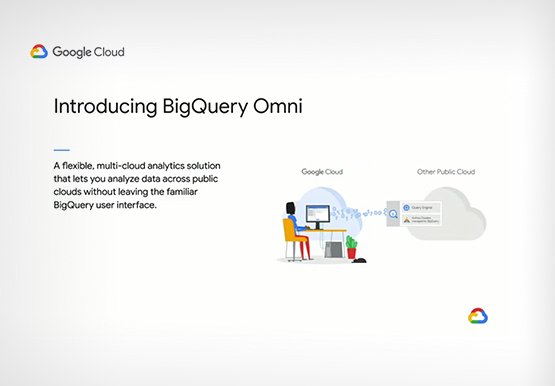
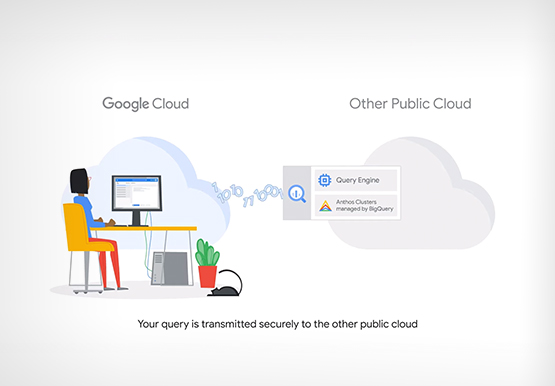

Analytics in a Multi-Cloud World with BigQuery Omni
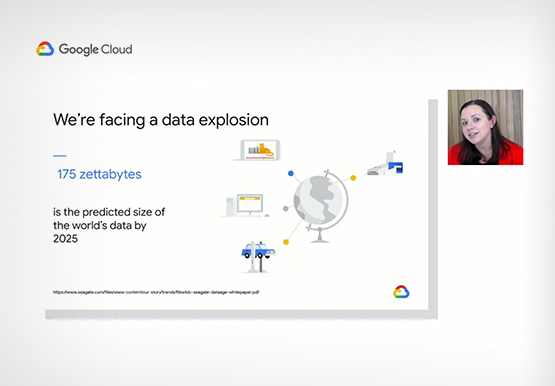
Enterprises have more data at hand than they have ever had in the past. But are unable to leverage it fully. “We have all of this data at our fingertips. But we just can't quite get to it because we're living in this world of data silos,” says Emily Rapp,

Data to Business Outcomes with Google’s Data Analytics Design Pattern
Companies today are inundated with vast amounts of data from various sources. This overwhelming amount of data is meant to benefit the company, but often leaves data teams feeling overwhelmed, which can create data bottlenecks and result in a slow time to value. In fact, only twenty seven percent of



Google Cloud’s 2021 Data Analytics Launches
Google Cloud announced closed to 15 services and programs spanning database, analytics, business intelligence and AI to help businesses gain value out of their data. Here's a rundown of announcements throughout 2021 on analytics solutions and services such as Dataplex, an intelligent data fabric solution, Datastream, a serverless change data

Google is a Leader in the 2019 Gartner Magic Quadrant for Data Management Solutions for Analytics
As organizations continue to produce vast quantities of data, they increasingly need platforms that allow them to analyze, store, and extract meaningful insights from that data. And research from analyst firms like Gartner offer an important way for organizations to evaluate and compare cloud data warehouse providers. Earlier this year,
