





3269
Of your peers have already watched this video.
24:00 Minutes
The most insightful time you'll spend today!
An Introduction to MLOps on Google Cloud
The enterprise machine learning life cycle is expanding as firms increasingly look to automate their production ML systems.
MLOps is an ML engineering culture and practice that aims at unifying ML system development and ML system operation enabling shorter development cycles, increased deployment velocity, and more dependable releases in close alignment with business objectives.
In this video, Nate Keating, Product Manager, Google Cloud, will define and give an overview of MLOps and the discuss the challenges at play. He then shares where data science teams are today and where Google Cloud sees them going. Finally he will demonstrate a simple framework for MLOps based on real processes that he has seen in practice.
Learn how to construct your systems to standardize and manage the life cycle of machine learning in production with MLOps on Google Cloud.
4580
Of your peers have already watched this video.
32:30 Minutes
The most insightful time you'll spend today!
Technical deep dive on Looker: The enterprise BI solution for Google Cloud
Thousands of users accessing petabytes of data on a daily basis: This is a challenging proposition for enterprises, without a doubt.
But Looker makes it possible. Beyond just accessing data though, Looker’s platform transforms your company’s relationship with data.
Go under the hood of Looker, with Olivia Morgan, Enterprise CE, Looker, to see how LookML empowers developers to take advantage of powerful data warehouses like BigQuery and ultimately enhance the workflows of end users.
She also takes a deep dive into LookML’s ability to use Google Cloud Functions and Search API to enhance dashboards, leverage BQML within Looker’s modeling layer to give users access to forecasts, tie in BigQuery’s public datasets to add richness to analysis, and show off LookML’s ability to handle nested tables for faster performance on transaction analysis all through a complete end to end demo.
Maximize Efficiency in Document Extraction Models with Document AI Workbench GA Release

1316
Of your peers have already read this article.
3:30 Minutes
The most insightful time you'll spend today!
Each day, more documents are created and used across companies to make decisions. However, the value in these documents is primarily expressed as unstructured data, which makes the value difficult and manually intensive to extract and use for business processes.
As the number and variety of documents used by businesses proliferate, machine learning (ML) solutions need to be more flexible to handle the broader set of use cases. That’s why we introduced the first Document AI Workbench model, Custom Document Extractor (CDE), in Public Preview at Google Cloud Next ‘22. CDE makes it fast and easy to apply ML to virtually any document-based workflow to extract structured data from unstructured document types, to automate business processes.
CDE lets developers and analysts use their own data to train models and extract fields from documents needed for the business. CDE lets organizations build models faster and with less data — thus accelerating time-to-value for processing and analysis of data in documents.
Today, we announce that Document AI Workbench is Generally Available (GA), open to all customers, ready for production use through APIs and the Google Cloud Console. Document AI Workbench is covered by the Document AI SLA — online and batch document prediction is supported with >=99.9% uptime. Furthermore, Document AI Workbench is now covered by Google Cloud’s GA product terms. For example, Google will notify customers at least 12 months before significantly modifying a customer-facing Google API in a backwards-incompatible manner.
In this blog post, we’ll explore ways customers are already using CDE and Document AI Workbench’s updated capabilities.
What users are saying about Workbench
Deliver higher model accuracy with Workbench
Users leverage Workbench to ultimately save time and money. A third party evaluated Document AI Workbench and concluded that it extracts data more accurately1 than several competing products for document types with variable layouts (e.g. invoice, receipt, bank statements, paystubs). Better accuracy drives higher automation rates, helping Workbench users save time and money.
Chris Jangareddy, managing director for Artificial Intelligence & Data at Deloitte Consulting LLP said, “Google Cloud Document AI is a leading document processing solution packed with rich features like multi-step classify and text extraction to automate sorting, classification, extraction, and quality assurance. By combining Document AI with Workbench, Google Cloud has created a forward-thinking and powerful AI platform for intelligent document processing that will allow for process transformation at an enterprise scale with predictable outcomes that can benefit businesses.”
Mansoor Khan, CEO of OneClinic said, “We help medical professionals scale their clinics through automation. We used Google’s Document AI Workbench to create a model to automatically extract data from patients’ insurance cards as part of our patient check-in software. Workbench is easy to use and we are really happy with the model accuracy — it extracts data more accurately than what we would expect from human data entry.”
Rajnish Palande, VP, Google Business Unit for BFSI, TCS said, “The Google Cloud Document AI Workbench leverages artificial intelligence (AI) to manage and glean insights from unstructured data. The Workbench brings together the power of classification, auto-annotation, page-number identification and multi-language support to help organizations rapidly deliver enhanced accuracy, improved operational efficiency, higher confidence in the information extract, and increased return on investment.”
Build production ready models faster with Workbench
Document AI Workbench helps users create machine learning models faster. For example, a third-party evaluation shows Document AI Workbench trains machine learning models up to 3x faster than a leading competitor. This is an important improvement which lowers total cost of ownership and increases value.
Dallas Dolen, Partner, Google Alliance Leader at PwC said, “Google Document AI Workbench helps to accelerate our custom parser models training as well as improves accuracy and performance using a custom document extractor with human in the loop. It helps us solve complex business problems for our clients in the financial services and healthcare industries.”
Ziang Jia, Senior DocAl Development Lead at Resultant, said, “Document AI Workbench has unlocked a brand-new machine learning development experience for information extraction solutions. Its simplicity and robustness enabled us to build models and deliver a highly accurate outcome in an agile way for a large government agency. We couldn’t be more impressed by its simplicity and robustness and are excited to see how the product will evolve in the future.”
Sean Earley, VP of Delivery Services of Zencore said, “Document AI Workbench allows us to develop highly accurate document parsing models in a matter of days. Our customers have automated tasks that formerly required significant human labor. For example, using Document AI Workbench, a team of two trained a model to split, classify and extract data from 15 document types to automate Home Mortgage Disclosure Act reporting. The mean trained model accuracy was 94%, drastically reducing the operational cost of our customer’s compliance reporting procedures.”
What’s new with Document AI Workbench
The latest Workbench capabilities make it even easier to train and deploy an extraction model:
- With Workbench’s public APIs, you can programmatically create, delete, train, evaluate and deploy models.
- Our updated dataset management tools automatically detect and create existing schema labels from your pre-annotated documents. They also provide you more flexibility when creating and managing schema.
- Our new DocAI Toolkit includes a labeled document converter so that you can easily convert your labeled documents to DocAI’s format and start training faster.
- We’ve reduced the cognitive load for labelers with efficiency enhancements to our Labeling UI.
- The revamped Processor Gallery helps you quickly identify the best model for your use case.
What’s next for Document AI Workbench
We continue to invest in Document AI Workbench to help you automate document processing. Here are a few things we’re working on that we’re excited about:
- Classify document types with the Custom Document Classifier (CDC), coming soon in public preview
- Copy processor versions across projects and processors to streamline managing development and production environments
- Support larger documents (e.g., longer than 50 pages) so you can process a wider array of documents
- Broader (non-latin) language support–equivalent to Document AI OCR
- And many more investments, using state of the art technology, to help you build world class models faster to automate document processing
Document AI Workbench is in GA and ready for production workloads. Learn more via Document AI Workbench documentation or try it out in the Google Cloud Console.
Acknowledgements: Tomas Moreno, Outbound Product Manager, Lukas Rutishauser, Software Engineering Manager, Michael Kwong, Software Engineering Manager, Rajagopal Janani, Software Engineering Manager, Michael Lanning, UX Designer.
1. When trained with 200+ documents
3228
Of your peers have already watched this video.
14:30 Minutes
The most insightful time you'll spend today!
How AI Has Helped Enterprises Adapt Quickly to Moments of Change
The pandemic has clearly caused a tremendous amount of rapid change for businesses across industries and regions.
In this session, Michael Baldwin, Head of Product – Financial Services, Google Cloud speaks about ways that artificial intelligence has helped enterprises adapt to those changes.
He will cover trends that Google Cloud experts are witnessing as they work with enterprises and the impact those trends have on key industries.
Some of these include:
- Significant shifts in demand
- Increased cost pressures
- Supply chain uncertainty
- Spikes in customer support cases
- Virtual work for continuity of services
- Accelerated digital transformation
He then demonstrates, with specific examples, how AI can helpful in these moments of change.
Contact Center AI & Automation Anywhere Help Virtual Agents Deliver Next Level CX

3049
Of your peers have already read this article.
2:30 Minutes
The most insightful time you'll spend today!
With the advent of the pandemic, contact center traffic has increased by as much as 300%, taxing center capabilities. To help handle the surge, and keep up with heightened customer demands, many customer experience providers have deployed automation in the form of virtual agents that serve as the first—and, sometimes the last—line of customer support. How effective these virtual agents are in delivering timely, complete customer service depends in large part on the contact center’s infrastructure and the power of the automation solution.
Customer support providers can now start to reimagine customer experience with Conversational AI and take advantage of the Google Cloud-Automation Anywhere partnership to modernize their operations.
Bringing together the Google Cloud Contact Center AI (CCAI) solution and the Automation Anywhere cloud-native Automation 360 platform, the partnership helps contact centers remain competitive by improving their performance metrics and customer satisfaction to exceed the continuously growing expectations.
Information here, there, anywhere—with limited access
Over the years, many contact centers have accumulated a multitude of systems, often creating a disconnected infrastructure. As a result, both human and virtual agents alike are challenged to keep up with growing customers’ expectations for timely, accurate, and complete service. Without up-to-date software and infrastructure, human agents have to perform a “swivel-chair” maneuver, logging in to the different systems, sifting through records, copying the needed information, and deciding what the next action should be. This approach is not conducive to achieving lower average handle times (or AHT), reduced processing errors, or increased customer satisfaction.
In such a siloed environment, virtual agents may not connect to all the relevant data systems and applications. That also limits what they can do to support human agents. Typically, a virtual agent can handle basic customer requests, such as providing banking customers with their account balances. For more complex requests, such as applying for a line of credit, a virtual agent still must transfer customers to human agents, and the swivel-chair maneuver begins.
Enter the RPA-assisted AI-powered virtual agent
The combination of Google Cloud Contact Center AI and Automation Anywhere’s Automation 360 RPA platform can help contact centers get the maximum benefit from utilizing virtual agents, enriching customer engagements. Further, by integrating automation, opening up APIs, and creating new processes for virtual agents, customer experience teams can help streamline operations by enabling users to quickly access the information they require. This helps minimize the need for the “swivel-chair” maneuver.
Automation 360 makes it possible for the CCAI virtual agents to access all systems and applications in both legacy and modern infrastructure, helping resolve every case quickly and easily. Not only can the virtual agents respond faster with answers, but they can complete more complex end-to-end requests. With RPA, customers are reporting 66% improved efficiency of contact center operations while exceeding their AHT reduction goals.
This video illustrates how such automation can dramatically reduce the processing time of a customer service request, and you can read more about the details of contact center automation, as well.
Additionally, a comprehensive development platform, the Google Cloud CCAI Dialogflow, powers virtual agents—chatbots and voicebots—with Conversational AI to deliver lifelike customer experiences anytime a customer reaches out to a brand. CCAI Agent Assist helps human agents with turn-by-turn guidance, ready-to-deliver answers, and ready-to-send responses. CCAI Insights identifies key metrics such as call drivers and customer sentiment for workflow optimization.
Living up to their potential
TELUS International, a leading digital customer experience provider and long-time partner of both Google Cloud and Automation Anywhere, has been leveraging virtual agents to enhance the employee and customer experience.
“We are very proud of the enormous value that we can provide our clients through combining our expertise in customer experience and digital transformation alongside the innovative solutions of our technology partners,” Jim Radzicki, CTO of TELUS International, explains. “For instance, through leveraging Google Cloud Contact Center AI and Automation Anywhere’s RPA integration, we are able to expand the capabilities of virtual agents to process a wider variety of customer requests while allowing our team members to focus on the most critical conversations and creating a meaningful connection with every customer.”
With CCAI and Automation 360, virtual agents can help contact centers deliver 24/7, comprehensive, accurate service, all of which helps eliminate wait times—even with heavy traffic. And this is just the start.
With deeper integration planned between Automation 360 and CCAI, RPA can augment CCAI Agent Assist’s abilities to help human agents by bringing untapped case-sensitive information to their fingertips. Furthermore, Automation 360 Bot Insight can complement CCAI Insights’ as well as TELUS International’s Intelligent Insights, a tool-agnostic platform to monitor and manage RPA solutions and bots, with backend data access metrics.
At Google Cloud and Automation Anywhere, we’ll continue developing our contact center solution to extend automation capabilities for better customer service and greater customer satisfaction. Instead of constantly swiveling, agents can once again be at the center of the call center action, taking their work—and the experience of their customers—to the next level.
6905
Of your peers have already watched this video.
14:21 Minutes
The most insightful time you'll spend today!
How Anthos Helps Organizations Implement Multi and Hybrid Cloud Strategy
Organizations have become increasingly focused on using modernization solutions to build competitive advantage, for faster time to market, serve customers better and seamlessly operate in hybrid and multi-cloud environments. Anthos by Google Cloud, a managed application platform plays an important role in application modernization and also in empowering customers to deploy a hybrid or multi-cloud strategy with opensource technologies and platforms like Kubernetes.
Watch the video to refer to the real use-cases of Anthos for application modernization and hybrid/multi cloud deployment across retail, digital natives, banking and manufacturing space.
Also, explore the latest tool, Migrate for Anthos if you are a traditional enterprise looking to skip rewriting of applications and lift-and-shift process!
More Relevant Stories for Your Company

Siemens: What Smarter New Age Recruiting Looks Like
Siemens aims to shape the future—and has the scale, culture, and know-how to realize its ambitions. The Germany-headquartered industrial manufacturing business operates in more than 120 countries and focuses on electrification, automation, and digitalization. Siemens' extensive portfolio includes industrial production digitalization and automation technologies, diagnostic and therapeutic imaging for healthcare, and




Google Cloud’s 2021 Data Analytics Launches
Google Cloud announced closed to 15 services and programs spanning database, analytics, business intelligence and AI to help businesses gain value out of their data. Here's a rundown of announcements throughout 2021 on analytics solutions and services such as Dataplex, an intelligent data fabric solution, Datastream, a serverless change data
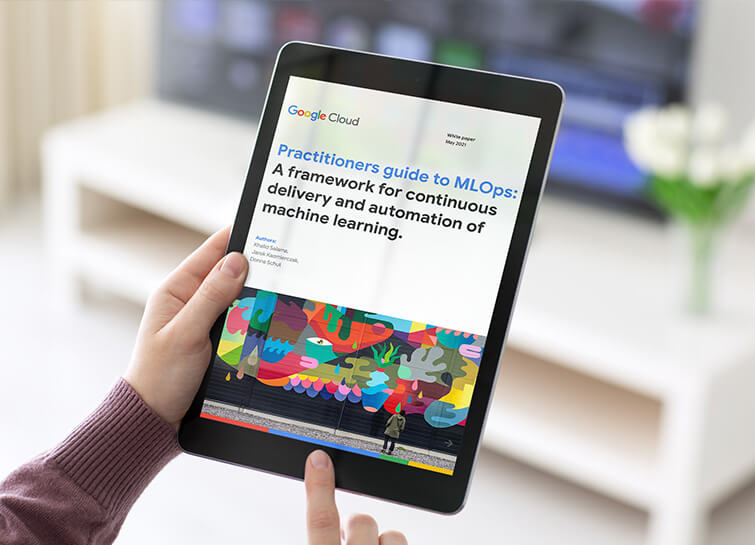
Data Science Teams: A Practitioners Guide to MLOps
Across industries, DevOps and DataOps have been widely adopted as methodologies to improve quality and reduce the time to market of software engineering and data engineering initiatives. With the rapid growth in machine learning (ML) systems, similar approaches need to be developed in the context of ML engineering, which handle

Contact Center AI Platform Brings Together the Merits of AI, Cloud Scalability, CRM Integration and Multi-experiences!
Providing best-in-class customer service is crucial for the success of your business. Contact centers are a critical touch point, as they have to balance between representing your brand and prioritizing customer care. When your customers seek help and support, they expect efficient service that is accessible through modern voice and
