





Transport Platform’s Richly-detailed Geospatial Data Allows Commuters to Track Buses in Real-time!

5634
Of your peers have already read this article.
3:00 Minutes
The most insightful time you'll spend today!
Vinayak Bhavnani, Co-Founder and CTO of India-based bus transport technology company Chalo, shares how Google Maps Platform is used to improve visibility for commuters and bus operators across India by visualizing geospatial data.
Effective public transport networks contribute to the local economy and help make cities safe, pleasant, and sustainable. In India, buses make up around 90% of the public transport offering, but when you talk to the people who ride them every day, you find that there’s a lot of room for improvement. Heavy traffic means there are rarely any fixed schedules and it’s impossible to know exactly when your bus is coming. We’ve found that people tend to wait at a bus stop for up to 30 minutes a day, which creates a lot of frustration and wasted time.
When we founded Chalo, our aim was to make the daily city commute a more positive experience. Reliability is synonymous with visibility: when you know exactly when the bus is coming, you can plan your day better. If you’re in your office, for example, and see the next bus is in 10 minutes, you can be at the stop at the exact time it arrives, instead of waiting around. To enable this, we base our solutions on richly-detailed geospatial data provided by Google Maps Platform.
Eliminating wait times and increasing revenue with geospatial data
In India, bus passengers tend to have fewer resources. The Chalo App, which can be downloaded for free, allows them to see exactly where their bus is on its route and when it will arrive at their nearest stop. They also tend to be late adopters of mobile technology, meaning we had to create an interface that was user-friendly, reassuring and adapted to all age groups and backgrounds. One of the main reasons we opted for Google Maps Platform is that it’s very present in India and other emerging markets and is familiar to our users, which inspires trust. At the same time, we like the fact that Google Maps Platform provides rich geospatial data while being simple to implement and work with. We use the Geocoding API, Reverse Geocoding, and the Directions API to enable location search and provide directions.
We also worked with MediaAgility to identify the Google Maps Platform products most suited to our needs and the best practices to be followed. This helped to ensure that our business objectives could be met efficiently.
The Chalo App also enables digital ticketing, alongside the Chalo Card, a payment card for those who don’t own a smartphone. India, like the rest of the world, is gradually moving away from cash payments, but the public transport system is proving slow to catch up, meaning people still must have cash in hand when they board the bus. Digital ticketing not only makes commuting more convenient, it also helps protect passengers, drivers and conductors during the COVID-19 health crisis by limiting physical contact.
Chalo also offers solutions aimed at bus operators that help them improve their services and their bottom line. In major Indian cities, buses are run by a combination of public and private agencies and small private individual bus operators, with the majority of the latter only operating one or two buses. The market is very fragmented and there’s not much incentive for bus operators to invest in infrastructure or customer experience – especially when they have little to no visibility on where their fleet is at a given time, how many kilometers it travels in a day, or how much money it takes.
The Chalo dashboard provides operators with a map-based real-time overview of bus locations, alongside scheduling features and route, ticketing, and passenger statistics. Geospatial intelligence and insight into passenger demand enable operators to explore new avenues of revenue and adapt routes and services to passenger needs. Operators who’ve partnered with Chalo report an average improvement of 10% to 30% of their bus fleet operations.
Chalo is currently powering about 100 million rides a month on 15,000 buses in 37 cities. We’d like to see the number of rides increase tenfold over the next few years. To do that, we’re looking to broaden our offer and expand to other parts of the country and across international borders. A pilot is underway in Bangkok, and we’re considering expansion into South-East Asia, Africa, and the Middle East. Having access to detailed geospatial data anywhere in the world via Google Maps Platform, without having to make any major investments or changes to our technology stack, will make this considerably easier.
At the same time, we’re exploring artificial intelligence and machine learning to improve the accuracy of our scheduling features and we’re introducing video-based solutions for people-counting on buses. Our aim is to continually improve our offering and optimize our services. We’re looking forward to working closely with Google to make that happen.
For more information on Google Maps Platform, visit our website.
3920
Of your peers have already watched this video.
15:11 Minutes
The most insightful time you'll spend today!
Communication in G Suite: The Future of Gmail, Chat, Meet, and More
Let’s take a step back and acknowledge the sudden shift that many of our businesses and employees have recently faced in the workplace.
A lot of people, who for a really long time relied on physical office space and infrastructure to both communicate and collaborate, have had to shift how they work and quickly. The crisis at hand has become a massive catalyst to remote, distributed and flexible work. And almost 3/4 of CFOs actually predict that these changes will permanently affect how companies choose to work moving forward.
While we’re well into this new reality, I want to quickly recap a few ways we’ve adapted to try to make this change to flexible work easier on people and organizations. First, we made premium Meet features available to all G Suite users, which meant that every customer, from schools to startups to small businesses to large enterprises, could leverage larger meeting sizes, live streams, recordings, and more.
In this video, find out more about how Google Workspace (formerly G Suite) is changing the future of work.
Google’s Default Messaging Apps for AT&T Android Users Ensure Richer Conversations

5558
Of your peers have already read this article.
1:30 Minutes
The most insightful time you'll spend today!
Today, we’re announcing that we’re working with AT&T to establish Messages by Google as the default messaging application for all AT&T customers in the United States using Android phones. The collaboration aims to help accelerate the industry toward global Rich Communication Services (RCS) coverage and interoperability to offer a consistent, secure, and enhanced messaging experience for all Android users around the world.
“Many AT&T customers have enjoyed the advantages of RCS for years when texting with friends and family,” said David Christopher, executive vice president and general manager – AT&T Mobility. “We look forward to working closely with Google to extend these benefits to even more of our customers as they enjoy richer conversations with others around the world.”
Working together, AT&T and Google will continue the momentum to upgrade SMS with enhanced messaging features offered in Messages, which includes the support of chat features based on the open RCS standard. With Messages as the default messaging application, all AT&T customers using Android devices will get enhanced features so they can:
- Share full-resolution pictures from a recent event or vacation
- Send a higher-quality video of that soccer goal and the celebration that followed
- Know when someone is replying to a text
- Send and receive messages over Wi-Fi or data
- Participate in group chats where it’s easy to add someone else to the conversation, or let someone leave, without starting a brand new thread
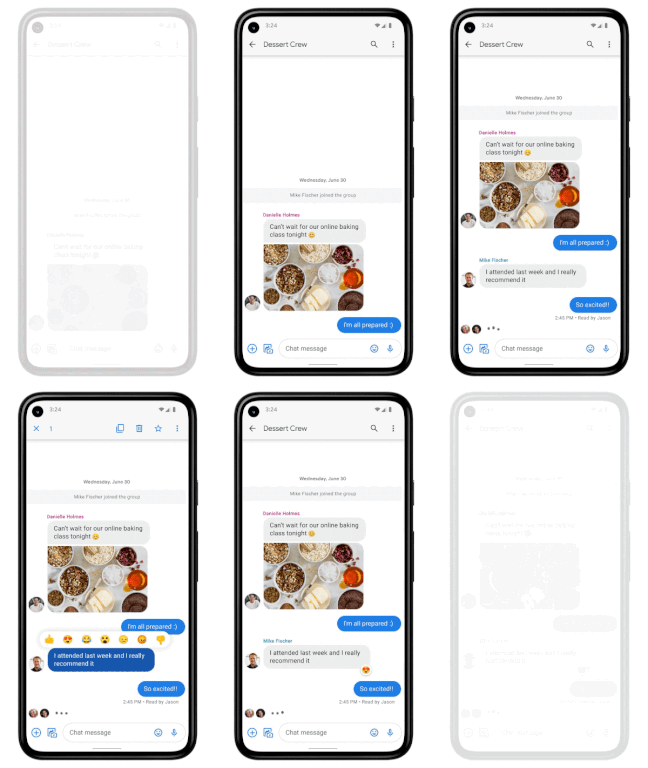
In addition to these features, we’re also rolling out end-to-end encryption for one-on-one RCS conversations between people using Messages and people who have chat features enabled.
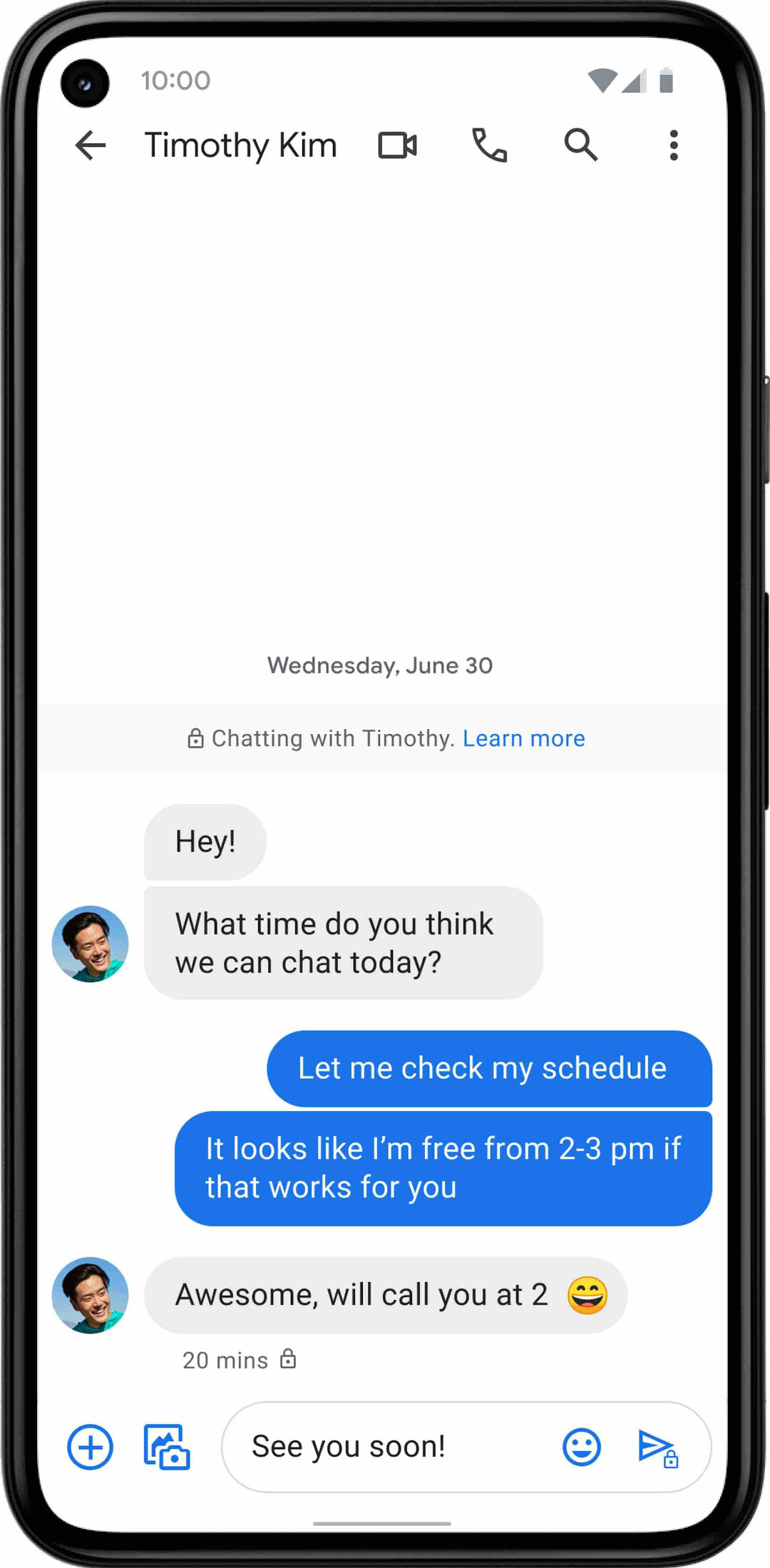
For years, we’ve been working with the mobile industry and device makers to bring enhanced and secure messaging to everyone on Android. Today’s announcement—that AT&T customers using Android devices will soon be able to enjoy these features by default—is a major step forward.
Google Workspace Makes Hybrid Model Palatable for Teams of All Sizes

3811
Of your peers have already read this article.
4:00 Minutes
The most insightful time you'll spend today!
One of the hopeful signs of a return to normalcy is seeing many of our customers make plans to come back into their offices. And they’re asking for strategies that will make hybrid work a more equitable and productive experience for everyone. At Google, we’re also beginning our own transition to hybrid work in early April. As we gear up for that, it feels like a time of optimism for new ways of working together and the potential for hybrid models to become the sustainable norm. When designed well, a hybrid model gives employees the flexibility to deliver their best from anywhere, while bringing them together thoughtfully for the power of in-person collaboration.
Today, Google Workspace is announcing new features that can help teams of all sizes stay better connected and engaged, whether they’re working from home, the office, or anywhere in between.
More inclusive and secure hybrid meetings
For most companies working in a hybrid model, meetings typically include in-person and remote attendees, and it’s essential that each hybrid meeting experience is unified and productive for all. In light of this, we continue to make enhancements to Google Meet to help ensure that all video meetings are secure and inclusive no matter the location or device preference.
Coming next month, in-meeting reactions will let attendees visually express themselves with 👍 ❤️ 😆 and more, bringing energy into the meeting and giving immediate feedback to speakers and other attendees. These reactions will appear in a participant’s video tile, or overflow alongside their name if their video tile isn’t visible.

Being able to see and hear each other during hybrid collaboration is essential. To address this, we’re bringing Meet directly to Docs, Sheets, and Slides in the coming weeks. Users will be able to quickly start a meeting and bring it to a document, spreadsheet, or presentation, and they can present this content to all the meeting attendees. This enables everyone in the meeting to collaborate in real-time while having a conversation—all from the same tab.
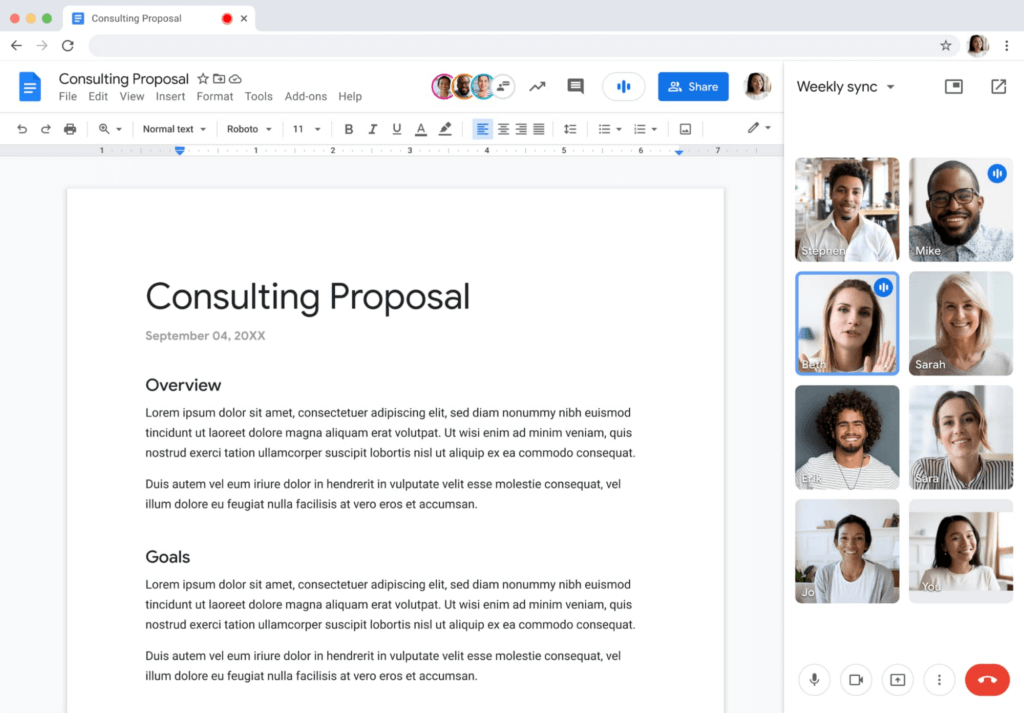
Additionally, to help presenters and multitaskers see their audience while navigating different tabs and windows, we’re bringing picture-in-picture to Meet running on Chrome browsers. Next month, you’ll be able to see up to four video tiles of meeting attendees in a floating window on top of other applications as you share content or send a message in Gmail. Clicking on picture-in-picture quickly takes you back to the full Meet session.

With our recent rollout of Companion mode for Meet, we gave in-room meeting attendees a way to stay engaged using their personal devices while leveraging in-room audio and video. To improve the in-room experience, we’ve started rolling out automatic noise cancellation on all Google Meet hardware, including Logitech, Acer and Asus hardware.* This will help remove background noises—from loud typing in a conference room to the neighbor’s lawn mower. In the coming months, people in conference rooms will also be able to add their own personal video tile from Companion mode and their laptop camera, making it easier for other attendees to see their expressions and gestures.
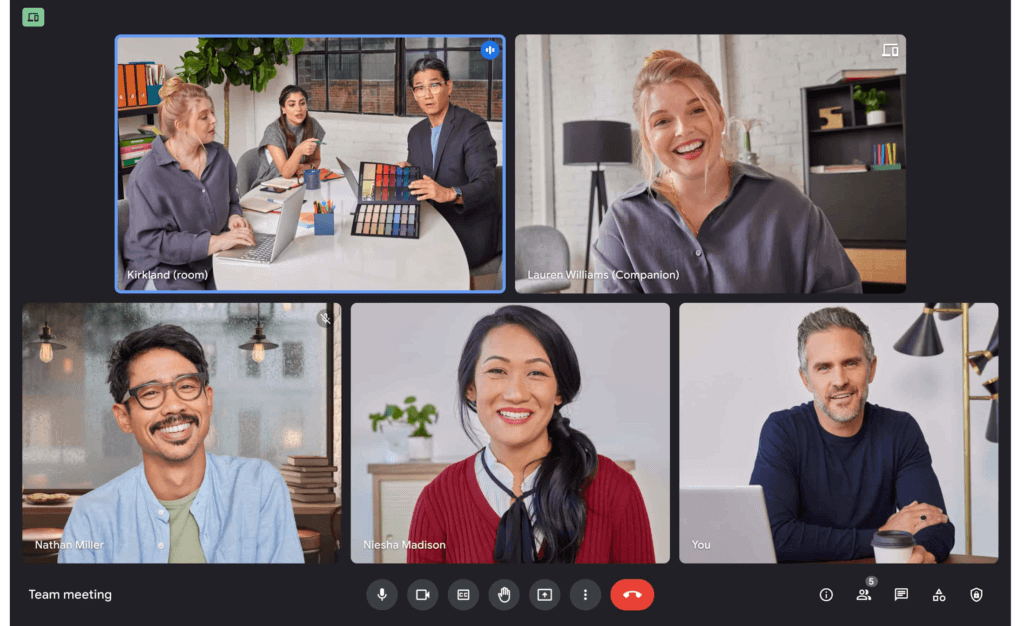
We’re also improving the livestream experience, strengthening an organization’s ability to broadcast a message and deepening its engagement with audiences. Today, Google Meet users can host meetings of up to 500 active attendees with the ability to livestream to audiences of up to 100,000 across trusted Google Workspace domains. Coming later this year, livestream attendees will be able to participate in Q&A and polls, matching the experience that Meet attendees enjoy today. Customers have also requested the ability to reach a broader audience by livestreaming through other platforms. Later this year we’ll enable meeting hosts to do just that by streaming meetings directly to YouTube from the Meet activities tab. Our integration with YouTube means a Google account can be used for authentication, simplifying the livestreaming process.
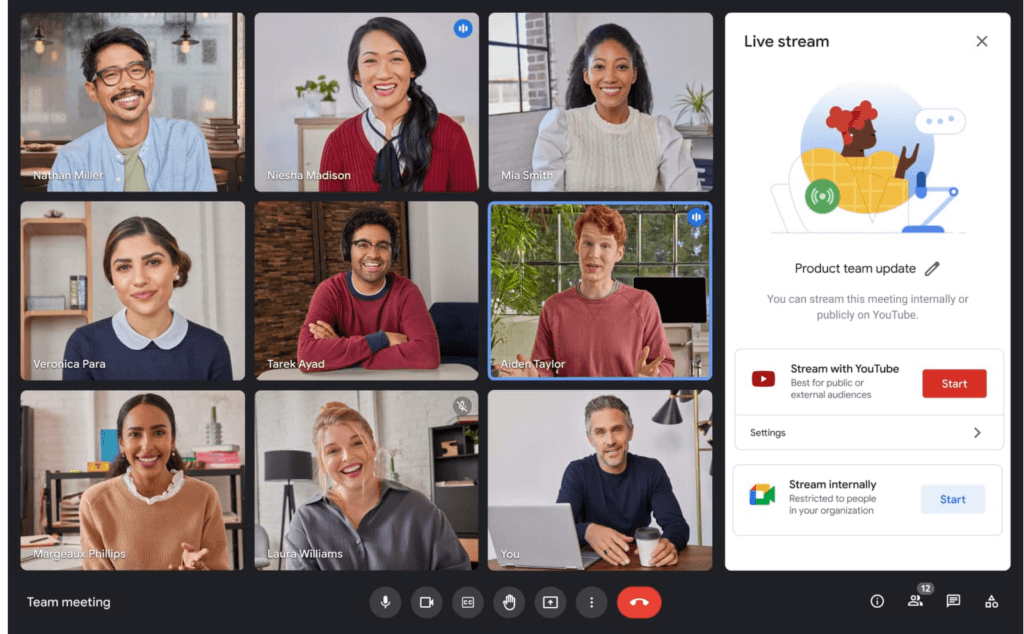
Lastly, to help keep your most sensitive communications protected and private, in May we’re rolling out optional client-side encryption in Google Meet (currently in beta). This feature gives our customers direct control of the encryption keys and identity provider used to access those keys. And later this year we’ll introduce optional end-to-end encryption for all meetings.
Together, these enhancements strengthen the foundation of security that help make secure, hybrid collaboration happen at scale.
Anytime collaboration for teams large and small
While live meetings can be a great way to collaborate and make decisions in real time as a team, most communication and information sharing doesn’t need to happen in real time. How do high performing teams stay connected with the right information, at the right time, without the need for the back-to-back meetings that were a hallmark for many during the pandemic?
Spaces in Google Workspace offers an integrated, effective solution for anytime collaboration, where teams can share ideas and knowledge, discuss topics, collaborate on documents, and manage tasks within a single, persistent location.
We are improving how conversations are displayed in Spaces with inline threading, a top request from enterprise customers. With inline threading, members of a space will be able to respond to specific comments and create side conversations, while keeping the dialogue organized and contextual. Every teammate can easily browse a space and catch up on topics that are important to them, at a time that works for their schedule.
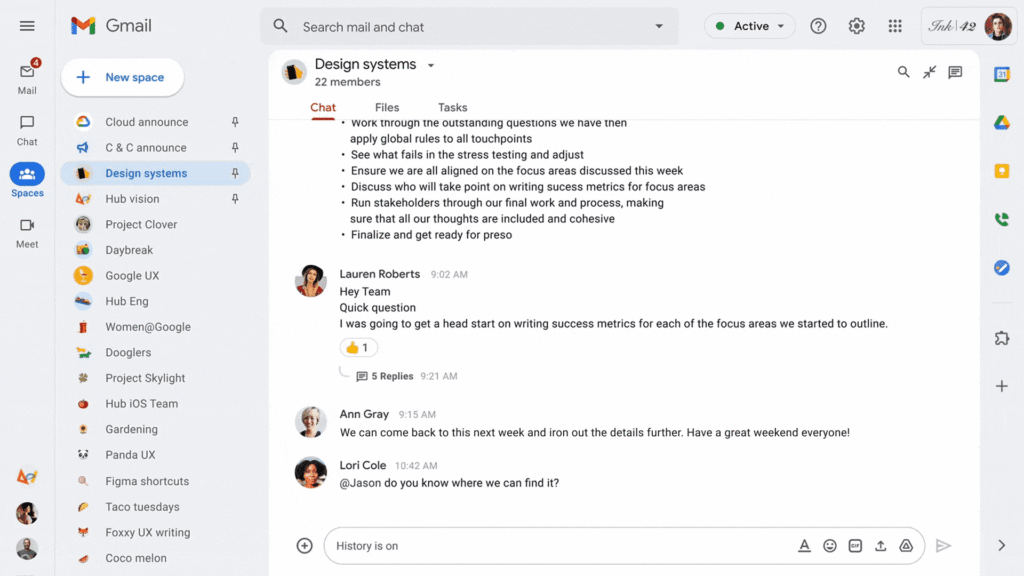
To further support collaboration and transparency, last week we enabled users to invite others to join a Space via a shared link, and later this year we will enable users to search and join Spaces across an organization. We’re also improving search within Chat and Spaces to surface the most relevant files and conversations, and bringing filter chips to chat search results later this year.
And to bring the power of Spaces to organizations of all sizes, we are increasing team size limits to 8,000, and we’ll increase this to 25,000 by the end of this year to support communities as they grow. This will improve knowledge sharing and collaboration in larger organizations and unlock key scenarios, including team, department and organizational announcements.
Strong team cultures are built on trust and psychological safety. That’s why we’re adding features that improve content moderation, the ability to designate managers and guidelines for specific Spaces, and new admin capabilities to delete Spaces.
Bringing Google Voice to more customers
With the move to a hybrid workplace, we’ve seen renewed interest in cloud-based phone systems that untether people from legacy deskphones. Google Voice keeps colleagues and customers connected with an intuitive calling experience across devices (web, mobile, and certified deskphones) while leveraging Google’s AI to help save time by blocking spam, transcribing voicemails, and guiding callers. Google Voice has over a decade of cloud telephony experience and seamlessly integrates with Google Workspace.
To help our European customers adopt Google Voice, we recently announced that calls from European Google Voice numbers to mobile and landline numbers in many European countries will be included in their Google Voice license. Later this year, we’ll introduce SIP link, which will allow customers to connect SIP trunks from their chosen telecommunications carrier via certified session border controllers from Audiocodes, Cisco, Oracle, and Ribbon. This will enable customers with operations outside our current coverage areas to move holistically to Google Voice. Admins will be able to easily manage these carrier-provided numbers alongside Google-provisioned numbers directly in the Google Admin Console.
We’ll also begin rolling out on-demand call recording to Google Voice Standard and Premier subscribers next month. Premier subscribers will have the additional benefit of automated call recordings, which is a top request from customers in regulated industries. We encourage you to learn more about Google Voice and talk with your Google account rep about trying it today.
Benefits of a modern hybrid work strategy
As work continues to evolve, Google Workspace will continuously look for ways to help your teams better connect, create, and collaborate, no matter where and how they work together. By bringing together Google Workspace innovations in voice, video meetings, and the collaboration spaces that support hybrid work, your organization can benefit from a strategy that removes friction, streamlines costs, and reduces the security risks associated with maintaining multiple platforms. With a unified approach to communications and collaboration, you can build a sustainable hybrid work model that gives employees the ability to deliver their best from anywhere.
Learn best practices from Google in our hybrid work handbook.
4649
Of your peers have already watched this video.
3:00 Minutes
The most insightful time you'll spend today!
The Simple Salesforce Extension on Gmail That Can Make Sales and Marketing More Productive
What’s one of the big problems of sales and marketing? The inability to get a more holistic picture of a customer when reaching out to them.
There’s a fix for that if you’re using Gmail.
It’s a Salesforce Lightning Chrome extension. As you read and respond to emails in your inbox Salesforce Lightning for Gmail will surface relevant customer information from your CRM directly to you within the Gmail interface.
This will not only save you time by reducing how often you’re toggling between tools, but it’ll also ensure that you have the most current customer information at hand at all times.
With Salesforce Lightning for Gmail you’ll be able to see opportunities, cases, leads and other Salesforce records the contact has with your organisation enabling you to better craft your email response to match your customer’s specific situation.
Find out how else Salesforce Lightning for Gmail can make you smarter, faster and more accurate. Watch this short video now.
Google Meet on Glass: A New Way of Collaborating Teams with Video Meetings in Real-time

3816
Of your peers have already read this article.
1:30 Minutes
The most insightful time you'll spend today!
Open beta now available to all Google Workspace customers
Seeing is believing. For many service technicians, trainers, and other frontline workers, the ability to share a real-time view of what they can see with their virtual clients or teams can make all the difference. That’s what we’ve heard from global participants in the closed beta of Google Meet running on Glass Enterprise Edition 2 that we announced last year.
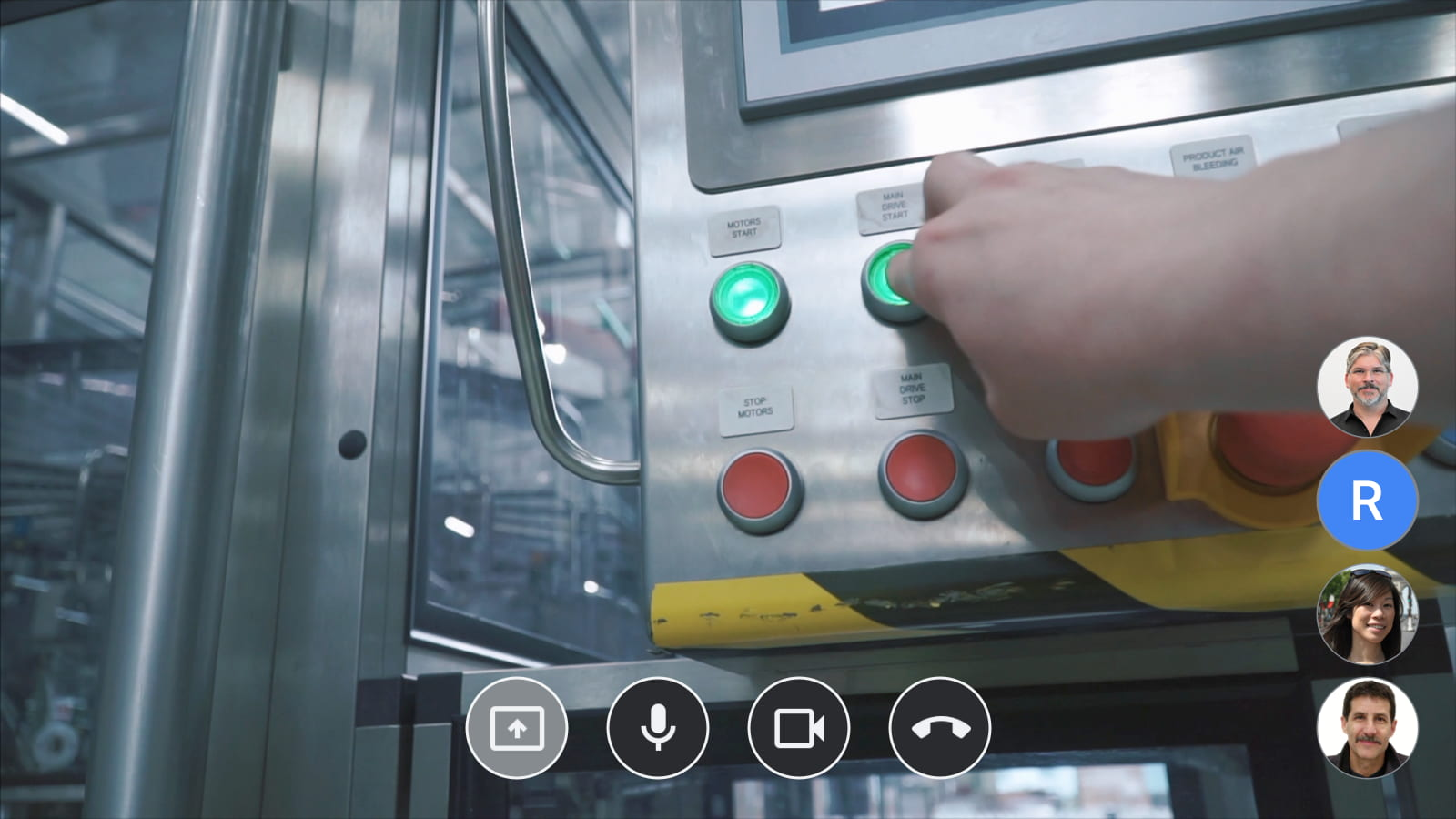
Starting today, we’re making Google Meet on Glass Enterprise Edition 2 (Meet on Glass) more broadly available through an open beta. Any Google Workspace customer around the world can now give their employees, suppliers, and partners greater sight with Glass—using the simple and intuitive Google Meet environment they’re already used to. With Meet on Glass, meeting participants can experience a first-person view of the Glass wearer’s perspective and collaborate with the entire video meeting in real time.
Making it easier to solve hard problems
Customers who’ve been testing Meet on Glass are linking their teams across geographies to collaborate in new ways and solve problems together. In the US, real estate services group CBRE has implemented Meet on Glass to allow employees at job sites to connect with HQ teams and project managers. Connecting the whole team with live video from the frontline is allowing faster decision making and clearer communications between team members.
To be successful, remote assistance via video call must be simple and seamless. CBRE and other early customers have shared that they don’t want their workers to have to become technical experts to use video collaboration in this way. Ease of use—both for Google Meet and for Glass—and speed to join a video meeting are top priorities for them. And with Google Workspace integration, their teams can now join Calendar events directly from Glass with just a few taps. No complex signing in or scanning codes are required; users simply choose from their calendar on Glass to instantly join the meeting.
Getting Google Meet on Glass Enterprise Edition 2
The Meet team is working with the community of Google Workspace partners to enable Google Meet on Glass Enterprise Edition 2 for customers in North America, Europe, and Australia. Customers in Japan can now also get Glass through a first-of-its-kind partnership with NTT DOCOMO, which can provide Meet on Glass directly to its customers in Japan. After extensive testing, NTT DOCOMO chose Google Meet on Glass as the preferred solution for their business customers who want frontline collaboration solutions for their enterprises.
Meet on Glass is one of the ways we’re bringing powerful new video conferencing experiences to customers around the world, regardless of the devices they’re using to connect and collaborate with their teams. When combined with our Google meet hardware and peripherals, the possibilities for real-time connection and problem solving are even greater. And it’s part of our ongoing commitment to creating innovative and immersive meeting experiences that help people feel like they’re working together, not just meeting together.
Sign up now to participate in the Google Meet on Glass Enterprise Edition 2 open beta.
More Relevant Stories for Your Company

All About Cloud Run, its Scalability and Management Features
Mindful Containers is a fictitious company that is creating containerized microservice applications. They need a fully managed compute environment for deploying and scaling serverless containerized microservices. So, they are considering Cloud Run. They are excited about Cloud Run because it abstracts away the cluster configuration, monitoring, and management so they

Google Cloud Accelerates Financial Organizations’ Journey towards Digital Transformation
When I reflect back on the past year and the pandemic, I’m struck by how the reliance on remote work and operations has changed the fundamentals of business forever. For the financial services industry, this rings particularly true. Many conversations I’m having right now with organizations revolve around embracing a transformation
Accuracy and Real-time Updates with Google Maps’ On-Demand Rides and Delivery Solution Impacts CX
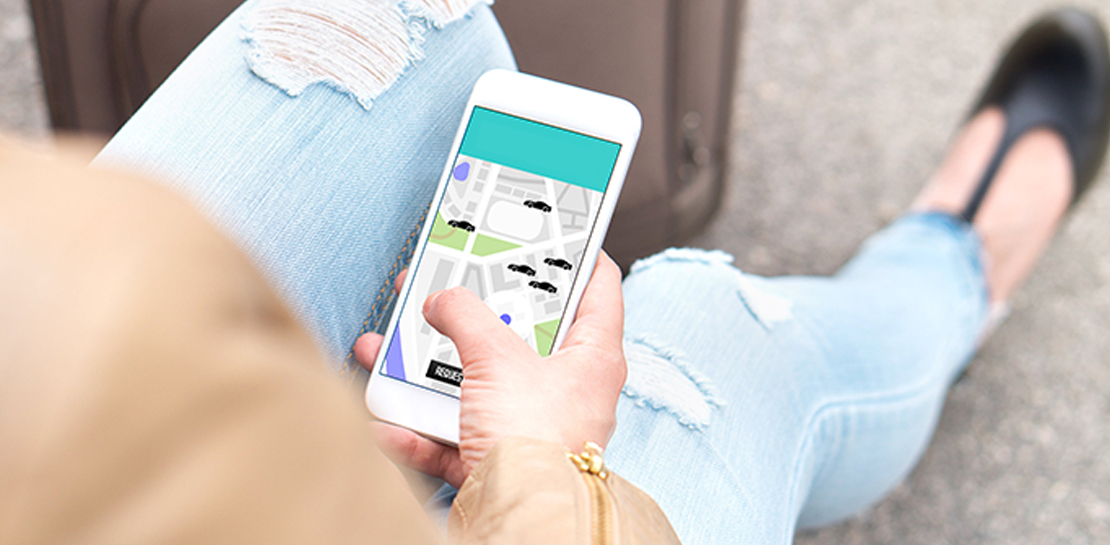
Last year we launched our on-demand rides and delivery solution to help businesses improve operations as well as transform the driver and customer journey from booking to arrival or delivery. When it comes to on-demand rides and deliveries, every minute matters. When users book a ride or order food, they want a

How Do You Cut Costs and Improve Staff Productivity, and Business Visibility? Ascend Money Has an Answer
Hundreds of millions of residents of South East Asia have only limited access to banking and finance services. However, help is at hand. One of South East Asia's largest fintech businesses, Ascend Money is using digital technologies to realize its mission of enabling as many people as possible to access
