





The Journey ahead for Google Cloud and SAP

3420
Of your peers have already read this article.
1:30 Minutes
The most insightful time you'll spend today!
The partnership between Google Cloud and SAP is entering a new chapter. Over the years, our close partnership with SAP and our mutual dedication to customers has inspired us to do some of our most unique and innovative work—such as building Fast Restart and Memory Poisoning Recovery capabilities for S/4HANA workloads, offering real-time access to our advanced machine learning (ML) capabilities, and developing integrations with the industry’s best cloud security and network infrastructure.
With an expanded, strategic partnership, we are capitalizing on one of the cloud’s most valuable benefits: enabling customer choice without driving up cost or complexity. Customers have shared that they appreciate what Google Cloud has done over the years to support their ability to choose—from our support for multi-cloud environments to our track record with open-source technologies like Kubernetes, to name a couple of examples.
“We chose Google Cloud to support our SAP implementation. Our decision had a lot to do with the relationship between Google Cloud and SAP and also for the applications and services that are offered by Google Cloud, like BigQuery, which are helping to enable data and analytics within our organization.”— Sam Moses, Vice President of Corporate Systems, The Home Depot
Now, we’re placing this same emphasis on customer choice, flexibility, and freedom to help SAP customers get greater ROI from their cloud investments in three ways:
- Execute seamless business transformations that deliver all of the benefits of modern, cloud-native applications and services—quickly, economically, and without disrupting day-to-day operations
- Migrate critical business systems to the cloud, in order to lock in OpEx savings and refocus their IT teams on strategic business technology initiatives
- Augment existing business systems with cloud capabilities in AI, ML, and analytics
The cornerstone of our expanded partnership is the RISE with SAP program—a comprehensive set of tools, technology, and expert support for a fast, predictable, cost-effective path to business transformation with SAP in the cloud. RISE is also designed to meet every SAP customer on their own terms, whether they’re undertaking an enterprise-wide cloud migration or pursuing an incremental or hybrid-cloud approach.
To support customers taking advantage of RISE with SAP, Google Cloud will work even more closely with SAP to accelerate customers’ cloud migrations and business process modernization across several key areas. This includes ensuring global availability of multiple SAP services and products—such as SAP Business Technology Platform and SAP HANA Cloud—on Google Cloud’s reliable, scalable infrastructure and high-speed network. Google Cloud is also committed to bringing SAP’s solution for RPA in manufacturing to the Google Cloud Marketplace to support business process modernization.
Additionally, integrating our AI, ML, and analytics capabilities with key SAP solutions will help companies augment their business systems with sophisticated capabilities and technologies so they can draw more value out of the data stored with them.
“We can deliver our 160 key business insights two or three orders of magnitude faster with BigQuery. When you think about our marketing campaigns and month-end finance processes, we’re talking about jobs that used to take five to eight hours to complete that are now running in seconds.”— Dan Semmens, Head of Data and AI, ATB Financial
Join us on the journey ahead
There’s so much more to come from SAP and Google Cloud. Learn more about our commitment to enabling digital transformation and hear more from customers about their SAP on Google Cloud deployments.
Giving Customers More Choice: Google Cloud’s New Product and Pricing Options

3292
Of your peers have already read this article.
3:00 Minutes
The most insightful time you'll spend today!
Over the past several years, Google Cloud has made significant investments in our infrastructure product portfolio. We launched new Tau T2D VMs, which deliver 42% better price-performance vs. other leading cloud providers. We upgraded Cloud Storage to offer more flexibility to support customers’ enterprise and analytics workloads, with dual-region buckets and upcoming Turbo Replication. And we’ve delivered numerous improvements to our global network, including expansion to 29 cloud regions.
However, from conversations with customers, we’ve also learned we can do more to align our capabilities and pricing with their varied workloads. So, today, we are announcing we will adjust our infrastructure product and pricing structure to give customers more choice in how they pay for what they use alongside new, flexible SKUs with new product options and capabilities. These changes are designed to help ensure better product fit for our customers’ use cases across a wider array of workloads. They are also designed to better align with how other leading cloud providers charge for similar products, so customers can more easily compare services between leading cloud providers.
Some of these changes will provide new, lower-cost options and features for Google Cloud products. Other changes will raise prices on certain products. Ultimately, our goal is to provide more flexible pricing models and options for how customers are using our cloud services. Here’s an overview of what customers can expect:
Which services are changing? What new services are being introduced?
We are changing prices for some storage, compute, and networking products. The changes provide customers with new ways to optimize their spending based on workload type and size, or data portability needs, as well as reducing costs on some services. Specific changes include:
- Cloud Storage pricing changes for data mobility, including replication of data written to a dual- or multi-region storage bucket, and inter-region data access
- Introduction of a new lower-cost archive snapshot option for Persistent Disk (PD), so that compliance/archiving use cases are charged less than compute-intensive DevOps workloads
- New outbound data processing pricing for Cloud Load Balancing, in line with other leading cloud providers
- New pricing for Network Topology, which will include Performance Dashboard within Network Intelligence Center at no additional charge
Will customers’ bills increase? Decrease?
The impact of the pricing changes depends on customers’ use cases and usage. While some customers may see an increase in their bills, we’re also introducing new options for some services to better align with usage, which could lower some customers’ bills. In fact, many customers will be able to adapt their portfolios and usage to decrease costs. We’re working directly with customers to help them understand which changes may impact them.
When will the new prices go into effect?
Today, we sent customers a six-month notice on the price changes, which go into effect on October 1, 2022. Customers under existing commit contracts with a floating or fixed discount will not face any changes until renewal. Our goal is to help our customers manage any impact of these changes and allow time for them to adjust or modify their implementations.
What should customers do next?
There are a number of things customers can do to prepare for the changes:
- Read through the Mandatory Service Announcement (MSA) sent on March 14.
- Consider what actions, if any, they may want to take based on current storage, networking, and compute needs. Many of these changes may have simple choices associated with them.
- Consider using the Storage Transfer Service to select the right Cloud Storage bucket locations. Storage Transfer Service will be available free-of-cost for transfers within Cloud Storage, starting April 2 until the end of the year.
For those customers under contract, Google Cloud account representatives are available to discuss these changes. Please visit our pricing page and the links below for more details on our updates to storage, networking, and PD pricing, including information on how to modify your implementations if needed. If you do not have an account manager and still have questions please review our public FAQ, which will be updated regularly, as well as the resource links below.
Note: This pricing analysis is valid as of February 2022.
Resources:
Southwire Completes SAP Migration to Google Cloud as a First Step of its Tech Evolution

4937
Of your peers have already read this article.
1:30 Minutes
The most insightful time you'll spend today!
“Talk about tough times, right?”
That’s how Dan Stuart, Senior Vice President of IT Services at Southwire Company, refers to the months following a December 2019 ransomware event, and the COVID crisis that began in spring of 2020. Those events hit just as the company was preparing for an overhaul of their SAP environment. This comprehensive plan included three key elements. First, the company wanted to upgrade their SAP ECC environment to take advantage of the latest functionality available for this critical ERP system. Second, Southwire aimed to deploy SAP Business Warehouse on SAP HANA to accelerate vital reporting for all business users. Third, the company wanted to upgrade to the latest version of SAP Process Orchestration—an essential component that touches key manufacturing interfaces in all Southwire facilities.
Southwire had looked at multiple options for the upgrades, including remaining entirely on-premises, colocation, and full cloud migration. “Going to the cloud seemed a lot more compelling,” says Joe Schleupner, Southwire’s Senior Director of PMO & ITS planning and implementation. “We were going to the cloud eventually, so why take these intermediary steps? Let’s just get it done.”
After looking at several options, Southwire decided to migrate to Google Cloud. “We wanted to be on a platform for SAP that was flexible, scalable, and secure; that we could count on to get up and running quickly,” says Stuart. “We chose Google Cloud not only for those reasons, but also because we recognize that Google has other assets that we may be able to take advantage of down the line, such as technologies like artificial intelligence (AI).”
More stability, less worry
As one of the leading manufacturers of wire and cable used in the transmission and distribution of electricity, Southwire aids the delivery of power to millions of people worldwide. They have more than 30 manufacturing facilities across the United States running 24/7. Any downtime directly affects productivity and revenue. With help from Google Cloud and their implementation partner NIMBL, Southwire completed the SAP migration to Google Cloud over a planned maintenance weekend on July 4th.
The migration itself, while complex, went quickly and smoothly. “Just moving to the cloud was quite a feat because we were dealing with so much data, but in total the SAP system was down for only ~16 hours,” says Schleupner.
“As a project manager, I always felt that Google Cloud had my back” Schleupner says. The Process Orchestration (PO) migration was of particular concern, considering that it controlled all of Southwire’s manufacturing interfaces across the entire company. “Every critical piece of information that goes from SAP down to the manufacturing system goes through that system,” says Schleupner.
Even after migrating, Southwire discovered that making changes to the system was fast, easy, and resulted in no downtime. Normally, certain types of changes would have involved taking down SAP for at least an hour.
The Southwire team also appreciates the fact that the modern cloud architecture means spending less time on routine infrastructure maintenance. “It’s one less thing for me to worry about,” Stuart says, “I can focus on the business side of the house and move the technology and responsibilities to what we do within the Google Cloud Platform.”
What comes next?
While the cloud migration will increase stability, uptime, performance, and security, there is much more to come. Southwire is currently working on a disaster recovery implementation for their SAP environment on Google Cloud. Stuart and Schleupner are excited about where Google Cloud can further take Southwire. They are considering an SAP Hybris e-commerce implementation as well as connected factory and/or factory automation initiatives that can take advantage of artificial intelligence and machine learning.
To Stuart and Schleupner, the migration of Southwire’s SAP environment to Google Cloud, as important as it was, really represents the first step in the company’s tech evolution. Now that much of the heavy lifting is complete, Southwire’s digital transformation can begin in earnest. “There’s no shortage of areas where I think Google Cloud will come into play,” Stuart says, “and we intend to look at these things with an open mind to understand how we can leverage current investments to take our organization where we want to go.”
Learn more about Southwire’s SAP on Google Cloud deployment and how Google Cloud can transform the way you work with your SAP enterprise applications. Visit cloud.google.com/solutions/sap.
Three German Retail Firms Choose Google Cloud to Migrate SAP Workloads for Business Transformation
3678
Of your peers have already read this article.
1:30 Minutes
The most insightful time you'll spend today!
The retail industry is rapidly evolving, with customers demanding exceptional digital experiences, and retailers adjusting their businesses to be more efficient. With many retailers relying on SAP for critical business functions like digital transactions, finance, supply chains and more, this shift has led them to look for ways to modernize these systems, deliver them on highly scalable infrastructure, and extract more value out of the data from within them.
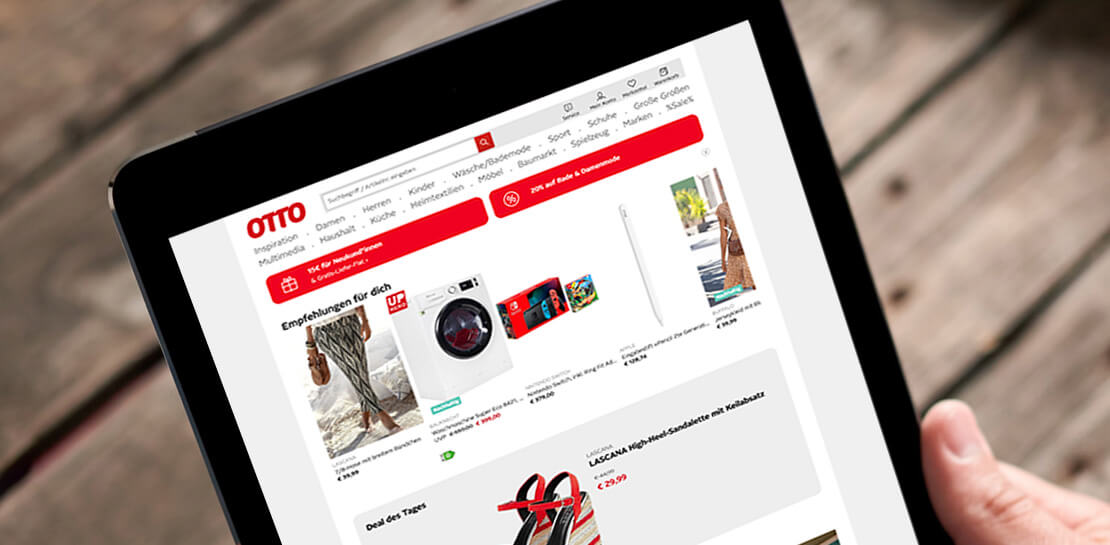
I’m proud that we are helping German retailers successfully migrate business-critical SAP systems onto Google Cloud, minimizing risk and downtime and ultimately helping them build a foundation for future growth. Our work with retailers like Otto Group, one of the world’s largest ecommerce businesses, MediaMarktSaturn, the large consumer electronics retailer, and METRO, the wholesale retailer with operations across Europe, demonstrates our deep partnership with SAP to support customers’ digital transformations.
Helping Otto Group IT run SAP on secure, sustainable infrastructure
Otto Group, a leading online-retailer and services group in Germany and one of the world’s largest ecommerce companies, migrated their SAP workloads to Google Cloud in order to modernize their SAP landscape and build a more agile environment that would enable them to quickly scale up or down according to business needs.
The Otto Group, which consistently balances the sustainable use of resources and climate-neutral action with economic growth, is also able to leverage Google Cloud’s clean infrastructure to deliver the bulk of its internal SAP environment, ensuring the company’s business systems are running on secure, sustainable infrastructure. Since 2017, Google has matched 100% of its global electricity use with purchases of renewable energy every year, and is now building on that progress with a new goal of running entirely on carbon-free energy at all times by 2030.
With Google Cloud, Otto Group has told us they have access to better means of automation and improved network capability compared to what they had with their previous provider. Through this cloud migration, Otto Group IT is providing modern and flexibly scalable SAP systems to their internal customers.
Powering MediaMarktSaturn’s online ecommerce experience
For MediaMarktSaturn, SAP is critical to the smooth day-to-day running of its business, so the company was keen to ensure maximum availability and stability with a cloud environment. After a thorough examination of its business needs and hands-on support from Google Cloud’s teams, MediaMarktSaturn elected to migrate its SAP HANA database onto Google Cloud, enabling a performance increase of four times compared to its previous on-premises installations.
The SAP suite is critical for the ecommerce platform to run smoothly on a day-to-day basis. By migrating to Google Cloud, the retailer is providing even more support and maximum availability for its customers. With Google Cloud’s industry-specific expertise, MediaMarktSaturn’s customers have access to a reliable and stable ecommerce platform, so they can browse for products online from wherever they are.
Transforming METRO’s business by running SAP workloads in the cloud
With more than 97,000 employees in 34 countries, Germany’s METRO is one of the world’s largest B2B wholesalers. Previously, METRO relied on unique finance systems that were different in each country, and updates or system testing required substantial coordination across numerous teams, which was both time-consuming and costly.
To address these pain points, METRO is moving away from on premise deployments and is now migrating its SAP S/4HANA finance systems to Google Cloud to support everything from classical role-based accounting to the use of cognitive tools. Now, internal METRO teams can work seamlessly across operations, enhancing the services they provide to customers by addressing demands in real time.
To read more about how SAP on Google Cloud drives agility, efficiency, and innovation for our customers, visit our solutions page here.

3521
Of your peers have already downloaded this article
5:30 Minutes
The most insightful time you'll spend today!
When moving to the cloud, many organizations concentrate their focus on the change in technology and overlook an area just as complex and impactful: cultural change. Having your people ready to embrace the change — supporting them with the right processes, equipping them with the right skills — is as important as getting the technology right.
To realize the full value of cloud technologies, many organizations are rethinking their IT organizational structure. There are a variety of potential talent implications too — from adopting agile ways of working to hiring for more cloud-centric skills to looking at redeploying current IT skills and reskilling and upskilling current teams.
As one of the organizations that pioneered hyperscale infrastructure, which led to the creation of the cloud, Google has spent years nurturing its culture and workforce to best operate in the cloud. We leverage this experience every day to help organizations ready their workforce for the change, and in this whitepaper, we aim to pass that experience along to you.
Recommendations for Modelling SAP Data inside BigQuery

8426
Of your peers have already read this article.
4:00 Minutes
The most insightful time you'll spend today!
Over the past few years, many organizations have experienced the benefits of migrating their SAP solutions to Google Cloud. But this migration can do more than reduce IT maintenance costs and make data more secure. By leveraging BigQuery, SAP customers can complement their SAP investments and gain fresh insights by consolidating enterprise data and easily extending it with powerful datasets and machine learning from Google.
BigQuery is a leading cloud data warehouse, fully managed and serverless, and allows for massive scale, supporting petabyte-scale queries at super-fast speeds. It can easily combine SAP data with additional data sources, such as Google Analytics or Salesforce, and its built-in machine learning lets users operationalize machine learning models using standard SQL — all at a comparatively low cost.
If your SAP-powered organization is looking to supercharge its analytics with the strength of BigQuery, read on for considerations and recommendations for modeling with SAP data. These guidelines are based on our real-world implementation experience with customers and can serve as a roadmap to the analytics capabilities your business needs.
Considerations for data replication
Like most technology journeys, this one should start with a business objective. Keeping your intended business value and goals in mind is critical to making the right decisions in the early steps of the design process.
When it comes to replicating the data from an SAP system into BigQuery, there are multiple ways to do it successfully. Decide which method will work best for your organization by answering these questions:
- Does your business need real-time data? Will you need to time travel into past data?
- Which external datasets will you need to join with the replicated data?
- Are the source structures or business logic likely to change? Will you be migrating the SAP source systems any time soon? For instance, will you be moving from SAP ECC to SAP S/4HANA?
You’ll also need to determine whether replication should be done on a table-by-table basis or whether your team can source from pre-built logic. This decision, along with other considerations such as licensing, will influence which replication tool you should use.
Replicating on a table-by-table basis
Replicating tables, especially standard tables in their raw form, allows sources to be reused and ensures more stability of the source structure and functional output. For example, the SAP table for sales order headers (VBAK) is very unlikely to change its structure across different versions of SAP, and the logic that writes to it is also unlikely to change in a way that affects a replicated table.
Something else to consider: Reconciliation between the source system and the landing table in BigQuery is linear when comparing raw tables, which helps avoid issues in consolidation exercises during critical business processes, such as period-end closing. Since replicated tables aren’t aggregated or subject to process-specific data transformation, the same replicated columns can be reused in different BigQuery views. You can, for instance, replicate the MARA table (the material master) once and use it in as many models as needed.
Replicating pre-built logic
If you replicate pre-built models, such as those from SAP extractors or CDS views, you don’t need to build the logic in BigQuery, since you’re using existing logic. Some of these extraction objects have embedded delta mechanisms, which may complement a replication tool that can’t handle deltas. This will save initial development time, but it can also lead to challenges if you create new columns, or if customizations or upgrades change the logic behind the extraction.
It’s also important to note that different extraction processes may transform and load the same source columns multiple times, which creates redundancy in BigQuery and can lead to higher maintenance needs and costs. However, replicating pre-built models may still be a good choice, since doing so can be especially useful for logic that tends to be immutable, such as flattening a hierarchy, or logic that is highly complex.
How you approach replication will also depend on your long-term plans and other key factors — for example, the availability (and curiosity) of your developers, and the time or effort they can put into applying their SQL knowledge to a new data warehouse.
With either replication approach, bear in mind when designing your replication process that BigQuery is meant to be an append-always database — so post-processing of data and changes will be required in both cases.
Processing data changes
The replication tool you choose will also determine how data changes are captured (known as CDC – change data capture). If the replication tool allows for it (for example as SAP SLT does) the same patterns described in the CDC with BigQuery documentation also apply to SAP data.
Because some data, like transactions, are known to be less static than others (e.g., master data), you need to decide what should be scanned in real time, what will require immediate consistency, and what can be processed in batches to manage costs. This decision will be based on the reporting needs from the business.
Consider the SAP table BUT000, containing our example master data for business partners, where we have replicated changes from an SAP ERP system:

In an append-always replication in BigQuery, all updates are received as new records. For example, deleting a record in the source will be represented as a new record in BigQuery with a deletion flag. This applies to whether the records are coming from raw tables like BUT000 itself or pre-aggregated data, as from a BW extractor or a CDS view.
Let’s take a closer look at data coming particularly from the partners “LUCIA” and “RIZ”. The operation flag tells us whether the new record in BigQuery is an insert (I), update (U) or deletion (D), while the timestamps help us identify the latest version of our business partner.

If we want to find the latest updated record for the partners LUCIA and RIZ, this is what the query would look like:
SELECT partner,ARRAY_AGG(i1 ORDER BY i1.recordstamp DESC LIMIT 1) AS rowFROM SAP_ECC.but000 i1WHERE partner in ('LUCIA','RIZ')GROUP BY partner
With the following result:

After identifying stale records for “LUCIA” and “RIZ” business partners, we can proceed to deleting all stale records for “LUCIA” if we do not want to retain the history. In this example, we are using a different table to which the same replication has been done, for the purpose of comparison and to check that all stale records have been deleted for the selection made and that we only kept last updated records. For example:
DELETE SAP_HANA.but000 i1WHEREi1.recordstamp < TIMESTAMP_SUB(CURRENT_TIMESTAMP(), INTERVAL 3 HOUR) ANDi1.recordstamp < (SELECT MAX(recordstamp) FROM SAP_HANA.but000 i2WHEREi1.partner = i2.partnerand partner="LUCIA")
You can also use the following query to retrieve stale records for “LUCIA” partner before moving forward with deletion
SELECT partner, operation_flag, recordstamp FROM SAP_HANA.but000 i1WHEREi1.recordstamp < TIMESTAMP_SUB(CURRENT_TIMESTAMP(), INTERVAL 3 HOUR)ANDi1.recordstamp < (SELECT MAX(recordstamp) FROM SAP_HANA.but000 i2WHEREi1.partner = i2.partnerand partner="LUCIA")
Which produces all of the records, except the latest update:

Partitioning and clustering
To limit the number of records scanned in a query, save on cost and achieve the best performance possible, you’ll need to take two important steps: determine partitions and create clusters.
Partitioning
A partitioned table is one that’s divided into segments, called partitions, which make it easier to manage and query your data. Dividing a large table into smaller partitions improves query performance and controls costs because it reduces the number of bytes read by a query.
You can partition BigQuery tables by:
- Time-unit column: Tables are partitioned based on a “timestamp,” “date,” or “datetime” column in the table.
- Ingestion time: Tables are partitioned based on the timestamp recorded when BigQuery ingested the data.
- Integer range: Tables are partitioned based on an integer column.
Partitions are enabled when the table is created, as in the example below. A great tip is to always include the partition filter as shown on the left-hand side of the query.

Clustering
Clustering can be created on top of partitioned tables by applying the fields that are likely to be used for filtering. When you create a clustered table in BigQuery, the table data is automatically organized based on the contents of one or more of the columns in the table’s schema. The columns you specify are then used to colocate related data.
Clustering can improve the performance of certain query types — for example, queries that use filter clauses or that aggregate data. It makes a lot of sense to use them for large tables such as ACDOCA, the table for accounting documents in SAP S/4HANA. In this case, the timestamp could be used for partitioning, and common filtering fields such as the ledger, company code, and fiscal year could be used to define the clusters.

A great feature is that BigQuery will also periodically recluster the data automatically.
Materialized views
In BigQuery, materialized views are precomputed views that periodically cache the results of a query for better performance and efficiency. BigQuery uses precomputed results from materialized views and, whenever possible, reads only the delta changes from the base table to compute up-to-date results quickly. Materialized views can be queried directly or can be used by the BigQuery optimizer to process queries to the base table.
Queries that use materialized views are generally completed faster and consume fewer resources than queries that retrieve the same data only from the base table. If workload performance is an issue, materialized views can significantly improve the performance of workloads that have common and repeated queries. While materialized views currently only support single tables, they are very useful common and frequent aggregations like stock levels or order fulfillment.
Further tips on performance optimization while creating select statements can be found in the documentation for optimizing query computation.
Deployment pipeline and security
For most of the work you’ll do in BigQuery, you’ll normally have at least two delivery pipelines running — one for the actual objects in BigQuery and the other to keep the data staging, transforming, and updated as intended within the change-data-capture flows. Note that you can use most existing tools for your Continuous Integration / Continuous Deployment (CI/CD) pipeline — one of the benefits of using an open system like BigQuery. But, if your organization is new to CI/CD pipelines, this is a great opportunity to gradually gain experience. A good place to start is to read our guide for setting up a CI/CD pipeline for your data-processing workflow.
When it comes to access and security, most end-users will only have access to the final version of the BigQuery views. While row and column-level security can be applied, as in the SAP source system, separation of concerns can be taken to the next level by splitting your data across different Google Cloud projects and BigQuery datasets. While it’s easy to replicate data and structures across your datasets, it’s a good idea to define the requirements and naming conventions early in the design process so you set it up properly from the start.
Start driving faster and more insightful analytics
The best piece of advice we can give you is this: Try it yourself. Anyone with SQL knowledge can get started using the free BigQuery tier. New customers get $300 in free credits to spend on Google Cloud during the first 90 days. All customers get 10 GB storage and up to 1 TB queries/month, completely free of charge. In addition to discovering the massive processing capabilities, embedded machine learning, multiple integration tools, and cost benefits, you’ll soon discover how BigQuery can simplify your analytics tasks.
If you need additional assistance, our Google Cloud Professional Services Organization (PSO) and Customer Engineers will be happy to help show you the best path forward for your organization. For anything else, contact us at cloud.google.com/contact.
More Relevant Stories for Your Company


Modernize your Windows Workloads by Migrating them to Google Cloud
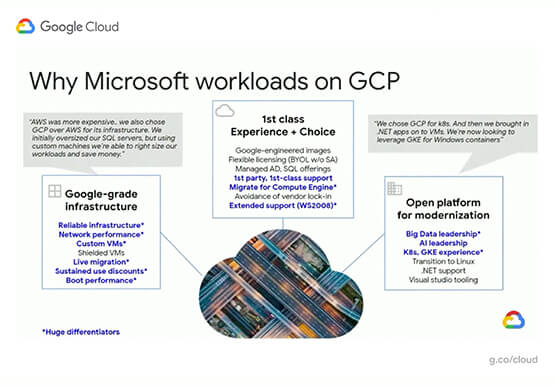
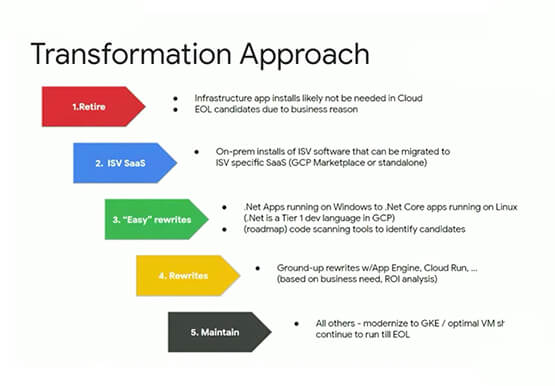
Google has plenty to offer when it comes to migrating and modernizing traditional enterprise Windows workloads to the cloud. Explore different approaches for re-hosting, modernizing, and transforming Windows applications, and the benefits of moving to Google Cloud. Learn from demos on some of the cutting-edge technologies that can offload some
CCAI Insights: Answer Customers’ Queries & Understand Them Better with Conversation Data
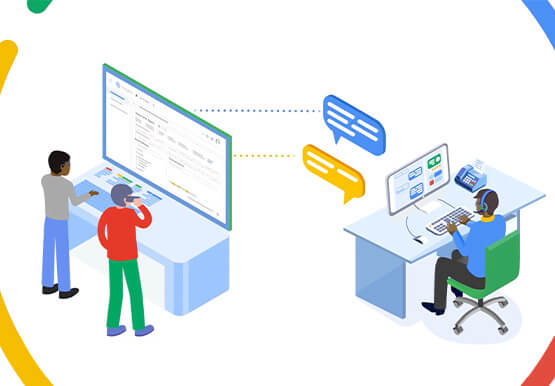
With CCAI Insights, businesses can drive contact center efficiency, solve customer problems and leverage data from customer interactions to understand them better! CCAI Insights, a core piece of the Google Cloud's Contact Center AI product suite is built to help contact center management dive into data to adjust business needs,

Google Announces New Cloud Region in Toronto
For over a decade, we’ve been investing in Canada to become a go-to cloud partner for organizations across the country. Whether they’re in financial services, media and entertainment, retail, telecommunications or the public sector, a rapidly growing number of organizations located or operating in Canada are choosing Google Cloud to

Fitbit’s Zero-Downtime Migration to GCP
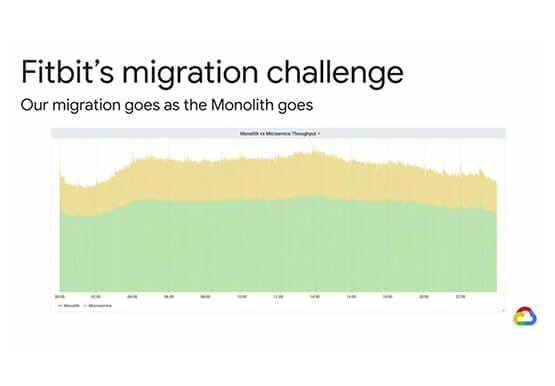
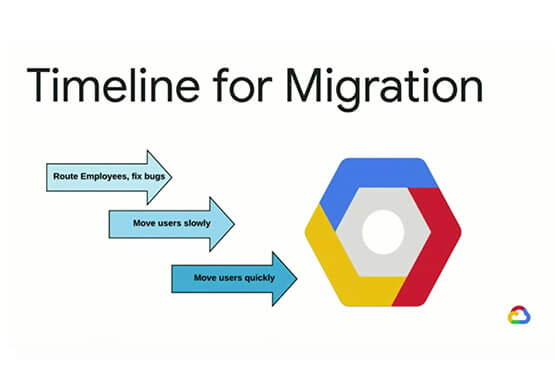
In 2019, Fitbit moved all of its production operations from managed hosting to Google Cloud Platform without any downtime. The Fitbit experience is provided by a monolithic application backed by 200+ data stores, making the task of moving service by service impossible. So, Fitbit decided to run services in both
