





The Inspiring Story Behind How Bhutan is Using the Cloud to Enable Sustainable Development and Social Well-being

4321
Of your peers have already read this article.
3:30 Minutes
The most insightful time you'll spend today!
For many nations, gross domestic product is the primary measure of a society’s success. The Himalayan kingdom of Bhutan gauges achievement by a different standard: gross national happiness (GNH).
The Royal Government of Bhutan’s GNH index measures a “holistic and sustainable approach to development,” prioritizing factors such as community, education, mental health, cultural heritage, and ecology. It’s a model that was endorsed by the U.N. General Assembly in 2011. Focus on GNH has enabled Bhutan to become a carbon-negative nation; nurture habitats for Bengal tigers, clouded leopards, and red pandas; and provide free healthcare to all of its 735,553 citizens.
One of the pillars of GNH in Bhutan, ranked South Asia’s least-corrupt country, is good governance. Yet as one of Asia’s least-developed nations, Bhutan needed to draw every last bit of value from public funds, while maximizing the potential of its civil servants. Turning to G Suite, it discovered powerful tools enabling communication, accountability, and cost-savings that have been vital to the mission of promoting a well-balanced society.
“G Suite collaboration tools are providing a framework that allows us to foster citizens’ happiness,” says Lobzang Jamtsho, Head of Application Division, Ministry of Information & Communication. “It’s the three C’s: collaboration, coordination, and communication. This has improved significantly with G Suite adoption.”
Freeing up resources for positive change
“When we started using Sites, we found a powerful yet simple tool that’s really a one-stop shop for sharing. You don’t have to know the development side; you just drag, drop, and build.”
—Kuenga Zam, Dy. Chief ICT Officer, Royal Civil Service Commission
From wildlife conservation, to keeping hospitals well-supplied, to the development of human resources, ensuring a correct balance between well-being and development demanded smooth coordination in the civil service. Meanwhile, everything from the cost of printing meeting agendas to investing in email servers and staff to maintain them drained resources from vital tasks such as sourcing medication.
G Suite marked a fundamental shift in the way the Royal Government of Bhutan pursued its mission, as tools such as Docs, Sheets, and Sites came together to provide a unified platform where team contributions could be seamlessly integrated in the cloud. It sparked a surge of cooperative vigor.
“In writing, for example, we collaborate in terms of drafting a proposal. And we collaborate with other parties,” says Lobzang. “It’s really helped us in terms of analyzing the decision-making process and promoting accountability, ownership, and transparency.”
G Suite is used today by 9,500 civil servants across all 67 government agencies. The benefits have been dramatic. In a survey of more than 800 civil servants, roughly 78% of respondents reported G Suite boosted productivity by more than 50%. About 80% said collaboration with colleagues increased more than 50%. And 85% of respondents agreed or strongly agreed with the statement, “my organization is more innovative.”
“G Suite has empowered both education and hospitals. We have our entire education system on the platform, all teachers and students. And processes have improved in hospitals, translating directly into an increase of happiness among citizens.”
—Lobzang Jamtsho, Head of Application Division, Ministry of Information & Communication
The Royal Civil Service Commission of the Royal Government of Bhutan organizes scholarships for civil servants to pursue long-term studies as a part of human resource development. It’s vital to the nation’s pursuit of sustainable development while preserving a unique cultural heritage.
G Suite inspired the Royal Civil Service Commission to build its own internal platform using Sites to manage scholarships, streamline processes, and boost overall HR Development Management.
“When we started using Sites, we found a powerful yet simple tool that’s really a one-stop shop for sharing,” says Kuenga Zam, Dy. Chief ICT Officer, Royal Civil Service Commission. “You don’t have to know the development side; you just drag, drop, and build. And since it’s an internal site, it helps us share from one division to another what scholarships are available for renewal.”
Human connectivity for enhancing quality of life
For the Royal Government of Bhutan, G Suite is a tool that doesn’t just facilitate better communication, it enables the whole of government to work better together. “G Suite has empowered both education and hospitals. We have our entire education system on the platform, all teachers and students,” says Lobzang. “And processes have improved in hospitals, translating directly into an increase in happiness among citizens.”
“When services are delivered better, people are happier,” adds Kuenga. “So it aligns in that way with GNH.”
Motivating team members to build a better future
Today, the Royal Government of Bhutan is writing the next chapter of its journey with G Suite, motivating civil servants to tap the platform’s creative possibilities through training programs that demonstrate why you don’t need to be an IT expert to be a digital innovator.
“We did a demo at a conference to show how we are using Sites. Our users then went forward and took that idea and built their own site,” says Kuenga. “After we show the possibilities, they have the motivation to go forward and explore.”
The next step for the Royal Government of Bhutan is to begin experimenting with Apps Script to create applications for automating workflow processes: “There’s so much potential that we haven’t explored,” says Kuenga.
5577
Of your peers have already watched this video.
1:30 Minutes
The most insightful time you'll spend today!
A Quick Guide to Cloud Monitoring
Cloud Monitoring is a tool that allows you to gain visibility into the performance, availability, and health of your applications and infrastructure. In this video, we show you what Cloud Monitoring is and how you can use it to custom define service-level objectives (SLOs), monitor application metrics, and the overall health of your applications infrastructure. Watch to learn how you can use Cloud Monitoring!

Customer Voices: How Firms from Across Industries Leverage Google Cloud
DOWNLOAD CASE STUDY14123
Of your peers have already downloaded this article
1:30 Minutes
The most insightful time you'll spend today!
From powering everyday operations and accelerating application innovation, to providing tools for specific business needs and executing on big ideas, to advancing the security of technology solutions, companies from across industries have leveraged Google Cloud for business benefits.
Companies from across industries have turned to Google Cloud for transforming their business, modernizing their infrastructure, and gleaning intelligence from data. For instance:
- Johnson & Johnson achieved a 41% increase in search results from high-quality job applicants, significantly improving the company’s ability to quickly hire top talent.
- Sony Network Communications now processes 10 billion monthly queries faster, which advances data analysis.
- University College Dublin saw significant 6-figure savings by eliminating legacy hardware, software, and maintenance.
And there are many such examples. Read the collection of case studies to find out how companies from across industries and geographies leveraged Google Cloud for measurable business benefits and for solving complex problems.
Taking Maps Further: New Website Experience for Product Discovery, Budgeting and Access to Dev Documentation

6644
Of your peers have already read this article.
1:30 Minutes
The most insightful time you'll spend today!
For more than 15 years, developers have used Google Maps Platform to deliver location-based experiences to their end users and used location intelligence to optimize their businesses. Along this journey, we’ve made a variety of changes to better support our community as needs have changed and new industries and technologies have emerged. We started rolling out a new website experience, at https://mapsplatform.google.com, to help you better understand the products and solutions best suited to address your objectives. Plus, now you can directly connect to the developer documentation for each product to get started quickly, and you can visualize usage and associated costs to have a better idea of what to expect before getting started.
Getting to your solution faster
Maps, Routes, Places are building blocks that let you develop implementations for any use case. Building for specific use cases, however, typically requires using a combination of APIs and SDKs. To help you quickly understand what’s possible and what you need to build for your use case, you can now visit the solutions tab to select from a list of popular use cases or industries. Once you’ve selected a use case or industry, you’re taken to a page where you can explore relevant products, read helpful blog posts, see how other customers have deployed for similar use cases, and more.

Direct access to developer documentation
Did you know there are more than a thousand pages of developer documentation created to help you get started, unblock you when you’re stuck, and share best practices? Now when you explore a product or solution from the Google Maps Platform website, you can easily navigate back and forth between our website and documentation. Just tap on JS, iOS, Android or API under the product name to get to the documentation you need.

Budgeting for your project
To help you calculate pricing for your project, we’ve introduced a new pricing calculator. Once you find the product and API or SDK you plan to use, pull the slider to reflect your estimated number of monthly requests. This will automatically update the “monthly cost” column for each product and API or SDK you plan to use. If your estimated monthly requests exceed the slider limit, contact our sales team to learn about volume discounts that start at 20% off.

We hope our new website makes it easier to discover our products and solutions, estimate your budget, and start building with our documentation so you can deliver helpful experiences to your users and optimize your business.
For more information on Google Maps Platform, visit https://mapsplatform.google.com.
Google Workspace and Chrome Enterprise Integral for Colgate-Palmolive’s Flexible Work-Culture

3883
Of your peers have already read this article.
2:00 Minutes
The most insightful time you'll spend today!
Editor’s note: Today’s post is by Roger Lim, IT Manager of Collaboration Infrastructure Development, and Jim Arcure, Director of Infrastructure Development, both with Colgate-Palmolive, the multinational consumer products company. Colgate-Palmolive is in the midst of a multiyear project to create a collaborative, flexible work culture, leveraging Google Workspace and Chrome Enterprise.
Colgate-Palmolive Company is a caring, innovative growth company reimagining a healthier future for all people, their pets, and our planet. Focused on Oral Care, Personal Care, Home Care, and Pet Nutrition, and reaching more than 200 countries and territories, Colgate teams are developing and selling product offerings essential to society through brands such as Colgate, Palmolive, elmex, meridol, Tom’s of Maine, hello, Sorriso, Speed Stick, Softsoap, Irish Spring, Protex, Sanex, Filorga, eltaMD, PCA Skin, Ajax, Axion, Fabuloso, Soupline and Suavitel, as well as Hill’s Science Diet and Hill’s Prescription Diet.
Colgate-Palmolive has been accelerating growth and delivering meaningful innovation and attracting new and diverse talent in areas such as ecommerce, innovation and digital. That speed and agility comes in large part from the Chrome Enterprise tools that allow the business to move faster and stay competitive.
Changing out software and hardware for 30,000 employees in 70+ countries is a massive project. Early on, we chose Chrome Enterprise as our partner. We had to move away from our dependency on legacy platforms, software, and devices if our business was going to thrive. We knew cloud-based tools like Chrome and Google Workspace would do what on-premises solutions can’t—ease the IT workload while keeping employees happy and productive.
Why we’re escaping legacy apps and embracing the cloud
We don’t want Colgate-Palmolive’s size and geographical breadth to get in the way of people working together and maintaining its strength in global teamwork. That’s why we’re replacing bulky, hard-to-maintain, on-premises applications and software with cloud versions that everyone can securely access in a web browser.
As an IT team, we thought about how much work time we spent installing, updating, and troubleshooting software (up to 30 percent of work hours during big upgrades!). As we were looking at ways to work together better, we had our eyes on the cloud revolution—and, specifically, Chrome Enterprise and Google Workspace.
First step, switch to a new browser
Back in 2016, the IT team was working to move everyone to Google Workspace and away from legacy productivity applications. Once you start Google Workspace adoption, it’s time to take a closer look at browser options.
We chose Chrome Browser for several reasons. It updates automatically, so we could cross lengthy upgrade tasks off our list. An even bigger benefit is that Chrome Browser’s management tools, data protection, and malware detection are all built in. We anticipate a lot of synergy here by leveraging these features and having our users go all Chrome.
Chrome Browser also gave us tools to manage and grant access to apps across our multi-platform device fleet. We call Chrome Browser Cloud Management our “golden nugget” because every browser gets enrolled automatically in browser management.
It’s now much easier to push out new extensions and apps (and allowlist or blocklist them) compared to the time-consuming process of using our existing desktop policy management settings. The ability to easily manage extensions is a huge benefit since it enabled IT to provide new and safe functionality to our end users.
Next, share new ways of working together
Our IT team wants workers to see the benefits of Google Workspace and Chrome Browser on their own, but sometimes we have to guide them toward the finish line. At the beginning of the project, we developed “Going Google” tools to notify users to consider Google Workspace when opening legacy applications that are no longer needed.
As Chrome Enterprise and Google Workplace became our primary productivity tools, it was also important to ensure our users did not fall back on old habits. Our “Going Google” tools gave our IT organization the ability to not only notify, but turn off specific legacy apps per user. Though IT could easily restore access to these legacy apps on a temporary basis, we have seen a significant dropoff in these types of requests over the past few months. Our goal is to give Colgate people a gentle and consistent reminder that we will be a Google Workspace-only company. By taking these active and decisive steps, we ensure that our users and teams are migrating to Google Workspace today.
To that end, we’ve provided lots of support. We use over 1,000 Colgate “Google Guides” around the world who run on-site classes and webinars on Google Workspace, and are available for one-on-one help, as well as roughly 700 “Google Gurus” who are savvy early-adopters and can lend a hand to colleagues with questions about Google Workspace. Our training classes and webinars are playing to packed houses, and we’re scheduling sessions that focus on specific skills, like a class about using Google Sheets attended by 250 people via Google Meet.
Finally, start rolling out new devices
If we can get everyone at Colgate-Palmolive working in Google Workspace and Chrome Browser, then offering Chromebooks is another natural fit: Chromebooks and the Chrome OS are built for the cloud world we want to work in. We’re pilot testing about 200 Chromebooks for employees, mostly in our customer development department. The Chromebooks are in high demand in challenging locations because they’re easier to deploy for new hires. When employees eventually get back to their offices, we are eager to expand Grab-and-Go racks for people that need a temporary loaner. These Grab-and-Go racks in our New York City and Piscataway, N.J. offices will provide another way for people to test drive Chromebooks.
Two hundred-odd years after Colgate-Palmolive started doing business, we’re excited about the modern focus of our workplace tools. The Google tools that allow us to collaborate also allow the company to succeed well into our third century.
How Google Meet Keeps Your Video Conferences Secure

6816
Of your peers have already read this article.
4:30 Minutes
The most insightful time you'll spend today!
All over the world, businesses, schools and users depend on G Suite to help them stay connected and get work done. Google designs, builds, and operates our products on a secure foundation, aimed at thwarting attacks and providing the protections needed to keep you safe. G Suite and Google Meet are no exception.
Google Meet’s security controls are turned on by default, so that in most cases, organizations and users won’t have to do a thing to ensure the right protections are in place. Here, we’ll summarize the key capabilities of Google Meet that help protect you.
Proactive protections to combat abuse and block hijacking attempts
Google Meet employs an array of counter-abuse protections to keep your meetings safe. These include anti-hijacking measures for both web meetings and dial-ins.
Google Meet makes it difficult to programatically brute force meeting IDs (this is when a malicious individual attempts to guess the ID of a meeting and make an unauthorized attempt to join it) by using codes that are 10 characters long, with 25 characters in the set. We limit the ability of external participants to join a meeting more than 15 minutes in advance, reducing the window in which a brute force attack can even be attempted. External participants cannot join meetings unless they’re on the calendar invite or have been invited by in-domain participants. Otherwise, they must request to join the meeting, and their request must be accepted by a member of the host organization.
In addition, we’re rolling out several features to help schools keep meetings safe and improve the remote learning experiences for teachers and students, including:
- Only meeting creators and calendar owners can mute or remove other participants. This ensures that instructors can’t be removed or muted by student participants.
- Only meeting creators and calendar owners can approve requests to join made by external participants. This means that students can’t allow external participants to join via video, and that external participants can’t join before the instructor.
- Meeting participants can’t rejoin nicknamed meetings once the final participant has left. This means if the instructor is the last person to leave a nicknamed meeting, students can’t join later without the instructor present.

Secure deployment and access controls for admins and end-users
To limit the attack surface and eliminate the need to push out frequent security patches, Google Meet works entirely in your browser. This means we do not require or ask for any plugins or software to be installed if you use Chrome, Firefox, Safari, or Microsoft Edge. On mobile, we recommend that you install the Google Meet app.
To help ensure that only authorized users administer and access Meet services, we support multiple 2-Step Verification options for accounts that are secure and convenient. These include hardware and phone-based security keys and Google prompt. Additionally, Google Meet users can enroll their account in our Advanced Protection Program (APP), which provides our strongest protections available against phishing and account hijacking and is specifically designed for the highest-risk accounts.
For G Suite Enterprise and G Suite for Education customers, we offer Access Transparency, which logs any Google access to Google Meet recordings stored in Drive, along with the reason for the access (support team actions that you might have requested, for example). Customers can also use data regions functionality to store select/covered data of Google Meet recordings in specific regions (i.e. US or Europe).
Secure, compliant, and reliable meeting infrastructure
In Google Meet, all data is encrypted in transit by default between the client and Google for video meetings on a web browser, on the Android and iOS apps, and in meeting rooms with Google meeting room hardware. Meet adheres to IETF security standards for Datagram Transport Layer Security (DTLS) and Secure Real-time Transport Protocol (SRTP). For every person and for every meeting, Meet generates a unique encryption key, which only lives as long as the meeting, is never stored to disk, and is transmitted in an encrypted and secured RPC (remote procedure call) during the meeting setup.
Security is an integral part of all our operations at Google. Our team of full-time security and privacy professionals supports our software engineering and operations to ensure that security is always a part of how we build and run our services. All of our Google Cloud and G Suite customers benefit from these capabilities, including:
- Secure-by-design infrastructure: Google Meet benefits from Google Cloud’s defense-in-depth approach to security, which utilizes the built-in protections and global-private network that Google uses to secure your information and safeguard your privacy.
- Compliance certifications: Our Google Cloud products, including Google Meet, regularly undergo independent verification of their security, privacy, and compliance controls, including validation against standards such as SOC, ISO/IEC 27001/17/18, HITRUST, and FedRAMP. We support your compliance requirements around regulations such as GDPR and HIPAA, as well as COPPA and FERPA for education.
- Incident management: We have a rigorous process for managing data and security incidents that specifies actions, escalations, mitigation, resolution, and notification of any potential incidents impacting customer data.
- Reliability: Google’s network is engineered to accommodate peak demand and handle future growth. Our network is resilient and engineered to accommodate the increased activity we’ve seen on Google Meet.
- Transparency: At Google Cloud, we’re clear about our commitments regarding customer data: we process customer data according to your instructions; we never use customer data for advertising purposes; and we publish the locations of our Google data centers, which are highly available, resilient, and secure.
During COVID-19 and beyond, we will continue to protect Google Meet users and their data, and keep innovating with new features to make our tools helpful, secure, and safe.
More Relevant Stories for Your Company




Ramco Cements: Enhancing Intelligence with Data Visualization
Ramco Cements chose Google Maps to integrate with its Ramco ERP system. By layering its data onto Google Maps, the result was a rich data visualization tool that facilitated idea generation and improved productivity. Over 1,000 employees across India access reports and transactions on a daily basis from the Ramco

Bringing Multiple Security Elements Together: Chrome
Security and the way we’ve been able to advance user protections over the years is hands down one of my favorite topics when it comes to Chrome. I’ve been on the Chrome team for over 14 years and have seen the browser evolve to become a critical tool that helps

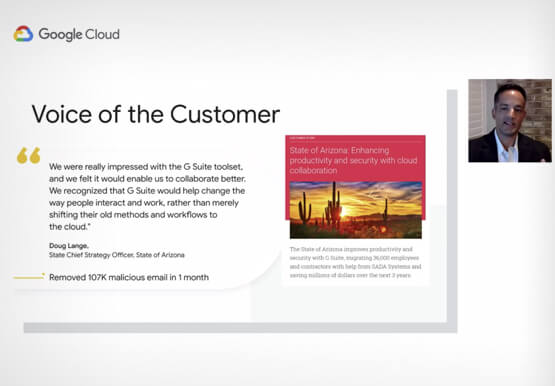

Lessons for the Indian Government: How the State of Arizona Innovates with Emerging Tech
Government agencies of every size and jurisdiction are being called upon to provide accurate and real-time information and deliver essential services across the globe in a world infested by COVID-19. Doug Lange, Chief Strategy Officer, state of Arizona, is primarily responsible for two things. One is Arizona's statewide IT Strategic

Workspace’s Collaboration Equity Integral for Delivering the ‘Promise of Hybrid Workplace’
Like many businesses around the world, Google is trying to combine on-site and off-site work into an efficient hybrid model. And like most businesses, we’re also figuring out how to get it right. As we grow our vision for the best possible hybrid workplace, one theme consistently emerges: the need for
