





Linking the Middle East with Southern Europe and Asia: Google’s New Subsea Cables to Be Ready by 2024!
3369
Of your peers have already read this article.
1:30 Minutes
The most insightful time you'll spend today!
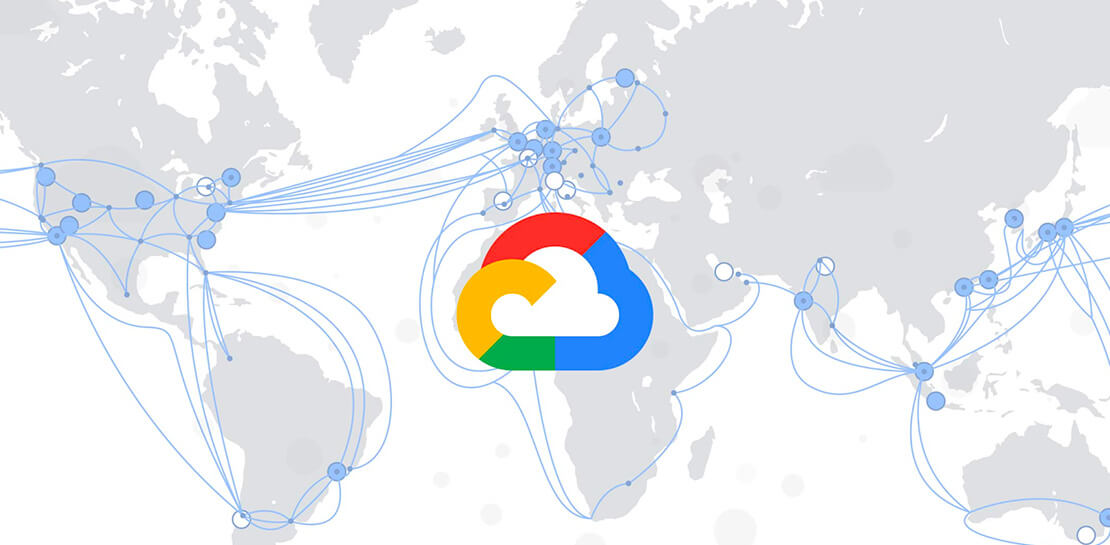
Today, we’re announcing that we are collaborating with Sparkle and others to build and operate two submarine cable systems linking the Middle East with southern Europe and Asia: the Blue Submarine Cable System connecting Italy, France, Greece, and Israel; and the Raman Submarine Cable System connecting Jordan, Saudi Arabia, Djibouti, Oman and India.
Developing additional network capacity and routes is critical to Google users and customers around the globe, who depend on robust connectivity to power their online lives, and communicate with friends, family and business partners. Google users and Google Cloud customers will benefit from increased capacity and decreased latency to regions in the area.
Each equipped with 16 fiber optic pairs, the Blue and Raman Submarine Cable Systems are expected to be ready for service in 2024. In time, consortium members hope to make additional landings and connect the two systems through terrestrial network assets.
Like with other infrastructure projects, building a subsea cable is an opportunity to pay tribute to a regional luminary who has advanced human understanding. The Raman cable is named for Sir Chandrasekhara Venkata Raman, an Indian physicist who won the 1930 Nobel Prize in Physics—the first Asian to receive that honor in science. C.V. Raman’s work centered on light scattering, which finds that when light traverses a transparent material, some of the deflected light changes wavelength and amplitude. This so-called Raman effect is a foundational principle in the field of optics that enables any underwater network cable. A trip across the Mediterranean also prompted him to ask why the sea is blue, when water itself is clear? Thanks to C.V. Raman, we now know that the sea isn’t simply reflecting the sky, but because the water itself causes blue light to scatter.
With Blue and Raman, we now have 18 investments in subsea cables around the world, including Google-funded cables like Curie, Dunant, Equiano, Firmina and Grace Hopper, and consortium cables like Echo, JGA, INDIGO and Havfrue. You can learn more about Google Cloud’s network and infrastructure here.
Google Announces New Cloud Region in Israel to Meet Growing Customer Demands

4854
Of your peers have already read this article.
2:00 Minutes
The most insightful time you'll spend today!
Google has long looked to Israel for globally impactful technologies including popular Search features, Waze, Live Caption, Duplex and flood forecasting. At our Decode with Google 15RAEL event last week, we celebrated 15 years of Google innovation in Israel and our longstanding support of the country’s vibrant startup ecosystem.
Over the years, we’ve expanded our enterprise investments in the country, too. In addition to our over a decade long investment in the space, Google has acquired Israeli-based companies like Alooma, Elastifile and Velostrata, and Uri Frank joined Google Cloud last month to lead our server chip design team from our offices in Tel Aviv and Haifa.
As we continue to meet growing demand for cloud services in Israel, we’re excited to announce that a new Google Cloud region is coming to Israel to make it easier for customers to serve their own users faster, more reliably and securely.
Our global network of Google Cloud regions are the foundation of the cloud infrastructure we’re building to support our customers. With cloud’s 25 regions and 76 zones around the world, we deliver high-performance, low-latency services and products for Google Cloud’s enterprise and public sector customers. With each new Google Cloud region, customers get access to secure infrastructure, smarter analytics tools, an open platform and the cleanest cloud in the industry.
Having a region in Israel will help accelerate innovation for customers of all sizes, including PayBox, a digital wallet application owned by Discount Bank, one of Israel’s largest banks. “When we acquired PayBox, our goal was to improve the security and the user experience for its products, but we also wanted to keep the startup’s agility and innovation. Google Cloud has enabled us to do just that,” said Sarit Beck-Barkai, Managing Director of PayBox at Discount Bank.
“We are very excited that leading vendors like Google are investing and launching a local cloud region in Israel. This will make a significant change in the technology landscape of the public-sector, enterprise and SMB markets in Israel. Matrix is proud to be a major part of the transition to the cloud,” said Moti Gutman, CEO at Matrix, technology services company and Google Cloud partner.
“In the last year, Panorays more than tripled its customer base and scaled its infrastructure, practically at the click of a button. Google Cloud made it easy for us to scale without worrying about DevOps, which meant that our engineers could focus on developing new and better features for our customers. The new region launching in Israel will allow us to serve our local customer base even better, as we’ll be able to experience higher availability and deploy resources in specific regions, thus reducing latency.” said Demi Ben-Ari, Co-founder and CTO, Panorays, a third-party security platform and Google Cloud customer.
“This new cloud region will provide even better access and growth potential for our mutual customers with tech hubs in the region. We are serving hyper growth companies who need Google Cloud’s services and will benefit greatly from this regional presence,” said Yoav Toussia-Cohen, CEO of DoiT International.
When it launches, the Israel region will deliver a comprehensive portfolio of Google Cloud products to private and public sector organizations locally. We look forward to welcoming you to the Israel region, and we’re excited to support your growing business on our platform.
Learn more about our global cloud infrastructure, including new and upcoming regions, here.
Ubuntu Pro Images Now Available on Google Cloud

4828
Of your peers have already read this article.
2:00 Minutes
The most insightful time you'll spend today!
Today, we’re pleased to announce the general availability of Ubuntu Pro images on Google Cloud, providing customers with an improved Ubuntu experience, expanded security coverage, and integration with critical Google Cloud features. In partnership with Canonical, we’re making it even easier for customers that have fully embraced open source to ensure security and compliance for their most mission-critical and enterprise workloads.
With Ubuntu Pro on Google Cloud, you now have access to features like:
- 10-year lifetime security updates – Canonical backs Ubuntu Pro for 10 years with security updates and a guaranteed upgrade path.
- FIPS & CC-EAL2 certification – Ubuntu Pro includes components that meet requirements from entities like FedRAMP, HIPAA, ISO, and PCI.
- Open-source security coverage – Protect your most important open-source workloads including MongoDB, Apache Kafka, Redis, NGINX, and PostgreSQL.
- Multi-version availability – Pro images are available for the three most popular Ubuntu Server distributions: 16.04 LTS, 18.04 LTS, and 20.04 LTS.
- Kernel Livepatch – Kernel patches are delivered immediately without having to reboot your VMs.
- Optional CIS and DISA STIG profiles – Choose from two leading profiles to harden your environment according to industry benchmarks.
- Cloud-based pricing – Ubuntu Pro does not require a contract, and pricing tracks with the underlying compute cost depending on the instance type.
Extended Security Maintenance (ESM) for Ubuntu 16.04 LTS with Ubuntu Pro
Availability of Ubuntu Pro images is especially important if you’re an Ubuntu 16.04 LTS customer and want extended security maintenance (ESM) for your virtual machines but don’t want to upgrade to Ubuntu 18.04 LTS or Ubuntu 20.04 LTS versions immediately. ESM is included with Ubuntu Pro 16.04. You can move your workloads from Ubuntu 16.04 LTS VM instances to Ubuntu Pro 16.04 instances to continue receiving ESM and all the above-mentioned benefits, without having to test your applications on a new version of the OS.
Gojek has evolved from offering just ride-hailing to a suite of more than 20 services today, serving everyday solutions for millions of users across Southeast Asia.
“We needed more time to comprehensively test and migrate our Ubuntu 16.04 LTS workloads to Ubuntu 20.04 LTS, which would mean stretching beyond the standard maintenance timelines for Ubuntu 16.04 LTS. With Ubuntu Pro on Google Cloud, we now have the ability to postpone this, and in moving our 16.04 workloads to Ubuntu Pro, we benefit from its live kernel patching and improved security coverage for our key open source components.”—Kartik Gupta, Engineering Manager for CI/CD & FinOps at Gojek
“With the launch of Ubuntu Pro on Google Cloud, we build on our joint investments with Google to optimize Ubuntu performance on Google Cloud, and add comprehensive security patching and Long Term Support for another 30,000 open source packages—the widest range of security-maintained open source on the planet,” said Mark Shuttleworth, CEO of Canonical. “As the world moves to open source for everything, Canonical offers the safety net of security maintenance that enterprises count on to unleash their developers.”
Getting started
Getting started with Ubuntu Pro on Google Cloud is simple. You can now purchase these premium images directly from Google Cloud by selecting Ubuntu Pro as the operating system straight from the Google Cloud Console.
To learn more about Ubuntu Pro on Google Cloud, please visit the documentation page and read the announcement from Canonical.
How We Built a Brand New Bank on Google Cloud and Cloud Spanner: The First Scalable, Enterprise-grade, Database Service

6559
Of your peers have already read this article.
6:30 Minutes
The most insightful time you'll spend today!
Editor’s note: Technology today lets companies of any size take on entire industries simply with an innovative business model plus digital distribution. Take Shine, a French startup whose platform helps freelancers manage their finances — and their administrative commitments. Here, Raphael Simon, Shine’s CTO and co-founder, talks about why Shine built a new bank on Google Cloud Platform, and in particular Cloud Spanner.
More and more people are deciding to take the plunge and start a freelance career. Some of them by choice, others out of necessity. One of their biggest pain points is dealing with administrative tasks.
In some countries, especially in Europe, the administrative burden of being a freelancer is similar to what a company of 10 or more people deals with. A freelancer doesn’t necessarily have the time or skills to manage all this paperwork. So we are building a new bank for freelancers from the ground up that helps automate administrative tasks associated with their business.
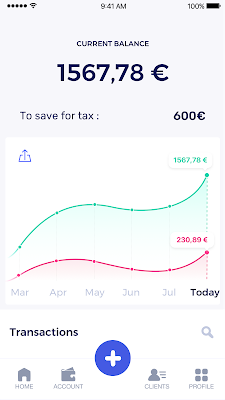
Shine’s banking services and financial tools make it as easy to work as a freelancer as it is to work for a larger company. We deal with administrative tasks on behalf of the freelancer so that he or she can focus on their job: finding and wowing clients.

Building our infrastructure
As a new bank, we had the opportunity to build our infrastructure from the ground up. Designing an infrastructure and choosing a database presents tough decisions, especially in the financial services world. Financial institutions come under tremendous scrutiny to demonstrate stability and security. Even a tiny leak of banking data can have tremendous consequences both for the bank and its clients, and any service interruption can trigger a banking license to be suspended or a transaction to be declined.
At the same time, it’s vital for us to optimize our resources so we can maximize the time we spend developing user-facing features. In our first six months, we iterated and validated a prototype app using Firebase, and secured our seed funding round (one of the largest in Europe in 2017).
Based on our positive experience with Firebase, plus the ease-of-use and attractive pricing that Google Cloud offered, we decided to build our platform on Google Cloud Platform (GCP).
We were drawn to GCP because it has a simple, consistent interface that is easy to learn. We chose App Engine flexible environment with Google Cloud Endpoints for an auto-scaling microservices API. These helped us reduce the time, effort, and cost in terms of DevOps engineers, so we could invest more in developing features, while maintaining our agility.
We use Cloud Identity and Access Management (Cloud IAM) to help control developer access to critical parts of the application such as customer bank account data. It was quite a relief to lean on a reliable partner like Google Cloud for this.
Database decisions
Next came time to choose a database. Shine lives at the financial heart of our customers’ businesses and provides guidance on things like accounting and tax declaration. The app calculates the VAT for each invoice and forecasts the charges they must pay each quarter.
Due to the sensitivity of our customers’ data, the stakes are high. We pay careful attention to data integrity and availability and only a relational database with support for ACID transactions (Atomicity, Consistency, Isolation, Durability) can meet this requirement.
At the same time, we wanted to focus on the app and user experience, not on database administration or scalability issues. We’re trying to build the best possible product for our users, and administering a database has no direct value for our customers. In other words, we wanted a managed service.
Cloud Spanner combines a globally distributed relational database service with ACID transactions, industry-standard SQL semantics, horizontal scaling, and high availability. Cloud Spanner provided additional security, high-availability, and disaster recovery features out-of-the-box that would have taken months for us to implement on our own. Oh, and no need to worry about performance — Cloud Spanner is fast. Indeed, Cloud Spanner has been a real asset to the project, from the ease-of-use of creating an instance to scaling the database.
Cloud Spanner pro tips
We began working with Cloud Spanner and have learned a lot along the way. Here are some technical notes about our deployment and some best practices that may be useful to you down the road:
- Cloud Spanner allows us to change a schema in production without downtime. We always use a NOT NULL constraint, because we generally think that using NULL leads to more errors in application code. We always use a default value when we create an entity through our APIs and we use Cloud Dataflow to set values when we change a schema (e.g., adding a field to an entity).
- With microservices, it’s generally a good practice to make sure every service has its own database to ensure data isolation between the different services. However, we adopted a slightly different strategy to optimize our use of Cloud Spanner. We have an instance on which there are three databases — one for production, one for staging and one for testing our continuous integration (CI) pipeline. Each service has one or more interleaved tables that are isolated from others services’ tables (we do not use foreign-keys between tables from different services). This way our microservices data are not tightly “coupled”.
- We created an internal query service that performs read-only queries to Cloud Spanner to generate a dashboard or do complex queries for analytics. It is the only service where we allow joins between tables across services.
- We take advantage of Cloud Spanner’s scalability, and thus don’t delete any data that could one day be useful and/or profitable.
- We store all of our business logs on Cloud Spanner, for example connection attempts to the application. We append the ‘-Logs’ suffix to them.
- When possible, we always create an interleave.
In short, implementing Cloud Spanner has been a good choice for Shine:
- It’s saved us weeks, if not months, of coding.
- We feel we can rely on it since it’s been battle-tested by Google.
- We can focus on building a disruptive financial services product for freelancers and SMBs.
And because Cloud Spanner is fully managed and horizontally scalable, we don’t have to worry about hardware, security patches, scaling, database sharding, or the possibility of a long and risky database migration in the future. We are confident Cloud Spanner will grow with our business, particularly as we expand regionally and globally. I strongly recommend Cloud Spanner to any company looking for a complete database solution for business-critical, sensitive, and scalable data.
4435
Of your peers have already watched this video.
15:00 Minutes
The most insightful time you'll spend today!
HSBC Leverages Google Cloud to Deliver Exceptional Cx for 37 Million Customers
HSBC is the world’s largest international bank that has been in existence for 150 years. HSBC is present in 70 countries, has 37 million customers and is the number one bank in trade finance or cross-border finance. HSBC is a systemically important financial institution that is heavily regulated.
Rapid growth in data and aggressive adoption of digital channels by customers drove HSBC to make a significant transformation in their existing IT infrastructure.
The existing IT infrastructure at HSBC has been around for 30 to 40 years and with the growing need to analyze, store and process massive amounts of data it gradually became redundant. To overcome these challenges and balloon the organizations’ compute capacity HSBC decided to adopt a cloud-first strategy.
“Our existing systems are robust, scalable and can do a great job, but they do not have the database structure that allows us to run analytics and machine learning,” says Darryl West, Group CIO, HSBC.
“We are a bank at the core of our business, but we also have a significant technology company embedded within the organization. I asked the management team do we really want to compete with cloud providers, like Google, are we really going to try and do what they do, as well as they do it? Our conclusion was it was better for our business if we do a cloud-first strategy,” says West.
HSBC has been working with Google on some of the most critical business problems. The initial uses cases are typically characterized by business problems that have very large data sets and require very intense computing capability in short bursts. These include anti-money laundering, finance liquidity reporting, risk analytics, risk reporting, valuation services and more.
Watch the full video to understand how HSBC is leveraging Google Cloud Platform to enhance customer experience and deliver continuous innovations.
3 Important Factors to Consider for Moving Large-scale On-prem Data to Cloud with Storage Transfer Service

3526
Of your peers have already read this article.
1:30 Minutes
The most insightful time you'll spend today!
Organizations have been moving their on-premises data and applications to the cloud for the past several years, driven by reasons as varied as application modernization and content delivery to archival. In particular, we have seen migration momentum pick up in sectors like media and entertainment, where customers are rethinking how they monetize and store their valuable historical content, often while exploring Google Cloud’s many analytical and AI solutions.
Many of these customers are interested in moving their unstructured data from on-premises appliances to Google’s Cloud Storage. Over the past year, we’ve noticed an uptick in larger migrations, where customers move tens of petabytes or more of on-premises file data to Google’s flexible, secure object storage.
For customers like Telecom Italia/TIM Brasil, Google’s fully managed Storage Transfer Service played a key role in making this transformation possible by moving data from on-premises filesystems to extensible, low-cost Cloud Storage over the network.
“Storage Transfer Service helped us move petabyte-scale data from on-premises filesystem to Google Cloud in a highly performant and fully-managed way,” said Auana Mattar, CIO at Telecom Italia/TIM Brasil. “Setting up the transfer pipeline required performing some tests to figure out the ideal number of agents and networking settings in our on-prem environment. Once the initial setup was done, transferring data was seamless, and the service was able to saturate a 20 Gbps Partner Interconnect link.”
While large-scale cloud migrations can be intimidating, there are a number of actions that customers can take to ensure that a multi-petabyte data transfer goes as smoothly as possible. In the past, we’ve shared general architectural guidance for customers new to their cloud journey. And for customers looking for options, Google has multiple paths to move on-premises file data to the cloud, including our fully offline Transfer Appliance.
In this blog post, we’ll provide an updated perspective focused on how to use Storage Transfer Service to move data from on-prem to the cloud. Specifically, we’ll look at three different factors to consider prior to moving large amounts of data from your on-premises filesystem to Cloud Storage with our Storage Transfer Service.
Understanding the source files and filesystem
If you are moving data from an on-premises filesystem, you should be aware of how your source files, and your source filesystem, can impact transfer performance.
Each copy you make to Cloud Storage incurs some overhead from associated operations like metadata transfer, checksumming, and encryption. This means that, for a given amount of storage, transferring large numbers of very small files will take longer. As a rule of thumb, Storage Transfer Service will be most performant when moving files that are 16 MB or larger.
If you have a large number of smaller files, you may choose to batch them using tools like tar and upload as a single object. This will improve transfer performance but will limit how you can use those files in Cloud Storage. It’s an option best considered for use cases like archival storage, where the data transferred to Google Cloud may not be managed or accessed regularly. Our Nearline, Coldline, and Archive archival tiers offer excellent performance should you ever need to retrieve the archived data.
The source filesystem may also slow down transfer performance, particularly if the filesystem has limited read throughput. Tools like Fio can be used to test read throughput. We’ve included a command below to run a series of 1MB sequential read operations in Fio and to generate a report:
#Install fio> sudo apt install -y fio#Create a new directory fiotest> TEST_DIR=/mnt/mnt_dir/fiotest> sudo mkdir -p $TEST_DIR#Test read throughput> sudo fio --directory=$TEST_DIR --direct=1 --rw=randread --randrepeat=0 --ioengine=libaio --bs=1M --iodepth=8 --time_based=1 --runtime=180 --name=read_test --size=1G
Fio will then generate a report. The final line labeled ‘bw’ represents the total aggregate bandwidth of all threads, and it can be used as a proxy for read throughput. In general, you should strive for read throughput (‘bw’) that is 1.5x of your desired upload throughput or speed. (And one easy way to increase read throughput is to ensure that the filesystem itself is not imposing any limits on maximum throughput.)
Optimizing Storage Transfer Service resources
Within the Storage Transfer Service, there are a few settings that we can adjust ahead of time to ensure optimal performance for a larger workload.
First, we should ensure that we have the right number of transfer agents for our source data. We would advise that, for any transfer job larger than 1 GB, you start with at least three agents in separate VMs, with each agent assigned at least 4 vCPU and 8 GB of RAM. In addition to providing a foundation for performant data transfer, this architecture also ensures that the transfer is fault tolerant should one agent machine become unavailable.
Google Cloud supports up to 100 concurrent agents for a given Google Cloud project. To help you identify the right number of agents to support your workload, you should start your larger transfer first, then wait three minutes after adding each agent to ensure that throughput has stabilized.
In general, each agent can facilitate roughly 1 Gbps of throughput for up to 10 agents, at which point it may be necessary to add more agents for a very large amount of network bandwidth. For example, in one larger migration, a customer with 20 Gbps of dedicated network capacity ran ~30 agents at once. These numbers illustrate what was required at one enterprise data center. Across all of your environments, it is important to test and monitor your throughput via Cloud Monitoring to ensure you have the right configuration for your transfer goals.
Another area to optimize is where and how you install your agents. As we mentioned earlier, agents should be installed in separate VMs, and each host machine should dedicate at least 4 vCPUs and 8 GB of memory per agent. This is a starting off point, and larger, long-running transfers may require additional CPU or memory. For those longer jobs, we advise that you monitor CPU utilization and unused memory closely to ensure optimal performance. You should provision more CPUs when utilization exceeds 70%. Similarly, you should be ready to provision additional memory when the agent has less than 1GB of unused memory.
Preparing your network for large-scale data transfer
The third and final area to consider is your network connectivity. While it can be easy to reduce this to the bandwidth between the source filesystem and the Google Cloud bucket, the network includes two other components that can be easier to configure: first, the network interface from the on-premises agents to the WAN; and second, the agents’ connection to the on-premises filesystem.
For the first component, the network interface from the on-premises agents to the WAN, the general guidance is to not let this become a bottleneck. Specifically, you should ensure that this interface is greater than or equal to the bandwidth you require to read from the filesystem, plus the upload bandwidth to write to Google Cloud. In other words, if you plan on moving 10 Gbps of data from on-premises to Google Cloud, you will need 20 Gbps of bandwidth between the on-premises agents to the WAN: 10 Gbps to read from the networked filesystem, and 10 Gbps to transfer and write to Google Cloud.
On-premises filesystems, and on-premises networks, come in many flavors. For the second component, how the agents connect to an on-premises filesystem, our general rule is to be mindful of latency and to test regularly. It is essential to ensure that agents run on machines that can access a networked filesystem with very low latency.
Finally, if you are trying to maximize transfer performance, make sure you’ve configured your network to avoid bandwidth restrictions between on-premises filesystem and Google Cloud that might impact transfer speed. Storage Transfer Service will allow you to cap the bandwidth used by transfer, making it easy to minimize any impact on other production applications. Consider using tools like lperf3, tcpdump, and gsutil to measure the network bandwidth available to upload to Cloud Storage.
In particular, gsutil is worth some additional detail. Gsutil is a Python tool that can help you perform a number of object storage management tasks in Google Cloud, including checking your agent’s connection to the Cloud Storage APIs. It can be installed via the Google Cloud SDK, or separately. In this case, you should also ensure that gsutil is available in the same on-premises VM as the Storage Transfer Service agent.
If you’d like to use gsutil to test connectivity to Google Cloud, here’s the command:
gsutil cp test.txt gs://my-bucketReplace:my-bucket with the name of your Cloud Storage bucket.
CP is a copy command that lets you copy data from on-premises to the cloud. In this case, gsutil is copying a test document, test.txt, to ensure that you have a connection with the Google Cloud APIs. You will need to create a test document before running this command.
Test twice, transfer once
One overarching theme across all factors is that testing can help you understand performance. For many customers, a large-scale data transfer from an on-premises filesystem to Google Cloud is an unusual event. And as with any unusual event in enterprise IT, it is a great idea to make sure that each party – from network administrators to filesystem and storage experts to cloud architects – is able to test their domain multiple times, to ensure the event will proceed seamlessly.
As you fine tune your testing in advance of a data transfer, you may want to learn more about your options for obtaining more network bandwidth, orchestrating transfer from SMB filesystems, or even how to make the right choices to save money on object storage. And we plan to share more in our blog about how customers have used our transfer offerings in the months ahead. Advanced agent setup | Cloud Storage Transfer Service Documentation
For more information about Storage Transfer Service and how to get started, please take a look at our documentation or get started via the Google Cloud console.
More Relevant Stories for Your Company

Sky News Looks to Google Cloud to Live Stream Election Results
Sky News live streamed the results from 150 of the 650 constituency counts in the U.K. while competitors, who did not have live video from as many counts, had to wait for slower independent data services to report the results. Sky News also delivered all the live streams over the

Custom AI Solutions, Global Delivery Centers and More Resources Dedicated for Customer Success
At Google Cloud, our customers are at the forefront of digital transformation—launching entirely new businesses and products built in the cloud, redefining entire industries with data and artificial intelligence, delivering innovative new consumer experiences, or committing to sustainable new ways of doing business. We’re committed to our customers’ success, and

Quilkin: How the Open-source UDP Proxy Enables High-performance Multiplayer Gaming
Traditionally, dedicated game servers for real time multiplayer games have used bespoke UDP protocols for communication and synchronization of gameplay among the players within a game. This communication is most often bundled into monolithic game servers and clients, pairing the technical functionality of communication protocols, such as custom network physics synchronisation, security,

The Journey ahead for Google Cloud and SAP
The partnership between Google Cloud and SAP is entering a new chapter. Over the years, our close partnership with SAP and our mutual dedication to customers has inspired us to do some of our most unique and innovative work—such as building Fast Restart and Memory Poisoning Recovery capabilities for S/4HANA workloads, offering real-time
