





How Google is Showing the Way to the Differently-abled: A Blind Program Manager’s Account

4254
Of your peers have already read this article.
3:30 Minutes
The most insightful time you'll spend today!
What does “accessibility” mean to businesses? It’s not just about making sure that your office or retail space is accessible to workers and customers who have mobility challenges, it’s also about making sure that your apps, digital tools and content are also more accessible to everyone.
Our product teams work every day to ensure that tools like G Suite have built-in accessibility features. As a Program Manager, I help create those features and use many of them myself, as I’m blind. I would like to give an overview of product accessibility features that have been available for some time, as well as some new ones.
Listen to content with help from screen readers.
A screen reader is a helpful tool for people who are blind or have low vision. It provides methods to interact and control applications and also converts content on screen into spoken text. With a screen reader and keyboard shortcuts, you can read, edit, and comment on files. Getting started is easy: In Google Docs, Slides, or Sheets, go to the Tools menu, and in “Accessibility settings,” check the “Turn on screen reader support” box. Learn how to turn on screen reader support in Docs.
G Suite supports several screen readers, including ChromeVox, Google’s own screen reader. ChromeVox is automatically built into Chrome devices, like Chromebooks. You just have to enable it. There are many other screen readers you can use with G Suite too; this support guide explains which screen readers work best with which web browsers.
Another way to listen to content is with Select-to-speak, a feature that reads content aloud to you using text-to speech (TTS) to verbalize highlighted content. To try it out, highlight text and activate the select-to-speak button. An example of a select-to-speak tool is the one built into ChromeOS.
See a summary of changes to your documents.
To make it easier for people to keep track of collaborators’ contributions in Google Docs (without having to actively watch every single change), we recently added a feature called Live Edits. Helpful if you use a screen reader or magnification, Live Edits periodically summarizes changes made to a document by collaborators within the sidebar. Learn how to comment and collaborate in Docs using a screen reader.
And for people who are sensitive to visual crowding, we also introduced eight different Lexend font families that have varied widths and spacing to accommodate different reading speeds. Read more details about these font options.
Use voice typing to “write” by speaking.
Voice typing is a powerful productivity tool for everyone, including those who do not use a keyboard. It’s especially useful for people with low vision or with motor disabilities that may prevent them from using keyboards, mice or trackpads. When you speak into the computer’s microphone, voice typing uses artificial intelligence (AI) to convert your voice into text. In Docs, you can even use voice commands to select and edit text—for example, bolding words or cutting and pasting text.
New Google Research Innovators tackle wide range of challenges
957
Of your peers have already read this article.
2:30 Minutes
The most insightful time you'll spend today!
Now in its third year, the Google Cloud Research Innovators program has invited 37 new participants to work with each other and Google experts to accelerate their most promising projects. The program offers select researchers expanded technical and networking support from Google professionals, access to Google’s latest cloud technologies, and additional Google Cloud research credits. By collaborating across fields, sharing resources, and disseminating knowledge, Research Innovators aim to drive new discoveries and solve problems faster.
This year’s cohort includes researchers in a wide range of fields at North American institutions. They meet once a month with mentors and participate in research conferences and special training days. Here are a few of the Research Innovators solving real-world problems with Google Cloud:
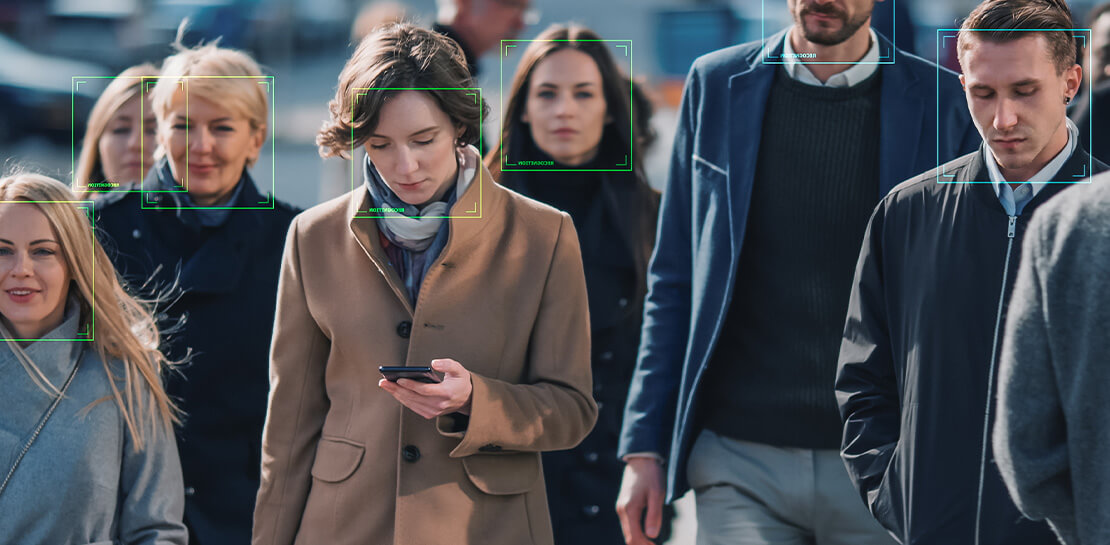
- Elisa Chen at the University of Chicago uses Vertex AI Vision to develop a model that recognizes faces in illustrations in order to examine race, age, and gender representations in award-winning children’s books in the U.S.
- Swapneel Mehta at New York University uses Google Cloud’s machine learning and data processing tools to analyze disinformation online.
- Christopher Weber at the University of Arizona uses BigQuery and Data Studio to analyze voter registration data and visualize political behavior.
- Guangming Zheng at the University of Maryland develops algorithms to identify cyanobacteria in freshwater lakes through satellite imagery, which can help assess threats to human health and ecosystems.
Previous Research Innovators have already generated scientific breakthroughs and had broad social impact: Tapio Schneider developed a ClimateMachine to simulate cloud cover, Richard Fernandes designed an app to monitor Canada’s leaf canopy, and Christoph Gorgulla accelerated drug discovery for COVID-19 treatments. Some of these innovators are now mentoring this year’s cohort to further advance the program’s goals and pass along its benefits.
If you’re a researcher interested in exploring the benefits of the cloud for your projects, apply here for access to the Google Cloud research credits program in eligible countries. To engage with the latest challenges and solutions in research and technology, sign up for NEXT, Google’s global exhibition of inspiration, innovation, and education in San Francisco August 29-31.
How Barilla Created a Social Media Style App to Improve Efficiency

5658
Of your peers have already read this article.
3:30 Minutes
The most insightful time you'll spend today!
Google Cloud Results
- Replaced conflicting, time-consuming paper logs with a near real-time, transparent app
- Scaled rapidly and easily to accommodate new teams thanks to Google App Engine
- Enables photographic and video communication to replace confusing text
- New factory solution rolled out in just 15 days
In 1877, Pietro Barilla set up a small bakery to make pasta and baked goods for the people of Parma, Italy. Today, Barilla applies its 140 years of baking knowledge on a global scale, with six major manufacturing sites in Italy and an international network employing over 8,000 people. As the world’s leading producer of pasta, Barilla knows that when it comes to making quality food, great communication is key. That’s why the company plans to become a completely digital, looking to technology to improve the way it works.
Teams at the Barilla factory in Cremona work along a production line more than one-kilometer long, staffed by three shifts of workers a day. When one shift handed over to the next or requested machine maintenance teams, they used paper notebooks and unofficial instant messaging to communicate. That meant there was no authoritative, real-time record of events, communication was messy, oversight was poor, and teams had to hold daily morning meetings to synchronise notes.
Barilla worked with the Google Cloud Partner Injenia to create a solution, beginning with a consultative process on the factory floor.
“We had the idea to to start from the bottom and work up,” says Cristiano Boscato at Injenia. “Barilla’s top staff were brilliant about letting us do it. Eight of us from Injenia spent months on the factory lines with Barilla workers, collecting ideas on Google Docs, making presentations with Slides and collecting feedback with Forms. The CollaborAction app we created is the result of an amazing partnership.”
Co-designing a team social network
“Everything at the Cremona plant was managed offline, with paper,” explains Alessandra Ardrizzoia, Digital Engagement Senior Manager at Barilla. “Workers on the line would track events in notebooks, the shift leader would have another notebook, and the leader of the maintenance team would have yet another notebook. Everybody wrote their own text description of events, so there would be mismatches in the information going around.”
To resolve this, teams would meet at 8:30am every day to reconstruct a consistent narrative. In addition, machine maintenance workers were already using instant messaging to communicate with the line. Barilla and Injenia looked for a solution that could deliver a searchable, single version of events, with the ease of use of a mobile messaging application.
After consulting factory workers for ideas, Injenia created CollaborAction, a custom-built app that brought G Suite collaboration tools together on an Google App Engine platform, using Google Cloud SQL to index files. Google+, Google Drive and Hangouts were not only highly available and easy-to-use, they also “helped with fast adoption, with interfaces that workers could already relate to.” Meanwhile Google App Engine enabled the Injenia team to deliver updates and new versions at speed, as part of a feedback process with workers who offered suggestions through a link to Forms embedded in the app.
Google+ provides an intuitive social media dashboard that workers felt comfortable with. Now teams use company tablets placed at intervals along the line to log in, report issues to other teams, photograph problems, schedule maintenance, give status updates through Hangouts chat, and have visibility on the whole process as it takes place.
“Everyone in the Cremona plant was really happy with the new social collaboration process. Because they were involved in designing the solution, they felt involved and really engaged with the process,” says Alessandra. “And now that everyone is aligned with CollaborAction, all the work in the plant is more effective. They are more agile and can use their time in more added-value activities.”
Optimization and a national roll-out
Created in Cremona, now CollaborAction connects over 1,000 users in six of Barilla’s factories in Italy. “The pilot at Cremona took one month, and adoption has been easier and faster in every plant we’ve taken it to,” says Cristiano. “We have another five or six plants more, and it takes no more than 15 days to introduce. That’s incredible.”
Because CollaborAction is a mobile app built on Google App Engine, scaling to meet new demand has been simple. Now maintenance teams use the app on smartphones, line workers use it on tablets, and shift leaders use it on laptops, so the entire team is aligned in close to real-time on a single version of events. And now teams communicate with video and photographs as well as text, there’s less room for confusion, as Alessandra explains. “It’s no problem understanding what’s happening in a video or picture, compared to a message that just says ‘something is going wrong.’ On a production line, where one part leads into the next, that speed makes a difference, and means we don’t have to throw as much food away when something breaks down.”
“Now we’re collecting feedback from all of the plants using CollaborAction and using it to create a standardised solution that we can apply across all of our plants,” says Alessandra. “We’re side-by-side with the workers in that sense, trying to address their needs with new features. It’s a way to make the workers feel like part of the solution, and that the app represents their needs and their voice.”
Solving a universal problem
By the end of 2018, Barilla and Injenia aim to have deployed CollaborAction to 2,700 employees at 18 factories worldwide. Barilla has already collected more than 50,000 posts with the app, including around 20,000 photographs and videos, and is now considering ways to apply Cloud Machine Learning Engine to create a maintenance chatbot or direct IoT connection with machinery.
“CollaborAction hasn’t just made our maintenance processes faster and more efficient, its also exponentially increased the knowledge and understanding employees have about their work,” says Alessandra. “It’s improving team spirit, too, such as when employees use CollaborAction to arrange to play soccer. It’s become the main communication tool for the entire plant.”
Work & wellbeing: Find the latest insights on future of work & collaboration
3247
Of your peers have already read this article.
2:30 Minutes
The most insightful time you'll spend today!
Business leaders and IT professionals come to Google Workspace to build secure, cloud-first collaboration solutions that transform how people work together. Here’s the latest from Google Workspace leaders and partners about the evolving future of work and collaboration, all in one place.
Empowering everyday innovation to build a more adaptive business
- Hear from Google Workspace VP of Engineering, Philip Brittan, about how organizations can rethink their approach to innovation.
How organizations can rethink their approach to time management coaching
- Laura Mae Martin, Google’s Productivity Expert, on helping employees get more from their time, without sacrificing their wellbeing.
Google Workspace and Google Cloud help build the future of work at Airbus
- See how Airbus lived up to its mantra of “Any device, anytime, anywhere,” with help from Google Workspace and Google Cloud. Read the article.
Shaping the future of work for frontline workers in Asia Pacific
- Read about the new urgency for businesses to take a fresh look at work and technology experiences on the frontlines in APAC.
Boosting collaboration and participation in the hybrid work world
- Strategies and best practices for organizations building people-first, sustainable hybrid work models.
The future of work requires a more human approach to security
- Security is no longer just about protecting information or restricting how that information is accessed—it’s about building safe, efficient, and effective ways to facilitate seamless collaboration and information-sharing. Read more.
Insights from our global hybrid work survey
- Google Workspace commissioned Economist Impact to conduct a global hybrid work survey. Here are the resulting insights about employee wellbeing, productivity, and the need for better technology.
Why settle for the status quo?
3974
Of your peers have already read this article.
2:30 Minutes
The most insightful time you'll spend today!
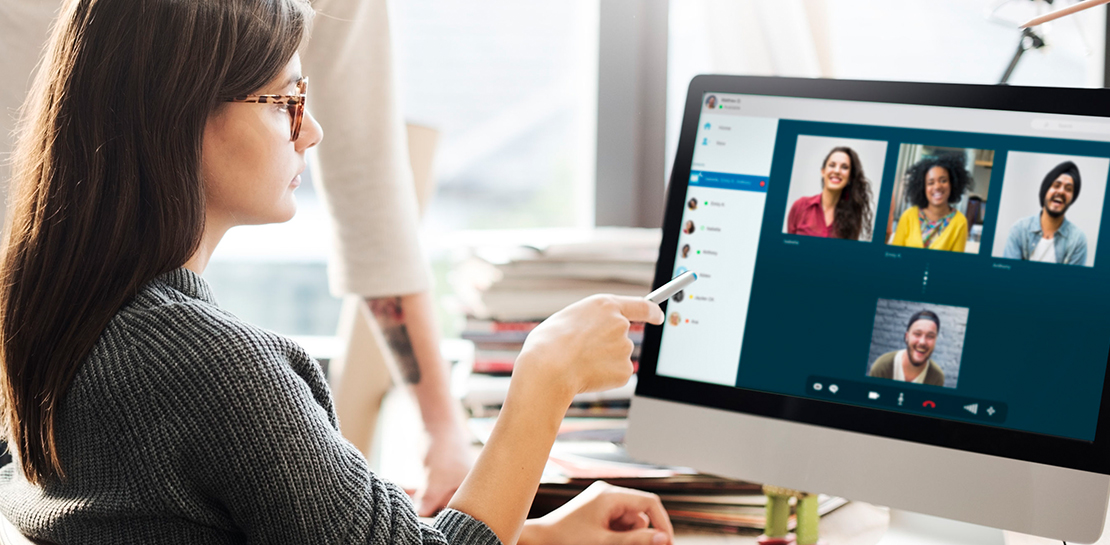
Virtual meetings, remote collaboration, flexible hours: it’s becoming clear that these new ways of working are here to stay.
Business leaders, since the onset of COVID-19, have seen workplace transformation go from an almost theoretical long-term goal to an urgent priority. Employers and employees want more flexible ways of working, and delivering on this requires the right technology.
But flexibility isn’t the only thing that employees want. Remote working has significantly increased the demands we’re getting from many directions—in both our professional and our personal lives. Employees feel overloaded with too much information and too many tasks across too many different tools. Instead of learning another tool, we need the tools we already use to be even more helpful, and work together, in an integrated, intuitive way.
Today’s teams need to re-imagine not only how they communicate and collaborate with each other remotely, but also how they continue to serve their own customers and support the communities they belong to. From doctors consulting with patients, to financial institutions providing critical advice to customers, to teachers delivering distant learning, to car dealerships creating virtual showrooms—it’s clear that these new ways of working are here to stay.
The future of work is here. COVID-19 has accelerated a shift in how organizations like yours get work done. Take this 2-minute assessment below to see where you’re at on the journey to the future of work, and get a free guide to help you take the next step.
Google Cloud’s Journey about Building DEI into Business
3887
Of your peers have already read this article.
1:30 Minutes
The most insightful time you'll spend today!
Diversity, equity, and inclusion (DEI) are more than buzzwords, they are critical components of workplace culture that have real, tangible impacts on your entire organization. Well-executed and robust DEI initiatives ensure that every single employee feels welcomed and valued when they are at work. And that’s not all—done right, DEI will create a thriving environment that fosters increased engagement, productivity, and ultimately, new innovation.
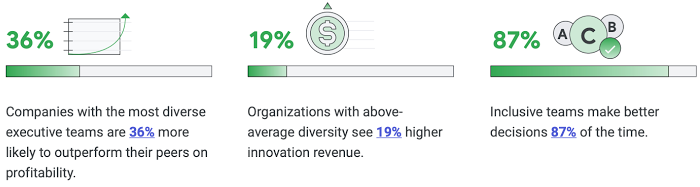
Now, more than ever there is more urgency to incorporate diversity and inclusion into every aspect of your business. Not only because it enhances your ability to be responsive to users and customers, but because it builds trust and a sense of belonging for your employees.
So, how do you build a representative workforce and inclusive teams?
Read our short eBook to learn steps you can take to build DEI into your business along with insights from our own journey at Google Cloud.
More Relevant Stories for Your Company


Workspace: Embedding Inclusion and Equity throughout Product Design and Development
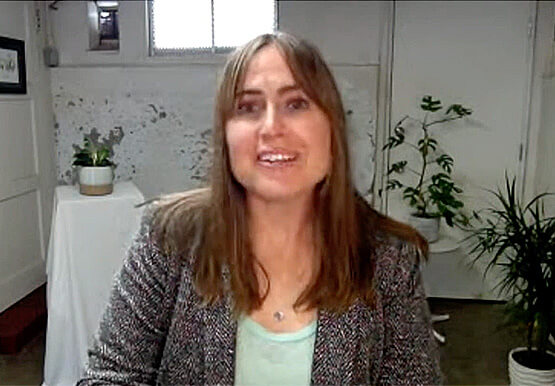
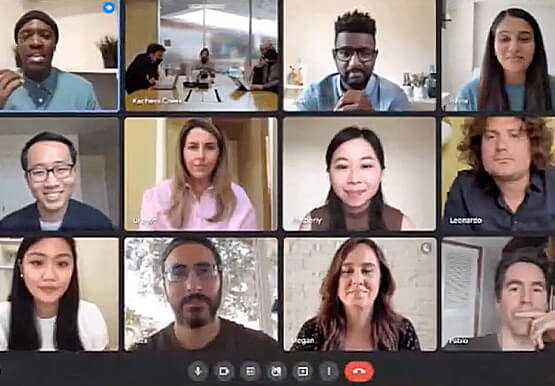
Google's products are built for everyone! Watch the video to hear what the experts at Google say about embedding inclusion throughout the design to product development process, and how Google Workspace is built on product equity principles that takes into consideration the challenges and requirements of users across demographics.

BHI: Embracing Google Workspace and AppSheet to transform the workplace
In the last two decades, BHI, once a small construction company in Vernal, Utah, has expanded its operations to dozens of industries in over 25 states. But while the company grew, its technology trailed behind. File sharing and emails both ran off a single server. Editing a document was a grueling
The Incredible Story of How Hero MotoCorp Moved 6,000 Users to the Cloud in 45 Days
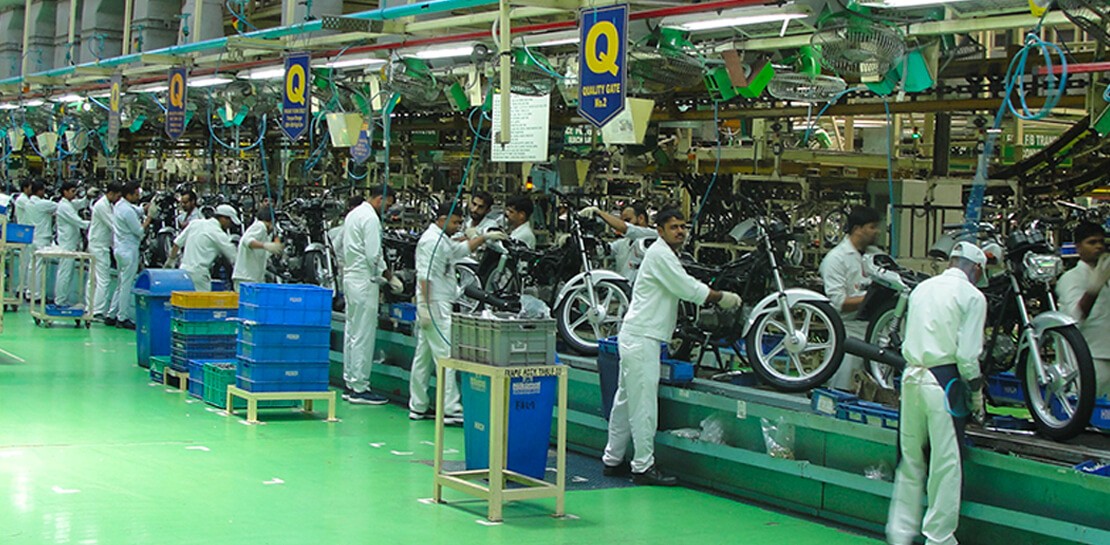
Assembling thousands of parts into one motorbike or scooter every 17 seconds is a complex task requiring accuracy and precision. For Hero MotoCorp — an India-headquartered manufacturer of two-wheeler vehicles — workforce collaboration, security, and mobility complement these processes and provide the cornerstone of the organization's global operations. Based in New Delhi,
Say Hello to Google Workspace
Make way for Google Workspace to connect, create, and collaborate with your team and organization. Watch the video to explore how you can achieve more with Google Workspace and how it can transform the future of workplace!
