





How G Suite helps businesses evolve to more flexible and distributed work models

4152
Of your peers have already read this article.
4:30 Minutes
The most insightful time you'll spend today!
There are many inspiring stories of businesses reacting swiftly to the global pandemic. Some companies have enabled their teams to re-imagine not only how they communicate and collaborate with each other remotely, but also how they continue to serve their own customers and support the communities they belong to. From doctors consulting with patients, to financial institutions providing critical advice to customers, to teachers delivering distance learning, to car dealerships creating virtual showrooms with G Suite—it’s clear that these new ways of working are here to stay.
Here are some of the inspirational stories.
Keeping teams connected and productive
Activision Blizzard King (ABK), a leading interactive entertainment company, is going all in with G Suite*. Working with SADA, a Google Cloud Premier Partner, Activision Blizzard was looking for an innovative and scalable solution to transform the way their teams work together. As their developers around the world build the next generation of innovation in gaming, they rely on the power of collaboration in G Suite to create, connect, and share with each other. G Suite helps them successfully meet critical deadlines for game launches and updates.
“The safety of our teams is paramount during these disruptive times, and our workforce is already widely distributed across multiple locations internationally. G Suite has brought our teams together as we continue to collaborate while we’re apart,” says Jacques Erasmus, Chief Information Officer, Activision Blizzard.
PwC, a global professional services organization, enabled over 275,000 people to work from home in response to COVID-19. G Suite enables PwC to not only collaborate and stay connected with each other, but to continue to serve their clients in a timely and efficient manner. As a global organization with most of its people around the world needing to work from home, PwC reached nearly 10 million hours of video conferencing in Google Meet in a single month.
“G Suite allows us to stay connected—it’s the single place where we can collaborate, discuss, and share work, in the current situation,” says Hilda Clune, Technology and Transformation Leader at PwC. “G Suite provides enough resilience and security, and the ability to scale at the speed we need to.” Learn about how PwC works remotely with G Suite:https://www.youtube.com/embed/rlgyiRoBGhk
Kärcher, a global manufacturer of cleaning equipment, accelerated its plans to move its 14,000 workers to G Suite in response to COVID-19. They accomplished the transition in only five days, enabling employees to collaborate effectively without being physically present in a Kärcher office. G Suite plays a critical role as Kaercher resumes business globally in the post-COVID phase, user adoption of various G Suite apps continues to grow, and management is using tools like Jamboards and Google Meet hardware to help them collaborate better and stay connected with their teams.
“With G Suite, Kaercher has transformed its global collaboration, allowing for faster business decisions during the COVID-19 crisis,” says Dr. Daniel Heubach, Chief Information Officer of Kaercher.
To face the current health crisis, De’Longhi, an appliance manufacturer based in Italy, created a local and international taskforce to ensure all their employees have everything they need to work from home safely and effectively. G Suite is playing a critical role in helping them achieve this goal. The De’Longhi taskforce uses Google Sheets to help them collect up-to-date information from each of their regions, and connect with local teams via Google Meet to better understand the unique circumstances and challenges they’re facing. As teams began to work from home with G Suite, De’Longhi has seen a 500% increase in Meet usage and a 200% growth in the number of shared files in Google Drive.
Helping to provide communities with critical services
St. Louis-based Schnucks evolved from a neighborhood grocery chain to essential workers—virtually overnight. They supported both corporate and frontline workers in stores with an information hotline and created a virtual dispatch center for their transportation team, all through Google Meet. See how Schnucks was able to keep providing groceries to the communities it serves:https://www.youtube.com/embed/uTuOGwotfGk
As Boston was one of the first areas to be hit by COVID, patients at Cambridge Health Alliance’s (CHA) Department of Psychiatry had to manage a whole new set of challenges, including anxiety about the pandemic and new financial insecurity. Thanks to Google Meet, CHA was able to continue serving these patients in a timely manner. Outpatient Psychiatry was an early adopter of video visits, which are more appropriate for behavioral health care than phone consultations. Between March and June 2020, CHA was able to maintain 90% of its expected patient visit volume in Psychiatry, a huge win for patients, families, and the communities CHA serves.
Southern Cross Care (SA, NT & VIC) Inc has begun using Google Meet to help residents across their 17 Residential Aged Care homes stay connected to their loved ones, despite lockdown measures associated with COVID-19. Residents can now also see their doctor virtually via Google Meet, keeping them safe from any potential exposure to the virus while still experiencing a high level of care through these virtual consultations.
Enabling business services for customers, no matter where they are
Italian bank Credem (Credito Emiliano S.p.A), relies on G Suite to help their staff adapt to a collaborative work-from-home environment leveraging tools like Google Meet, Drive and Docs. G Suite enables their teams across its banking and insurance businesses to collaborate and stay connected while working remotely. Credem has also created a “virtual branch” by moving its customer support to video conferencing using Google Meet. This enables customers to continue to get access to critical financial services, remotely and safely.
KIA Motors, a multinational automotive manufacturer, is using G Suite to provide “virtual viewings” for its customers, enabling them to continue to engage in an immersive and engaging car-buying experience. With Google Meet, KIA’s sellers can interact with customers, provide them with a virtual demonstration of a car, and answer any questions that come up.
“Live Stream Showroom demonstrates our continued commitment to tailor the car-buying journey to the demands of our customers with virtual viewings,” says JT Hong, Head of Global Channel & Service department at Kia Motors. “By launching this new platform testing in the Middle East & Africa region, we aim to stay ahead of the curve in digital sales and marketing in this time of transition.”
These are just a few recent examples of how G Suite helps customers not only adapt to the current situation but also reimagine how to get things done. We’ve been working hard to make G Suite a better home for your work by providing an integrated workspace that brings together the core elements of work—like chat, email, voice, video, and tasks—and making them better together. Our goal is to help teams to stay productive and connected, no matter where they’re working from, and enable businesses to serve their customers safely and more efficiently.
(*G Suite is now Google Workspace)
Google Cloud CCAI’s Support for the Public Sector Soars during the Pandemic

5276
Of your peers have already read this article.
2:00 Minutes
The most insightful time you'll spend today!
Scaling Virtual Support in the Pandemic Era: The AI Connection
Since the early days of the pandemic, we’ve partnered with government organizations and academic institutions to serve communities at scale with Contact Center Artificial Intelligence (CCAI). I sat down with Bill MacKenzie, IT liaison for the Upper Grand School District in Ontario, and Marco Palermo, director of digital government and modernization, to discuss how they embraced CCAI to introduce scalable service delivery to residents and students alike. I’m sharing more on their stories below, and for the full overview, check out our Google Cloud Public Sector Summit session, Scaling Virtual Support in the Pandemic Era: The AI Connection.
Upper Grand School District: Answering questions with speed and accuracy
Bill MacKenzie described the Upper Grand School District’s struggles at the beginning of the pandemic, particularly helping parents with IT issues. The staff-oriented help desk was not equipped to assist parents trying to securely login for students as young as kindergarten. Without sufficient support for parents, the District was struggling to handle thousands of phone calls a day.
To alleviate the manual strain, they turned to Quantiphi, a Google Cloud partner, to implement Google Cloud Dialogflow. They were fully functional within a few weeks. The new website provided real-time responses as well as clear documentation to help parents get up and running quickly.
“In the first 10 days, we had over 5,000 hits, and the accuracy rate was 92%,” MacKenzie said.
The district doesn’t know what the future holds, but now that they have been through the process, they are confident they now understand how to create their own bots to meet critical needs.
City of Toronto: Getting critical information to the community
Marco Palermo explained how the city of Toronto was facing a very rapid and fluid situation at the beginning of the pandemic. Getting information to constituents was extremely important, and they needed alternative channels to deliver that information.
Toronto has been committed to workforce equity and inclusivity in order to best represent the diversity of its residents. As a result, solutions had to be accessible to all. The bot handled 25,330 unique users and addressed 20,174 total questions with an 80% accurate response rate in the first four months. It’s been a huge success for the city, with plans to expand its capabilities.
Personalized response to the pandemic challenge
I noted that even before the pandemic, government leaders were asking for a way to provide more flexible personal experiences and better support outside of normal business hours. Around 60% of constituents want more self-service options and 75% would happily interact with digital resources if they could get the answers they needed.
Google Cloud CCAI addresses these needs with a single core of intelligence that provides a consistently high-quality conversational experience—human or virtual—across all channels and platforms. It can be deployed on legacy infrastructure without upgrades in an average of two weeks.
CCAI operates with a conversational core that centralizes the ability to talk, understand, and interact, orchestrating high-quality conversations at scale. It provides services in three different ways:
- Virtual Agent AI allows natural conversation with customers to identify and address their issues effectively
- Agent Assist AI helps human agents by providing real-time turn-by-turn guidance so they can better serve constituents
- Insight AI determines metrics and trends in real-time to enable faster and more accurate insights
CCAI provides consistency across every application. It can go off-script when answering complex questions, adjusting human conversation with the capacity to handle unexpected stops and starts, odd word choices, or implied meanings. It can also handle multiple use cases for the customer, such as taking payments, updating information, providing information, and more. By allowing agencies to automate routine tasks and reduce the amount of time employees need to dedicate to answering calls, the solution created cost savings for the agency.
Explore more on this session by visiting the Public Sector Summit on-demand video.

The Tech Behind Goibibo’s Amazing Collaboration Tool That Employees Love
DOWNLOAD CASE STUDY4416
Of your peers have already downloaded this article
5:30 Minutes
The most insightful time you'll spend today!
Founded in 2007 and entering the travel market in 2009, Goibibo has grown to support 21 million users, 98% of whom are based in India. “We
Goibibo started with two engineers and three business managers—a workforce that has grown to 200 engineers and about 300 business managers, including a large business development team. “Our business development managers are integral to our growth, as they help build relationships with partners such as hotels,”Sahni says
Goibibo prides itself on a culture of fast-paced development and innovation. However, it had initially elected to run traditional workforce productivity applications on in-house servers. These applications forced team members who needed input into proposals, presentations, spreadsheets, and other business documents to send out drafts, and then aggregate and consolidate feedback from multiple sources.
This process was not just time-consuming, but vulnerable to version control problems as several versions of the same document could be in circulation throughout the business.
Furthermore, Goibibo had to expend considerable time and resources maintaining and upgrading hardware, software, and associated facilities. This ate into the technology team’s ability to improve the features and functionality of the company’s websites and applications.
You Won’t Believe the Number of Benefits These 3 Companies Achieved Just By Moving to G Suite

4354
Of your peers have already read this article.
3:15 Minutes
The most insightful time you'll spend today!
Businesses of all sizes use G Suite to breakdown information barriers and increase employee collaboration. It’s been especially helpful for start-ups and for those who run their own businesses, where juggling multiple jobs—from operations to administration to accounting—is second nature.
For many of these businesses, G Suite helps them collaborate securely and free up time so that they can focus on what really matters: their customers. Below are how three businesses use G Suite to both scale and mobilize while keeping their customers top of mind.
MobileOne Keeps its Employees Mobile
Workers spend up to 8 hours per week searching for, or consolidating, information. When you sift through emails to find files or dig through folders to attach documents, that time adds up.
MobileOne experienced this firsthand.
The company, which operates more than 125 T-Mobile premium retail stores in the US, found that its employees were sinking unnecessary time in email going back-and-forth searching for files.
Its previous productivity tools made it difficult to collaborate, especially for remote employees, and tough to share the latest information, like growth and performance metrics, at an accelerated pace. With this in mind, MobileOne moved to G Suite.
Revel Stark, MobileOne’s Director of Recruiting and Marketing, was heading to the beach with his family one Sunday when his colleague sent an urgent request for a document from him. It took just seconds to access the requested document in the Google Drive mobile app and share it, rather than having to search through files on a laptop, or wait until Monday when he was back in the office.
In addition, real-time editing in Docs and Sheets allows MobileOne employees to streamline how they share and edit documents since it eliminates version control. The company now creates central repositories of information in Docs and Sheets, ensuring everyone is working with the most up-to-date information, saved securely in the cloud.
JBGoodwin Realtors Streamlines Business Processes to Create New Home Owners
As a real-estate company with multiple offices in Texas and clients across the country, JBGoodwin Realtors needed a secure productivity solution that powered real-time employee collaboration.
But it also looked to a solution to help reduce costly maintenance, archive information securely in the cloud, and open up opportunities to streamline business processes. The company turned to G Suite to help.
By moving to G Suite, JBGoodwin Realtors adopted a cloud-first strategy that improved its data security by catching phishing attempts before they reached employees, and as a result, helped reduce time spent on platform maintenance by 30 percent.
Because Gmail allows users to easily archive emails in the cloud, the company no longer needs to invest in hard drive space to save messages. Its employees can easily access emails securely on any device both online or offline. Plus, the company can rest assured that their information stays secure with the help of built-in phishing protections.
Finally, via resources in the G Suite Marketplace, JBGoodwin Realtors automated its manual processes by connecting G Suite data with its CRM and marketing tools, so that its realtors can focus on making valuable connections with potential clients instead of inputting data in multiple systems.
TrueCar Drove a Smooth Transition to G Suite
More than 1.5 billion people use Gmail everyday. Since employees are often already comfortable with using Gmail in their personal lives, transitioning to using it at work is a smooth process.
This was crucial for TrueCar, an automotive resale marketplace that connects sellers with potential buyers (and arms them with pricing information). Minimal onboarding support and training was needed when implementing G Suite.
The team took advantage of G Suite’s User Interface customizations, which can be tailored to a user’s preference in Settings. For example, at TrueCar, admins customized their Calendar interface to be a side-by-side calendar view so they could easily see multiple schedules on a single screen.
With G Suite, there are many ways to customize your apps to help you stay productive.
Workspace powers business as usual for Optiva during COVID-19

3820
Of your peers have already read this article.
3:30 Minutes
The most insightful time you'll spend today!
Established companies in any industry, including telecommunications, often take a cautious approach when it comes to adopting new technology. This is true of any technology and especially of tools used across entire organizations and at all levels—like collaboration and communication tools. I joined Optiva Inc. as its Chief Marketing Officer in August 2018, and right off the bat I faced the need for cloud-based productivity and collaboration tools like Google Workspace (formerly G Suite), which was new to me.
Optiva was in the midst of making an organization-wide change to implement Google Workspace productivity and collaboration tools. Employees at that time—at Optiva and across other organizations I used to work with—primarily collaborated by attaching documents to company emails and meeting their colleagues in office corridors. Meetings were almost always in person or via phone. These processes were inefficient and contributed to version-control confusion and decreased overall productivity. They were also based on our pre-COVID world.
Today, Optiva is a fully remote-first organization, and our employees use all the tools in Google Workspace. Collaboration has increased dramatically, surprising even initial skeptics. Occasionally we still encounter resistance from new employees who are used to a different way of working. This is logical, but more often than not, they thank us later, and many have told me that they see the value for their productivity and the entire organization’s collaboration.
Google Workspace has become a real advantage, especially for a global company like Optiva with employees across the world and in so many different time zones. Instead of waiting for team members’ availability to review or collaborate on a document, wasting time coordinating who works on the latest version, or who is the “owner” of a deck, employees can open a document, view new changes, and add updates, even when others are working on the same document in parallel.
Google Workspace promotes business as usual during COVID-19
The combination of Optiva’s remote-first policy and Google Workspace collaboration tools proved a welcome addition during the challenges posed by COVID-19. Optiva was ahead of the curve of remote working policies in the telecommunications industry and in the software industry as a whole, so when the work-at-home orders went into effect in March last year, Optiva’s business charged ahead without missing a beat.
Google Meet has helped us maintain a strong corporate culture during this challenging time. For example, we constantly use video conferencing, which has been a great way to see the entire team and get a real sense for how each employee is doing—professionally as well as personally. Using Google Chat allowed us to keep in touch with everyone across our global teams. It helps us ensure that everyone feels secure and can work during this challenging time. Also, we have continued to create new teams with employees all around the world. If we attempted to onboard or train them using conference calls or emails, the experience wouldn’t be the same. Meet has helped us develop the strongest teams possible, faster, and much more effectively.
We also use Google Workspace tools to cross-train employees on tasks and processes in departments outside their own. That way, if one of our employees has to be out of the office unexpectedly, the company benefits from full business continuity. To make this possible, various teams and departments documented their specific processes, held training sessions on Meet, and recorded them so any employee could access them on demand.
Many struggled in the early days of the self-quarantine orders, especially when it came to the sudden need to select and deploy new technologies for remote collaboration and, more importantly, to keep supporting their customers. We were fortunate that our business was unphased—and we owe a lot of this success to Google Workspace.
10 Reasons that Make Google Cloud the Champion of IaaS

10423
Of your peers have already read this article.
5:00 Minutes
The most insightful time you'll spend today!
When you choose to run your business on Google Cloud you benefit from the same planet-scale infrastructure that powers Google’s products such as Maps, YouTube, and Workspace.
We have picked 10 ways in which Google Cloud Infrastructure services outshine alternatives in the market in how they simplify your operations, save money, and secure your data.
1. Custom Machine Types means no wasted resources
Compute Engine offers predefined machine types that you can use when you create a VM instance. A predefined machine type has a preset number of vCPUs and a preset amount of memory; each type is billed at a set price as described on the Compute Engine pricing page.
If predefined machine types don’t meet your needs, you can create a VM instance with a custom number of vCPUs and custom amount of memory, effectively building a custom machine type. Custom machine types are available only for general-purpose machine families. When you create a custom machine type, you are deploying a custom machine type from the E2, N2, N2D, or N1 machine family on GCP. No other leading cloud vendor offers custom machine types so extensively.
Custom machine types are a good idea for workloads that aren’t a good fit for the predefined machine types and for workloads that require more processing power or memory but don’t need all of the upgrades provided by the next machine type level. This translates into lower operating costs. They are also useful for controlling software licensing costs that are based on the number of underlying compute cores.
Jeremy Lloyd, Infrastructure and Application Modernization Lead at Appsbroker, a Google partner:
“Custom machine types coupled with Google’s StratoZone data center discovery tool provides Appsbroker with the flexibility we need to provide cost efficient virtual machines matched to a virtual machine’s actual utilization. As a result, we are able to keep our customers’ operating costs low while still providing the ability to scale as needed.”
2. Compute Engine Virtual Machines are optimized for scale-out workloads
For scale-out workloads, T2D, the first instance type in the Tau VM family, is based on 3rd Gen AMD EPYC processors and leapfrogs VMs for scale-out workloads of any leading public cloud provider today, both in terms of performance and price-performance. Tau VMs offer 56% higher absolute performance and 42% higher price-performance compared to general-purpose VMs from any leading public cloud vendor (source). The x86 compatibility provided by these AMD EPYC processor-based VMs gives you market-leading performance improvements and cost savings, without having to port your applications to a new processor architecture. Sign up here if you are interested in trying out T2D instances in Preview.
For SAP HANA, Google Cloud has demonstrated with SAP how we can run the world’s largest scale-out HANA system in the public cloud (96TB). With such innovation, you are covered as your business grows exponentially.
3. Largest single node GPU-enabled VM
Google is the only public cloud provider to offer up to 16 NVIDIA A100 GPUs in a single VM, making it possible to train very large AI models. Users can start with one NVIDIA A100 GPU and scale to 16 GPUs without configuring multiple VMs for single-node ML training, without crossing the VM layer.
Additionally, customers can choose smaller GPU configurations—1, 2, 4 and 8 GPUs per VM—providing the flexibility to scale their workload as needed.
The A2 VM family was designed to meet today’s most demanding applications—workloads like CUDA-enabled machine learning (ML) training and inference, for example. This family is built on the A100 GPU which offers up to 20x the compute performance compared to the previous generation GPU and comes with 40 GB of high-performance HBM2 GPU memory. To speed up multi-GPU workloads, the A2 VMs use NVIDIA’s HGX A100 systems to offer high-speed NVLink GPU-to-GPU bandwidth that delivers up to 600 GB/s. A2 VMs come with up to 96 Intel Cascade Lake vCPUs, optional Local SSD for workloads requiring faster data feeds into the GPUs and up to 100 Gbps of networking. A2 VMs provide full vNUMA transparency into the architecture of underlying GPU server platforms, enabling advanced performance tuning. Google Cloud offers these GPUs globally.
4. Non-disruptive maintenance means you worry less about planned downtime
Compute Engine offers live migration (non-disruptive maintenance) to keep your virtual machine instances running even when a host system event, such as a software or hardware update, occurs. Google’s Compute Engine live migrates your running instances to another host in the same zone without requiring your VMs to be rebooted. Live migration enables Google to perform maintenance that is integral to keeping infrastructure protected and reliable without interrupting any of your VMs. When a VM is scheduled to be live-migrated, Google provides a notification to the guest that a migration is imminent.
Live migration keeps your instances running during:
- Regular infrastructure maintenance and upgrades
- Network and power grid maintenance in the data centers
- Failed hardware such as memory, CPU, network interface cards, disks, power, and so on. This is done on a best-effort basis; if a hardware component fails completely or otherwise prevents live migration, the VM crashes and restarts automatically and a hostError is logged.
- Host OS and BIOS upgrades
- Security-related updates
- System configuration changes, including changing the size of the host root partition, for storage of the host image and packages
Live migration does not change any attributes or properties of the VM itself. The live migration process transfers a running VM from one host machine to another host machine within the same zone. All VM properties and attributes remain unchanged, including internal and external IP addresses, instance metadata, block storage data and volumes, OS and application state, network settings, network connections, and so on. This has the benefit of reducing operational and maintenance overhead, helps you build a more robust security posture where infrastructure can be consciously revamped from a known good state and minimizes risks for advanced persistent threats.
Refer to Lessons learned from a year of using live migration in production on Google Cloud from the Google engineering team.
5. Trusted Computing: Shielded VMs guard you against advanced, persistent attacks
Establishing trust in your environment is multifaceted, involving hardware and firmware, as well as host and guest operating systems. Unfortunately, threats like boot malware or firmware rootkits can stay undetected for a long time, and an infected virtual machine can continue to boot in a compromised state even after you’ve installed legitimate software.
Shielded VMs can help you protect your system from attack vectors like:
- Malicious guest OS firmware, including malicious UEFI extensions
- Boot and kernel vulnerabilities in the guest OS
- Malicious insiders within your organization
To guard against these kinds of advanced persistent attacks, Shielded VMs use:
- Unified Extensible Firmware Interface (UEFI) BIOS: Helps ensure that firmware is signed and verified
- Secure and Measured Boot: Helps ensure that a VM boots an expected, healthy kernel
- Virtual Trusted Platform Module (vTPM): Establishes root-of-trust, underpins Measured Boot, and prevents exfiltration of vTPM-sealed secrets
- Integrity Monitoring: Provides tamper-evident logging, integrated with Stackdriver, to help you quickly identify and remediate changes to a known integrity state
The Google approach allows customers to deploy Shielded VMs with only a simple click, thereby easing implementation.
6. Confidential Computing encrypts data while in use
Google Cloud was a founding member of the Confidential Computing Consortium. Along with encryption of data in transit and at rest using customer-managed encryption keys (CMEK) and customer-supplied encryption keys (CSEK), Confidential VM adds a “third pillar” to the end-to-end encryption story by encrypting data while in use. Confidential Computing uses processor-based technology that allows data to be encrypted in use while it is being processed in the public cloud. Confidential VM allows you to to encrypt memory in use on a Google Compute Engine VM by checking a single checkbox.
All Confidential VMs support the previously mentioned Shielded VM features under the covers—you can think of Shielded VM as helping to address VM integrity, while Confidential VM addresses the memory encryption aspect which relies on CPU features. With the confidential execution environments provided by Confidential VM and AMD Secure Encrypted Virtualization (SEV), Google Cloud keeps customers’ sensitive code and other data encrypted in memory during processing. Google does not have access to the encryption keys. In addition, Confidential VM can help alleviate concerns about risk related to either dependency on Google infrastructure or Google insiders’ access to customer data in the clear.
See what Google Cloud partners say about Confidential Computing here.
7. Advanced networking delivers full-stack networking and security services with fast, consistent, and scalable performance
Google Cloud’s network delivers low latency, reduces operational costs and ensures business continuity, enabling organizations to seamlessly scale up or down in any region to meet business needs. Our planet-scale network uses advanced software-defined networking and security with edge caching services to deliver fast, consistent, and scalable performance. With 28 regions, 85 zones, and 146 PoPs connected by 16 subsea fiber cables around the world, Google Cloud’s network offers a full stack of layer 1 to layer 7 services for enterprises to run their workloads anywhere. Enterprises can be assured that they have best-in-class networking and security services connecting their VMs, containers, and bare metal resources in hybrid and multi-cloud environments with simplicity, visibility, and control.
Google Cloud’s network has protected customers from one of the world’s largest DDoS attacks at 2.54 Tbps. With our multi-layer security architecture and products such as Cloud Armor, our customers ran their business with no disruptions. Furthermore, our recent integration of Cloud Armor with reCAPTCHA Enterprise adds best-in-class bot and fraud management to prevent volumetric attacks. Cloud Armor is deployed with our Cloud Load Balancer and Cloud CDN, extending the secure benefits at the network edge for traffic coming into Google Cloud so customers have security, performance, and reliability all built in. Furthermore, we are excited to offer Cloud IDS in preview, which was co-developed with security industry leader, Palo Alto Networks, to run natively in Google Cloud.
Our advanced networking capabilities also extends to GKE and Anthos networking. With the GKE Gateway controller, customers can manage internal and external HTTPS load balancing for a GKE cluster or a fleet of GKE clusters with multi-tenancy while maintaining centralized admin policy and control. Unlike other Kubernetes offerings, we offer eBPF dataplane which brings powerful tooling such as Kubernetes network policy and logging to GKE. eBPF is known to kernel engineers as a “superpower” for its unique architecture to load and unload modules in kernel space, and now this capability is built in with Google Cloud networking.
For observability and monitoring, our customers deploy Network Intelligence Center, Google Cloud’s comprehensive network monitoring, verification and optimization platform. With four key modules in Network Intelligence Center, and several more to come, we are working towards realizing our vision of proactive network operations that can predict and heal network failures, driven by AI/ML recommendations and remediation. Network Intelligence Center provides unmatched visibility into your network in the cloud along with proactive network verification. Centralized monitoring cuts down troubleshooting time and effort, increases network security and improves the overall user experience.
8. Regional Persistent Disk for High Availability
Regional Persistent Disk is a storage option that provides synchronous replication of data between two zones in a region. Regional Persistent Disks can be a great building block if you need to ensure high availability of your critical applications as they offer cost-effective durable storage and replication of data between two zones in the same region.
Regional Persistent Disks are also easy to set up within the Google Cloud Console. If you are designing robust systems or high availability services on Compute Engine, Regional Persistent Disks combined with other best practices such as backing up your data using snapshots enable you to build an infrastructure that is highly available and recoverable in a disaster. Regional Persistent Disks are also designed to work with regional managed instance groups. In the unlikely event of a zonal outage, Regional Persistent Disks allow continued I/O through failover of your workloads to another zone. Regional Persistent Disks can help meet zero RPO and near-zero RTO requirements and other stringent SLAs that your critical applications might require by maximizing application availability and protection of data during events such as host/VM failures and zonal outages.
9. Cloud Storage’s single namespace for dual-region and multi-region means managing regional replication is incredibly simple
Similar to how Persistent Disk makes data more available by replicating data across zones, Cloud Storage provides similar benefits for object storage. Cloud Storage within a region is cross-zone by definition, reducing the risk that a zonal outage would take down your application. Cloud Storage adds to this by also providing a cross-region option that can protect against a regional outage and gets your data closer to distributed users. This comes in the form of Dual-region or Multi-region settings for a bucket. These are the simplest to implement cross-region replication offerings in the industry—just a simple button or API call to enable them. In addition to being simple to implement, they offer an added advantage of using a single bucket name that spans regions.
This is unique in the industry. Competitive offerings currently require setting up and managing two distinct buckets, one in each region and they don’t offer the strong consistency properties Cloud Storage offers across regions. Operations and app development are burdened by this design. Google’s single namespace approach dramatically simplifies application development (the app runs on single region or dual/multi-region without any changes), and provides simpler application restarts and testing for DR.
10. Predictive autoscaling
Customers use predictive autoscaling to improve response times for applications with long initialization times or for applications with workloads that vary predictably with daily or weekly cycles. When you enable predictive autoscaling, Compute Engine forecasts future load based on your Managed Instance Group’s history and scales out the MIG’s in advance of predicted load, so that new instances are ready to serve when the load arrives. Without predictive autoscaling, an autoscaler can only scale a group reactively, based on observed changes in load in real time.
With predictive autoscaling enabled, the autoscaler works with real-time data as well as with historical data to cover both the current and forecasted load. Forecasts are refreshed every few minutes (faster than competing clouds) and consider daily and weekly seasonality, leading to more accurate forecasts of load patterns.
For more information, see How predictive autoscaling works and Checking if predictive autoscaling is suitable for your workload.
These are just a few examples of customer-centric innovation that set Google Cloud infrastructure apart. Bring your applications and let the platform work for you.
Get started by learning about your options for migration, or talk to our sales team to join the thousands of customers who have embarked upon this journey.
Acknowledgement
Special thanks to Dheeraj Konidena (Google) for contributing to this article.
More Relevant Stories for Your Company
Google Cloud VMware Engine Achieves HIPAA Compliance
We are excited to announce that as of April 1, 2021, Google Cloud VMware Engine is covered under the Google Cloud Business Associate Agreement (BAA), meaning it has achieved HIPAA compliance. Healthcare organizations can now migrate and run their HIPAA-compliant VMware workloads in a fully compatible VMware Cloud Verified stack running natively

IT Team Figures Out Easiest Way to Build Data Pipelines and Create ML Models
Building a strong brand in today's hyper-competitive business environment takes vision. It also requires a flexible, easily managed approach to digital asset management (DAM), so marketing professionals and other stakeholders can easily share, store, track, and manipulate assets to build the brand. Many of today's leading companies, including JetBlue, Slack,

How One of the World’s Largest Insurers Improved Sales Performance with Better Collaboration
When Generali Hungary, one of Hungary’s leading insurance agencies and one of the world’s largest insurance companies, was looking for a way to provide the company’s more than 1,800 employees and 2,200 self-employed agents with a tool to communicate efficiently, it turned to Google. For insurance companies whose agents are
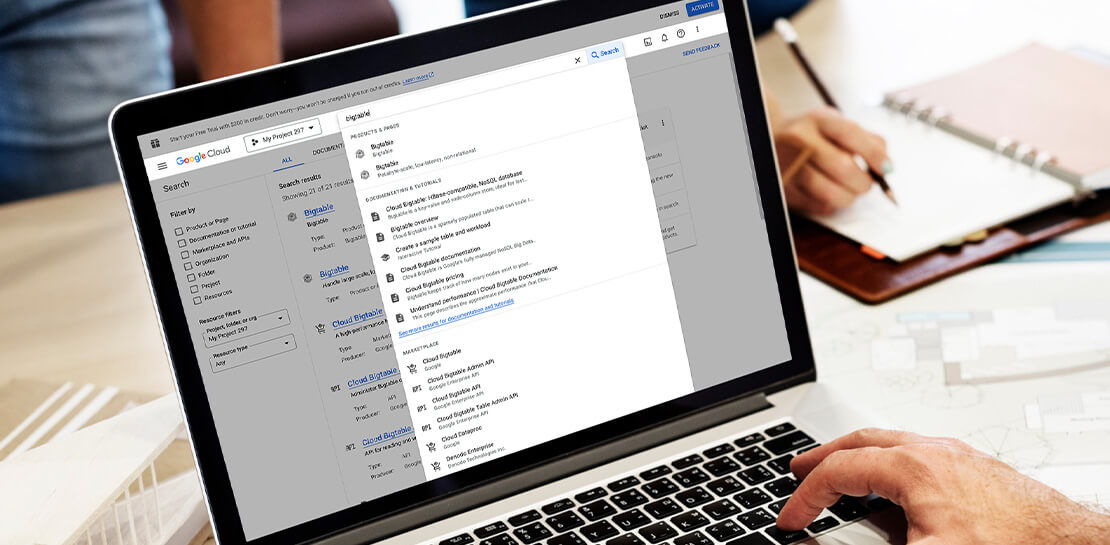
Streamlining Your Experience: Enhanced Search and Navigation in Google Cloud Console
The Google Cloud console is a powerful platform that lets users manage their cloud projects end-to-end with an intuitive web-based UI. With over 120 Google Cloud products across thousands of pages, it can be challenging to navigate through the console quickly, and many users don’t like to use the command
