





Bit Capital Rolls Out a Digital Financial Solution in Under 3 Months and at 2/3 the Cost

5676
Of your peers have already read this article.
4:00 Minutes
The most insightful time you'll spend today!
In the past few years, a series of new technologies and regulatory changes has been transforming Brazil’s financial industry. The concept of blockchain added security and agility to financial transactions. The open banking system being deployed by the country’s Central Bank (BC) allows for platform integration and data sharing -with the user’s consent- between financial institutions. Recently, the launch of Pix, also by the BC, has shaken the market by creating a new payment method that is instant, free for individuals and 24/7.
Since 2018, the startup Bit Capital has been working on the development of 100%-digital financial solutions in the cloud to help its clients adapt to this new scenario in a convenient way, without the need to build an infrastructure for that or hiring different providers. Pix was not the exception.
In less than 3 months, the team was able to build and go live with a solution that can be used by both direct participants (i.e. those with banking licenses granted by BC) and indirect participants (i.e. companies depending on direct participants to offer payments on Pix) through Bit Capital’s platform.
Besides this differential, Pix and the startup’s other solutions are based on blockchain and Google Cloud’s cloud, ensuring greater security, scalability and availability for customers and allowing for an easy integration between Bit Capital’s platform’s solutions and those from other companies.
“Now we have a platform with an API and various microsservices, allowing clients to connect and develop their own financial product without having to start from scratch.”
—Francesco Miolo, CFO, Bit Capital
A robust structure to handle Pix’s high demand
Bit Capital was established with a certain urgency to develop its platform. The idea was well-developed and customers were interested. The fast deployment of Google Cloud’s tools was one of the main factors that attracted the company to use it as a basis for its infrastructure.
“We managed to deliver everything we have today in Google Cloud with a small team. That was another challenge: being able to grow with a few people,” says Juliano Souza, the startup’s head of IT infrastructure. “We sought other cloud partners, but they had a steep curve. We chose Google Cloud because we needed quick, quality scaling.”
The same thing happened when they built the solution for Pix, despite the specific challenges involved. The BC had performance requirements that led the company to spend some time experimenting until they reached the best suite of tools to meet those requirements. The startup wanted to create a unique architecture that could help both large and small customers and be integrated to the platform’s other microservices.
With the support from Google Cloud’s team to answer doubts and make the best decisions, the solution was built in a few months, at a cost about two-thirds lower than other providers.
The solution’s architecture is based on apps running in Docker in Google Kubernetes Engine (GKE), with interconnected microservices. The blockchain system runs on Compute Engine, its rows are managed in Pub/Sub and Dataflow, and persistent data, in Cloud SQL. Cloud Interconnect is used for the connection with BC. Cloud KMS and Secrets Management store the company’s pre-credentials. All of this is supported by Cloud Load Balancing for load balancing and autoscaling.
According to the team, GKE was essential for the solution’s success. Using infrastructure as code in the tool made uploading of a group of microservices significantly easier. Developers are able to help set up this environment, which has helped spread the DevOps culture in the team. Besides orchestrating and integrating apps, GKE also provides an elastic structure to handle demand peaks and visibility to monitor internal components.
“Google Kubernetes Engine was the only way to ensure availability, observability and elasticity for all clients, whether small, middle-sized or large.”
—Juliano Souza, Head of IT Infrastructure, Bit Capital
Nowadays, the solution’s environment has 20 clusters with over 1,500 pods – 250GB in data per month, providing a robust structure to support a service involving periods of intense demand such as Black Friday.
Ease to monitor, fix and improve
Just 10 days after Pix’s official launch date, the company had its first test: Black Friday. This allowed a major e-commerce customer to test the scale and see the success of the architecture that had been built. “It worked great regarding what the cloud could deliver. And we found what we needed to fix very quickly. Operations [formerly Stackdriver], in particular Cloud Trace, showed us clearly what needed to be done to improve performance,” Souza explains.
Using Operations added reliability by putting deliveries into production. Checking Cloud Trace to see if there were any performance issues and the exact point where they were happening became routine for Bit Capital’s developers. Google Cloud’s security tools and Google Safety Center provided the resources needed to monitor and secure the environment, with automatic data encryption at rest and in transit.
“Google Cloud has security as a premise. When we upload any kind of component, like a database or a virtual machine, the drive is encrypted by default. With other providers, you must specify that you want it encrypted.
”—Juliano Souza, Head of IT Infrastructure, Bit Capital
The easy service monitoring and management accelerates product and technology development because the team no longer needs to worry about infrastructure. Automated management allows professionals to spend more time on new projects and the company’s business. Also, the deployment of services in a Google Cloud multi-region impacts on customer experience, providing high availability for their solutions.
In the coming months, Bit Capital aims to ramp up service usage and the creation of new projects in Google Cloud by adding more customers to Pix’s solution and Banking as a Service (BaaS) solutions. Anthos will be incorporated to the tool suite to make it easier to connect apps with the customers’ on-prem environments. And the deployment of open banking has the potential to be a business driver for the company.
“We joke that we’re already doing open banking, because we have various connections with different providers, which allows us to offer an integrated solution,” says Francesco Miolo, the startup’s CFO. “With the arrival of the new regulations, something we are waiting for since we started out, we will be able, through our platform, to take our customers to the open finance ecosystem, enabling the development of disruptive business models.”
Centralized Analytics: Apigee and Cloud Run API Management

898
Of your peers have already read this article.
3:30 Minutes
The most insightful time you'll spend today!
Most enterprise companies enforce strict requirements for how APIs should be exposed to the public internet that require centralized handling of the authentication credentials, the collection of metrics metrics and other classic API management capabilities. Before the introduction of sidecars in Cloud Run, developers either had to implement these requirements within the service itself or add a full-lifecycle API management platform in front of their service as described in a previous blog post.
In this post we want to demonstrate a new way to fulfill the requirement for API management in Cloud Run. Specifically we want to look at how the recently announced multi-container feature in Cloud Run enables a sidecar pattern that can be used by developers of Cloud Run services to add pre-packaged API management capabilities. This includes self-service developer onboarding in a developer portal, credential validation and quota enforcements. As an additional operational benefit the described solution also adds centralized analytics and metrics for APIs that are exposed via Cloud Run.
Our solution for adding API management capabilities for Cloud Run is provided by the following three components:
- The Cloud Run service that hosts a traditional RESTful web application and is fronted by a vanilla Envoy proxy.
- An Apigee Envoy Adapter aka. Remote service that runs in GKE Autopilot and acts as a policy decision point PDP for Envoy’s external authorization filter and is responsible for accepting or rejecting calls to the Cloud Run service.
- An Apigee API Platform that is used to manage the API lifecycle of the Cloud Run service. Apigee also offers a turn-key developer portal where developers can obtain access credentials to access an API.
The user journey of an incoming request to our new Cloud Run Service with API management looks as follows:
- An API Developer self-registers in the Apigee Developer Portal and obtains access credentials for the API
- They call the Cloud Run endpoint and provide their credential for authentication
- In Cloud Run service the Envoy proxy container intercepts the request and initiates a gRPC call to the Apigee Envoy adapter to authenticate the client.
- The Apigee Envoy adapter verifies the request’s credentials and identifies the corresponding API product as defined in Apigee. The Envoy adapter also verifies the call quota associated with the client and sends the analytics data and access logs back to the control plane.
- If the credentials are valid and the client hasn’t exhausted their call quota the Apigee Envoy adapter forwards the request to its co-located container in the Cloud Run service.
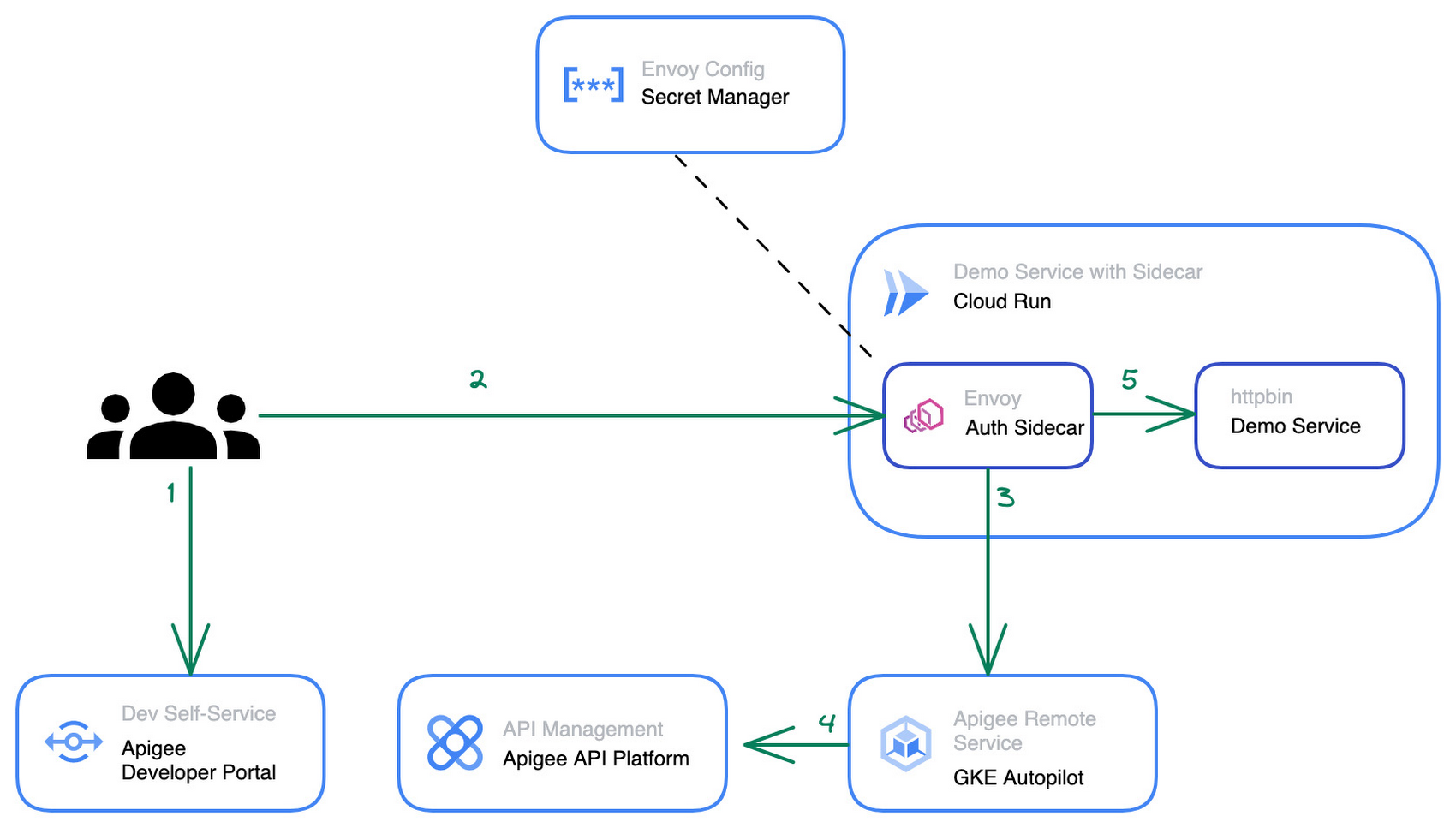
The step by step instructions for how to configure the architecture above can be found in this blog post.
Starting from a pre-existing Apigee installation the Apigee Envoy adapter is used to connect back to the Apigee runtime and control plane for accessing the API product definitions to link the incoming requests to the issued credentials and quotas. The Apigee remote service component can be replicated for high availability and is shared between multiple Cloud Run services that require a gRPC target for the sidecar’s external authorization filter.
The Cloud Run service connects to the Apigee Remote Service via an Envoy proxy that acts as a sidecar to the main application. The configuration for the envoy proxy can either be embedded within a customized Envoy image or mounted via the secret manager integration of cloud run as shown in the diagram above. Externalizing the configuration simplifies the maintenance and upgrade of the sidecar container as it can just pull the latest patch version of Envoy regularly.
The newly added API management capability is transparent for the primary application container within the Cloud Run service and does not require any changes in the application source code. Once the Cloud Run service is re-deployed with the sidecar in place, consuming applications can start to use credentials that they obtained via the Apigee API Management platform or the API developer portal to consume the Cloud Run service. At an operations level the platform operators will start to see requests to the Cloud Run service popping up in Apigee’s analytics dashboards and be able to track consumption and exposure at an API product level.
Next Steps
If you are interested in trying the multi-container support for Cloud Run yourself, check out the release announcement with many more use case descriptions. For another example and a detailed walkthrough on how to use sidecars in Cloud Run to report custom metrics to Google Cloud managed service for Prometheus you can head over to this tutorial in the Cloud Run documentation. Lastly, if you’re interested in the broader picture of how the latest features in Cloud Run are moving serverless forward, then make sure you check out this video.
Smart Home Appliances Start-up Chooses Google Cloud to Wow European Customers

3446
Of your peers have already read this article.
2:00 Minutes
The most insightful time you'll spend today!
The internet of things is everywhere now. Almost everyone has at least one connected device at home, likely a virtual assistant and perhaps a smart programmable thermostat. Nearly all new televisions come preinstalled with streaming apps. Even electric vehicles send drivers communications when tire pressure is low or other problems come up.
Smart home appliances aren’t quite as common just yet, but the market is growing rapidly worldwide. And at TecPal, we are helping lead the way.
I’ve had the privilege to work around the world, in Hamburg, Bangkok, and Beijing, and I’ve been in the amazing city of Hong Kong for the past five years. It’s an ideal location for a startup like ours.
I collaborated with a friend from a previous job in mainland China to come up with the idea to start our new venture. He owns a factory that manufactures all kinds of small kitchen appliances and sells them mostly to European retailers. When more and more of his customers started asking about smart appliances, he called me because he knew about my background in IT.
That’s where our idea was born for a more specialized developer of software for smart appliances. Given my friend’s manufacturing expertise and my software experience, we were really more than halfway there before even getting started. That was just four years ago, and today we employ more than 50 people.
We started by adding smart technology to the products his factory produces but realized that what we’re doing could be so much bigger. Why produce smart technology for just a handful of clients when the global market is growing? So now we’re transitioning from creating a customized solution for his products to a software-as-a-service model that can be used in all kinds of smart appliances.
Rapid delivery of custom apps
At TecPal, we started with kitchen appliances, but our software also works in washing machines, ovens, vacuum cleaners, and more. We put everything together in an end-to-end service: hardware integration, cloud services and consumer-facing apps. And the IoT management platform can roll out updates, manage the devices, and ensure their security. Manufacturers and retailers don’t need to know about software development, embedded systems development, cloud development, or mobile development. We can handle that for them so they can stay focused on their core areas of expertise.
Today we have appliances that come preloaded with recipes that are optimized for the appliance so you don’t have to worry about the time, the temperature, and other details. Everything is preset.
We launched multiple IoT products with a major European retailer in 2021 that includes not only preloaded recipes but also user-generated content geared to specific appliances. The Monsieur Cuisine Smart is an advanced multi-cooker utilizing TecPal’s IoT solution. The mobile companion app allows users to control the appliances remotely. They can check the remaining cooking time or stop one of the many cooking programs like kneading, steaming, frying from the living room or from their office across town. The ability to embed content in an appliance is valuable, and so is the ability to control the appliance remotely, but we double down on value by offering both.
Winning with best-in-class IoT technology
Companies in Northeast Asia generally shop around for technology partners based mostly on price, but that’s not us. We chose Google Cloud for the quality of its technology, especially its IoT Core fully managed services. We’re using almost everything in Google Cloud IoT Core, but we’re particularly reliant on the environment for its highly secure two-way device connection and management. We set up some clusters in Google Kubernetes Engine (GKE) and are using that as the underlying virtualization architecture because it allows us to quickly and cost-effectively scale up and down to meet changing customer demands.
We also use Google Cloud Pub/Sub as our message broker to update app statuses automatically and reliably in our back end, for our ETL processes, and for our data pipeline. At the same time, Google Cloud Dataflow is key because it’s a fast, efficient way to funnel all data from different devices and events into BigQuery for data collection, storage, and analytics. BigQuery is a great choice for us because most developers are already familiar with it as a relational database that supports advanced data analytics. We can expand our use of BigQuery without worrying about dimensions, and our new developers can come up to speed quickly on it.
We only end up checking in with a Google Cloud support team once a month, if that. If we don’t find what we’re looking for in documentation, we can just drop them an email. Their response time is excellent.
Beyond the immediate technology advantages we’ve realized by standardizing on Google Cloud, we’re also finding that it helps us win business with big clients in Europe. Google Cloud is an environment that other big businesses know and trust.
We’re still just getting started
We’re already seeing double-digit growth in our market, up to about 25 percent annually. More importantly, there’s a lot of runway in front of us before our growth is expected to plateau.
The market for smart consumer appliances is increasing every day, and there’s a lot of room to reach new regions with new products. Most countertop food processors and slow cookers are still old-fashioned, for instance, but they probably won’t stay that way—especially now that two out of three homeowners say their next appliance purchase will be a smart one.
Together with Google Cloud, we are committed to meeting that demand and exceeding expectations as people embrace new at-home technologies that will make their everyday lives easier.
If you want to learn more about how Google Cloud can help your startup, visit our page here to get more information about our program, and sign up for our communications to get a look at our community activities, digital events, special offers, and more.

5685
Of your peers have already downloaded this article
5:30 Minutes
The most insightful time you'll spend today!
Modernizing apps on the cloud isn’t an “all or nothing” decision. Businesses want the option to modernize on-premises or choose multi-cloud solutions that meet their needs. That’s why we created a new solution for running apps anywhere – simply, flexibly, and securely. Embracing open standards, Anthos lets you run your applications, unmodified, on existing on-prem hardware investments or in the public cloud. So that you write once and deploy anywhere.
Download this report and find out how to:
- Decouple infrastructure and applications with containers and Kubernetes
- Decouple cloud teams from one another so they can work independently
- Meet the challenges of microservice management using service mesh
- Implement a zero-trust security model to enforce more granular controls while maintaining a consistent user experience
WebGL-powered Features to Build Next-generation Mapping Experience

3455
Of your peers have already read this article.
3:00 Minutes
The most insightful time you'll spend today!
At Google I/O 2021, we announced the beta release of Tilt and Rotation, and Webgl Overlay View, which give you a fundamentally new way to build mapping experiences. You may be familiar with the existing Overlay View feature of the Maps JavaScript API that lets you render in a transparent layer that sits on top of the map. For years, developers have been using Overlay View to draw in two dimensions over the top of the map, but for as much as you can do with Overlay View, it only allows you to render on a transparent layer that effectively floats above the map.
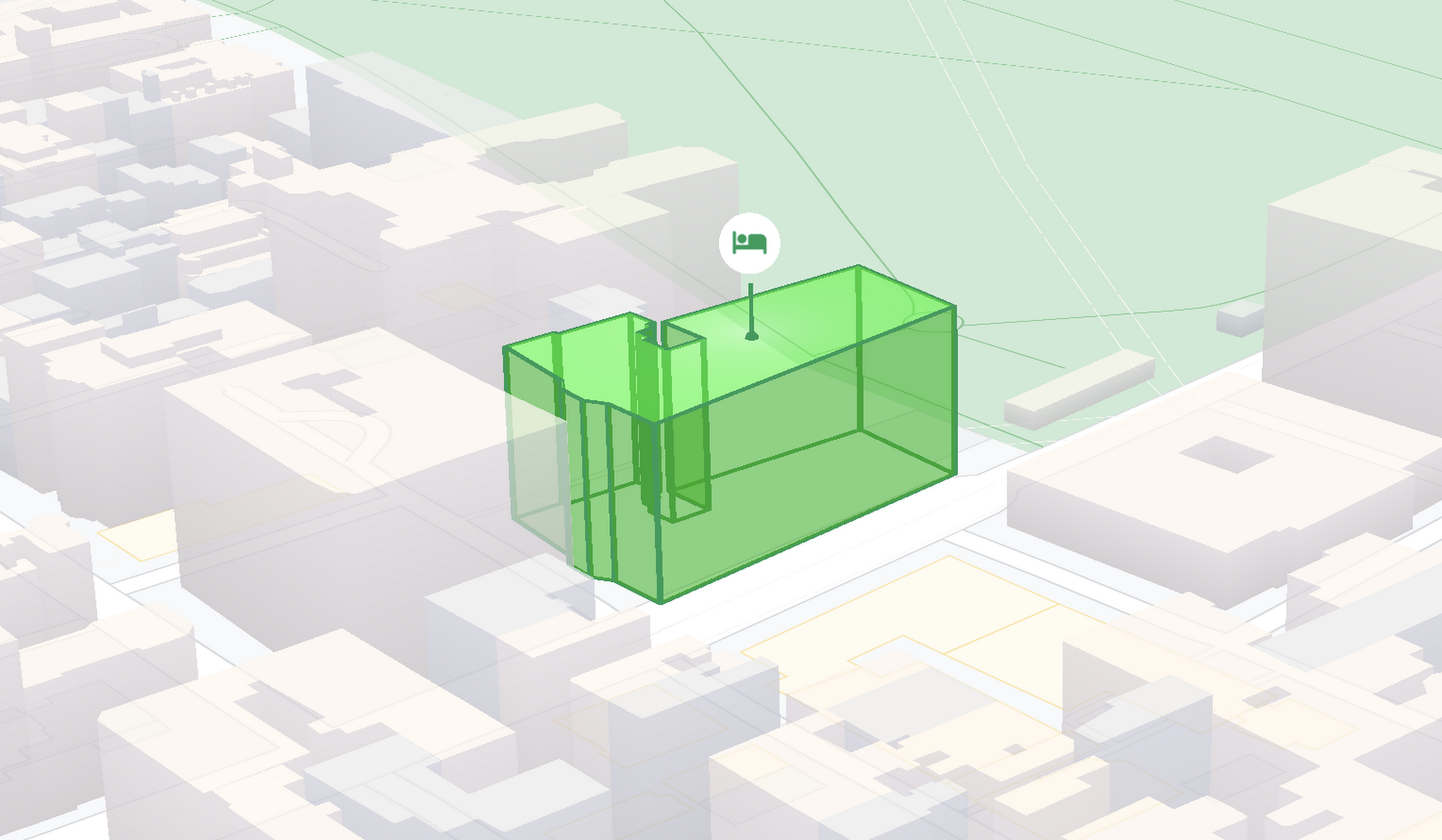
In contrast, WebGL Overlay View gives you direct hooks into the lifecycle of the exact same WebGL rendering context we use to render the vector basemap. This means that for the first time ever, you can performantly render two and three dimensional objects directly on the map, enabling you to build experiences that were previously impossible with the Maps JavaScript API.https://www.youtube.com/embed/9eycQLef6iU?enablejsapi=1&
Today, we’re going to give you a quick overview of the new WebGL-powered features of the Maps JavaScript API, so that you have all the knowledge you need to get started creating next generation mapping experiences.
What is WebGL?
WebGL is a low-level browser API, originally authored by the Mozilla Foundation, that gives you access to the rendering and processing power of the graphics processing unit (GPU) on client devices, such as mobile phones and computers, in your web apps. On its own, the browser is not able to handle the heavy computation needed to render objects in 3D space, but using WebGL it is able to pass those processes off to be handled by the GPU, which is purpose built to handle such computations.
To learn more about WebGL, check out the documentation from the Khronos Group, the designers and maintainers of WebGL.
Requirements
To use WebGL Overlay View, you’ll need a Map ID with the vector map enabled. It’s also strongly recommended that you enable Tilt and Rotation when you create your Map ID, otherwise your map will be constrained to the default top-down view – in short, you won’t be able to move your map in three-dimensions.
To learn more about using Map IDs and the vector map, see the documentation.
Setting Tilt and Rotation
To load your map with a set tilt and rotation, you can provide a value for the `tilt` and `heading` properties when you create the map:
const mapOptions = {mapId: "15431d2b469f209e",tilt: 0,heading: 0,zoom: 17,center: {lat: -33.86957547870852,lng: 151.20832318199652}}const mapDiv = document.getElementById("map");const map = new google.maps.Map(mapDiv, mapOptions);
Tilt is specified as a number or float in degrees between 0 and 67.5, with 0 degrees being the default straight down view and 67.5 being the maximum tilt. The available maximum tilt also varies by zoom level.
The rotation is set in the heading property as a number or float between 0 and 360 degrees, where 0 is true north.
You can also change the tilt and rotation programmatically at runtime whenever you want by calling `setTilt` and `setHeading` directly on the map object. This is useful if you want to change the orientation of the map in response to events like user interactions.
map.setTilt(45);map.setHeading(180);
In addition, your users can manually control the tilt and rotation of the map by holding the <shift> key and dragging with the mouse or using the arrow keys.
For more information on Tilt and Rotation, see the documentation.
Adding WebGL Overlay View to the Map
WebGL Overlay View is made available in the Maps JavaScript API by creating an instance of `google.maps.WebglOverlayView`. Once an instance of the overlay is created, you simply need to call `setMap` on the instance to apply it to the map.
const webglOverlayView = new google.maps.WebglOverlayView;webglOverlayView.setMap(map);
To give you access to the WebGL rendering context of the map and handle any objects you want to render there, WebGL Overlay View exposes a set of five hooks into the lifecycle of the WebGL rendering context of the vector basemap.
Here’s a quick rundown:
- `onAdd` is where most of your pre-processing should be done, like fetching and creating intermediate data structures to eventually pass to the overlay. The reason to do all of that here is to ensure you don’t bog down the rendering of the map.
- `onRemove` is where you’ll want to destroy all intermediate objects, though it would be nice if you did it sooner.
- `onContextRestored` is called before the map is rendered and is where you should initialize, bind, reinitialize or rebind any WebGL state, such as shaders, GL buffer objects, etc.
- `onDraw` is where we actually render the map, as well as anything that you specify in this hook. You should try to execute the minimal set of draw calls to render your scene. If you try to do too much here you’ll bog down both the rendering of the basemap and anything you’re trying to do with WebGL, and trust me, no one wants that.
- `onContextLost` is where you’ll want to clean up any state associated with pre-existing GL state, since at this point the WebGL context will have been destroyed, so it’ll be garbage.
To implement these hooks, set them to a function, which the Maps JavaScript API will execute at the appropriate time in the WebGL rendering context lifecycle. For example:
webglOverlayView.onDraw = (gl,coordinateTransformer) => { //do somerendering }
For more information on using WebGL Overlay View and its lifecycle hooks, check out the documentation.
Creating Camera Animations
As part of the beta release of WebGL Overlay View, we’re also introducing `moveCamera`, a new integrated camera control that you can use to set the position, tilt, rotation, and zoom of the camera position simultaneously. Like `setTilt` and `setHeading`, `moveCamera` is called directly on the `Map` object.
By making successive calls to `moveCamera` in an animation loop you can also create smooth animations between camera positions. For example, here we are using the browser’s `requestAnimationFrame` API to change the tilt and rotation each frame:
const cameraOptions = {tilt: 0,heading: 0}function animateCamera () {cameraOptions.tilt += 1;cameraOptions.heading += 1;map.moveCamera(cameraOptions);}requestAnimationFrame(animateCamera);
Plus, all of these adjustments, including zoom, support floats, which means not only can you control the camera like never before, you can also do it with a high degree of precision.
For more information on `moveCamera`, see the documentation.
Give it a tryYou can try the new WebGL-powered features of the Maps JavaScript API right now by loading the API from the beta channel. We’ve got a new codelab, and documentation with all the details, as well as sample code and end-to-end example apps to help you get started. Also, be sure to check out our feature tour and travel demos to learn more and play with a real implementation of these features.
And let us know what you think by reporting through our issue tracker. We need your bug reports, your feature requests, and your feedback to help us test and improve the new WebGL-based map features.
Have fun building with the map in 3D—we can’t wait to see the amazing things you’ll build.
For more information on Google Maps Platform, visit our website.
6879
Of your peers have already watched this video.
14:21 Minutes
The most insightful time you'll spend today!
How Anthos Helps Organizations Implement Multi and Hybrid Cloud Strategy
Organizations have become increasingly focused on using modernization solutions to build competitive advantage, for faster time to market, serve customers better and seamlessly operate in hybrid and multi-cloud environments. Anthos by Google Cloud, a managed application platform plays an important role in application modernization and also in empowering customers to deploy a hybrid or multi-cloud strategy with opensource technologies and platforms like Kubernetes.
Watch the video to refer to the real use-cases of Anthos for application modernization and hybrid/multi cloud deployment across retail, digital natives, banking and manufacturing space.
Also, explore the latest tool, Migrate for Anthos if you are a traditional enterprise looking to skip rewriting of applications and lift-and-shift process!
More Relevant Stories for Your Company

Bigbasket: Delivering Groceries Across 25 Cities in India
When Bigbasket was founded in December 2011, it guaranteed to deliver goods within a one-hour delivery slot of its customers' choosing or it would refund them 10 percent of their orders. The company also introduced an express service, delivering groceries within 90 minutes of an order being placed. Bigbasket needed
Google Maps’ Cloud-based Styling Features Betters UX, Control and Flexibility
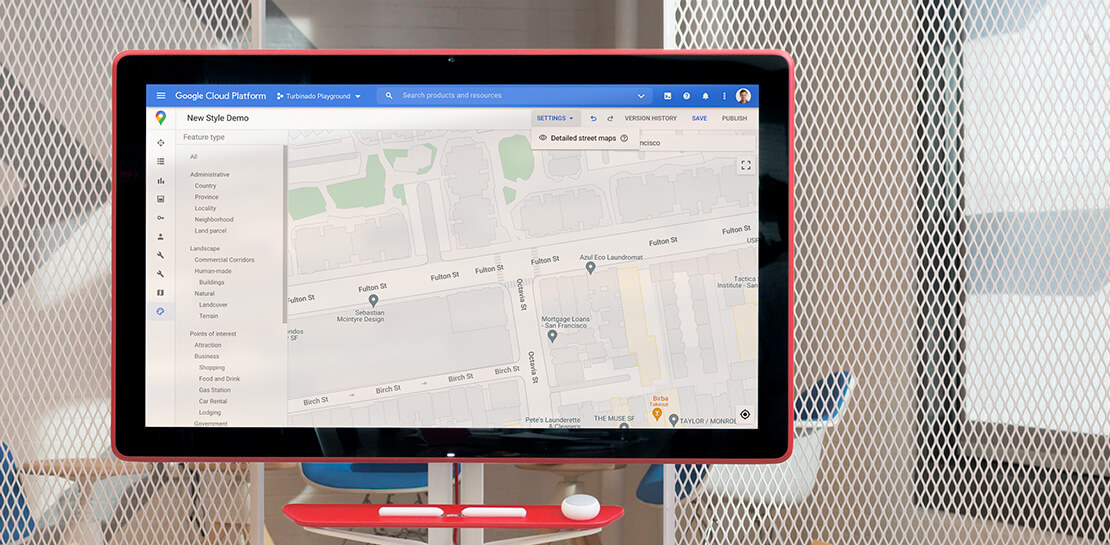
This year at Google I/O, we announced the general availability of Cloud-based maps styling for the Maps JavaScript API. In an effort to provide you with more options and more control to help create the best experience for your users, today we’re releasing new features to Cloud-based maps styling. You may

Google Launches Open Saves To Power Gaming Platforms Scale to User Demands
Many of today’s games are rich, immersive worlds that engage the audience in ways that make a gamer a part of a continuing storyline. To create these persistent experiences, numerous storage technologies are required to ensure game data can scale to the standards of gamers’ demands. Not only do game


A Guide to Anthos: the App Modernization Platform for Hybrid and Multi-cloud Deployments
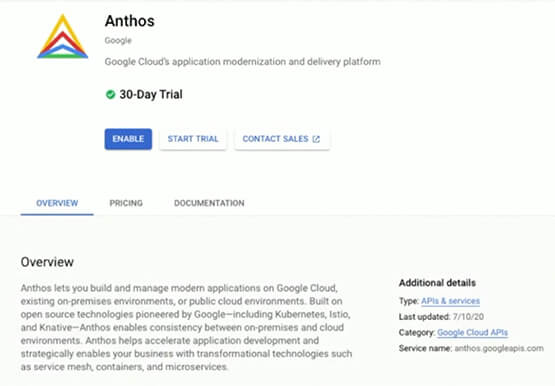
Anthos gives you a consistent platform for all your application deployments, both legacy as well as cloud native, while offering a service-centric view of all your environments. You can build enterprise-grade containerized applications faster with managed Kubernetes on cloud and on-premises environments. Create a fast, scalable software delivery pipeline with
