





A Year of Connecting Brand and Consumers with Google’s Business Messages

6173
Of your peers have already read this article.
3:00 Minutes
The most insightful time you'll spend today!
Last June, in the early months of the pandemic, we expanded Business Messages to support all kinds of businesses, from pharmacies and grocery stores to airlines and luxury brands. Then, in December, we announced the ability for small businesses to use the Google Maps app to message with their customers. We knew people would find messaging directly with businesses from Google Search and Maps helpful, but we didn’t know just how valuable it would turn out to be.
Consumers are increasingly eager to use messaging to connect with brands, and businesses across all industries are now building innovative messaging experiences to address that growing need. The demand from consumers is reflected in recent data:
- 45% of users have spent more time on messaging services because of the pandemic
- 85% of consumers would like to message brands directly, up from 65% in 2019
Being able to message a business directly has never been more important. For me personally, there’s nothing more fulfilling than using technology to help people in the moments that matter. After the release of initial COVID-19 vaccines in late 2020, online searches for vaccines reached an all-time high. To help people searching for vaccine eligibility, availability, and appointment booking, Albertsons Companies’ banner pharmacies—like Albertsons, Safeway, and Vons—made this information easily accessible through Google Search and Maps via the “chat” button. This gave people the information they needed, when they needed it.
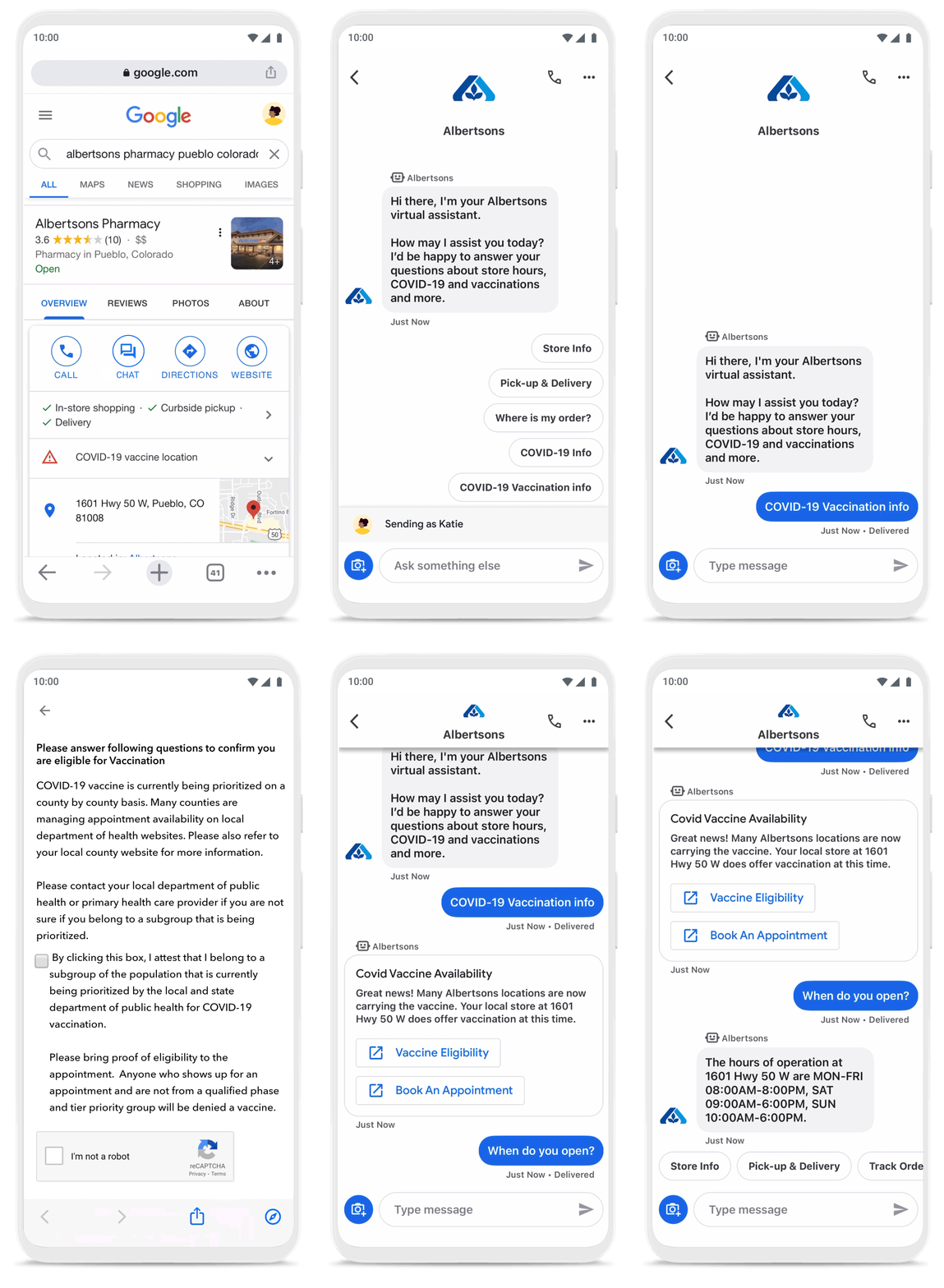
To be more helpful in moments like these, over the last year, we’ve made Business Messages available globally, in more than 70 languages, and we’ve seen more than 30,000 brands and 200 partners come on board. Major brands like Carrefour, Walmart, and Woolworths have invested in Business Messages to help serve their consumers in new and meaningful ways.
Expanding the conversation between consumers and brands
The retail sector has undergone a transformation since the start of the pandemic. As a result, we know it is critical for digital services to integrate with physical stores. We were able to do just that with Google’s Business Messages, which has been instrumental in helping better serve our customers across 1200+ stores in Europe.
Thomas Rudelle
Global Digital Marketing Director, Carrefour
There were major shifts in consumer behavior during the pandemic, from the way people found and purchased products to the ways they interacted with businesses. Not only did we see higher demand for direct contact with brands, but retail searches also surged. At the end of 2020, retail searches grew at a rate that was more than three times higher than the same period in 2019 (based on Google internal data).
As Business Messages has become more widespread, brands are able to boost both responsiveness and customer satisfaction using the service. Levi’s, for example, surpassed 85% customer satisfaction scores using Business Messages and they discovered that the service drove 30x more store-related questions than web chat.
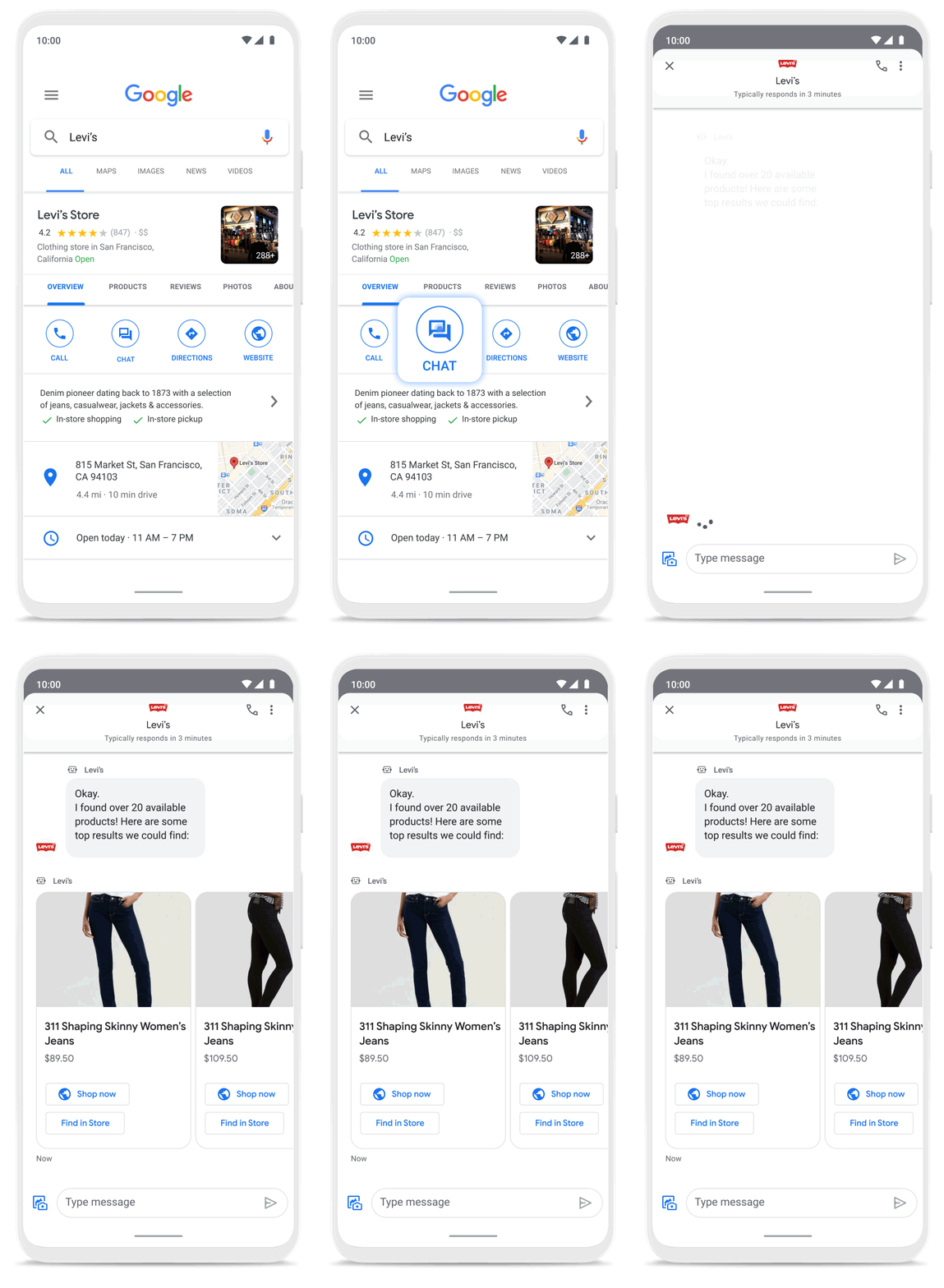
Many brands have also digitized what were traditionally in-store experiences, especially in high-consideration categories like jewelry. For example, Signet brought its virtual jewelry consultant to Business Messages, offering customers advice and answering queries in a way that’s convenient but still feels personal.We started using Google’s Business Messages pretty early on, and continue to transform and improve our experience. The ability to let customers know whether a product is in stock, and its precise location, is critical to offering a connected and frictionless shopper experience. Of course it also helps reduce the workload on our store and customer hub teams.
Nick Eshkenazi
Chief Digital Technology Officer, Woolworths
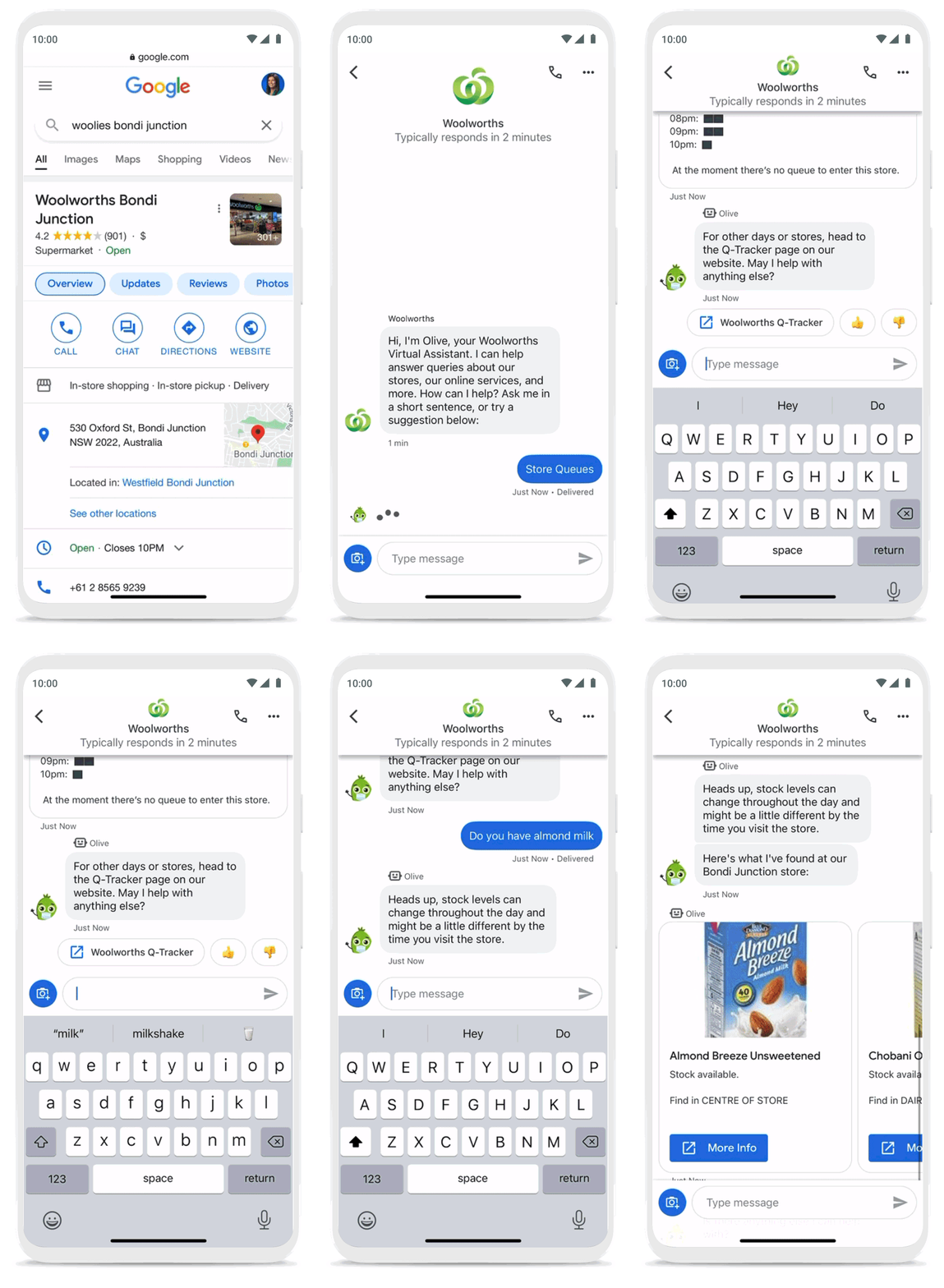
As a working mother, these sorts of innovations have made a direct impact in my own life. I find it very helpful to be able to ask—and get real-time answers to—everyday questions using Business Messages, ranging from store hours and product availability to order status and how to make returns. One of my favorite features is the ability to know, in real time, what store wait times are like, and the exact location of the product I’m looking for, saving me precious time when I visit the store.
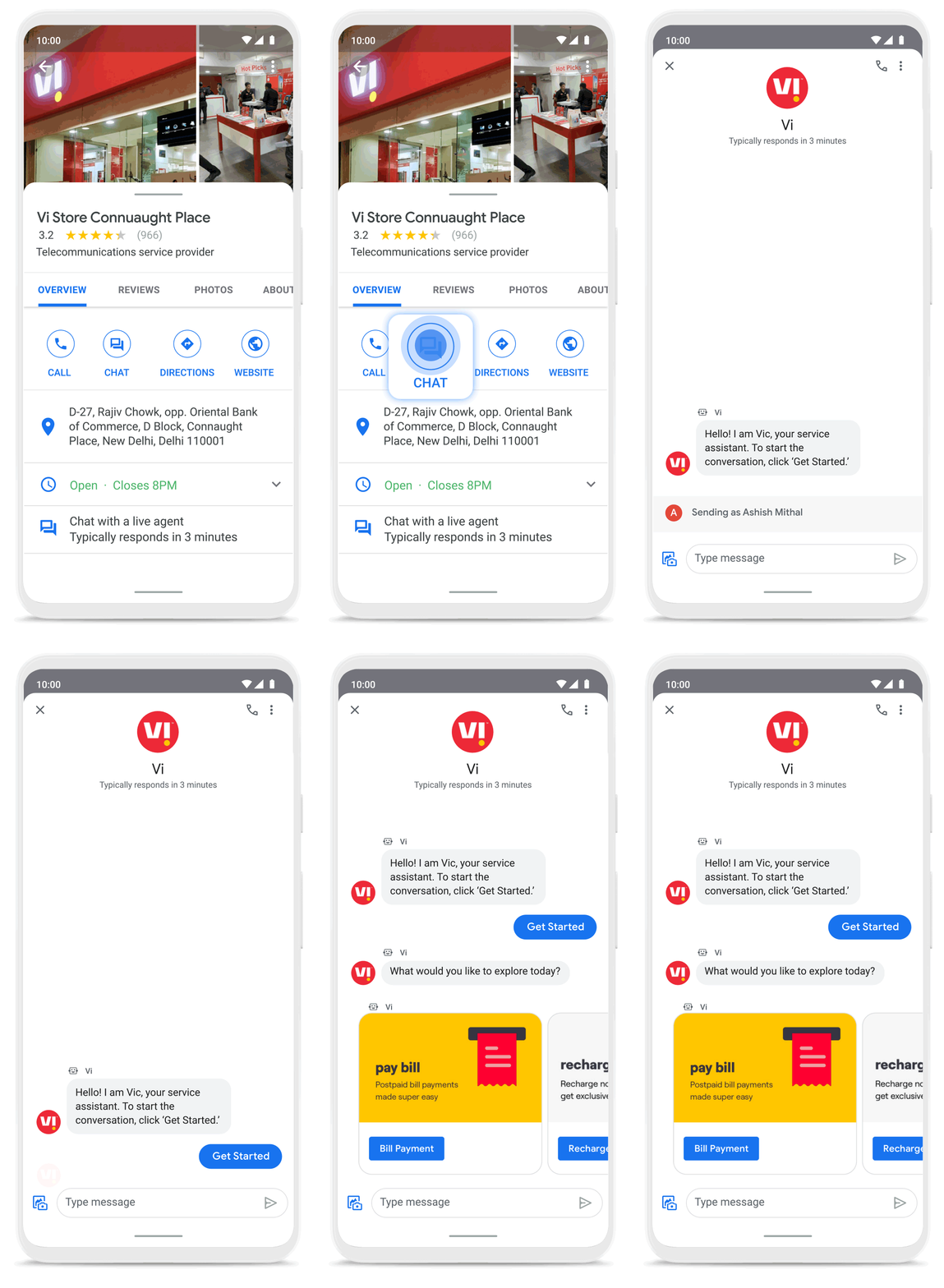
Business Messages helps people do more with their time in other ways as well. Earlier this year I’d been meaning to change my insurance plan, but kept pushing it off because I didn’t want to get on a phone call. I can now message Geico to update my policy through the agent pretty effortlessly. Similarly, in India, Vi customers can use 24×7 real-time customer service to chat with their AI powered virtual assistant VIC, integrated with Google’s Business Messages, to check billing information, activate packs, add recharges and payments, check balances, and much more—and it all happens seamlessly.
Building a full suite of messaging products
We’re investing in building a full suite of messaging products that enable seamless conversational commerce to drive business results. As Business Messages continues to support brands in establishing their messaging presence on Google, we’re also experimenting with other ways to help them increase their reach and engagement on Search and Display. To accelerate on the digital front, we recently integrated AdLingo, a project built within Area 120, Google’s in-house incubator. This will enable brands to easily transform ads into AI powered, personalized conversations at scale.
For more information on how you can activate Business Messages, please reach us via the contact form on the Business Messages website. Merchants can also read and respond to messages via Google My Business or on the Google Maps app.
5341
Of your peers have already watched this video.
26:00 Minutes
The most insightful time you'll spend today!
On-Demand Webinar: 3 Ways Collaboration Transforms How Your Company Works
A majority of your employees and teams spend 38% of their time unsuccessfully searching and recreating content, according to IDC.
They also spend 20% of their time looking for information, according to McKinsey. That’s 58% of time lost in unproductive tasks that could have been spent coming up with the next big innovative idea that actually impacts business.
Now you know why there are no new ideas, no new innovations, no room for business to grow. Savvy organizations like Nielsen, Whirlpool, and Colgate-Palmolive have had enough of that and are embracing the cloud to collaborate in real-time and transform how their companies work.
The only way to achieve business growth and beat competition is to invest less time in unproductive tasks—like looking for information—and more time innovating with intelligent systems that provide your teams with information they need without even having to look for it: The ability to search smart, find fast, collaborate in real-time, and build new ideas quickly. Embracing Artificial Intelligence enabled-cloud collaboration platforms is one way to get there.
In this webinar, Allen Yang, Product Manager, Google Cloud, talks about how big corporations are turning to the power of the cloud to enable real-time collaboration, faster decision making, smarter and more productive employees and teams, and embracing a new way of working.
Ways to Manage Extensions on Windows and Mac If You Haven’t Moved to Chrome Browser Cloud Management

3870
Of your peers have already read this article.
2:00 Minutes
The most insightful time you'll spend today!
Many enterprises are looking to better manage extensions on their corporate devices. Extensions themselves are a great tool for productivity and customization of Chrome. However, some extensions can have the potential for far reaching rights to sites your users visit and devices they browse from, giving IT the desire to closely manage which extensions are in their environment and how they behave.
In an earlier post in this series, we’ve detailed how Chrome Browser Cloud Management is the easiest way to audit installed extensions and manage them. However, some enterprises may need to still use Group Policy on Windows or plists on Mac to manage extensions. So lets touch on management through those methods, for organizations that haven’t quite made the move to Chrome Browser Cloud Management yet.
For starters, here are some of the most used options for managing extensions (some also apply to apps) via Windows Group Policy or via Plists on Macs:
Installing or allowing extensions
- Extension Install Allow List: These are the extensions that you have approved to be installed within your environment.
- Extension Install Force List: This will install the extension in the managed instance of Chrome. This setting overrides the extension block list policy, and the extension can’t be disabled on uninstalled.
- Extension Allowed Types: Here you can create a list of what types of extensions and apps you will allow to be installed. Extensions, themes, user scripts, hosted applications, legacy packaged applications and platform applications are the values that are supported. Note that whatever you want to allow must be included in the list. Anything left off the list will not be installed. For more information on the different types, here is a link on Extensions and Apps in the Chrome web store.
- Extension Install Sources: This policy allows you to get that older install functionality for specific URLs that you specify in this policy. Here is a link on the URL match patterns that can be used in this policy.
Blocking extensions
- Extension Install Block List: These are the extensions that you will not allow to be installed. If they are installed already, they will be disabled. If a user tries to install them, it will be blocked. In the Chrome web store, the Add to Chrome button will be red and advise the user that the extension can’t be installed.
- Block External Extensions: This setting will block extensions from external sources being installed. An example of this is if an installed application is adding an extension to Chrome via the registry, this setting will block that extension from loading.
Advanced management options
- Extensions Settings: This policy provides a varied amount of functionality and requires a JSON script to be created and formatted in a single line string. This setting can be complex. We recommend using Chrome Browser Cloud Management as almost all of the functionality is included without needing to write JSON as well as the ability to audit installed extensions. If you do want to use this policy, it is covered in detail in the Managing Extensions in your Enterprise technical document. Some of the functionality that you can use within this policy are:
- Install types: (Allowed, Blocked, Force Installed, Normal Installed)
- You can also display a custom message when the extension is blocked via the blocked installed message function.
- Prevent extensions from altering websites: You can prevent all or specific extensions from running on specific websites.
- Managing by permissions: You can allow or block extensions by the specific rights or “permissions” that they require to run.
- This provides a baseline of functionality that you will or will not allow extensions to run on your users machines.
- If an extension is updated, bought, sold and updates the permissions that it requires, this will dynamically protect your users from permissions that you will not allow.
- Install types: (Allowed, Blocked, Force Installed, Normal Installed)
Even if you decide that on-premises policy management is how you want to manage extensions long term, you can still use Chrome Browser Cloud Management to get much needed visibility into extensions that may exist in your environment. The newly improved apps and extension list is a great way to get a view of your current extension landscape, giving you more data to make better decisions around extension management.
You can enroll browsers to see this information, but still set policy through your existing tools if that’s your preference.
Well, that’s it for this edition of Chrome Insider. Here’s where you can find more posts in the series, or you can learn more about Chrome Browser Cloud Management.
A note on Google’s commitment to inclusive naming conventions. The following policies have been deprecated, however will still continue to work until Chrome 95 to give administrators time to migrate to the new policies.– ExtensionInstallWhitelist replaced with ExtensionInstallAllowlist
– ExtensionInstallBlacklist replaced with ExtensionInstallBlocklist
Partner Delivery Excellence: Empowering Partners Deliver Customer value with Google Cloud

971
Of your peers have already read this article.
3:30 Minutes
The most insightful time you'll spend today!
With growing demand for Google Cloud, customers are increasingly expecting more reliable advisory and implementation skills from Google Cloud Systems Integrator (SI) Partners. Our model for professional services remains differentiated, with a heavy co-dependence on our SI Partner ecosystem to drive success for our customers. Therefore, enabling and nurturing strong delivery capabilities in our Partners is a responsibility we take seriously. The Google Cloud Global Services Delivery and Global Partner Ecosystem & Channels team jointly made significant investments earlier this year to underscore our commitment in this area. That’s why we’ve created the expanded Partner Delivery Excellence portfolio, a rich set of resources to help Google Cloud Partners deliver high-quality Google Cloud projects. Whether you’re a Partner just getting started with Google Cloud or have prior experience, we have the resources you need to succeed and we’ll meet you where you are in this journey.
Here are some of the key offerings in the Partner Delivery Excellence portfolio:

Stage: Building delivery skills | Pre-engagement
- Delivery Readiness Index (DRI): a framework that enables SI Partners to receive customized, individual level delivery enablement recommendations based on each consultant’s delivery readiness, assessed across training, certifications, delivery skills validation and prior delivery experience.
- Delivery Navigator (coming soon): A delivery management platform consisting of delivery methods, work management tools, and dashboards that enables Google PSO and Partners to drive a high-quality, globally consistent project experience. You’ll hear more about this in an upcoming blog post.
Stage: Develop delivery expertise | Preparing for a delivery project
- Delivery Runbooks: Workload-level detailed delivery guides which include reference architectures, detailed migration steps, validation guidelines, common troubleshooting tips and more.
- Delivery Bootcamps: In-person or hybrid mode multi-day sessions conducted by experienced Google Cloud Consultants and customizable to the specifics of a Google Cloud project for a customer.
- Use case learning: Self-paced learning in the form of bite-sized lectures to build foundational delivery skills at the workload level, with quiz based assessment to validate knowledge gained.
- Delivery labs: Hands-on labs, hosted on our Qwiklabs platform, that complement use-case learning to build and test core delivery skills through a series of practical delivery scenario challenges.
Stage: Leverage Google delivery SMEs | During active project delivery
- Onboarding accelerator: Enables Partners with advisory services to onboard customers on Google Cloud foundations and migrate the first workload quickly and efficiently, by imparting knowledge and best practices from the Technical Onboarding Center. Supported workloads span Infrastructure & Application modernization, Analytics & AI and Databases.
- Delivery Helpdesk: In-the-moment implementation support for Partners during a live Google Cloud project through a standard case management process. Google Global Services Delivery teams well versed in the technology area will advise and help Partners resolve the issue at hand.
- Delivery Assurance Services: Project-level safeguarding services that are delivered in the context of an active Partner-led customer project.
Stage: Leverage Google delivery expertise independent of projects | Build, scale and optimize Google Cloud practices
- Tooling advisory: Assessment of Partner tools with detailed recommendations to enhance tools architecture for better scale, security, ease of use and, where applicable, pointers to Google Cloud open-source tools and best practices.
- Resident Experts: We are selectively introducing this offering of specialists from Google Cloud Consulting teams embedded with Partners for a fixed period of time and with defined scope and deliverables. Partners can leverage these experts to build core delivery capabilities in new areas like generative AI, sharpen existing Google Cloud capabilities in adjacent solution areas like Data & Analytics or have access to expertise to define a comprehensive automation strategy for Google Cloud migration practices.
We are confident that the Partner Delivery Excellence portfolio brings forth much of what’s needed for our Partners to not only deliver high-quality services but also profitably grow their Google Cloud services business quickly and efficiently.
To learn more about the portfolio or to share your feedback or suggestions, please contact your Google Cloud Partner representative.
If you are attending Partner Summit during Google NEXT in August, we look forward to seeing you in the breakout series where we have a dedicated session on this topic.
Thank you for reading. And thank you for your partnership!
Held Back by Database Scalability, This Financial Services Company Switches to Google Cloud and Cloud Spanner

11560
Of your peers have already read this article.
4:30 Minutes
The most insightful time you'll spend today!
Azimut Group operates an international network of companies handling investment and asset management, mutual funds, hedge funds, and insurance. Founded in Milan, Italy in 1988, Azimut Group today has branches in fifteen countries, including Brazil, China, and the USA.
“We have subsidiaries and manage funds all over the world,” explains Simone Bertolotti, IT Manager at Azimut Holding S.p.a. “That means that any technology that we put in place has to cover needs from many different countries.”
“When complicated analysis has to be executed, we have to increase our table space in a couple of minutes so that the AI can drill down into the data and deliver the information we need.”
—Simone Bertolotti, IT Manager, Azimut Holding S.p.a.
Azimut manages its funds with investment advisors who use information sourced from Bloomberg, Reuters and others. “They use a huge amount of data,” says Simone. “They work with spreadsheets, algorithms, formulae and they analyse data in minutes.” In finance, every second is crucial, which is why Azimut decided to develop a risk management dashboard that can process information even more quickly, then distribute it worldwide.
“When an advisor manages data, that data is used to make immediate decisions on funds, capital movements or whether to sell stock,” says Simone. “They have to be ready to make recommendations for any amount of data that comes to them. For our dashboard, that means that when additional information arrives or complicated analysis has to be executed, we have to increase our table space in a couple of minutes so that the AI can drill down into the data and deliver the information we need.”
Generating insights at speed
Investors and investment managers make decisions based on the most accurate, up-to-date information possible. For Azimut Group, information sourced through financial data vendors such as Bloomberg and Reuters provided only part of the data that the group required.
“We looked to collect information from a range of different providers,” explains Simone, “then analyse it to develop a predictive algorithm that could work faster than an advisor stationed at the terminal. We set ourselves the challenge to try to manipulate that data to add new insights into our matrix, so that every one of our branches across the world can see risk information about the funds in real-time.”
“We compared Google Cloud Platform’s performance with our previous cloud provider, and saw huge benefits of switching to Google. For me, the key performance issue is scaling. With Google Cloud Platform I know that I can increase and decrease my infrastructure quickly, when I need it.
—Simone Bertolotti, IT Manager, Azimut Holding S.p.a.
The first cloud provider Azimut used to build its system struggled to scale quickly to meet different kinds of data challenges. “If we wanted to add more cores, that was fine,” says Simone. “But the previous cloud provider made it complicated to raise the amount of space in a database infrastructure and scale up to demand. Scaling up for more in-depth analysis would take a day, and our need was immediate.”
That’s why Azimut switched one year ago to Google Cloud Platform to run the 150 VMs on its risk analysis platform. “We compared Google Cloud Platform’s performance with our previous cloud provider, and saw huge benefits of switching to Google. For me, the key performance issue is scaling,” says Simone. “With Google Cloud Platform I know that I can increase and decrease my infrastructure quickly, when I need it. Instead of waiting a day to scale up infrastructure, we can request and add space to our database in a couple of minutes.”
The infrastructure of Azimut’s solution handles around 800TB of data per month, and Google’s global network of servers and high-speed connections ensure that it gets to where it’s most needed by the most direct route. Impressed by the speed, security and availability of Google Cloud Platform, Azimut has moved its intranet on to Google Cloud Platform, too, eliminating the need for staff to login with VPNs.
“Instead of waiting a day to scale up infrastructure, we can request and add space to our database in a couple of minutes.”
—Simone Bertolotti, IT Manager, Azimut Holding S.p.a.
Driving ahead with Noovle
For Azimut, migrating the risk management dashboard is the latest of many Google product collaborations with cloud consultancy Noovle. “Everything started five years ago,” says Simone, “when Noovle assisted us in migrating to Gmail from our on-premise email solution. From G Suite to Google Cloud Platform, we’ve had a great relationship. Noovle provides consultancy services, support for mobility, and external advisors who work on our premises, such as when they trained us how to broadcast our meetings on Google Hangouts. As an independent company, we know we can trust them for transparent advice. All they care about is the best way to get a job done and to help us reach our goals.”
New app, new customers
In a business case comparison, Google Cloud Platform cost Azimut 35% less to run than the previous cloud provider. Now the group is building a major new mobile application on Google App Engine to be released in 2018.
“The new mobile application will allow customers to trade directly, without human advisors, by proposing different investment solutions depending on targets the customers set,” says Simone. “So if a customer aims to make money with investments, they enter their relevant personal information and we carry out the necessary regulatory checks and suggest what they could buy. The entire project will be based on Google Cloud Platform, so customers can control their investments through the app while we manage the fund, using Google Cloud Spanner on the backend.”
All About Cloud Run, its Scalability and Management Features

7382
Of your peers have already read this article.
3:00 Minutes
The most insightful time you'll spend today!
Mindful Containers is a fictitious company that is creating containerized microservice applications. They need a fully managed compute environment for deploying and scaling serverless containerized microservices. So, they are considering Cloud Run.
They are excited about Cloud Run because it abstracts away the cluster configuration, monitoring, and management so they can focus on building the features for their apps. Cloud Run is a fully-managed compute environment for deploying and scaling serverless containerized microservices.

What is Cloud Run?
Cloud Run is a fully-managed compute environment for deploying and scaling serverless HTTP containers without worrying about provisioning machines, configuring clusters, or autoscaling.
- No vendor lock-in – Because Cloud Run takes standard OCI containers and implements the standard Knative Serving API, you can easily port over your applications to on-premises or any other cloud environment.
- Fast autoscaling – Microservices deployed in Cloud Run scale automatically based on the number of incoming requests, without you having to configure or manage a full-fledged Kubernetes cluster. Cloud Run scales to zero— that is, uses no resources—if there are no requests.
- Split traffic – Cloud Run enables you to split traffic between multiple revisions, so you can perform gradual rollouts such as canary deployments or blue/green deployments.
- Custom domains – You can set up custom domain mapping in Cloud Run and it will provision a TLS certificate for your domain.
- Automatic redundancy – Cloud Run offers automatic redundancy so you don’t have to worry about creating multiple instances for high availability
How to use Cloud Run
With Cloud Run, you write your code in your favorite language and/or use a binary library of your choice. Then push it to Cloud Build to create a container build. With a single command—“gcloud run deploy”—you go from a container image to a fully managed web application that runs on a domain with a TLS certificate and auto-scales with requests.
How does Cloud Run work?
Cloud Run service can be invoked in the following ways:
HTTPS: You can send HTTPS requests to trigger a Cloud Run-hosted service. Note that all Cloud Run services have a stable HTTPS URL. Some use cases include:
- Custom RESTful web API
- Private microservice
- HTTP middleware or reverse proxy for your web applications
- Prepackaged web application
gRPC: You can use gRPC to connect Cloud Run services with other services—for example, to provide simple, high-performance communication between internal microservices. gRPC is a good option when you:
- Want to communicate between internal microservices
- Support high data loads (gRPC uses protocol buffers, which are up to seven times faster than REST calls)
- Need only a simple service definition you don’t want to write a full client library
- Use streaming gRPCs in your gRPC server to build more responsive applications and APIs
WebSockets: WebSockets applications are supported on Cloud Run with no additional configuration required. Potential use cases include any application that requires a streaming service, such as a chat application.
Trigger from Pub/Sub: You can use Pub/Sub to push messages to the endpoint of your Cloud Run service, where the messages are subsequently delivered to containers as HTTP requests. Possible use cases include:
- Transforming data after receiving an event upon a file upload to a Cloud Storage bucket
- Processing your Google Cloud operations suite logs with Cloud Run by exporting them to Pub/Sub
- Publishing and processing your own custom events from your Cloud Run services
Running services on a schedule: You can use Cloud Scheduler to securely trigger a Cloud Run service on a schedule. This is similar to using cron jobs. Possible use cases include:
- Performing backups on a regular basis
- Performing recurrent administration tasks, such as regenerating a sitemap or deleting old data, content, configurations, synchronizations, or revisions
- Generating bills or other documents
Executing asynchronous tasks: You can use Cloud Tasks to securely enqueue a task to be asynchronously processed by a Cloud Run service. Typical use cases include:
- Handling requests through unexpected production incidents
- Smoothing traffic spikes by delaying work that is not user-facing
- Reducing user response time by delegating slow background operations, such as database updates or batch processing, to be handled by another service,
- Limiting the call rate to backend services like databases and third-party APIs
Events from Eventrac: You can trigger Cloud Run with events from more than 60 Google Cloud sources. For example:
- Use a Cloud Storage event (via Cloud Audit Logs) to trigger a data processing pipeline
- Use a BigQuery event (via Cloud Audit Logs) to initiate downstream processing in Cloud Run each time a job is completed
How is Cloud Run different from Cloud Functions?
Cloud Run and Cloud Functions are both fully managed services that run on Google Cloud’s serverless infrastructure, auto-scale, and handle HTTP requests or events. They do, however, have some important differences:
- Cloud Functions lets you deploy snippets of code (functions) written in a limited set of programming languages, while Cloud Run lets you deploy container images using the programming language of your choice.
- Cloud Run also supports the use of any tool or system library from your application; Cloud Functions does not let you use custom executables.
- Cloud Run offers a longer request timeout duration of up to 60 minutes, while with Cloud Functions the requests timeout can be set as high as 9 mins.
- Cloud Functions only sends one request at a time to each function instance, while by default Cloud Run is configured to send multiple concurrent requests on each container instance. This is helpful to improve latency and reduce costs if you’re expecting large volumes.
Pricing
Cloud Run comes with a generous free tier and is pay per use, which means you only pay while a request is being handled on your container instance. If it is idle with no traffic, then you don’t pay anything.
Conclusion
After learning about the ease of set up, scalability, and management capabilities of Cloud Run the Mindful Containers team is using it to deploy stateless microservices. If you are interested in learning more, check out the documentation.https://www.youtube.com/embed/oR4btKLRdn4?enablejsapi=1&
For more #GCPSketchnote, follow the GitHub repo. For similar cloud content follow me on Twitter @pvergadia and keep an eye out on thecloudgirl.dev
More Relevant Stories for Your Company


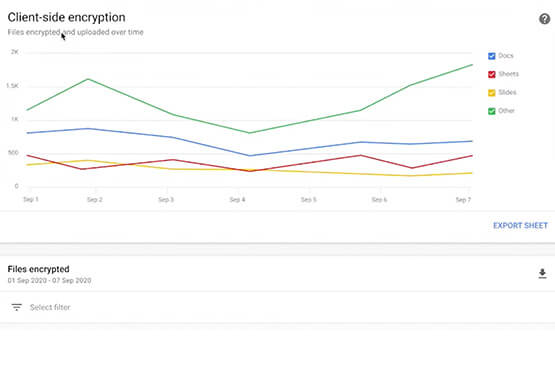

Trusted Collaboration for Hybrid Workplace with Google Workspace
Hybrid workspace need high levels of security, data privacy, and trust for seamless collaboration across workforce. As we navigate to the new normal, your enterprise can learn about the security and privacy specific innovations Google Workspace utilizes to help customers realize powerful, trusted, cloud-native collaboration.

AirAsia Flies High With Data Analytics and AI
AirAsia’s vision is simple: allow everyone to fly. Founded in 2001, the airline and sister company AirAsia X have grown to service 150+ destinations in 25 markets, using 274 aircraft to operate 11,000+ weekly flights from 23 hubs across the region. While the airline is known as a provider of
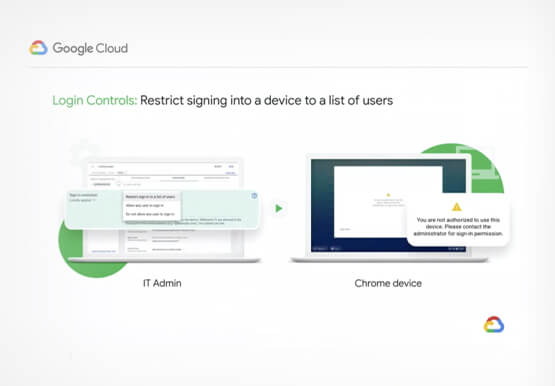
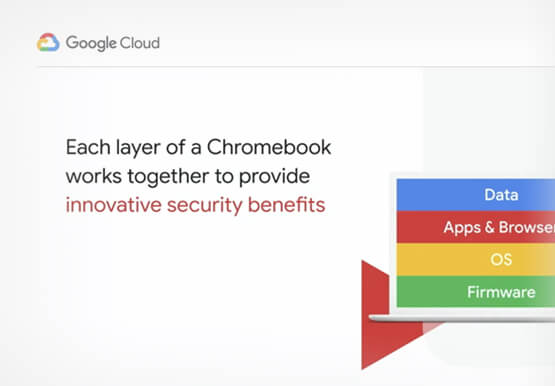
Securing Remote Workers with Google and Chrome Enterprise
With the proliferation of COVID-19 across the globe, the need for a remote working strategy has become paramount to keep businesses running. A Gartner survey found that 88% of organizations have asked their employees to work remotely. And 97% of the organizations canceled work-related travel. However, only 10% of the

Customer Stories: Ocado
Ocado is the world's largest online-only grocery store. But Ocado isn't your typical corner grocery store. For one thing, there's no corner as we're an online-only grocery retailer reaching British households, and now with a fast-growing non-food business alongside. Our customers shop online using our award-winning webshop or mobile apps
