





6366
Of your peers have already watched this video.
1:30 Minutes
The most insightful time you'll spend today!
How Bloomberg uses Google Translate to Share Breaking News with the World
Bloomberg uses Google Translate to instantly share news with customers in more than 170 countries. Financial markets can move within seconds of a story breaking, so speed matters. With Google’s automated translation Bloomberg can quickly disseminate breaking financial news to customers around the world in 40 different languages.
Why I Moved to the G Suite: Rentokil CIO

4456
Of your peers have already read this article.
2:13 Minutes
The most insightful time you'll spend today!
Whether it’s getting rid of pests, cleaning up a crime scene or tending to office plants, Rentokil Initial is a service business whose primary aim is to offer customers the best possible standard. This can only be achieved if teams work closely together, sharing expertise and ideas and communicating constantly.
We used to have 180 email domains and 40 mail systems in place, so finding contact details and responding quickly to colleagues was a challenge. To tackle this, in 2009, we moved 0 business users, including our ‘on the road’ service technicians and salespeople onto a single communications platform, G Suite.
Since switching to G Suite, we’ve saved millions of pounds (£) on IT maintenance and several hundred thousand pounds by cutting the time spent on administrative tasks through using tools such as Google Docs, Sites and Forms. For senior management, Google Hangouts Meet has also proved its worth, saving roughly 54 hours of the senior management’s time a week – that’s over 2,000 hours a year. In addition to maximizing productivity, online sharing through G Suite products has enabled us to spread knowledge and ideas organically across countries and divisions.
Individual teams have fully embraced the opportunity to share knowledge, using the group intranet, powered by Google Sites, to post training videos and access technical images. But it’s not all about official documents and meetings: online sharing is helping us to become a more personal, sociable organization, which is important for staff retention and working culture. Colleagues use our intranet to share personal achievements, from sleeping on the streets for a homeless charity to boxing in international championships, giving a true flavor of the diversity within the company.
Employees at all levels are embracing G Suite to connect with colleagues. For example, our UK Managing Director uses Google+ to post updates and pictures of his ‘road trips’ across the UK and his encounters with colleagues, from the CFO to our longest standing pest control technicians, providing new insight into his role in the business. The ability to connect directly with our executives and create communities amongst our new employees is radically changing and modernizing the culture of our company.
All in all, we’ve been amazed by the journey which G Suite has taken us on, connecting our teams no matter where they are and no matter what they’re doing and making a difference in almost every corner of our business. Thanks to Google we see ourselves as better connected, able to offer a better service to customers and more competitive on a global scale.
New Map Customization Features for Enhanced User Experiences

5561
Of your peers have already read this article.
1:30 Minutes
The most insightful time you'll spend today!
A customized map can be key to delivering a frictionless experience that engages users and sets you apart in users’ minds–whether you’re a real estate company fine-tuning points of interest (POIs) on a map to help buyers decide where to live, or a regional pharmacy styling a map to ensure your locations stand out from the competition. That’s why we’ve focused on empowering you with these capabilities through features like POI density and POI filtering controls, zoom level customization, and even industry-optimized map styles. But we’re not done helping you take your map to the next level. Today, we’re making two updates generally available—a new Maps SDK for Android and the extension of Cloud-based maps styling features to our Android and iOS SDKs. Together they enhance the native mobile map experience and make it easier for you to deliver consistent, optimized maps across all your platforms. We’ll also give you an early look at additional features that we’re working on.
Update your Maps SDKs for Android for an enhanced user experience
Developers around the world depend on the Maps SDK for Android to power critical experiences like helping drivers make a delivery or helping retailers visually confirm an order’s shipping address. With consumers spending an increasing amount of time in apps, it’s more important than ever that mobile experiences meet the high consumer expectations that come with essential, everyday use.
Today we released version 18.0.0 of the Maps SDK for Android, which delivers an enhanced map experience to app users, thanks to a new renderer. The new renderer introduces optimizations to our tile serving and rendering architecture, reducing payload size. This can help to reduce network load, on-device processing, and memory consumption for a more stable and smoother end-user experience. You’ll also see specific improvements with map labels. Now more fluid and clearly positioned, they pave the way for future marker management features. We’ve also enhanced overall gesture handling for better animations and smoother panning and zooming.
Because the Maps SDK for Android continues to be distributed as part of the Google Play services SDK, you can upgrade to v18.0.0 along with all its improvements with no increase to your APK size.
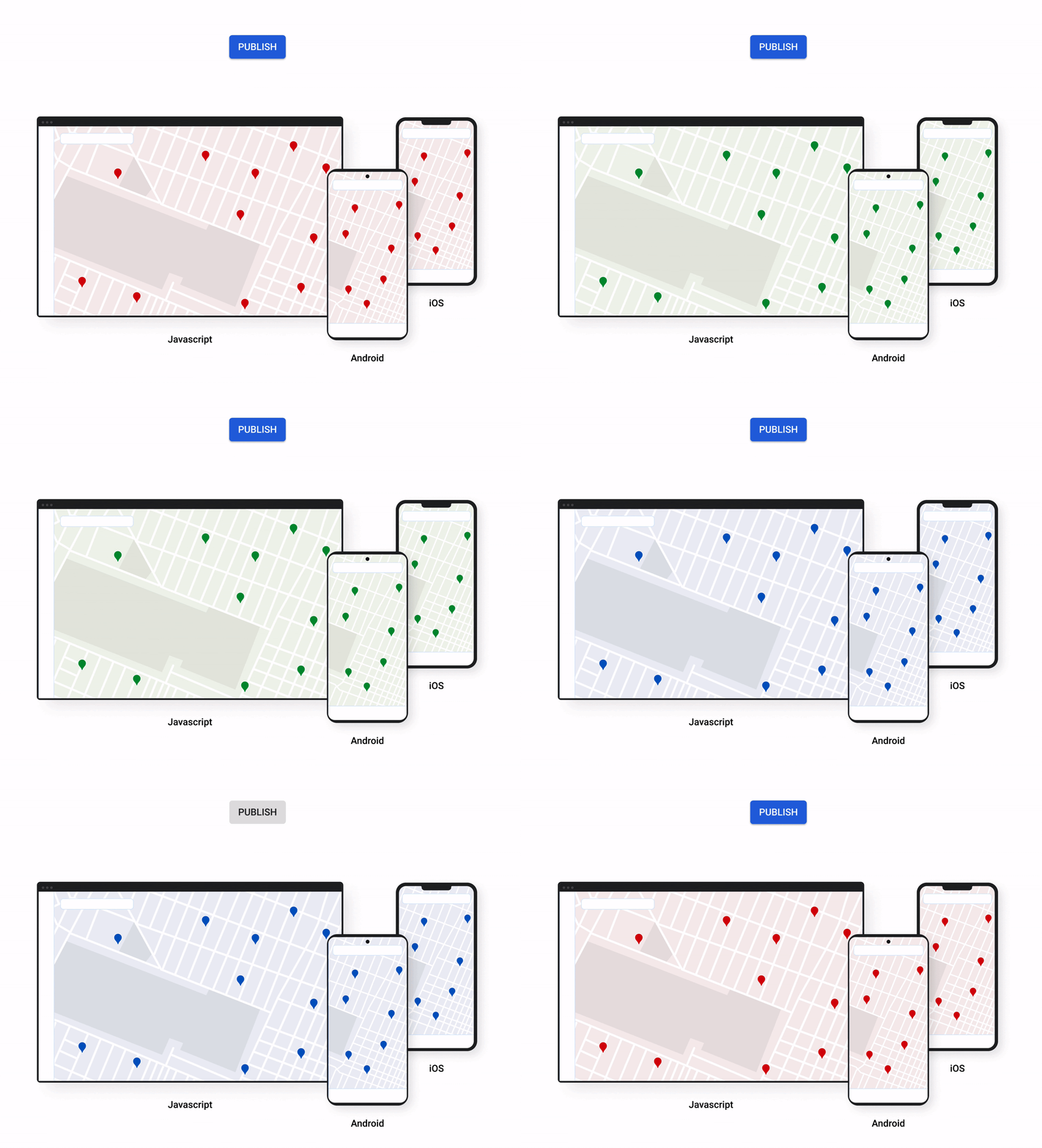
A consistent cross-platform maps experience with Cloud-based maps styling for mobile
Earlier this year at Google I/O, we announced the general availability of Cloud-based maps styling for JavaScript. Since then customers have used the richer customization capabilities and efficient cloud-enhanced deployment workflow to power millions of mapping experiences, from a curated interactive map of Munich to fun virtual Easter egg hunts hosted by Cadbury. Starting today, Cloud-based maps styling features are supported in the GA versions of our Maps SDK for Android (v18+) and Maps SDK for iOS (V5.0+).
Cloud-based maps styling moves map customization code off the client and into the cloud–where it can be easily modified to use new features or test new configurations. This decoupling of client code and customization code makes it easy to manage a single branded and optimized style across any number of apps across all supported platforms. It also makes it possible to simultaneously publish changes to a map style across platforms and install bases with the click of a button. Cloud-based maps styling is the foundation for a growing set of new customization features including POI filtering and POI boosting, zoom level customization, landmarks, and commercial corridor styling.
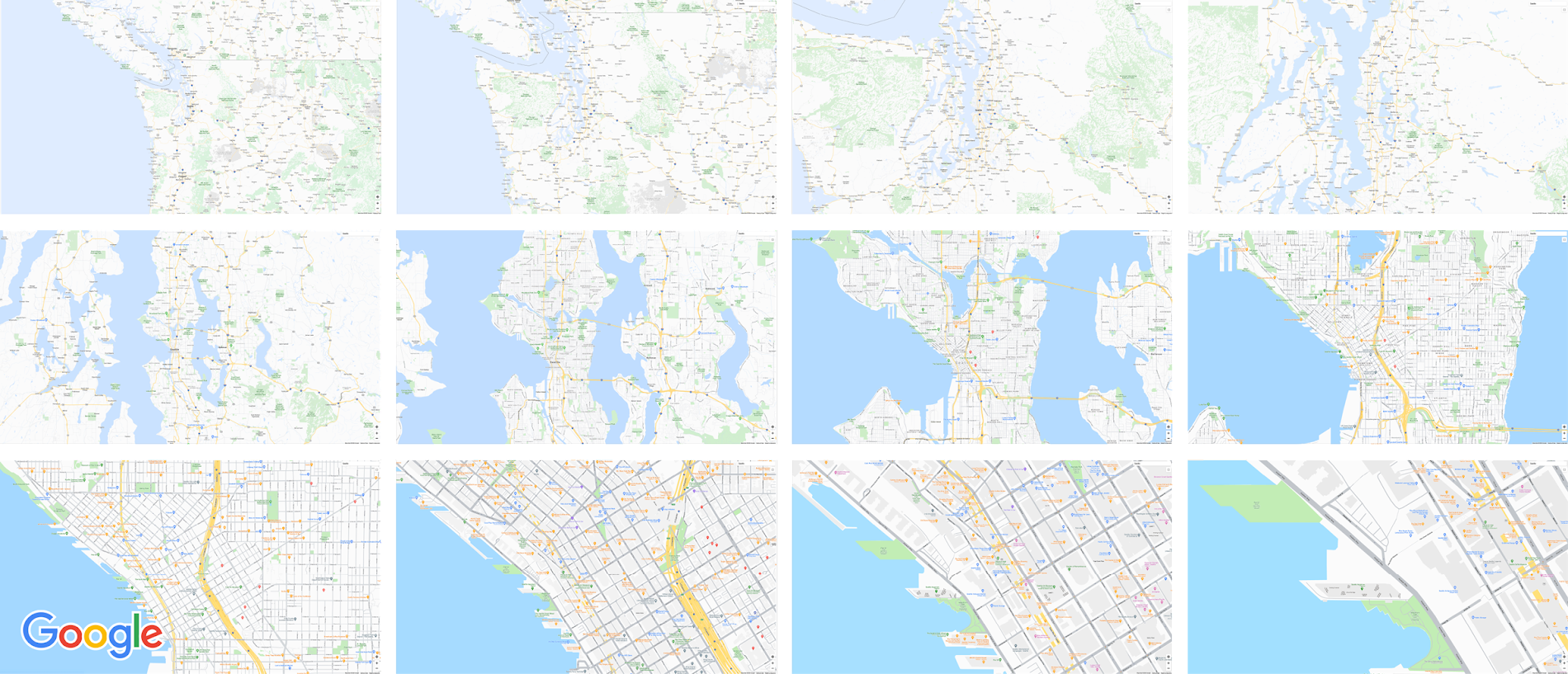
Mobile developers can now take advantage of Cloud-based maps styling features and simple cross-platform customizations for their Dynamic Maps by creating a MapID in Google Cloud Console and using it within their Maps SDK for Android or Maps SDK for iOS. Dynamic maps loaded with a Map ID via our Maps SDK for Android or Maps SDK for iOS will be billed to the same SKU as Maps JavaScript API (Dynamic Maps) and covered under the same $200 monthly credit and volume pricing. Developers can upgrade to the new Maps SDK for Android and continue using client-styled maps for no charge as they always have.
Additional capabilities we’re working on¹
We know you have a range of map customization needs to engage your users with differentiated experiences. We’re working on developing more Cloud-based maps styling features–focused on marker capabilities, map elements, and data-driven styling–to help you do just that. We’re working on a new set of markers capabilities, easier pin customizations, marker collision management, performance optimizations, and the ability to build custom marker elements that you can use to quickly deploy deeply customized, highly optimized marker-driven experiences. For those seeking greater detail in their maps, we’re working on expanding the availability and customization of detailed street maps to even more cities. We’re also working on features to make it easier to programmatically style map elements by exposing new APIs to enable things like the simple creation of choropleths by styling Google geographical boundaries based on your data.
This is just a peek into what we’re excited to be building for our developer community. While we’re working hard to bring these additional features to life, visit our website to learn more and our developer documentation to start customizing and enhancing your mobile maps.
¹Product capabilities, timeframes, and features are subject to change.
Iroquois Healthcare Association Leverages Chrome OS to Keep Staff, Patients and Families Remotely Connected

3972
Of your peers have already read this article.
3:00 Minutes
The most insightful time you'll spend today!
Editor’s note: Today’s post is by Eileen Murphy, Senior Director of Special Projects, and Andrew Nault, Director of Business Development, both from Iroquois Healthcare Association Workforce Investment Organization (IHA WIO). The health association represents 44 hospitals in 32 counties in New York State, providing advocacy, cost-saving initiatives, and business solutions. IHA WIO has provided its participating long-term care organizations with more than 5,000 Chromebooks to support 80 organizations in several ways, including training staff, connecting nursing home residents to their families, and helping administrative staff work safely from home.
Since early 2020, clinicians and staff at IHA WIO participant organizations have had to adapt to constant change—everything from implementing pandemic safety protocols to helping nursing-home residents stay in touch with families. We’re proud of the wonderful work they’ve done and continue to do.
During the pandemic, our use of Chrome OS and Chrome devices was expanded and changed to meet the needs of organizations dealing with an unprecedented event. Chrome devices were used to not only train staff but to enable remote work, as well as to connect residents to their friends and families during long periods of isolation. In the morning, a Chromebook could be in a managed guest session mode, helping a grandmother virtually attend her grandkids’ birthday party; at lunch, a nursing assistant could log in to her latest continuing education classes on that same Chromebook.
That evening, the Chrome OS devices could be found at check-in desks, helping visitors fill out a COVID-19 survey. All it took to change a device’s purpose were a few clicks in the Google Admin console, all of which could be done remotely.
Chrome OS for training
Most of our 5,000 Chrome OS devices came from a New York State grant to provide continued education training for long-term care organizations and its employees. We wanted to offer online classes, which meant we’d have to give people the technology to access that training. Our partner, CDW, recommended Chrome OS for us because it’s an operating system built for the cloud. In addition, devices running Chrome OS are easy to use, easily shared, and cost-effective.
Best of all, Chromebook Enterprise came with all the enterprise capabilities of Chrome OS unlocked. This allowed us to use the Google Admin console to manage our entire Chromebook Enterprise fleet remotely. We were able to set up one high-level organizational unit across IHA, with almost 80 organizational units for facilities and groups.
To support training, Lenovo helped us create a five-minute video that we added to our HealthStream learning platform so staff could learn the basics of using Chromebooks. This video was created because we didn’t realize there were people who have never touched a laptop before. The video and Chrome OS ease of use made it possible to get the folks who needed the most help up to speed quickly.
Chrome OS for connecting residents to loved ones
Once the pandemic began and people could no longer visit nursing home residents, the staff for one of our facilities asked about using a training Chromebook for video calls between residents and families. We loved this idea as it was still in line with our mission: to enable the workforce to provide higher-quality care.
With the Admin console, the process was easy. We changed the managed guest session to auto load, and changed what is populated on startup. With help from healthcare staff, residents were able to choose from several video apps including Google Meet, Zoom, and Facebook.
Chrome OS for remote workers
When office and administrative staff had to work remotely, Chromebooks again came to the rescue. Since staff could access all their work applications via Citrix—like Outlook, office phone systems, and other public documents—we placed the remote-work laptops in managed guest session mode and loaded the Citrix app at startup. All the employees had to do was connect to Wi-Fi and log into Citrix, and they were ready to work.
With our training program still running and virtual remote ability on the rise, we realized we would need more Chromebooks. CDW informed us that Chrome OS device supply was running low, but they located 1,000 Chromebooks for us and sent them to our home office in Clifton Park, New York.
Normally, the job of configuring and shipping 1,000 laptops would strike fear into the hearts of the IT team. Not this time: With zero-touch enrollment, all of the Chromebooks were enrolled in our high-level organizational unit before the boxes arrived at our Clifton Park office. We created a list of Chromebook serial numbers for each IHA location getting a shipment, then packed up the boxes. We never had to open a Chromebook box, or even turn the devices on before preparing them for use by employees.
Chrome OS for telehealth and clinic kiosks
There were more Chromebook transformations to come. In the interest of keeping residents and medical professionals safe, we enabled Chromebooks for non-urgent telehealth sessions. Doctors and nurses could see and talk to nursing home residents, using the same video conferencing apps that residents used to talk to loved ones. In these cases, we had PointClickCare, our electronic medical records app, loaded at startup on doctors’ Chromebooks.
We even turned a few Chromebooks into guest kiosks at IHA member hospitals that have walk-in clinics. If the clinics required visitors to fill out a COVID-19 screening form, the Chromebook, in kiosk mode, was stationed at the front desk. Once visitors submitted the form, a new blank form appeared, ready for the next visitor without any data stored on the device.
Chrome OS for whatever’s needed next
What’s amazing is that we could help people in all these different ways in just a few minutes—without visiting a nursing home, getting someone to ship laptops back to us, or loading software. Chromebooks are so versatile that sometimes they’re used in various modes several times a day. One user can log in, while another user can use managed guest sessions to login as a guest user. No matter what changes come to our healthcare association in the future, we’ll be ready.
Google Meet on Glass: A New Way of Collaborating Teams with Video Meetings in Real-time

3813
Of your peers have already read this article.
1:30 Minutes
The most insightful time you'll spend today!
Open beta now available to all Google Workspace customers
Seeing is believing. For many service technicians, trainers, and other frontline workers, the ability to share a real-time view of what they can see with their virtual clients or teams can make all the difference. That’s what we’ve heard from global participants in the closed beta of Google Meet running on Glass Enterprise Edition 2 that we announced last year.
Starting today, we’re making Google Meet on Glass Enterprise Edition 2 (Meet on Glass) more broadly available through an open beta. Any Google Workspace customer around the world can now give their employees, suppliers, and partners greater sight with Glass—using the simple and intuitive Google Meet environment they’re already used to. With Meet on Glass, meeting participants can experience a first-person view of the Glass wearer’s perspective and collaborate with the entire video meeting in real time.
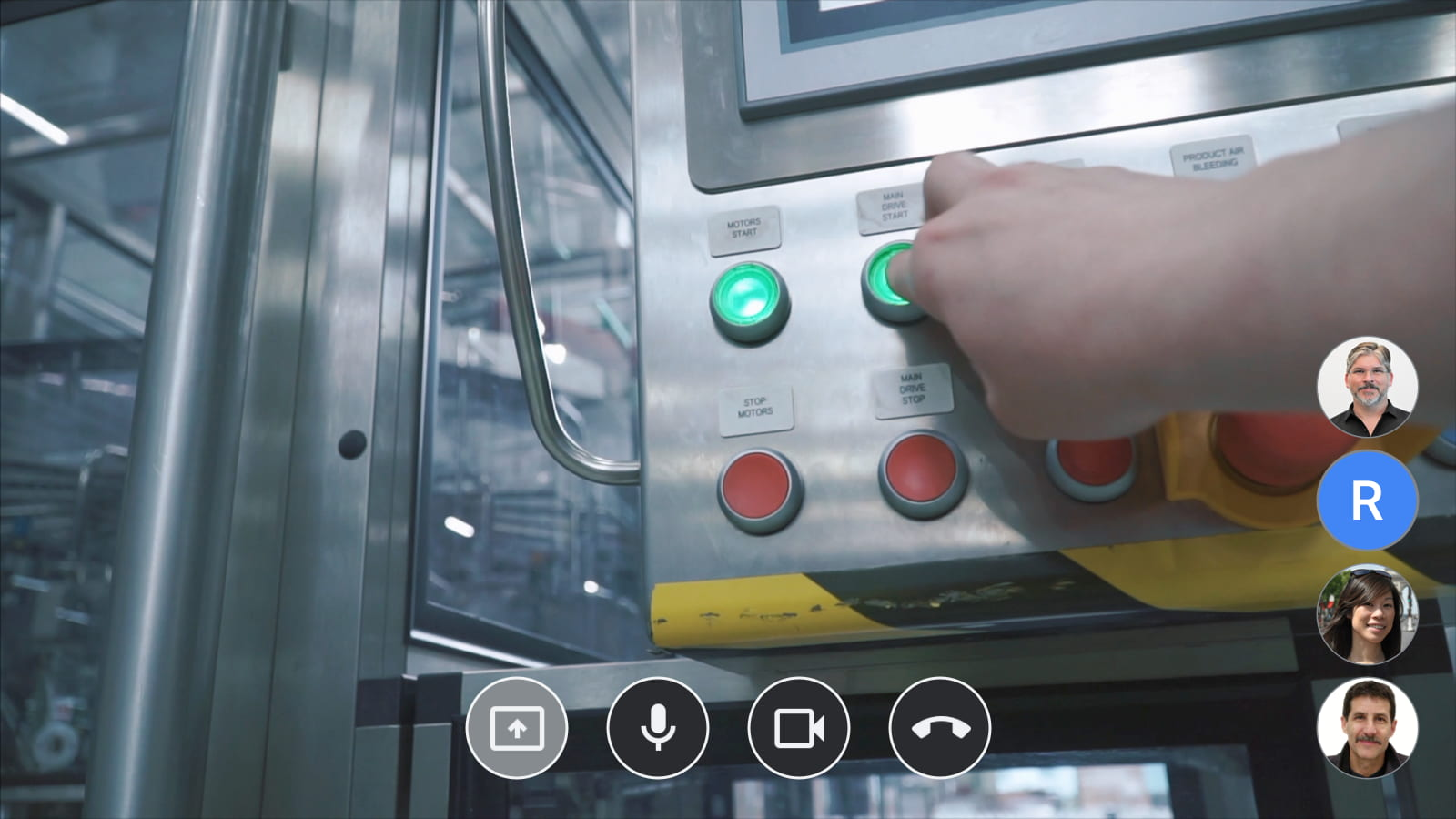
Making it easier to solve hard problems
Customers who’ve been testing Meet on Glass are linking their teams across geographies to collaborate in new ways and solve problems together. In the US, real estate services group CBRE has implemented Meet on Glass to allow employees at job sites to connect with HQ teams and project managers. Connecting the whole team with live video from the frontline is allowing faster decision making and clearer communications between team members.
To be successful, remote assistance via video call must be simple and seamless. CBRE and other early customers have shared that they don’t want their workers to have to become technical experts to use video collaboration in this way. Ease of use—both for Google Meet and for Glass—and speed to join a video meeting are top priorities for them. And with Google Workspace integration, their teams can now join Calendar events directly from Glass with just a few taps. No complex signing in or scanning codes are required; users simply choose from their calendar on Glass to instantly join the meeting.
Getting Google Meet on Glass Enterprise Edition 2
The Meet team is working with the community of Google Workspace partners to enable Google Meet on Glass Enterprise Edition 2 for customers in North America, Europe, and Australia. Customers in Japan can now also get Glass through a first-of-its-kind partnership with NTT DOCOMO, which can provide Meet on Glass directly to its customers in Japan. After extensive testing, NTT DOCOMO chose Google Meet on Glass as the preferred solution for their business customers who want frontline collaboration solutions for their enterprises.
Meet on Glass is one of the ways we’re bringing powerful new video conferencing experiences to customers around the world, regardless of the devices they’re using to connect and collaborate with their teams. When combined with our Google meet hardware and peripherals, the possibilities for real-time connection and problem solving are even greater. And it’s part of our ongoing commitment to creating innovative and immersive meeting experiences that help people feel like they’re working together, not just meeting together.
Sign up now to participate in the Google Meet on Glass Enterprise Edition 2 open beta.
6594
Of your peers have already watched this video.
8:00 Minutes
The most insightful time you'll spend today!
Hospitals Can Offer Interconnected Patient Experiences Using Google’s Natural Language Services
Machine Learning (ML) in healthcare helps extract data from conversations, medical records, forms, research reports, insurance claims and other documents across the care value-chain to help care providers have a holistic view of their patients to draw insights for diagnoses and treatments. With Natural Language Processing(NLP), healthcare organizations can program computers and systems to process and analyse large volumes of human communication in form of spoken texts, written documentation and utterances. Watch the video to learn how the healthcare community can leverage Google’s NLP services to process structured and unstructured data to offer interconnected experiences for patients.
More Relevant Stories for Your Company



PwC uses Connected Sheets to scale data insights
It’s important for teams across the business to understand customer adoption of products and services, whether it’s the product team tracking usage of a newly released feature or the support team trying to anticipate incoming service requests. Similarly, IT teams need to analyze the adoption of an organization’s internal applications
Fortune 500 Electronics Manufacturer Makes Collaboration a Competitive Advantage…and Saves $2 Million A Year
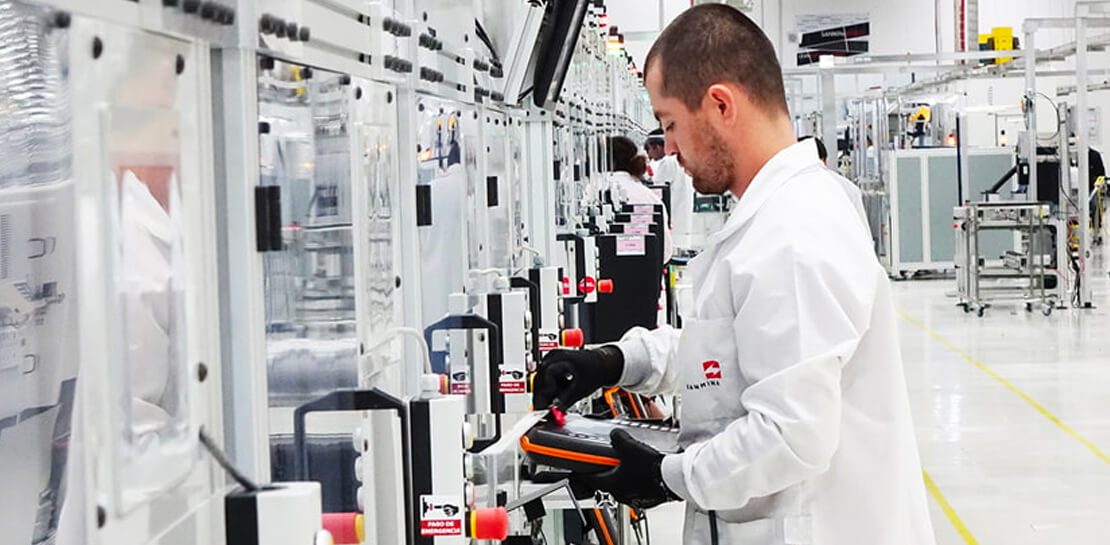
When electronics manufacturer Sanmina adopted G Suite several years ago, its goals were clear: reduce licensing costs, simplify management—particularly of its messaging tools—and cut hardware expenditures. Fast forward several years and the Fortune 500 company has achieved those goals and more. By moving to Gmail, Sanmina reduced more than 110 email servers by over 90%,

On-Demand Webinar: The Underrated Impact of Real-Time Collaboration on Your Business
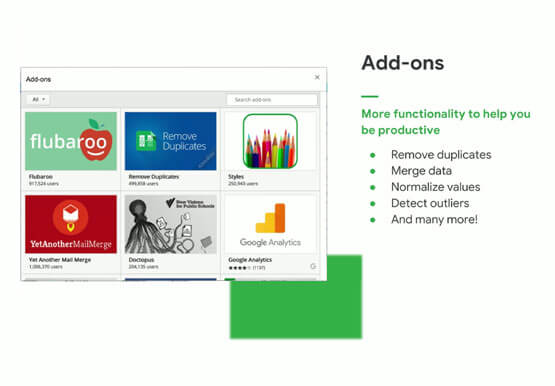
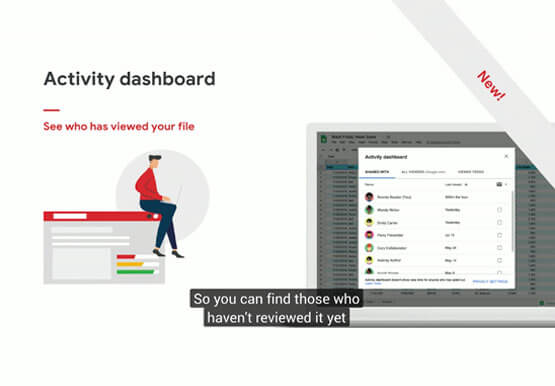
There comes a time in your life when you have to build that dreaded sales report, once a month. That’s the stuff of nightmares. First, you need to gather data from multiple sources, sometimes multiple, siloed sheets, different departments, numerous salespeople, and wait endlessly. That’s time-consuming. Then you have to
Quick Tips: How to Set Up a Business Without Investing Too Much
Running a business is everybody’s dream but only a few get to realize it. Among the many hurdles that entrepreneurs face, setting up the business with everyday tools like business emails, calendars, and finding cost-effective ways to collaborate are imperatives. But it isn’t a struggle in the age of the
