





Let Your Organization Thrive in Hybrid Work with Google Workspace

3116
Of your peers have already read this article.
2:30 Minutes
The most insightful time you'll spend today!
Flexible ways of working have become second nature for people everywhere, especially for the more than 8 million customers that use Google Workspace in their offices, homes, or on mobile devices.
However, the rise of hybrid work has also demonstrated the importance of choice. People don’t want to be locked into a single app or in a closed environment. They want to use productivity tools like email, video conferencing, and chat in a seamless way with other critical apps that perform functions like helping to stay in touch with customers, visualizing data, managing projects, building creative designs, and much more.
Enabling all of those products to work well together — without boundaries or walled gardens — is essential to helping teams and organizations maximize hybrid work. This week at Google Cloud Next, we’re taking significant steps towards making Google Workspace the most open and extensible productivity platform for users worldwide.
Today, we’re launching third-party smart chips in Docs, along with new integrations and enhanced API capabilities for Meet, Chat and Spaces, delivering entirely new ways to use third-party applications within or alongside Google Workspace, allowing organizations to get more value from the solutions they’ve already invested in. The new integrations are with some of the most popular enterprise applications in use today — AO Docs, Asana, Atlassian, Figma, LumApps, Miro, Tableau, and Zendesk — and will help transform the way people work every day.
Together, with our partners, we’re enabling an open ecosystem for hybrid work and ensuring that Google Workspace’s most helpful features don’t stay proprietary.
Bringing smart chips to popular third-party applications
When we launched smart canvas, we gave Google Workspace users the ability to bring the people and information they needed into Docs through simple @-mentions, creating interactive mentions of people, files, meetings, templates, and more. Today, we’re expanding smart chips to our ecosystem of partners, allowing our users to add even more rich data, more context, and critical information right into the flow of their work.
With these new third-party smart chips, you will be able to tag and see critical information from partner applications using @-mentions, and easily insert interactive information and previews from third-party apps directly into a Google Doc.
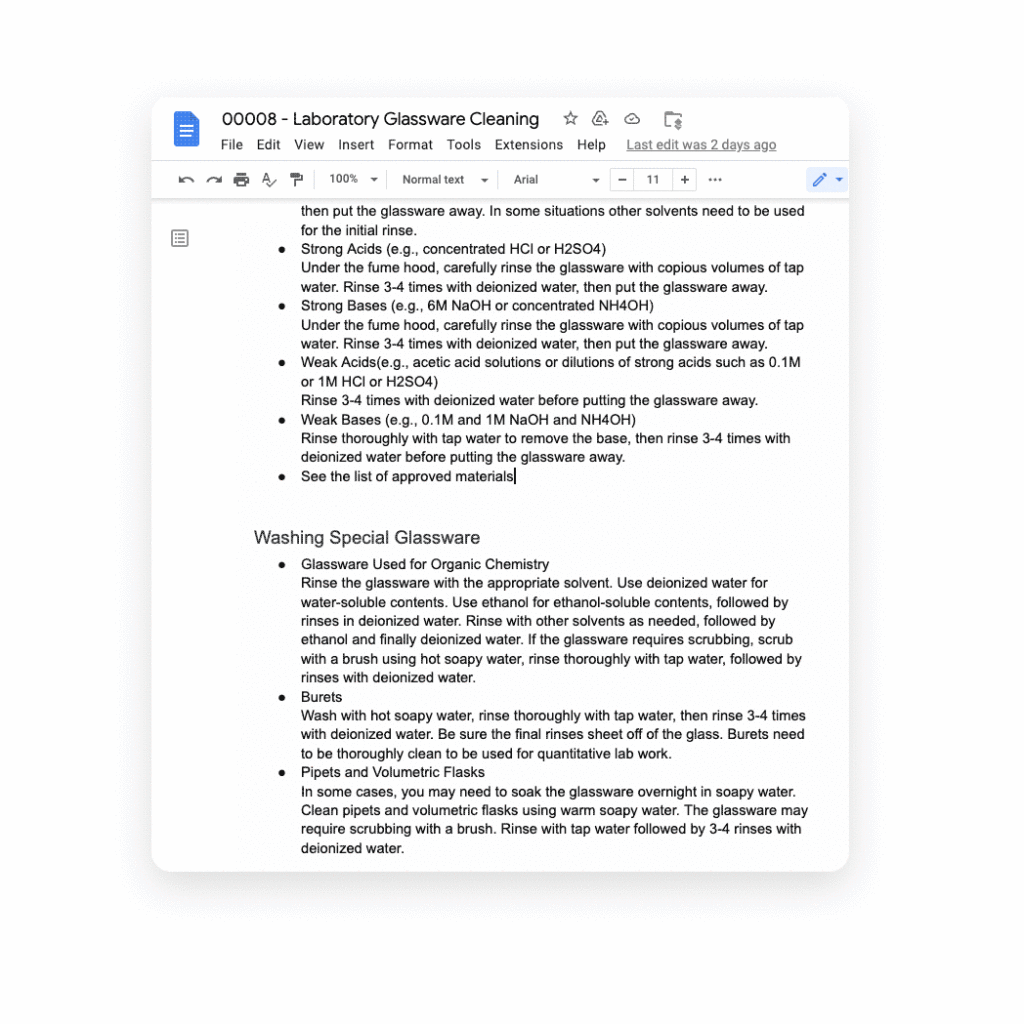
Several of our partners including AO Docs, Atlassian, Asana, Figma, Miro, Tableau, and ZenDesk, are now developing third-party smart chips to add more value to your Google Docs experience:
- AODocs, a fast-growing content services platform, is creating a smart chip that will allow you to link to and interact with controlled documents using AODocs’ content management capabilities within Google Docs.
- Asana, the leading work management platform, is creating smart chips that will enable you to see and manage your tasks and projects easily within a Doc.
- Atlassian, a leading provider of team collaboration and productivity software, is creating smart chips for both its Jira and Confluence apps, enabling you to visualize key details for your project plans directly in a Doc.
- Figma, a design platform for teams who build products together, is using smart chips to embed helpful information about brainstorms, diagrams, and prototypes that are foundational to a product design project into Docs. The chips provide a visual thumbnail of the project so you can easily tell what you’re clicking into.
- Tableau, the analytics platform, is building a new smart chip that will enable Google Docs users to see a live preview of data visualizations and related dashboard metadata.
- Miro, the leading visual collaboration platform, is creating smart chips that will enable you to transform a Miro link into a useful, visual frame of reference that gives preview, title, and other information needed to get a quick summary of your work in a visual format.
- Zendesk, the popular customer service platform, is building smart chips to show users all the relevant and pertinent information for a given Zendesk ticket without leaving Google Docs.
These new smart chip experiences from our partners are examples of the value and innovation we can provide to users and organizations by committing to openness and extensibility.
Smart chips will be available to developers to build out their app integrations in the coming weeks, and will be available to all users in Docs starting January 2023.
Adding third-party capabilities to Google Meet
Google Meet is more than just a video conferencing tool — it’s a hub for collaboration. Earlier this year, we rolled out the capability to join meetings and present directly from Google Docs, Sheets, and Slides to make it easier for people to work together in real-time. We also built an integration with Miro, allowing you to initiate collaboration on Miro whiteboards directly from a Meet call. Now, we’re extending that capability to more third-party applications.
Two new tools for developers — the Google Meet API and Google Meet add-on SDK — will enable our partners to bring their apps together with Google Meet, providing new seamless ways for our customers to use their favorite tools with Google Meet.
With our new Meet add-on SDK, partners can bring the power and functionality of their apps into Meet, where users can then collaborate using other products without leaving the meeting space. For example, Figma is utilizing this SDK to bring its popular design and whiteboarding capabilities into Google Meet. Our shared customers will now be able to collaborate within Figma in real time during Google Meet video calls.
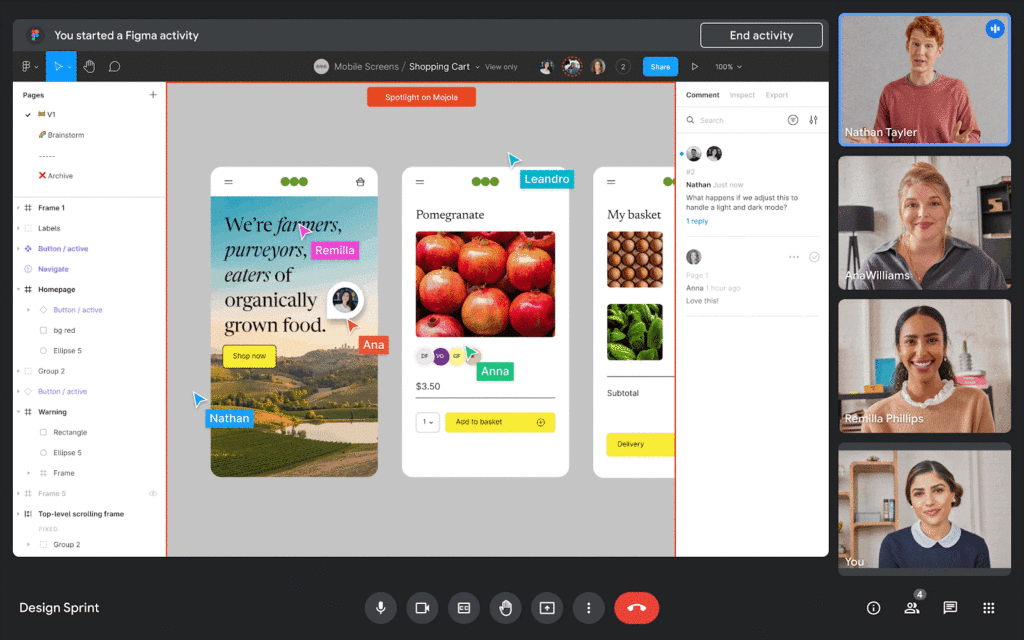
We’re also announcing new Meet API that will enable users to schedule and launch meetings directly from third-party applications. These APIs will also enable users to see whether a meeting is currently live and who is currently in the meeting — all without leaving the application of their choice.
Asana is working to bring the new Meet API together with Drive APIs to create or link to an existing Google Meet meeting directly from a task in Asana. In addition, we’re working with Asana to explore functionality that would allow users to add tasks to a meeting, create a clear agenda for the team, and assign pre-work so teams arrive prepared for a purposeful meeting. We believe that together, Asana and Google Meet can make meetings more actionable by helping users prepare and host results-focused meetings.
Figma is working on bringing Figma and Figjam files right into Meet with this new Meet integration, giving teams the ability to brainstorm and build designs together right in the flow of a meeting. All participants can contribute and engage through Meet, so more voices are heard and projects move forward faster.
We’re also making it easy for people to find and launch partner applications within Google Meet. Joint partner and Workspace customers will be able to discover and install Meet add-ons directly within the Meet UI — even during a live meeting. And of course, partners can register their apps in the Google Workspace Marketplace, helping them reach millions of Workspace users.
The Google Meet API will be available for early access later this year, and the Meet add-on SDK will be available for early access by the end of 2022.
Bringing partner applications into Google Chat and Spaces
Developers already use our Chat and Spaces APIs to add new experiences to Google Workspace. For instance, they are enabling third-party applications to automatically add people to Chat Spaces in time-sensitive, critical scenarios like incident response.
Now, we’re expanding the Chat and Spaces APIs to enable more functionality between Google Chat and our partners’ applications. Soon, these apps will be able to automatically create 1:1 direct messages or group chats programmatically. These apps will also be able to read and write Chat messages without requiring a user to launch an app, further extending the capabilities to allow for contextual understanding of conversations.
For example, imagine you’re discussing an upcoming project with your team in a space, and when you start working on the project in a given app, the app suggests adding a related link or Doc based on the Chat conversation. An app could also automatically copy all messages from one space to another to ensure important messages are shared as broadly as possible with your team.
These are just a few ways partner apps using the Chat and Spaces APIs will be able to enhance user experiences in Chat. Several of our partners are already leveraging these Chat and Spaces APIs to create unique Chat experiences:
Asana is currently using the new Chat and Spaces APIs to notify users and act on Asana tasks right from Google Chat, including actions such as marking a task complete, reassigning a task or even creating an entirely new task, all without leaving Google Chat.
LumApps, the widely-used employee experience platform, is building a new integration with Chat that will enable our joint users to launch a private Google Chat with another employee, directly from their LumApps user directory. Bringing together these two common use cases — finding a coworker and initiating a conversation — helping Google Workspace and LumApps customers communicate more seamlessly and quickly.

Some capabilities for the Chat and Spaces APIs are already available in the Developer Preview Program, with more APIs launching in the next few weeks. Make sure you check out the Developer Preview Program for more details.
The power of an ecosystem
We’re committed to making Google Workspace the most capable, open, and extensible platform for users, and delivering a product that reflects reality for workers today: work doesn’t get done in a single application or a legacy suite of programs anymore.
Together with our partners, we can deliver more helpful, flexible tools, create best in class capabilities for hybrid work, and enable entirely new ways of communicating and collaborating.
You can learn more about Google Workspace add-ons and integrations here, our partner applications here, and read more about the benefits of modernizing legacy office programs here. You can also express interest in partnering with Google Workspace here.
How Google Classroom Helps State of Iowa Employees Serve the Public Better

5589
Of your peers have already read this article.
1:30 Minutes
The most insightful time you'll spend today!
Organizations are pressed with the need to engage, retain, and upskill employees with many positions staying fully or partially remote as the pandemic continues. The Center for Digital Government (CDG) reports that 74% of state and local governments believe they will continue hybrid operations for the long-term. This transition is the latest in a long list of reasons agencies are looking for solutions to help train their workforce digitally. Some have found Google Classroom to be the perfect solution.
The State of Iowa knew about the advantages of digital classrooms even before the pandemic. They were already successfully using Google Classroom for in-person training, making the transition to digital seamless when the state closed down. Jessica Van Heuveln, a Google support specialist for the State of Iowa CIO’s Office, says the switch to digital doesn’t deprive workers of hands-on training. “You can use Google Classroom for many different environments, so if you’re doing self-taught, in-person or virtual training, it’s going to work with all those approaches.”
The logistics of a digital classroom
Iowa uses Google Classroom to onboard and upskill employees as well as train volunteers. When the pandemic shifted the state’s workforce to 70% working from home, they needed a platform that could not only handle a vast range of topics and teaching styles to support remote workers but also scale to meet their demand. Van Heuveln notes that Google Classroom was particularly helpful for handling compliance training, especially with its integration with Google Meet. These trainings often require an entire sector of the workforce to attend a single class with more than 100 attendees, according to Van Heuveln. The logistics of these larger sessions cuts down on the number of total sessions the state needs to host. Iowa also found that employees were less apprehensive about learning when they could do it from the comfort of their own homes.
Iowa follows a train-the-trainer model to train employees expected to instruct using Google Classroom. Trainers working in departments across the state learn to use Google Classroom to create and host virtual learning experiences specific to their own departments.
Collaborative classrooms made simple
Google Classroom meets many needs for Iowa, such as setting up training, managing attendance, reviewing uploaded coursework, and communicating with attendees. Both course attendees and trainers have everything they need in one place, and robust engagement tools help attendees stay focused while giving trainers the feedback they need from their lessons. Built-in survey options let trainers gauge attendee knowledge, and the chat function ensures no one ever misses a question. The reporting dashboard gives trainers access to analytics to track engagement and attendance, providing insights that can improve future training sessions.
Google Classroom also makes it easier to ensure attendees stay on board throughout the training program. Coursework can be uploaded directly into Google Classroom, and training sessions can be recorded and archived. This feature allows employees to work at their own pace or lets them catch up when a scheduling conflict means they might miss a session.
The enterprise version of Google Classroom Iowa uses interfaces with other Google Workspace tools such as Google Meet, Google Calendar, Google Drive, and Gmail, which streamlines training and leads to more collaboration between employees and trainers. It can also interface with applications from other providers, further boosting its utility as an effective virtual classroom. Google Drive stores training materials securely. Lastly, Google Classroom enterprise comes with 24/7 support to make sure agencies always have everything they need for success.
Helping employees be better prepared to serve
Google Classroom can be a powerful part of any training program, whether it be digital or in-person. Building virtual connections empowers organizations to deliver better experiences. Google Classroom is helping the State of Iowa accomplish this for their constituents. Designed to scale and be accessible from anywhere, the platform helps public employees better serve the public. Virtual training strategies are essential for agencies that are looking to grow their workforce and build employee skill levels. The most important thing, however, is that training programs enable employees to further your agency’s mission. To learn more about Google Classroom and see more solutions designed with government in mind, check out the Google Cloud for government page.
6652
Of your peers have already downloaded this article
4:30 Minutes
The most insightful time you'll spend today!
Today’s modern workers are redefining organizations as we know it. They are no longer tied to a work desk or bound by geographies.
And that’s how they ensure that your business is always-on, all the time, everywhere. This, in turn, points to the fact that today’s organizations need to ensure they create conducive environments to help employees collaborate and work no matter where they are.
A Forrester Research study has found that today’s employees see their responsibilities changing and demand flexible, collaborative, data-rich work environments in return.
Four in five employees (80%) agree that they need instant access to information to succeed in their jobs. Two-thirds (66%) also say that their employers expect them to get work done wherever they are. However, modern workers see this as an opportunity rather than a burden; 77% prefer technologies that provide flexibility in where they can do their jobs and 69% say that being able to access company resources gives them a better work-life balance.
The ability to collaborate with colleagues in-person or remotely is still key, and 71% of workers agree that technologies that help them do this are critical to success.
Download the report to find out what impact this has on your business and why you need to listen to your new-age cloud workers.
How Cardinal Group Created a Collaborative Culture and Reduced Support Tickets by 43% Per IT Team Member

4187
Of your peers have already read this article.
3:15 Minutes
The most insightful time you'll spend today!
At Cardinal Group, we have four distinct lines of business, each of which are critical to our overall company performance: real estate investment, third-party property management, construction management, and marketing.
As the VP of IT and Data, one of my top priorities is giving each of our team members across these teams the tools they need to be productive, while also ensuring all of our company’s data is safe, secure, and properly managed. And with a variety of different business units, it’s critical that our team members are able to collaborate effectively across teams. We rely heavily on Google Drive and G Suite to help us accomplish these goals.
Prior to partnering with Google, we relied on a legacy content storage and management solution. Our team members found this tool cumbersome and unintuitive—finding the right file at the right time was very difficult, and it was challenging to collaborate and share content effectively across the various teams within our company.
We also struggled with document ownership and version control. One team would start working on a contract, and then share it with a collaborator over email, who would then share it with a third collaborator, and so on. It was never clear which version of the document was the most up to date, who owned it, and who should be working on it. Our team members relied on these tools every day to get their jobs done, and the subpar experience was impacting productivity and morale.
Moving toward a more collaborative company culture
We began to explore various solutions to these problems, and quickly realized that Google’s approach to productivity was most closely aligned with Cardinal Group’s desire to build a more collaborative and innovative culture. We worked closely with Cloudbakers, a Google partner, to migrate all of our existing content and data to Drive.
And most of our team members were already familiar with Drive and found it very intuitive and easy to use, so change management was minimal and we were quickly up and running.
With Drive, it’s easy for our team members to quickly find and access the files they need at that moment, which saves them valuable time and increases productivity across our teams. Live, real-time collaboration across Drive and our other G Suite apps is a huge selling point for us.
For example, if we’re building a marketing plan, our onsite, marketing, and operations teams can all work simultaneously on the same plan, which saves us a ton of time and also eliminates version control and ownership issues. We’re also moving towards a “work from anywhere” model, and Drive is a huge enabler of this transition, with team members able to easily access and collaborate on files, whether they’re working in our main office, at home, or at a customer’s community.
Fewer support tickets lets IT spend time on more impactful projects
Since we started working with Google a few years ago, our company has grown significantly, from 800 to 1,400 team members. During this tremendous growth, the number of productivity-related support tickets we see has remained flat; this translates to a 43% decline in the number of support tickets per team member. As a result, our team members can spend more time being productive and my IT team can focus less on resolving support tickets and more on creating business value for Cardinal Group and our team members.
Moving to Google Drive and G Suite has been a big part of our journey towards being a more collaborative and innovative company. We’re looking forward to continuing this partnership with Google and we’re excited to see what’s next!
Elevate Your SRE Practice: Streamlining Your SLO Design Process

1487
Of your peers have already read this article.
2:30 Minutes
The most insightful time you'll spend today!
Poll three Site Reliability Engineers with the question “What is SRE?” and you’re likely to get five different answers: an implementation of DevOps, a role, a set of practices, a cultural shift, a snazzy title. While these definitions may not necessarily align with those in the SRE books, there is one throughline differentiating SRE from other ways of working: Service Level Objectives (SLOs). While simple to understand – intentionally! – SLOs are frequently challenging to define in practice. And even though the specifics of an SLO vary across industries and verticals, we have found there are a number of practices and strategies common amongst teams that have successfully implemented SLOs for their workloads.
Bringing together product, development, and SRE teams to achieve a common understanding of the workload in question, and in particular its critical user journeys (CUJ), is a key first step. For many teams this means writing down, often for the first time, detailed sequence or flow diagrams for these CUJs. The maturity of and the relationship between the three “legs of the stool” (development, product, and SRE) will play a role in the level of effort required to complete this first step of the journey. Having a common understanding of your users’ expectations of your workload is a prerequisite to writing effective SLOs.
While modeling user journeys and decomposing them into SLOs is an art and no two applications are alike, there are a few key aspects upon which to anchor your discussion. The main question we recommend you keep top-of-mind when going through this process is “What do my users care about?” Framing your thought process in this way prevents implementation snafus and strategies that don’t approximate user expectations. Other aspects to consider include:
- Are there breakpoints where the user may choose not to take an action?
- Which parts of the interaction are we capable of measuring and which are we not (e.g., third-party dependencies)?
- Which parts of the user journey are common across many user journeys and thus are possible candidates for factoring out as their own CUJ (example: login)?
- Which parts of the journey can be measured in aggregate, and which must be separated because of differences in criticality, request rates, or other factors?
- Which steps of the journey have strict dependencies between one another?
Armed with answers to these questions, a detailed request diagram, and your application code, you’re ready to start putting pen to paper! Before jumping into your monitoring consoles, we recommend writing up an SLO design document which lays out the technical details of your chosen SLOs. We’ve made a template available to you to jump start this process (if you have a Google account, you can make a copy using this link). In it, you’ll find an empty template along with worked examples for reference as you create your own specifications. Whether you use this template or not, we recommend the following as you document your SLOs:
- Be pedantic with technical specifications – they will matter during implementation
- Maintain a section outlining clarifications, caveats, and/or tradeoffs made as a part of the design process
- Consider where you’re measuring – make sure it’s feasible
- Beware of summaries, averages, and other non-aggregatable statistics for latency SLOs
- Keep compliance periods consistent across your workload(s)
- We recommend the following defaults:
- 28 days rolling for operational needs (error budget alerting)
- Fixed calendar quarters for prioritization and lookback
- Changelog: Include one, even if your documentation tool has version history, so you can track major changes
- Put your SLO documentation in a location accessible by your team and company stakeholders
- Once your SLO PRD is finalized, treat your implementation as code and store it in your version control system
- Remember – DRY!
We hope these recommendations and template give you a head start in bringing your SLOs to production. If you find yourself in need of a tool to implement your SLOs, consider Google Cloud SLO Monitoring which allows you to create SLOs for any metric available in Google Cloud Monitoring and computes your error budget automatically, enabling burn rate-based alerting. If this process still feels daunting or you find your team in need of help with any of the above, our reliability engineering professional services team can assist. For more information, visit cloud.google.com/sre or you can contact your Google Cloud account team.
Google AppSheet Leads the Low-code Development Platform Market for Business Developers: Forrester

5263
Of your peers have already read this article.
1:30 Minutes
The most insightful time you'll spend today!
We’re excited to share the news that leading global research and advisory firm Forrester Research has named Google AppSheet a Leader in the recently released report The Forrester Wave™: Low-code Platforms for Business Developers, Q4 2021. It’s our treasured community of business developers—those closest to the challenges that line-of-business apps can solve—who deserve credit for not only the millions of apps created with AppSheet, but also the collaborative approach to no-code development that has helped further our mission of empowering everyone to build custom solutions to reclaim their time and talent.
AppSheet received the highest marks possible in the product vision and planned enhancements criteria, with Forrester noting in the report that “AppSheet’s vision for AI-infused-and-supported citizen development is unique and particularly well suited to Google. The tech giant’s deep pockets and ecosystem give AppSheet an advantage in its path to market, market visibility, and product roadmap.”
“Features for process automation and AI are leading,” remarking that, “The platform provides a clean, intuitive modeling environment suitable for both long-running processes and triggered automations, as well as a useful range of pragmatic AI services such as document ingestion.”
Many enterprise customers including Carrefour Property – Carmila, Globe Telecom, American Electric Power, and Singapore Press Holdings (SPH) choose AppSheet as their business developer partner, along with thousands of other organizations in every industry. We are honored to serve these customers and to be a Leader in the Forrester Wave™: Low-code Platforms for Business Developers. We look forward to continuing to innovate and to helping customers on their digital transformation journey. To download the full report, visit here and enter your email address. To learn more about AppSheet, visit our website.
More Relevant Stories for Your Company

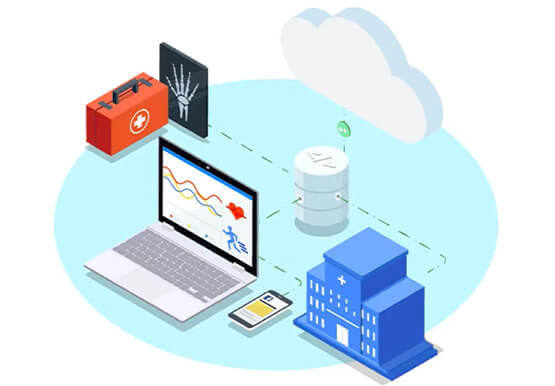

Hospitals Can Offer Interconnected Patient Experiences Using Google’s Natural Language Services
Machine Learning (ML) in healthcare helps extract data from conversations, medical records, forms, research reports, insurance claims and other documents across the care value-chain to help care providers have a holistic view of their patients to draw insights for diagnoses and treatments. With Natural Language Processing(NLP), healthcare organizations can program

How Did DTDC Express Speed Up Decision-making and Collaboration by 10x—While Cutting Costs?
Among Indian courier and logistics businesses, DTDC has expanded rapidly since its foundation in 1990. Starting with seed capital of less than US$2,000, DTDC has grown to a US$175 million business with operations across the country and internationally. The business is second only to the government-owned India Post in the

Say Hello to Google Workspace
Make way for Google Workspace to connect, create, and collaborate with your team and organization. Watch the video to explore how you can achieve more with Google Workspace and how it can transform the future of workplace!

10 Reasons that Make Google Cloud the Champion of IaaS
When you choose to run your business on Google Cloud you benefit from the same planet-scale infrastructure that powers Google’s products such as Maps, YouTube, and Workspace. We have picked 10 ways in which Google Cloud Infrastructure services outshine alternatives in the market in how they simplify your operations, save
