





How Eventrac and Workflows Integration Helps Implement Hybrid Architecture in Google Cloud

6542
Of your peers have already read this article.
3:00 Minutes
The most insightful time you'll spend today!
I previously talked about Eventarc for choreographed (event-driven) Cloud Run services and introduced Workflows for orchestrated services.
Eventarc and Workflows are very useful in strictly choreographed or orchestrated architectures. However, you sometimes need a hybrid architecture that combines choreography and orchestration.
For example, imagine a use case where a message to a Pub/Sub topic triggers an automated infrastructure workflow or where a file upload to a Cloud Storage bucket triggers an image processing workflow. In these use cases, the trigger is an event but the actual work is done as an orchestrated workflow.
How do you implement these hybrid architectures in Google Cloud? The answer lies in Eventarc and Workflows integration.
Eventarc triggers
To recap, an Eventarc trigger enables you to read events from Google Cloud sources via Audit Logs and custom sources via Pub/Sub and direct them to Cloud Run services:

One limitation of Eventarc is that it currently only supports Cloud Run as targets. This will change in the future with more supported event targets. It’d be nice to have a future Eventarc trigger to route events from different sources to Workflows directly.
In absence of such a Workflows enabled trigger today, you need to do a little bit of work to connect Eventarc to Workflows. Specifically, you need to use a Cloud Run service as a proxy in the middle to execute the workflow.
Let’s take a look at a couple of concrete examples.
Eventarc Pub/Sub + Workflows integration
In the first example, imagine you want a Pub/Sub message to trigger a workflow.
Define and deploy a workflow
First, define a workflow that you want to execute. Here’s a sample workflows.yaml that simply decodes and logs the Pub/Sub message body:
main:params: [args]steps:- init:assign:- headers: ${args.headers}- body: ${args.body}...- pubSubMessageStep:call: sys.logargs:text: ${"Decoded Pub/Sub message data is " + text.decode(base64.decode(args.body.message.data))}severity: INFODeploy the workflow with a single command:gcloud workflows deploy ${WORKFLOW_NAME} --source=workflow.yaml --location=${REGION}
Deploy a Cloud Run service to execute the workflow
Next, you need a Cloud Run service to execute this workflow. Workflows has an execution API and client libraries that you can use for your favorite language. Here’s an example of the execution code from a Node app.js file. It simply passes the received HTTP request headers and body to the workflow and executes it:
const execResponse = await client.createExecution({parent: client.workflowPath(GOOGLE_CLOUD_PROJECT, WORKFLOW_REGION, WORKFLOW_NAME),execution: {argument: JSON.stringify({headers: req.headers, body: req.body})}});
Deploy the Cloud Run service with the Workflows name and region passed as environment variables:
gcloud run deploy ${SERVICE_NAME} \--image gcr.io/${PROJECT_ID}/${SERVICE_NAME} \--region=${REGION} \--allow-unauthenticated \--update-env-vars GOOGLE_CLOUD_PROJECT=${PROJECT_ID},WORKFLOW_REGION=${REGION},WORKFLOW_NAME=${WORKFLOW_NAME}
Connect a Pub/Sub topic to the Cloud Run service
With Cloud Run and Workflows connected, the next step is to connect a Pub/Sub topic to the Cloud Run service by creating an Eventarc Pub/Sub trigger:
gcloud eventarc triggers create ${SERVICE_NAME} \--destination-run-service=${SERVICE_NAME} \--destination-run-region=${REGION} \--location=${REGION} \--event-filters="type=google.cloud.pubsub.topic.v1.messagePublished"
This creates a Pub/Sub topic under the covers that you can access with:
export TOPIC_ID=$(basename $(gcloud eventarc triggers describe ${SERVICE_NAME} --format='value(transport.pubsub.topic)'))
Trigger the workflow
Now that all the wiring is done, you can trigger the workflow by simply sending a Pub/Sub message to the topic created by Eventarc:
gcloud pubsub topics publish ${TOPIC_ID} --message="Hello there"
In a few seconds, you should see the message in Workflows logs, confirming that the Pub/Sub message triggered the execution of the workflow:

Eventarc Audit Log-Storage + Workflows integration
In the second example, imagine you want a file creation event in a Cloud Storage bucket to trigger a workflow. The steps are similar to the Pub/Sub example with a few differences.
Define and deploy a workflow
As an example, you can use this workflow.yaml that logs the bucket and file names:
main:params: [args]steps:...- log:call: sys.logargs:text: ${"Workflows received event from bucket " + bucket + " for file " + file}severity: INFO
Deploy a Cloud Run service to execute the workflow
In the Cloud Run service, you read the CloudEvent from Eventarc and extract the bucket and file name in app.js using the CloudEvent SDK and the Google Event library:
const cloudEvent = HTTP.toEvent({ headers: req.headers, body: req.body });//"protoPayload" : {"resourceName":"projects/_/buckets/events-atamel-images-input/objects/atamel.jpg}";const logEntryData = toLogEntryData(cloudEvent.data);const tokens = logEntryData.protoPayload.resourceName.split('/');const bucket = tokens[3]
Executing the workflow is similar to the Pub/Sub example, except you don’t pass in the whole HTTP request but rather just the bucket and file name to the workflow:
const execResponse = await client.createExecution({parent: client.workflowPath(GOOGLE_CLOUD_PROJECT, WORKFLOW_REGION, WORKFLOW_NAME),execution: {argument: JSON.stringify({bucket: bucket, file: file})}});
Connect Cloud Storage events to the Cloud Run service
To connect Cloud Storage events to the Cloud Run service, create an Eventarc Audit Logs trigger with the service and method names for Cloud Storage:
gcloud eventarc triggers create ${SERVICE_NAME} \--destination-run-service=${SERVICE_NAME} \--destination-run-region=${REGION} \--location=${REGION} \--event-filters="type=google.cloud.audit.log.v1.written" \--event-filters="serviceName=storage.googleapis.com" \--event-filters="methodName=storage.objects.create" \--service-account=${PROJECT_NUMBER}-compute@developer.gserviceaccount.com
Trigger the workflow
Finally, you can trigger the workflow by creating and uploading a file to the bucket:
echo "Hello World" > random.txtgsutil cp random.txt gs://${BUCKET}/random.txt
In a few seconds, you should see the workflow log the bucket and object name.
Conclusion
In this blog post, I showed you how to trigger a workflow with two different event types from Eventarc. It’s certainly possible to do the opposite, namely, trigger a Cloud Run service via Eventarc with a Pub/Sub message (see connector_publish_pubsub.workflows.yaml) from Workflows or a file upload to a bucket from Workflows.
All the code mentioned in this blog post is in eventarc-workflows-integration. Feel free to reach out to me on Twitter @meteatamel for any questions or feedback.
3628
Of your peers have already downloaded this article
5:30 Minutes
The most insightful time you'll spend today!
Although most companies have migrated some infrastructure to public cloud, most enterprise workloads still run in on-premises data centers. Technology leaders want to migrate more workloads and infrastructure to public cloud, but they are frustrated by the process of assessing their existing workloads, identifying a migration strategy that aligns IT and business needs, and ensuring they have the right talent and skills in-house to execute a migration on time and on budget.
To encourage faster migration of a broader set of workloads to public cloud, enterprises seek not only cost optimization, but also strategy advice, powerful migration tools and professional services, and skill development.
Download this Forrester report to understand how to get your cloud migrations right the first time.
6517
Of your peers have already watched this video.
46:30 Minutes
The most insightful time you'll spend today!
The Inside Story of How Home Depot Migrated to Google BigQuery From an On-prem DW Solution
In the media, you will often hear story of how born-in-the-cloud companies manage with massive infrastructure.
But it is one thing is to be a startup, and build infrastructure with bespoke requirements. And quite another to have a complex, multinational organization with online, with mobile, with brick-and-mortar presence, and hundreds of thousands of SKUs and professional services, and many, many years of technology, innovation, and really smart engineers.
This is the second story. The story of how The Home Depot, the number-one home improvement retailer in the US pulled of that feat.
The Home Depot has over 2,200 stores, over 4 lakh associates, and 2017 revenues of over a $100 billion.
In this video, Rick Ramaker, technology director, data analytics at The Home Depot, and Kevin Scholz, distinguished engineer, The Home Depot, talk about how the company transformed and modernised its data warehousing, the challenges they faced and the benefits they accrued from the project.
It’s a fascinating watch!
Google Cloud Introduces Enterprise-grade Scheduler across All GCP Regions

3414
Of your peers have already read this article.
1:30 Minutes
The most insightful time you'll spend today!
Reliably executing tasks on a schedule is critical for everything from data engineering, to infrastructure management, and application maintenance. Today, we are thrilled to announce that Google Cloud Scheduler, our enterprise-grade scheduling service, is now available in more GCP regions and multiple regions can now be used from a single project removing the prior limit of a single region per project.
With many enterprise customers deploying complex distributed cloud systems, Cloud Scheduler has helped solve the problem of single-server cron scheduling being a single point of failure. With this update you are now able to create Scheduler jobs across distinct cloud regions that can help satisfy cross-regional availability and fail-over scenarios.
Furthermore, you are no longer required to create an AppEngine application in order to use Cloud Scheduler. For existing Cloud Scheduler jobs, it is safe to disable the AppEngine application within the project. Jobs will continue to function without an AppEngine application.
Creating jobs in different regions is easy. You simply pick the location where you would like your job to run. For example you can specify a location when creating a job through the gcloud command line :
HTTP Targets
gcloud scheduler jobs create http <job-name>--location <cloud-region>--schedule <cron-schedule>--uri <target-uri>
Pub/Sub Topics
gcloud scheduler jobs create pubsub <job-name>--location <cloud-region>--schedule <cron-schedule>--topic <topic-name>(--message-body <message-body> | --message-body-from-file <file-path>)
AppEngine Services
gcloud scheduler jobs create app-engine <job-name>--location <cloud-region>--schedule <cron-schedule>
Or you can pick a location when creating a job through the Cloud Console:
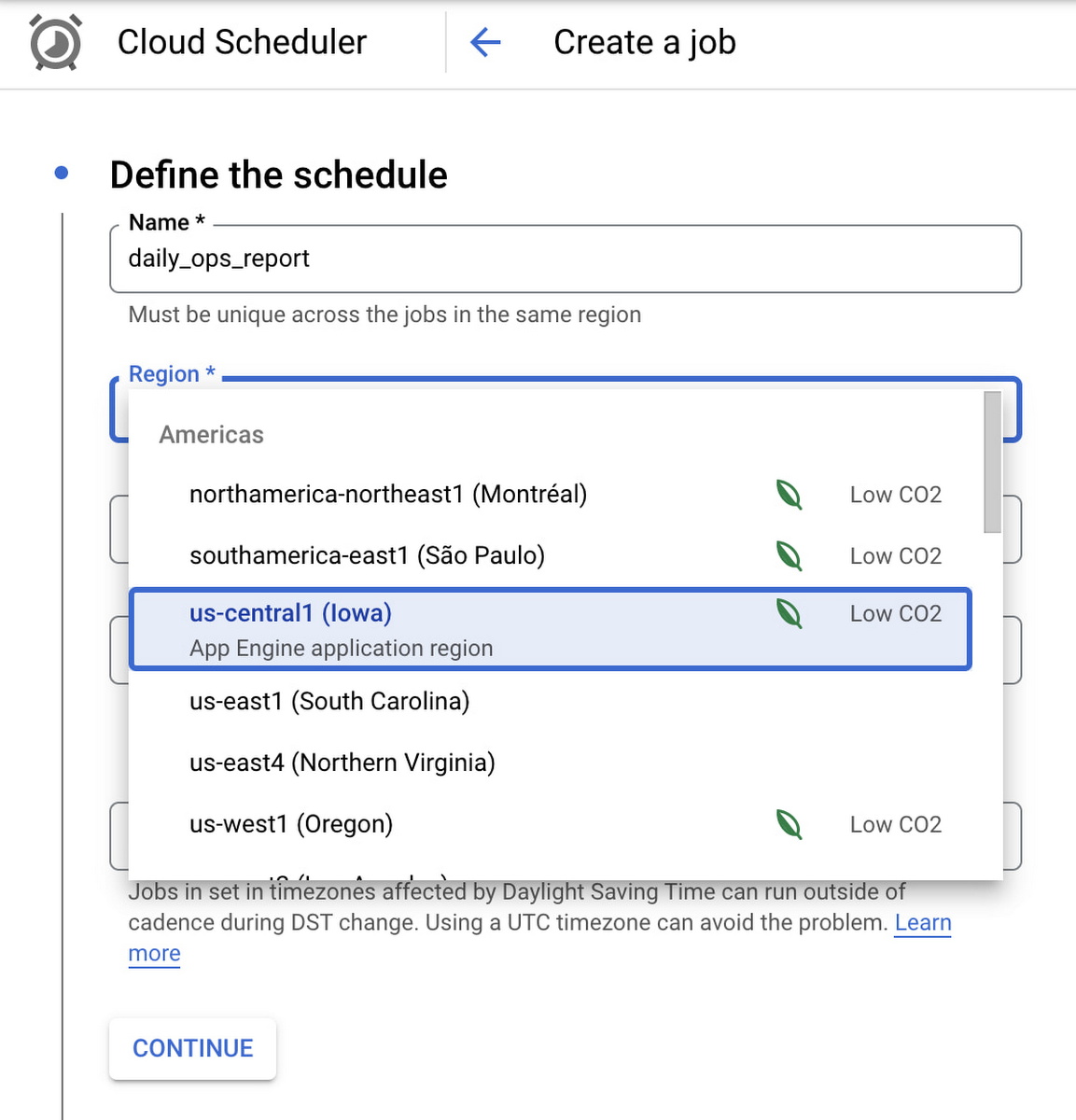
Google Cloud Scheduler is now available in 23 GCP Regions, and this number is expected to grow in the future. You can always find an up-to-date list of available regions by running:
gcloud scheduler locations list
We hope you are as excited about this launch as we are. Please reach out to us with any suggestions or questions in our public issue tracker.
Speed Up Data-driven Innovation in Life Sciences with Google Cloud

4286
Of your peers have already read this article.
1:30 Minutes
The most insightful time you'll spend today!
The last few years have underscored the importance of speed in bringing new drugs and medical devices to market, while ensuring safety and efficacy. Over this time, healthcare and life sciences organizations have transformed the way they research, develop, and deliver patient care by embracing agility and innovation.
Now, the industry is set to reap the benefits of cloud technology and overcome the existing barriers to innovation.
What’s holding back innovation?
Costly clinical trials: The process of trialing and developing new drugs and devices is still long and costly, with more than 1 in 5 clinical trials failing due to a lack of funding.1 The high failure rate comes as no surprise when you consider the average clinical trial costs $19 million and takes 10-15 years (through all 3 phases) to be approved.2
Stringent security requirements: Pre-clinical R&D and clinical trials use large volumes of highly sensitive patient data – making the life sciences industry one of the top sectors targeted by hackers.3 On top of this, the FDA and other regulatory bodies have strict requirements for medical device cybersecurity.
Unpredictable supply chains: Global supply chains are becoming increasingly complex and unpredictable. This can be brought on by anything from supply shortages, to geo-political events, and even bad weather. Making things worse is the lack of visibility into medical shipment disruptions – so when disaster strikes you’re often caught off guard.
Google Cloud for life sciences
At Alphabet, we’ve made significant investments in healthcare and life sciences, helping to tackle the world’s biggest healthcare problems, from chronic disease management, to precision medicine, to protein folding.
Together with Google, you can transform your life sciences organization and deliver secure, data-driven innovation across the value chain.
- Accelerate clinical trials to deliver life-saving treatments faster and at less cost. Clinical trials require relevant and equitable patient cohorts that can produce clinically valid data. Solutions like DocAI can enable optimal patient matching for clinical trials, helping organizations optimize clinical trial selection and increase time to value. How that patient data is collected is also important. Collection in a physician’s office captures a snapshot of the participant’s data at one point in time and doesn’t necessarily account for daily lifestyle variables. Fitbit, used in more than 1,500 published studies–more than any other wearable device–can enrich clinical trial endpoints with new insights from longitudinal lifestyle data, which can help improve patient retention and compliance with study protocols. We have introduced Device Connect for Fitbit, which empowers healthcare and life sciences enterprises with accelerated analytics and insights to help people live healthier lives. We are able to empower organizations to improve clinical trials in key ways:
- Enable clinical trial managers to quickly create and launch mobile and web RWE collection mechanism for patient reported outcomes
- Enable privacy controls with Cloud Healthcare Consent API and, as needed, remove PHI using Cloud Healthcare De-identification API
- Ingest RWE and data into BigQuery for analysis
- Leverage Looker to enable quick visualization and powerful analysis of a study’s progress and results
- Ensure security and privacy for a safe, coordinated, and compliant approach to digital transformation. Google Cloud offers customers a comprehensive set of services including pioneering capabilities such as BeyondCorp Enterprise for Zero Trust and VirusTotal for malicious content and software vulnerabilities; Chronicle’s security analytics and automation coupled with services such as Security Command Center to help organizations detect and protect themselves from cyber threats; as well as expertise from Google Cloud’s Cybersecurity Action Team. Google Cloud also recently acquired Mandiant, a leader in dynamic cyber defense, threat intelligence and incident response services.
- Optimize supply chains and enhance your data to prepare for the unpredictable. With a digital supply chain platform, we can empower supply chain professionals to solve problems in real time including visibility and advanced analytics, alert-based event management, collaboration between teams and partners, and AI-driven optimization and simulation.
Ready to learn more? We’ll be taking a deep dive into each of the challenges outlined above in our life sciences video series. Stay tuned.
- National Library of Medicine
- How much does a clinical trial cost?
- Life Sciences Industry Becomes Latest Arena in Hackers’ Digital Warfare
Autonom8: Achieving growth and profits for businesses with Google Cloud

3027
Of your peers have already read this article.
3:30 Minutes
The most insightful time you'll spend today!
With Google Cloud, Autonom8 can run a platform that accelerates and streamlines customer journeys in a scalable, reliable, cost-effective infrastructure, while using advanced optical character recognition to enable intelligent document processing.
About Autonom8
Headquartered in the United States and India, Autonom8 has built a low-code SaaS platform that allows businesses to digitize customer-facing workflows. The business aims to help clients reduce costs and improve interactions with their customers through automation and enablement of customer journeys.

Google Cloud results:
- Increased margins by up to 30% by switching from a home-grown OCR system to Cloud Vision AI
- Enables one DevOps team member to manage up to 30 customers
- Provides real-time information about customer journeys to enable businesses to respond quickly and accurately
- Ensures use of its platform with containerization in customers’ private data centers
- Reduced operating costs by up to 20% with localized scalability and architecture through GKE
Just as cars are evolving to become autonomous, smart and self-driving, enterprises can gain self-awareness, an ability to learn and an ability to adapt. This is the value proposition put forward by Autonom8, an India- and United States-based enterprise workflow management software business. “We provide a low-code, high-intelligence customer journey automation SaaS platform,” explains Ranjit Padmanabhan, Co-founder and Chief Technology Officer (CTO), Autonom8.
The Autonom8 platform includes components, such as A8Studio, a drag and drop location from which clients can create customer journeys, a chat platform that enables clients to create chatbots, and an analytics module. “With our platform and services, businesses can reduce costs and improve interactions with their customers by applying automation to accelerate and provide better customer journeys,” adds Padmanabhan.
Demand for Autonom8 is being driven by the changing customer demands of enterprises, including the expectation to interact with them over multiple channels, and the rising cost of building software with experienced developers. These trends place enterprises under growing pressure to increase the productivity of the people they do have, particularly those who are less technically inclined. In addition, changing consumer habits, regulations and the emergence of new technologies mean customer journeys cannot remain static and need to evolve.
Developing a microservices-based SaaS platform
From the start, Autonom8 planned to deliver a SaaS platform and initially deployed on a multinational cloud service, chosen due to the team’s familiarity with its products and the availability of credits. However, the company’s decision to opt for a microservices architecture that enables individual services to scale independently while running in a containerized environment, demanded high-quality container orchestration. To optimize cost, scalability and performance, Autonom8 began evaluating Google Kubernetes Engine (GKE).
The business then completed a side-by-side comparison between Google Cloud and its incumbent provider of compute, storage and other services. Google Cloud fared favorably, with Vision AI in particular providing powerful machine learning and optical character recognition (OCR) functionality, supporting a key use case for Autonom8.
In addition, many of Autonom8’s clients at the time are financial institutions in India, and legally required to retain data within the country’s borders. Google Cloud’s global network and local presence means the business could fulfill this requirement easily.
“We decided to evaluate Google Cloud, particularly GKE, from two perspectives. One, from a security perspective, as we sell to banks that audit our platform, and two, as a failover between regions because downtime costs money. We found it a compelling solution.”
— Ranjit Padmanabhan, Co-founder and Chief Technology Officer (CTO), Autonom8
A seamless move to Google Cloud
Autonom8 began deploying on Google Cloud in 2018, with its architecture comprising storage, compute, serverless, container management and orchestration, and Vision AI. “We looked at our scripting with the previous provider, and using the Google Cloud documentation available online, educated ourselves over a few weeks before moving pieces of our architecture step by step to Google Cloud,” says Padmanabhan. “We did not run into any major issues. It was pretty simple, with our experienced engineers training others in the product.”
According to the CTO, the business had two options when moving to Google Cloud. Autonom8 could either install raw virtual machines and effectively create its own virtualized data center, or rely on managed services for functions such as memory store, registration and authentication to save time and resources over the long term. Autonom8 opted for the latter and has transitioned fully to Google Cloud, with the number of cloud products and services in its architecture rising from five to about 15. While each product and service performs a key role in the delivery of Autonom8’s products and services, Padmanabhan nominates GKE, Vision AI and Cloud SQL as providing the greatest value to the business.
Scalability, real-time monitoring and intelligent document processing at low cost
With GKE, the business can now scale the nodes or containers specific to each microservice in the event traffic to a particular client surges, due to a rebate or promotion. “Through the combination of the architecture and localized scalability we achieve with GKE, we are reducing our operating costs by up to 20%,” says Padmanabhan.
Running an open source TimescaleDB on Postgres in Cloud SQL enables Autonom8 to give its clients the ability to monitor customer journey information in real time. An example of a journey is applying for a bank loan. The customer must take steps including providing income, tax and other financial details that the bank then appraises to help make a decision on the application. “The moment someone applies for a loan, for example, a bank knows about it and can monitor for fraud, bottlenecks, or other abnormalities, and immediately route to a remediation workflow,” explains Padmanabhan. “Cloud SQL enables us to maintain transactional logging and provide real-time data to our dashboards.”
After evaluating alternative services, including developing a home-grown OCR engine, the business turned to Cloud Vision AI to manage the intelligent document processing that comprises much of its transactional volume. “Vision AI is significantly better than the alternatives and the cost of maintaining our version did not make sense, because Google Cloud continues to make improvements over time that enable us to deliver more and more accurate results to our customers,” says Padmanabhan. “Switching from our home-grown service to Vision AI has enabled us to increase our profit margins by up to 30%.”
“Through the combination of the architecture and localized scalability we achieve with Google Kubernetes Engine, we are reducing our operating costs by up to 20%.”
—Ranjit Padmanabhan, Co-founder and Chief Technology Officer (CTO), Autonom8
Supporting client demands and improving developer efficiency
Google Cloud also enables Autonom8 to meet the demands of businesses that want to run its platform within their own private data centers. “We can undertake the build within Google Cloud and ship our containers to compatible hosts within those clients’ data centers,” explains Padmanabhan. “With our previous provider, we could create containers, but these would not run properly within those data centers.”
Furthermore, Google Cloud documentation and online resources help Autonom8 reduce the training needed for new developers to become productive, with the Google Cloud learning curve taking up just 10% of the overall onboarding cycle.
The organization spends the equivalent of just 3% of its overall annual revenue on DevOps, measured as DevOps Utility Ratio, while the cloud cost of revenue is about USD 1 for every USD 6 in annual recurring revenue, measured as Cloud Utility Ratio. “These two metrics are about what we can do with the people we have,” explains Padmanabhan. “Our current ratio implies that one DevOps person can handle approximately 30 customers. This is made possible by the tools we have, and the comprehensive support from Google Cloud in terms of security patches, intelligent alerts, resource overloading, and more.”
Google Cloud also provides the flexibility for Autonom8 to accommodate the varying service levels required by individual customers based on factors, such as the impact of downtime, as the business can failover seamlessly between regions to mitigate the impact of any issues that may occur.
“Our current ratio implies that one DevOps person can handle approximately 30 customers. This is made possible by the tools we have, and the comprehensive support from Google Cloud in terms of security patches, intelligent alerts, resource overloading, and more.”
—Ranjit Padmanabhan, Co-founder and Chief Technology Officer (CTO), Autonom8
Integrating Google Workspace with Autonom8 to deliver new capabilities
Autonom8 relies on Google Workspace for communication, collaboration and other workplace productivity requirements, growing its footprint from Gmail when the employee population was four or five, to a range of products including Sheets and Drive as the business grew. “It became natural to use the capabilities in Google Workspace as we matured,” says Padmanabhan. “One of the most interesting capabilities was our ability to integrate Google Workspace into our platform. For example, when someone is running a workflow, they can add data from a Sheet. We’ve added Google Workspace authentication capabilities into our products as well.”
“Everyone is using shared links to Drive and I really like the granular permissions structure,” he adds. “I can open up folders to clients while keeping an internal space within the business to ensure security and privacy.”
With Google Cloud, Autonom8 is now poised to continue growing its business and adding new features and capabilities for clients. “We are extremely excited at the opportunity to step up our offering to clients with Google Cloud,” concludes Padmanabhan.
More Relevant Stories for Your Company

Prepare for the Unknown in Supply Chain with SAP IBP and Google Cloud
Responding to multiple, simultaneous disruptive forces has become a daily routine for most demand planners. To effectively forecast demand, they need to be able to predict the unpredictable while accounting for diverse and sometimes competing factors, including: Labor and materials shortagesGlobal health crisesShifting cross-border restrictionsUnprecedented weather impactsA deepening focus on

Innovation in the Clouds: Sky’s Blue-Sky Approach to FinOps
Google Cloud’s partnership with Sky Group, one of Europe’s largest media and entertainment companies, dates back more than four years to when Sky first became a Google Cloud customer moving diagnostic data from millions of its Sky Q TV boxes to its Google Cloud data platform. In June 2019, a

Google Invests 1 Billion Euros on Germany to Support Growing Businesses
In September 2001, the first-ever German Google employee switched on their computer in Hamburg. Since then, we’ve grown to more than 2,500 employees in four offices across Germany. Berlin, Frankfurt, Hamburg and Munich have long been our home, and we continue to invest in the growth of the local economy.

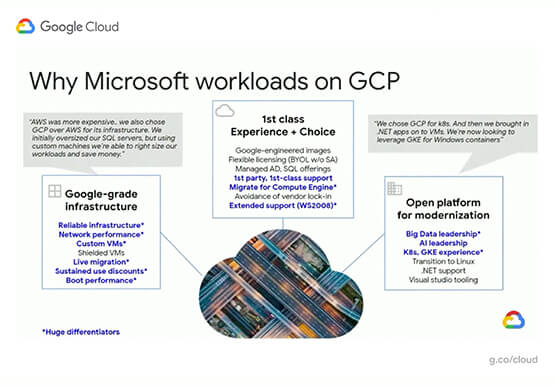
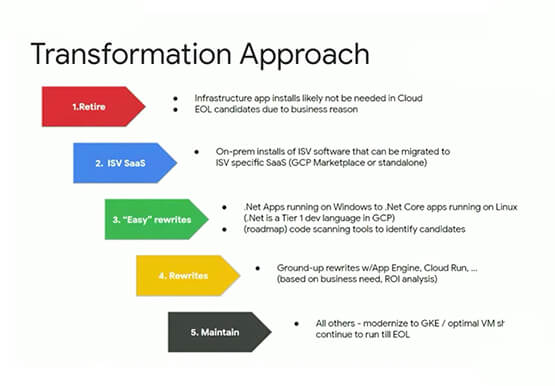

Modernize your Windows Workloads by Migrating them to Google Cloud
Google has plenty to offer when it comes to migrating and modernizing traditional enterprise Windows workloads to the cloud. Explore different approaches for re-hosting, modernizing, and transforming Windows applications, and the benefits of moving to Google Cloud. Learn from demos on some of the cutting-edge technologies that can offload some
