





3820
Of your peers have already watched this video.
23:47 Minutes
The most insightful time you'll spend today!
No user left behind: Empowering collaboration with security
Your employees need to work from home to keep your business running. The traditional network-based on-premise approach to security is broken when your end-users are accessing core apps in the cloud from anywhere on any device.
Our primary goal is to ensure that security does not get in the way of end-user productivity. And there are two sides to the same coin here. So your end users just want easy access to the tools to do their jobs. But admins want to make sure that they do that in a secure manner so that admins don’t lose access to their most valuable corporate access.
When COVID-19 led to an unprecedented increase in video conferencing usage, Google’s global infrastructure allowed us to scale, meet, to not just match but exceed, user demand. And we’ve continued to scale ever since, all the while, maintaining security, privacy, and compliance for our customers.
In this video, we’re going to focus on four key areas of security, secure collaboration, secure users, secure devices, and secure access and data.
Jeni’s Splendid Ice Creams

3988
Of your peers have already read this article.
2:30 Minutes
The most insightful time you'll spend today!
At Jeni’s Splendid Ice Creams, Jeni and her staff are all passionate about ice cream and sharing that passion with the world by creating ice creams that you can fall madly in love with. To do this every day, requires incredible teamwork and collaboration, and Google Workspace is helping support the cause from tracking inventory to managing quality control.
Jeni’s Splendid Ice Creams began small but had big dreams. Jeni Britton Bauer opened her first ice cream shop in Grandview Heights, Ohio in 2002, and turned to Google Workspace to help her manage everything from ingredients to employee scheduling. Today, Jeni has grown the business to 10 stores throughout Ohio and Tennessee and has a booming online shipping business, and she depends on Google Workspace to help her manage it all.
Google Docs helps Jeni’s Splendid Ice Creams employees share information from the kitchen with the planning teams on the ground at each location. And it gives her access to real-time information to ensure they have the ice cream, packaging, and manpower to handle spikes in online orders. Stores are also able to give feedback about each home-made batch of ice cream through a Google Docs form. So if there aren’t enough pecans in the Whiskey Pecan Ice Cream, Jeni’s team can add more in the next batch. Jeni even wrote her best-selling cookbook using Google Docs.
*Google Workspace was formerly known as G Suite
Chrome OS’s Hybrid Work Model Powers Google’s Return to Work Strategy

7492
Of your peers have already read this article.
1:30 Minutes
The most insightful time you'll spend today!
The pandemic continues to deeply affect our lives around the globe. In some places, new cases are surging and returning to work is the last thing on people’s minds. In other areas, conditions are improving and companies are starting to think about transitioning their workforce back to the office.
Exactly when and how to do this remains complex and varies by country, industry, and company. What’s certain is that hybrid work will become an essential part of the business world moving forward. And finding solutions that bridge the gap between “in-person” and “somewhere else” are crucial.
At Google, we’ve been focused on what the hybrid transformation means for us. To prepare for hybrid work, using modern solutions is a key enabler.
Chrome OS: Supporting Google’s return to office strategy
At Google, we’ll move to a hybrid work week where most Googlers spend approximately three days in the office and two days wherever they work best. It’s no surprise that as the modern, secure, cloud-first platform, Chrome OS is playing a key role in our transition to a hybrid work model. Because Chrome OS devices can easily be shared, more flexible working models and spaces are now possible. And with user profiles stored in the cloud and collaboration solutions like Google Workspace, employees can log in to any Chrome OS device, access what they need and pick up where they left off.
Here are just a few ways we are using Chrome OS and its tools to support the return to the office:
- In select office locations, Googlers can reserve desks through an internal booking tool set up with a high-performance Chromebox, keyboard, mouse, and monitor. Employees can log in to the Chromebox which syncs their cloud profile, and start working with the same environment they have on all their Chrome OS devices.
- We’re announcing new docking stations that are designed for Chrome OS devices and allow employees to bring in their Chromebook from home, connect to the dock with one USB-C cable, and use a monitor, keyboard, and mouse for a full desktop experience.
- Every Chrome OS device enables a zero-trust security working model with BeyondCorp Enterprise providing our workforce with simple and secure access to applications while providing additional security controls for IT.
- We’ve deployed the new Chrome OS Readiness Tool to our extended workforce to identify employees that are able to switch to Chrome OS. This allows us to expand the latest security, deployment, and manageability benefits to more of the workforce.
Additional ways Chrome OS is helping organizations with return to office
We aren’t the only ones supporting our return to office and hybrid work strategy with Chrome OS. We’ve heard more ways our customers are using Chrome OS to make the transition as smooth as possible. These include:
- Streamlining deployment and management of Chrome OS devices using zero-touch enrollment which allows devices to automatically enroll into a corporate domain without IT configuration.
Grab & Go Chromebooks being used for frontline and hybrid information workers, allowing employees to grab a Chromebook from a cart and get to work right away. - Parallels Desktop for Chrome OS being deployed to allow employees to access Windows or legacy apps locally on their Chrome OS devices.
- Existing Windows and Mac devices being modernized and repurposed to run a Chrome OS experience using CloudReady. (Google is currently offering a CloudReady promotion. Learn more here.)
While the Chrome OS team has been working towards making remote working as seamless as possible for IT, we’ve also made advancements in supporting traditional technology that’s required in the office.
- In October, we announced Chrome Enterprise Recommended: a collection of identity, printing, productivity, communications, and virtualization solutions that are verified to run great on Chrome OS.
- With the increased usage of video conferencing on Chrome OS devices, we’ve made improvements to Google Meet and Zoom performance including camera and video improvements to reduce any unnecessary processing and features that intelligently adapt to your device, your network, and what you are working on.
- For improved access to Windows and legacy apps, VMware Horizon introduced multi-monitor support and USB redirection and Citrix Workspace released a tech preview with webcam enhancements and Microsoft Teams optimizations.
- We integrated with the Okta Workflows platform, so IT administrators can include Chrome OS in it’s access logic and deploy quickly without code. Recently, we’ve added the ability to require users to reauthenticate on their Chrome OS device once Okta has detected that the user has changed their password. Try out this new capability by signing up for our Trusted Tester program.
- We’ve increased our support for direct IP printing with additional printer models since the beginning of 2020. In addition, we have made improvements to management features, including support for multiple print servers and launched policy APIs to provide a better IT admin experience.
Join us for a digital event with Modern Computing Alliance and its newest member HP
Last year we announced the launch of the Modern Computing Alliance—a collaboration of industry leaders including Box, Chrome Enterprise, Citrix, Dell, Google Workspace, Imprivata, Intel, Okta, RingCentral, Slack, VMware, and Zoom aim to create the pioneering solutions that businesses need. We are thrilled to introduce HP, who brings their innovative hardware and enterprise hardware expertise to the Modern Computing Alliance and has been working closely with the alliance to ensure true silicon-to-cloud innovation.
As an alliance, we’ve been deeply engaged in the hybrid work shift. We invite you to join us for a digital event where we discuss questions about returning to work. Like how product design can encourage participation and collaboration regardless of where employees are, important security issues to keep in mind, and what factors businesses should consider to support a safe, working environment.
Home. Heading back. Hybrid.
Hear from the experts on hybrid work and return to office.
Date: May 20th, 2021
Register here.
If you are ready to try Chrome OS today, it’s easy to get started. You can contact us to get connected to a partner, sign up for a free 30-day trial of Chrome Enterprise Upgrade to start managing Chrome OS devices, or deploy the Chrome OS Readiness Tool to identify employees that are ready to switch to Chrome OS.POSTED IN:
An Insider’s Guide on the Future of Collaboration and Productivity

4328
Of your peers have already read this article.
1:00 Minutes
The most insightful time you'll spend today!
As Google’s productivity adviser, I’ve been closely following the evolving discussion around the future of work. Long before the pandemic, employees, business leaders, and analysts were already thinking about how work needed to evolve, but the crisis brought the future cascading into the present. Virtually overnight, millions of companies and workers went remote and stayed that way for over a year, pushing their collaboration and productivity tools to the test across living rooms and time zones. While some organizations were able to launch new solutions or adapt existing ones to keep their people connected and productive, many struggled.
The organizations that struggled quickly discovered their tools weren’t complete, scalable, secure, or built for the cloud era. Meanwhile, across all industries and business types, employees reported spikes in burnout, feelings of disconnection, and frustration with finding the latest information or using unfamiliar tools.
With many businesses headed into a hybrid model, the world of work has been transformed, possibly forever. There’s a fresh and fast-moving conversation about how organizations can succeed within the evolving future of work.
But at the center of that discussion are two familiar topics: collaboration and productivity. How will they evolve in an era of distributed teams and surging employee demand for flexibility? And how will businesses meet expectations to innovate quickly and deliver on rising customer expectations while navigating the new future of work?
Although 2020 was a major inflection point, a closer look reveals that many of the technologies, trends, and cultural norms shaping the future of work have been around for some time. For years, forward-thinking organizations have been wrestling with how to maximize collaboration, productivity, and wellbeing among their employees, and they’ve been developing the tools to make it happen at scale. By that measure, the future of work has been here for some time; it just hasn’t been evenly distributed or easily visible.
With this context in mind, we’re sharing our new guide Create what’s next: The future of collaboration and productivity, which highlights three areas of focus for organizations wanting to catch up with those leading the charge to empower the future of work.
- Making work-from-anywhere a reality with flexible solutions
- Giving people helpful tools to maximize their impact
- Enabling knowledge sharing and human connection
Armed with these three strategies, businesses can improve productivity and encourage innovation while better meeting the needs of their customers and their employees—now and in the years ahead.
We share some highlights from the guide in the infographic below (click to enlarge). You can also download the full guide now.

How Did DTDC Express Speed Up Decision-making and Collaboration by 10x—While Cutting Costs?

7301
Of your peers have already read this article.
6:30 Minutes
The most insightful time you'll spend today!
Among Indian courier and logistics businesses, DTDC has expanded rapidly since its foundation in 1990. Starting with seed capital of less than US$2,000, DTDC has grown to a US$175 million business with operations across the country and internationally.
The business is second only to the government-owned India Post in the courier and logistics sector with 522 offices, more than 10,700 franchisees, and a 5,000 employee-strong workforce.
It handles 450,000 shipments—primarily small to medium parcels—per day, has a direct presence in 12 countries, a presence through associates in 22 countries, and operates 16 gateway hubs.
DTDC’s mission is to become India’s preferred express parcel provider with a focus on the consumer and the company aims to be valued at INR 5,000 crore (about US$778 million) by 2020.
However, like all businesses in the courier and logistics sector, DTDC is facing greater competition. Most of the large ecommerce businesses in the country have created their own express delivery arms and these are contributing to heightened customer expectations.
“Businesses and consumers want information and answers now rather than later today or tomorrow,” Mrinal Chakraborty, Executive Vice President, Technology and Innovation, DTDC, says.
“For example, customers are looking for direct API integration between their systems and our tracking tools, rather than a mundane, old-style MIS-driven approach.
“The express delivery businesses themselves are eager to embrace trends such as increased predictability of delivery, greater capacity utilization, and how vehicles can be run in the most efficient way possible.”
External-facing Technology Policies
DTDC had operated a traditional technology operation including in-house infrastructure located in a mid-sized data centre at its Bangalore headquarters. This in-house data centre housed a completely virtualised server-storage environment and connected to all 522 offices by MPLS link or internet-based VPN services. The business also operated a small disaster recovery facility in another city in India.
However, DTDC realised its technology operation could not deliver the agility, flexibility, and performance needed for the business to thrive in a highly disrupted industry.
Its technology leaders started reviewing their options and in early 2017 adopted a policy that embraced external models such as public cloud services. The business moved its SAP HANA relational database management into the cloud and now is considering using Google Cloud Platform to host its core enterprise resource planning system.
Google Cloud Platform also gives DTDC the ability to analyse data in order to improve the efficiency and predictability of its services.
An Opportunity for Change
While the business had implemented cloud-based office productivity applications in 2016, these applications were not meeting its needs, Chakraborty says.
“What we observed after three years, despite a considerable cost, these applications were only being used for email rather than as a full suite of collaboration tools,” he says.
“For example, if a simple presentation file needed to be delivered for decision-making, it had to be sent to about 20 stakeholders,” he adds. “We would then have to collect feedback from each and aggregate it into a final draft. This approach compromised productivity and decision-making, and meant multiple versions of data were circulating within the organisation.”
DTDC also wanted to extend mobility from a small group within the business to the wider organisation as part of a broader project to improve collaboration, productivity, and decision-making. In addition, the business intended to improve the usability and relevance of its intranets to its employees.
Furthermore, Chakraborty and his team planned to help improve collaboration within and the performance of DTDC’s more than 10,700 franchisees in responding to customer needs.
G Suite Targeted to Increase Collaboration
Based on his previous experience with G Suite, Chakraborty recommended the cloud-based suite of intelligent applications to DTDC’s senior management team. He also provided a comprehensive cost-effort-benefit analysis to back up his recommendation.
DTDC had started with a three-week proof of concept exercise spanning 20 users across the business. Having determined that G Suite met its business requirements, the courier and logistics provider had chosen a ‘big bang’ implementation across about 5,000 users.
DTDC switched over to G Suite on 23 June 2017 and undertook an extensive user acceptance and training program—called Project Liberty—over the following two weeks with the assistance of a 24-hours-per-day, seven-days-per-week helpdesk.
“We made hundreds of calls to our employees to explain the move, created and distributed an FAQ, and provided extensive training at regional office and branch office levels,” Chakraborty says. The business also displayed posters and banners at all DTDC offices, sent teaser messages to users, and provided daily G Suite usage tips over a three-week period.
“We completed that part of the move in about six days and by 1 July 2017 we had migrated all databases and all old emails to G Suite. Two weeks later, we had signed off the job,” Chakraborty says.
Considerable Cost Savings
DTDC has reaped several rewards from its move to G Suite. The amount the business spends on video conferencing has fallen from about US$5,000 per month to nearly zero as it takes advantage of the voice and video capabilities of Google Hangouts Meet.
“Largely because the volume of email attachments has fallen dramatically since we moved to Gmail—despite the fact our business has grown significantly—we have not had to upgrade any of our links over the last year or so,” Chakraborty says.
“Team members are increasingly sending links through Google Drive instead.” The ability to store files in the cloud through Google Drive has also enabled DTDC to eliminate the need to perform local backups of users’ files.
Meanwhile, team members are also increasingly using Google Calendar to make appointments and check the availability of colleagues and superiors for meetings.
Supporting Mobilisation with G Suite
Deploying G Suite has also enabled DTDC to increase the number of workers with access to email on their mobile devices from 150 users to more than 4,000 users.
“At our National Franchisee Meeting in Delhi in February 2018, our Chairman explicitly explained in an open forum how significantly his performance had improved since we deployed G Suite and implemented mobility,” Chakraborty says.
With sharing of spreadsheets and documents rising through the use of Google Sheets and Google Docs respectively, DTDC’s employees are collaborating more effectively and making decisions faster and more easily. Several departments within the business are using Google Sites to create intranets to host commonly-accessed documents and provide knowledge bases, including FAQ documents to help employees solve problems themselves.
“Thanks to G Suite, we have experienced a 10-fold increase in the speed of collaboration, decision-making, and supporting systems,” Chakraborty says. “The activities of our management team are more transparent and cohesive while as an organisation we are making decisions in hours and minutes rather than days.”
DTDC has also completed the migration of more than 10,700 franchisees across to G Suite. “Thus DTDC has become one of the few organisations where its Chairman and Managing Director and a small franchisee in a town in India would use the same intelligent applications,” Chakraborty says. “This makes the organisation much flatter, more collaborative operation in nature.
“Furthermore, franchisees who are using G Suite have started telling us that the ease of collaboration and access to information is enabling them to resolve customer queries faster and more effectively.”
Delivering a Bright Future with Google
DTDC plans to continue developing its intranets on Google Sites and encourage further use of Google Docs and Sheets.
“We are continuing to go back to our internal teams to highlight the benefits of these products and drive takeup to create more awareness and enthusiasm,” says Chakraborty.
DTDC has also started evaluating Google’s big data and analytics platform for its internal MIS and dashboard practices. “More broadly, we see Google as key to our ability to realise our business objectives and remain competitive in the dynamic, fast-changing courier and logistics industry,” Chakraborty concludes
5575
Of your peers have already watched this video.
1:30 Minutes
The most insightful time you'll spend today!
A Quick Guide to Cloud Monitoring
Cloud Monitoring is a tool that allows you to gain visibility into the performance, availability, and health of your applications and infrastructure. In this video, we show you what Cloud Monitoring is and how you can use it to custom define service-level objectives (SLOs), monitor application metrics, and the overall health of your applications infrastructure. Watch to learn how you can use Cloud Monitoring!
More Relevant Stories for Your Company


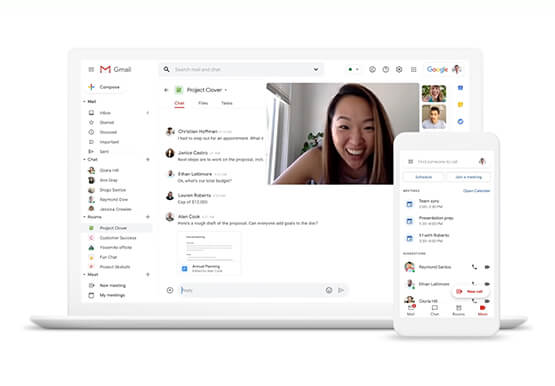

Helpful and human: G Suite’s vision for your future workspace
With an accelerated shift to remote working brought on by COVID-19, it's clearer than ever that an organization's success relies on its people and how they work. No matter where they're working from, who they're working with, or what projects they're working on, organizations need to enable their employees to

How PLAID’S Multi-cloud Approach with Anthos Clusters on AWS Drives Higher Business Growth
Editor’s note: Today’s post comes from Naohiko Takemura, Head of Engineering, and Kosukex Oya, Engineer, both from Japanese customer experience platform PLAID. The company runs its platform in a multicloud environment through Anthos clusters on AWS and shares more on its experiences and best practices. At PLAID, our mission is to maximize the value

Enhancing SAP Build Process Automation with Google Document AI and Google Workspace
SAP Build Process Automation is designed to optimize business processes and boost efficiency. The platform helps both business users and developers alike digitize core workflows and incorporate artificial intelligence (AI) into time consuming and error-prone manual tasks. All digital paths can benefit from automation. The pandemic, supply chain shortages, and

A set of new capabilities to build a differentiated data platform: BigLake, now generally available
Data continues to grow in volume and is increasingly distributed across lakes, warehouses, clouds, and file formats. As more users demand more use cases, the traditional approach to build data movement infrastructure is proving difficult to scale. Unlocking the full potential of data requires breaking down these silos, and is
