





3823
Of your peers have already watched this video.
23:47 Minutes
The most insightful time you'll spend today!
No user left behind: Empowering collaboration with security
Your employees need to work from home to keep your business running. The traditional network-based on-premise approach to security is broken when your end-users are accessing core apps in the cloud from anywhere on any device.
Our primary goal is to ensure that security does not get in the way of end-user productivity. And there are two sides to the same coin here. So your end users just want easy access to the tools to do their jobs. But admins want to make sure that they do that in a secure manner so that admins don’t lose access to their most valuable corporate access.
When COVID-19 led to an unprecedented increase in video conferencing usage, Google’s global infrastructure allowed us to scale, meet, to not just match but exceed, user demand. And we’ve continued to scale ever since, all the while, maintaining security, privacy, and compliance for our customers.
In this video, we’re going to focus on four key areas of security, secure collaboration, secure users, secure devices, and secure access and data.
12046
Of your peers have already watched this video.
3:26 Minutes
The most insightful time you'll spend today!
How L&T Financial Services Processes 95% of Motorcycle Loans in Less Than Two Minutes
L&T Financial Services is one of the largest lenders in India. India’s demonetization policy in recent years has led to a shift from cash transactions to digital payments. In 2016, the government withdrew 500 and 1000 rupee notes from circulation and encouraged a heavily cash-based population to deposit their canceled notes in banks. Financial institutions needed to pivot to a new way of doing business to stay competitive. L&T Financial Services modernized its IT infrastructure to keep up with changes and capture digital opportunities.
“Working capital is crucial to stimulate growth in rural communities. Our role as a lender is to provide access to funds. We don’t want to burden borrowers with the complexities of getting a loan. Towards this end, digitization is an important step,” says Dinanath Dubhashi, Managing Director and CEO at L&T Financial Services. “Google Cloud helps us streamline service delivery and identify the right customers. By offering the fastest processing time in the industry, we want to be the go-to lender for all customers.”
L&T Financial Services considered multiple cloud providers before choosing Google Cloud. According to Dinanath, Google Cloud understands both the need for businesses to move fast and the need for IT to modernize at different speeds. “We weren’t forced to abandon existing IT systems and migrate lock, stock, and barrel to Google Cloud on day one.”
L&T Financial Services engaged Google Cloud Professional Services to guide its digital transformation journey. The smooth migration from proof of concept to full-scale deployment on Google Cloud took a matter of months.
“Collaboration: a small idea with big opportunities. G Suite helps us connect remote branches with the head office, easily access shared files to submit and track approvals, and conduct face-to-face discussions to accelerate approval processes.”
—Dinanath Dubhashi, MD and CEO, L&T Financial Services
Digitizing the workforce with G Suite
The move to the cloud at L&T Financial Services started in 2017 when the company introduced G Suite to its 14,500 employees. The legacy email system was cumbersome to use, especially for frontline staff who need email access while they are on the road. Using Gmail, employees can connect with customers and co-workers from anywhere, on any device. Employees save time by scheduling meetings with Calendar, collaborating on Docs, and conducting video calls using Hangouts Meet.
Converting data into credit insights using BigQuery
Taking data intelligence one step further, L&T Financial Services adopts a responsible lending approach by applying algorithm-based data analytics to improve credit standards. Beyond traditional data such as credit score and credit payment history, the company also considers macro-economic indicators for risk audits. For example, a farmer’s ability to pay off the loan of his new tractor depends on a successful planting and harvest. So L&T Financial Services feeds long-term data into BigQuery and runs queries to predict loan defaults based on rainfall and crop yield.
The New Google Workspace Essentials: Bring Modern Collaboration to Work!

3734
Of your peers have already read this article.
1:30 Minutes
The most insightful time you'll spend today!
More than 3 billion users stay in touch, share ideas, and get more done together in Google Workspace, across apps like Meet, Chat, Drive, Docs, Sheets, Slides, and more. And starting today, we’re rolling out a new version designed to help people bring the apps they know and love to use in their personal lives to their work life. The new Google Workspace Essentials Starter Edition is a no-cost solution for business users looking to enhance teamwork and unlock innovation with secure-by-design collaboration. With Essentials Starter, we’re making it easy for employees to choose their own productivity tools and bring modern collaboration to work.
Work easily and securely within your current environment
As the world of work continues to evolve in unprecedented ways, secure collaboration—at speed, at scale, across platforms, on multiple devices—has never been more important. Essentials Starter helps employees and their teams break down silos and work together in new ways, even if their organization still relies on legacy productivity tools that weren’t built for the hybrid era of work. There’s no need for a new email address, file conversions, new plug-ins, or desktop software. All of the tools in Essentials Starter will work quickly and easily within your existing environment. And because we designed Google Workspace to operate on our industry-leading cloud foundation, Essentials Starter provides encrypted and secure access to files, helping keep users safe and their information private.
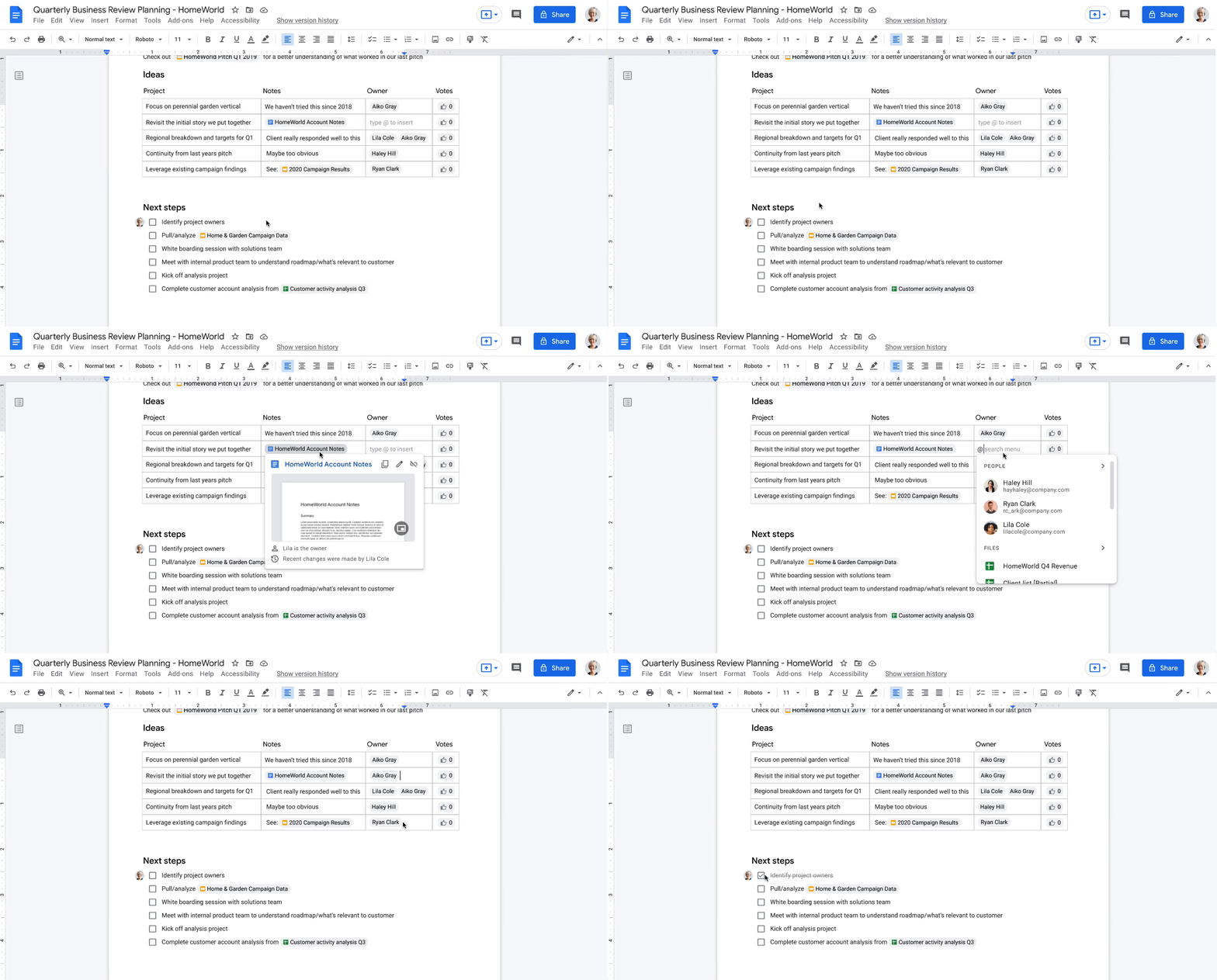
How Essentials Starter works
- Sign up with your work email for a no-cost Essentials Starter account. No credit card required and there’s no limited trial period.
- Invite teammates to collaborate using Google Docs, Slides, Sheets, Chat, Drive, and Meet.
- Unlock innovation with new ways of working with immersive, virtual meetings, and by storing, sharing, and collaborating on 100+ file types, including Microsoft Office, without the need for file conversions.
Collapse the boundaries between people, places, and timezones
In our recently commissioned hybrid work global survey with Economist Impact, when workers were asked what was most important to realize the benefits of hybrid work, their number one choice was “new technologies that allow for time and location flexibility.”*
Google Workspace was born in the cloud and designed for maximum flexibility; to be used from the location and device of your choice. Google Workspace brings chat, files, meetings, and your favorite apps into an intelligent hub so you—and your team—can connect, create, and collaborate from your PCs, tablets, and smartphones, across locations and time zones.

Modern collaboration capabilities
Using the cloud-first approach of Google Workspace, teams can:
- Experience modern collaboration without the burden of version control or email attachments. Brainstorm, build presentations, and glean insights from data using Google Sheets, Slides, and Docs.
- Host secure video meetings to bring everyone together in one place. Conduct one-to-one video meetings (unlimited) and immersive team meetings (3-100 people; up to 60 minutes in duration each).
- Real-time messaging with Google Chat. Share quick updates, files, and high-fives across the team with Google Chat, from one-to-one messages to larger group conversations.
- A dedicated place for team collaboration in Spaces. Spaces are tightly integrated with Google Workspace tools like Chat, Drive, Docs, Sheets, Slides, and Meet, providing a better way for people to engage in topic-based discussions, share knowledge and ideas, move projects forward, and build communities and team culture.
- Access work content securely from your devices. With 15 GB of storage in Google Drive, you can store, share, and access work content from your mobile device, tablet, or computer, and Drive for desktop can enable you to sync files and folders to your PC or Mac. Your Drive storage limits remain separate across your personal and Google Workspace Essentials Starter user accounts.
- Work with existing tools without file conversions. Store, share, or co-edit 100+ file types, including Microsoft Office documents and PDFs without the need for file conversions.
- Easily manage your team of collaborators. Add and remove team members effortlessly using a simple dashboard.

Over the past two years, organizations around the world have relied on Google Workspace to reimagine how work happens and enable modern collaboration across their teams to unlock innovation. During a time of enormous uncertainty, our customers have launched game-changing products, reached new audiences, accelerated lifesaving research, and digitally transformed their own customer experiences. Along the way, they’ve used Google Workspace to empower their employees—across homes, offices, and on the frontlines—to connect, create, and collaborate in powerful new ways. And starting today, with Essentials Starter, employees can make the switch from legacy productivity tools and experience the difference with Google Workspace.
* Economist Impact survey commissioned by Google in October 2021. The most popular answer when workers were asked about the most important condition needed to achieve the long-term success of hybrid work models was based on 42% of 1,244 respondents.
Latest Features and Updates to Globally Bolster Translation Services
5308
Of your peers have already read this article.
2:00 Minutes
The most insightful time you'll spend today!
Let’s face it: in the globalized world, which is now more than ever a digital demand world, you need to scale and reach your customers right where they’re at. Translation is a critical piece of that, whether you’re translating a website in multiple languages or releasing a document, a piece of software, or training materials.
Manual translation does not scale, which is why machine translation, powered by machine learning (ML), is becoming more important to our customers. Machine translation has historically been challenging because of the sheer volume and breadth of content that can add value when translated into multiple languages. Companies acquire and share content in many languages and formats, and scaling translation to meet needs is a tall order due to multiple document formats, integrations with optical character recognition (OCR), and the need to correct for domain-specific terminology.
Our goal is to simplify translation services, while enabling flexibility and control for our customers’ unique needs across industries. Read on to learn more about recent features and updates.
Formatting matters: Document Translation is now GA
In many cases, the layout of a document dictates how it should be interpreted—e.g., readers navigate text and discern meaning based on formatting, like bold or italicized text, or markups for headers, paragraphs, and columns. Previously, to automate translation of documents, text needed to be separated from these layout attributes, meaning the document’s structure was either lost or needed to be recreated later in the developer pipeline, after the text had been translated. This required translation teams to do a lot of extra work and maintain a lot of additional code. But now, those steps are unnecessary. Formatting can be retained throughout the translation process, handled directly by the Translation API Advanced.
This feature lets customers translate documents in 100+ languages and supports document types such as Docx, PPTx, XLSx, and PDF while preserving document formatting.
And if your needs go beyond Document Translation, we can help you translate audio as well. For real-time streaming translation, check out the Media Translation API, and for offline transcription translation, combine the Translation API with the Video Intelligence API.
Real-Time translation when you need it, Batch when you don’t
One of the biggest differentiators for Translation API Advanced’s document translation capabilities is the ability to do real-time, synchronous processing for a single file.
For example, if you are translating a business document such as HR documentation, online translation provides flexibility for smaller files and provides faster results. You can easily integrate with our APIs via REST or gRPC with mobile or browser applications, with instant access to 100+ language pairs so that content can be understandable in any supported language.
Meanwhile, batch translation allows customers to translate multiple files into multiple languages in a single request. For each request, customers can send up to 100 files with a total content size of up to 1 GB or 100 million Unicode codepoints, whichever limit is hit first.
State of the Art (SOTA) accuracy, with flexibility for customization
In order to achieve the highest level of accuracy for your translation, we now support multiple options:
- Use Google’s SOTA translation models: Each year, Google heavily invests to improve the quality of our translations across Apps, Cloud APIs, and Chrome, as well to enable multilanguage answers in Search. A popular metric for automatic quality evaluation of Machine translation systems is the BLEU score, which is based on the similarity between machine translation and the reference translations that were generated by people. While we push out incremental improvements for individual models on a monthly cadence, there are also times where we make significant leaps. In the releases since 2019, we have improved our average BLEU score by 5pts on average across 100+ languages and 7pts on low resource languages.
- Leverage glossaries for specific terms and phrases: Glossary is our terminology control feature. It allows you to import source content to define preferred translations, such as product names or department names. Then, when calling the glossary in the API request, your preferred translations will be enforced. This will work for words as well as phrase translation.
- Pick a pre-trained model with model selection: If you create custom models for machine translation, we don’t think you should have multiple client libraries and multiple APIs to maintain in order for you to use the best model for your needs. Translation API Advanced now supports Model Selection. Pick your pretrained model or pick your custom ML model built on AutoML for any language pair you’ve created and use the same API and the same client library.
- Build custom translation models with AutoML: AutoML Translation is a suite of ML products that enable you to build high quality models for your own use case or data, with limited-to-no ML expertise or coding required. Bring your past human-validated translations to improve translation specificity for your domain.
Keep localization local with Regional Endpoints
If you are a customer operating in the EU, we recently launched an endpoint specifically for EU regionalization. This is a configurable endpoint for customers to store and perform machine translation processing of customer data only in the EU multi region. For now, this only supports our pretrained translation models and glossary, but batch translations will be coming soon.
How Eli Lilly uses Cloud Translation to translate content globally
Historically, translations at Eli Lilly have been complicated: numerous translation vendors have been needed for different languages and organizations, all with their own processes and expectations. On top of that, translations have been costly and slow.
To solve this, Eli Lilly took a codified approach to enable users and systems to spend less time and resources to safely generate quality translations.
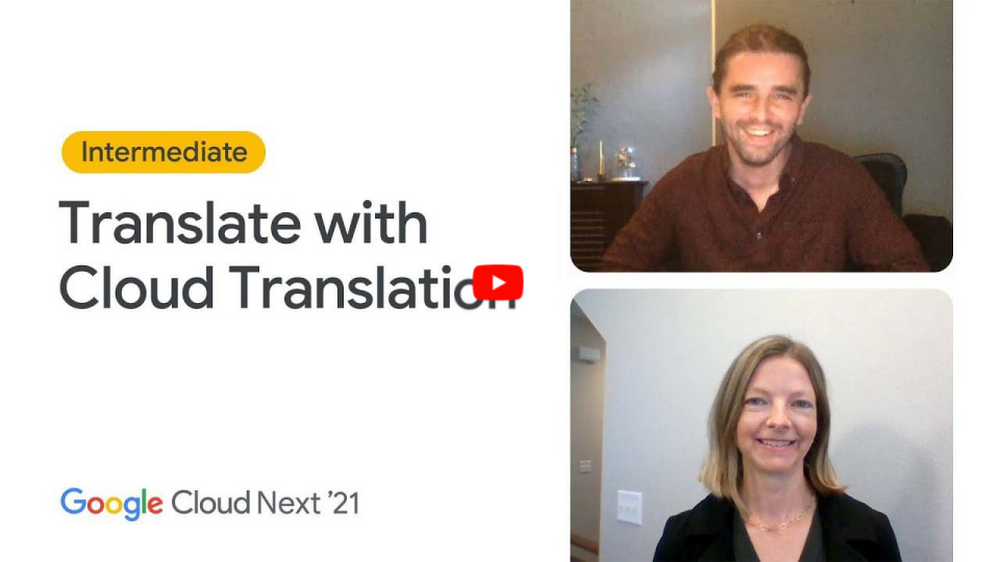
Learn more, and even catch a demo, from Thomas Griffin, Translation Tech Lead & Global Regulatory Architect for Eli Lilly.
Learn more
- To get started using Cloud Translation – Advanced, complete the setup and then try the Translate text (Advanced edition) quickstart.
- Document Translation is priced per page. For more information, see pricing.
Download the Forrester Study to Explore the Benefits of AI for IT Operations in Cloud Environment

7122
Of your peers have already read this article.
1:30 Minutes
The most insightful time you'll spend today!
Organizations are currently modernizing their businesses in order to meet the increasing complexity of today’s business landscape. In effect, business leaders must evaluate the best way to mitigate the challenges which plague their cloud operations, all while meeting customers’ growing expectations around digital experience (DX) through agility, automation, and proactive incident avoidance.
In this commissioned study, “Modernize With AIOps To Maximize Your Impact”, Forrester Consulting surveyed organizations worldwide to better understand how they’re approaching artificial intelligence for IT operations (AIOps) in their cloud environments, and what kind of benefits they’re seeing.
Within this July 2021 study, you’ll see that AIOps systems and principles are here to help. It covers how AIOps increases efficiency and productivity across day-to-day operations, and how businesses are taking note. In fact, 91% of respondents have implemented AIOps to address at least one cloud operations issue, and expansion is set to skyrocket. Those that wait to act, risk losing out on the efficacy of their cloud investment and falling behind their more efficient competitors.
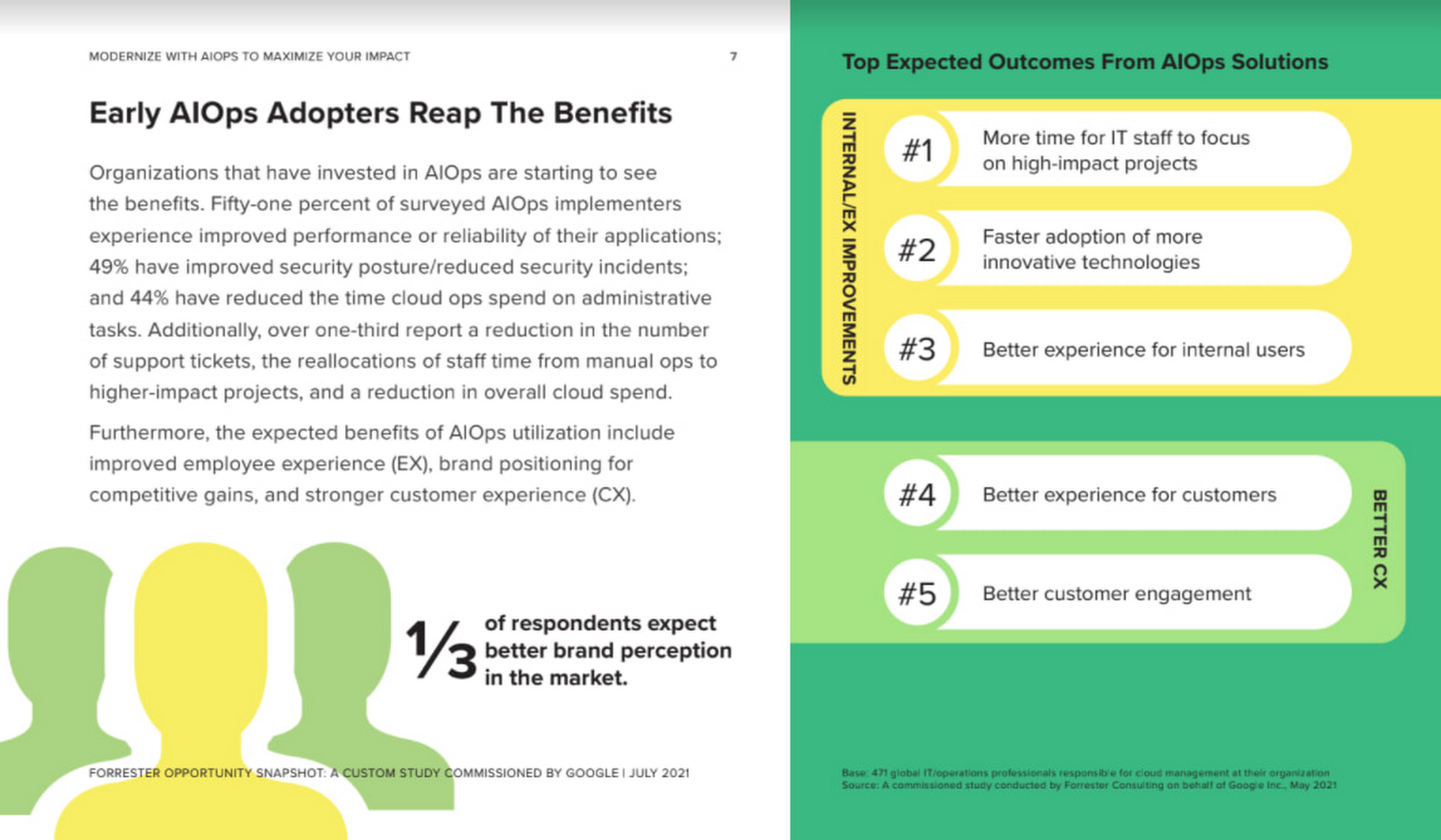
As you can see in the image above, there is a plethora of great information in this complimentary study. So, if you’re looking to enhance your cloud operations and/or adopt AIOps within your organization, be sure to download this free study today.

6314
Of your peers have already downloaded this article
4:04 Minutes
The most insightful time you'll spend today!
When it comes to data analysis, it’s easy to fall into routine. But no matter how much of a whiz you are at formulas or pivot tables, superb spreadsheet skills only take you so far if you’re working with multiple versions or outdated datasets.
On average, your employees spend up to eight hours each week—an entire work day—searching for and consolidating information.
What if businesses spent their time applying data insights instead of tracking them down?
Working in the cloud means your data can easily stay up to date because information is automatically saved as it’s typed. Multiple team members can collaborate in real-time from their phone, tablet or computer (online and offline) and create a single source of truth for projects, like quarterly budgets.
Powered by Google’s machine intelligence, Sheets does a lot
of the heavy
lifting for you when it comes to data analysis. You can ask a question
about your data and Sheets will return an answer using natural language
processing. Sheets also builds
charts, suggests
formulas and creates
pivot tables for you.
More Relevant Stories for Your Company

Expert Takeaways on API Strategies from The State of API Economy 2021 Report
Did you know API traffic for Apigee customers increased 46% year-over-year, to 2.21 trillion calls, between 2019 and 2020? If you have more questions on APIs trends and their role in disrupting enterprises digitally, you can catch up on key take aways from the Google Cloud's State of API Economy
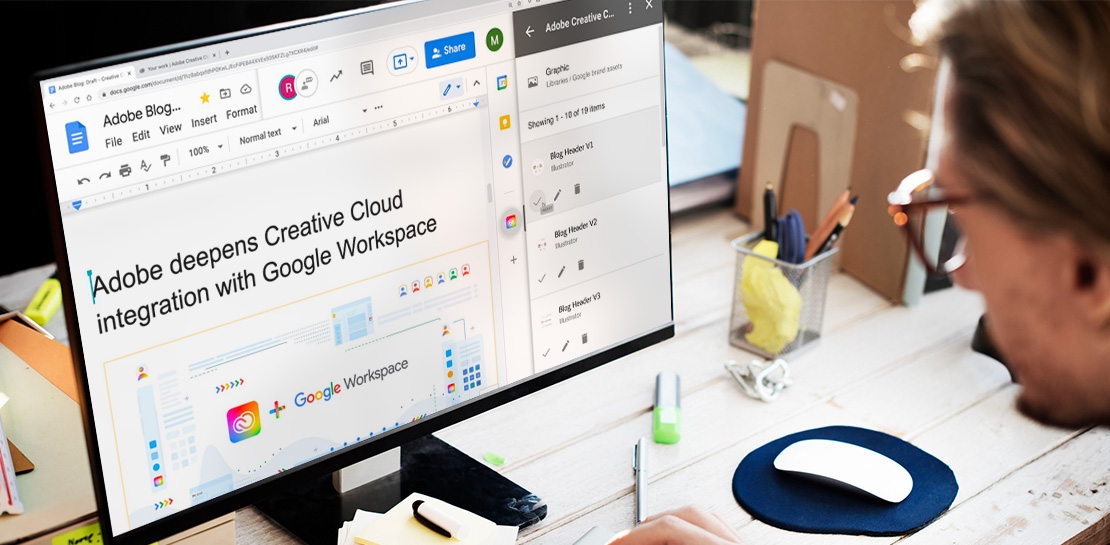
Google Workspace Now has Adobe Add-on!
Every day, individual people and creative teams combine Google Workspace with Adobe Creative Cloud to bring their best ideas to life and delight their customers or friends, across photography, design, video, 3D design, and more. In fact, Adobe’s add-on for Google Workspace has had over a million installs and counting. By partnering

Hybrid Work with Google Workspace: What Customers can Expect
In June, we shared our vision for navigating the future of hybrid work with a single connected experience in Google Workspace. Now, as many of our customers begin to embark on their own hybrid journeys, I wanted to share how we’re helping them bridge the gaps in this new way of

Chrome OS Helped Ocwen Achieve Remote Workplace in Just 2 Weeks during the 2020 Pandemic
Editor’s note: Today’s post is by Parveen Chander Aery, CIO, and Rishi Gupta, Head of Global IT Infrastructure, of Ocwen, a provider of residential and commercial mortgage loan services. The U.S.-based company adopted Chrome OS devices to help global contact center teams work productively together. We’re used to deployments of new
